Pyatv: Perform integration with Home Assistant
Short feature/function description
I will let this issue act as a scratch space when working on the Home Assistant integration of pyatv 0.4.0. Current integration (in HA) is not compatible with 0.4.0 at all, so some work needs to be done to adapt. We should also try do modernize the integration as well since it doesn't use modern features (lite config entries or flows). What is on master in writing moment should be enough to get going.
I have not started working on this yet.
What needs to be done?
Short list of tasks to do (based on modifying existing integration):
- Remove unnecessary cruft, like the scan-service and authentication for AirPlay (the latter should be done by config flow)
- Change the (now) bare minimum implementation to support pyatv 0.4.0
- New entities should be initialized with the device identifier - _no_ IP-address should be stored with the device!
- Tweak the discovery process to generate a device identifier (based on the address) when a device is found and add a new entity like above (use
pyatv.get_device_id) - When an entity has been added to HA, it should scan after devices with the specified device id (i.e. scanning for itself) and use the details to establish a connection
- Migrate to use config entries
- Use config flows to setup new devices (AirPlay authentication should be a mandatory step)
- When an entity fails to connect to a device (connection timed out for instance), it should start scanning after a device again (restricted to its device id) and re-connect
- Maybe something else I have forgotten
I think I have covered the necessary parts above, albeit they might need to be broken down a bit more. However it's a good start. One idea now is to setup a new repo for the component that can be installed via HACS (but require it to be manually added as a source repo), just to simplify testing for users. I will have to do a pre-release of pyatv as well I guess, need to figure out how that works.
_Note: Finishing the above only means that the HA integration is done, there are still lots of work left in pyatv._
Is this a breaking change?
Hopefully nothing for pyatv
Anything else worth knowing?
Maybe @chamberlain2007 is interested in this issue.
 postlund
All 206 comments
Or maybe, instead of creating a new repo, we could re-user chamberlain2007/apple_tv_mrp for that?
postlund
on 8 Oct 2019
A pre-release, 0.4.0a1, is now available on pypi!
postlund
on 8 Oct 2019
To get started with a config flow, run in Home Assistant dev env: python3 -m script.scaffold config_flow 👍
 balloob
on 8 Oct 2019
balloob
on 8 Oct 2019
@balloob Cool, didn't know about that! I started with out-of-tree development at first (as custom component), but I think I will move in-tree instead and start from the beginning with the integration template instead. Thanks for the pointer!
postlund
on 9 Oct 2019
I pushed a very, very rough start of the integration re-write here:
https://github.com/postlund/home-assistant/tree/atv_rewrite
I will do in-tree development only to not have to deal with limitations of custom components.
No authentication is built into the flow yet, but should work with MRP as-is (assuming zeroconf works as expected). Also, no re-connect logic, tests and other minor stuff are there. Seems like the remote component doesn't support config entries either, so it doesn't group well integration-wise either.
postlund
on 12 Oct 2019
@postlund any beta build on the whole authenticationthing yet?
 junologue
on 9 Nov 2019
junologue
on 9 Nov 2019
@postlund any beta build on the whole authenticationthing yet?
Not yet, working hard on that. I'm mostly done with #240 ("create a generic pairing API fo all protocols"), which is really what I need for that. It makes it easier to implement pairing in one way, dealing with any of the protocols. Can't promise anything time-wise, but I hope to be able to continue working here in the upcoming week or the week after that (depending on personal situation).
postlund
on 9 Nov 2019
I have made a new pre-release, 0.4.0a3, that I will use as base to update the integration. Will likely start adjusting the code next week, but it is ok to start testing this release and report bugs. The documentation is partly updated with instructions for atvremote:
postlund
on 15 Nov 2019
After some fiddling, I think I have some messy code that works somewhat OK. Will have to clean it up a bit before publishing, but should be ready by tomorrow around this time or so. Found a couple of regressions that I had to fix (#265), so I will make a new release with these changes soon.
If you want to help me out and beta test, check back tomorrow.
postlund
on 19 Nov 2019
Will TTS commands and Airplay etc, work with this beta version?
On 19 Nov 2019, at 23:13, Pierre Ståhl notifications@github.com wrote:
After some fiddling, I think I have some messy code that works somewhat OK. Will have to clean it up a bit before publishing, but should be ready by tomorrow around this time or so. Found a couple of regressions that I had to fix (#265 https://github.com/postlund/pyatv/pull/265), so I will make a new release with these changes soon.
If you want to help me out and beta test, check back tomorrow.
—
You are receiving this because you commented.
Reply to this email directly, view it on GitHub https://github.com/postlund/pyatv/issues/209?email_source=notifications&email_token=AJJIEJQZY32YMKRFDFHRYK3QURQHFA5CNFSM4I6ND3Y2YY3PNVWWK3TUL52HS4DFVREXG43VMVBW63LNMVXHJKTDN5WW2ZLOORPWSZGOEEP62HY#issuecomment-555740447, or unsubscribe https://github.com/notifications/unsubscribe-auth/AJJIEJQMCV7G6KN4HCJVFIDQURQHFANCNFSM4I6ND3YQ.
junologue
on 19 Nov 2019
Will TTS commands and Airplay etc, work with this beta version?
I haven't had any intentions on looking into this, but I could probably make a quick work-around for it. It's more of an issue in aiohttp that I can't do much about in a clean way at the moment, but a quickfix should work. I'll write an issue for it.
Issue: #266
postlund
on 20 Nov 2019
So, I have now pushed an early version of the new components that should support all the different Apple TVs. I did not include the AirPlay "fix" mentioned above, just didn't have time for it. Will fix that later.
To get going it's more or less (you can remove the test_ha directory when you are done testing):
mkdir test_ha
cd test_ha
git clone https://github.com/postlund/home-assistant.git
cd home-assistant
git checkout origin/new_atv
python3 -m venv venv
source venv/bin/activate
python setup.py develop
mkdir config
hass -c config
Wait for Home Assistant to start then shut it down (Ctrl+C), open config/configuration.yaml and add:
logger:
  default: info
  logs:
    pyatv: debug
Then just start it again:
hass -c config
Once Home Assistant is running, head over to Integrations and you should see your devices there. You can also add a device using an identifier (that you get with atvremote scan for instance).
Would love to get some initial feedback on this! Remember, it's still early so some things doesn't work (like cover art) and you cannot configure via yaml (only config flows) for now. Remember to include debug logs if something breaks!
postlund
on 20 Nov 2019
Hi, I will install and start testing tonight. Just a bit confused on the install instructions. Do you perhaps have a bit more detail?
Thank you for all your effort with this.
 ekkesa
on 21 Nov 2019
ekkesa
on 21 Nov 2019
Hi, I will install and start testing tonight. Just a bit confused on the install instructions. Do you perhaps have a bit more detail?
Thank you for all your effort with this.
I updated the instructions in my previous post to include everything you need to do, hope it helps!
postlund
on 21 Nov 2019
Thank you - I will be testing on my live HA instance which is installed in a venv. I will post feedback once it is up. Again, much appreciated!
ekkesa
on 21 Nov 2019
I have started to follow the steps , but I get this error in the "_git co_" command
`git co origin/new_atv
git: 'co' is not a git command. See 'git --help'.
The most similar commands are
commit
clone
log`
Am I missing something? Sorry for the stupid questions ;-)
UPDATE: Figured it out:
git config --global alias.co checkout
ekkesa
on 21 Nov 2019
Thank you - I will be testing on my live HA instance which is installed in a venv. I will post feedback once it is up. Again, much appreciated!
I would _highly_ recommend that you you use a separate venv (which you get with the commands above) and configuration and use it for testing this only.
postlund
on 21 Nov 2019
I have started to follow the steps , but I get this error in the "_git co_" command
`git co origin/new_atv
git: 'co' is not a git command. See 'git --help'.The most similar commands are
commit
clone
log`
Am I missing something? Sorry for the stupid questions ;-)UPDATE: Figured it out:
git config --global alias.co checkout
Yes, it's an alias 😄 I changed that in the comment.
postlund
on 21 Nov 2019
Why write this?
core-ssh:~/home-assistant# python3 -m venv venv
-bash: python3: command not found
Thank you for your work
 ahkaroly
on 21 Nov 2019
ahkaroly
on 21 Nov 2019
I would highly recommend that you you use a separate venv (which you get with the commands above) and configuration and use it for testing this only.
If my deduction is correct I will have to install HA in that venv too?
ekkesa
on 21 Nov 2019
Why write this?
core-ssh:~/home-assistant# python3 -m venv venv
-bash: python3: command not foundThank you for your work
I guess that you don't have a default version 3 for python. Try typing python and press TAB a few times, use the version you see (e.g. python3.6 or python3.7).
postlund
on 21 Nov 2019
I would highly recommend that you you use a separate venv (which you get with the commands above) and configuration and use it for testing this only.
If my deduction is correct I will have to install HA in that venv too?
In my instructions you clone and install Home Assistant, so that is exactly what you are doing. You just use the version I am working on.
postlund
on 21 Nov 2019
I have followed the steps above, but get these errors on initial startup of HA.
Just some additional info: I'm running python3.8
ERROR (MainThread) [aiohttp.server] Error handling request
Traceback (most recent call last):
  File "/data/dev/pyatv_test/home-assistant/venv/lib/python3.8/site-packages/aiohttp-3.6.1-py3.8-linux-armv7l.egg/aiohttp/web_protocol.py", line 275, in data_received
    messages, upgraded, tail = self._request_parser.feed_data(data)
  File "aiohttp\_http_parser.pyx", line 523, in aiohttp._http_parser.HttpParser.feed_data
I have checked if aiohttp is installed in the venv and it says "Requirement already satisfied"
Any suggestions?
UPDATE: Seems to to SSL related - It might be some webhooks from auxilary services trying to connect to this test HA instance.
ekkesa
on 21 Nov 2019
I would also love to test it, but since i have hassio installed, i am not sure how to apply the instructions. Someone who could provide the procedure?
21 nov. 2019 kl. 13:33 skrev Horváth Károly notifications@github.com:
Why write this?core-ssh:~/home-assistant# python3 -m venv venv
-bash: python3: command not foundThank you for your work
—
You are receiving this because you commented.
Reply to this email directly, view it on GitHub, or unsubscribe.
junologue
on 21 Nov 2019
I have followed the steps above, but get these errors on initial startup of HA.
Just some additional info: I'm running python3.8
ERROR (MainThread) [aiohttp.server] Error handling request Traceback (most recent call last): File "/data/dev/pyatv_test/home-assistant/venv/lib/python3.8/site-packages/aiohttp-3.6.1-py3.8-linux-armv7l.egg/aiohttp/web_protocol.py", line 275, in data_received messages, upgraded, tail = self._request_parser.feed_data(data) File "aiohttp\_http_parser.pyx", line 523, in aiohttp._http_parser.HttpParser.feed_dataI have checked if aiohttp is installed in the venv and it says "Requirement already satisfied"
Any suggestions?
UPDATE: Seems to to SSL related - It might be some webhooks from auxilary services trying to connect to this test HA instance.
Yeah, this seems unrelated and unless HA fails to start you should be able to ignore it.
postlund
on 21 Nov 2019
I would also love to test it, but since i have hassio installed, i am not sure how to apply the instructions. Someone who could provide the procedure?
Do you run Hass.io on HassOS or do you run it on a generic Linux install? The first case is hard to do, you would probably have to create an add on to run it in. Would recommend using another machine with plain Linux instead.
If you already run on a plain Linux machine, you can just ssh and follow the instructions. You will have to use another port number though.
postlund
on 21 Nov 2019
@postlund HassOS unfortunately...
oh i see, do you have any plans on making it an addon later on?
-
Also, can you please delete my email signature that accidentally got embedded in your quote? :) Don’t want my contact details laying around. Thanks =)
junologue
on 21 Nov 2019
I have followed the steps above, but get these errors on initial startup of HA.
Just some additional info: I'm running python3.8
ERROR (MainThread) [aiohttp.server] Error handling request Traceback (most recent call last): File "/data/dev/pyatv_test/home-assistant/venv/lib/python3.8/site-packages/aiohttp-3.6.1-py3.8-linux-armv7l.egg/aiohttp/web_protocol.py", line 275, in data_received messages, upgraded, tail = self._request_parser.feed_data(data) File "aiohttp\_http_parser.pyx", line 523, in aiohttp._http_parser.HttpParser.feed_data
I have checked if aiohttp is installed in the venv and it says "Requirement already satisfied"
Any suggestions?
UPDATE: Seems to to SSL related - It might be some webhooks from auxilary services trying to connect to this test HA instance.Yeah, this seems unrelated and unless HA fails to start you should be able to ignore it.
I got the system up - It shows the ATVs on my network, but will only be able to add them tonight, as I did the installation remotely. Anything specific you would like me to test?
ekkesa
on 21 Nov 2019
@postlund HassOS unfortunately...
oh i see, do you have any plans on making it an addon later on?Also, can you please delete my email signature that accidentally got embedded in your quote? :) Don’t want my contact details laying around. Thanks =)
My intention is to replace the default component once it works as intended, so an addon won't be necessary. I would have implemented it as a custom component (during development phase) if I could, but there are some restrictions that doesn't allow me to do that.
Done!
postlund
on 21 Nov 2019
I got the system up - It shows the ATVs on my network, but will only be able to add them tonight, as I did the installation remotely. Anything specific you would like me to test?
Great! Mainly verify that pairing and at least the some basic info works. It should show things like state, title, etc. It's just "general use" that I am interested in at this point 😄
postlund
on 21 Nov 2019
Nice! Then i’ll just wait.
It’s possible through siri shortcuts to open specific apps on tvos.
do you think this will (in the future) be possible to do with your component?
21 nov. 2019 kl. 14:44 skrev Pierre Ståhl notifications@github.com:
@postlund HassOS unfortunately...
oh i see, do you have any plans on making it an addon later on?Also, can you please delete my email signature that accidentally got embedded in your quote? :) Don’t want my contact details laying around. Thanks =)
My intention is to replace the default component once it works as intended, so an addon won't be necessary. I would have implemented it as a custom component (during development phase) if I could, but there are some restrictions that doesn't allow me to do that.
Done!
—
You are receiving this because you commented.
Reply to this email directly, view it on GitHub, or unsubscribe.
junologue
on 21 Nov 2019
Nice! Then i’ll just wait. It’s possible through siri shortcuts to open specific apps on tvos. do you think this will (in the future) be possible to do with your component?
…
https://github.com/postlund/pyatv/issues/170#issuecomment-554372995
postlund
on 21 Nov 2019
Okay - It worked beautifully. I added one ATV (Living Area) (On the newest tvOS) during the onboarding process of HA, and it asked for the PIN twice (Two different services, airplay and media player). After the two prompts I received the successful on HA(_Onboarding.jpg_), but the ATV was still displaying a new (3rd) PIN on the screen - It was dismissed by pressing menu on the remote.

The second ATV (Master Bedroom) I added via the integrations. On the integrations page it displayed three ATVs in the list (_ATV_MB.jpg_). I tried the first one, but I received an error - This was most likely due to taking too long to enter the PIN. Retrying it, did not generate a new PIN on the ATV. I then tried the other entry (without Homesharing enabled) and it went through the same process as the first also ending with a PIN on the screen.

After adding the Master Bedroom ATV there was still two listed under integrations (_ATV_MB_AfterAdd.jpg_).

On the Overview screen both ATV was added and two remotes (_ATV Remotes.jpg_). Both reported playing states from both Plex and Netflix and the controls to play/pause worked and the simulated off. Both also displayed the basic info about what is playing(ATV_LA_PlayingInfo).


Please let me know should you require any other testing.
ekkesa
on 21 Nov 2019
This is great input, thanks! Comments are inlined below.
Okay - It worked beautifully. I added one ATV (Living Area) (On the newest tvOS) during the onboarding process of HA, and it asked for the PIN twice (Two different services, airplay and media player). After the two prompts I received the successful on HA(_Onboarding.jpg_), but the ATV was still displaying a new (3rd) PIN on the screen - It was dismissed by pressing menu on the remote.
I looked into this and found the root cause. The third PIN screen is actually still the first one. You begin by pairing with MRP, which succeeds. The PIN screen is still displayed but as soon as pairing of AirPlay starts, that is just rendered on top of the first one. When AirPlay pairing is done, its screen disappears and you are back at the first screen again. This happens because I don't close the connection used for pairing properly (which is handled OK for AirPlay it seems).
When using atvremote you don't actually notice this since the applications exits once pairing is done, so the connection is closed. With Home Assistant the connection persists. I managed to sneak in a fix together with #274...
The second ATV (Master Bedroom) I added via the integrations. On the integrations page it displayed three ATVs in the list (_ATV_MB.jpg_). I tried the first one, but I received an error - This was most likely due to taking too long to enter the PIN. Retrying it, did not generate a new PIN on the ATV. I then tried the other entry (without Homesharing enabled) and it went through the same process as the first also ending with a PIN on the screen.
It is interesting that you get three different entries here. What does atvremote scan say? Also, could you perhaps include some debug logs? It's easier to see what's going on.
I assume that this is an Apple TV 3? Using the service suffixed with "(Home sharing)" should only ask for PIN when pairing AirPlay. The other one should ask once for DMAP (or rather, you need to enter a PIN on the device) and a second one for AirPlay.
After adding the Master Bedroom ATV there was still two listed under integrations (_ATV_MB_AfterAdd.jpg_).
I believe this is a side-effect of the device being found several times (one for home sharing, once for when home sharing is not available and once for a reason I don't understand). Not sure if it's possible to signal to other config flows that they should disappear, but you should at least just get a message telling you that the device is already configured. Did you get that?
On the Overview screen both ATV was added and two remotes (_ATV Remotes.jpg_). Both reported playing states from both Plex and Netflix and the controls to play/pause worked and the simulated off. Both also displayed the basic info about what is playing(ATV_LA_PlayingInfo).
Sounds good! 👍
Please let me know should you require any other testing.
Absolutely! Would be good if you tried leaving it running for a while to see how it behaves over time. Exceptions and strange behavior is worth additional investigation.
postlund
on 21 Nov 2019
I also tried this today.
Right on the first start I see an Apple TV listed in the setup screen:

I added it from that screen, but also had the issue that the Apple TV PIN was still shown on screen when HA performs the Airplay pairing.
Using the "Apple TV Remove" switch to turn the Apple TV on/off didn't work (and I would find that very useful!).
Using the media player on/off switch didn't work either.
Play/pause/forward/rewind works fine.
I see the video title in the HA media player.
My logs are here: home-assistant.log
Thanks a lot for working on this!
 thowi
on 24 Nov 2019
thowi
on 24 Nov 2019
Can't install any tricks on Hass.io?
ahkaroly
on 24 Nov 2019
I also tried this today.
Right on the first start I see an Apple TV listed in the setup screen:
I added it from that screen, but also had the issue that the Apple TV PIN was still shown on screen when HA performs the Airplay pairing.
Using the "Apple TV Remove" switch to turn the Apple TV on/off didn't work (and I would find that very useful!).
Using the media player on/off switch didn't work either.
Play/pause/forward/rewind works fine.
I see the video title in the HA media player.My logs are here: home-assistant.log
Thanks a lot for working on this!
Great, thanks you for testing! 😊 Turn on/off doesn't really work since I haven't implemented the disconnect routines in a decent way yet. Will probably focus on that soon. Turn on will work like it always has: if the device is off, it will turn on. Turn off will probably not work. For older devices (DMAP) there's no known way, so that's a no-go for now. I hope someone proves me wrong soon. Newer devices supports "suspend" (you can use it like so: atvremote ... suspend). This will "turn off" the device but it doesn't coop with CEC, so if you rely on that it still won't work. In theory it's possible to navigate through menus to put the device to sleep, but I refrain from doing that as it's not reliable.
An interesting use case is to reboot the Apple TV a couple of times. It will probably change port at some point and stop working. Issue #273 deal with this and I hope to implement that soon as well.
postlund
on 24 Nov 2019
Can't install any tricks on Hass.io?
I've modified the component bundled with Home Assistant, so you need this specific version of Home Assistant. I don't think it's supported by the Hass.io supervisor to install a user-provided version. So no, I at least think it's not possible in a simple way.
postlund
on 24 Nov 2019
Turn on will work like it always has: if the device is off, it will turn on. Turn off will probably not work.
OK, I played with that.
I manually put it to sleep (Settings -> Sleep now).
- Starting HA will turn it on.
remote.turn_ondoesn't do anything.media_player.turn_onshows the player as on in HA, but actually the device is off.media_player.media_playturns it on.- Putting it back to sleep manually will not be detected by HA.
Having a way to turn it on (wake up from sleep) without playing some media would be nice!
Until then, I can just disable sleep mode so it's always on.
thowi
on 24 Nov 2019
OK, I played with that.
I manually put it to sleep (Settings -> Sleep now).
- Starting HA will turn it on.
remote.turn_ondoesn't do anything.media_player.turn_onshows the player as on in HA, but actually the device is off.media_player.media_playturns it on.- Putting it back to sleep manually will not be detected by HA.
Having a way to turn it on (wake up from sleep) without playing some media would be nice!
Until then, I can just disable sleep mode so it's always on.
I'm gonna try to explain how it works 😄 Warning, long post...
The Apple TV wakes up from sleep whenever something connects to it, be it MRP, AirPlay or something else. I don't believe it will go to sleep if it has a persistent connection to someone/something. In case of pyatv we have two separate cases:
- DMAP: This protocol is request based (binary data over HTTP) and does not have a persistent connection: you must continuously ask for new data when you want it. The underlying HTTP session times out after a while (this makes it non-persistent in a way). To support "push updates", you perform a GET-request to a particular URL and that request will block (potentially for a very long time) until new data is available. So it's more or less reverse-pushes updates to the client. The client will have to create a new request every time the previous has returned.
- MRP: This protocol is persistent. It has a TCP connection and exchange protobuf messages over this connection (more or less). New data is pushed when it's available, so "push updates" are pretty much builtin by design.
The way current Apple TV component in Home Assistant works, is that when you turn a device on or off, it basically disables push updates (via interface.PushUpdater.stop). Again, we have two cases:
- DMAP: The long lived GET-request is cancelled and
pyatvhas no connection to the device open whatsoever. - MRP: Push updates are no longer pushed to the "listener" (the Home Assistant component in this case). The persistent connection however still remains active. So messages are still received under the hood, but they are not pushed to the component in Home Assistant.
The take from this is that when you "stop" a device that happens to be for instance an Apple TV 3, you will cease all communication with it (since it's a DMAP device) and not continue to wake it up. If you have start_off set, you will not wake it up when restarting Home Assistant for the same reason.
Again, the same reasoning for lets say an Apple TV 4, will still keep it from going to sleep and/or wake it up since the connection is still active (because of MRP). Using start_off will not work here either because that only deals with the "push updates" API and the connection is made before that API is available.
So... what needs to be done here is to not use the push updates API from turn on/off, but instead hook into connect/close and actually close the connection completely. The next time you turn on the device, pyatv must perform a scan and try to find the device again (which it does under the hood) and then connect. This is also more or less the same case as when the device changes port, e.g. after a restart or so.
So to answer your question: yes, you will be able to wake up your device by just hitting turn on (and not having to send a particular command). It happens automatically when pyatv establishes a connection.
postlund
on 24 Nov 2019
I have decided to convert this into a custom component, with the limitation that auto-discovery will not work (since zeroconf is not supported for custom components). Hopefully I will finish this tonight. Progress will be posted in #278.
postlund
on 25 Nov 2019
For people feeling brave, the beta component is here:
postlund
on 25 Nov 2019
I've just installed it, and it works wonders with my ATV 4th gen using HA 0.102.2. At least I can read the playing state and media info again so I can dim my lights. Playing/pausing also seems to work. I also had no problems with the pin entering, both pins were correctly registered and they disappeared from the ATV after entering as they should.
Thanks so much for all the effort you're putting into this! 😄 🏆
 Qonstrukt
on 28 Nov 2019
Qonstrukt
on 28 Nov 2019
I also gave the beta component a shot, so far works brilliantly! I'm looking forward for this becoming a fixed part in HA.
 Kugelfang666
on 28 Nov 2019
Kugelfang666
on 28 Nov 2019
@Qonstrukt @Kugelfang666 Thanks for giving it a spin and reporting back! 👍 Great to hear that it seems to work OK as well 😄
My upcoming focus will be on fixing a few bugs, #291 being one of them, but also implement re-connect if a device is not found (e.g. scan fails or Apple TV is turned off when starting Home Assistant) or if a connection error happens. I will merge #290 as well and would need some help to verify if AirPlay works as well.
postlund
on 28 Nov 2019
Beta component is working flawlessly for me so far on my Apple TV 4th Gen. Really smooth setup and pairing experience, and I didn't even have to touch a YAML file. It feels so slick and polished even in this beta state. I'm impressed, great stuff!
The one minor issue I've found so far is that my device shows up "twice" on the integrations page (and the new "Devices" page). A blank/empty one and then the actual Apple TV.

I believe that it's the same exact issue as this: https://github.com/home-assistant/home-assistant/pull/29173 So perhaps you can see how balloob fixed it there and apply the same fix here.
 SeanPM5
on 29 Nov 2019
SeanPM5
on 29 Nov 2019
I setup the beta component but I'm out of the country so can't actually pair it with any of my devices, I'll do some testing and provide feedback next week.
 geekofweek
on 29 Nov 2019
geekofweek
on 29 Nov 2019
The one minor issue I've found so far is that my device shows up "twice" on the integrations page (and the new "Devices" page). A blank/empty one and then the actual Apple TV.
I believe that it's the same exact issue as this: home-assistant/home-assistant#29173 So perhaps you can see how balloob fixed it there and apply the same fix here.
Right, I think I messed up the device registry part here. I'm not enitrely sure how it's supposed to work, but I assume that the part added here https://github.com/postlund/hass-atv-beta/blob/master/custom_components/apple_tv/__init__.py#L57 should be removed. It seems to work via device_info in media_player.py and remote.py anyway. Thanks for pointing out, I will add it to my TODO-list.
postlund
on 29 Nov 2019
Really excited to try the beta but could not get it running, neither by putting it into custom_components nor by overriding homeassistant/components/apple_tv folder via Docker volumes.
It seems like it actually does replace the built-in applt_tv components as its services are no longer visible on Developer Tools -> Services screen, but no trace of Apple TV integration is to be found on Settings -> Integrations -> Add page 🤔
I'd appreciate any hints.
 nikolaykasyanov
on 29 Nov 2019
nikolaykasyanov
on 29 Nov 2019
Really excited to try the beta but could not get it running, neither by putting it into
custom_componentsnor by overridinghomeassistant/components/apple_tvfolder via Docker volumes.It seems like it actually does replace the built-in applt_tv components as its services are no longer visible on Developer Tools -> Services screen, but no trace of Apple TV integration is to be found on Settings -> Integrations -> Add page 🤔
I'd appreciate any hints.
This issue was reported earlier I think, but it seemed to work when installed via HACS. Could you try that? Otherwise try cleaning your cache and see if it appears.
postlund
on 29 Nov 2019
The one minor issue I've found so far is that my device shows up "twice" on the integrations page (and the new "Devices" page). A blank/empty one and then the actual Apple TV.
I believe that it's the same exact issue as this: home-assistant/home-assistant#29173 So perhaps you can see how balloob fixed it there and apply the same fix here.Right, I think I messed up the device registry part here. I'm not enitrely sure how it's supposed to work, but I assume that the part added here https://github.com/postlund/hass-atv-beta/blob/master/custom_components/apple_tv/__init__.py#L57 should be removed. It seems to work via
device_infoinmedia_player.pyandremote.pyanyway. Thanks for pointing out, I will add it to my TODO-list.
To be fair, when opening the Mobile App integration devices, I see the same happening for the iOS app. It shows my iPhone and iPad both twice, one without any entities, and the other with all of them. So it seems HA developers themselves still have issues with it as well, or it's not working as its should yet.
Qonstrukt
on 29 Nov 2019
To be fair, when opening the Mobile App integration devices, I see the same happening for the iOS app. It shows my iPhone and iPad both twice, one without any entities, and the other with all of them. So it seems HA developers themselves still have issues with it as well, or it's not working as its should yet.
Good observation!
postlund
on 29 Nov 2019
To be fair, when opening the Mobile App integration devices, I see the same happening for the iOS app. It shows my iPhone and iPad both twice, one without any entities, and the other with all of them. So it seems HA developers themselves still have issues with it as well, or it's not working as its should yet.
Yes indeed, same thing happens with Mobile App currently. Balloob said issue was from "not registering consistent device identifiers." And he fixed it in the dev branch of HA and it'll be in 0.103. So I think maybe this same fix can be used: https://github.com/home-assistant/home-assistant/pull/29173/files
It seems like it actually does replace the built-in applt_tv components as its services are no longer visible on Developer Tools -> Services screen, but no trace of Apple TV integration is to be found on Settings -> Integrations -> Add page 🤔
@nikolaykasyanov I encountered this same problem when doing a manual install. I saw from the logs the new apple_tv component was being loaded, but just wasn't showing up on Integrations page. Turns out it was because I skipped the .translations folder. There's a file inside of that folder named en.json that is necessary for it to appear on the add integrations page and complete setup. Make sure that you have that /.translations/en.json file in place, and restart HA, and it should work.
SeanPM5
on 29 Nov 2019
Yes indeed, same thing happens with Mobile App currently. Balloob said issue was from "not registering consistent device identifiers." And he fixed it in the dev branch of HA and it'll be in 0.103. So I think maybe this same fix can be used: https://github.com/home-assistant/home-assistant/pull/29173/files
From what I understand, this is already how I am doing things. So it's probably something else. I will play around with it next week when fixing other things.
@nikolaykasyanov I encountered this same problem when doing a manual install. I saw from the logs the new
apple_tvcomponent was being loaded, but just wasn't showing up on Integrations page. Turns out it was because I skipped the.translationsfolder. There's a file inside of that folder nameden.jsonthat is necessary for it to appear on the add integrations page and complete setup. Make sure that you have that/.translations/en.jsonfile in place, and restart HA, and it should work.
Ah, yes. Then it just appears as an empty row in the integration list. This is most likely the reason.
postlund
on 29 Nov 2019
@postlund @SeanPM5 thanks for your help folks, turns out me using symlinking instead of copying was the culprit. Trying to symlink a folder outside of a container doesn't seem like a good idea 😅
nikolaykasyanov
on 29 Nov 2019
I'm getting this after restarting HASS even when Apple TV is on (like on-on, not just in standby):
2019-11-30 11:12:20 ERROR (MainThread) [custom_components.apple_tv] Failed to find device with identifier 3F18EA1F-96BD-45FF-8073-82F5E5918AA2
and in UI:

@postlund is it the same issue as #273 or something else? How can I help diagnose it?
nikolaykasyanov
on 30 Nov 2019
I'm getting this after restarting HASS even when Apple TV is on (like on-on, not just in standby):
2019-11-30 11:12:20 ERROR (MainThread) [custom_components.apple_tv] Failed to find device with identifier 3F18EA1F-96BD-45FF-8073-82F5E5918AA2and in UI:
@postlund is it the same issue as #273 or something else? How can I help diagnose it?
See #292
 Veldkornet
on 30 Nov 2019
Veldkornet
on 30 Nov 2019
I'm getting this after restarting HASS even when Apple TV is on (like on-on, not just in standby):
2019-11-30 11:12:20 ERROR (MainThread) [custom_components.apple_tv] Failed to find device with identifier 3F18EA1F-96BD-45FF-8073-82F5E5918AA2and in UI:
@postlund is it the same issue as #273 or something else? How can I help diagnose it?
Definitely #292 as @Veldkornet says. We can continue there.
postlund
on 30 Nov 2019
So far 24 hours in everything seems to be working as expected with the current included feature sets.
I can test out AirPlay functionality when it gets to that point.
geekofweek
on 3 Dec 2019
I just pushed a new update to the HA beta component (and new pyatv pre-release of course). Focus ha been on re-connection logic, error handling and turn on/off support ("off" as seen in Home Assistant, not actual turn off). This version is only lightly tested and it's a big change, so there might be some bugs. Please help me find them (write new issues)! See the change log in other repository for more details.
postlund
on 5 Dec 2019
It would be great if someone could try playing some video via AirPlay in Home Assistant to verify if #266 is fixed. For example play http://commondatastorage.googleapis.com/gtv-videos-bucket/sample/BigBuckBunny.mp4. Maybe @geekofweek?
postlund
on 6 Dec 2019
Just tested it! Works fine!
junologue
on 6 Dec 2019
Can I enquire if it's going to come in a Home Assistant update, or should I install it manually?
And if it's coming, then when? :)
 syluccy
on 6 Dec 2019
syluccy
on 6 Dec 2019
Can I enquire if it's going to come in a Home Assistant update, or should I install it manually?
And if it's coming, then when? :)
Short answer: it will come when it is ready 😊 You can use the beta component in the meanwhile, it will be the same thing in the end.
postlund
on 6 Dec 2019
I will test this later today, any plans on supporting suspend/sleep with the new protocol. I see atvremote already has support
 kibs
on 6 Dec 2019
kibs
on 6 Dec 2019
@kibs I can an option to use suspend later, but it is not on my priority list for now. Maybe the next update after getting what I already have into Home Assistant.
postlund
on 6 Dec 2019
@postlund , thank you so much for all your work on this! When it gets integrated with Home Assistant will we be able to also use the remote features as well, or will that be a future update?
 Tangston311
on 6 Dec 2019
Tangston311
on 6 Dec 2019
@Tangston311 If you are referring to the remote control platform (so you can send button presses), then it is already there. You should have an entity called remote.<something here>. Otherwise it's a bug.
postlund
on 6 Dec 2019
Aaah gotcha, ok I didn't realize that. I saw something in the release notes for the beta that YAML wasn't supported, so I figured that was for a later release. So for now I can utilize the remote entity, but I can't yet write scripts using YAML to configure a series of button presses?
Tangston311
on 6 Dec 2019
Aaah gotcha, ok I didn't realize that. I saw something in the release notes for the beta that YAML wasn't supported, so I figured that was for a later release. So for now I can utilize the remote entity, but I can't yet write scripts using YAML to configure a series of button presses?
The "no YAML supported"-part only concerns adding a device via configuration.yaml, you must go via the integration page now. You really should anyways and move away from yaml. Writing automations in yaml using the remote works just like before.
postlund
on 6 Dec 2019
Oh great! I’ll test that out this weekend then. Much appreciated.
Tangston311
on 6 Dec 2019
I'm getting Invalid File errors every time I try to AirPlay something to any of the ATVs.
Does this if I try to invoke camera.play_stream or media_player.play_media with the test URL.
ERROR (MainThread) [homeassistant.components.websocket_api.http.connection.139667272909520] Invalid file
Traceback (most recent call last):
  File "/usr/src/homeassistant/homeassistant/components/websocket_api/commands.py", line 133, in handle_call_service
    connection.context(msg),
  File "/usr/src/homeassistant/homeassistant/core.py", line 1236, in async_call
    await asyncio.shield(self._execute_service(handler, service_call))
  File "/usr/src/homeassistant/homeassistant/core.py", line 1261, in _execute_service
    await handler.func(service_call)
  File "/usr/src/homeassistant/homeassistant/helpers/entity_component.py", line 213, in handle_service
    self._platforms.values(), func, call, service_name, required_features
  File "/usr/src/homeassistant/homeassistant/helpers/service.py", line 348, in entity_service_call
    future.result()  # pop exception if have
  File "/usr/src/homeassistant/homeassistant/helpers/service.py", line 372, in _handle_service_platform_call
    await func(entity, data)
  File "/config/custom_components/apple_tv/media_player.py", line 188, in async_play_media
    await self.atv.airplay.play_url(media_id)
  File "/usr/local/lib/python3.7/site-packages/pyatv/airplay/__init__.py", line 68, in play_url
    return await player.play_url(url, position)
  File "/usr/local/lib/python3.7/site-packages/pyatv/airplay/player.py", line 43, in play_url
    await self._wait_for_media_to_end()
  File "/usr/local/lib/python3.7/site-packages/pyatv/airplay/player.py", line 60, in _wait_for_media_to_end
    parsed = plistlib.loads(data)
  File "/usr/local/lib/python3.7/plistlib.py", line 959, in loads
    fp, fmt=fmt, use_builtin_types=use_builtin_types, dict_type=dict_type)
  File "/usr/local/lib/python3.7/plistlib.py", line 944, in load
    raise InvalidFileException()
plistlib.InvalidFileException: Invalid file
I am having some issues connecting, used HACS for installing it, using latest HASS. When adding the integration and putting in the IP, it finds the Apple TV, and asks for the two pins, and says everything is alright.
But when looking at the added entity it says "Discovering devices... Device not found, trying agin"
The logs says
2019-12-06 19:07:46 ERROR (SyncWorker_8) [homeassistant.util.json] Failed to serialize to JSON: /config/.storage/core.config_entries
Traceback (most recent call last):
  File "/usr/src/homeassistant/homeassistant/util/json.py", line 58, in save_json
    json_data = json.dumps(data, sort_keys=True, indent=4, cls=encoder)
  File "/usr/local/lib/python3.7/json/__init__.py", line 238, in dumps
    **kw).encode(obj)
  File "/usr/local/lib/python3.7/json/encoder.py", line 201, in encode
    chunks = list(chunks)
  File "/usr/local/lib/python3.7/json/encoder.py", line 431, in _iterencode
    yield from _iterencode_dict(o, _current_indent_level)
  File "/usr/local/lib/python3.7/json/encoder.py", line 405, in _iterencode_dict
    yield from chunks
  File "/usr/local/lib/python3.7/json/encoder.py", line 405, in _iterencode_dict
    yield from chunks
  File "/usr/local/lib/python3.7/json/encoder.py", line 325, in _iterencode_list
    yield from chunks
  File "/usr/local/lib/python3.7/json/encoder.py", line 405, in _iterencode_dict
    yield from chunks
  File "/usr/local/lib/python3.7/json/encoder.py", line 405, in _iterencode_dict
    yield from chunks
  File "/usr/local/lib/python3.7/json/encoder.py", line 438, in _iterencode
    o = _default(o)
  File "/usr/local/lib/python3.7/json/encoder.py", line 179, in default
    raise TypeError(f'Object of type {o.__class__.__name__} '
TypeError: Object of type MrpService is not JSON serializable
2019-12-06 19:07:46 ERROR (MainThread) [homeassistant.helpers.storage] Error writing config for core.config_entries: Object of type MrpService is not JSON serializable
2019-12-06 19:13:05 DEBUG (MainThread) [pyatv] Discovering devices for 5 seconds
2019-12-06 19:13:06 DEBUG (MainThread) [pyatv] Auto-discovered Stue at 192.168.0.60:49152 (protocol: 2)
2019-12-06 19:13:06 DEBUG (MainThread) [pyatv] Auto-discovered Stue at 192.168.0.60:7000 (protocol: 3)
the last 3 lines repeating over and over
I can also send all the initial connection debug info, theres no errors, only debug stuff
kibs
on 6 Dec 2019
@kibs does the entity actually work or is it the entity that says "Discovering Devices"?
Might want to try a quick restart of the Apple TVs to rule that out.
geekofweek
on 6 Dec 2019
@geekofweek its the entity that says "Discovering Devices" tried a restart, no luck. When adding the integration everything works and everythings setup and shown in entity registry, but then the error happens, at it keeps trying to discover the device
anything else you want me to print, should put a logger in somewhere in the python code?
kibs
on 6 Dec 2019
That's not an error I've seen on any of mine before.
you could try enabling debug logging in configuration.yaml
logger:
  default: info
  logs:
    pyatv: debug
@geekofweek its the entity that says "Discovering Devices" tried a restart, no luck. When adding the integration everything works and everythings setup and shown in entity registry, but then the error happens, at it keeps trying to discover the device
anything else you want me to print, should put a logger in somewhere in the python code?
I have the same situation (
 beliy1985
on 6 Dec 2019
beliy1985
on 6 Dec 2019
There was an updated version of the Beta pushed out recently, so if you're using HACS update that way or pull down the latest from the repo if doing it manually. Just trying to rule out some things.
geekofweek
on 6 Dec 2019
I'm getting Invalid File errors every time I try to AirPlay something to any of the ATVs.
Does this if I try to invoke camera.play_stream or media_player.play_media with the test URL.
ERROR (MainThread) [homeassistant.components.websocket_api.http.connection.139667272909520] Invalid file
Traceback (most recent call last):
  File "/usr/src/homeassistant/homeassistant/components/websocket_api/commands.py", line 133, in handle_call_service
    connection.context(msg),
  File "/usr/src/homeassistant/homeassistant/core.py", line 1236, in async_call
    await asyncio.shield(self._execute_service(handler, service_call))
  File "/usr/src/homeassistant/homeassistant/core.py", line 1261, in _execute_service
    await handler.func(service_call)
  File "/usr/src/homeassistant/homeassistant/helpers/entity_component.py", line 213, in handle_service
    self._platforms.values(), func, call, service_name, required_features
  File "/usr/src/homeassistant/homeassistant/helpers/service.py", line 348, in entity_service_call
    future.result()  # pop exception if have
  File "/usr/src/homeassistant/homeassistant/helpers/service.py", line 372, in _handle_service_platform_call
    await func(entity, data)
  File "/config/custom_components/apple_tv/media_player.py", line 188, in async_play_media
    await self.atv.airplay.play_url(media_id)
  File "/usr/local/lib/python3.7/site-packages/pyatv/airplay/__init__.py", line 68, in play_url
    return await player.play_url(url, position)
  File "/usr/local/lib/python3.7/site-packages/pyatv/airplay/player.py", line 43, in play_url
    await self._wait_for_media_to_end()
  File "/usr/local/lib/python3.7/site-packages/pyatv/airplay/player.py", line 60, in _wait_for_media_to_end
    parsed = plistlib.loads(data)
  File "/usr/local/lib/python3.7/plistlib.py", line 959, in loads
    fp, fmt=fmt, use_builtin_types=use_builtin_types, dict_type=dict_type)
  File "/usr/local/lib/python3.7/plistlib.py", line 944, in load
    raise InvalidFileException()
plistlib.InvalidFileException: Invalid file
Hmm, that is strange. You did use the buck bunny stream I posted above? Can you try with atvremote and post a debug log? If you see the same error with atvremote you can even create a new issue.
postlund
on 6 Dec 2019
I am having some issues connecting, used HACS for installing it, using latest HASS. When adding the integration and putting in the IP, it finds the Apple TV, and asks for the two pins, and says everything is alright.
But when looking at the added entity it says "Discovering devices... Device not found, trying agin"
The logs says
2019-12-06 19:07:46 ERROR (SyncWorker_8) [homeassistant.util.json] Failed to serialize to JSON: /config/.storage/core.config_entries
Traceback (most recent call last):
  File "/usr/src/homeassistant/homeassistant/util/json.py", line 58, in save_json
    json_data = json.dumps(data, sort_keys=True, indent=4, cls=encoder)
  File "/usr/local/lib/python3.7/json/__init__.py", line 238, in dumps
    **kw).encode(obj)
  File "/usr/local/lib/python3.7/json/encoder.py", line 201, in encode
    chunks = list(chunks)
  File "/usr/local/lib/python3.7/json/encoder.py", line 431, in _iterencode
    yield from _iterencode_dict(o, _current_indent_level)
  File "/usr/local/lib/python3.7/json/encoder.py", line 405, in _iterencode_dict
    yield from chunks
  File "/usr/local/lib/python3.7/json/encoder.py", line 405, in _iterencode_dict
    yield from chunks
  File "/usr/local/lib/python3.7/json/encoder.py", line 325, in _iterencode_list
    yield from chunks
  File "/usr/local/lib/python3.7/json/encoder.py", line 405, in _iterencode_dict
    yield from chunks
  File "/usr/local/lib/python3.7/json/encoder.py", line 405, in _iterencode_dict
    yield from chunks
  File "/usr/local/lib/python3.7/json/encoder.py", line 438, in _iterencode
    o = _default(o)
  File "/usr/local/lib/python3.7/json/encoder.py", line 179, in default
    raise TypeError(f'Object of type {o.__class__.__name__} '
TypeError: Object of type MrpService is not JSON serializable
2019-12-06 19:07:46 ERROR (MainThread) [homeassistant.helpers.storage] Error writing config for core.config_entries: Object of type MrpService is not JSON serializable
2019-12-06 19:13:05 DEBUG (MainThread) [pyatv] Discovering devices for 5 seconds
2019-12-06 19:13:06 DEBUG (MainThread) [pyatv] Auto-discovered Stue at 192.168.0.60:49152 (protocol: 2)
2019-12-06 19:13:06 DEBUG (MainThread) [pyatv] Auto-discovered Stue at 192.168.0.60:7000 (protocol: 3)
the last 3 lines repeating over and over
I can also send all the initial connection debug info, theres no errors, only debug stuff
This issue was posted in the forums as well. It is a bug and I'll fix it. Hopefully a new update is out soon.
postlund
on 6 Dec 2019
Let me know if I can help debugging in any way or you need any other info
kibs
on 6 Dec 2019
I have pushed a fix, just upgrade, remove the existing integration add re-add. After that it should work.
postlund
on 6 Dec 2019
Thank you! Appreciate the work you do!
kibs
on 6 Dec 2019
tested with atvremote, airplay works with that.
Took me a minute to figure it out, but that is working just not able to figure it out how to make it work via the integration.
geekofweek
on 6 Dec 2019
Latest fix works nicely, seems quite stable for me. I was wondering. If i sleep the device via the remote, would it be possible via the mrp protocol to detect that the device is off?
kibs
on 7 Dec 2019
@geekofweek I just noticed one thing. If I try to play something with atvremote and I provide incorrect credentials (correct format but not valid credentials), I get this error. I suspect that perhaps the format stored in the config entry maybe is incorrect. Can you open .storage/core.config_entries, look for your Apple TV, extract the AirPlay credentials from there and try those with atvremote? The entry looks like this:
            {
                "connection_class": "local_push",
                "data": {
                    "credentials": {
                        "2": "1650c36b816812561ee1a2ce55441c4d59aeee8287d3d0b90ad41e221c2ccc9b:eb6d47687f82327501d26e77bc3ee8b752034ad397c80cba37d91132717a1721:61383462633431372d383336362d346464632d386533622d333964356265303932663132:39376263616162332d356330652d343136362d623634302d326438656135616161636237",
                        "3": "8535974F357D1399:D5AD96840ECF2C46BE52234E52DFB6101743B4A697B788BAE711FC10E493780B"
                    },
                    "identifier": "XXX",
                    "name": "Vardagsrum",
                    "protocol": 2
                },
                "domain": "apple_tv",
                "entry_id": "29b839cb98084584a6d7e3d13b363fd8",
                "options": {
                    "start_off": false
                },
                "source": "user",
                "system_options": {
                    "disable_new_entities": false
                },
                "title": "Vardagsrum",
                "version": 1
            }
The AirPlay credentials correspond to "3" under credentials. Firstly you can verify that the stored format seems ok. It should look like the one above. Then you just test like before.
postlund
on 9 Dec 2019
Latest fix works nicely, seems quite stable for me. I was wondering. If i sleep the device via the remote, would it be possible via the mrp protocol to detect that the device is off?
I don't remember: if you put the device to sleep like that, how does the component behave? Is it still connected or does it go to off? If it is still connected then it should be reported as off or standby.
postlund
on 9 Dec 2019
@geekofweek I just noticed one thing. If I try to play something with
atvremoteand I provide incorrect credentials (correct format but not valid credentials), I get this error. I suspect that perhaps the format stored in the config entry maybe is incorrect. Can you open.storage/core.config_entries, look for your Apple TV, extract the AirPlay credentials from there and try those withatvremote? The entry looks like this:{ "connection_class": "local_push", "data": { "credentials": { "2": "1650c36b816812561ee1a2ce55441c4d59aeee8287d3d0b90ad41e221c2ccc9b:eb6d47687f82327501d26e77bc3ee8b752034ad397c80cba37d91132717a1721:61383462633431372d383336362d346464632d386533622d333964356265303932663132:39376263616162332d356330652d343136362d623634302d326438656135616161636237", "3": "8535974F357D1399:D5AD96840ECF2C46BE52234E52DFB6101743B4A697B788BAE711FC10E493780B" }, "identifier": "XXX", "name": "Vardagsrum", "protocol": 2 }, "domain": "apple_tv", "entry_id": "29b839cb98084584a6d7e3d13b363fd8", "options": { "start_off": false }, "source": "user", "system_options": { "disable_new_entities": false }, "title": "Vardagsrum", "version": 1 }The AirPlay credentials correspond to "3" under credentials. Firstly you can verify that the stored format seems ok. It should look like the one above. Then you just test like before.
I figured it out. It was indeed due to incorrect handling of the generated credentials, so that output format becomes corrupt. It looks more or less like this:
>>> identifier, seed = srp.new_credentials()
>>> '{0}:{1}'.format(identifier, seed).upper()
"6B3807364C1D7817:B'74314470DE1B1DA010D82FEA3532B84F1DC1C118BBD6AAE8DC5B5B2F6066B5BA'"
The last line corresponds to the credentials that are saved in the config. the B' should not be there because of a lacking call to .decode(). So the correct code should be:
>>> '{0}:{1}'.format(identifier, seed.decode()).upper()
'6B3807364C1D7817:74314470DE1B1DA010D82FEA3532B84F1DC1C118BBD6AAE8DC5B5B2F6066B5BA'
Clearly a bug that I need to address. I will try to push it tonight, I will have to write a test to catch this in the future.
postlund
on 9 Dec 2019
Issue created for the AirPlay bug in #315.
postlund
on 9 Dec 2019
Latest fix works nicely, seems quite stable for me. I was wondering. If i sleep the device via the remote, would it be possible via the mrp protocol to detect that the device is off?
I don't remember: if you put the device to sleep like that, how does the component behave? Is it still connected or does it go to off? If it is still connected then it should be reported as off or standby.
It is still connected, and idle, but not off or in standby. there is still a connection i think, because the IP is still pingable, its a pretty light sleep :)
kibs
on 9 Dec 2019
It is still connected, and idle, but not off or in standby. there is still a connection i think, because the IP is still pingable, its a pretty light sleep :)
Then I guess it should be do-able. Can you enable debug logs like this for pyatv and include a logfile:
logger:
  logs:
    pyatv: debug
That would help a lot!
postlund
on 9 Dec 2019
@postlund caught it before I woke up to test it, nice work.
geekofweek
on 9 Dec 2019
Then I guess it should be do-able. Can you enable debug logs like this for
pyatvand include a logfile:
This is from when going to sleep
2019-12-09 19:06:47 DEBUG (MainThread) [pyatv.mrp.connection] << Receive (Data=d4026d13eb269bed4b5ee21449743858d95a97501fb406476164dee282b98e7add664a5c789273359e350d5b13f8919a5213780c813be8692ec7e5d9ead9adf5f9563ad4ae60b6f39f776c88d10f98151f7cb51eaa8a37496883661a05e717cc5a6ad48c5d8b95bd23fda84e5ae70ea3e953276e8eeda393f5b098d85ebcb0335bb8034e531f1effb410094271820ce7984aa07c1c319c8adeac03ddc90de822938d05adbc9c468410e486434e7210a591f01d25c6bd5cc2f7e62d4ff3459ec6287df779854b5dbf9b1c3e2956292b37dd19182e0c28c1ff353b89f4c6ff7ee78f20187f799e456108f6a5d5210bea05ec928aec855bc85bcf59b67e2836a1be9b575d6b9f01f387889c03cb435ae63c8d55109a82a35e9f7fa58b29c0a5b976f00dfc0690d588c3e7c93360f0596e578b2f44018a8d85734949ac20e1b488e7ad1784fc9b2ab7519219d2d5a2a32b7e82c76216b812)
2019-12-09 19:06:47 DEBUG (MainThread) [pyatv.mrp.connection] << Receive (Decrypted=08252000a201bc020a2432454235303033382d463043332d343345322d414430452d4130323031324343364230341204537475651a094170706c65c2a05456220531374b38322a16636f6d2e6170706c652e6d6564696172656d6f7465643801404d480150016211636f6d2e6170706c652e54564d7573696368017001780182010640cbc0e093528801029a012446354234413435312d354446332d343535332d423446372d373330393541454532374430a2011134303a63623a63303a65303a39333a3533a80104b00100c00100d2012433354545353941432d333644362d343230352d414442432d463338464645384532423535e80101f00100fa0112636f6d2e6170706c652e706f64636173747382022433354545353941432d333644362d343230352d414442432d4633384646453845324235358a02095456416972506c6179)
2019-12-09 19:06:47 DEBUG (MainThread) [pyatv.mrp.connection] << Receive: Protobuf=priority: 0
[deviceInfoMessage] {
  uniqueIdentifier: "xxxx"
  name: "Stue"
  localizedModelName: "Apple\302\240TV"
  systemBuildVersion: "17K82"
  applicationBundleIdentifier: "com.apple.mediaremoted"
  protocolVersion: 1
  lastSupportedMessageType: 77
  supportsSystemPairing: true
  allowsPairing: true
  systemMediaApplication: "com.apple.TVMusic"
  supportsACL: true
  supportsSharedQueue: true
  supportsExtendedMotion: true
  bluetoothAddress: "xxxx"
  sharedQueueVersion: 2
  deviceUID: "xxxx"
  managedConfigDeviceID: "xxxx"
  deviceClass: 4
  logicalDeviceCount: 0
  isProxyGroupPlayer: false
  groupUID: "xxxx"
  isGroupLeader: true
  isAirplayActive: false
  systemPodcastApplication: "com.apple.podcasts"
  enderDefaultGroupUID: "xxxx"
  airplayReceivers: "TVAirPlay"
}
And this is from when it woke up again
2019-12-09 19:10:20 DEBUG (MainThread) [pyatv.mrp.connection] << Receive (Data=d40294a298f014f94e8002f370eb5d7ea6d7ea9bbc016de36a154c294f39f1ac78571dfe448964f9046d2d2fdc81f70e2cf215125346ceb8b7ccba8c3a08f34d7d9edd6bad36e968e45e56624e93f58fd59c14e3e2d721ae62cfc6b819e5ed9b01d90b7e1fd66e10bd7f66a9f26dc55aa9248f6b37add1f41de1729f2f1953fcc0538baf09b0b59382b32b0037976fbf89c716c9992425415651b67d9b773270f8b85135e518aea8388d7d447b97ed033ad1935650e4fb31965bc7e78222431b06fe8db0336941f30be59041d3df84889f6267f00a44e1ac86ec674f4927cb44e2300906dc8e23857143abaa6a2e3913d9571c3a9590d7cd09dd9bdc1d384ae0dcbd0732cd0f361455d6e88ed8ce103a0917d6f8b37d8e5141fc9503c4ed2af374693f0caa0304f41c114faff4bdcfd15d831bb260b0c499cf983f2c358d69160c4667e4dd8629f00c459f3c690416fdd5e31a052500)
2019-12-09 19:10:20 DEBUG (MainThread) [pyatv.mrp.connection] << Receive (Decrypted=08252000a201bc020a2432454235303033382d463043332d343345322d414430452d4130323031324343364230341204537475651a094170706c65c2a05456220531374b38322a16636f6d2e6170706c652e6d6564696172656d6f7465643801404d480150016211636f6d2e6170706c652e54564d7573696368017001780182010640cbc0e093528801029a012446354234413435312d354446332d343535332d423446372d373330393541454532374430a2011134303a63623a63303a65303a39333a3533a80104b00101c00100d2012433354545353941432d333644362d343230352d414442432d463338464645384532423535e80101f00100fa0112636f6d2e6170706c652e706f64636173747382022433354545353941432d333644362d343230352d414442432d4633384646453845324235358a02095456416972506c6179)
2019-12-09 19:10:20 DEBUG (MainThread) [pyatv.mrp.connection] << Receive: Protobuf=priority: 0
[deviceInfoMessage] {
  uniqueIdentifier: "xxxx"
  name: "Stue"
  localizedModelName: "Apple\302\240TV"
  systemBuildVersion: "17K82"
  applicationBundleIdentifier: "com.apple.mediaremoted"
  protocolVersion: 1
  lastSupportedMessageType: 77
  supportsSystemPairing: true
  allowsPairing: true
  systemMediaApplication: "com.apple.TVMusic"
  supportsACL: true
  supportsSharedQueue: true
  supportsExtendedMotion: true
  bluetoothAddress: "@\313\300\340\223R"
  sharedQueueVersion: 2
  deviceUID: "xxxx"
  managedConfigDeviceID: "xxxx"
  deviceClass: 4
  logicalDeviceCount: 1
  isProxyGroupPlayer: false
  groupUID: "xxxx"
  isGroupLeader: true
  isAirplayActive: false
  systemPodcastApplication: "com.apple.podcasts"
  enderDefaultGroupUID: "xxxx"
  airplayReceivers: "TVAirPlay"
}

2019-12-09 19:10:20 DEBUG (MainThread) [pyatv.mrp.connection] << Receive (Data=d4020df693be18e2700f069c1c7724796d209203f10708cea33dbf62bcd2e2f38fecd75444010cc3afd4210b796ef3f94598b2ae39115ba88cb86f81a92076f147d40156f99032c269eb1b5b567864ad89568e5a2b1dd601eca8496f385e6f5a48bb72e4a148731ec7a7caed7221c2adb2f03d5aed26e0293536a39f978e3d33899b903f40bbc049e1d5722f187ea47c47223001064f742575b649999006df890806f9c6e4b9068ea2d065420508acc7e6d00710d90c7e0b76acb77fe66a7b2a8c8b89374abf241a7a243507e1b6c70492c28918ed74b3633d43ccf5bb9e10796e9ffb7813512df224f12e722b5ff4cf5062c85d74a00466e8ac93f42eea60b75647f2b23e4050412bc8bdacc0ccdcef4b7e506e4157c19a515d7335c275209560f6381fba83f8b2efa8b645c64932922063ba2b3415f5bf9b4c76545a83f525e859b69a6ea8ef6bb740b90bdb2df55687308fd4bbbc)
2019-12-09 19:10:20 DEBUG (MainThread) [pyatv.mrp.connection] << Receive (Decrypted=08252000a201bc020a2432454235303033382d463043332d343345322d414430452d4130323031324343364230341204537475651a094170706c65c2a05456220531374b38322a16636f6d2e6170706c652e6d6564696172656d6f7465643801404d480150016211636f6d2e6170706c652e54564d7573696368017001780182010640cbc0e093528801029a012446354234413435312d354446332d343535332d423446372d373330393541454532374430a2011134303a63623a63303a65303a39333a3533a80104b00100c00100d2012433354545353941432d333644362d343230352d414442432d463338464645384532423535e80101f00100fa0112636f6d2e6170706c652e706f64636173747382022433354545353941432d333644362d343230352d414442432d4633384646453845324235358a02095456416972506c6179)
2019-12-09 19:10:20 DEBUG (MainThread) [pyatv.mrp.connection] << Receive: Protobuf=priority: 0
[deviceInfoMessage] {
  uniqueIdentifier: "xxxx"
  name: "Stue"
  localizedModelName: "Apple\302\240TV"
  systemBuildVersion: "17K82"
  applicationBundleIdentifier: "com.apple.mediaremoted"
  protocolVersion: 1
  lastSupportedMessageType: 77
  supportsSystemPairing: true
  allowsPairing: true
  systemMediaApplication: "com.apple.TVMusic"
  supportsACL: true
  supportsSharedQueue: true
  supportsExtendedMotion: true
  bluetoothAddress: "@\313\300\340\223R"
  sharedQueueVersion: 2
  deviceUID: "xxxx"
  managedConfigDeviceID: "xxxx"
  deviceClass: 4
  logicalDeviceCount: 0
  isProxyGroupPlayer: false
  groupUID: "xxxx"
  isGroupLeader: true
  isAirplayActive: false
  systemPodcastApplication: "com.apple.podcasts"
  enderDefaultGroupUID: "xxxx"
  airplayReceivers: "TVAirPlay"
}

2019-12-09 19:10:21 DEBUG (MainThread) [pyatv.mrp.connection] << Receive (Data=d402908c3e805e2554b3842fed2f4b2e17e032a1c42d9e09f78b15b500a8918147b2e4c5b74b852b61c36567c54399bd1ce9f70d5e75da698fbe1abc72d8e3e7911c67424e5df56bf05dc3457757a57a32aefb72c6a7b300679180e330bf2a58bfe291923aab09973ca532c424a81418a6e61ff9c571fb2dc6c34c7877bd04410f5f6a180d3f77d29bcc4d455a702ea56a20e5934d9fd8c2e73e1900335da063ae49cdc8681cd9ef4a33626da74980b19022136efa674f60bc4e550e6ba8da3b886981c37b3fa5a82192d57fedeadddc6aef3f248f6eac578f81c8adf5df6ec692c118bf0a480758bd6b695977e4c99d92dade917f01c38bbb919ebbeca93dae58788f57ae6cc32bf6be8d97a08ff00935643916bb054271cceffbc1dfe4670b28f515211e9331519b0abc0fe644eba630cbf6621d61b14291b5c84ef69e35b220e3da12ddaba4597a327a6936ca6562eef0bab5cb07)
2019-12-09 19:10:21 DEBUG (MainThread) [pyatv.mrp.connection] << Receive (Decrypted=08252000a201bc020a2432454235303033382d463043332d343345322d414430452d4130323031324343364230341204537475651a094170706c65c2a05456220531374b38322a16636f6d2e6170706c652e6d6564696172656d6f7465643801404d480150016211636f6d2e6170706c652e54564d7573696368017001780182010640cbc0e093528801029a012446354234413435312d354446332d343535332d423446372d373330393541454532374430a2011134303a63623a63303a65303a39333a3533a80104b00101c00100d2012433354545353941432d333644362d343230352d414442432d463338464645384532423535e80101f00100fa0112636f6d2e6170706c652e706f64636173747382022433354545353941432d333644362d343230352d414442432d4633384646453845324235358a02095456416972506c6179)
2019-12-09 19:10:21 DEBUG (MainThread) [pyatv.mrp.connection] << Receive: Protobuf=priority: 0
[deviceInfoMessage] {
  uniqueIdentifier: "xxxx"
  name: "Stue"
  localizedModelName: "Apple\302\240TV"
  systemBuildVersion: "17K82"
  applicationBundleIdentifier: "com.apple.mediaremoted"
  protocolVersion: 1
  lastSupportedMessageType: 77
  supportsSystemPairing: true
  allowsPairing: true
  systemMediaApplication: "com.apple.TVMusic"
  supportsACL: true
  supportsSharedQueue: true
  supportsExtendedMotion: true
  bluetoothAddress: "@\313\300\340\223R"
  sharedQueueVersion: 2
  deviceUID: "xxxx"
  managedConfigDeviceID: "xxxx"
  deviceClass: 4
  logicalDeviceCount: 1
  isProxyGroupPlayer: false
  groupUID: "xxxx"
  isGroupLeader: true
  isAirplayActive: false
  systemPodcastApplication: "com.apple.podcasts"
  enderDefaultGroupUID: "xxxx"
  airplayReceivers: "TVAirPlay"
}
By the looks of it, logicalDeviceCount seems to be increased/decreased. But that's about it.
postlund
on 9 Dec 2019
By the looks of it, logicalDeviceCount seems to be increased/decreased. But that's about it.
postlund
on 9 Dec 2019
yeah not much, but that makes sense i guess? Not sure if thats enough to rely on. What do you think?
kibs
on 9 Dec 2019
Yeah, it kinda makes sense. But what is a logical device in this context? What would it mean if this value was 2 for instance? It might be usable but I don't know honestly 🤷♂️
postlund
on 9 Dec 2019
Did a grep in my logs, always 0 or 1 here, but I agree its not much to work with, without some kind of reference manual on the MRP protocol
kibs
on 9 Dec 2019
That's a luxury we don't have when reverse engineering 😅 But maybe we can use it for know until something better comes along. Current state must be handled in some way as it's tricky to know which state a device currently is in now (looking at Home Assistant).
postlund
on 9 Dec 2019
@postlund caught it before I woke up to test it, nice work.
Now, having a second look at the code without sand in my eyes, it appears as if the identifier actually is stored correct. Can you perhaps still verify what I wrote before and try with atvremote as well? I just removed the integration, re-paired and streaming buck bunny worked nicely here on my device.
postlund
on 9 Dec 2019
That's a luxury we don't have when reverse engineering 😅 But maybe we can use it for know until something better comes along. Current state must be handled in some way as it's tricky to know which state a device currently is in now (looking at Home Assistant).
I will be sure to test it :-) one thing i noticed is when waking up, I received 3 messages, first lgc was 1 then 0 then 1. Maybe some kind of delay should be put in before noticing hass. Otherwise we could trigger a lot of automations if state changes 3 times every time we wake up
kibs
on 9 Dec 2019
That's a luxury we don't have when reverse engineering 😅 But maybe we can use it for know until something better comes along. Current state must be handled in some way as it's tricky to know which state a device currently is in now (looking at Home Assistant).
I will be sure to test it :-) one thing i noticed is when waking up, I received 3 messages, first lgc was 1 then 0 then 1. Maybe some kind of delay should be put in before noticing hass. Otherwise we could trigger a lot of automations if state changes 3 times every time we wake up
Yeah, noticed that as well. Would definitely need a filter for it.
postlund
on 9 Dec 2019
I managed to figure out how artwork works in MRP yesterday, so I began working on it and pushed my current work to #317. It's not finished yet, just proof-of-concept, but I will focus on implementing it so you can start testing 👍 Issue for artwork is #201.
postlund
on 10 Dec 2019
I am very curios to contribute, but I don't get it to show up anywhere.
I have the integration installed in HACS (installed: 5d0488c)
What should I put in configuration.yaml, i have apple_tv: right now.
When i SSH to my hassio I can not run the suggested commands like atvremote scan and neither pip install pyatv==0.4.0a6
I really like your work! ( but I need a jumpstart ;-) )
 basekson
on 10 Dec 2019
basekson
on 10 Dec 2019
I am very curios to contribute, but I don't get it to show up anywhere.
I have the integration installed in HACS (installed: 5d0488c)What should I put in configuration.yaml, i have apple_tv: right now.
When i SSH to my hassio I can not run the suggested commands like atvremote scan and neither pip install pyatv==0.4.0a6
I really like your work! ( but I need a jumpstart ;-) )
You add your device via the Integrations page, using yaml is not even supported right now. You should not install pyatv manually, let Home Assistant take care of that. I recommend that you use HACS to install, that way you get updates automatically.
postlund
on 10 Dec 2019
I might have a problem relate to wrong credentials similar to the one above. Follow the standard pairing process, everything works until the PIN input.
The Apple TV displays the PIN, I enter it, authentication fails and the PIN disappears from the screen. Here below is what could be the relevant part of the logs.
2019-12-08 21:01:27 DEBUG (MainThread) [pyatv.airplay.pairing] Starting AirPlay pairing with credentials 500C86B4504FC3DF:10DFED0A2A4F63892E4B7D584D73F3BDE1485E43D40C3060F4ED525EB00BBD34
2019-12-08 21:01:27 DEBUG (MainThread) [pyatv.net] POST URL: http://192.168.11.49:7000/pair-pin-start
2019-12-08 21:01:27 DEBUG (MainThread) [pyatv.mrp.connection] Disconnected from device: None
Kodos for the good work!
 QedC
on 10 Dec 2019
QedC
on 10 Dec 2019
I might have a problem relate to wrong credentials similar to the one above. Follow the standard pairing process, everything works until the PIN input.
The Apple TV displays the PIN, I enter it, authentication fails and the PIN disappears from the screen. Here below is what could be the relevant part of the logs.
2019-12-08 21:01:27 DEBUG (MainThread) [pyatv.airplay.pairing] Starting AirPlay pairing with credentials 500C86B4504FC3DF:10DFED0A2A4F63892E4B7D584D73F3BDE1485E43D40C3060F4ED525EB00BBD34
2019-12-08 21:01:27 DEBUG (MainThread) [pyatv.net] POST URL: http://192.168.11.49:7000/pair-pin-start
2019-12-08 21:01:27 DEBUG (MainThread) [pyatv.mrp.connection] Disconnected from device: None
Kodos for the good work!
Hmm, this seems strange. I can't see any apparent issues but the logs aren't very conclusive either. I think I need to add some additional logging and error handling here.
When you say "authentication fails", do you get a message? Also, which version are you using of the component and what PIN did you get? Does it always happen?
postlund
on 10 Dec 2019
I can consistently reproduce the issue, I am unable pair an Apple TV 4. All 8 tries ended in the same way. I wonder if there are some specific settings in iOS 13 I need to change to pair it.
I am using version 0.4.0a9 (commit 5d0488c)
More in details what happens is:
- Go to integration and select your component
- Input the IP address.
- I get a second dialog window with the (correct) name of the Apple TV I am connecting to. Pres "Submit"
- Apple TV shows the pin.
- Input the 4 digits pin into the dialog window of the component and submit it
- I get the pin submission windows again with "PIN" and the underlain in red.
I should have not said "authentication failed". I don't see any failure in the logs and credentials are returned. It fails to pair.
QedC
on 10 Dec 2019
I can consistently reproduce the issue, I am unable pair an Apple TV 4. All 8 tries ended in the same way. I wonder if there are some specific settings in iOS 13 I need to change to pair it.
I am using version 0.4.0a9 (commit 5d0488c)More in details what happens is:
- Go to integration and select your component
- Input the IP address.
- I get a second dialog window with the (correct) name of the Apple TV I am connecting to. Pres "Submit"
- Apple TV shows the pin.
- Input the 4 digits pin into the dialog window of the component and submit it
- I get the pin submission windows again with "PIN" and the underlain in red.
I should have not said "authentication failed". I don't see any failure in the logs and credentials are returned. It fails to pair.
Ok, interesting. Can you try pairing with atvremote and see if that works? Would be good to know if it's the integration or pyatv.
postlund
on 10 Dec 2019
Now it works great! :)
Is there anything you need to have tried out?
It would have been nice with turn_off
basekson
on 10 Dec 2019
I have pushed a new update with support for artwork and some reliability updates to AirPlay streaming. So it would be good to get some testing done on these topics, e.g. switching between media to see artwork change and stream some video, TTS, camera feeds, etc. Adding better logic to handle power state will come next.
postlund
on 11 Dec 2019
Seems to work great for me -- I even see the artwork, too! Nice work @postlund 😄
 kbx81
on 12 Dec 2019
kbx81
on 12 Dec 2019
I have pushed a new update with support for artwork and some reliability updates to AirPlay streaming. So it would be good to get some testing done on these topics, e.g. switching between media to see artwork change and stream some video, TTS, camera feeds, etc. Adding better logic to handle power state will come next.
I created #328 for the power logic-part.
postlund
on 12 Dec 2019
Added ATV 4gen - So far everything is working as expected. Only ran a few basic tests so far. Artwork from Plex is showing.
ekkesa
on 12 Dec 2019
I can consistently reproduce the issue, I am unable pair an Apple TV 4. All 8 tries ended in the same way. I wonder if there are some specific settings in iOS 13 I need to change to pair it.
I am using version 0.4.0a9 (commit 5d0488c)
More in details what happens is:
- Go to integration and select your component
- Input the IP address.
- I get a second dialog window with the (correct) name of the Apple TV I am connecting to. Pres "Submit"
- Apple TV shows the pin.
- Input the 4 digits pin into the dialog window of the component and submit it
- I get the pin submission windows again with "PIN" and the underlain in red.
I should have not said "authentication failed". I don't see any failure in the logs and credentials are returned. It fails to pair.
Ok, interesting. Can you try pairing with
atvremoteand see if that works? Would be good to know if it's the integration or pyatv.
I can successfully pair the Apple TV 4 with atvremote using CLI from an Ubuntu box. However, the Home Assistant integration keeps failing as above.
$ atvremote --id D0:03:4B:AA:CC:BB --protocol mrp pair
Enter PIN on screen: 6974
Pairing seems to have succeeded, yey!
You may now use these credentials: 9fe14543ecc10666ed1ac61fe88a81f46bdfbf94f941344dad12ff6670be5f25:89dc5037be52e4ff207eafa4307493f7f4a95283bf7109d36c294bb3a1ff1e7a:62323366313134632d616266652d343465362d393466342d31383132333452363136343s:6f652563353266392d3f3061042d046630362d393865382d306337633535383963363433
Using the integration, I was able to pair an Apple TV 2nd gen.
QedC
on 12 Dec 2019
Artwork works nicely here
kibs
on 12 Dec 2019
Just a shame that the Danish channels DR and TV2 don’t supply artwork as metadata
 Bluhme1
on 12 Dec 2019
Bluhme1
on 12 Dec 2019
I know the guys who makes tv2 play and has forwarded this issue 😜
The new DR app uses some kind of custom player that sends 0 MRP packets, nothing to show there
kibs
on 12 Dec 2019
👍👍
Bluhme1
on 12 Dec 2019
The new DR app uses some kind of custom player that sends 0 MRP packets, nothing to show there
Apps that implement their own media player is really annoying just because of how they don't hook into the MediaRemote framework. It's shady stuff..
postlund
on 12 Dec 2019
I can successfully pair the Apple TV 4 with
atvremoteusing CLI from an Ubuntu box. However, the Home Assistant integration keeps failing as above.$ atvremote --id D0:03:4B:AA:CC:BB --protocol mrp pair Enter PIN on screen: 6974 Pairing seems to have succeeded, yey! You may now use these credentials: 9fe14543ecc10666ed1ac61fe88a81f46bdfbf94f941344dad12ff6670be5f25:89dc5037be52e4ff207eafa4307493f7f4a95283bf7109d36c294bb3a1ff1e7a:62323366313134632d616266652d343465362d393466342d31383132333452363136343s:6f652563353266392d3f3061042d046630362d393865382d306337633535383963363433Using the integration, I was able to pair an Apple TV 2nd gen.
I still don't get how this can happen. There really aren't anything more useful in the logs? Are you comfortable enough to add some debug prints to the code yourself (or use pdb) in order to figure this out?
postlund
on 12 Dec 2019
I can successfully pair the Apple TV 4 with
atvremoteusing CLI from an Ubuntu box. However, the Home Assistant integration keeps failing as above.$ atvremote --id D0:03:4B:AA:CC:BB --protocol mrp pair Enter PIN on screen: 6974 Pairing seems to have succeeded, yey! You may now use these credentials: 9fe14543ecc10666ed1ac61fe88a81f46bdfbf94f941344dad12ff6670be5f25:89dc5037be52e4ff207eafa4307493f7f4a95283bf7109d36c294bb3a1ff1e7a:62323366313134632d616266652d343465362d393466342d31383132333452363136343s:6f652563353266392d3f3061042d046630362d393865382d306337633535383963363433Using the integration, I was able to pair an Apple TV 2nd gen.
I still don't get how this can happen. There really aren't anything more useful in the logs? Are you comfortable enough to add some debug prints to the code yourself (or use
pdb) in order to figure this out?
I can try to debug it, might take me few days. Glancing over the code, async def async_step_pair_with_pin(self, user_input=None) seems a good place to start.
QedC
on 12 Dec 2019
AirPlay test checks out.
geekofweek
on 13 Dec 2019
I can successfully pair the Apple TV 4 with
atvremoteusing CLI from an Ubuntu box. However, the Home Assistant integration keeps failing as above.$ atvremote --id D0:03:4B:AA:CC:BB --protocol mrp pair Enter PIN on screen: 6974 Pairing seems to have succeeded, yey! You may now use these credentials: 9fe14543ecc10666ed1ac61fe88a81f46bdfbf94f941344dad12ff6670be5f25:89dc5037be52e4ff207eafa4307493f7f4a95283bf7109d36c294bb3a1ff1e7a:62323366313134632d616266652d343465362d393466342d31383132333452363136343s:6f652563353266392d3f3061042d046630362d393865382d306337633535383963363433Using the integration, I was able to pair an Apple TV 2nd gen.
I still don't get how this can happen. There really aren't anything more useful in the logs? Are you comfortable enough to add some debug prints to the code yourself (or use
pdb) in order to figure this out?I can try to debug it, might take me few days. Glancing over the code,
async def async_step_pair_with_pin(self, user_input=None)seems a good place to start.
Tried to run add log entries to the code, but I am not familiar enough with Homeassistant to make it work. If I make a typo, the how service doesn't start and I can't find where the logs are.
Apologies, but I am not able to perform any further troubleshooting.
QedC
on 14 Dec 2019
I can successfully pair the Apple TV 4 with
atvremoteusing CLI from an Ubuntu box. However, the Home Assistant integration keeps failing as above.$ atvremote --id D0:03:4B:AA:CC:BB --protocol mrp pair Enter PIN on screen: 6974 Pairing seems to have succeeded, yey! You may now use these credentials: 9fe14543ecc10666ed1ac61fe88a81f46bdfbf94f941344dad12ff6670be5f25:89dc5037be52e4ff207eafa4307493f7f4a95283bf7109d36c294bb3a1ff1e7a:62323366313134632d616266652d343465362d393466342d31383132333452363136343s:6f652563353266392d3f3061042d046630362d393865382d306337633535383963363433Using the integration, I was able to pair an Apple TV 2nd gen.
I still don't get how this can happen. There really aren't anything more useful in the logs? Are you comfortable enough to add some debug prints to the code yourself (or use
pdb) in order to figure this out?I can try to debug it, might take me few days. Glancing over the code,
async def async_step_pair_with_pin(self, user_input=None)seems a good place to start.Tried to run add log entries to the code, but I am not familiar enough with Homeassistant to make it work. If I make a typo, the how service doesn't start and I can't find where the logs are.
Apologies, but I am not able to perform any further troubleshooting.
Thanks for trying! 👍 I might be able to add some logs for you. How do you install the component?
postlund
on 14 Dec 2019
I can try to debug it, might take me few days. Glancing over the code,
async def async_step_pair_with_pin(self, user_input=None)seems a good place to start.Tried to run add log entries to the code, but I am not familiar enough with Homeassistant to make it work. If I make a typo, the how service doesn't start and I can't find where the logs are.
Apologies, but I am not able to perform any further troubleshooting.Thanks for trying! 👍 I might be able to add some logs for you. How do you install the component?
That would be great. I just discovered HACS and it seems pretty nice to keep all your custom components up to date. Otherwise I an do the standard manual install downloading the component from Git and SMB into the host.
QedC
on 14 Dec 2019
That would be great. I just discovered HACS and it seems pretty nice to keep all your custom components up to date. Otherwise I an do the standard manual install downloading the component from Git and SMB into the host.
HACS is pretty great, mainly because of the simple updates. So I would recommend it. Now, I just pushed a draft branch with some logs added to config_flow.py. The easiest way to test is simply by downloading:
And replacing the old config_flow.py file. I added most print as errors, so you should see them clearly in the log.
postlund
on 15 Dec 2019
That's a luxury we don't have when reverse engineering 😅 But maybe we can use it for know until something better comes along. Current state must be handled in some way as it's tricky to know which state a device currently is in now (looking at Home Assistant).
I will be sure to test it :-) one thing i noticed is when waking up, I received 3 messages, first lgc was 1 then 0 then 1. Maybe some kind of delay should be put in before noticing hass. Otherwise we could trigger a lot of automations if state changes 3 times every time we wake up
I went with the flow and implemented standby support by looking at logicalDeviceCount, it currently sits at #333. It works, I guess...? The "problem" is that it only moves from standby when my ATV has a HDMI-connection, so when my receiver is off it will always show up in standby. At some level this sounds reasonable, but if I start to stream something via AirPlay for instance, then it still shows up as standby but the stream is playing (not shown in HA though, since it's in standby). So the state mapping gets kinda weird. Not sure what to do with this, just felt like ventilating... I'm not sure how this acts with CEC as I don't use that. Maybe it makes more sense in that context.
postlund
on 15 Dec 2019
I went with the flow and implemented standby support by looking at
logicalDeviceCount, it currently sits at #333. It works, I guess...? The "problem" is that it only moves from standby when my ATV has a HDMI-connection, so when my receiver is off it will always show up in standby. At some level this sounds reasonable, but if I start to stream something via AirPlay for instance, then it still shows up as standby but the stream is playing (not shown in HA though, since it's in standby). So the state mapping gets kinda weird. Not sure what to do with this, just felt like ventilating... I'm not sure how this acts with CEC as I don't use that. Maybe it makes more sense in that context.
Not sure I understand completely. My setup is Apple TV connected to TV and using CEC, so we usually turn on/off the apple tv and let that turn/ on/off the TV, but thats the other feature request by setting the apple tv suspend via MRP. I have a sonos playbar connected via the TV.
Maybe its better to have it show as online when there is an MRP connection, instead of implementing this fake standby stuff. I can only speak for myself and my case though. In Hass i have a universal media_player setup which uses the TV as the source for turned on/off, and ignore the Apple TV state. My own personal missing feature is suspend via MRP, so when I turn off the TV via HASS, and not by CEC, I can suspend the Apple TV via an Automation, so it doesn't play streams in the background.
Sorry for not being helpful here, not sure what I think is the best way for this standby stuff
kibs
on 16 Dec 2019
I went with the flow and implemented standby support by looking at
logicalDeviceCount, it currently sits at #333. It works, I guess...? The "problem" is that it only moves from standby when my ATV has a HDMI-connection, so when my receiver is off it will always show up in standby. At some level this sounds reasonable, but if I start to stream something via AirPlay for instance, then it still shows up as standby but the stream is playing (not shown in HA though, since it's in standby). So the state mapping gets kinda weird. Not sure what to do with this, just felt like ventilating... I'm not sure how this acts with CEC as I don't use that. Maybe it makes more sense in that context.Not sure I understand completely. My setup is Apple TV connected to TV and using CEC, so we usually turn on/off the apple tv and let that turn/ on/off the TV, but thats the other feature request by setting the apple tv suspend via MRP. I have a sonos playbar connected via the TV.
Maybe its better to have it show as online when there is an MRP connection, instead of implementing this fake standby stuff. I can only speak for myself and my case though. In Hass i have a universal media_player setup which uses the TV as the source for turned on/off, and ignore the Apple TV state. My own personal missing feature is suspend via MRP, so when I turn off the TV via HASS, and not by CEC, I can suspend the Apple TV via an Automation, so it doesn't play streams in the background.
Sorry for not being helpful here, not sure what I think is the best way for this standby stuff
In the latest version the Apple TV can be sent the commands ‘home_hold select’ and it turns it off and sends CEC off. I’ve been using this for a week or 2 with great success.
I’m going to have a play with the new state options and see what it means with relation to CEC (as we know MRP Suspend does not send CEC off, very annoying!).
 jdebardi
on 16 Dec 2019
jdebardi
on 16 Dec 2019
In the latest version the Apple TV can be sent the commands ‘home_hold select’ and it turns it off and sends CEC off. I’ve been using this for a week or 2 with great success.
Do you use home_hold and select as two separate actions?
If I manually send the commands home_hold and then select, it works as expected. But when I do it in an automation, it seems to do nothing after the home_hold. I tried adding a delay between the two of a second or two, but didn't seem to make any difference.
Veldkornet
on 16 Dec 2019
That would be great. I just discovered HACS and it seems pretty nice to keep all your custom components up to date. Otherwise I an do the standard manual install downloading the component from Git and SMB into the host.
HACS is pretty great, mainly because of the simple updates. So I would recommend it. Now, I just pushed a draft branch with some logs added to
config_flow.py. The easiest way to test is simply by downloading:And replacing the old
config_flow.pyfile. I added most print as errors, so you should see them clearly in the log.
Thanks, did that and here below is the log.
2019-12-16 20:20:50 ERROR (MainThread) [custom_components.apple_tv.config_flow] input pin
2019-12-16 20:20:50 ERROR (MainThread) [custom_components.apple_tv.config_flow] will show form now
2019-12-16 20:20:56 ERROR (MainThread) [custom_components.apple_tv.config_flow] input pin
2019-12-16 20:20:56 ERROR (MainThread) [custom_components.apple_tv.config_flow] got pin 6373
2019-12-16 20:20:56 ERROR (MainThread) [custom_components.apple_tv.config_flow] before finish
2019-12-16 20:20:56 ERROR (MainThread) [custom_components.apple_tv.config_flow] creds: 9fe14563ecca0666ed4ec61fe88a89f46rdfbf94f941344dad12ff6670be5f25:ffe843c24fac2c6be20e55d3825578fe1a0f4dc2ef59c1fac5e6789f45d22147:62323366313134632d616269652d343465362d393466342d313831323338343631363437:3462366339383aa82d616436382d343134372d613534652d303538323539656331633634
2019-12-16 20:20:56 ERROR (MainThread) [custom_components.apple_tv.config_flow] input pin
2019-12-16 20:20:56 ERROR (MainThread) [custom_components.apple_tv.config_flow] will show form now
That would be great. I just discovered HACS and it seems pretty nice to keep all your custom components up to date. Otherwise I an do the standard manual install downloading the component from Git and SMB into the host.
HACS is pretty great, mainly because of the simple updates. So I would recommend it. Now, I just pushed a draft branch with some logs added to
config_flow.py. The easiest way to test is simply by downloading:
https://raw.githubusercontent.com/postlund/hass-atv-beta/logs/custom_components/apple_tv/config_flow.py
And replacing the oldconfig_flow.pyfile. I added most print as errors, so you should see them clearly in the log.Thanks, did that and here below is the log.
2019-12-16 20:20:50 ERROR (MainThread) [custom_components.apple_tv.config_flow] input pin
2019-12-16 20:20:50 ERROR (MainThread) [custom_components.apple_tv.config_flow] will show form now
2019-12-16 20:20:56 ERROR (MainThread) [custom_components.apple_tv.config_flow] input pin
2019-12-16 20:20:56 ERROR (MainThread) [custom_components.apple_tv.config_flow] got pin 6373
2019-12-16 20:20:56 ERROR (MainThread) [custom_components.apple_tv.config_flow] before finish
2019-12-16 20:20:56 ERROR (MainThread) [custom_components.apple_tv.config_flow] creds: 9fe14563ecca0666ed4ec61fe88a89f46rdfbf94f941344dad12ff6670be5f25:ffe843c24fac2c6be20e55d3825578fe1a0f4dc2ef59c1fac5e6789f45d22147:62323366313134632d616269652d343465362d393466342d313831323338343631363437:3462366339383aa82d616436382d343134372d613534652d303538323539656331633634
2019-12-16 20:20:56 ERROR (MainThread) [custom_components.apple_tv.config_flow] input pin
2019-12-16 20:20:56 ERROR (MainThread) [custom_components.apple_tv.config_flow] will show form now
Ok, interesting. And after this nothing more appears in the log and you get "error" in the input form? I might have to add some additional logs.
postlund
on 16 Dec 2019
Thanks, did that and here below is the log.
2019-12-16 20:20:50 ERROR (MainThread) [custom_components.apple_tv.config_flow] input pin
2019-12-16 20:20:50 ERROR (MainThread) [custom_components.apple_tv.config_flow] will show form now
2019-12-16 20:20:56 ERROR (MainThread) [custom_components.apple_tv.config_flow] input pin
2019-12-16 20:20:56 ERROR (MainThread) [custom_components.apple_tv.config_flow] got pin 6373
2019-12-16 20:20:56 ERROR (MainThread) [custom_components.apple_tv.config_flow] before finish
2019-12-16 20:20:56 ERROR (MainThread) [custom_components.apple_tv.config_flow] creds: 9fe14563ecca0666ed4ec61fe88a89f46rdfbf94f941344dad12ff6670be5f25:ffe843c24fac2c6be20e55d3825578fe1a0f4dc2ef59c1fac5e6789f45d22147:62323366313134632d616269652d343465362d393466342d313831323338343631363437:3462366339383aa82d616436382d343134372d613534652d303538323539656331633634
2019-12-16 20:20:56 ERROR (MainThread) [custom_components.apple_tv.config_flow] input pin
2019-12-16 20:20:56 ERROR (MainThread) [custom_components.apple_tv.config_flow] will show form now
Ok, interesting. And after this nothing more appears in the log and you get "error" in the input form? I might have to add some additional logs.
The integration interface in hasiso asks for the PIN again. Apple TV goes back to the homepage.
Seems like async def async_step_pair_with_pin(self, user_input=None) is called again after what seems a successful pairing.
QedC
on 16 Dec 2019
Thanks, did that and here below is the log.
2019-12-16 20:20:50 ERROR (MainThread) [custom_components.apple_tv.config_flow] input pin
2019-12-16 20:20:50 ERROR (MainThread) [custom_components.apple_tv.config_flow] will show form now
2019-12-16 20:20:56 ERROR (MainThread) [custom_components.apple_tv.config_flow] input pin
2019-12-16 20:20:56 ERROR (MainThread) [custom_components.apple_tv.config_flow] got pin 6373
2019-12-16 20:20:56 ERROR (MainThread) [custom_components.apple_tv.config_flow] before finish
2019-12-16 20:20:56 ERROR (MainThread) [custom_components.apple_tv.config_flow] creds: 9fe14563ecca0666ed4ec61fe88a89f46rdfbf94f941344dad12ff6670be5f25:ffe843c24fac2c6be20e55d3825578fe1a0f4dc2ef59c1fac5e6789f45d22147:62323366313134632d616269652d343465362d393466342d313831323338343631363437:3462366339383aa82d616436382d343134372d613534652d303538323539656331633634
2019-12-16 20:20:56 ERROR (MainThread) [custom_components.apple_tv.config_flow] input pin
2019-12-16 20:20:56 ERROR (MainThread) [custom_components.apple_tv.config_flow] will show form now
Ok, interesting. And after this nothing more appears in the log and you get "error" in the input form? I might have to add some additional logs.
The integration interface in hasiso asks for the PIN again. Apple TV goes back to the homepage.
Seems like
async def async_step_pair_with_pin(self, user_input=None)is called again after what seems a successful pairing.
Yes, it is called one time for MRP and one time for AirPlay (which should also be stated in the descriptive text). Both protocols must be paired and are done indepdendently. So that you get two requests is expected to happen.
postlund
on 16 Dec 2019
Not sure I understand completely. My setup is Apple TV connected to TV and using CEC, so we usually turn on/off the apple tv and let that turn/ on/off the TV, but thats the other feature request by setting the apple tv suspend via MRP. I have a sonos playbar connected via the TV.
Maybe its better to have it show as online when there is an MRP connection, instead of implementing this fake standby stuff. I can only speak for myself and my case though. In Hass i have a universal media_player setup which uses the TV as the source for turned on/off, and ignore the Apple TV state. My own personal missing feature is suspend via MRP, so when I turn off the TV via HASS, and not by CEC, I can suspend the Apple TV via an Automation, so it doesn't play streams in the background.
Sorry for not being helpful here, not sure what I think is the best way for this standby stuff
Getting suspend working that respects CEC would obviously be the desired solution, but this has not been solved yet. So I cannot do that. My intention is of course to be as clear as possible in the device state and my current approach with standby doesn't seem to be very useful. So I will revert those changes for now and maybe give it another spin later. This means that I will skip suspend altogether now and just support the "start_off" alternative.
postlund
on 17 Dec 2019
Regarding device duplication: looks like the issue that was causing mobile device duplication in mobile_app component has been fixed recently: https://github.com/home-assistant/home-assistant/pull/29920. There's indeed only one "device" per device.
cc @postlund @Qonstrukt @SeanPM5
nikolaykasyanov
on 19 Dec 2019
Regarding device duplication: looks like the issue that was causing mobile device duplication in
mobile_appcomponent has been fixed recently: home-assistant/home-assistant#29920. There's indeed only one "device" per device.cc @postlund @Qonstrukt @SeanPM5
Great, I'll have a look at it when I have some. Created issue #337 as a reminder for it.
postlund
on 20 Dec 2019
The integration interface in hasiso asks for the PIN again. Apple TV goes back to the homepage.
Seems likeasync def async_step_pair_with_pin(self, user_input=None)is called again after what seems a successful pairing.Yes, it is called one time for
MRPand one time forAirPlay(which should also be stated in the descriptive text). Both protocols must be paired and are done indepdendently. So that you get two requests is expected to happen.
I managed to pair the Apple TV 4 with the integration. The issue is that the second PIN will not appear on screen, you need to enter the apple tv Airplay menu and it will show there.
QedC
on 20 Dec 2019
I managed to pair the Apple TV 4 with the integration. The issue is that the second PIN will not appear on screen, you need to enter the apple tv Airplay menu and it will show there.
Ok, that's weird. So if I understand you correctly: you get the input dialog in Home Assistant for the AirPlay pin, but the PIN is not shown on your TV so you have to navigate to the AirPlay menu on the Apple TV?
postlund
on 20 Dec 2019
I managed to pair the Apple TV 4 with the integration. The issue is that the second PIN will not appear on screen, you need to enter the apple tv Airplay menu and it will show there.
Ok, that's weird. So if I understand you correctly: you get the input dialog in Home Assistant for the AirPlay pin, but the PIN is not shown on your TV so you have to navigate to the AirPlay menu on the Apple TV?
Correct. When I get Airplay PIN dialog in HA, the apple tv goes to the homescreen and there is no pin on screen.
I wanted to check the Airplay configuration. Entered the apple tv menu and discovered that there is a static 6 digits static pin listed under the "Airplay" section. Tried that and it worked.
QedC
on 20 Dec 2019
Correct. When I get Airplay PIN dialog in HA, the apple tv goes to the homescreen and there is no pin on screen.
I wanted to check the Airplay configuration. Entered the apple tv menu and discovered that there is a static 6 digits static pin listed under the "Airplay" section. Tried that and it worked.
Interesting. I have never seen or heard about that. I have only seen 4-digit codes as well, so 6 digits is new to me. Wonder why it works like this. I guess you haven't made any configuration changes to AirPlay?
postlund
on 20 Dec 2019
Correct. When I get Airplay PIN dialog in HA, the apple tv goes to the homescreen and there is no pin on screen.
I wanted to check the Airplay configuration. Entered the apple tv menu and discovered that there is a static 6 digits static pin listed under the "Airplay" section. Tried that and it worked.Interesting. I have never seen or heard about that. I have only seen 4-digit codes as well, so 6 digits is new to me. Wonder why it works like this. I guess you haven't made any configuration changes to AirPlay?
I had this Apple TV for a while. I don't recall making any configuration change, but I could be mistaken.
The menu entry is under: Settings => AirPlay and HomeKit => Allow Access
There are 3 access types listed:
- Everyone
- Anyone on the Same Network (checked)
- Only people Sharing This home
Require Password (On)
Password (6 digits PIN)
Maybe this is an edge case, not sure if it is worth updating the HA integration dialog mentioning that if the pin doesn't show on screen, it can be found be in the Apple TV menu.
QedC
on 21 Dec 2019
I had this Apple TV for a while. I don't recall making any configuration change, but I could be mistaken.
The menu entry is under: Settings => AirPlay and HomeKit => Allow Access
There are 3 access types listed:
- Everyone
- Anyone on the Same Network (checked)
- Only people Sharing This home
Require Password (On)
Password (6 digits PIN)Maybe this is an edge case, not sure if it is worth updating the HA integration dialog mentioning that if the pin doesn't show on screen, it can be found be in the Apple TV menu.
Must definitely be because if this. It is somewhat an edge-case but would be nice to handle. One issue is that the pairing handling in the component is generic, so it is not "easy" to add additional text for just AirPlay. It would be visible for the other protocols as well.
postlund
on 31 Dec 2019
If anyone is having problems with scanning, please have a look at #343. I am trying to find a workaround for it but I need help.
postlund
on 31 Dec 2019
Has anyone encountered the problem where if the AppleTV provides a pin number with a leading zero (ex. 0435) that the pairing dialog on HA removes that leading zero leading to a failed authentication error? I worked around by attempting pairing several times until my AppleTV provided both pin numbers without leading zeros. Possible contributing factors: I'm using Chrome to access my HA GUI
 mtbboyz81
on 4 Jan 2020
mtbboyz81
on 4 Jan 2020
Has anyone encountered the problem where if the AppleTV provides a pin number with a leading zero (ex. 0435) that the pairing dialog on HA removes that leading zero leading to a failed authentication error? I worked around by attempting pairing several times until my AppleTV provided both pin numbers without leading zeros. Possible contributing factors: I'm using Chrome to access my HA GUI
This should be fixed in the latest version, I assume you run that? Which protocol are you having problems with?
postlund
on 4 Jan 2020
Has anyone encountered the problem where if the AppleTV provides a pin number with a leading zero (ex. 0435) that the pairing dialog on HA removes that leading zero leading to a failed authentication error? I worked around by attempting pairing several times until my AppleTV provided both pin numbers without leading zeros. Possible contributing factors: I'm using Chrome to access my HA GUI
This should be fixed in the latest version, I assume you run that? Which protocol are you having problems with?
I was on an earlier version that I downloaded a while back and just got around to playing with, I downloaded the latest and will report if I have any issues. Thank you for your hard work and quick support!
mtbboyz81
on 5 Jan 2020
Hi Pierre
Using your component as a custom_component in Hassio with great success. Having problems with getting data from the two main Danish TV stations but that is caused by the fact that they are not transmitting data according to protocol so that’s not your “ problem “
Are you planning to update the custom-component with a new beta?
Bluhme1
on 5 Jan 2020
Hej @Bluhme1! Yeah, the metadata issue is hard for me to do anything about. We can only hope it improves over time with app updates. My plan is to release a new version soon, maybe not next week but the week after that. Currently, focus is on tests and quality so there won't be much news regarding functionality. The biggest thing right now is to provide a workaround for people with problems finding their devices. There are a few issues about that and it has been an issue since I started the project. Current status is in #349. My intention is to implement it the way I have done (assuming I get enough feedback on it to actually work), write tests and update documentation before adding support for it in the Home Assistant component. That is the short term plan.
postlund
on 5 Jan 2020
Great. Looking forward to it. So you are planning to release as a built-in component and leave the custom-component track? It might be a rather long proces to have it merged into HA
Bluhme1
on 5 Jan 2020
@Bluhme1 Having it integrated upstream with Home Assistant has always been the goal, distributing it as a custom component has just been a way to simplify testing. Current Apple TV integration is broken so it needs to be replaced. I'm the author of said component (and some other things), so I'm not that worried about having it merged 😊
postlund
on 5 Jan 2020
👍👍
Bluhme1
on 5 Jan 2020
My intention is to make a new release today/tonight of the component. Main focus has been on providing a workaround for problems finding the device, I have summarized what will happen here:
https://github.com/postlund/pyatv/issues/292#issuecomment-572428418
So please help me out test this once I have relased an update.
postlund
on 9 Jan 2020
I have also created #360 as a scratch space for what is left to do in the component. Check it out if you are curious.
postlund
on 9 Jan 2020
@postlund Hi. I was trying to download and help test the latest pyatv, but having trouble adding it to HACS. Can you share the link that I can use to add as a custom component until you have a chance to merge into the HA distro? Thanks for all your hard work on this integration.
 andjones132
on 11 Jan 2020
andjones132
on 11 Jan 2020
@ACJ132 Sure, you should add this repository:
https://github.com/postlund/hass-atv-beta
I hope it works well 👍
postlund
on 11 Jan 2020
@postlund Awesome!! Thank you.
andjones132
on 12 Jan 2020
Paired my Apple TV 4K yesterday without any issues. It's running really smooth so far. I'm still a bit new to HA and Py - so this might be a stupid question. Is there a way to initiate airplay with a URL from Home assistant? I have tried to use the service function in developer tools:
service "remote.send_command"
entity_id: remote.livingroom
command: play_url=http://commondatastorage.googleapis.com/gtv-videos-bucket/sample/BigBuckBunny.mp4
But with no luck. - Thanks for your work!
 rosenbaek
on 2 Feb 2020
rosenbaek
on 2 Feb 2020
@rosenbaek Great that it seems to work for you 😊 Playing media like that in Home Assistant is something you do with media_player.play_media (under the hood it calls play_url). Just pass the URL as media_content_id and anything to media_content_type as it is not used. Hopefully it works for you!
postlund
on 2 Feb 2020
@postlund Very nice - it works! Will it be possible to add support to airplay a regular website? 😊
rosenbaek
on 2 Feb 2020
@postlund Very nice - it works! Will it be possible to add support to airplay a regular website? 😊
I'm not sure what is "easy" to support without having to do full airplay support. I only implement a minimal part. From what I can see there are two feasible ways forward. Either have have an external service create a video stream of the web site and play that. Don't know if something like that exists. The easier solution would be to add picture support, to display a picture. Then write a small script that takes screenshots of the site (e.g. with selenium or something similar) and cast the image with AirPlay. Not real-time but could perhaps be ok for dashboard. Maybe it's even possible to create a slideshow on-the-go so the image updates smoothly on screen as well.
postlund
on 2 Feb 2020
@postlund Very nice - it works! Will it be possible to add support to airplay a regular website? 😊
I'm not sure what is "easy" to support without having to do full airplay support. I only implement a minimal part. From what I can see there are two feasible ways forward. Either have have an external service create a video stream of the web site and play that. Don't know if something like that exists. The easier solution would be to add picture support, to display a picture. Then write a small script that takes screenshots of the site (e.g. with selenium or something similar) and cast the image with AirPlay. Not real-time but could perhaps be ok for dashboard. Maybe it's even possible to create a slideshow on-the-go so the image updates smoothly on screen as well.
Great ideas. I think the easiest would be to make a script that takes pictures of the webpage. My idea was to make a webpage with departure times of public transport and some weather info and then airplay it to my tv. It will be connected to my working schedule so it only displays for 30 min. before leaving the house and as the information is static, images of it would be just fine.
rosenbaek
on 2 Feb 2020
Hi,
First off thank you for your great work. As my wife accidentally upgraded the main Apple TV to TVOS 13, I am testing this new integration.
I installed this repository to HACS and integrated both my Apple TV's.
When discovering the Apple TV's I have to authenticate twice. I have 2 Apple TV's (1x 4k and 1x HD) and the PIN code is rejected every first time. To test I remove the integration and tried again; same behavior.
Another thing is that it doesn't seem to update the status in HA when the Apple TV stops playing media. I have to spend some more time to get more specifics on this.
 Hammertime84
on 3 Feb 2020
Hammertime84
on 3 Feb 2020
@Hammertime84 Thank you for helping out and beta testing 😊 What error do you get? You will get two pairing dialogs in general: one for MRP and one for AirPlay (it is stated in the text which you are pairing). Is that what you see perhaps? Otherwise some logs would be splendid so I can troubleshoot.
postlund
on 3 Feb 2020
@Hammertime84 And I of course forgot to answer your second question... I believe I introduced a regression when I fixed some other bug lately (music app on the Apple TV always reported as "paused"). Will have to look into that.
postlund
on 3 Feb 2020
Many thanks for you work on this integration!
Using the beta custom-component on 3 AppleTVs since a few weeks. Everything is fine so far.
Only Zattoo (Live TV Streaming service) didn't show Title & fanart in Home Assistant.
 tunip
on 3 Feb 2020
tunip
on 3 Feb 2020
You will get two pairing dialogs in general: one for MRP and one for AirPlay
That was it. I am sorry for not reading.. I will keep testing and will report (with logfiles) when I find something else. Thank you once again!
Hammertime84
on 5 Feb 2020
Many thanks for you work on this integration!
Using the beta custom-component on 3 AppleTVs since a few weeks. Everything is fine so far.
Only Zattoo (Live TV Streaming service) didn't show Title & fanart in Home Assistant.
If you provide me with some logs, I can check if that information is supposed to be available or not (it might be that the app doesn't provide it).
postlund
on 5 Feb 2020
You will get two pairing dialogs in general: one for MRP and one for AirPlay
That was it. I am sorry for not reading.. I will keep testing and will report (with logfiles) when I find something else. Thank you once again!
Great, then we've settled that 😄 No need to apologize, this is good feedback to me. This means that I have to clarify the instructions. They are not clear enough (I know that already), but it's good to get confirmation. Will alter slightly in next release. Thanks again for reporting!
postlund
on 5 Feb 2020
@postlund Very nice - it works! Will it be possible to add support to airplay a regular website? 😊
I'm not sure what is "easy" to support without having to do full airplay support. I only implement a minimal part. From what I can see there are two feasible ways forward. Either have have an external service create a video stream of the web site and play that. Don't know if something like that exists. The easier solution would be to add picture support, to display a picture. Then write a small script that takes screenshots of the site (e.g. with selenium or something similar) and cast the image with AirPlay. Not real-time but could perhaps be ok for dashboard. Maybe it's even possible to create a slideshow on-the-go so the image updates smoothly on screen as well.
Great ideas. I think the easiest would be to make a script that takes pictures of the webpage. My idea was to make a webpage with departure times of public transport and some weather info and then airplay it to my tv. It will be connected to my working schedule so it only displays for 30 min. before leaving the house and as the information is static, images of it would be just fine.
Yeah, static image should be fine in this case. You can write a feature request for it if you like. I won't prioritize right now as this component is my main focus. But I can probaly hack on it after component is done.
postlund
on 5 Feb 2020
If you provide me with some logs, I can check if that information is supposed to be available or not (it might be that the app doesn't provide it).
Here are the HA debug log from the zattoo player:
Log
tunip
on 5 Feb 2020
Here are the HA debug log from the zattoo player:
Log
Title is empty and artwork not available, so it seems to be as good as it gets.
postlund
on 5 Feb 2020
Hey Pierre,
the config flow does not work in HA (0.105.2) i think. I have installed the component with HACS. But when I start the setup from the integration page the fields are empty, that means no description like in the screenshots:
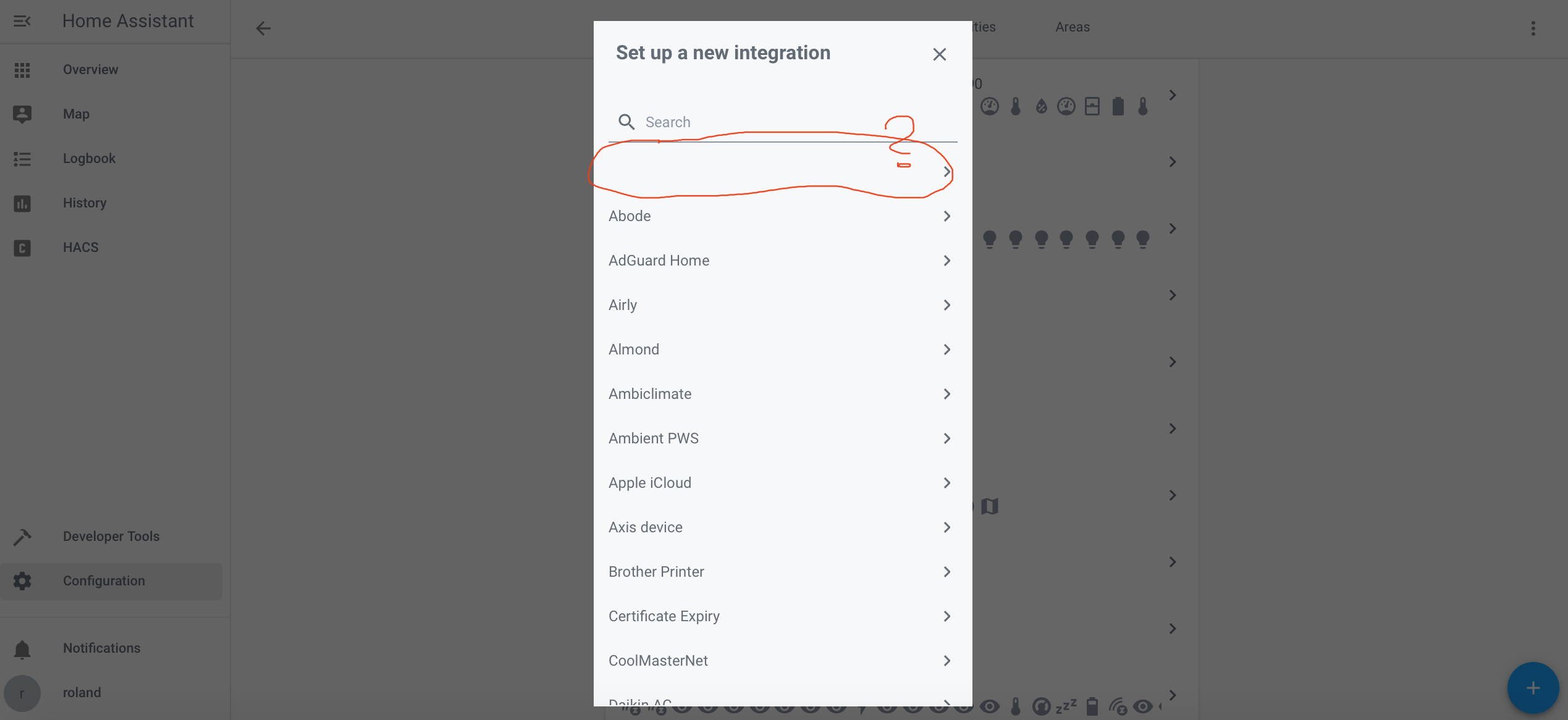
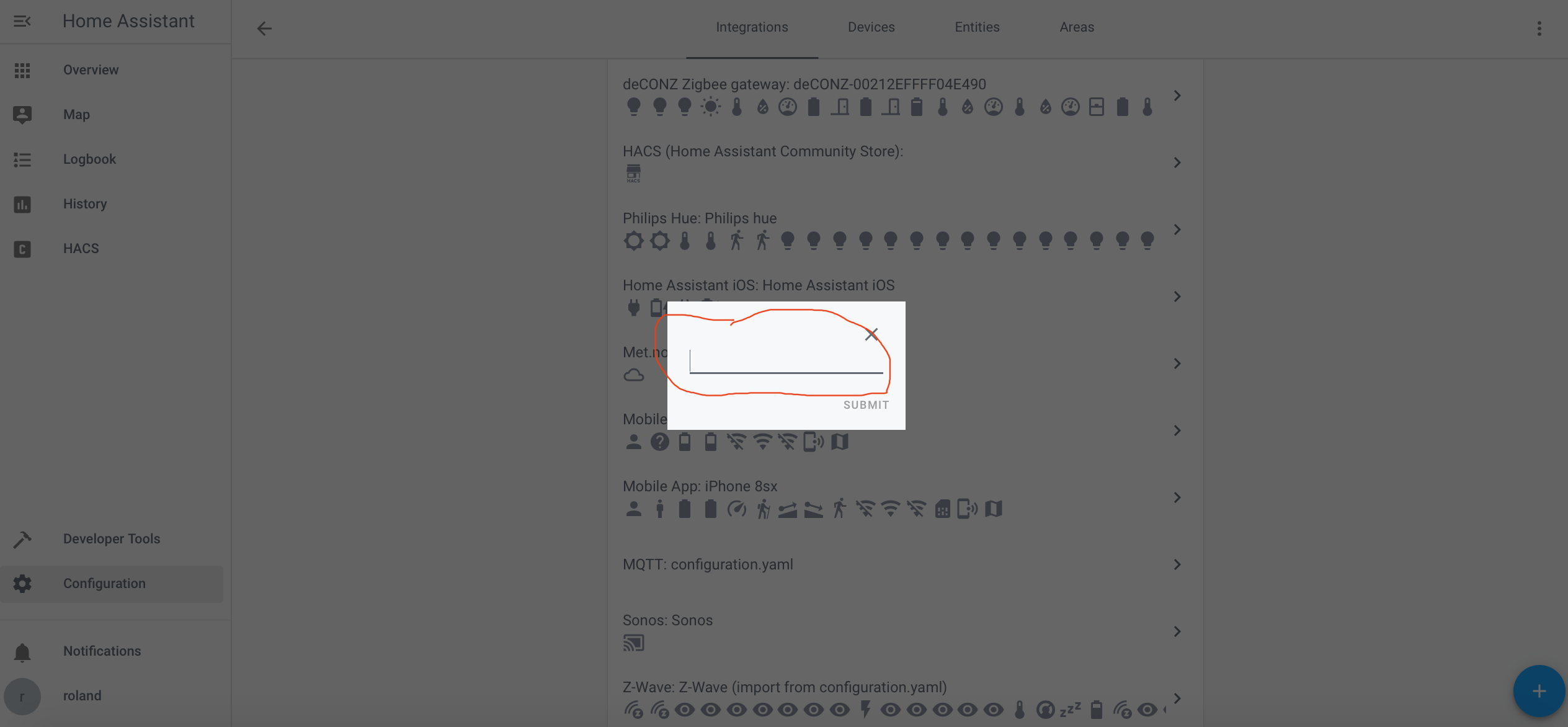
What do you think?
Regards Roland
 robo-kob
on 10 Feb 2020
robo-kob
on 10 Feb 2020
Hey @JasonS1,
This would mean one out of two things (I believe):
- There's a syntax error in the translation file. I've re-validated it and no errors found, so it should be fine. But you should see an error in the log if this is the case. Please have a look.
- The translation files have not been checked out correctly. There should be a directory called
.translationsin thecustom_components/apple_tvdirectory containing aen.jsonfile. This is easy to miss when manually copying files, but HACS should handle that. Can you still check if that directory exists? You can also try removing the integration from HACS and installing it again.
postlund
on 10 Feb 2020
Hmm, that was easy.
The .translations directory was missing. I thought I checked that. Sorry and THX :)
Now is works.
robo-kob
on 10 Feb 2020
Hi,
I have installed via HACS and get the same troubles than @JasonS1
Could you please help me to solve the missing field in Integrations?
 cobch
on 10 Feb 2020
cobch
on 10 Feb 2020
Installed via HACS and got the same problem than @JasonS1 with the missing .translations.
A fix may be needed to make a proper instal via HACS?
cobch
on 10 Feb 2020
I suspect something is up with HACS, see reference issue above.
postlund
on 10 Feb 2020
Or rather this issue instead: https://github.com/hacs/integration/issues/959
postlund
on 10 Feb 2020
Hi,
I just created a directory called .translations in the custom_components/apple_tv. I copy/paste the en.json file and everything is working now. Just as @postlund described earlier. Thanks
cobch
on 10 Feb 2020
New version of HACS is out that fixes the issue with missing .translations directory. Also, a new version of the component is available as well.
postlund
on 11 Feb 2020
Intresting issue I picked up. When I add the custom_component all works as expected and repsonse as it should, but it causing an instability somewhere in the system that causing my HA instance to crach randomly after few hours. There are very little in the log that points to a specific error, but the last error in which HA dies is a SEGV/11 in /var/log/syslog. I'm running HA in a venv.
ekkesa
on 11 Feb 2020
Intresting issue I picked up. When I add the custom_component all works as expected and repsonse as it should, but it causing an instability somewhere in the system that causing my HA instance to crach randomly after few hours. There are very little in the log that points to a specific error, but the last error in which HA dies is a SEGV/11 in /var/log/syslog. I'm running HA in a venv.
Ouch, crash in the interpreter is never a good thing. Very hard to debug. You say "randomly after a few hours", how many times have you reproduced this? Nothing else has changed?
postlund
on 12 Feb 2020
_I believe it is specific to my configuration, given the amount of people using it without issue._
I can reproduce this by enabling the custom component - whenever I load it, without any other changes, my instances dies randomly - By randomly it can be minutes to a few hours before it crashes. With the component removed it is stable.
My gut instinct is that it has to do with devices dropping off the network when they enter sleep mode. I have 3 ATVs in total (1x 3rd Gen 2x 4th Gen).
ekkesa
on 13 Feb 2020
_I believe it is specific to my configuration, given the amount of people using it without issue._
Could be, hard to tell. There's always these few odd-cases that are hard to debug as well. Would require debug symbols for the python interpreter you use and a core file, otherwise more or less impossible. Are you running Hass.io (or Home Assistant as it's called now) or Home Assistant Core? Also, do you get a core file?
I can reproduce this by enabling the custom component - whenever I load it, without any other changes, my instances dies randomly - By randomly it can be minutes to a few hours before it crashes. With the component removed it is stable.
Hmm, yeah, that sounds pretty related. It would be easy to blame a bug in python here, but since I use a few libraries that are implemented in C (for cryptography), they could be possible culprits as well. Without a stack trace it's not possible to know.
My gut instinct is that it has to do with devices dropping off the network when they enter sleep mode. I have 3 ATVs in total (1x 3rd Gen 2x 4th Gen).
This shouldn't be a problem as they should not drop off the network if the component is "active". They would appear off, but still on the network.
postlund
on 13 Feb 2020
Depending on my success, I will hopefully finish the last tasks tonight (at latest by tomorrow) and hopefully push the last version of the custom component before preparing a PR for Home Assistant! 👍 Since the process is quite lengthy, I will continue to support and backport changes here until official support has landed in Home Assistant. I will also continue squashing bug reports in parallel with this and not release 0.4.0 of pyatv until the code review is done in Home Assistant.
There shall not be any regressions for all of you that have been trying out the beta component. Once it has been included in an official release, you can just upgrade and remove the custom component. It should the just work (knock on wood).
🐵
postlund
on 17 Feb 2020
Made decent progress yesterday so I see no reason why I shouldn't be able to create a PR today. Feels nice to have reached this point!
postlund
on 18 Feb 2020
Hi @postlund,
Seems there's an issue with the latest beta. This is what i see when I am trying to pair.
Traceback (most recent call last):
   File "/usr/src/homeassistant/homeassistant/config_entries.py", line 215, in async_setup
     hass, self
   File "/config/custom_components/apple_tv/__init__.py", line 119, in async_setup_entry
     discovery.async_load_platform(hass, "remote", DOMAIN, entry.data, entry.data)
 NameError: name 'discovery' is not defined
In addition, I have a question regarding HA integration itself. Should On and Off work? For some reason, i was not able to make it work.
Thanks a lot in advance.
 stickpin
on 18 Feb 2020
stickpin
on 18 Feb 2020
@stickpin Yes, I made a mistake that I'm working on. See reported isssue #452.
Power on/off will not work (only covers state in Home Assistant and not physical state).
postlund
on 18 Feb 2020
@postlund are you planning to implement on/off routine and state?
I did some plugin for homebridge https://github.com/stickpin/homebridge-appletv-onoff-switch based on the updated "node-appletv" library (https://github.com/stickpin/node-appletv-x) but now decided to move HA. So now I need to start everything from scratch... :)
What I've done in homebridge to get a status, I am sending sendIntroduction() call, in the response payload, you've got logicalDeviceCount. So usually once you have some HDMI source connected to your AppleTV it will reply with logicalDeviceCount > 0. Not a bulletproof solution, but it was working fine for me.
Regarding On/Off routine, I was using "Tv" to turn in on and sequence on "longTV + select" to turn in off. Again not the ideal solution, but I was not able to find anything better than this.
I will be happy to help and to try to implement into your plugin and to submit a PR if you like.
Please let me know what is your thoughts.
stickpin
on 18 Feb 2020
@stickpin I would of course want to support it since it is the most requested feature. I actually made an attempt to implement it using the same method as you (logicalDeviceCount, it's discussed earlier in this thread) but I didn't get it to a state where it was reliable enough. I'm not a big fan of implementing functionality into pyatv by "randomly" pressing buttons and hoping the right things happen. It is bound to create frustration and bugs. But I'm not impossible... If you want to give it a try I will happily review your PR(s). Maybe we can have it as an incubating feature that people can try out for a while (it can be an option in Home Assistant for instance).
postlund
on 18 Feb 2020
@stickpin And oh, if you decide to go ahead and implement it, please create an issue for it (implementation proposal) with some details. Just fill out the template. There's an old issue about the same thing more or less (#49), but we can disregard that for now and use a new one that is more implementation oriented.
postlund
on 18 Feb 2020
And so it happened! 🎉 🎉 🎉
postlund
on 18 Feb 2020
@postlund nice work. The beta integration has worked pretty flawlessly through all my stress testing over the past few weeks. You deserve some serious kudos.
geekofweek
on 18 Feb 2020
I apologise for the late reply - been a bit hectic at work... I added my replies below.
_I believe it is specific to my configuration, given the amount of people using it without issue._
Could be, hard to tell. There's always these few odd-cases that are hard to debug as well. Would require debug symbols for the python interpreter you use and a core file, otherwise more or less impossible. Are you running Hass.io (or Home Assistant as it's called now) or Home Assistant Core? Also, do you get a core file?
I'm runnning Home Asisstant Core in a Virtual environment (Python 3.8).
I can reproduce this by enabling the custom component - whenever I load it, without any other changes, my instances dies randomly - By randomly it can be minutes to a few hours before it crashes. With the component removed it is stable.
Hmm, yeah, that sounds pretty related. It would be easy to blame a bug in python here, but since I use a few libraries that are implemented in C (for cryptography), they could be possible culprits as well. Without a stack trace it's not possible to know.
If you tell me how to get the stack trace I will gladly furnish you with it.
My gut instinct is that it has to do with devices dropping off the network when they enter sleep mode. I have 3 ATVs in total (1x 3rd Gen 2x 4th Gen).
This shouldn't be a problem as they should not drop off the network if the component is "active". They would appear off, but still on the network.
I do believe they actually drop off - Since the DHCP lease on my Mikrotik gets released and stays in "waiting" till the device fires up again and renews the lease. All IPs are reserved on the DHCP server for the devices.
ekkesa
on 18 Feb 2020
I would install HACS into your HA anyway since it has so many useful integrations and plugins to offer. From there on it’s really just a mouseclick to install the beta of this integration. 😄
Qonstrukt
on 11 Apr 2020
I would install HACS into your HA anyway since it has so many useful integrations and plugins to offer. From there on it’s really just a mouseclick to install the beta of this integration. 😄
You made this sound super simple so I decided to try the beta. I'm running the latest HACs, but I can't find pyatv under any name in the hacs integrations or plugins. How do you install the beta using hacs?
Thanks,
Matt
 mattie47
on 12 Apr 2020
mattie47
on 12 Apr 2020
You made this sound super simple so I decided to try the beta. I'm running the latest HACs, but I can't find pyatv under any name in the hacs integrations or plugins. How do you install the beta using hacs?
I don't believe it's part of the default repositories in HACS, so you have to add it manually. Here's a step by step walkthrough
- When inside of HACS, go to the "Settings" tab and then you'll see an "Add Custom Repository" field at the bottom of that page.
- Paste in the following URL: https://github.com/postlund/hass-atv-beta and select
Integration" from the Category dropdown and hit the save button. - Install it through HACS, this will require a restart of Home Assistant to fully install
- After this is done, you can set it up via Home Assistant Configuration -> Integrations page.
SeanPM5
on 12 Apr 2020
@mattie47 sorry, I forgot it isn’t in the standard repository, but as you can see from the instruction of @SeanPM5 it’s easy to add a custom repository as well. And now you get notifications of updates as well.
Qonstrukt
on 12 Apr 2020
Thanks @SeanPM5 @Qonstrukt
I spent a while looking around in HACs but forgot about the custom repo functionality. I've added a PR of your explanation to the readme @SeanPM5 :)
mattie47
on 12 Apr 2020
I have an openssl problem
Traceback (most recent call last):
File “/mnt/dietpi_userdata/homeassistant/deps/lib/python3.8/site-packages/pyatv/support/init.py”, line 29, in error_handler
return await func(args, *kwargs)
File “/mnt/dietpi_userdata/homeassistant/deps/lib/python3.8/site-packages/pyatv/mrp/auth.py”, line 32, in start_pairing
self.srp.initialize()
File “/mnt/dietpi_userdata/homeassistant/deps/lib/python3.8/site-packages/pyatv/mrp/srp.py”, line 98, in initialize
self._signing_key = Ed25519PrivateKey.from_private_bytes(os.urandom(32))
File “/home/homeassistant/.pyenv/versions/3.8.0/lib/python3.8/site-packages/cryptography/hazmat/primitives/asymmetric/ed25519.py”, line 61, in from_private_bytes
raise UnsupportedAlgorithm(
cryptography.exceptions.UnsupportedAlgorithm: ed25519 is not supported by this version of OpenSSL.
the my version of openssl is
/usr/bin# openssl version
OpenSSL 1.1.1d 10 Sep 2019
 maury77
on 7 Sep 2020
maury77
on 7 Sep 2020
Linking the issue from our repo here: https://github.com/MichaIng/DietPi/issues/3764
Currently investigating. Setup is done via pyenv, updating Python to 3.8.5 is one step that might help. The OS-level OpenSSL 1.1.1 supports Ed25519, so it must be something with the Python environment, if not the Python version itself, all modules (including explicit versions) are pulled by Home Assistant, e.g. cryptography v2.9.2 vs upstream/pypa v3.1.
EDIT: Okay we see it is a known issue and being worked on: https://github.com/postlund/hass-atv-beta
Sorry for the noise 😄.
 MichaIng
on 15 Sep 2020
MichaIng
on 15 Sep 2020
The Apple TV integration was merged to core a few days back and will be part of the Home Assistant 1.0 release 🎉
A few notes are in place though. The code checked in to Home Assistant differs a bit from the beta component, mainly to comply with rules and conventions in Home Assistant. One change is that YAML support is dropped, so you will have to migrate to config flow if you use that. A few minor features are missing in the current version as they didn't make the cut yet. I will try to fix that soon as well, but won't guarantee that it's before 1.0. From the top of my head it should be device registry support and a few additional metadata fields (e.g. album name and such).
I intend to keep the hass-atv-beta repo for now, but start by making a carbon copy of what's in the Home Assistant repo. If you want to try new things before they hit a release, you can stay with the beta repo. Will get on top of fixing that soon as I'm focusing on a new release of pyatv that I want to include with 1.0.
Bug thanks to everyone that helped out testing the component and being patient with me! An additional thank you to the couple of you that sponsor me here on GitHub! It's extremely appreciated! ❤️
postlund
on 4 Dec 2020
Thanks for everything Pierre! You have done a beautiful job!
4 dec. 2020 kl. 22:14 skrev Pierre Ståhl notifications@github.com:
Closed #209.—
You are receiving this because you commented.
Reply to this email directly, view it on GitHub, or unsubscribe.
junologue
on 4 Dec 2020
Big thank you, Pierre!
On Fri, Dec 4, 2020 at 4:31 PM junologue notifications@github.com wrote:
Thanks for everything Pierre! You have done a beautiful job!
4 dec. 2020 kl. 22:14 skrev Pierre Ståhl notifications@github.com:
Closed #209.—
You are receiving this because you commented.
Reply to this email directly, view it on GitHub, or unsubscribe.—
You are receiving this because you are subscribed to this thread.
Reply to this email directly, view it on GitHub
https://github.com/postlund/pyatv/issues/209#issuecomment-739031692, or
unsubscribe
https://github.com/notifications/unsubscribe-auth/ADXS3J3PCGAETHDP5FLUGWTSTFIKPANCNFSM4I6ND3YQ
.
 k-rock
on 4 Dec 2020
k-rock
on 4 Dec 2020
Related issues
 micke
·
9Comments
micke
·
9Comments
 cramo1207
·
17Comments
cramo1207
·
17Comments
 lorenzoCuevas
·
10Comments
postlund
·
10Comments
lorenzoCuevas
·
10Comments
postlund
·
10Comments
 rephlex00
·
8Comments
rephlex00
·
8Comments
Most helpful comment
I pushed a very, very rough start of the integration re-write here:
https://github.com/postlund/home-assistant/tree/atv_rewrite
I will do in-tree development only to not have to deal with limitations of custom components.
No authentication is built into the flow yet, but should work with MRP as-is (assuming zeroconf works as expected). Also, no re-connect logic, tests and other minor stuff are there. Seems like the remote component doesn't support config entries either, so it doesn't group well integration-wise either.