Px4-autopilot: Pixhawk 3Pro / 4 could not connect to new GPS M8N
Hello, I recently got DP0102 M8N GPS. I tried to connect DP0102 (M8N) to Pixhawk 3 Pro and Pixhawk 4, Unfortunately, No any satellites are acquired (monitor via Qgroundcontrol).
Furthermore, I changed GPS port from GPS to TELEM1, 2 and other UART. No satellites found. The message I got when entering GPS status shown as attached picture.
I've checked this GPS with u-center v19.10 and everything seems to be working fine.
However, my old GPS, “Sirius GPS” and other brand works fine!!
any problems relate this issue about GPS ??: https://github.com/PX4/Firmware/issues/12592
px4 discuss link: https://discuss.px4.io/t/pixhawk-3pro-4-could-not-connect-to-gps-drotek-dp0102-m8n/14059
To Reproduce
Steps to reproduce the behavior:
- connect GPS to pixhawk
- turn on battery power
- type gps_status on mavlink console
- the message shown as following screenshot, no gps found

Drone (please complete the following information):
- Pixhawk 3 Pro and Pixhawk 4
- DP0102 M8N GPS from Drotek
https://store.drotek.com/DP0102
Thank you !!
 saengphet
All 19 comments
Hi
I faced the same issue and went through the firmware for GPS M8N. Since I did not get any GPS fix, the status was NOT OK.
In your case also, GPS lock is NONE which means minimum 3 satellites signals are not received by the GPS receiver. You have to take it outside where there are no buildings.
 ghost
on 2 Dec 2019
ghost
on 2 Dec 2019
Since sat_info is disabled in your case, try to enable it in terminal and take the kit outside.
ghost
on 2 Dec 2019
Can you please repeat the test outdoors?
 julianoes
on 2 Dec 2019
julianoes
on 2 Dec 2019
Hi, @julianoes
i repeatly test outside/no buildings, enable sat_info and still face the same problem. @Vishranthee How about your right case now? OK?
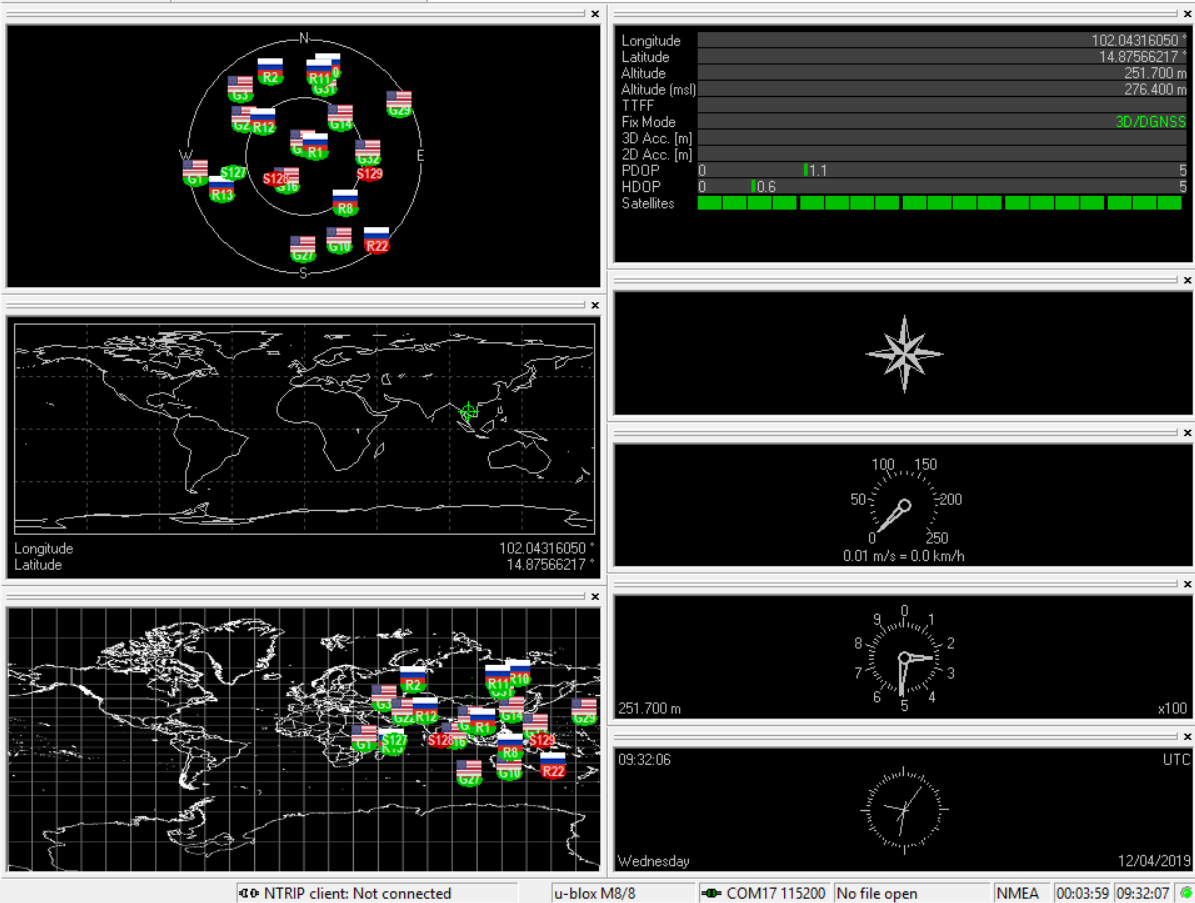
ps 1. I connect GPS to computer via USB port, GPS work fine as screenshot (in u-center) !!
ps 2. others GPS work fine after connected to pixhawk (pixhawk 4 GPS, Sirius GPS, RTK GPS). except this one.
saengphet
on 4 Dec 2019
except this one.
What do you mean @saengphet?
julianoes
on 6 Dec 2019
@julianoes
I mean others GPS work fine, except "DP0102 M8N" .
saengphet
on 6 Dec 2019
So it's a problem of this GPS? And does this GPS work with uCenter?
julianoes
on 6 Dec 2019
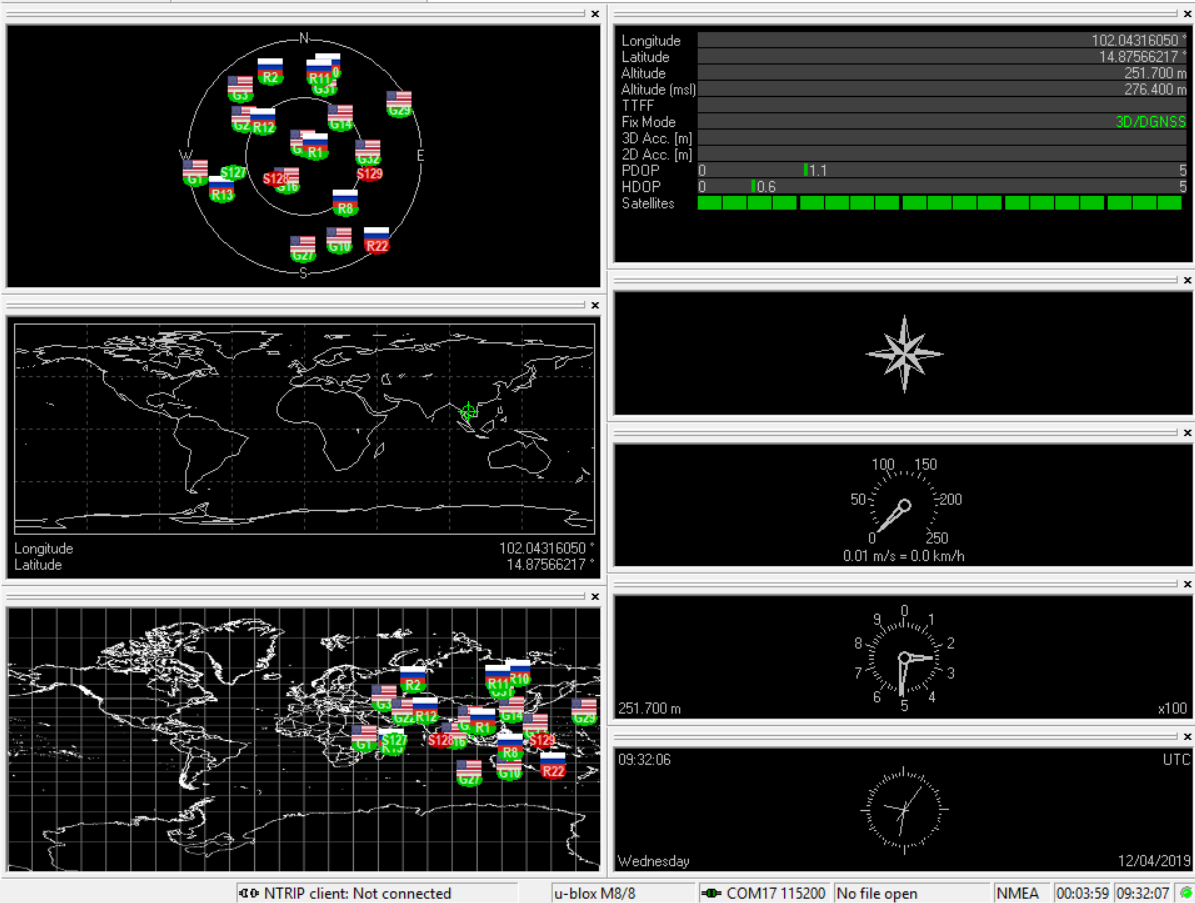
@julianoes This GPS perfectly work with uCenter as screenshot. However, After connect to Pixhawk, No sattellite found. That's very odd.
saengphet
on 7 Dec 2019
Maybe RF EMI problems. It did happen me too several years ago with an older gps module and my first controller. I resolved, using decoupling capacitor on power lines and EMI filters on data and power lines (i.e. ferrite beads or Murata filters). Try to length the wires between GPS module and controller too, but if emi problems decoupling caps and filters are necessary.
Hope helps
 gianni-carbone
on 8 Dec 2019
gianni-carbone
on 8 Dec 2019
Hi, after digging old docs and articles. I found (guess) that the root of this problem is GPS was not configured properly from factory. so that, I searched for M8N GPS config. file to make it compatible with PX4 firmware and I found this article...
https://discuss.px4.io/t/ublox-m8n-with-pixhawk/2144/15
However, I try to manually set GPS (via u-Center) follow this config. file (from attached link). Unfortunately, I still face the same problem, could not connect to Pixhawk (got nothing from GPS). Anyone have a clue or other config. file for M8N to make it compatible with PX4?
PS. This GPS perfectly work with uCenter connect via USB cable but for UART1 (to pixhawk), never work !!
saengphet
on 11 Dec 2019
@saengphet can you check what the default config is of the GPS? Is it ubx and what baudrate?
I have ordered one of the units so I can try to reproduce your issue.
julianoes
on 11 Dec 2019
@julianoes UBX protocol and 115200. Unfortunately, other default config from factory was disappeared (mixed with my adjustment) becuase I fotgot to save it before adjust parameters.
saengphet
on 13 Dec 2019
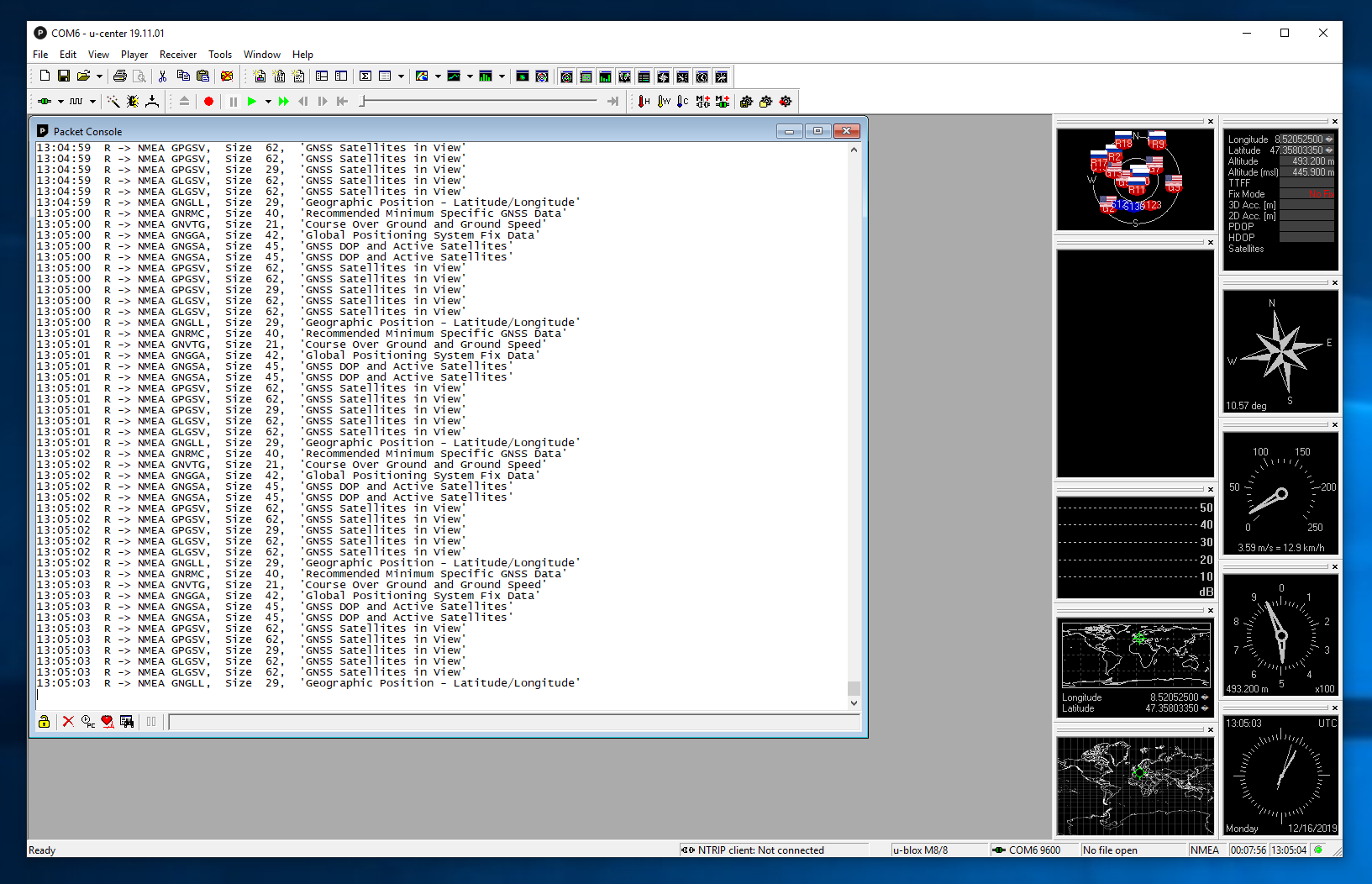
I connected a new DP0102 GNSS (Tiny M8N) Drotek GPS via USB as well as the serial port labelled "Rover".
Both seem to be set to baudrate 9600 and NMEA. Over UBX only an initial version information is sent.
julianoes
on 16 Dec 2019
What's odd is that I don't seem able to disable the NMEA messages and have UBX only as output. Whatever I try to swap, then save, the settings are reset after a power cycle.
However, I managed to set the configuration via USB. Therefore, it seems like the input serial line is somehow not working or disabled, and hence preventing PX4 from configuring the module.
julianoes
on 16 Dec 2019
@julianoes that's very bad news. Thank you for your help. Do you have any idea to make it work?
saengphet
on 17 Dec 2019
@saengphet for now I suggest that you connect directly over USB and in the configuration you set the protocol of input and output of serial and serial 2 to UBX. And you might also set the baudrate to 38400.
Then you try again. I haven't tried that yet myself, I should have!
julianoes
on 17 Dec 2019
@julianoes Thank you so much. Do you have your config file exported from your GPS (Receiver --> Action --> Save Config)? Becuase I have changed many parameters and forgot to back up. If config from you is available, I will try to "Load Config".
saengphet
on 18 Dec 2019
I tried to set both serial outputs to UBX at 38400 and it still did not work. Presumably, what happens is that PX4 tries to detect the uBlox GPS by trying to configure it, however, that fails because we never receive an ack. Hence the driver does not find the GPS. To me this looks like a hardware issue but let's see what Drotek says.
julianoes
on 18 Dec 2019
I contacted Drotek support and got an answer:
M8N devices only have 1 internal UART, however given there are 2 UART outputs on the Drotek module, you need to select which output you're using.
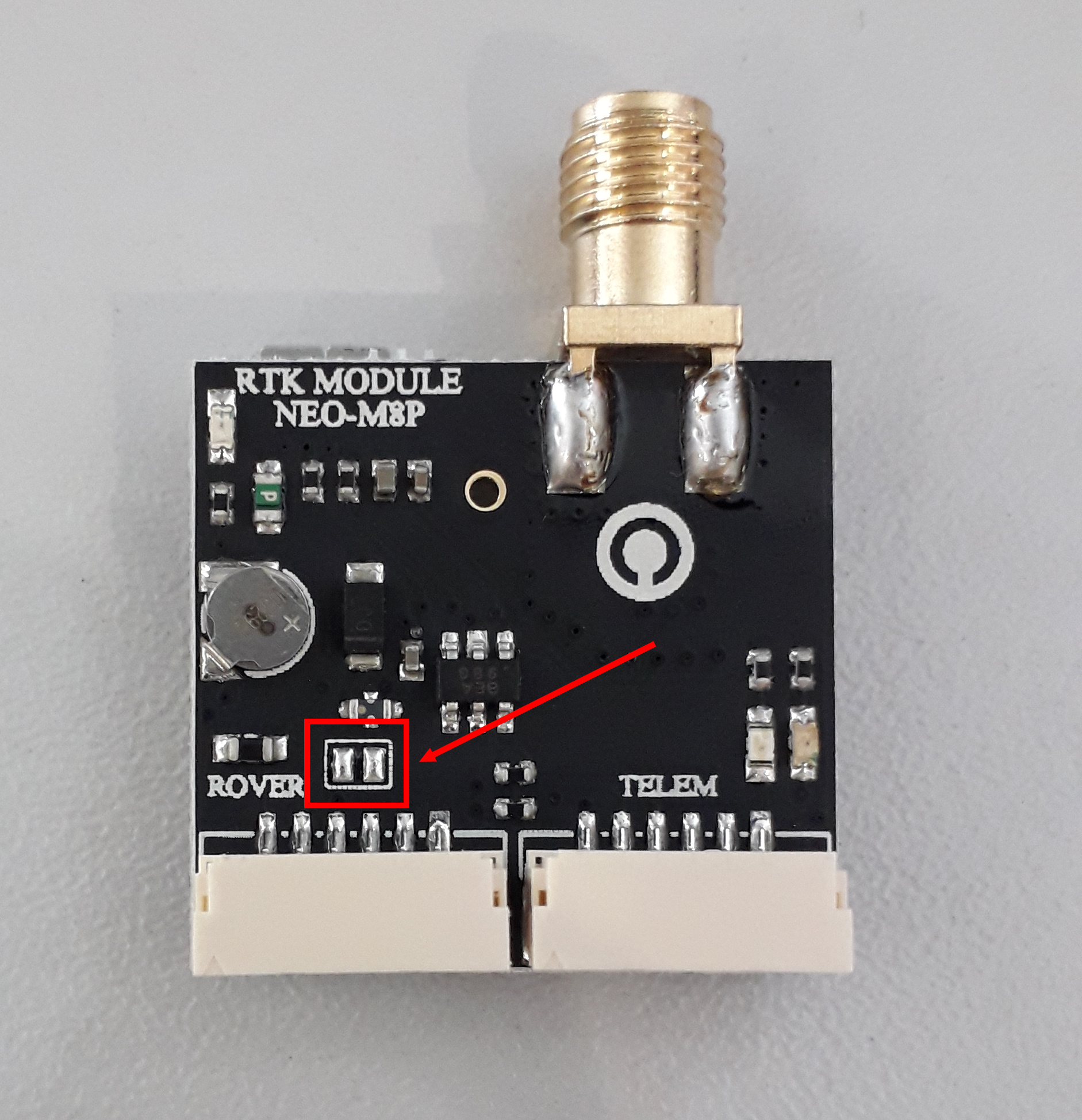
To do so, you need to make a solder bridge onto the board at the location pointed by the red arrow (see picture) or leave it solder free.
Therefore, if you are willing to use the GPS connected to an autopilot (using the ROVER UART) you need to make a solder bridge on the board (see picture), otherwise leave it solder free and thus the module is using the TELEM UART which has swapped Rx/Tx compared to ROVER UART.
Bear in mind both outputs cannot be used at the same time.
I tried:
- Crossing tx/rx (wires 2/3, pin 1 is 5v) and connecting from Pixhawk GPS port to the Gps TELEM port -> works!
- Not crossing tx/rx but connecting the solder bridge and connecting from Pixhawk GPS port to the Gps ROVER port -> works!
julianoes
on 19 Dec 2019
Related issues
 bosskwei
·
3Comments
bosskwei
·
3Comments
 prothen
·
5Comments
prothen
·
5Comments
 zhanghouxin07
·
5Comments
zhanghouxin07
·
5Comments
 bthnekn
·
4Comments
bthnekn
·
4Comments
 Stifael
·
3Comments
Stifael
·
3Comments