Prusaslicer: Arrange with rotation does not work
Version
2.3.0 Beta
Operating system type + version
Win 10
3D printer brand / version + firmware version (if known)
Prusa MINI
Behavior
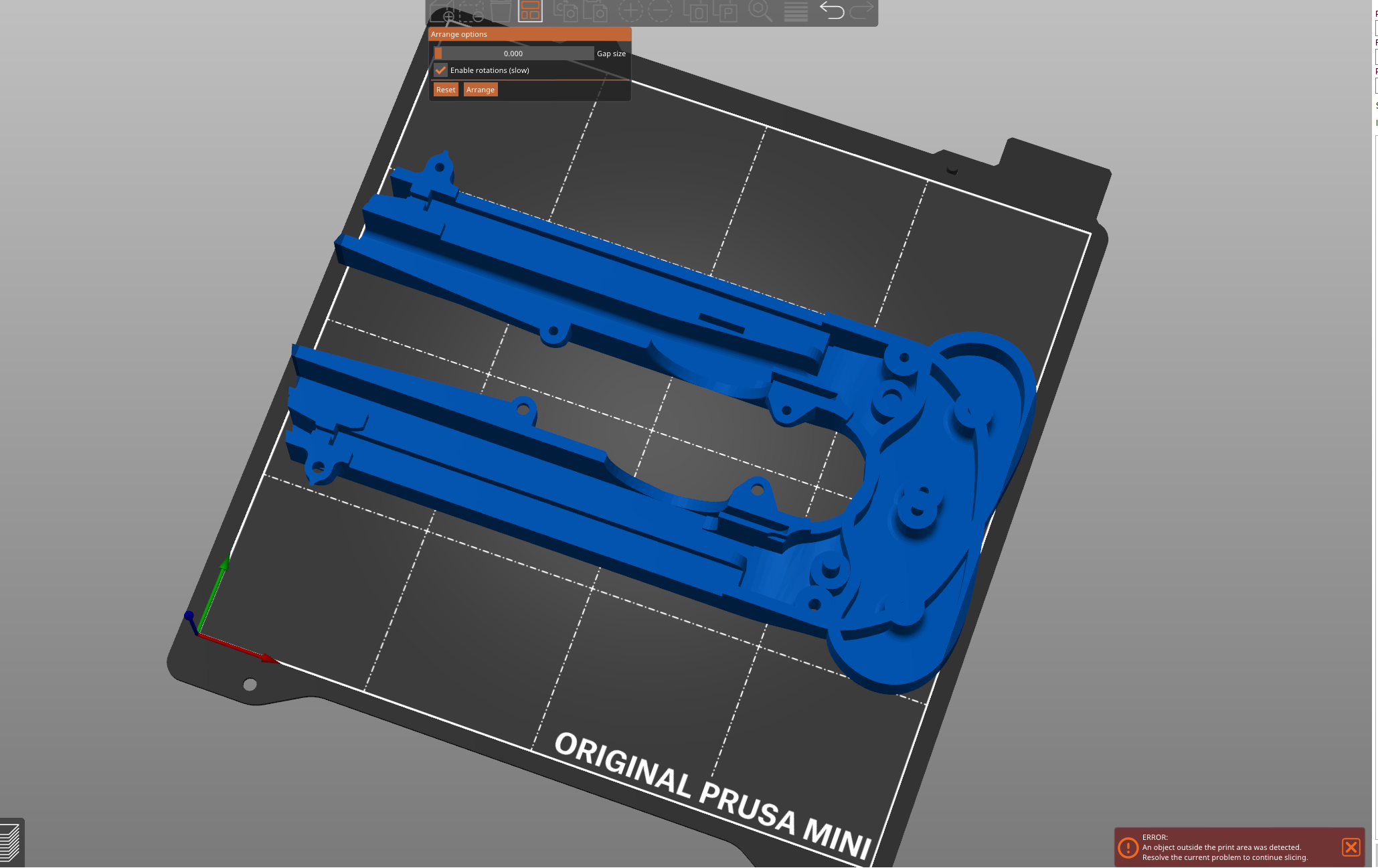
When right clicking on the "arrange" option in the slicer and activating the "rotate" option nothing is arranged or rotated!
I've imported two models that would fit on the printbed if rotated but the slicer does nothing.
I only get a message that an object outside of the printing area was detected and that i have to resolve the problem to continue slicing(bottom right corner of the image)
As you can see in the next picture, it is possible to fit them on the printbed(It looks like they are touching the white line but that's not the case -> they would be rendered blue):
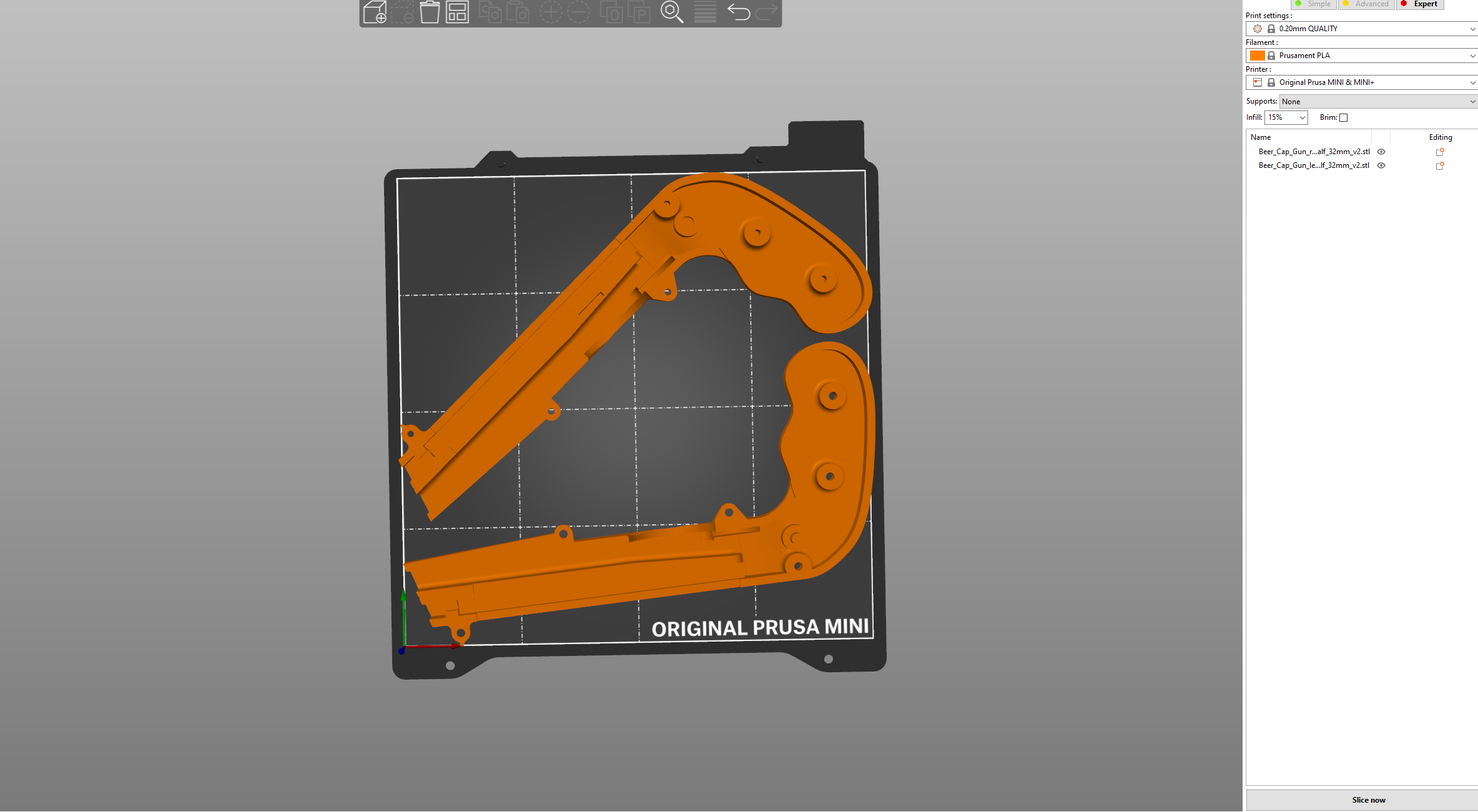
The models are from the popular beer cap gun:
https://www.thingiverse.com/thing:3915647
 Fliens
All 5 comments
Hi @Fliens! Arrangement doesn't take into account every possible rotation, that would take massive amount of processing time.
 tamasmeszaros
on 30 Nov 2020
tamasmeszaros
on 30 Nov 2020
@Fliens Even with two parts, at every single degree, you'd (or PS would) have to try a max. of 720 (2x360°) possibilities. Imagine four or forty parts.
However, this https://github.com/Jack000/SVGnest sounds very interesting! If PS could do that ........ 😎
 foreachthing
on 30 Nov 2020
foreachthing
on 30 Nov 2020
SVGnest does a deep search and possibly repeats the arrangement multiple times as part of an optimization algorithm. PS does it in one shot which is very fast and produces a usable solution. I can only imagine the complaints when users have to wait minutes for the result.
tamasmeszaros
on 30 Nov 2020
I would wait for a usable arrangement.
I have the MINI and because of the small print bed a method to find an optimized layout for the max amount of parts would be amazing!
Arranging those big parts that just fit (like on the picture) takes more than two minutes. And if the other method even improves the distance between the parts, that would take so much work of my shoulders. Because keeping an eye on the distance between the parts is really tricky.
Just having the option in the slicer would be great, even if the algorithm takes some time :)
Fliens
on 30 Nov 2020
Yes, it is under discussion. Certainly possible to let it do it's thing for a longer period, fully armed. It's very hard to estimate the needed time in that case. It might be better to show partial results and let the user stop it when he is satisfied with the arrangement.
But even so, enabling arbitrary rotations would slow things down dramatically, as for each rotation, you have to recalculate the possible placements.
tamasmeszaros
on 30 Nov 2020
Related issues
 jon-cpu
·
3Comments
jon-cpu
·
3Comments
 tkircher
·
3Comments
tkircher
·
3Comments
 sebastianha
·
4Comments
sebastianha
·
4Comments
 rackley096794
·
3Comments
rackley096794
·
3Comments
 Bubolz
·
3Comments
Bubolz
·
3Comments
Most helpful comment
Yes, it is under discussion. Certainly possible to let it do it's thing for a longer period, fully armed. It's very hard to estimate the needed time in that case. It might be better to show partial results and let the user stop it when he is satisfied with the arrangement.
But even so, enabling arbitrary rotations would slow things down dramatically, as for each rotation, you have to recalculate the possible placements.