PrusaSlicer 2.3.0 - Language Portuguese (Brazilian) dont work
Hi,
After installing the new version PrusaSlicer 2.3.0, i try to put the language in Portuguese (Brazilian) on the Configuration Menu, but it put the language in English. The Portuguese (Brazilian) dont work, is a bug?
 ARCH-3D
All 10 comments
I cannot reproduce this issue. Can you please tell me more informations? What is your system and system language? Thank you
 FidelCapo
on 23 Mar 2020
FidelCapo
on 23 Mar 2020
Thanks FidelCapo. My system is windows 10, 64-bit, system language portuguese (Portugal). Do you need more informations?
ARCH-3D
on 23 Mar 2020
It may be a bug, but it may be difficult to reproduce. Could you please
make screenshots of your language settings in Windows 10, so we can
reproduce your setup?
po 23. 3. 2020 v 22:22 odesílatel ARCH-3D notifications@github.com napsal:
Thanks FidelCapo. My system is windows 10, 64-bit, system language
portuguese (Portugal).—
You are receiving this because you are subscribed to this thread.
Reply to this email directly, view it on GitHub
https://github.com/prusa3d/PrusaSlicer/issues/3901#issuecomment-602862879,
or unsubscribe
https://github.com/notifications/unsubscribe-auth/ABMPSI247UPRXXA4N62KOTLRI7HIJANCNFSM4LSD6HRA
.
 bubnikv
on 24 Mar 2020
bubnikv
on 24 Mar 2020
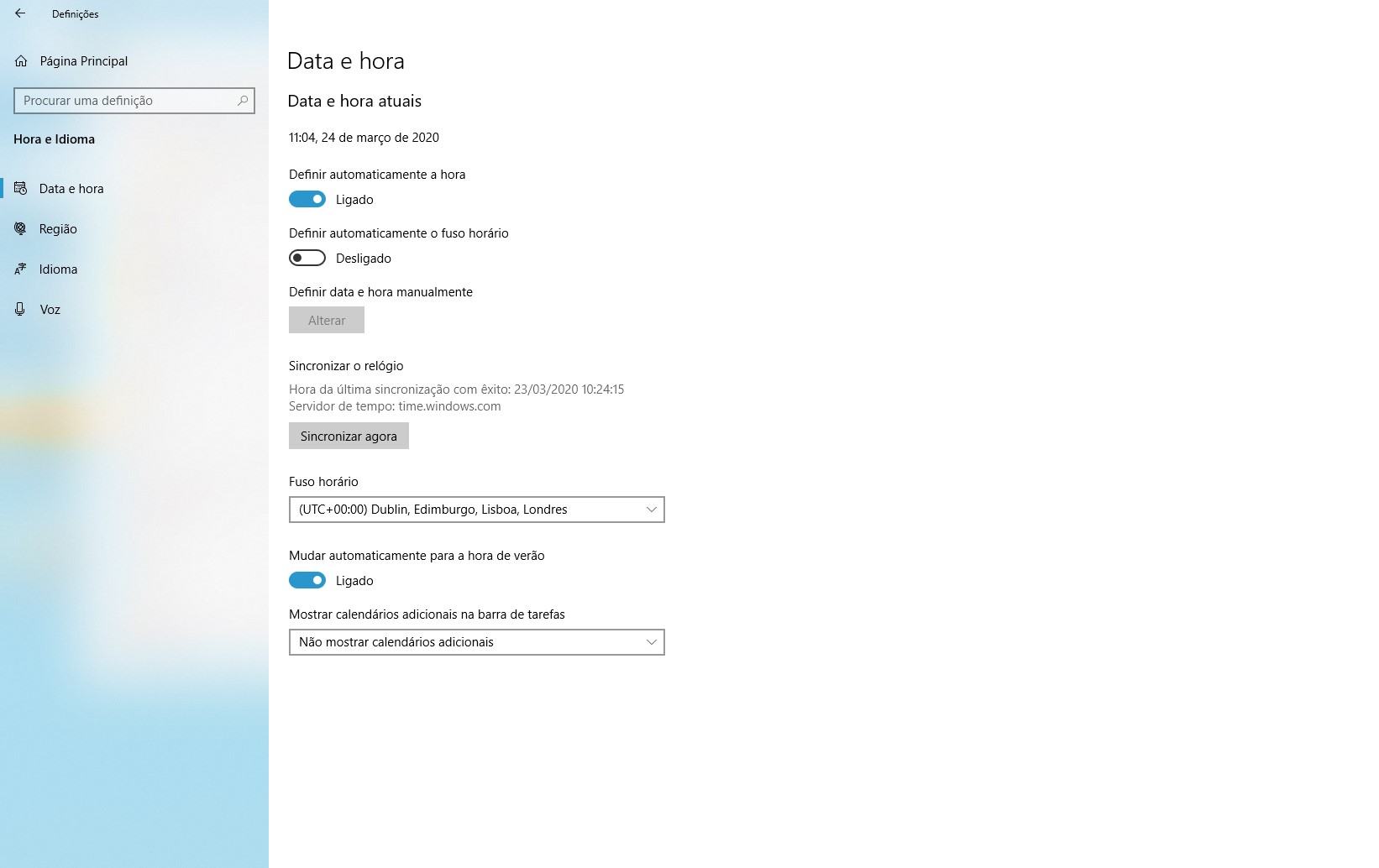
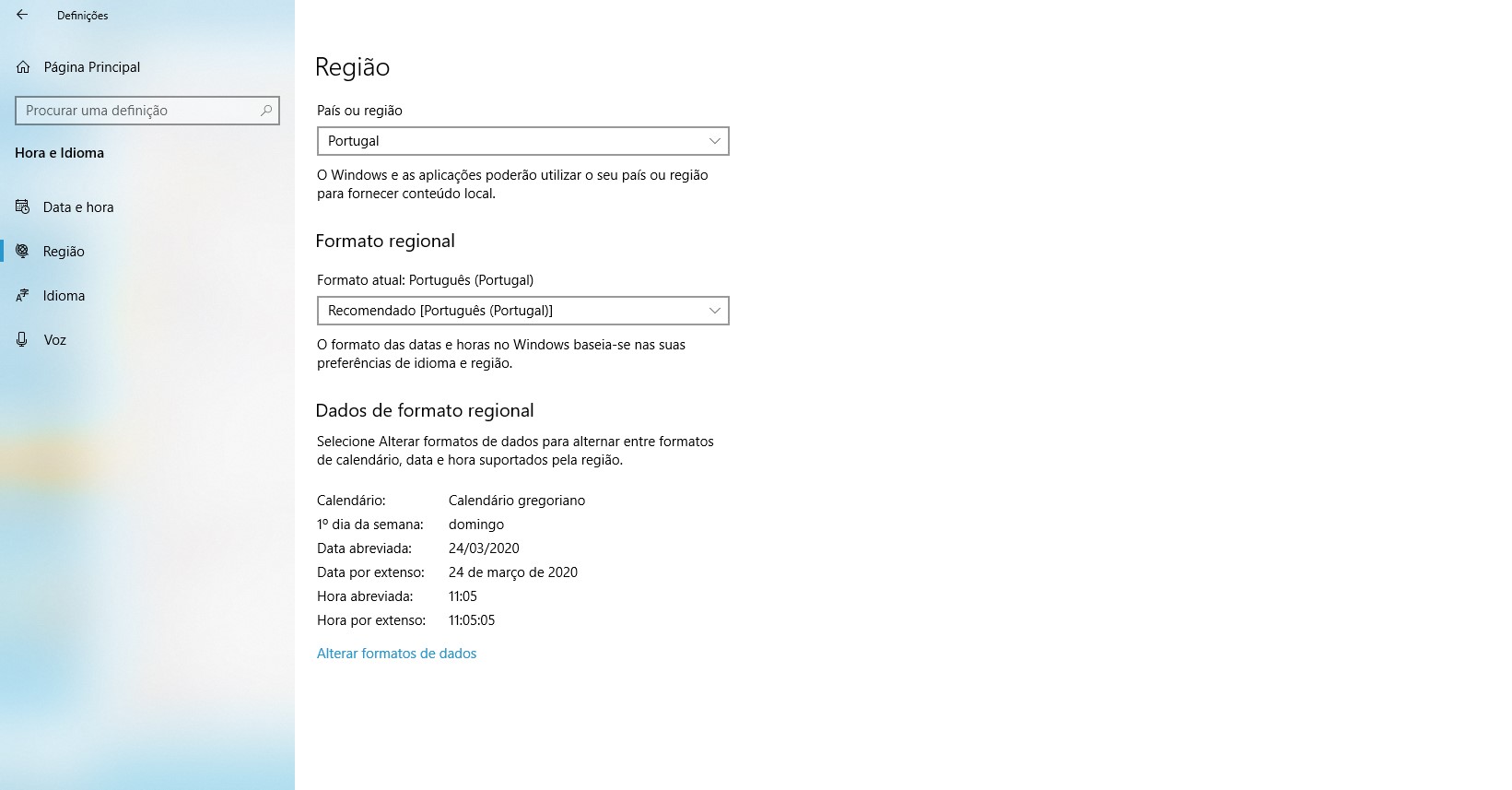
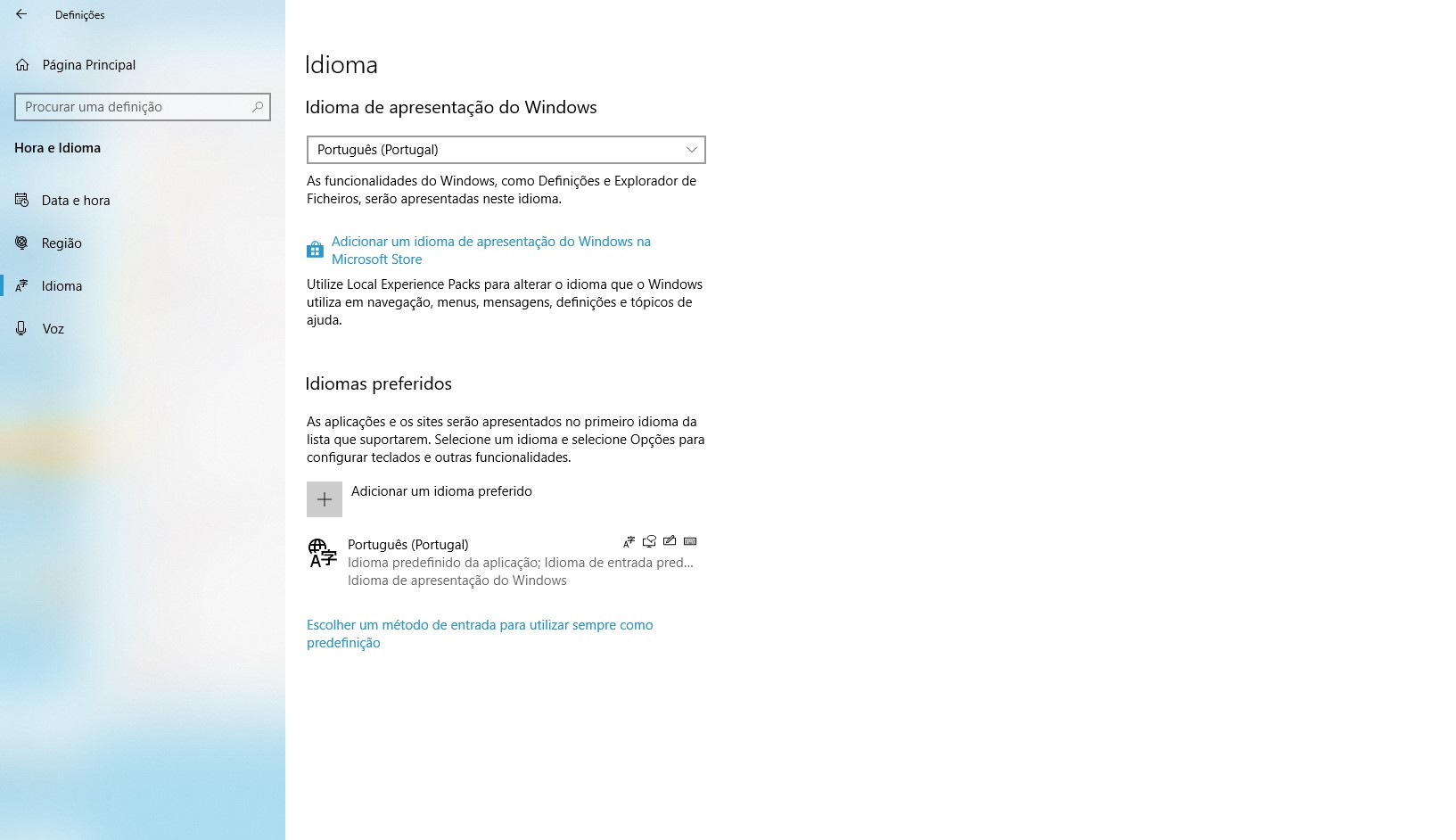
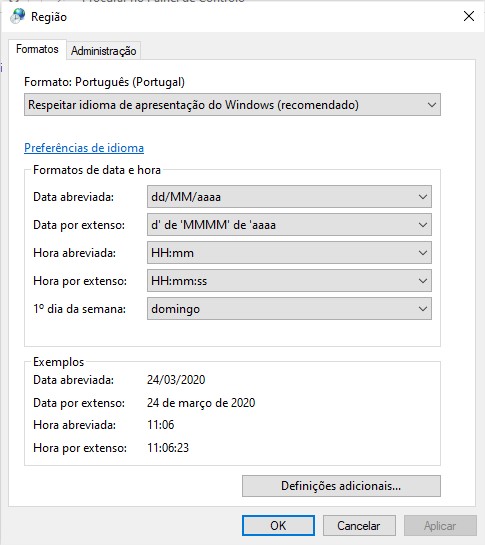
Thanks bubnikv. Do you need more?
ARCH-3D
on 24 Mar 2020
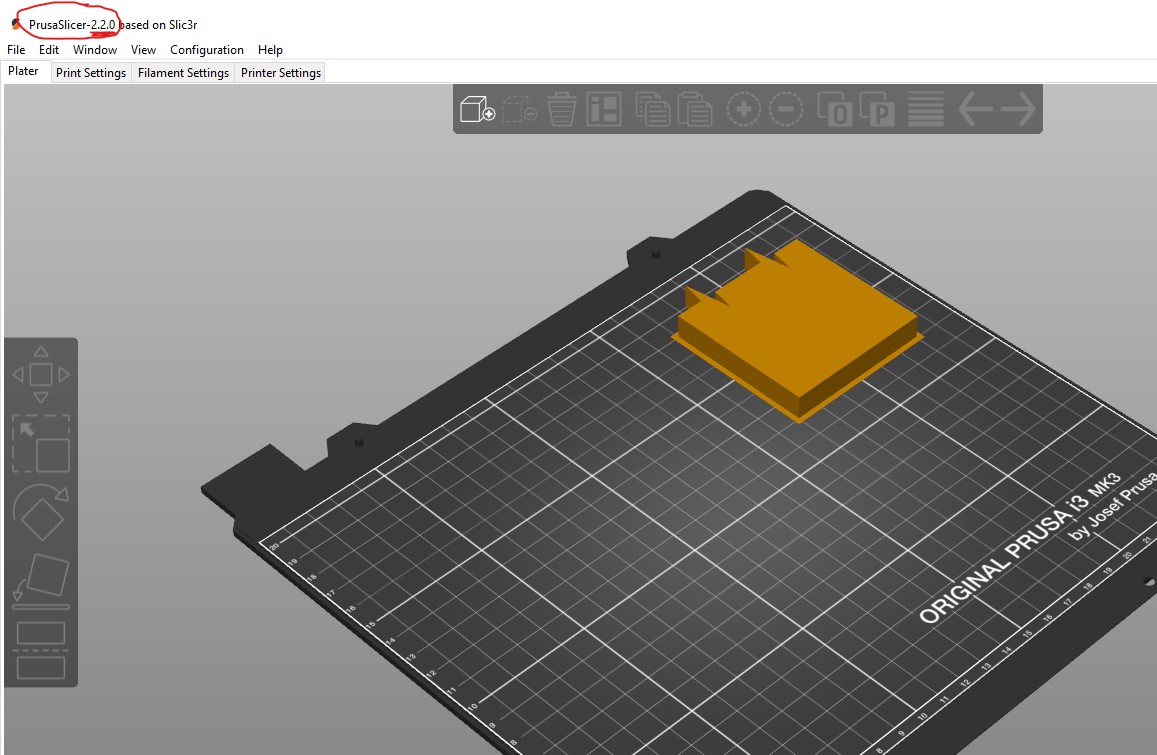
This also does not look normal 🤔
ARCH-3D
on 24 Mar 2020
that version number looks normal, it is shorter on purpose.
út 24. 3. 2020 v 12:24 odesílatel ARCH-3D notifications@github.com napsal:
[image: Anotação 2020-03-24 112206]
https://user-images.githubusercontent.com/51092049/77420343-c3d73c80-6dc1-11ea-905e-383845924f3c.jpgThis also does not look normal 🤔
—
You are receiving this because you commented.
Reply to this email directly, view it on GitHub
https://github.com/prusa3d/PrusaSlicer/issues/3901#issuecomment-603183310,
or unsubscribe
https://github.com/notifications/unsubscribe-auth/ABMPSI72N3CFMCFHGCKEEUTRJCJ7HANCNFSM4LSD6HRA
.
bubnikv
on 24 Mar 2020
Note: I tried to uninstall and install again, but the problem continues. It is always in English.
In other languages it works. Brazilian does not work
ARCH-3D
on 24 Mar 2020
I can reproduce this issue when system language and format is set to Portuguese like on screenshots.
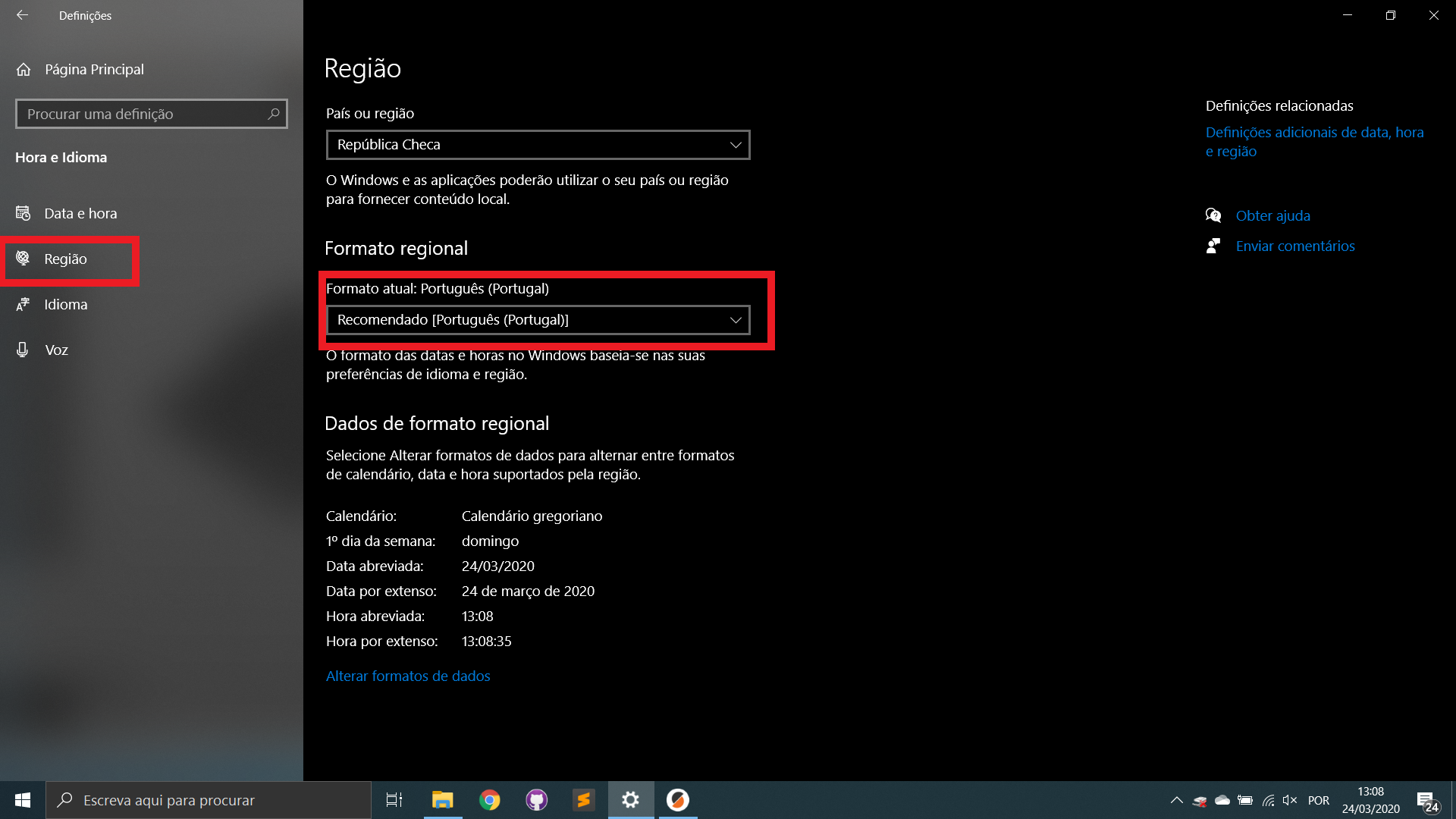
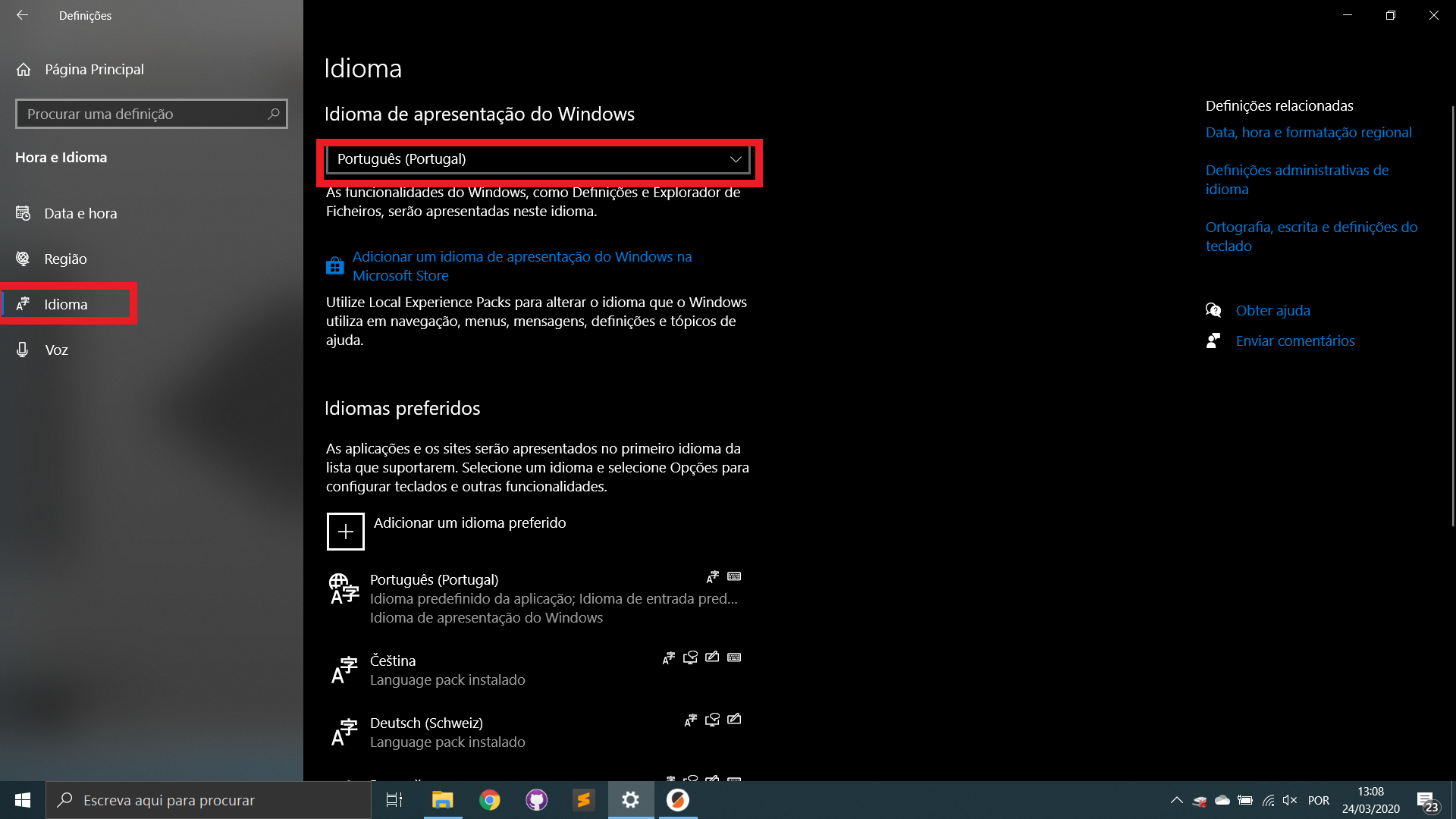
FidelCapo
on 24 Mar 2020
Fixed with a1aee69c5a501706a5ff3f98e2ed87742224a08b, but it will likely take some time before the fix is released.
For now the simplest for you is likely to rename the directory resourceslocalizationpt_br to pt.
Closing for now.
bubnikv
on 26 Mar 2020
Yes, it works that way :) Thank you bubnikv
ARCH-3D
on 26 Mar 2020
Related issues
 rackley096794
·
3Comments
rackley096794
·
3Comments
 guestisp
·
3Comments
guestisp
·
3Comments
 kakou-fr
·
4Comments
kakou-fr
·
4Comments
 karek314
·
4Comments
karek314
·
4Comments
 jon-cpu
·
3Comments
jon-cpu
·
3Comments