Prusaslicer: Move perimeter retraction and unretraction to infill area
Version
2.1.1
Operating system type + version
Windows 10 64 bit
3D printer brand / version + firmware version (if known)
Ender 3 Pro
Behavior
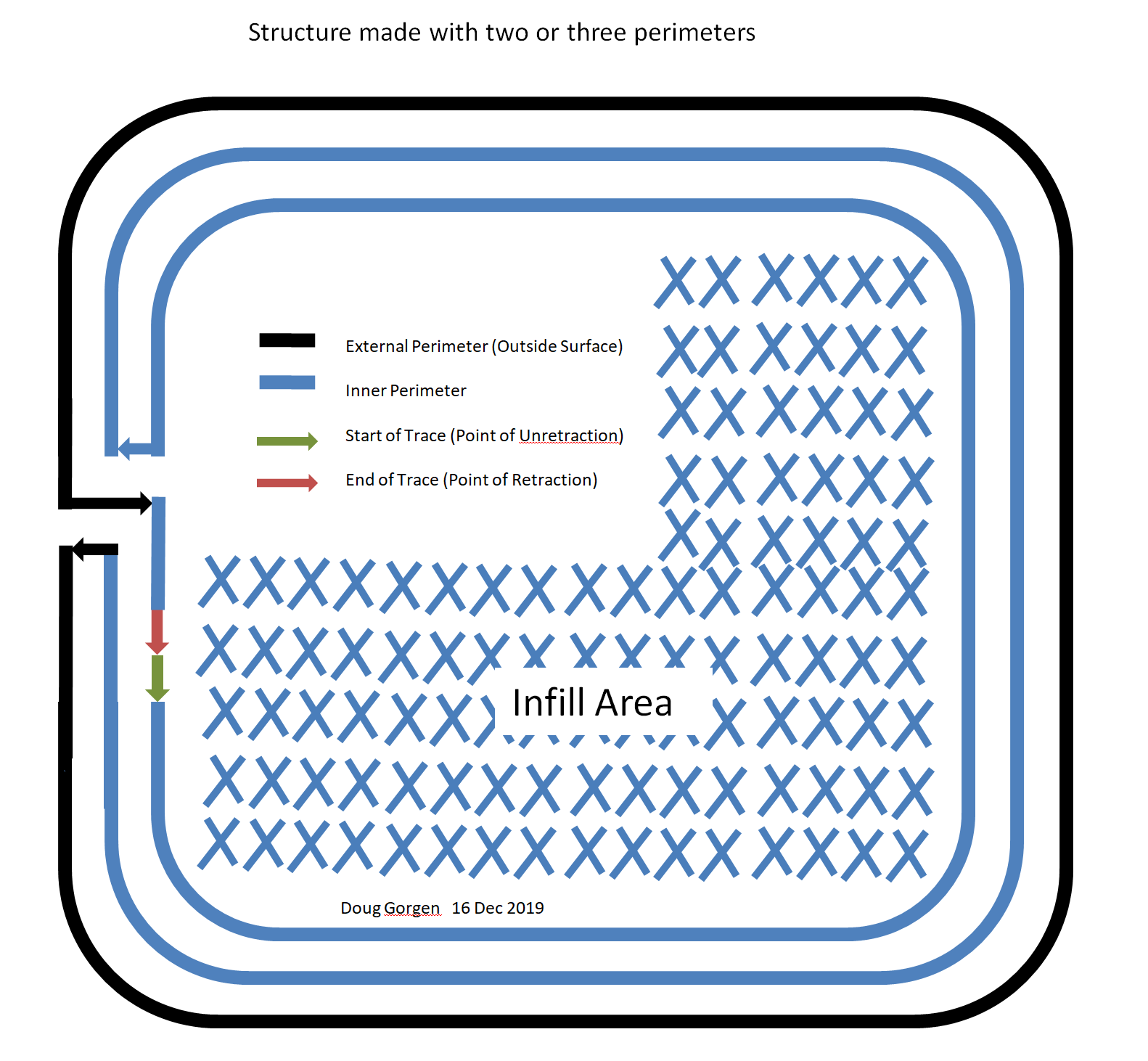
This is a what if question. Is it possible to move the retractions and unretractions to the infill area as shown in Fig 1? The external perimeter would still have a hole where the traces entered and exited, but this may be easier to deal with than zits and wipes
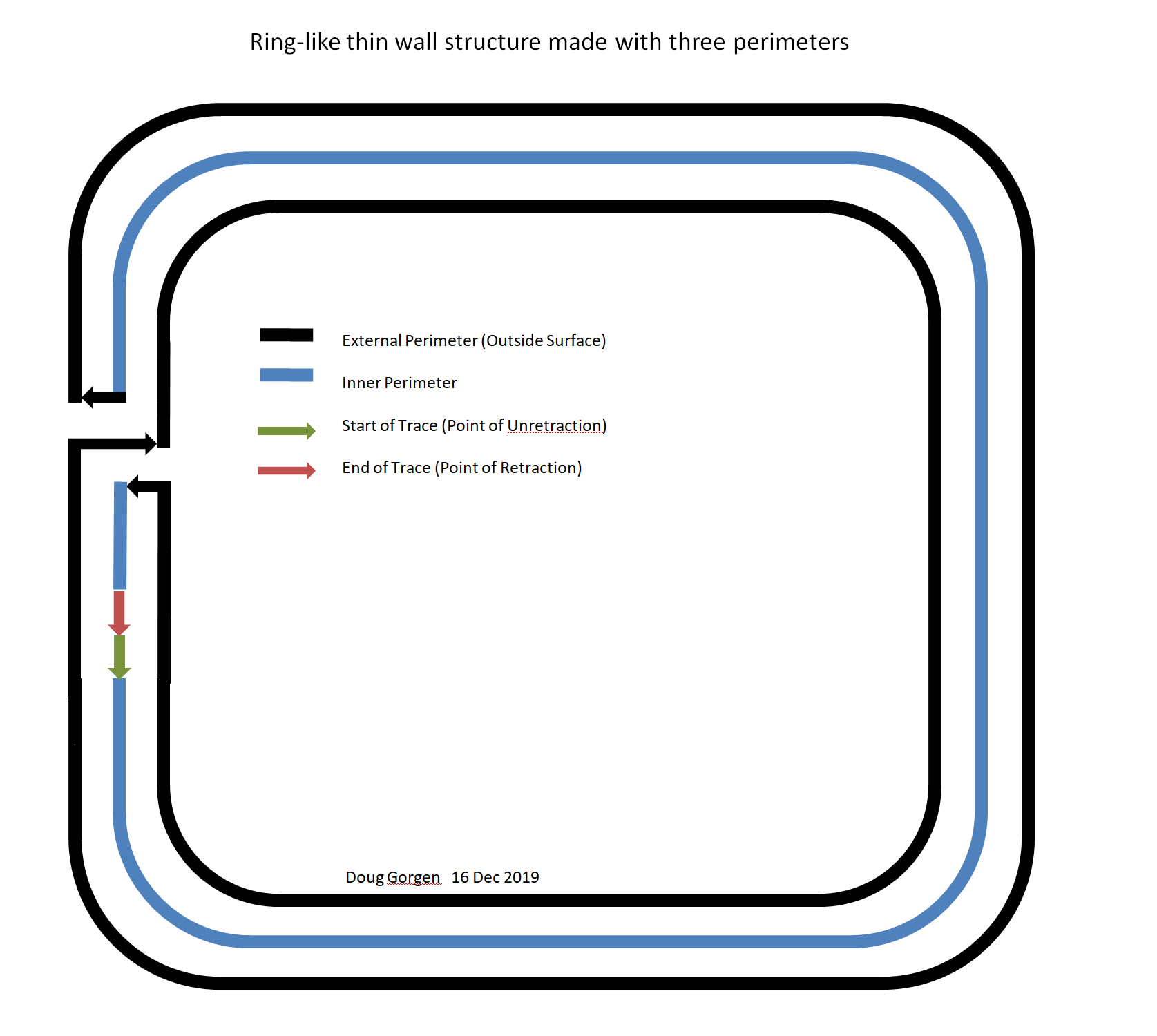
A thin wall structure could also be made this way as long as there were at least three perimeters as shown in Fig 2.
.
_Is this a new feature request?_
Yes
Project File (.3MF) where problem occurs
 douggorgen
All 9 comments
Isn't like this how it works if you only retract on layer change and print internal perimeters first?
Your second drawing would be more of 2 perimeters wall, if I understand correctly.
 BeatSlayer
on 17 Dec 2019
BeatSlayer
on 17 Dec 2019
You can test that on my fork, you just have to activate the "looping perimeter" setting at the bottom of the perimeter tab.
Please report for review.
 supermerill
on 17 Dec 2019
supermerill
on 17 Dec 2019
You can test that on my fork, you just have to activate the "looping perimeter" setting at the bottom of the perimeter tab.
Please report for review.
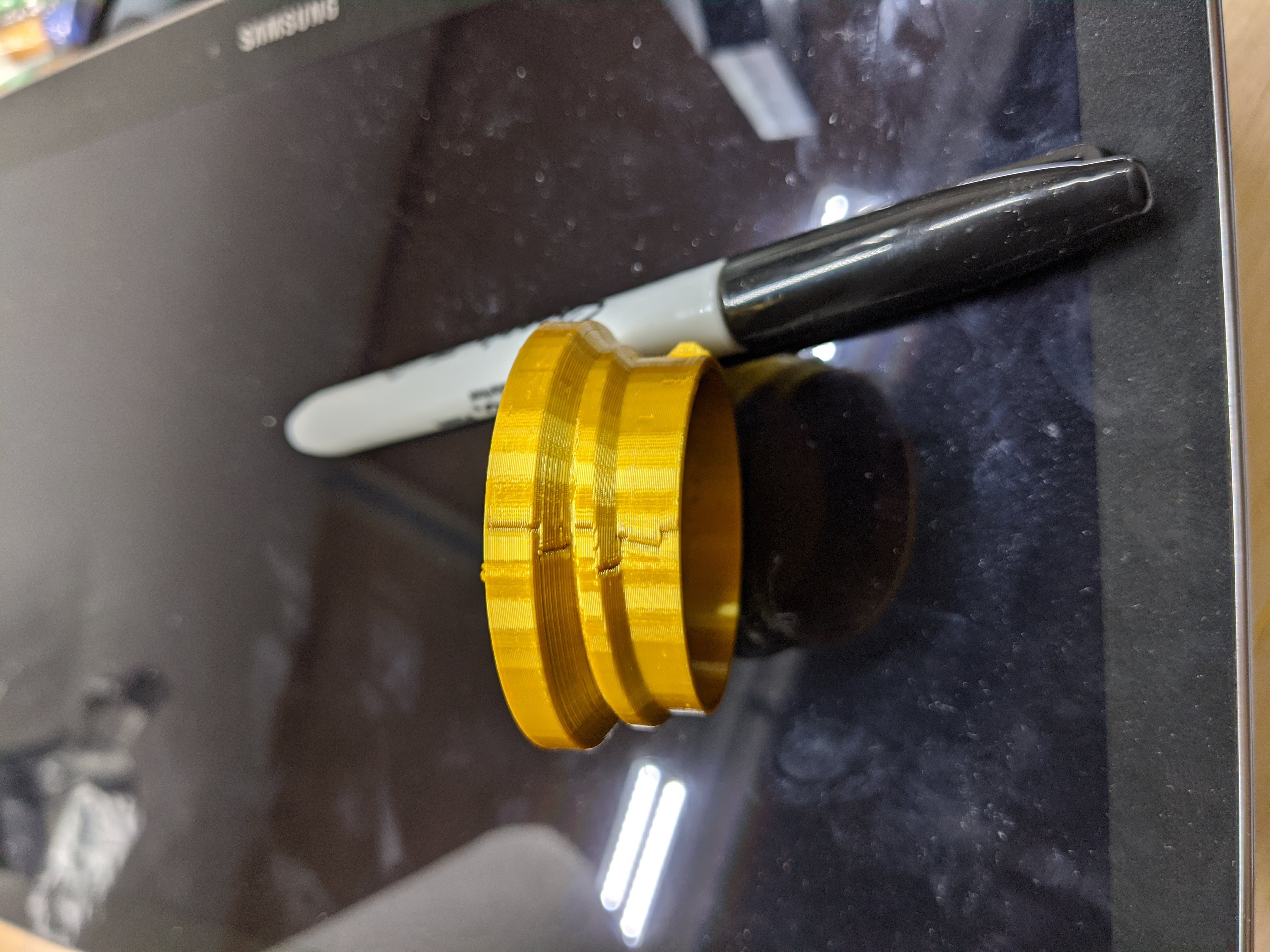
I downloaded and installed your "[alpha] no seam edition". Wow! That is exactly what I was looking for. Great work! The holes are slightly larger than I expected, but the whole surface is otherwise clear of zits and blobs. See photo. This is the threaded surface of a screw on cap. Holes are no big deal because they do not interfere with the threads like blobs and zits do, and I didn't have to spend any time to "dial in" retractions, wipes, and unretractions. All of the holes in this print line up. Are you planning on adding a "random seam position" like the "seam" option has?
Thanks again for a great feature!
douggorgen
on 18 Dec 2019
Oops, forgot the photo:
douggorgen
on 18 Dec 2019
@douggorgen If this bug only affects @supermerill's fork and not prusa3d/PrusaSlicer, it would be best to report it in https://github.com/supermerill/Slic3r/issues and not to mention it here at all. Otherwise it could lead to confusion.
Or do you suggest that PrusaSlicer suffers this as well?
 lukasmatena
on 18 Dec 2019
lukasmatena
on 18 Dec 2019
Sorry, I'm new to this. I'll delete my comment and open it on slic3r as you suggest.
douggorgen
on 18 Dec 2019
@lukasmatena
In my point of view, it seems like douggorgen ask for a feature that i have already implemented, hence why i was asking him to see if i wasn't mistaken.
If we are going to talk about my fork, of course we will do that in my issue tracker.
You can ask me to create a pullrequest if you want to add this feature. It's mostly a big function in perimetergenerator that create extrusion a bit differently.
supermerill
on 18 Dec 2019
I have downloaded and tested the "looping perimeter" code referenced by @supermerill and would like to see it ported back into the Prusa branch.
The "looping perimeter" is an incredibly useful and valuable feature for the following reasons:
1) It drastically reduces and in some cases eliminates the need for dialing-in retractions, wipes, and unretractions, thus saving time and resources spent on mutiple prints.
2) It drastically reduces and in some cases eliminates the need for sanding and cleanup on prints.
3) It is particularly useful for prints that involve moving parts where zits and blobs can cause interference between moving parts or even fuse them together thus causing the print to be useless.
douggorgen
on 20 Dec 2019
Any news on this?
 thierryzoller
on 27 Jun 2020
thierryzoller
on 27 Jun 2020
Related issues
 jon-cpu
·
3Comments
jon-cpu
·
3Comments
 guestisp
·
3Comments
guestisp
·
3Comments
 TimothyGold
·
4Comments
TimothyGold
·
4Comments
 alexiri
·
4Comments
alexiri
·
4Comments
 kakou-fr
·
4Comments
kakou-fr
·
4Comments
Most helpful comment
I have downloaded and tested the "looping perimeter" code referenced by @supermerill and would like to see it ported back into the Prusa branch.
The "looping perimeter" is an incredibly useful and valuable feature for the following reasons:
1) It drastically reduces and in some cases eliminates the need for dialing-in retractions, wipes, and unretractions, thus saving time and resources spent on mutiple prints.
2) It drastically reduces and in some cases eliminates the need for sanding and cleanup on prints.
3) It is particularly useful for prints that involve moving parts where zits and blobs can cause interference between moving parts or even fuse them together thus causing the print to be useless.