Prusaslicer: If stl has period in name, generated gcode file has incorrect name when sending to OctoPrint
Version
1.42.beta2
Operating system type + version
Archlinux 64 bit
3D printer brand / version + firmware version (if known)
CoreXY, Klipper
Behavior
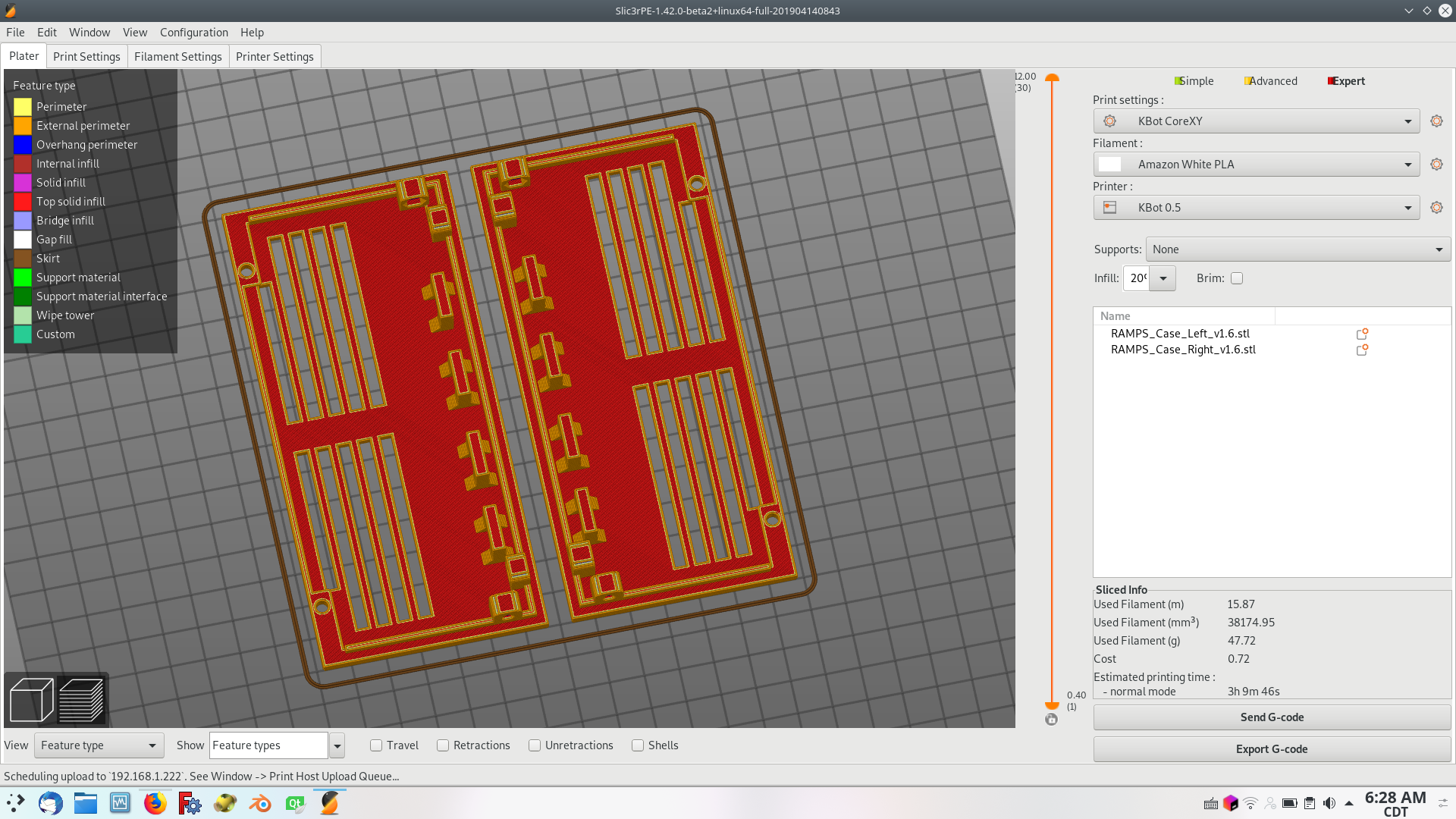
- Configure the printer profile for OctoPrint
- Slice a file with a period in name (eg RAMPS_Case_Left_v1.6.stl)
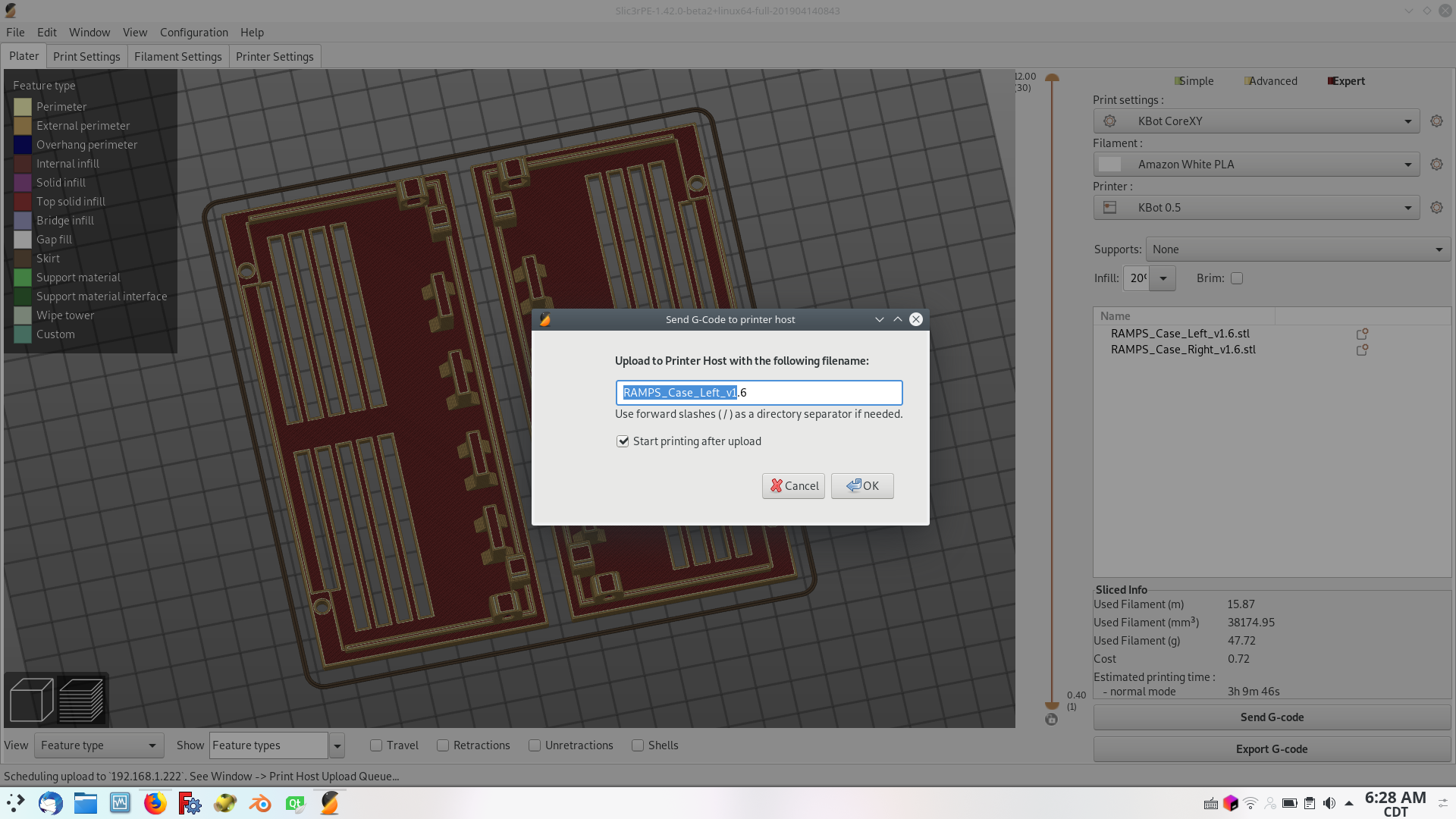
- Click "Send G-Code" to send to OctoPrint and observe the name
- Click "Ok"
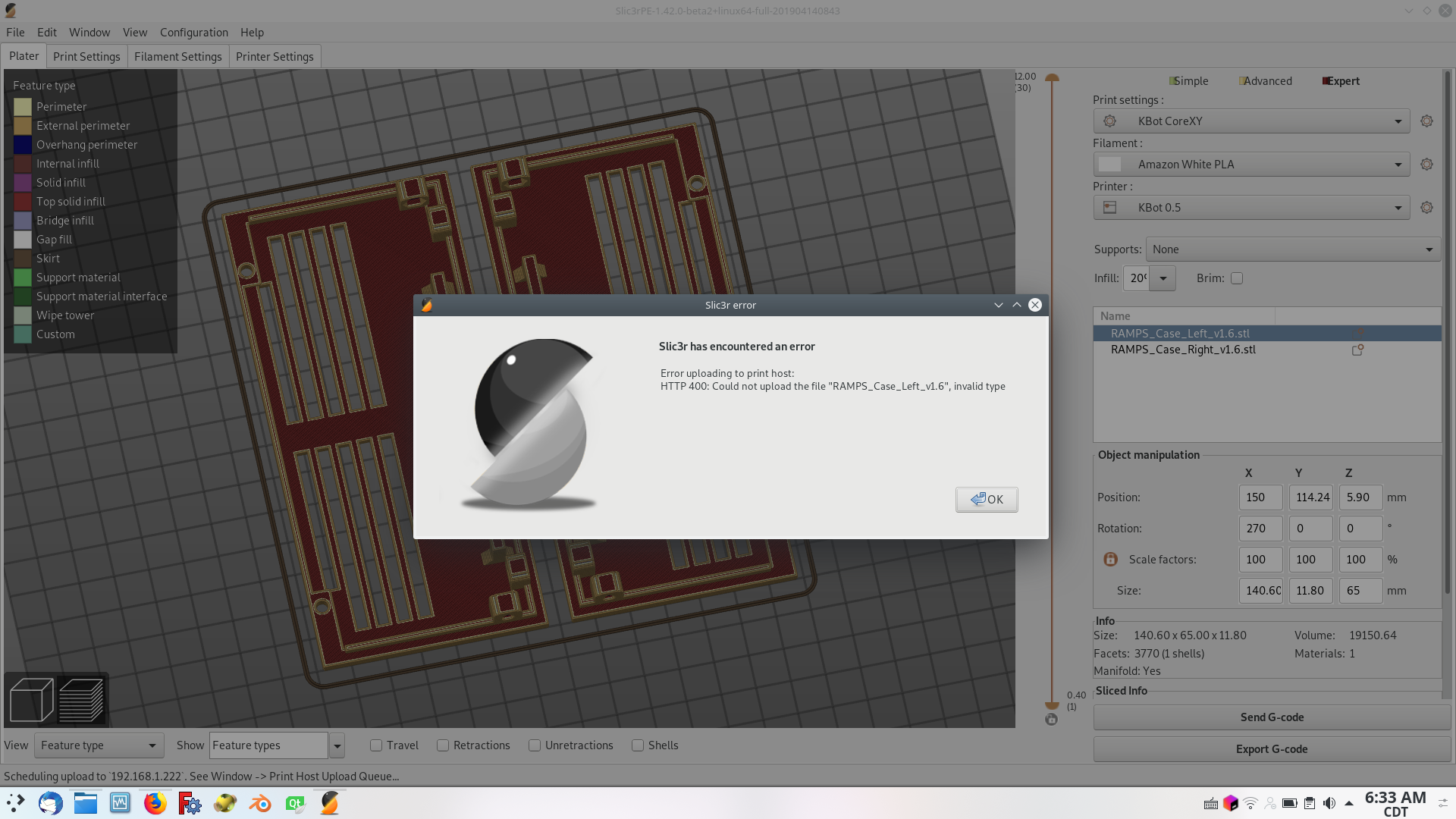
OctoPrint will throw an error saying couldn't upload due to invalid type.
- Fix the name to have an ".gcode" extension.
OctoPrint will accept the upload.
 lalanikarim
All 12 comments
confirm, this is so annoying >.<
many designers on thingy add a dot in the filename like xyz_v1.2.stl or xyz_2.5mm.stl
 reloxx13
on 14 May 2019
reloxx13
on 14 May 2019
Could be fixed by adding .gcode in
Print Settings -> Output Options -> Output filename format
so that it reads: [input_filename_base].gcode
 BerndJM
on 15 May 2019
BerndJM
on 15 May 2019
@BerndJM Thanks. That fixes it in the interim. But it'd still be only a workaround as the default behavior causes the issue and will need to be either manually fixed at the time of sending gcode or fixed in every profile used with OctoPrint and possibly other Wifi based systems.
lalanikarim
on 15 May 2019
It seems to be working in PrusaSlicer 2.0.0-rc. Would you please retest? Thanks.
 bubnikv
on 15 May 2019
bubnikv
on 15 May 2019
@bubnikv
Unfortunately not
Its only affection "Send Gcode"
Export Gcode works fine.
I also cleaned my config to check the defaults, but
Print Settings -> Output Options -> Output filename format is [input_filename_base] by default (without .gcode)

@BerndJM yes, this works, but its a workaround not a fix :/
ill let it in for me, thx for the hint. but new users will fall over it, too.
reloxx13
on 15 May 2019
what exactly is the problem? Would you please be more explicit? Is it that
the .gcode extension is missing in the upload dialog? Or something else?
On Wed, May 15, 2019 at 3:28 PM reloxx13 notifications@github.com wrote:
@bubnikv https://github.com/bubnikv
Unfortunately not[image: grafik]
https://user-images.githubusercontent.com/14855001/57779293-1c5f9700-7726-11e9-828d-19b803534627.png—
You are receiving this because you were mentioned.
Reply to this email directly, view it on GitHub
https://github.com/prusa3d/PrusaSlicer/issues/2229?email_source=notifications&email_token=ABMPSI2CY5Q52T5IEB5JGUTPVQFY5A5CNFSM4HMZAJ3KYY3PNVWWK3TUL52HS4DFVREXG43VMVBW63LNMVXHJKTDN5WW2ZLOORPWSZGODVOU6ZY#issuecomment-492654439,
or mute the thread
https://github.com/notifications/unsubscribe-auth/ABMPSIZ5CMDG3TQCEDFHTCDPVQFY5ANCNFSM4HMZAJ3A
.
bubnikv
on 15 May 2019
@bubnikv If the stl file name has a period in it, then the file name in the Send GCode dialog is missing the .gcode extension.
sliced.stl gets converted correctly to sliced.gcode
but sliced.v1.stl gets converted to sliced.v1 which octopi rejects as an invalid file type.
lalanikarim
on 15 May 2019
ok, that is a known issue. You need to add the .gcode extension to the end of your output filename template.
This limitation is there to support custom G-code extensions. Anything after the last dot is considered to be a custom file extension.
bubnikv
on 15 May 2019
This issue is a duplicate of https://github.com/prusa3d/PrusaSlicer/issues/1918
Closing this one.
bubnikv
on 15 May 2019
ok, that is a known issue. You need to add the .gcode extension to the end of your output filename template.
This limitation is there to support custom G-code extensions. Anything after the last dot is considered to be a custom file extension.
I am not sure I follow. In both instances, stl was after the the last dot, but it works in one case and doesn't in another.
I also tested sliced.v.1.stl and it gets converted to sliced.v.1
Seems to me that there might be an indexing issue.
lalanikarim
on 15 May 2019
Here is the issue
Slic3r/src/libslic3r/PrintBase.cpp:61
// Generate an output file name based on the format template, default extension, and template parameters
// (timestamps, object placeholders derived from the model, current placeholder prameters, print statistics - config_override)
std::string PrintBase::output_filename(const std::string &format, const std::string &default_ext, const DynamicConfig *config_override) const
{
    DynamicConfig cfg;
    if (config_override != nullptr)
        cfg = *config_override;
    PlaceholderParser::update_timestamp(cfg);
    this->update_object_placeholders(cfg);
    try {
        boost::filesystem::path filename = this->placeholder_parser().process(format, 0, &cfg);
        if (filename.extension().empty())
            filename = boost::filesystem::change_extension(filename, default_ext);
        return filename.string();
    } catch (std::runtime_error &err) {
        throw std::runtime_error(L("Failed processing of the output_filename_format template.") + "\n" + err.what());
    }
}
The logic check if(filename.extension().empty() is inadequate as any file name with a period in the middle of the name will pass this check.
See its documentation here
At least check if the extension matches a white list.
This needs to be re-opened
lalanikarim
on 15 May 2019
stop posting in a duplicated issue!!!
reloxx13
on 15 May 2019
Related issues
 jon-cpu
·
3Comments
jon-cpu
·
3Comments
 devilhunter84
·
4Comments
devilhunter84
·
4Comments
 karek314
·
4Comments
karek314
·
4Comments
 kakou-fr
·
4Comments
kakou-fr
·
4Comments
 Bubolz
·
3Comments
Bubolz
·
3Comments