Prusaslicer: Sliced model has big gap in it
Version
1.39.1-prusa3d-win64
Operating system type + version
Windows 10
Behavior
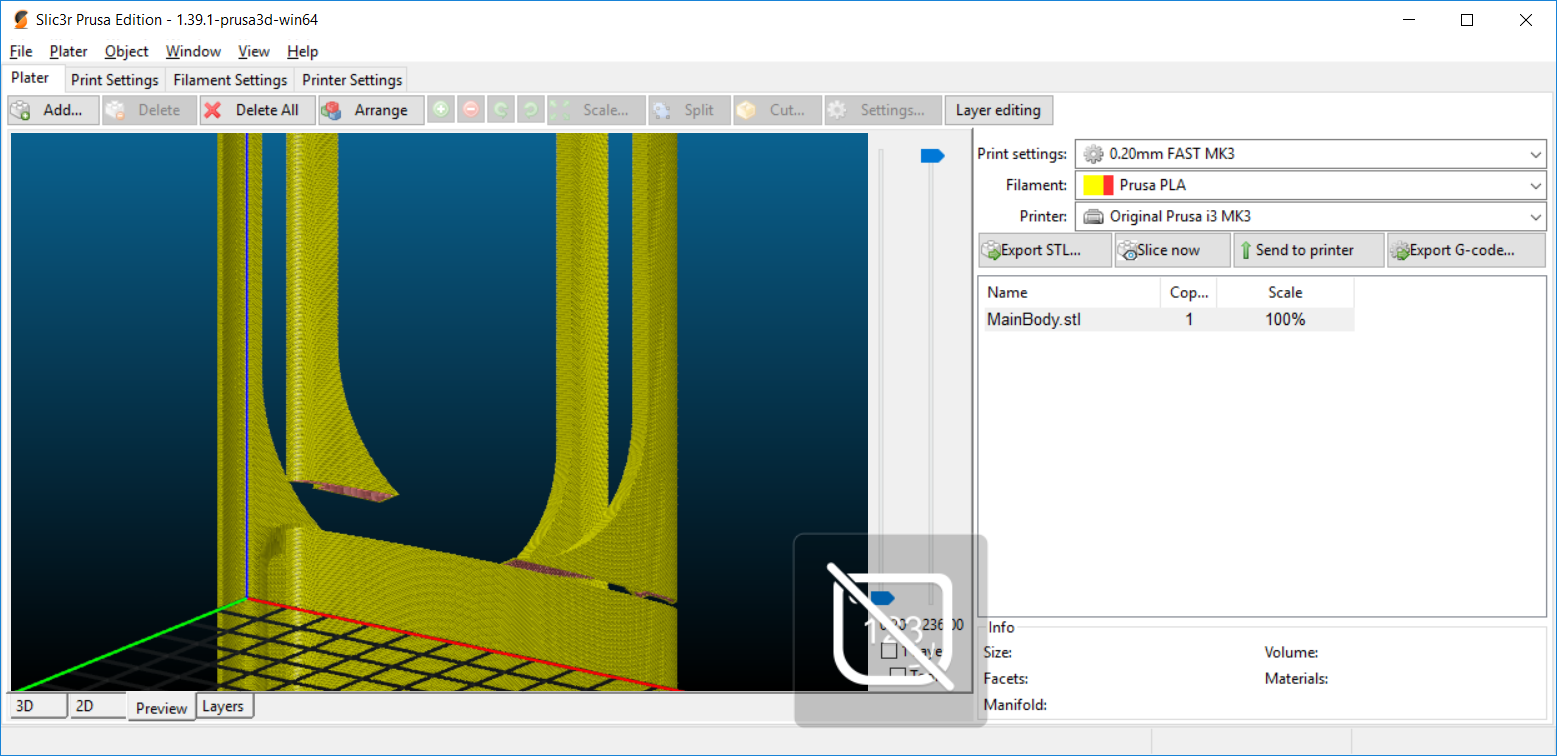
Slice MainBody.stl from https://www.thingiverse.com/thing:2844119
Big gap in part of it. Tried with Cura 3.3 and it slices correctly.
If you rotate on its side it slices correctly.
STL/Config (.ZIP) where problem occurs
 ccfoo242
All 10 comments
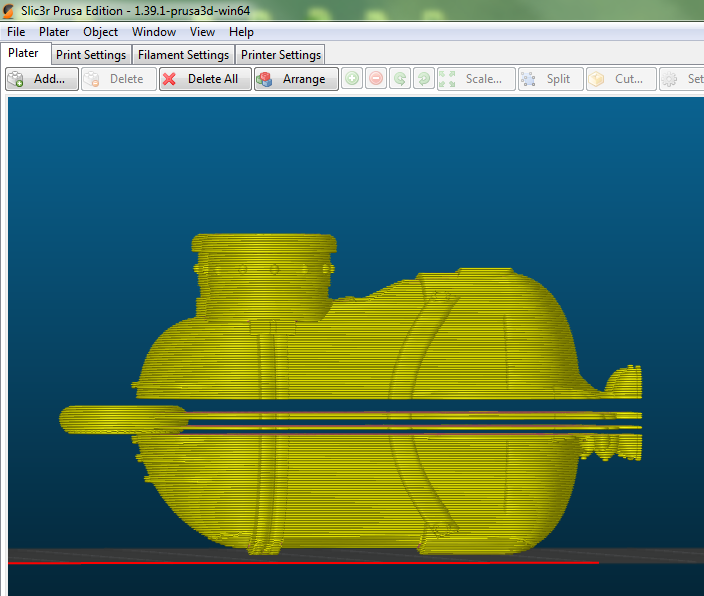
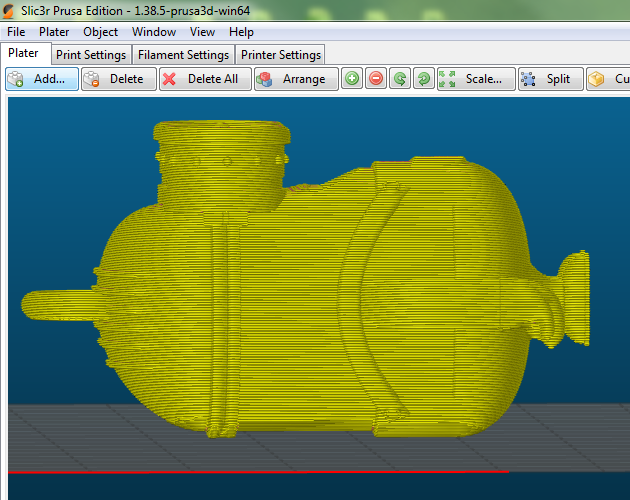
I observed the same issue but only with version 1.39.1 here are two of
model is:
https://www.thingiverse.com/thing:847941
and used the same settings on both versin with different result(see below):
Slic3r_PE_config_0.3mm_ini.zip
1.39.1
1.38.5
 redangel1984
on 26 Apr 2018
redangel1984
on 26 Apr 2018
@FidelCapo Please retest with 1.40-alpha and put the model into our set of test objects. Thanks.
 bubnikv
on 26 Apr 2018
bubnikv
on 26 Apr 2018
I thought the issue might be the key ring, but after splitting the model, the layers are still missing:

Sent with GitHawk
redangel1984
on 26 Apr 2018
@bubnikv is 1.40-alpha pre-compiled?
 mvasilakis
on 26 Apr 2018
mvasilakis
on 26 Apr 2018
1.40-alpha pre-compiled?
We don't really want to share the alphas, but there will likely be a public
beta released in a week or two.
On Thu, Apr 26, 2018 at 2:47 PM, mvasilakis notifications@github.com
wrote:
@bubnikv https://github.com/bubnikv is 1.40-alpha pre-compiled?
—
You are receiving this because you were mentioned.
Reply to this email directly, view it on GitHub
https://github.com/prusa3d/Slic3r/issues/853#issuecomment-384628610, or mute
the thread
https://github.com/notifications/unsubscribe-auth/AFj5I5LT2al-Vw_P1Aw-RidxqcPzo235ks5tscHqgaJpZM4TkbP2
.
bubnikv
on 26 Apr 2018
@bubnikv I figured as much but since you mentioned it above I figured I'd ask. Looking forward to the beta 😃
FWIW I had a similar break in a lithophane made from 3dp.rocks and mesh corrected in mesh mixer. It displayed fine on screen unlike OP's but the g-code was split in 2 parts and floating in thin air about 20 mm behind the model at the correct z height.
I unchecked Ensure vertical shell thickness, avoid crossing perimeters, and detect thin walls and the resulting slice was correct. Not sure if OP has any of those checked but it might be worth a peek.
mvasilakis
on 26 Apr 2018
@mvasilakis I did try detect thin walls, which helped with this problem on a different model, but it didn't change this one. Haven't tried the other options.
ccfoo242
on 26 Apr 2018
@ccfoo242 I had to remove those options to fix the model in my case. If they're not selected then one of those is not the issue. Possibly just a similar problem caused by a different reason.
mvasilakis
on 26 Apr 2018
@FidelCapo Please retest with 1.40-alpha and put the model into our set of test objects. If the alpha 1.40 processes these models, please close this issue. Thanks.
bubnikv
on 10 May 2018
Tested and fixed in Slic3rPE-1.40.0-alpha. Closing
 FidelCapo
on 15 May 2018
FidelCapo
on 15 May 2018
Related issues
 tkircher
·
3Comments
tkircher
·
3Comments
 pricedev
·
4Comments
pricedev
·
4Comments
 frakman1
·
4Comments
frakman1
·
4Comments
 rackley096794
·
3Comments
rackley096794
·
3Comments
 ManuGithubSteam
·
4Comments
ManuGithubSteam
·
4Comments
Most helpful comment
@FidelCapo Please retest with 1.40-alpha and put the model into our set of test objects. Thanks.