Prusaslicer: Sequential printing: Order of objects not known
Version
1.39.1-beta1
Operating system type + version
macOS 10.12.6
Behavior
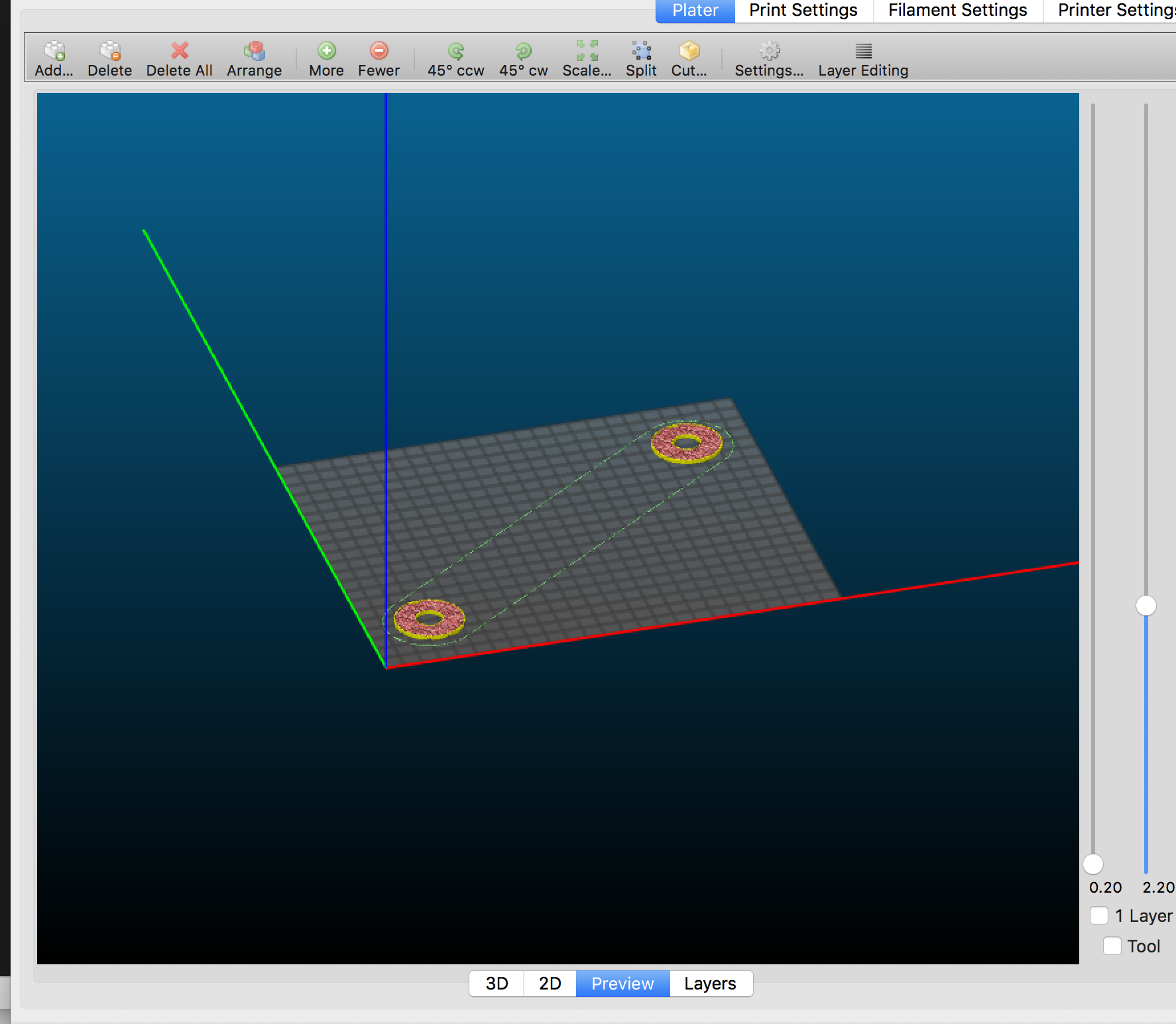
I tested it in 2 different ways. One was duplicating an imported object, second one was importing 2 stl files.
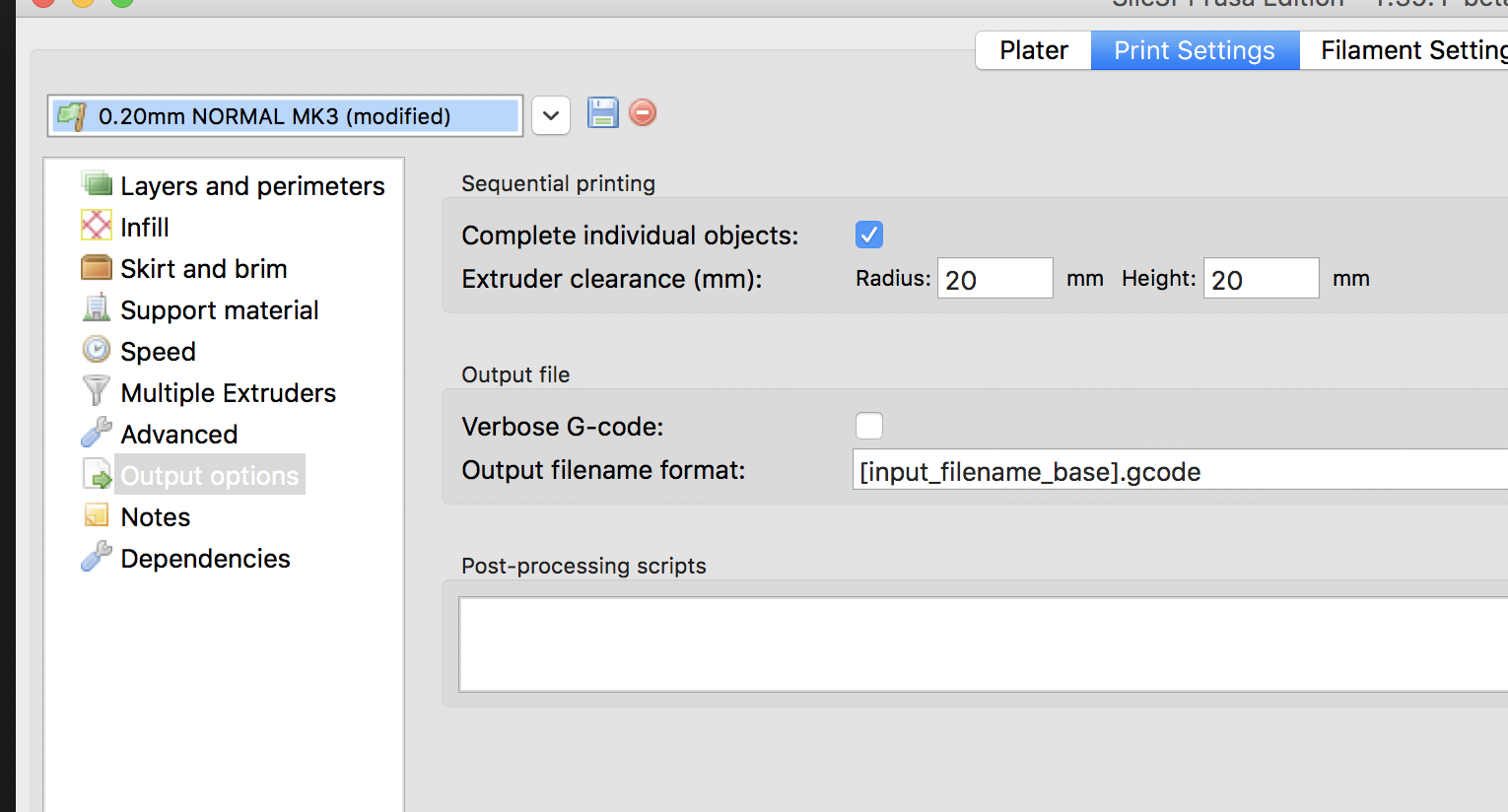
Print settings >> Output options >> "Complete individual objects" is checked, yet after slicing in the Preview window I can see that both objects are printed as if the checkbox was not checked. It just prints both of them layer by layer.
STL/Config (.ZIP) where problem occurs
Any object I have tried.
 ir-fuel
All 5 comments
The G-code is correct, just the preview does not display the lines by time, but by layers.
 bubnikv
on 27 Mar 2018
bubnikv
on 27 Mar 2018
I had the same effect today, assuming that it was a fault of slic3r while indeed it generates GCode correctly. Second, gcode.ws does not show a sequential preview also, even if "sort by Layer Z" is unticked.
So, while a sequential gcode preview would be very nice (S3D has it), a hint that is not visible in preview could be added to the tooltip in the meantime.
Is there a way to check in what order the objects get printed? This is important to avoid collisions.
The only way I found was to Delete the objects one by one, the first that is removed ist the last that gets printed, and so on.
 dartrax
on 3 Apr 2018
dartrax
on 3 Apr 2018
So, while a sequential gcode preview would be very nice (S3D has it), a
hint that is not visible in preview could be added to the tooltip in the
meantime.
Which tooltip? The "sequential print"?
Is there a way to check in what order the objects get printed? This is
important to avoid collisions.
No, there is currently no way. They are printed in the order they are added
to the platter.
I believe the mainline Slic3r has a way to visualize and change the order,
we may implement something similar in 1.41.
On Tue, Apr 3, 2018 at 5:34 PM, dartrax notifications@github.com wrote:
I had the same effect today, assuming that it was a fault of slic3r while
indeed it generates GCode correctly. Second, gcode.ws does not show a
sequential preview also, even if "sort by Layer Z" is unticked.
So, while a sequential gcode preview would be very nice (S3D has it), a
hint that is not visible in preview could be added to the tooltip in the
meantime.
Is there a way to check in what order the objects get printed? This is
important to avoid collisions.
The only way I found was to Delete the objects one by one, the first that
is removed ist the last that gets printed, and so on.—
You are receiving this because you commented.
Reply to this email directly, view it on GitHub
https://github.com/prusa3d/Slic3r/issues/810#issuecomment-378293477, or mute
the thread
https://github.com/notifications/unsubscribe-auth/AFj5I186nW8UIl994tpCW56nlrloZ8kyks5tk5aIgaJpZM4S84mI
.
bubnikv
on 3 Apr 2018
The "Complete individual objects:"-Tooltip.
dartrax
on 3 Apr 2018
The upcoming PrusaSlicer 2.2.0-alpha4 will print sequentially in the order displayed at the object list. Also the object list will support drag & drop to reorder.
Closing.
bubnikv
on 4 Feb 2020
Related issues
 sebastianha
·
4Comments
sebastianha
·
4Comments
 DROBORD
·
3Comments
DROBORD
·
3Comments
 TimothyGold
·
4Comments
TimothyGold
·
4Comments
 jon-cpu
·
3Comments
jon-cpu
·
3Comments
 karek314
·
4Comments
karek314
·
4Comments
Most helpful comment
The G-code is correct, just the preview does not display the lines by time, but by layers.