Prusa-firmware: [3.8.0/1.0.6] Confusing MMU instructions and locked down
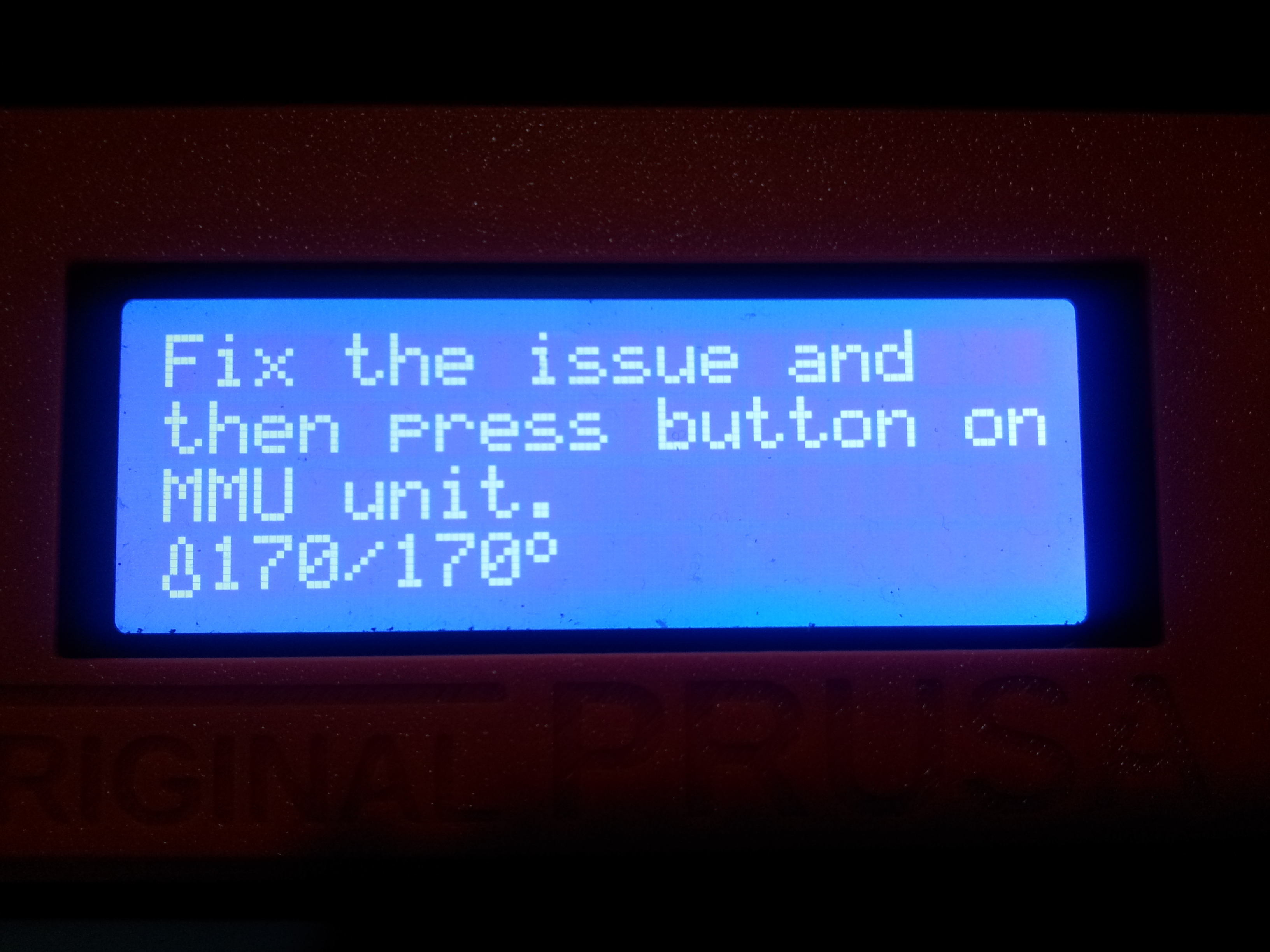
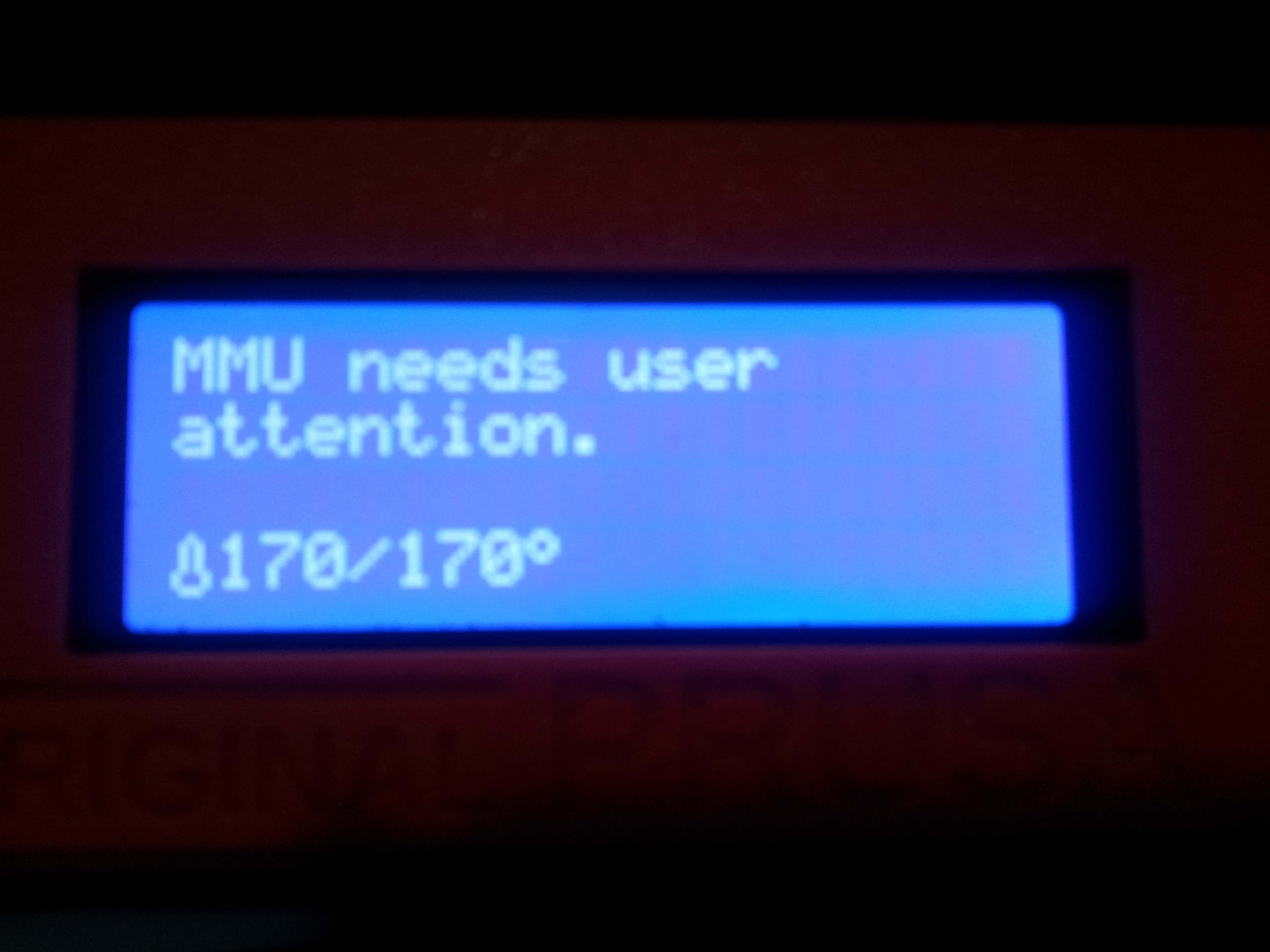
I am not sure where to post and I think this issue reserves in this area. I had few filament jams and I pressed "change filament", when it got stuck the mmu's all led, amber and green flashes on all 5 slots altogether. The screen instructed me (user) to press the button on mmu. I pressed any of the 3 buttons on top and it did nothing and I had to resolve to press the reset button under the knob.
This happened several times and one time I thought that it may be the mmu reset button. so I pressed it, and voila, mmu reset, and able to pull out the filament.
I believe in this state, the filament jams are mostly due to blobs in the heatbreak leaving the extruder grinding the filament there. By initiating filament change, and mmu user attention sequence initiated, there were nothing that we the user can do and I personally wished that there are more controls in this state to the printer such as
- adjust temperature
- move extruder axis (this is for my case to pull out the filament, by pulling the filament with hand to help the extruder eject the filament)
 sarf2k4
All 3 comments
I was about to write up an Issue about that button message. At least tell us which/any button. I have dealt with that one for a while. I still can't tell if it matters which one to press.
I agree with many of the points made above. There are seemingly many paths that a user can go down which lead to a dead end and ultimately no choice but to reset. I have another Issue that I opened involving pausing.
 mmcglumphy
on 14 Sep 2019
mmcglumphy
on 14 Sep 2019
I'm also interested in seeing this very confusing interface fixed. Here are the places I think it goes wrong:
- The choices of inputs presented to the user are nonsensical. The instructions on the display say to "press the button on the MMU", but there are 3 buttons on the MMU.
- When I try pressing any of the buttons, the behavior is not at all what I'd expect.
- There is no clear feedback from any of the button presses.
- The behavior of the MMU LEDs is different from normal use, and it isn't explained well in the manual.
I found the intended troubleshooting steps and user interface explanation on this page, and while I now understand it _slightly_ better, I still think this interface is very unintuitive, and needs serious work.
Here is my proposal for a better interaction:
The MMU runs into trouble while trying to load filament 2. The screen should say:
"Failed to load filament 2" (so the user knows which filament is the issue)
Below that, the screen should present the user with options like:
- Try loading again (press this if you think you have fixed it yourself, and you're ready to go)
- MMU Wizard (press this for a simple walkthrough: unload, prep the tip, load)
- Sensor info (press this to see the states of all the sensors. THIS IS A MUST HAVE)
- Tune (press this to access things like nozzle temperature)
- Swap filament (press this to substitute a different filament for the rest of the print)
- Abort print (also a MUST HAVE)
During all this, I think the LEDs and buttons on the MMU should act in exactly the same way they do when loading filaments by hand outside of a print:
Pressing the left or right button: Move the Selector
Pressing the middle button: Initiates a filament load
1 solid RED LED: "something is wrong with this filament"
1 flashing RED LED: "MMU is waiting for you to load this filament"
1 solid GREEN LED: "This filament is all set!"
Anything else involving RED LEDs should be reserved to mean that something is wrong. (I was really surprised to learn that the way the MMU currently indicates that the load was successful was to flash both Red and Green simultaneously. This is not intuitive at all, and it's hard to see if you're colorblind.)
In short:
The print should actually be controlled from the printer interface (knob and LCD), not from the MMU buttons.
 echer80111
on 13 Oct 2019
echer80111
on 13 Oct 2019
I like the menu alternatives presented. Especially the “MMU Load Failed Wizard” idea.
I agree that in all error conditions involving the MMU, having access to the sensor info is critical.
I think menu options which correspond to the current button options would be nice too. E.g. if it tried to unload, menu options like “test unload” and “retry unload” (corresponding to middle and right buttons on MMU) would be more intuitive. And if it failed while loading, “test load” and “retry load”.
While the retry is happening, display the sensor info. E.g. “loading filament 3” with the next row showing “FINDA: 1 IR: 0 PINDA: 0”
I don’t know that I agree with the idea of being able to change the selector when the filament might be half-way down the tube.
 scooper4711
on 6 Jun 2020
scooper4711
on 6 Jun 2020
Related issues
 RacingHell
·
4Comments
RacingHell
·
4Comments
 austaquio32
·
3Comments
austaquio32
·
3Comments
 erikcramerjr
·
4Comments
erikcramerjr
·
4Comments
 stahlfabrik
·
5Comments
stahlfabrik
·
5Comments
 Patronics
·
4Comments
Patronics
·
4Comments
Most helpful comment
I'm also interested in seeing this very confusing interface fixed. Here are the places I think it goes wrong:
I found the intended troubleshooting steps and user interface explanation on this page, and while I now understand it _slightly_ better, I still think this interface is very unintuitive, and needs serious work.
Here is my proposal for a better interaction:
The MMU runs into trouble while trying to load filament 2. The screen should say:
"Failed to load filament 2" (so the user knows which filament is the issue)
Below that, the screen should present the user with options like:
During all this, I think the LEDs and buttons on the MMU should act in exactly the same way they do when loading filaments by hand outside of a print:
Pressing the left or right button: Move the Selector
Pressing the middle button: Initiates a filament load
1 solid RED LED: "something is wrong with this filament"
1 flashing RED LED: "MMU is waiting for you to load this filament"
1 solid GREEN LED: "This filament is all set!"
Anything else involving RED LEDs should be reserved to mean that something is wrong. (I was really surprised to learn that the way the MMU currently indicates that the load was successful was to flash both Red and Green simultaneously. This is not intuitive at all, and it's hard to see if you're colorblind.)
In short:
The print should actually be controlled from the printer interface (knob and LCD), not from the MMU buttons.