Proton: Need for Speed Hot Pursuit (47870)
Default runs 34 FPS.
Setting core affinity off CPU0 (Which fixes stuttering on Windows) doesn't have any affect

taskset -pc 1-7 11047

Turning shadows off has the biggest affect. Gets it around 46 - 50 FPS.
Graphics:  Card-1: Advanced Micro Devices [AMD/ATI] Ellesmere [Radeon RX 470/480/570/570X/580/580X]
           driver: amdgpu v: kernel
           Display: x11 server: X.Org 1.20.1 driver: modesetting unloaded: vesa resolution: 1920x1080~60Hz
           OpenGL: renderer: AMD Radeon RX 480 Graphics (POLARIS10 DRM 3.26.0 4.18.3-arch1-1-ARCH LLVM 8.0.0)
           v: 4.5 Mesa 18.3.0-devel (git-aa79cc2bc8)
CPU:       Topology: Quad Core model: Intel Core i7-3770K bits: 64 type: MT MCP L2 cache: 8192 KiB
           Speed: 3338 MHz min/max: 1600/3900 MHz Core speeds (MHz): 1: 3901 2: 2368 3: 2904 4: 2439 5: 2106
           6: 1675 7: 3156 8: 1847
 parkerlreed
All 14 comments
[Whitelist] Need for Speed: Hot Pursuit (47870)
Issue transferred from https://github.com/ValveSoftware/Proton/issues/952.
@liberodark posted on 2018-08-30T03:50:47:
Distro: Manjaro XFCE 17.1.12
GPU: GTX 1060, Nvidia proprietary driver 396.54
Resolution: 1920x1080
RAM: 8GB
Proton 3.7-4 Beta
All is fine and Xbox Controller work !
No have try MP
 kisak-valve
on 30 Aug 2018
kisak-valve
on 30 Aug 2018
Anyone having an issue with it not exiting? Proton 3.7-5 Beta.
 romulasry
on 6 Sep 2018
romulasry
on 6 Sep 2018
@romulasry I used to have the problem with the game not exiting properly on old Proton versions. But I can't replicate the issue with Proton 4.2-3, so that issue appears to have been fixed.
Distro: Linux Mint 19.1 Tessa (64 bit)
GPU: Vega 56
Driver/LLVM version: Mesa 19.1.0-devel/9.0.0
Kernel version: 5.0.7-050007-generic
Proton version: 4.2-3
 AwesamLinux
on 20 Apr 2019
AwesamLinux
on 20 Apr 2019
I can confirm that after 4.11 and ACO, this game now runs perfectly on AMD GPUs. It now stays at 57-60 fps.
parkerlreed
on 18 Aug 2019
Works flawlessy on 4.11-2 and with PROTON_USE_D9VK=1 performance are optimal.
With same settings, on 4.11-3 there are a lot of graphical artifacts on the whole game.
 toalex77
on 27 Aug 2019
toalex77
on 27 Aug 2019
~Hello @toalex77, please copy your system information from Steam (Steam -> Help -> System Information) and put it in a gist, then include a link to the gist in this issue report. Also, please add PROTON_LOG=1 %command% to the game's launch options and drag and drop the generated $HOME/steam-$APPID.log into the comment box.~
Looks like the D9VK issue is being tracked at https://github.com/Joshua-Ashton/d9vk/issues/335.
kisak-valve
on 27 Aug 2019
Oh yes, exactly the same artifacts.
toalex77
on 27 Aug 2019
With d9vk 0.13f, solve glitchs problems,
https://github.com/Joshua-Ashton/d9vk/releases/tag/0.13f
paste "d3d9.dll x32" in the game folder and set this to the launcher
WINEDLLOVERRIDES="d3d9.dll=n,b" %command%
 tuxtergames
on 3 Sep 2019
tuxtergames
on 3 Sep 2019
Default runs 34 FPS.
Setting core affinity off CPU0 (Which fixes stuttering on Windows) doesn't have any affect
taskset -pc 1-7 11047
Turning shadows off has the biggest affect. Gets it around 46 - 50 FPS.
Graphics:  Card-1: Advanced Micro Devices [AMD/ATI] Ellesmere [Radeon RX 470/480/570/570X/580/580X]
           driver: amdgpu v: kernel
           Display: x11 server: X.Org 1.20.1 driver: modesetting unloaded: vesa resolution: 1920x1080~60Hz
           OpenGL: renderer: AMD Radeon RX 480 Graphics (POLARIS10 DRM 3.26.0 4.18.3-arch1-1-ARCH LLVM 8.0.0)
           v: 4.5 Mesa 18.3.0-devel (git-aa79cc2bc8)
CPU: Topology: Quad Core model: Intel Core i7-3770K bits: 64 type: MT MCP L2 cache: 8192 KiB Speed: 3338 MHz min/max: 1600/3900 MHz Core speeds (MHz): 1: 3901 2: 2368 3: 2904 4: 2439 5: 2106 6: 1675 7: 3156 8: 1847
Default runs 34 FPS.
Setting core affinity off CPU0 (Which fixes stuttering on Windows) doesn't have any affect
taskset -pc 1-7 11047
Turning shadows off has the biggest affect. Gets it around 46 - 50 FPS.
Graphics:  Card-1: Advanced Micro Devices [AMD/ATI] Ellesmere [Radeon RX 470/480/570/570X/580/580X]
           driver: amdgpu v: kernel
           Display: x11 server: X.Org 1.20.1 driver: modesetting unloaded: vesa resolution: 1920x1080~60Hz
           OpenGL: renderer: AMD Radeon RX 480 Graphics (POLARIS10 DRM 3.26.0 4.18.3-arch1-1-ARCH LLVM 8.0.0)
           v: 4.5 Mesa 18.3.0-devel (git-aa79cc2bc8)
CPU: Topology: Quad Core model: Intel Core i7-3770K bits: 64 type: MT MCP L2 cache: 8192 KiB Speed: 3338 MHz min/max: 1600/3900 MHz Core speeds (MHz): 1: 3901 2: 2368 3: 2904 4: 2439 5: 2106 6: 1675 7: 3156 8: 1847
Do you know a way to launch the game with this affinity? maybe set this command to the launcher or other way
My CPU need to breath sometimes....
tuxtergames
on 3 Sep 2019
ths last update of d9vk fix glith problem, https://git.froggi.es/joshua/d9vk/-/jobs
tuxtergames
on 25 Sep 2019
You can use the same taskset
taskset -c 1-7 %command%
parkerlreed
on 25 Sep 2019
Compatibility Report
- Name of the game with compatibility issues: Need for Speed: Hot Pursuit
- Steam AppID of the game: 47870
System Information
- GPU: AMD Radeon RX 580
- Driver/LLVM version: Mesa 20.1.1
- Distro version: Arch Linux
- Link to full system information report as Gist:
- Proton version: 5.0-9
I confirm:
- [ ] that I haven't found an existing compatibility report for this game.
- [X] that I have checked whether there are updates for my system available.
Symptoms
- content in the car rear-view mirror, is not correct rendered. with both wine3d and dxvk
Reproduction
- Play the Game.
Logs:
proton-5.0-9-47870_dxkv.log
proton-5.0-9-47870_wined3d.log
proton-5.9-GE-2-MF-47870_dxvk.log
proton-5.9-GE-2-MF-47870_wined3d.log
Screenshots
proton-5 0-9-47870_dxvk: 
proton-5 0-9-47870_wined3d: 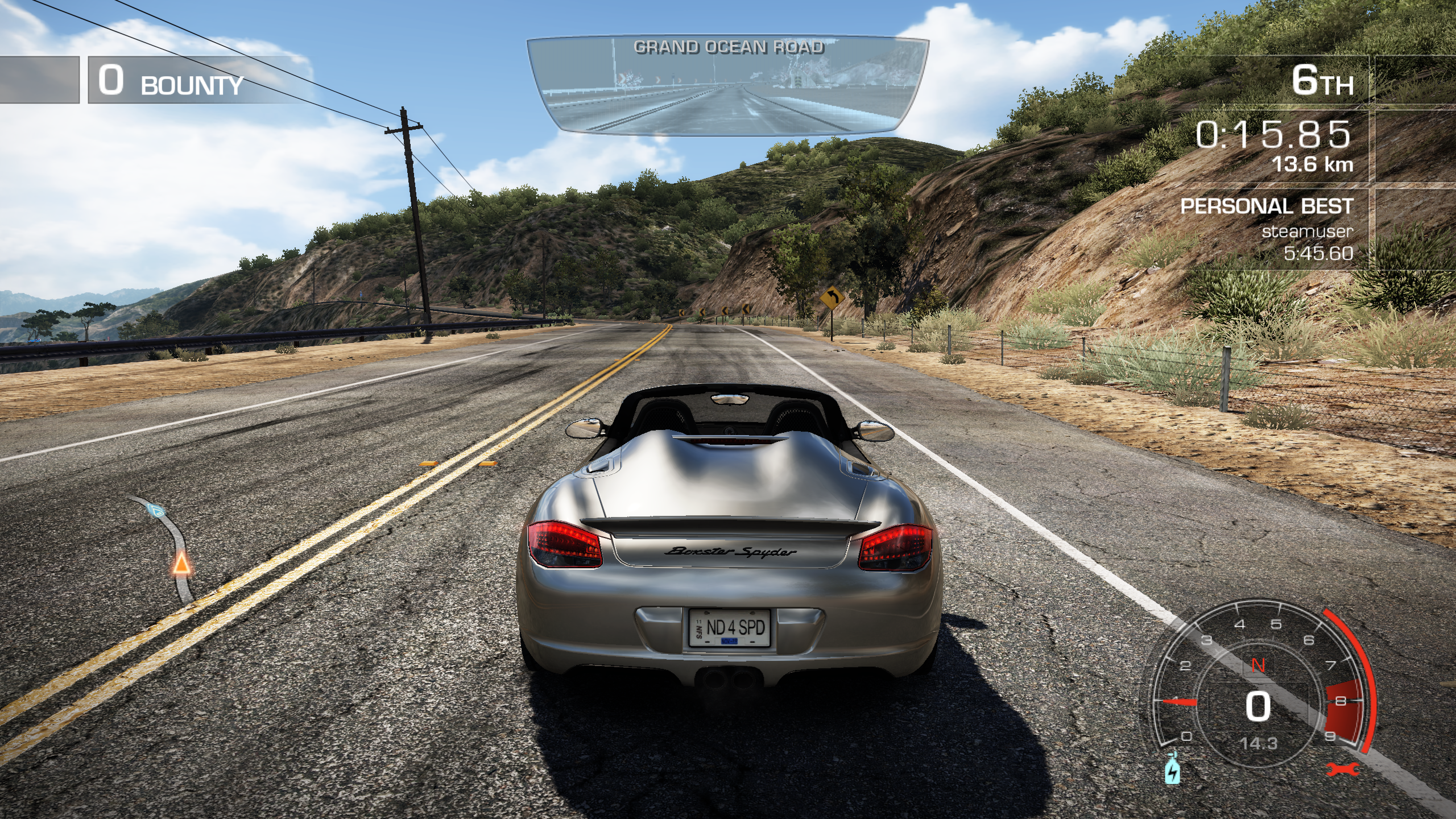
proton-5 9-GE-2-MF-47870_dxvk: 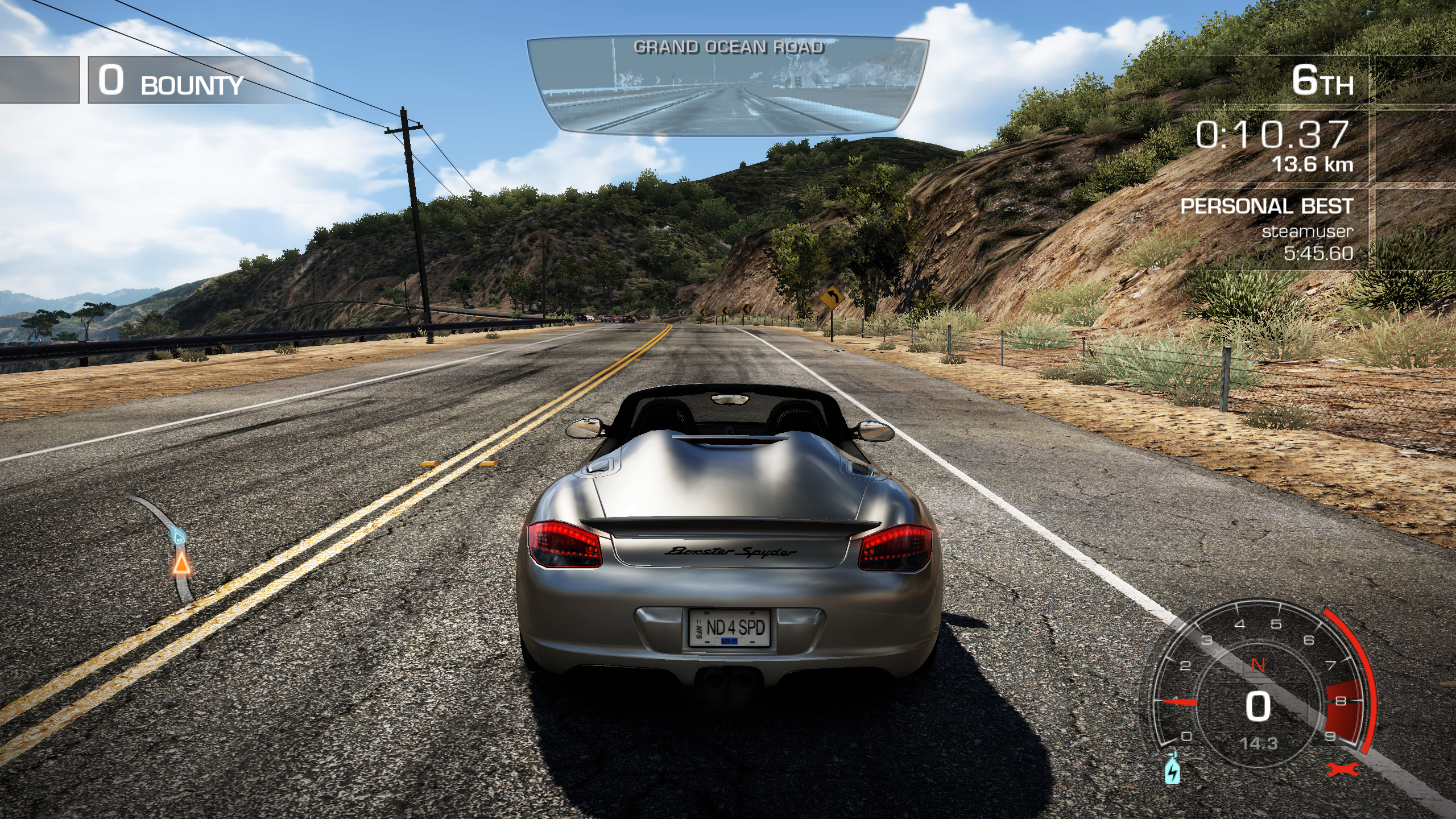
proton-5 9-GE-2-MF-47870_wined3d: 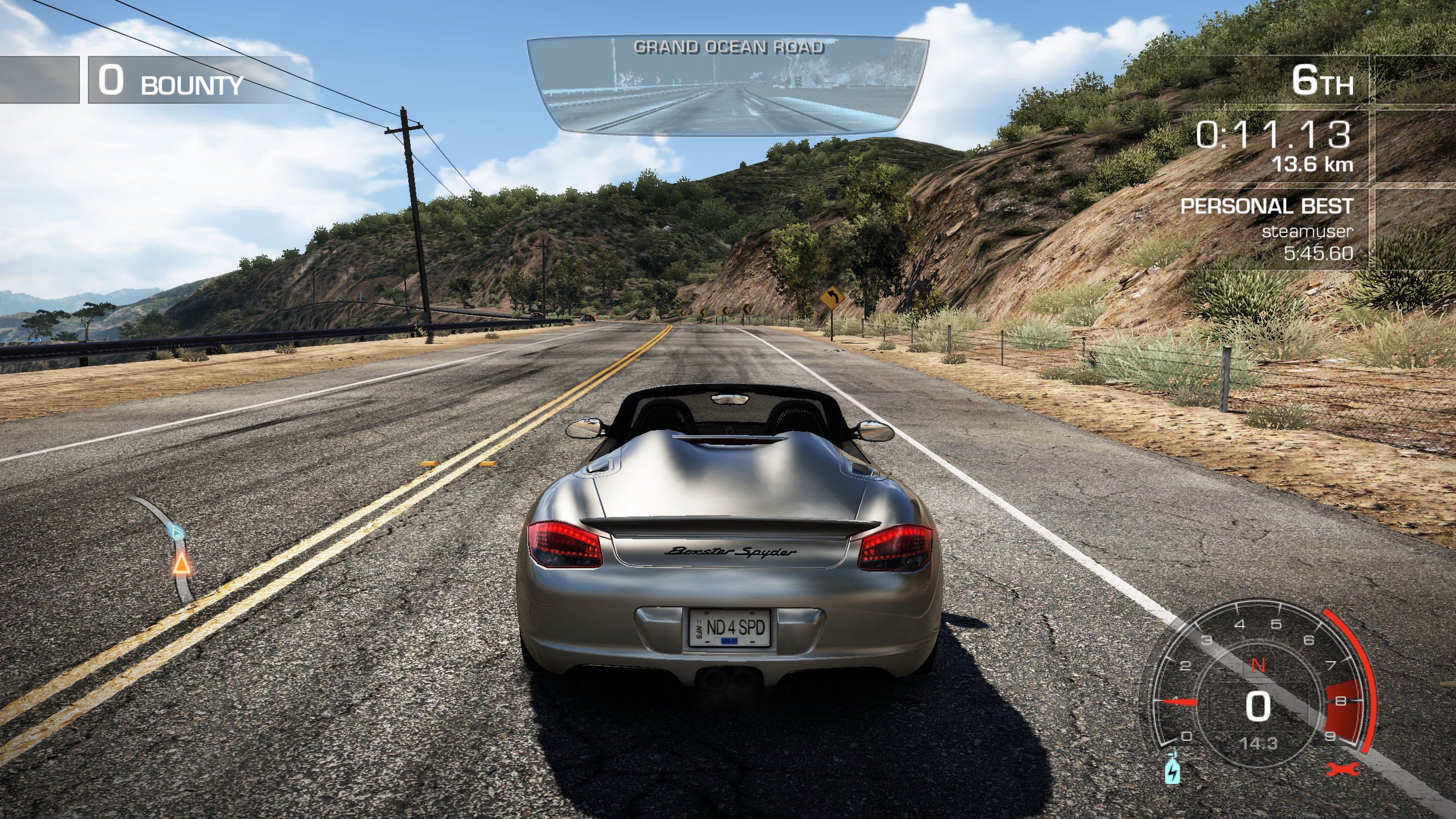
 springwurm
on 13 Jun 2020
springwurm
on 13 Jun 2020
Symptoms
* content in the car rear-view mirror, is not correct rendered. with both wine3d and dxvk
I think i am wrong ;)
Here is a Screenshot from Windows 7 with a NVIDIA GeForce GTX460.

Looks like this is a Feature of the Game.
Gameplay Video: https://www.youtube.com/watch?v=e_dc5e2eFLU
springwurm
on 7 Oct 2020
I can confirm there's nothing wrong with the rear view rendering.
However this game requires PROTON_USE_WINED3D to work at least with NVidia 450.66 driver on Debian/KDE.
 jaubin
on 18 Oct 2020
jaubin
on 18 Oct 2020
Related issues
 matou68
·
3Comments
AwesamLinux
·
3Comments
matou68
·
3Comments
AwesamLinux
·
3Comments
 leifmetcalf
·
3Comments
leifmetcalf
·
3Comments
 juppso
·
3Comments
juppso
·
3Comments
 Elkasitu
·
3Comments
Elkasitu
·
3Comments
Most helpful comment
Anyone having an issue with it not exiting? Proton 3.7-5 Beta.