Prisma: Error: The certificate was not trusted
Hello, I've got this error today with latest alpha:
[email protected], binary version: c55e482a7a27ec30ea41b074ffb3de8a1a40c36e
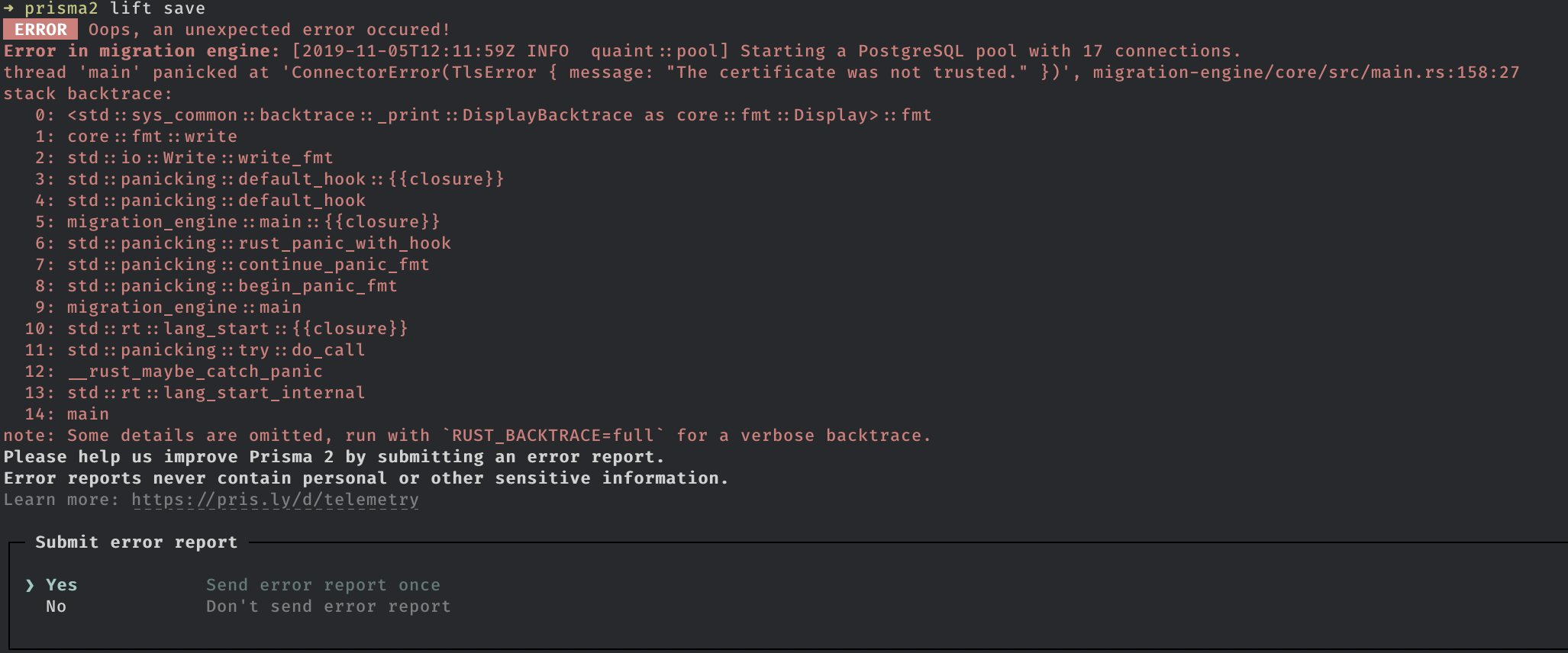
PS: I'm with sslmode=prefer and report id 457
 yovanoc
All 28 comments
Can you please tell me where your database is hosted?
 pantharshit00
on 6 Nov 2019
pantharshit00
on 6 Nov 2019
On a random Vultr server
yovanoc
on 6 Nov 2019
You are trying to access the postgres instance over localhost on the vultr instance or you are using that vultr instance locally on your machine?
pantharshit00
on 6 Nov 2019
I'm not sure to understand the question. All was working before but I think I'm using this db locally. I just put in the datasource url my db connection string and use this with a local server
yovanoc
on 6 Nov 2019
I am trying to ask are you trying to connect to your vultr server where postgres is hosted from your development machine or you are running you prisma2 application on the same vultr box in which your database is hosted?
pantharshit00
on 6 Nov 2019
Oh no the database is in the vultr server, and i'm locally trying to use this database
yovanoc
on 6 Nov 2019
I am having the same problem.
- [email protected], binary version: 4d50094c10949656143dbc604bc13c784954c990
- database hosted on DigitalOcean, graphql/prisma2 dev server hosted locally
PS: it works alright with preview015
 iherger
on 6 Nov 2019
iherger
on 6 Nov 2019
Currently receiving the same error
- Database is hosted on Heroku/AWS
- [email protected], binary version: 377e2db71bae5da19d0090558c8819ff57dfdfc6
- Report ID 479
 williamluke4
on 7 Nov 2019
williamluke4
on 7 Nov 2019
@iherger Preview 15 fails for me,
[email protected], binary version: 20b6dc13949cccccfef5be07c0be7a3d7c858abe
williamluke4
on 7 Nov 2019
@iherger @williamluke4 Can you please make sure all the information about what you are actually doing is provided in your comment - so it is easy and straightforward for @pantharshit00 to try to reproduce the problem.
 janpio
on 7 Nov 2019
janpio
on 7 Nov 2019
@janpio , @pantharshit00
- new project, no previous database migrations
- postgresql database hosted on DigitalOcean (connection string works fine)
- running
prisma2 lift saveproduces the error above
The same three steps with a local postgresql database work fine.
iherger
on 7 Nov 2019
I can confirm this bug in [email protected], binary version: 377e2db71bae5da19d0090558c8819ff57dfdfc6
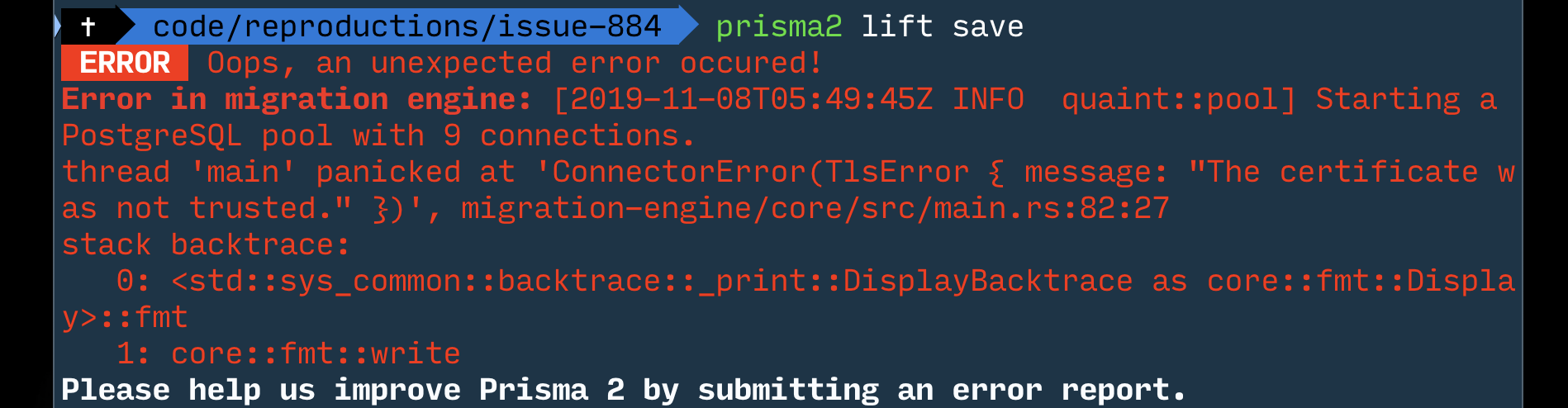
Thanks for the reproduction steps @iherger :)
pantharshit00
on 8 Nov 2019
Adding sslaccept=accept_invalid_certs to your datasource url should work for now
williamluke4
on 8 Nov 2019
@williamluke4 , thanks, that works indeed for now.
iherger
on 8 Nov 2019
I can confirm the discrepancy between lift and the psql CLI connecting to the same database with the same SSL settings, we're investigating.
In the meantime for setups that are not security sensitive, @williamluke4 's workaround works :)
 tomhoule
on 8 Nov 2019
tomhoule
on 8 Nov 2019
I spent a lot of time investigating this, and the conclusion is that what we are doing is not buggy, but much stricter than most other postgres clients. We will relax the current behaviour a bit (otherwise you would have to pass certificate files to the postgres connection in nearly every scenario). I will keep this issue up to date.
tomhoule
on 15 Nov 2019
@tomhoule Why is it that this only cropped recently? Was the code change recently to make the certificate file required by default?
williamluke4
on 16 Nov 2019
Yes, we implemented passing custom certificates for postgres connections a few weeks ago and I think that's when the decision was made.
tomhoule
on 16 Nov 2019
Encountering the same issue with a postgres database hosted on heroku. Adding sslaccept=accept_invalid_certs to the connection url fixed it.
 jwld
on 20 Nov 2019
jwld
on 20 Nov 2019
I have a few issues currently with the Prisma2 platform and I think it all stems from this issue (unless majorly mistaken).
I have tried all the params above without success, on both localhost and hosted on DO. The same error seems to show up on a variety of steps. Sometimes on prisma2 lift up, lift save, dev. Sometimes not at all, but later on during prisma2 dev.
I have created this #999 which seems to be the same error on #919.
I'd really grateful if someone had a temporary workaround while the devs iron this out.
 BiscuiTech
on 26 Nov 2019
BiscuiTech
on 26 Nov 2019
This is fixed upstream, the change should make it in preview 18 :) More context in https://github.com/prisma/specs/issues/325
tomhoule
on 4 Dec 2019
This is fixed upstream, the change should make it in preview 18 :) More context in prisma/specs#325
Has this been fixed in 18? Because the notes do not mention this issue.
BiscuiTech
on 6 Dec 2019
I have 2.0.0-preview018.2 and the problem is still there
 dizzyn
on 15 Dec 2019
dizzyn
on 15 Dec 2019
I have 2.0.0-preview018.2 and the problem is still there
The devs haven't replied, but I am pretty sure it's fixed. I haven't had the issue ever since I updated. Now it's mostly the lift engine panicking at every turn.
Can you make sure you have prisma 18.2 throughout your stack? Your global pckg, your local file and your server, if any?
BiscuiTech
on 16 Dec 2019
I have just tried this approach:
- Setup local environment with a Prisma schema pointed to the local DB and run the
prisma2 generate-- works without any problem - Prepare new Postgress on Heroku and change the link in the local schema to the remote one and call again the
prisma2 generate(on my local) -- seen the error - Fixed the postgress URL by the parameter:
sslaccept=accept_invalid_certsand call the command again -- now it works fine, the remote database were generated.
So IMHO the problem is still there
dizzyn
on 16 Dec 2019
@janpio
Could we get a clarification on this?
BiscuiTech
on 16 Dec 2019
--- NO LONGER VALID ---
I have tried to replicate that again to provide more details with the 2.0.0-preview018.2 and it works FINE. So the error was on my side somewhere, probably by using the npx that uses 017 version.
Sorry for that and thank you for the good work.
dizzyn
on 16 Dec 2019
By my knowledge this should work as expected, sorry I did not get to confirm this earlier - but happy you figured it out yourself.
janpio
on 17 Dec 2019
Related issues
iherger
·
26Comments
 nikolasburk
·
57Comments
nikolasburk
·
57Comments
 malekjaroslav
·
53Comments
pantharshit00
·
28Comments
malekjaroslav
·
53Comments
pantharshit00
·
28Comments
 steebchen
·
25Comments
steebchen
·
25Comments
Most helpful comment
Adding
sslaccept=accept_invalid_certsto your datasource url should work for now