Prettier-vscode: can't get this to work
Installed with VSCode 1.9.1 on Ubuntu, reloaded, CTRL-SHIFT-P brings up VSCode's command palette, it doesn't format the code. Typing "prettier" in the command palette doesn't bring up anything. VSCode's Problems and Output panes don't show anything about Prettier, either.
Exact same problem with VSCode 1.10.2 on Mac OS. I've been using other VSCode plugins like Standard without problem. What's the trick to get prettier-vscode working?
Also, CMD-SHIFT-P is by default mapped to the command palette. Why use this for formatting?
 pekeler
All 12 comments


pekeler
on 16 Mar 2017
Same here. My OS - Ubuntu. It's a bummer...
 dKab
on 16 Mar 2017
dKab
on 16 Mar 2017
It is bound to Format Document in Command palette. CTRL+SHIFT+I by default on Linux
 CiGit
on 16 Mar 2017
CiGit
on 16 Mar 2017
Ahhh, that works. And ALT-SHIFT-F on the Mac. Thank you @CiGit!
Is CMD-SHIFT-P for Windows?
pekeler
on 16 Mar 2017
@CiGit any idea why when I format document with ctrl+ shift +i the formatting differs from when I format the same document via prettier CLI with --write? @pekeler could you check this on your linux setup, too?
dKab
on 17 Mar 2017
@pekeler Windows: SHIFT+ALT+F by default
@dKab It may be:
- Different config
- Different prettier version (latest prettier-vscode is based on 0.22.0)
- Additional vscode plugin which also transforms your code.
I'll close that issue. It has been answered and the README mentions it.
@dKab Please open a new issue if needed
CiGit
on 17 Mar 2017
The same on Windows 10. I use eslint-plugin-prettier with eslint-config-prettier and when I format document from vscode command palette (which you are saying invokes prettier when your extension is enabled) eslint still shows errors. However when I run prettier from command line eslint is silent.
dKab
on 17 Mar 2017
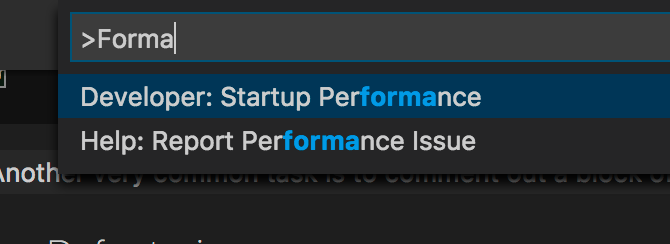
I installed Prettier and restarted, but there is no >Format Document command. OSX. option + shift + F works, but think it's using the Visual Code default formatter..
 Maxhodges
on 6 Aug 2017
Maxhodges
on 6 Aug 2017
This plugin registers itself as a formatter. Therefore it works using the built in Format Document
 RobinMalfait
on 6 Aug 2017
RobinMalfait
on 6 Aug 2017
OK, thanks
Maxhodges
on 6 Aug 2017
Ahhh, that works. And ALT-SHIFT-F on the Mac. Thank you @CiGit!
Is CMD-SHIFT-P for Windows?
ALT-SHIFT-F for Mac. Why not update the Readme?
 dongcai
on 20 Sep 2018
dongcai
on 20 Sep 2018
This issue has been automatically locked since there has not been any recent activity after it was closed. Please open a new issue for related bugs.
![github-actions[bot] picture](https://avatars2.githubusercontent.com/in/15368?v=4&s=40) github-actions[bot]
on 13 Apr 2020
github-actions[bot]
on 13 Apr 2020
Related issues
 screendriver
·
4Comments
screendriver
·
4Comments
 sebastijandumancic
·
4Comments
sebastijandumancic
·
4Comments
 DanielHabenicht
·
4Comments
DanielHabenicht
·
4Comments
 bluemoehre
·
3Comments
bluemoehre
·
3Comments
 Connorelsea
·
4Comments
Connorelsea
·
4Comments
Most helpful comment
Ahhh, that works. And ALT-SHIFT-F on the Mac. Thank you @CiGit!
Is CMD-SHIFT-P for Windows?