Prestashop: Upgrade from PS 1.7.6.8 to PS 1.7.6.9 downgrades blockreassurance module version
Describe your problem
Ufter updating PS to 1.7.6.9 version the blockreassurance module was repkaced by its previos version (without URL).
Then it ask the update in the BO
After updating I saw that in the DB tables ps_psreassurance and ps_psreassurance_lang was replaced with default ((
I restored them from backup, but this
My site https://old.te.com.ua this is the clone of https://te.com.ua/uk/ and I update it at first
The same thing was aftre updating PS to 1.7.6.8.... I can`t understand why this happend
Steps to reproduce
Steps to reproduce the behavior:
- Install PS 1.7.6.8
- Upgrade blockreassurance module to latest version v5.0.0
- Upgrade PrestaShop to PS 1.7.6.9
- Module blockreassurance has been downgraded to v4
Screenshots
https://drive.google.com/file/d/1M3Kkr6kXzdsehRWLmBTTn2ad_EzaCI08/view
After the upgrade:
https://drive.google.com/file/d/1MI1AwMBotvAGCJQO60lRCLhd7seAFL_-/view
Additional information
PS 1.7.6.9
PHP 7.1.33-16+0~20200514.38+debian8~1.gbp1e5820
MySQL: 10.0.38-MariaDB-1~jessie
Theme HiddenTechies PixtronPro (here was old .tpl of blockreassurance)
 photinia73
All 22 comments
This might indicate that, upon upgrade, native modules are restored to the version of the ZIP.
If prestashop1.7.6.9.zip contains v4.1.1 but your shop uses v5.0.0, the module would replace it?
To be verified
 matks
on 18 Nov 2020
matks
on 18 Nov 2020
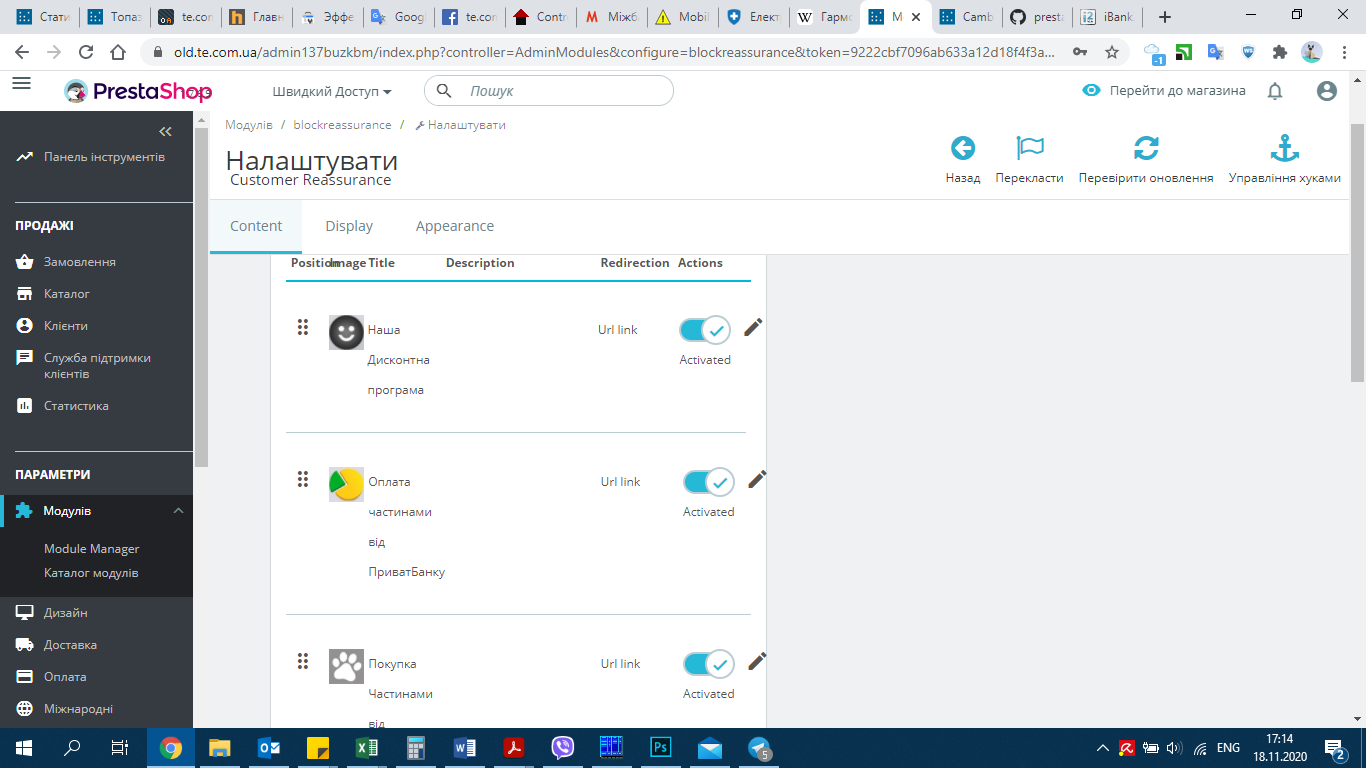
No. In BO it look like
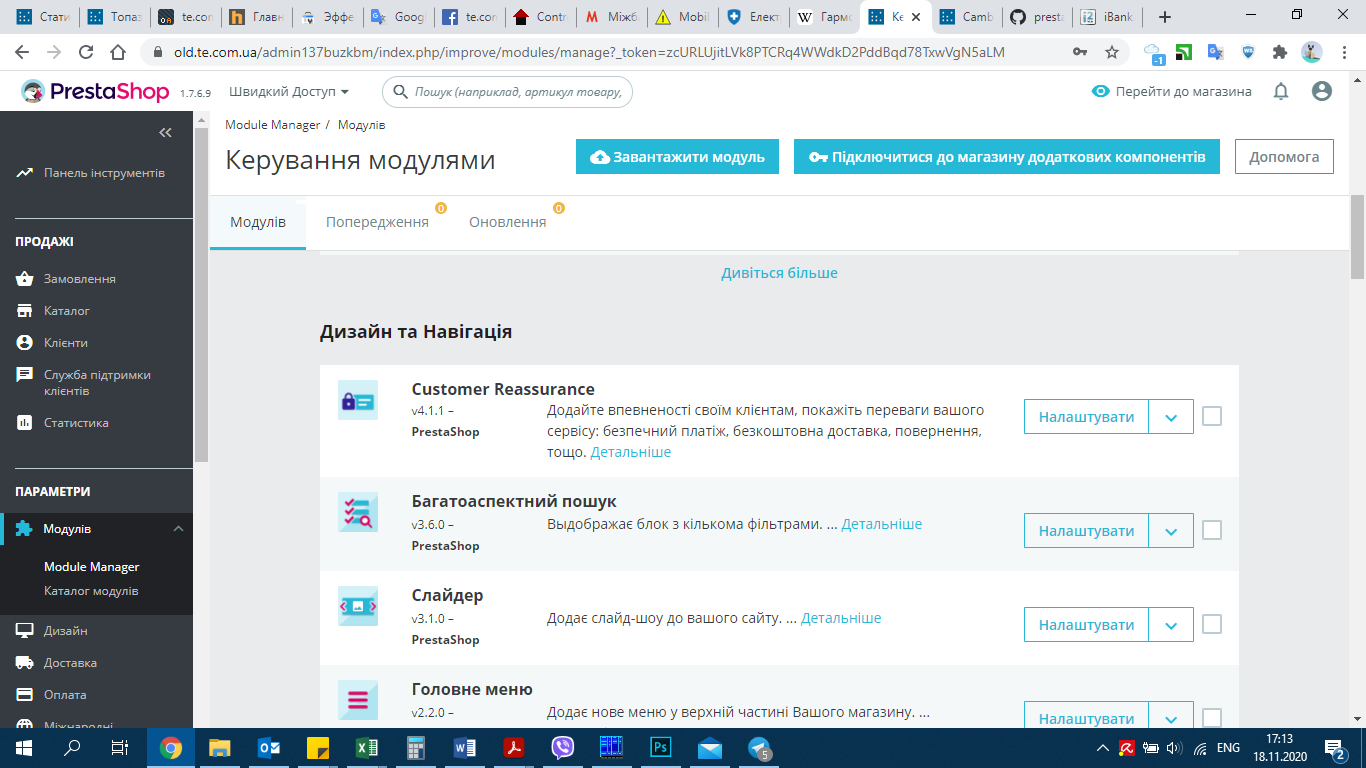
and inside module
photinia73
on 18 Nov 2020
But after updating this module rollback to the version without URL , unfortunately I didn`t pay attantion 4.1.0 or 4.0.1 or 4.1.1
And it erase the tables in the DB ((
photinia73
on 18 Nov 2020
This is not a critical problem if you have backup )), but take a time and some nerves ))
photinia73
on 18 Nov 2020
Hello @photinia73
Thanks for your issue. You must follow the template to submit a complete bug report.
Read more about how we expect the issues to be handled here. Please edit your issue, that we help us to investigate your problem.
Thanks!
 hibatallahAouadni
on 18 Nov 2020
hibatallahAouadni
on 18 Nov 2020
Corrected. I find in the my Theme in Modules blockreassurance/view/hook/....tpl may be the problem from this case....
photinia73
on 18 Nov 2020
@photinia73 so the problem is not a PrestaShop Core bug but it's from your side, is that so?
hibatallahAouadni
on 18 Nov 2020
I am not shure... I made the changes in the Theme and will update PS on the main site (not clone for test). After this I will know exactly
photinia73
on 18 Nov 2020
ok! So, please check and feedback.
Thanks!
hibatallahAouadni
on 18 Nov 2020
Of cource
photinia73
on 18 Nov 2020
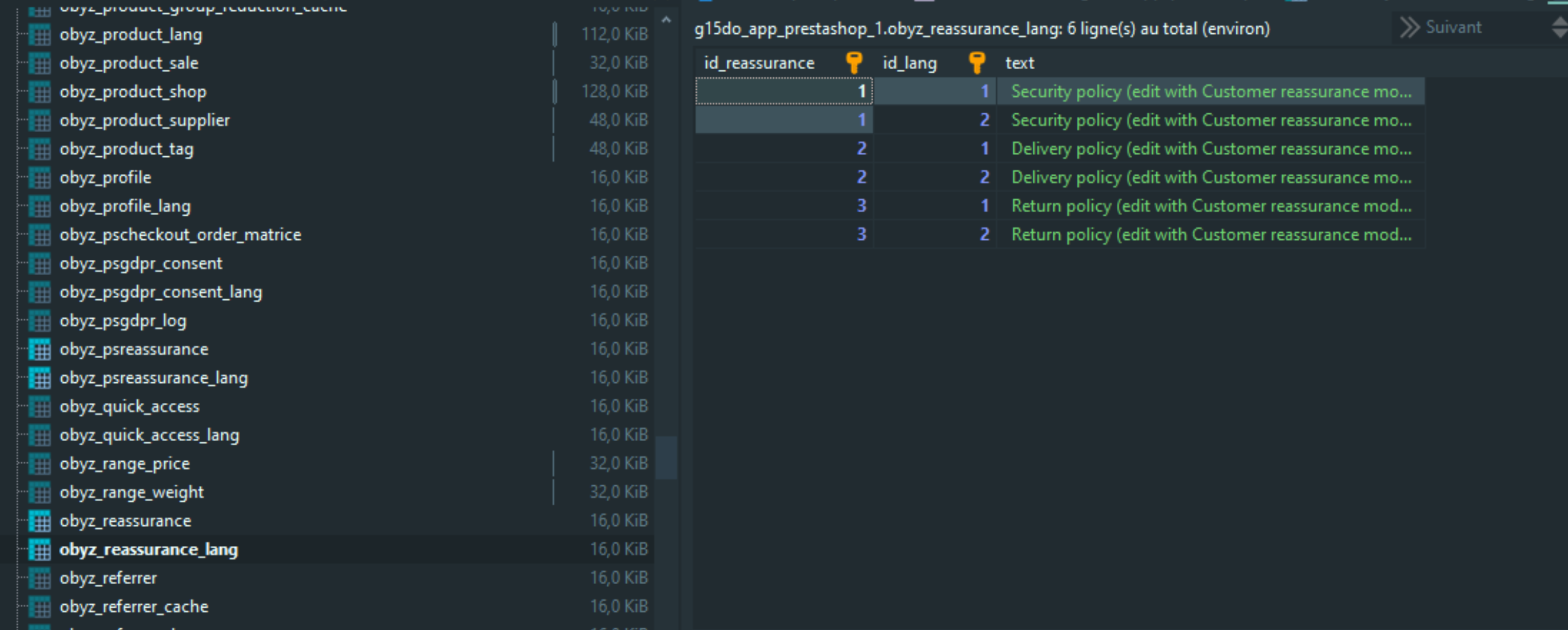
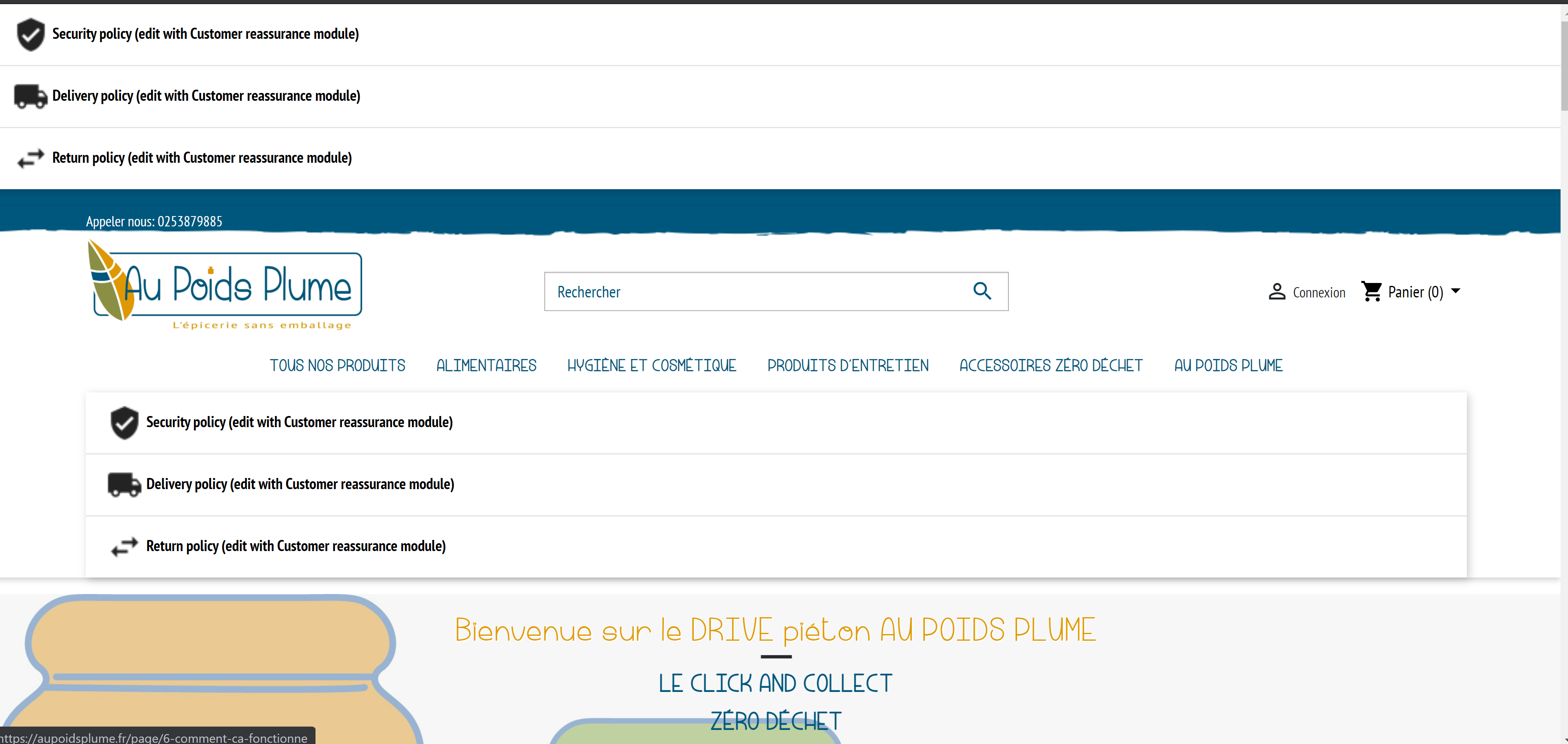
After updating PS to 1.7.6.9 version, block reassurance is broken in my side also. I have seen that the tables have been renamed (ps_reassurance to reassurance), please see screenshots attached
 lacell75
on 22 Nov 2020
lacell75
on 22 Nov 2020
@lacell75 Would this be an accurate description of your issue ?
Steps to reproduce the behavior:
- Install PS 1.7.6.8
- Upgrade blockreassurance module to latest version v5.0.0
- Upgrade PrestaShop to PS 1.7.6.9
- Module blockreassurance has been downgraded to v4
Can you confirm?
matks
on 22 Nov 2020
Yes I confirm. I had the latest version V5.0.0 before the update then 4.1.1.
lacell75
on 22 Nov 2020
You are right.
After upgrade to 1.7.6.9 module blockreassurance have new tables (( And these tables have no fields Link, Description etc…)
I think this is not only my problem
My version of blockreassurance is 4.1.1 Do blockreassurance 5.0.0 have thr same DB fields as v 4.1.1? link, description possibilities?
photinia73
on 22 Nov 2020
You are right. After upgrade to 1.7.6.9 module blockreassurance have new tables (( And these tables have no fields Link, Description etc…) I think this is not only my problem My version of blockreassurance is 4.1.1 Do blockreassurance 5.0.0 have thr same DB fields as v 4.1.1? link, description possibilities?
v5.0.0 has the same global behavior than v4.1.1 (same database structure) plus some bug fixes and new features, you can see changelog here https://github.com/PrestaShop/blockreassurance/releases
matks
on 23 Nov 2020
Hello @photinia73
Following your steps with PS1.7.6.8, here's what I got (see the attached screen records below):
https://drive.google.com/file/d/1M3Kkr6kXzdsehRWLmBTTn2ad_EzaCI08/view
After the upgrade:
https://drive.google.com/file/d/1MI1AwMBotvAGCJQO60lRCLhd7seAFL_-/view
It's weird! in Modules Manager it's mentionned that the Customer reassurance module is v5.0.0, then when we click on Configure button, the old template of the module is displayed!!
@matks please check and feedback.
Thanks!
hibatallahAouadni
on 23 Nov 2020
Exactly!
photinia73
on 23 Nov 2020
It's weird! in Modules Manager it's mentionned that the Customer reassurance module is v5.0.0, then when we click on Configure button, the old template of the module is displayed!!
This might be because PrestaShop "does not know" that module version was downgraded. I think actually what happens is that the upgrade process has replaced the source code files, but has not applied a "proper" downgrade process.
matks
on 23 Nov 2020
Hello @photinia73 ,
Well then, it's confirmed! Thanks @matks
I’ll add this to the debug backlog so that it’s fixed.
If you have already fixed it on your end or if you think you can do it, please do send us a pull request!
Thank you
hibatallahAouadni
on 23 Nov 2020
I would be glad to do something useful, but I`m not developer (( Thank you!
photinia73
on 23 Nov 2020
Hi everybody, watch this video where I explain how to have again the module working:
video solution
As I said it's not a solution for the bug, but a tip to have again the module working on the website.
 damianobertuna
on 25 Nov 2020
damianobertuna
on 25 Nov 2020
FYI, it's in the TODO list of the autoupgrade: https://github.com/PrestaShop/autoupgrade/blob/master/classes/TaskRunner/Upgrade/UpgradeFiles.php#L58
We are open for pull request :)
 PierreRambaud
on 30 Nov 2020
PierreRambaud
on 30 Nov 2020
Related issues
 Fabuloops
·
3Comments
Fabuloops
·
3Comments
 nrcjea001
·
3Comments
nrcjea001
·
3Comments
 marionf
·
3Comments
marionf
·
3Comments
 centoasa
·
3Comments
centoasa
·
3Comments
 Prestaworks
·
3Comments
Prestaworks
·
3Comments