Prestashop: FO - Create a customer account - Property Customer->optin is empty.
Describe the bug
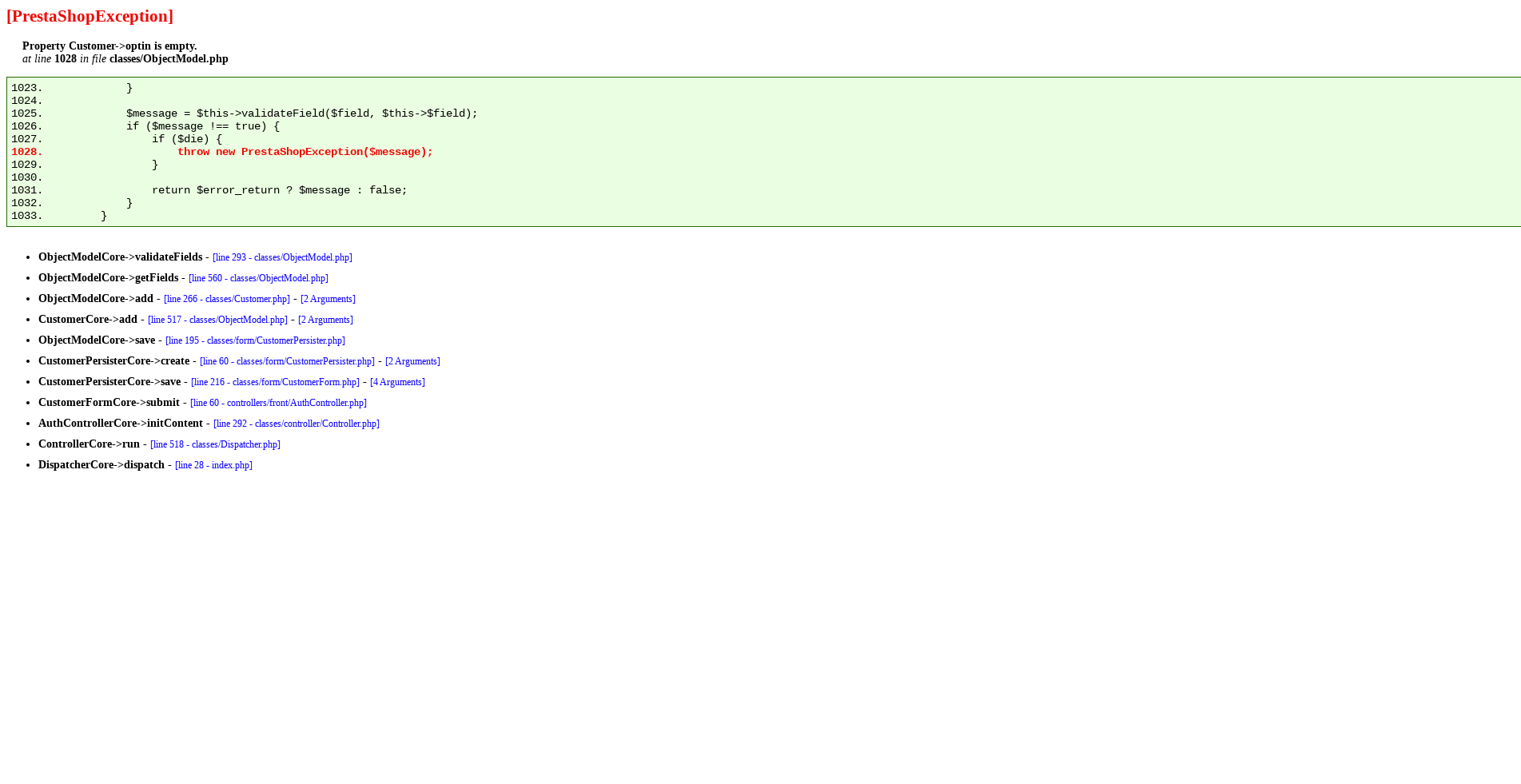
In the FO > Create an account page > an exception is displayed
Property Customer->optin is empty.
Expected behavior
Explain what you expected to happen instead.
Steps to Reproduce
Steps to reproduce the behavior:
- Go BO > Shop parameters > customer settings > disable "partner offers"
- Go to BO > Customers page > set Partner offers as required
- Go to FO > create a new account => bug
Screenshots
Additional information
- PrestaShop version: 1767, 177X, develop
- PHP version: 7.2
 khouloudbelguith
All 8 comments
Thanks for opening this issue! We will help you to keep its state consistent
![prestashop-issue-bot[bot] picture](https://avatars3.githubusercontent.com/in/60395?v=4&s=40) prestashop-issue-bot[bot]
on 1 Sep 2020
prestashop-issue-bot[bot]
on 1 Sep 2020
Hi,
To fix this issue, just go BO > Shop parameters > customer settings > enable "partner offers".

khouloudbelguith
on 1 Sep 2020
Hi @khouloudbelguith, thanks for this issue. Do you need a better exception wording here?
 LouiseBonnard
on 9 Sep 2020
LouiseBonnard
on 9 Sep 2020
Hi @LouiseBonnard,
Yes :+1:
For example an alert

Thanks!
khouloudbelguith
on 9 Sep 2020
@LouiseBonnard @khouloudbelguith I don't understand where the alert message will appear and what it should contains? Is "Your information is incomplete, please update it" just a random example?
 Julievrz
on 23 Sep 2020
Julievrz
on 23 Sep 2020
Hi @Julievrz,
For example, when we have an incomplete Address, we have this alert.
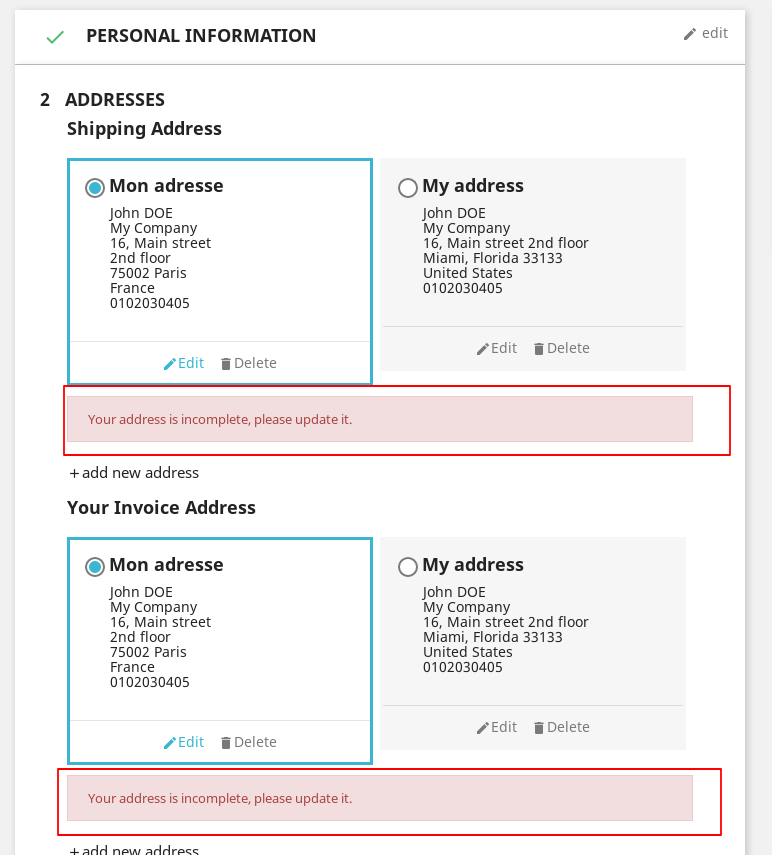
We can add a similar alert in the "Personal Information" step.
@LouiseBonnard what do you think?
Thanks!
khouloudbelguith
on 25 Sep 2020
Hi @khouloudbelguith
I think the alert message should appear in the BO when the merchand requires partner offers on the Customer page.
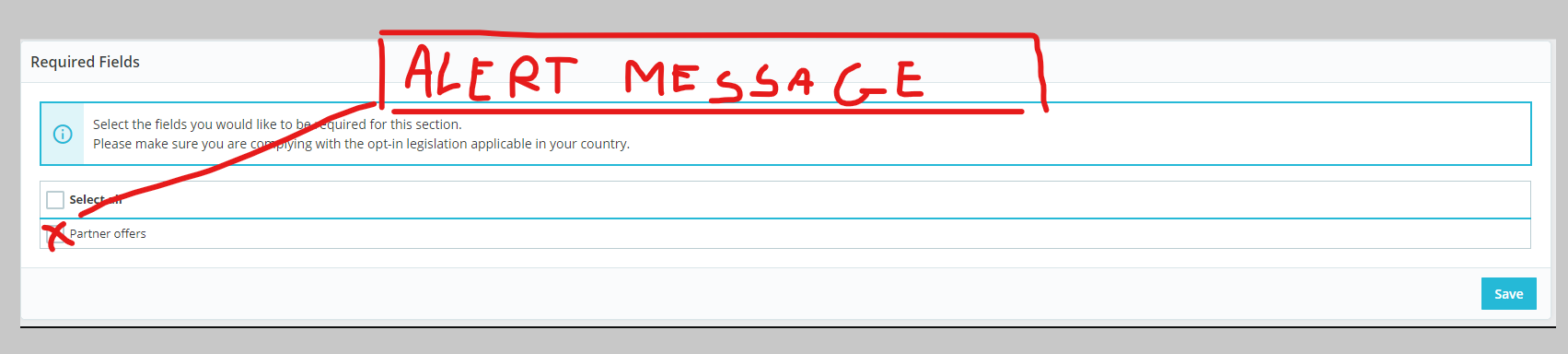
Maybe something like :
"Before requiring partner offers, please be sure to enable them in the [1] Shop Parameters > Customer Settings[/1] section of the back office. Otherwise, new customers won't be able to create an account and process to check out."
We could also imagine to add another alert message in the Customer Settings page when the merchand disables partner offers
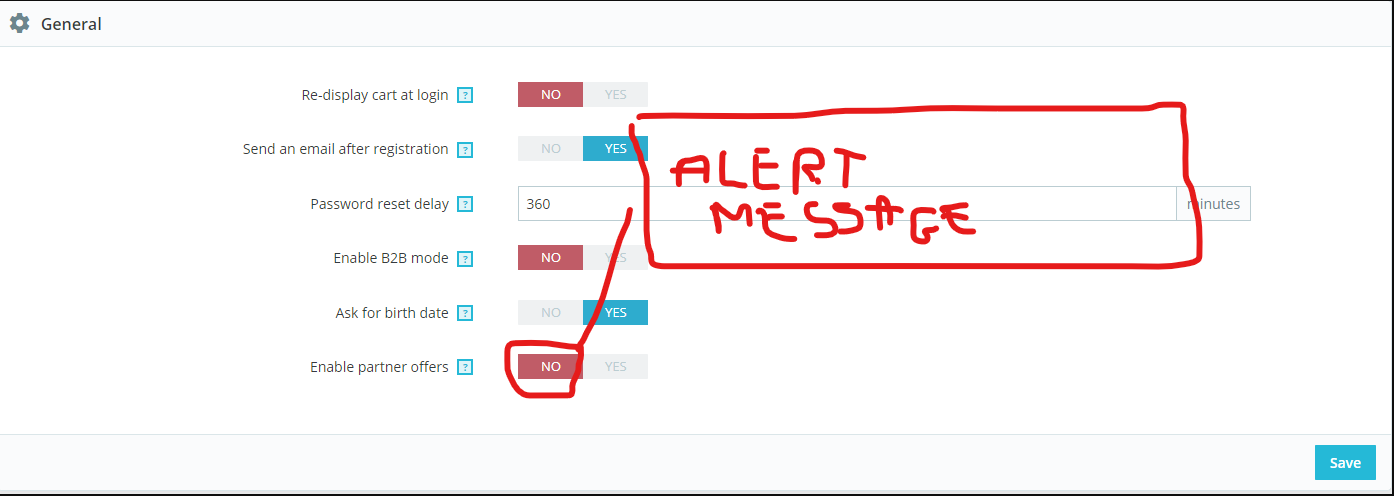
saying " "Before desabling partner offers, please be sure they are not a required field in the [1] Customer [/1] section of the back office. Otherwise, new customers won't be able to create an account and process to check out."
@LouiseBonnard What do you think of the wording?
Julievrz
on 25 Sep 2020
Following Louise's advice, here is an updated wording : "Before requiring partner offers, please make sure you enabled them in the [1]Shop Parameters > Customer Settings[/1] section of the back office. Otherwise, new customers won't be able to create an account and proceed to checkout."
"Before desabling partner offers, please make sure they are not set as required in the [1]Customers[/1] section of the back office. Otherwise, new customers won't be able to create an account and proceed to checkout."
Julievrz
on 30 Sep 2020
Related issues
 rGaillard
·
3Comments
rGaillard
·
3Comments
 sandra2n
·
3Comments
sandra2n
·
3Comments
 centoasa
·
3Comments
centoasa
·
3Comments
 nrcjea001
·
3Comments
nrcjea001
·
3Comments
 esistgut
·
3Comments
esistgut
·
3Comments