Prestashop: Module ps_shoppingcart don't work
Hi,
I have a problem in my cart.
When I click the add to cart button, the units added to the cart do not appear at the top of the page. It only appears after refreshing the page or if we change the page.
In Module Shopping cart, Ajax option i have activated.

Steps to reproduce the behavior:
Go to product page
Click on add cart
look to cart on top the page
Not update the units on cart
https://drive.google.com/file/d/1wBfO-8ChxdpzFN0SN6AtH_dUXGcWfpkM/view
PrestaShop version: 1.7.6.5
PHP version: 7.2.22
 JorgeNogueiraLFMPro
All 31 comments
Thanks for opening this issue! We will help you to keep its state consistent
![prestashop-issue-bot[bot] picture](https://avatars3.githubusercontent.com/in/60395?v=4&s=40) prestashop-issue-bot[bot]
on 27 May 2020
prestashop-issue-bot[bot]
on 27 May 2020
Hi @JorgeNogueiraLFMPro ,
thank you for your time, could you please tell if it is similar to https://github.com/PrestaShop/PrestaShop/issues/16665?
the drive link doesn't work for me :(
regards,
 arouiadib
on 27 May 2020
arouiadib
on 27 May 2020
Hi,
Not similar to #16665.
Look now the video.
https://drive.google.com/open?id=1Cr93h0JhQIcyPwfAc5ygHiCg6tXVjlQU
JorgeNogueiraLFMPro
on 28 May 2020
Hi @JorgeNogueiraLFMPro ,
Can you enable debug mode and add a product to cart ?
Let me know if there are any errors ?
Also, what theme are you using ?
Thanks!
 florine2623
on 28 May 2020
florine2623
on 28 May 2020
Hi,
I enable the debug mode but when i click on the add to cart button nothing happens, it stays on the product page and shows no error. It's like the button doesn't have a defined path.
Theme: child_classic Version 1.0.0
JorgeNogueiraLFMPro
on 28 May 2020
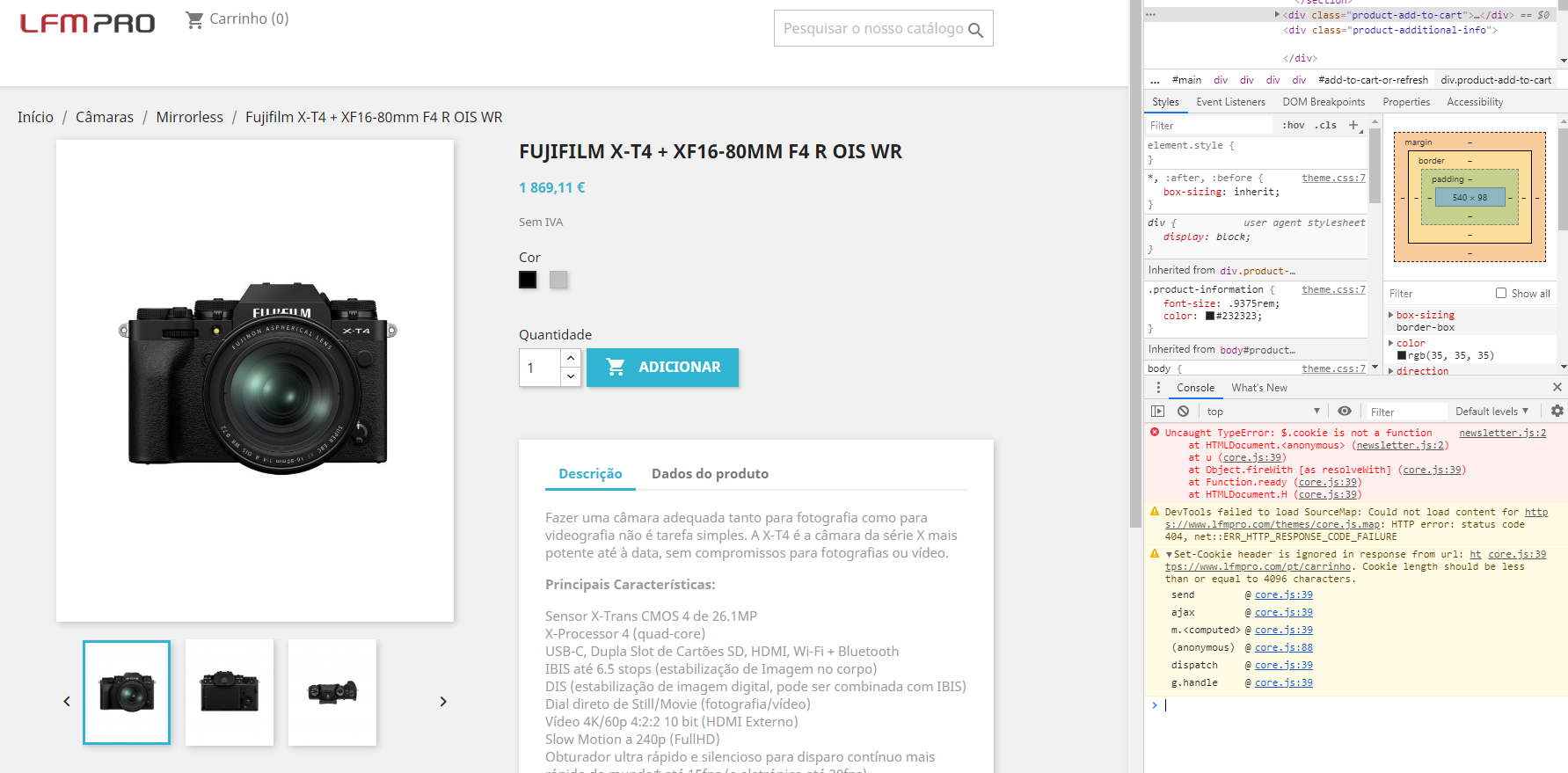
Can you check the console of your browser also ?
florine2623
on 28 May 2020
Look the image.
JorgeNogueiraLFMPro
on 28 May 2020
Can you deactivate module nrt popup newsletter ?
As well as deactivate your overrides. Folder override becomes _override.
florine2623
on 28 May 2020
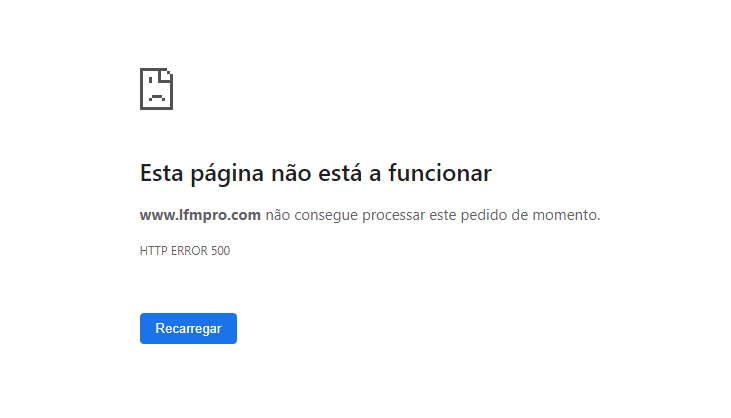
I disabled the module and overrides. And the page stops working.
JorgeNogueiraLFMPro
on 28 May 2020
Can you enable debug mode ?
Advanced Parameters > Performance > Debug mode YES
Or in config/defines.inc.php
define('_PS_MODE_DEV_', false);
becomes
define('_PS_MODE_DEV_', true);
florine2623
on 28 May 2020
Done!
JorgeNogueiraLFMPro
on 28 May 2020
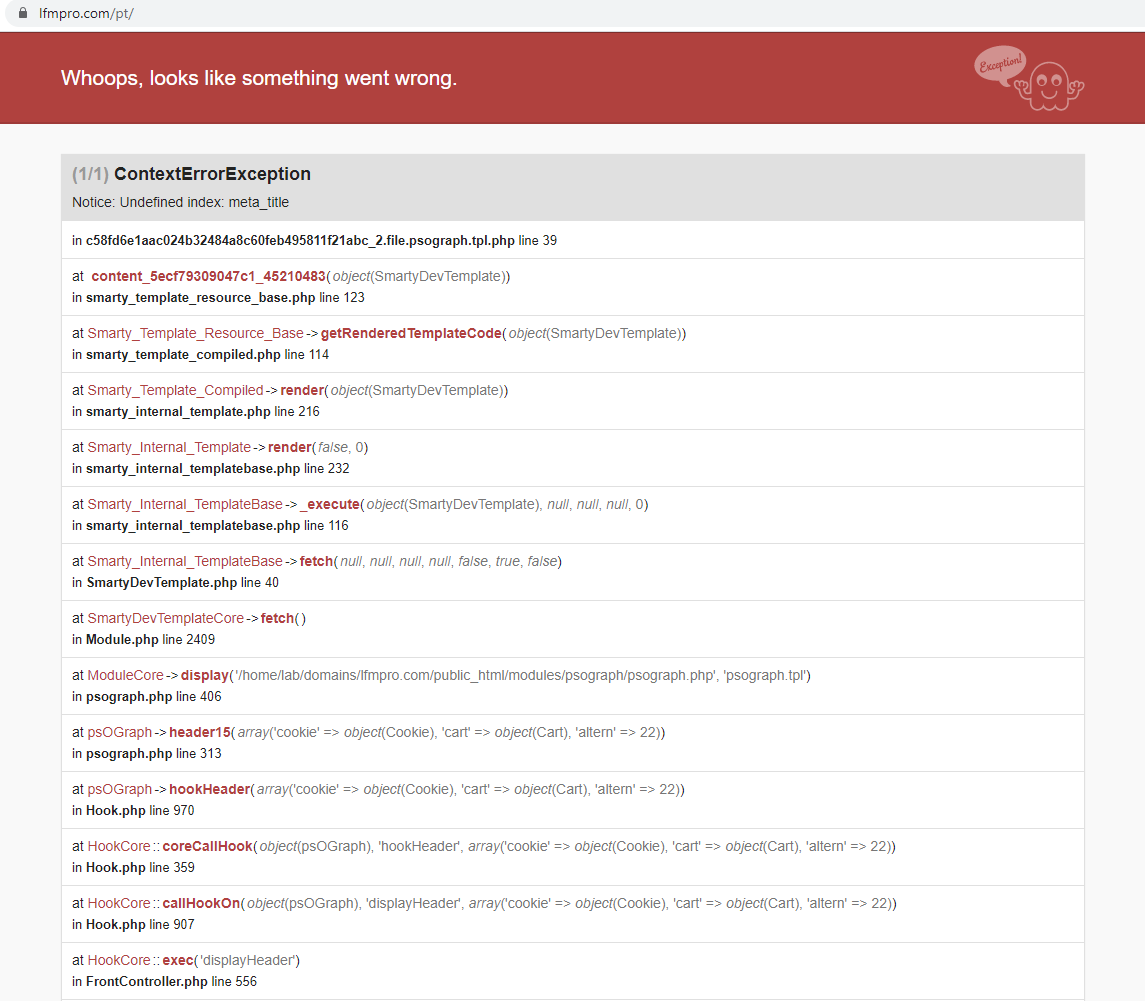
Ok, do you have access to your page now ? What is the error shown ?
florine2623
on 28 May 2020
I can't acess to my page now.
JorgeNogueiraLFMPro
on 28 May 2020
Can you go into your module folder and comment module psograph ?
psographe becomes _psograph
florine2623
on 28 May 2020
Done!
JorgeNogueiraLFMPro
on 28 May 2020
so ? How's the page ? is it working ?
florine2623
on 28 May 2020
Page it's working. But button no.
JorgeNogueiraLFMPro
on 28 May 2020
Did you do a migration or is it a fresh install ?
florine2623
on 28 May 2020
New installation.
JorgeNogueiraLFMPro
on 28 May 2020
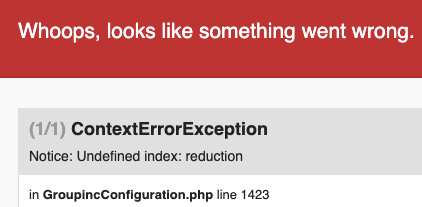
If you have a module Group Inc, comment it.
florine2623
on 28 May 2020
Yes i have this module.
JorgeNogueiraLFMPro
on 28 May 2020
Then comment it and go back to your page please
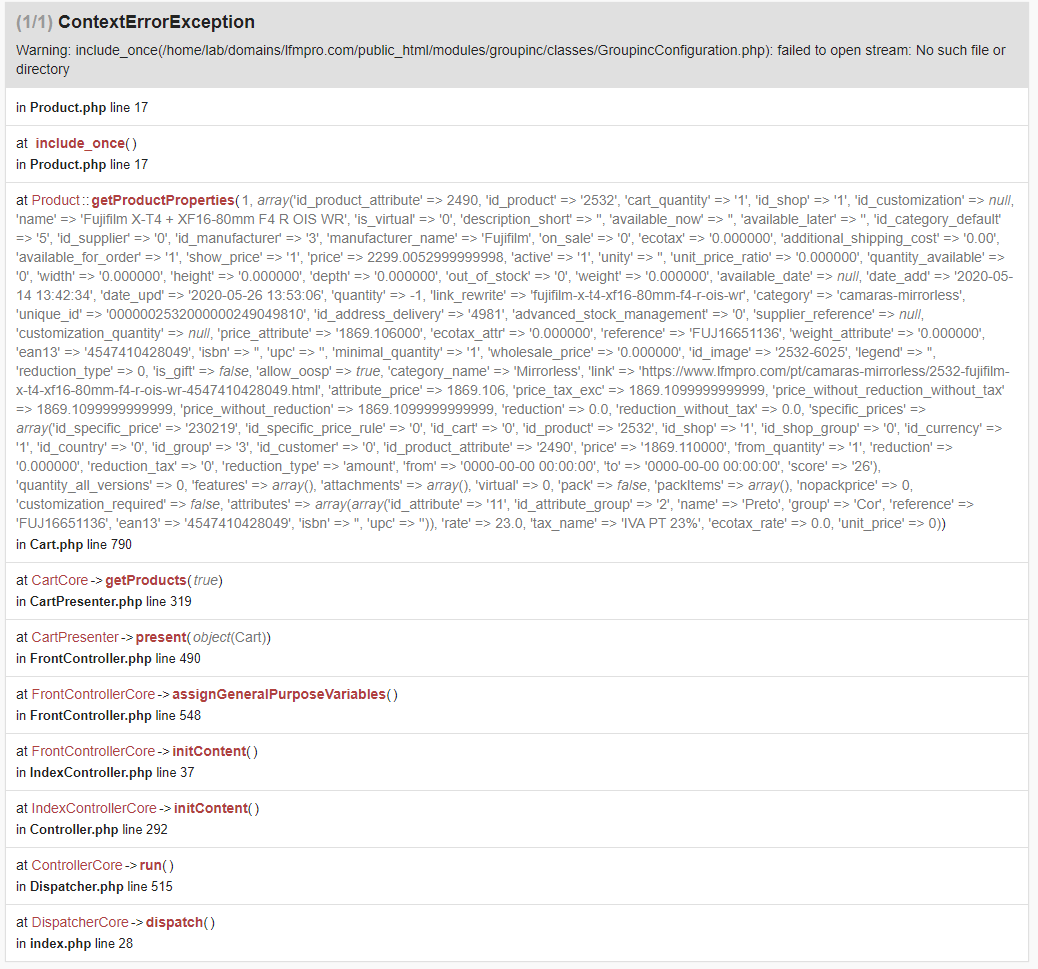
florine2623
on 28 May 2020
Look the errors
JorgeNogueiraLFMPro
on 28 May 2020
Have you deactivate the module groupinc ? If no, please do it.
Also, this is a bug tracker platform, not a support platform. If you need personalized help, please contact the support here : https://addons.prestashop.com/en/388-support
Thanks!
florine2623
on 28 May 2020
Hi,
Not similar to #16665.
Look now the video.
https://drive.google.com/open?id=1Cr93h0JhQIcyPwfAc5ygHiCg6tXVjlQU
I see the problem now with your video.
I have installed a fresh 1.7.6.5 and can't reproduce it. The top of the page is refreshed correctly via AJAX with the number of total units.
Thanks.
arouiadib
on 28 May 2020
@arouiadib Thanks for your feedback !
@JorgeNogueiraLFMPro what bout you ? Did you deactivate module groupeinc ?Is it a possibility to fresh install a shop ?
florine2623
on 29 May 2020
Hello,
your issue seems to be a duplicate of #19733.
Can you confirm this is the same bug you're facing ?
 colinegin
on 17 Jun 2020
colinegin
on 17 Jun 2020
@arouiadib Thanks for your feedback !
@JorgeNogueiraLFMPro what bout you ? Did you deactivate module groupeinc ?Is it a possibility to fresh install a shop ?
I disabled the module and the cart still does not update.
I don't have to do a new installation right now.
JorgeNogueiraLFMPro
on 17 Jun 2020
Hello,
your issue seems to be a duplicate of #19733.
Can you confirm this is the same bug you're facing ?
Hi,
It's not the same bug.
JorgeNogueiraLFMPro
on 17 Jun 2020
@JorgeNogueiraLFMPro ,
Is there another error when you activate debug mode ?
florine2623
on 18 Jun 2020
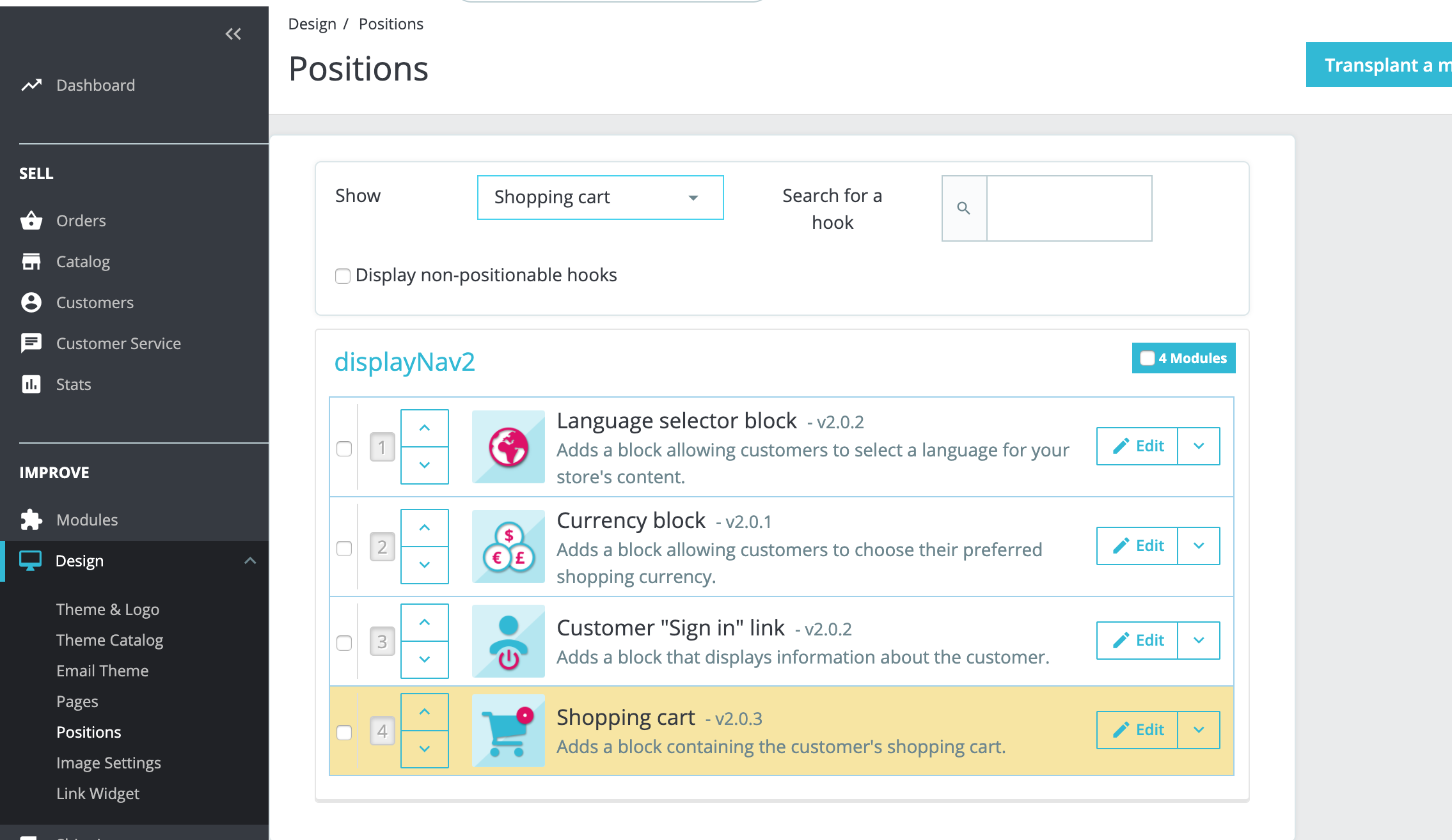
@JorgeNogueiraLFMPro
The cart seems to be hooked in the wrong place.
We use GitHub issues only to discuss about bugs and new features in the PrestaShop project.
If you have questions about using PrestaShop or third-party modules, or if you need help with your shop, please consider one of our support plans: https://www.prestashop.com/support
Alternatively, you can also ask for help in the community forums: https://www.prestashop.com/forums/
Thank you!
 sarahdib
on 7 Jul 2020
sarahdib
on 7 Jul 2020
Related issues
 hiousi
·
3Comments
hiousi
·
3Comments
 esistgut
·
3Comments
esistgut
·
3Comments
 nrcjea001
·
3Comments
nrcjea001
·
3Comments
 zuk3975
·
3Comments
zuk3975
·
3Comments
 rGaillard
·
3Comments
rGaillard
·
3Comments
Most helpful comment
@arouiadib Thanks for your feedback !
@JorgeNogueiraLFMPro what bout you ? Did you deactivate module groupeinc ?Is it a possibility to fresh install a shop ?