Prestashop: Date is not correctly displayed on orders page
Describe the bug
In orders page , the order date is not correctly displayed when side menu is displayed
Expected behavior
The date should be correctly displayed
Steps to Reproduce
Steps to reproduce the behavior:
- Go to BO => Sell => Orders => Orders
- See error
Screenshots
Side menu displayed
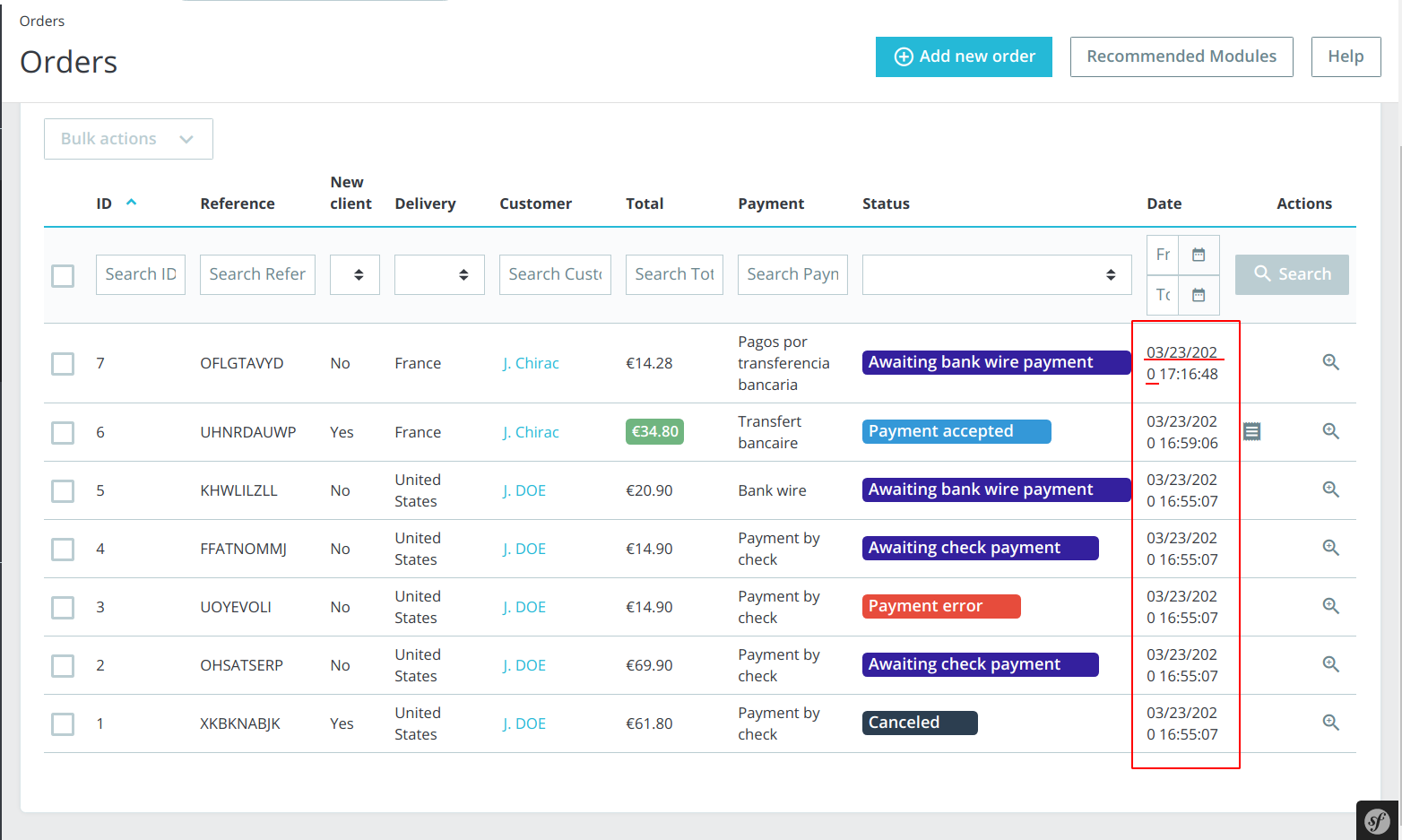
*Side menu not displayed
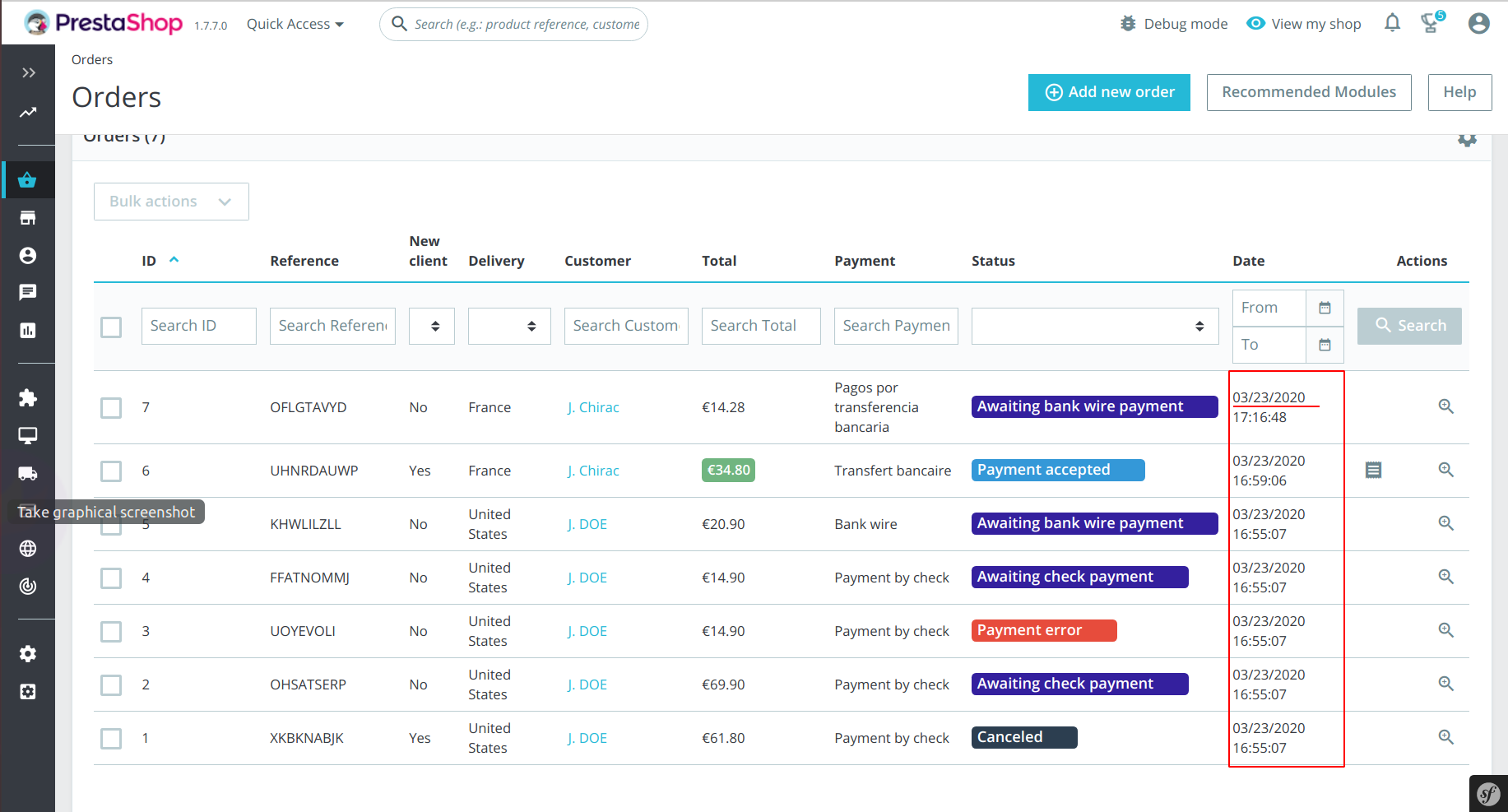
*
Additional information
- PrestaShop version: develop
- PHP version: 7.2
 SD1982
All 9 comments
Ping @PrestaShop/prestashop-product-team this issue should be fixed in the 1.7.7.0, is it?
Thanks!
 khouloudbelguith
on 23 Mar 2020
khouloudbelguith
on 23 Mar 2020
As it's a regression of the 1.7.7, yes
 marionf
on 23 Mar 2020
marionf
on 23 Mar 2020
@SD1982 @khouloudbelguith @marionf I'm not sure we can do something about that. It's not really when the side menu is displayed, it's related to the screen size. On a big screen you can have the side menu open and the date being display on only 1 line :

 atomiix
on 25 Mar 2020
atomiix
on 25 Mar 2020
Maybe @NeOMakinG has an idea to fix that ?
Or do you confirm that we can't fix that ?
marionf
on 26 Mar 2020
Maybe @NeOMakinG has an idea to fix that ?
Or do you confirm that we can't fix that ?
The standard solution for this kind of problem is to define a minimum length for the column.
When the screen is too small, then the page will grow larger than the screen and you'll need to scroll horizontally.
I dont know if this is something we want 🤔
@prestascott has been working on this topic
 matks
on 27 Mar 2020
matks
on 27 Mar 2020
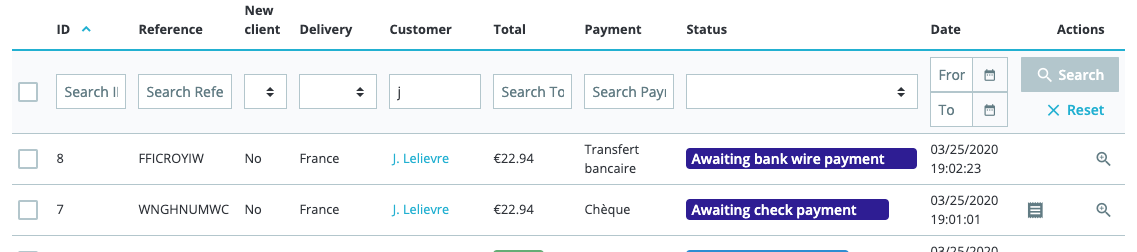
@prestascott @NeOMakinG I made a little PR that overrides the break-word only for date time columns https://github.com/PrestaShop/PrestaShop/pull/18373
Do you think it's an acceptable solution? It shouldn't change dramatically the grid display since only date time columns are impacted (and they can still break between the date and the time)
 jolelievre
on 30 Mar 2020
jolelievre
on 30 Mar 2020
That right @jolelievre, I wouldn't have done something else to be honest
 NeOMakinG
on 31 Mar 2020
NeOMakinG
on 31 Mar 2020
That right @jolelievre, I wouldn't have done something else to be honest
That means a lot to me! 🥺
jolelievre
on 31 Mar 2020
Fixed by #18373
 Progi1984
on 1 Apr 2020
Progi1984
on 1 Apr 2020
Related issues
 Fabuloops
·
3Comments
Fabuloops
·
3Comments
 PrestaShark
·
3Comments
matks
·
3Comments
PrestaShark
·
3Comments
matks
·
3Comments
 nrcjea001
·
3Comments
nrcjea001
·
3Comments
 prestonBot
·
3Comments
prestonBot
·
3Comments