Prestashop: When we disable a language, this language is not displayed on the some pages and other pages, it is displayed
Edit by Khouloud
When we disable the employee's language, the disabled language is not displayed:
- Add new product page
- Email Theme page
- Add new block page => issue reported here: https://github.com/PrestaShop/PrestaShop/issues/16434
- Localization page => default language section
- Translations page
- Import page => reported here: https://github.com/PrestaShop/PrestaShop/issues/15334
In some pages, the disabled language is displayed:
- Invoices
- Delivery Slips
- Add new category page
- Add a new brand page
- Add a new page
- Add a new page category
- Add a new tax page
- Product Settings page
- Add a new contact page
- Add a new page in the SEO & URL page
- Add a new employee page
- Add a new profile page
This is a contradiction, all pages have different behaviors, what do you think?
The customer panel is using single language English. I use Turkish in the Management Panel. When adding products does not ask any language. We add the products, but the product names do not appear on the panel as in the picture. However, the names of the products appear on the customer panel.
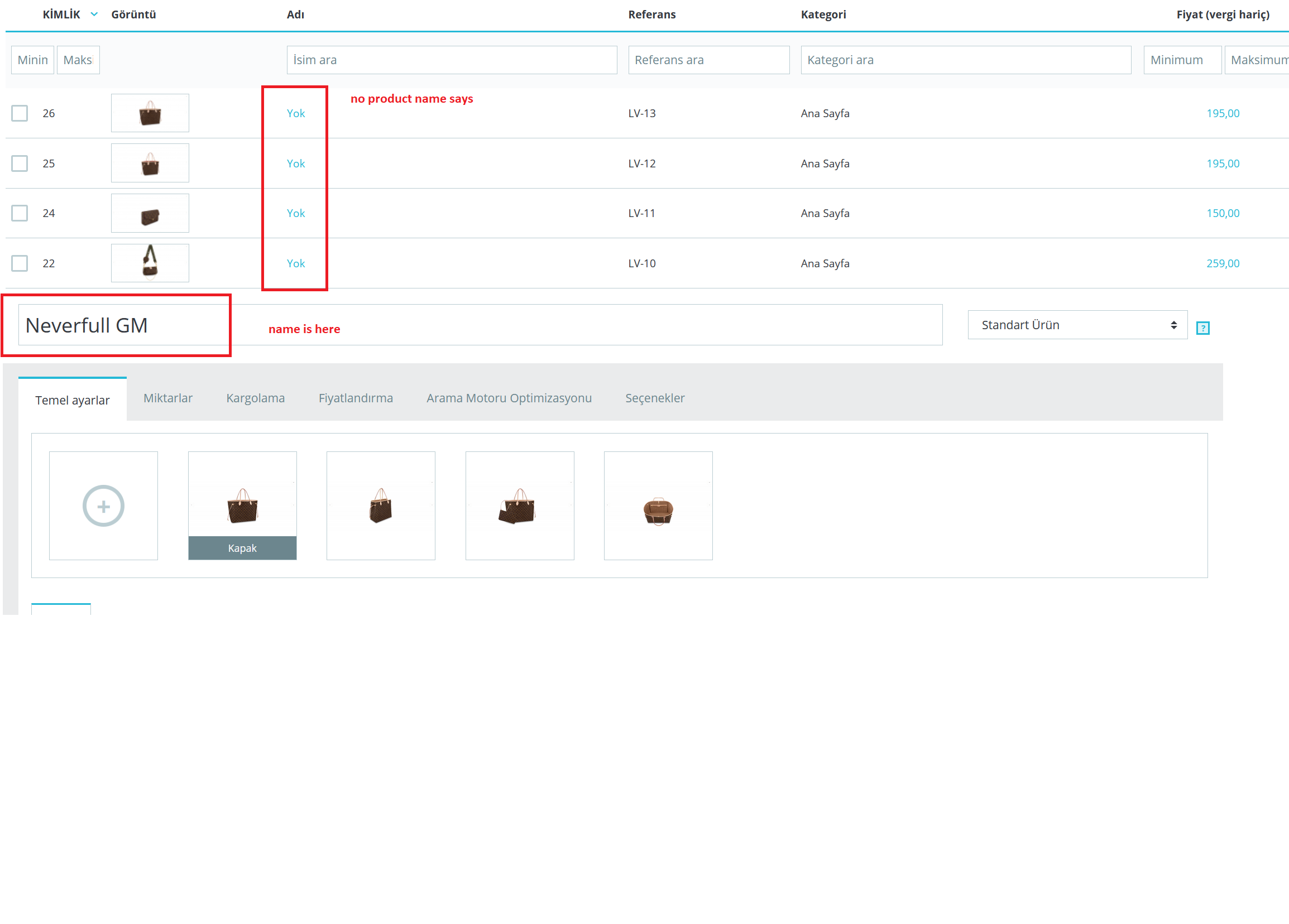
Administration panel english
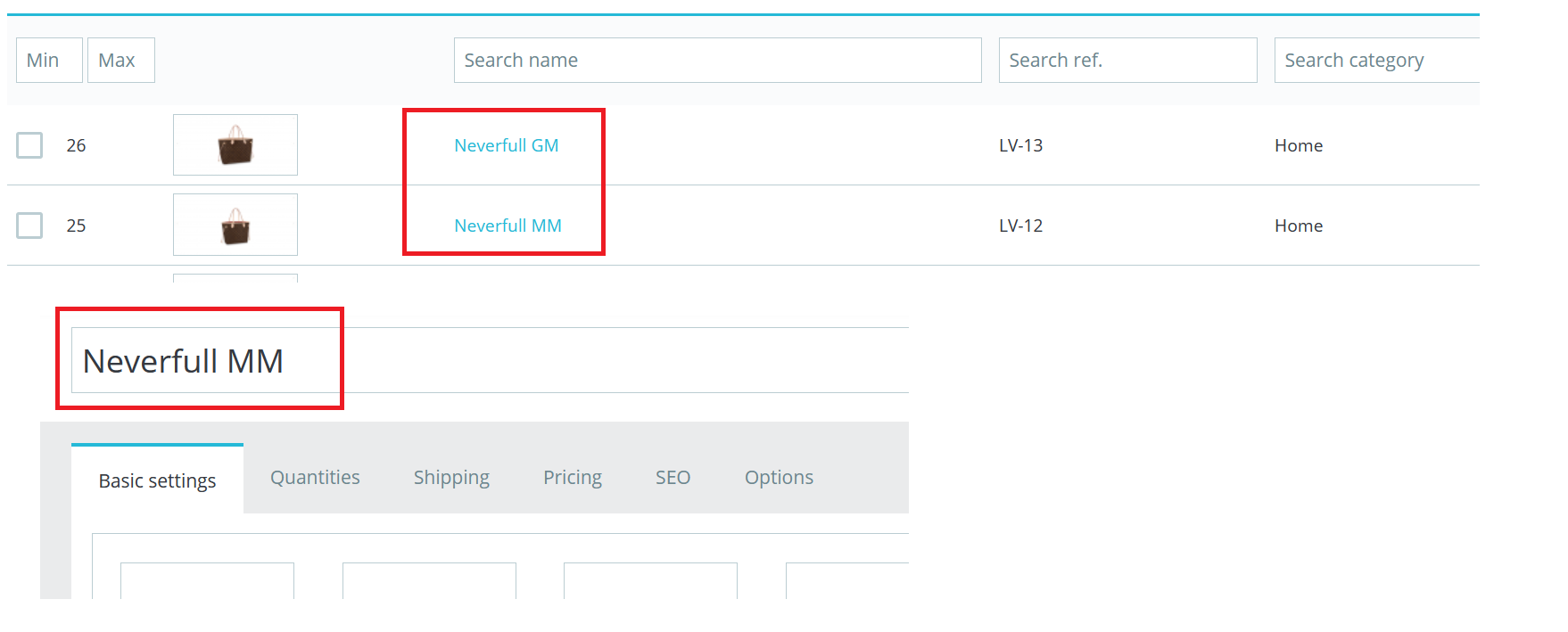
When I activate both Turkish and English on the customer panel, it is as shown below.

whereas we want to install products in English for customers. But the admin panel should remain in Turkish and the names of the products will appear without problems. Is there a solution to this?
Additional information
PrestaShop version: 1.7.6.1
PHP version: 7.3
 BeReal86
All 11 comments
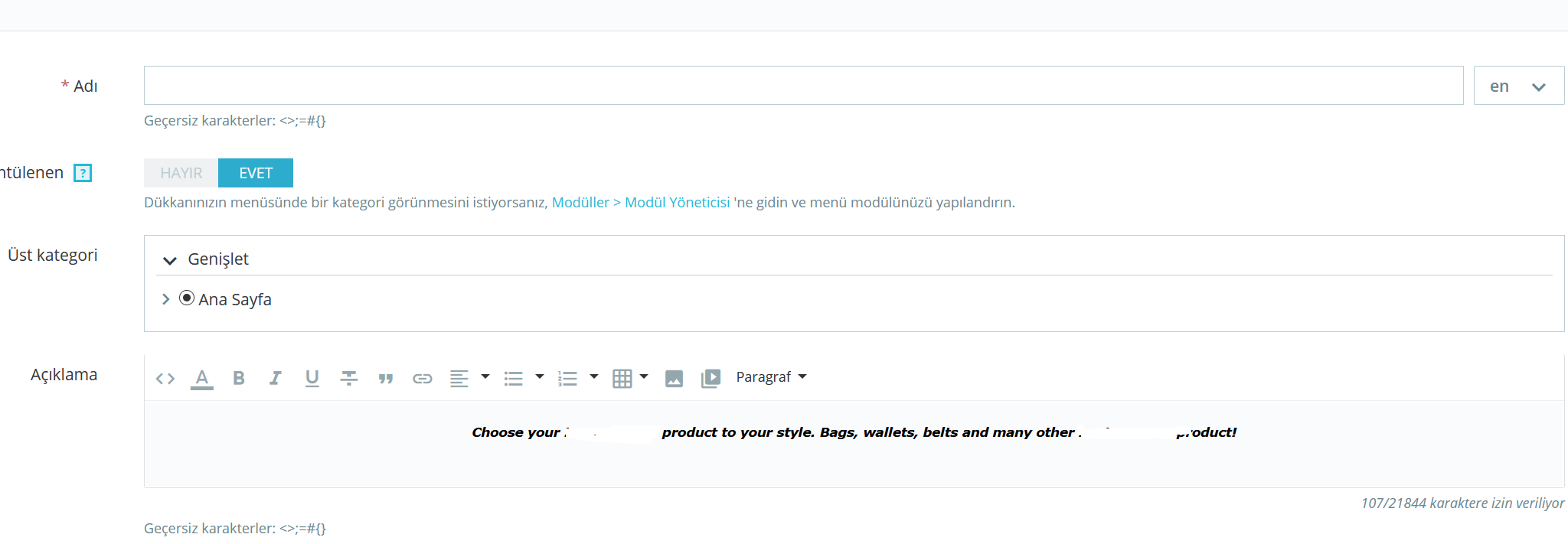
Picture below Catalog / Categories
Is Ch. Although the administration panel is only in Turkish, the language option is displayed in this section. The same should be in the Products section.
The problem I mentioned above stems from the lack of language selection.
BeReal86
on 30 Nov 2019
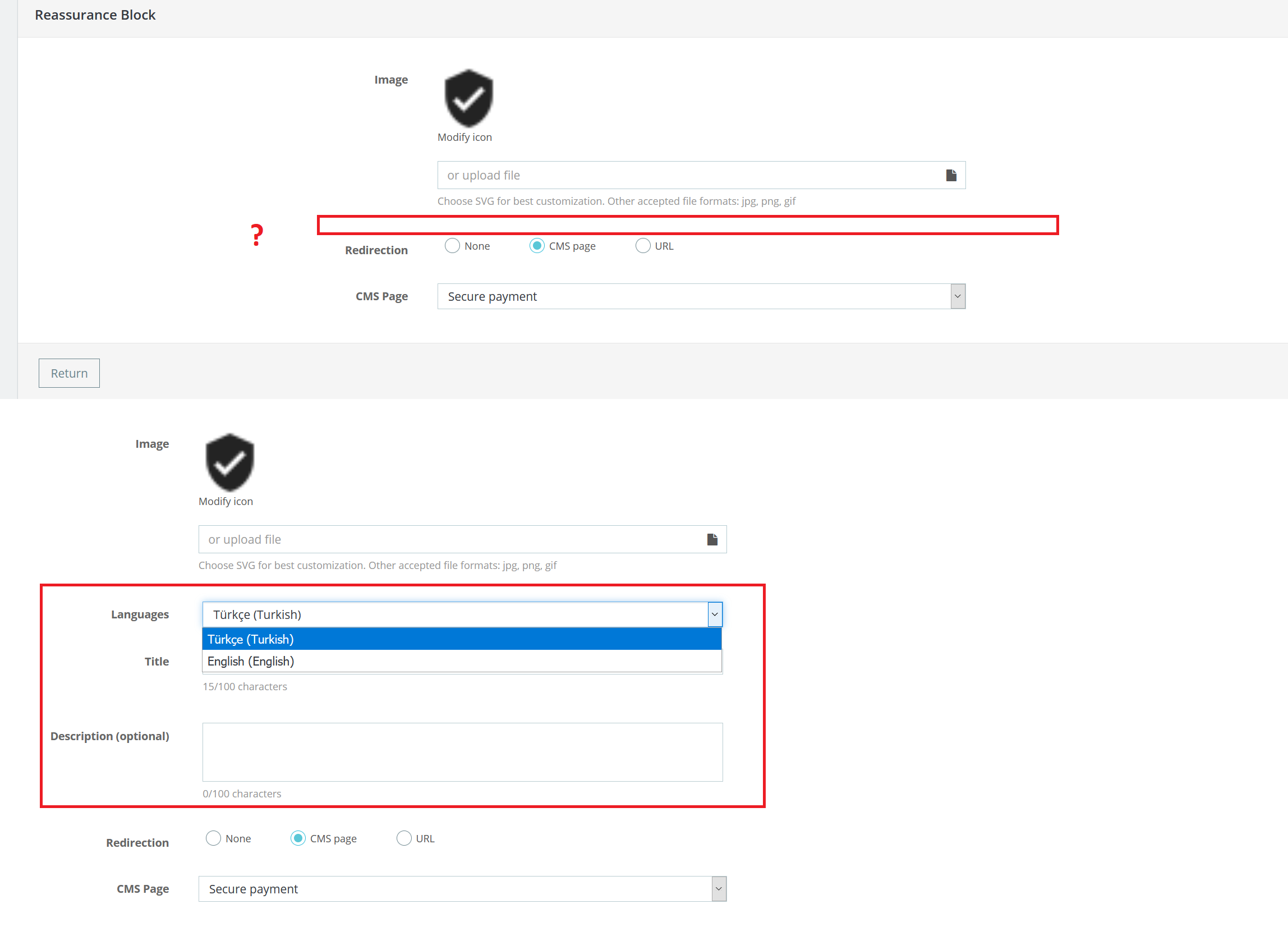
Customer Reassuranc module
i am having the same problems. the language option must always be active here. As I mentioned before, my store is in English. I want to use my management panel in Turkish, but this kind of problems are happening. But as I mentioned in my first message, I can see the language is not a problem in some places.
BeReal86
on 30 Nov 2019
Hi @BeReal86,
First, about the block reassurance module, we are aware of this issue, it is added to our bug roadmap.
Please follow this ticket: #16400.
Second, PrestaShop is not compatible with PHP 7.3, in fact, PrestaShop 1.7.0 to 1.7.3 is compatible with PHP 7.1 and PrestaShop 1.7.4 & 1.7.5 & PS1.7.6 are compatible with PHP 7.2.
For more details, you can follow this link: http://build.prestashop.com/news/prestashop-1-7-is-moving-to-symfony-3-4-and-php-5-6/
Next Major release PS1.7.7 will be compatible with PHP7.3.
Please downgrade your PHP version.
Finally, about your main issue: "Related to the product name on the control panel"
In fact, in your case, if you disable the employee language, so when we disable the employee's language, the language is not displayed on the product page.
Ping @PrestaShop/prestashop-product-team, what is the exact desired behavior during the migration?
In fact, on some page, the disabled language is not displayed:
- Add new product page
- Email Theme page
- Add new block page => issue reported here: https://github.com/PrestaShop/PrestaShop/issues/16434
- Localization page => default language section
- Translations page
- Import page => reported here: https://github.com/PrestaShop/PrestaShop/issues/15334
In some pages, the disabled language is displayed:
- Invoices
- Delivery Slips
- Add new category page
- Add a new brand page
- Add a new page
- Add a new page category
- Add a new tax page
- Product Settings page
- Add a new contact page
- Add a new page in the SEO & URL page
- Add a new employee page
- Add a new profile page
This is contradiction, all pages have different behaviors, what do you think?
Thanks!
 khouloudbelguith
on 2 Dec 2019
khouloudbelguith
on 2 Dec 2019
Hi, @khouloudbelguith thank you for your interest. I don’t know that these topics have been opened before.
I didn’t have much opportunity. Yes, each page may have different behaviour. However, in my opinion even though the working language is deactivated as in other pages, I think it would be nice to have the same system on other pages including the places where I have problems. Because it can be different languages, and in my opinion it is best to provide this convenience to the users. Of course, appreciation is yours.
Lastly, I use php 7.3.11 and should I downgrade my php to 7.2. So far I haven’t encountered any problems. If everything goes well, there is little time left for 1.7.7. I’m waiting with a big excitement.
want to mention one more thing I come across, I don't know if there is any. I changed the contents and name of Delivery from the sub-pages. The working language is still off. However, as shown in the picture, all languages have been modified since there is a language tab. But when I come to the homepage, it seems that Delivery doesn't change and the redirect url is the same. But when I click on the opened page, I can see that the name and the inside have changed. Back to the homepage, it still feels unchanged.
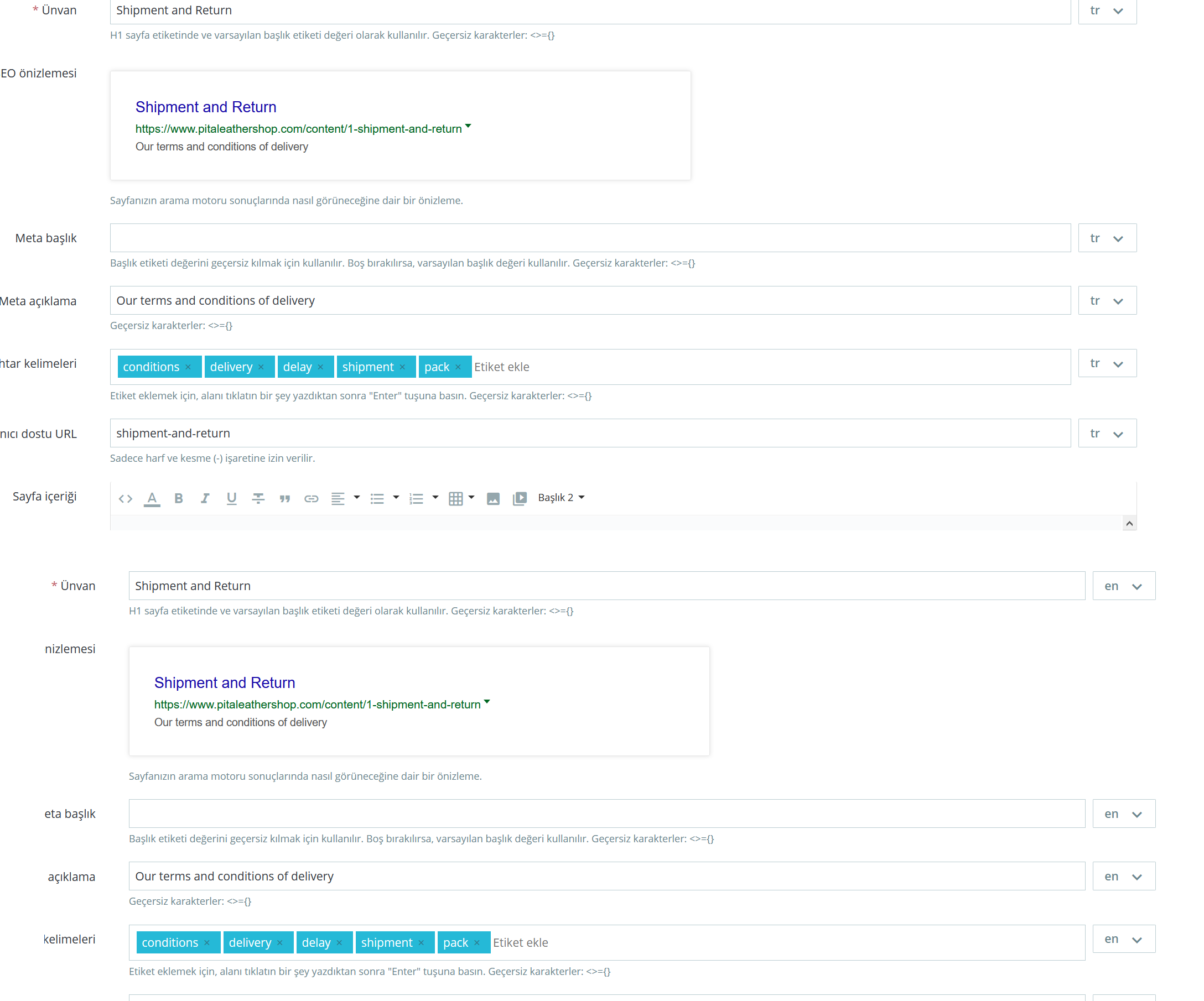
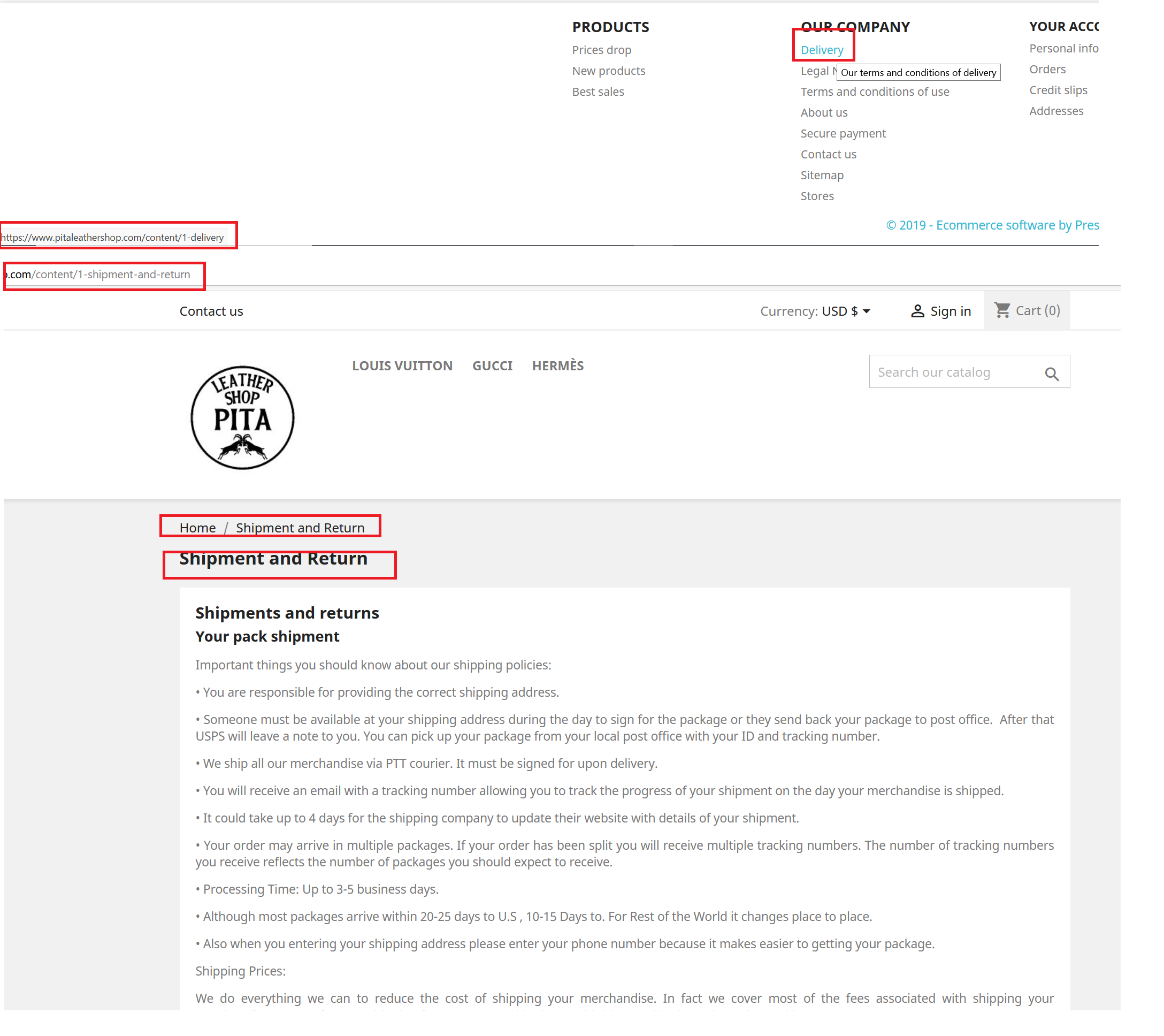
two languages active
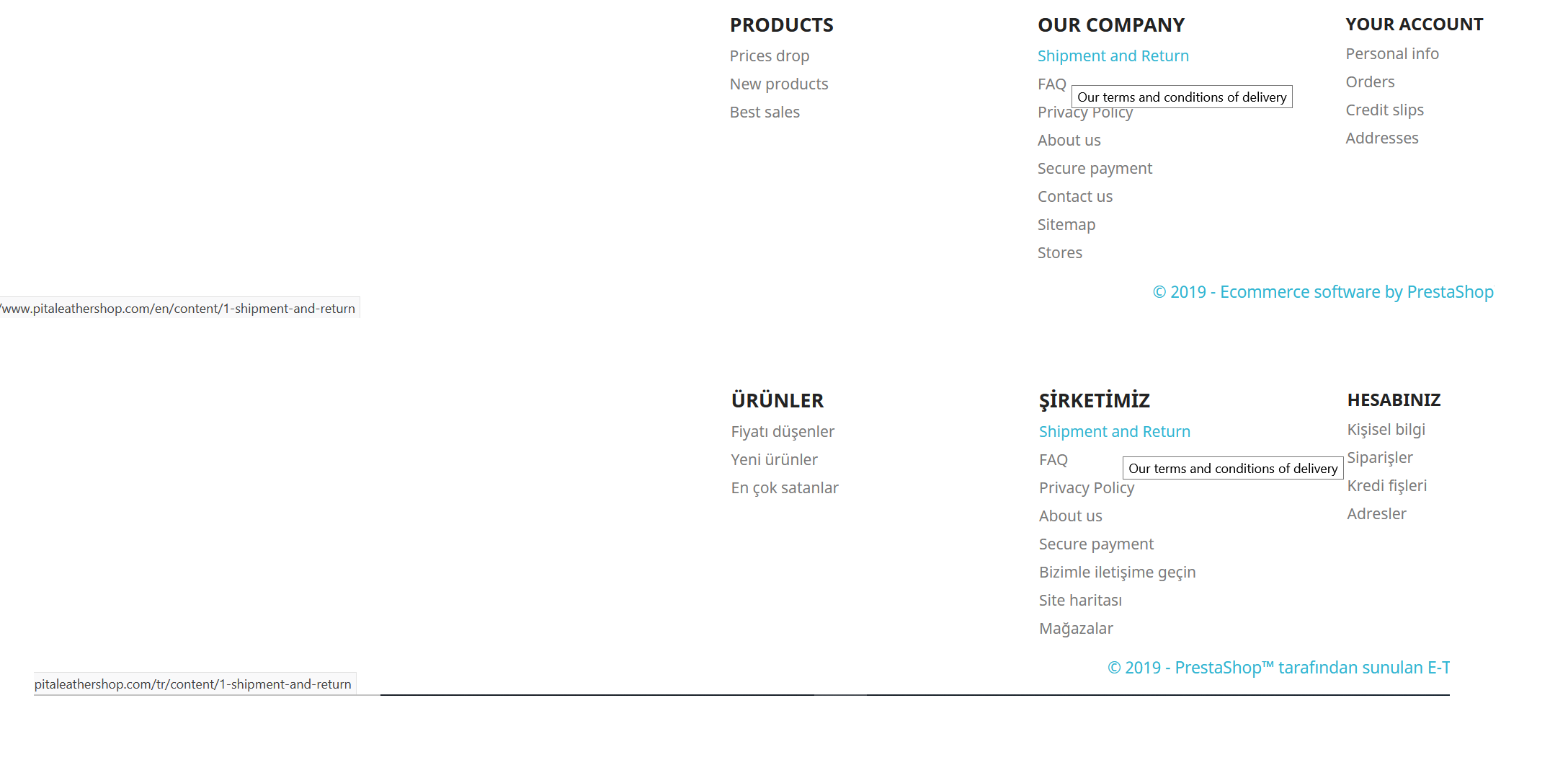
BeReal86
on 2 Dec 2019
@BeReal86,
want to mention one more thing I come across, I don't know if there is any. I changed the contents and name of Delivery from the sub-pages.
@BeReal86, This issue is different, can you open a new one with more information about your configuration
But, in my case, I dd not manage to reproduce the issue, it is OK
https://drive.google.com/file/d/1Frlh6e1ZhsLxxSsYEOkjYr0ea48m4EDv/view
Thanks!
khouloudbelguith
on 3 Dec 2019
@khouloudbelguith Thanks for all. this worked
BeReal86
on 3 Dec 2019
@BeReal86, Great!
khouloudbelguith
on 3 Dec 2019
Hi, @khouloudbelguith
sorry for writing off topic.
Bi, I know this is not the place. But I wanted to report. you can check the link at a convenient time. I had some problems but I didn't want to write here. Because I don't know exactly why.
https://www.prestashop.com/forums/topic/1014112-several-issues-after-the-1763-update/
BeReal86
on 1 Feb 2020
Hi @BeReal86,
Sorry, this is a different issue.
Can you open a new one with more information about your configuration?
Thanks!
khouloudbelguith
on 3 Feb 2020
Hi, I don't understand if we have the same problem (https://github.com/PrestaShop/PrestaShop/issues/18147#issue-580684651) and what's the solution.
I disabled the second language from
Localization > Languages > English (second language - the first is italian) edit > Status: NO
Because I need to translate all products BEFORE public the second language in the public site.
I think it's a normal operation: I mean if in the future I want to implement another language, I need to translate everything before public the new language.
I use PHP version 7.1.33 - PrestaShop version 1.7.2.4
 pantagru
on 16 Mar 2020
pantagru
on 16 Mar 2020
I have done some research into this issue on the Backoffice Product Form. I had some success by modifying those files:
src/PrestaShopBundle/Controller/Admin/ProductController.php
src/PrestaShopBundle/Form/Admin/*.php
by replacing occurances of getLanguages() with getLanguages(false)
That extra parameter will include deactivated languages. This still needs some testing. Also url-rewrite for the product is cached somehow and will not update immediately.
 23b
on 29 Jun 2020
23b
on 29 Jun 2020
Related issues
 nrcjea001
·
3Comments
nrcjea001
·
3Comments
 sandra2n
·
3Comments
sandra2n
·
3Comments
 zuk3975
·
3Comments
zuk3975
·
3Comments
 Van-peterson
·
3Comments
zuk3975
·
3Comments
Van-peterson
·
3Comments
zuk3975
·
3Comments