Prestashop: Childtheme (not) using parent assets
Describe the bug
Recently came across an "issue" when it comes to child themes. Let's say I have this structure
my-theme
  assets
    img
      some-image.jpg
Which in a .tpl file is used for something like: <img src="{$urls.img_url}some-image.jpg" ... >. Works as expected.
However, if we in a child theme extend or use that very same .tpl file we will get a 404 since that image is not present in the child themes assets/img folder.
In a way that makes perfect sense, we're referencing to an image which may or may not exist in the current child theme. But in another way, shouldn't it automatically check the parent theme if it can't find it in the child theme? Even more so if the .tpl in question is an extension from the parent theme?
Perhaps this has already been discussed and if so, point me in the right direction since I'm quite curious as to why it's working like this.
Additional information
PrestaShop version: N/A
 dennispw
All 2 comments
Hi @dennispw,
Thanks for your bug report.
I have the same behavior as PS1.7.6.1 & PS1.7.5.2.
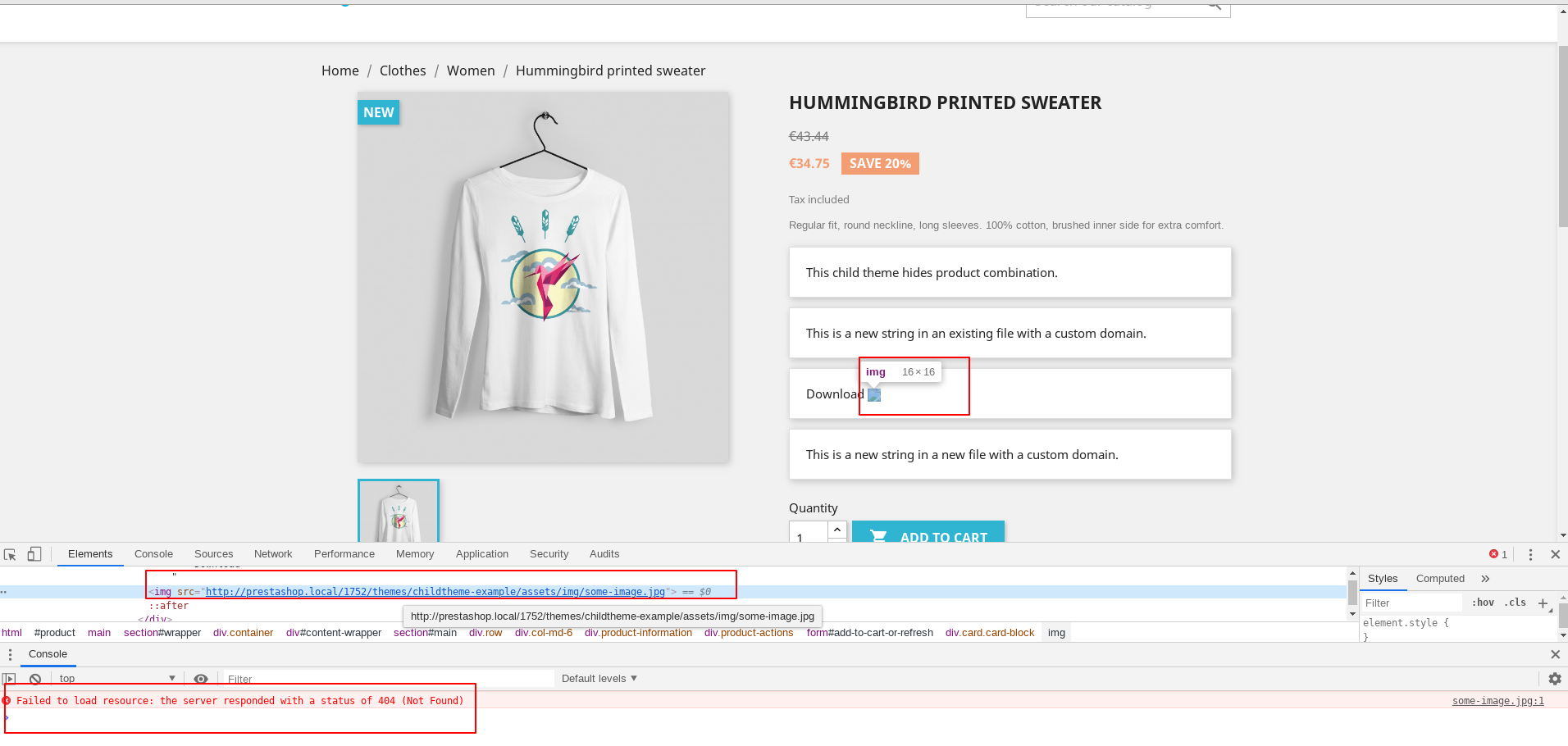
The image some-image.jpg exists in the path themes/classic/assets/img/some-image.jpg
I used this child theme
childtheme-example.zip
Ping @PrestaShop/prestashop-core-developers what do you think, is it normal behavior or a real issue?
Thanks!
 khouloudbelguith
on 5 Nov 2019
khouloudbelguith
on 5 Nov 2019
To clarify, I'm not saying this is a bug per say, just that the behaviour is "odd" depending on how you think about it. Makes perfect sense since your using a "new" theme and that asset isn't available but on the other hand it feels like it "should" automatically check the parent theme for that file if not present in the child theme. Simply curious.
dennispw
on 6 Nov 2019
Related issues
 itisco
·
3Comments
itisco
·
3Comments
 sandra2n
·
3Comments
sandra2n
·
3Comments
 zuk3975
·
3Comments
zuk3975
·
3Comments
 Fabuloops
·
3Comments
Fabuloops
·
3Comments
 centoasa
·
3Comments
centoasa
·
3Comments
Most helpful comment
To clarify, I'm not saying this is a bug per say, just that the behaviour is "odd" depending on how you think about it. Makes perfect sense since your using a "new" theme and that asset isn't available but on the other hand it feels like it "should" automatically check the parent theme for that file if not present in the child theme. Simply curious.