Prestashop: Prestashop 1.7.6.1 Validation Error on Using Voucher in Cart
When add the voucher code in Cart and checkout using Bankwire (don't have any other payment method yet). It gives me an error on shopaddress/module/ps_wirepayment/validation
La proprietà CartRule->quantity_per_user non è valida
The CartRule-> quantity_per_user property is not valid
Thanks.
 cma93
cma93
All 23 comments
Hi @cma93,
I did not manage to reproduce the issue with PS1.7.6.1 & ps_wirepayment v2.0.4.
What is the exact version of the module ps_wirepayment did you use?
In the Cart rule page => Condition Tab => what is the exact value of Total available & Total available for each user?

Thanks!
 khouloudbelguith
on 30 Sep 2019
khouloudbelguith
on 30 Sep 2019
Thanks for your reply.
Prestashop 1.7.6.1
Module 2.0.4
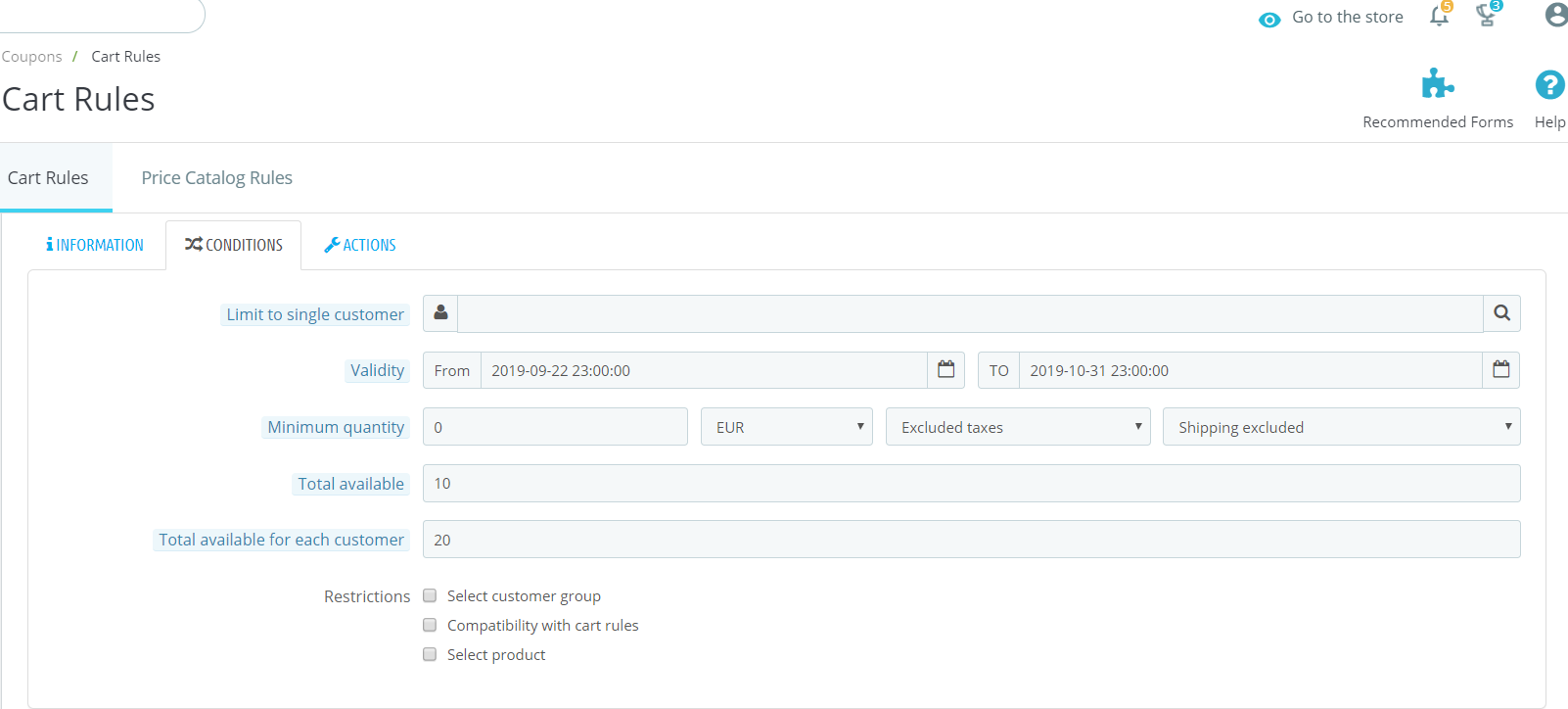
cma93
on 30 Sep 2019
I tired to change this as well. but same response.
cma93
on 30 Sep 2019
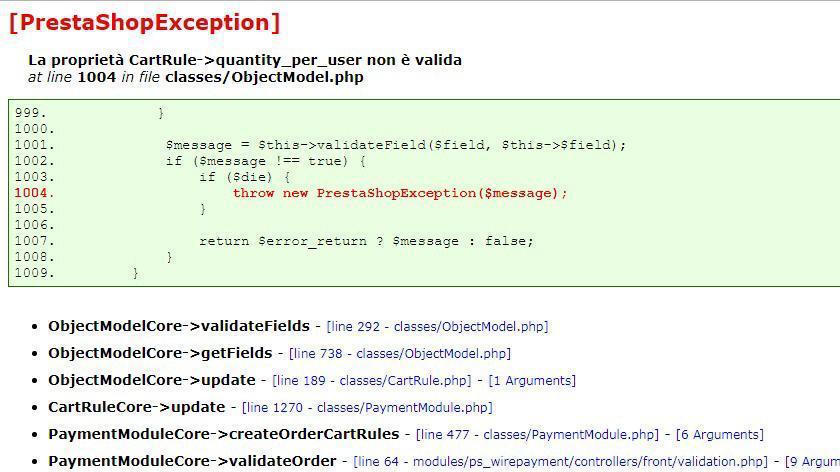
here's the error that I receive.
cma93
on 30 Sep 2019
I just checked. Order is being placed but I get "500 internal server error" (Debug mode is off).
Any idea what's wrong here?
Thanks.
cma93
on 30 Sep 2019
@cma93, it is Ok in my case.
https://drive.google.com/file/d/19ie8cWURLGsL8tSOFz7YjCC_q-sgArDH/view
Could you please try to re-install the ps_wirepayment module by removing it during the uninstall & clearing the cache.
Thanks!
khouloudbelguith
on 30 Sep 2019
same error here
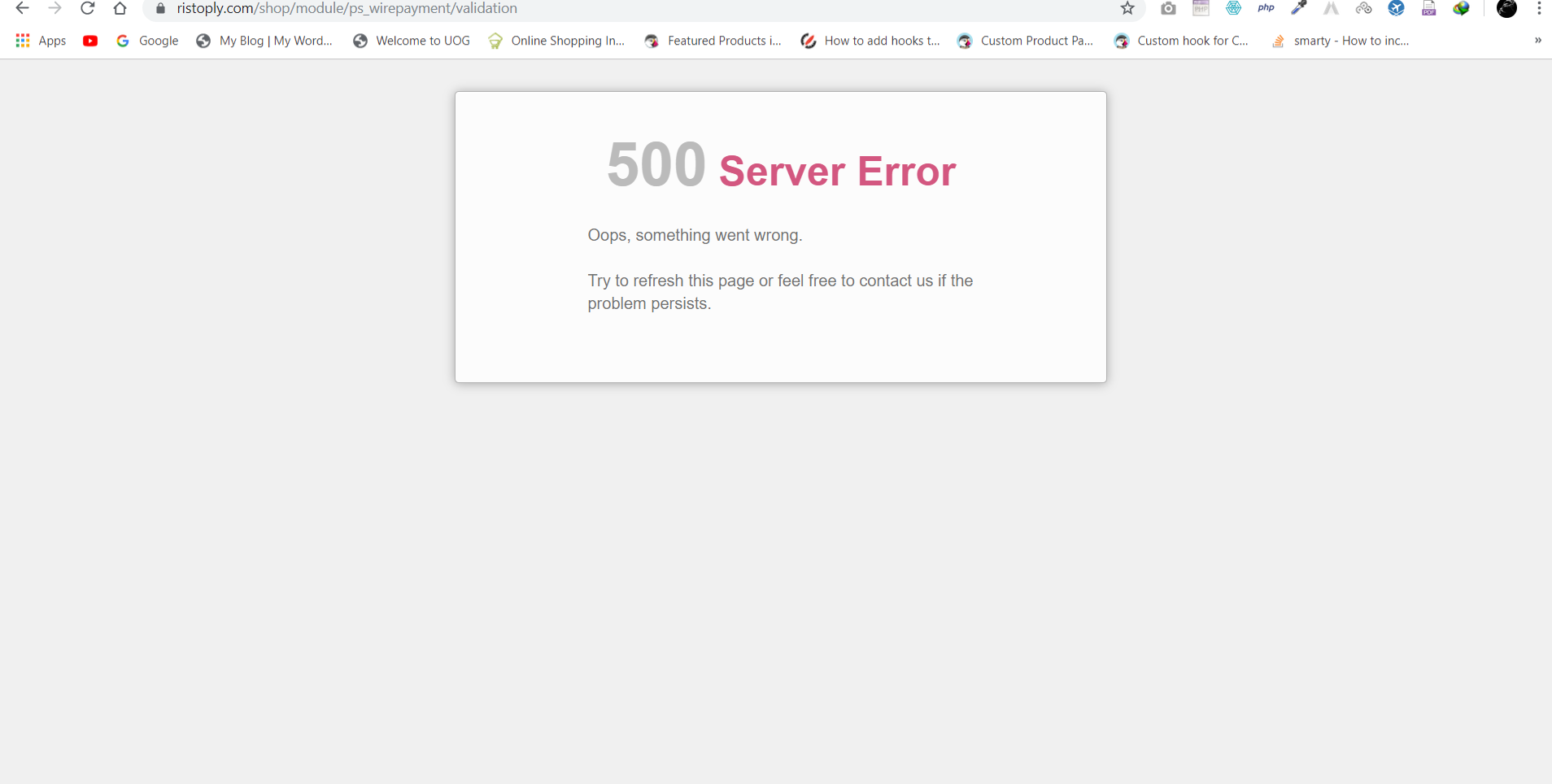
would you like to checkout my environment?
cma93
on 30 Sep 2019
I have changed the default location settings as well (if that may cause any problem).
cma93
on 30 Sep 2019
@cma93, what is the exact action provided by this cart rule (Discount amount, free shipping, gift,...)?
Thanks!
khouloudbelguith
on 30 Sep 2019
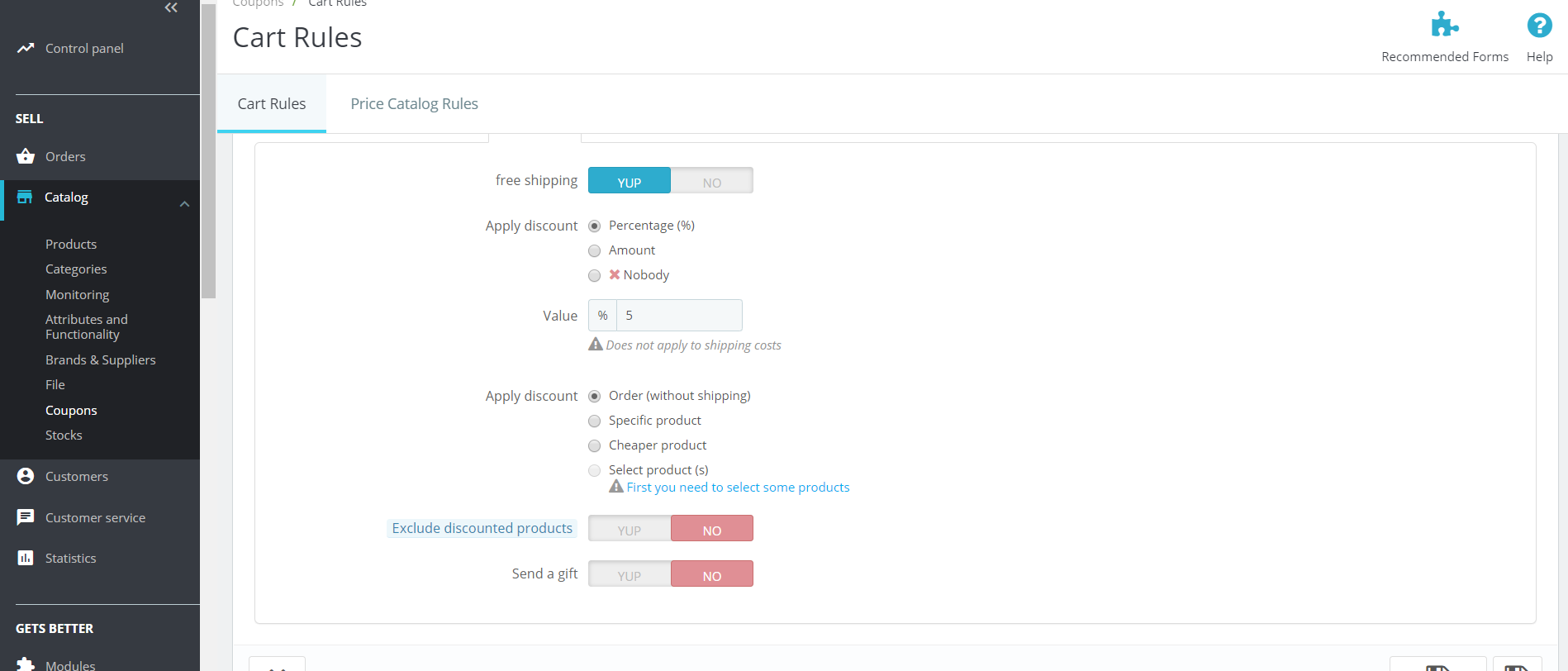
Here you go
cma93
on 30 Sep 2019
@cma93, Could you please provide me the access to your shop to test it.
This is a public space.
You can provide me the credentials by email.
My address mail: khouloud.[email protected]
Let's be safe!
Thanks!
khouloudbelguith
on 30 Sep 2019
Sent
cma93
on 30 Sep 2019
@cma93, I just received the email.
I will check & feedback.
khouloudbelguith
on 30 Sep 2019
@cma93, In the BO => An alert, is displayed when I try to disable a cart rule
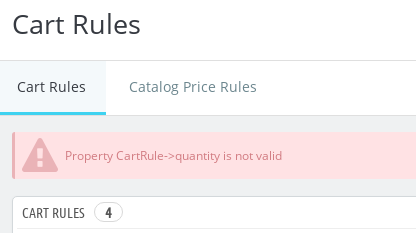
Have you any custom module related to the cart rules?
Thanks!
khouloudbelguith
on 30 Sep 2019
I don't think so
On Mon, Sep 30, 2019 at 6:17 PM khouloudbelguith notifications@github.com
wrote:
@cma93 https://github.com/cma93, In the BO => An alert, is displayed
when I try to disable a cart rule
[image: image]
https://user-images.githubusercontent.com/16067358/65892131-aa6ab000-e39d-11e9-94e7-bf7d557b8ee0.png
Have you any custom module related to the cart rules?
Thanks!—
You are receiving this because you were mentioned.
Reply to this email directly, view it on GitHub
https://github.com/PrestaShop/PrestaShop/issues/15742?email_source=notifications&email_token=AIEPZSMNJOH2Y4INA4OHCF3QMIKAHA5CNFSM4I3TZAR2YY3PNVWWK3TUL52HS4DFVREXG43VMVBW63LNMVXHJKTDN5WW2ZLOORPWSZGOD76AMPY#issuecomment-536610367,
or mute the thread
https://github.com/notifications/unsubscribe-auth/AIEPZSK52EYMFYVEYY2IW2TQMIKAHANCNFSM4I3TZARQ
.
cma93
on 30 Sep 2019
I don't think so. you can check
cma93
on 30 Sep 2019
@cma93, the first cart rule with ID=1 is created manually?
Thanks!
khouloudbelguith
on 30 Sep 2019
Actually I don't remember
cma93
on 30 Sep 2019
@cma93, can I deleted it & re-create the same cart rule manually?
Thanks!
khouloudbelguith
on 30 Sep 2019
Do as you please! Thank you for looking out my problem
cma93
on 30 Sep 2019
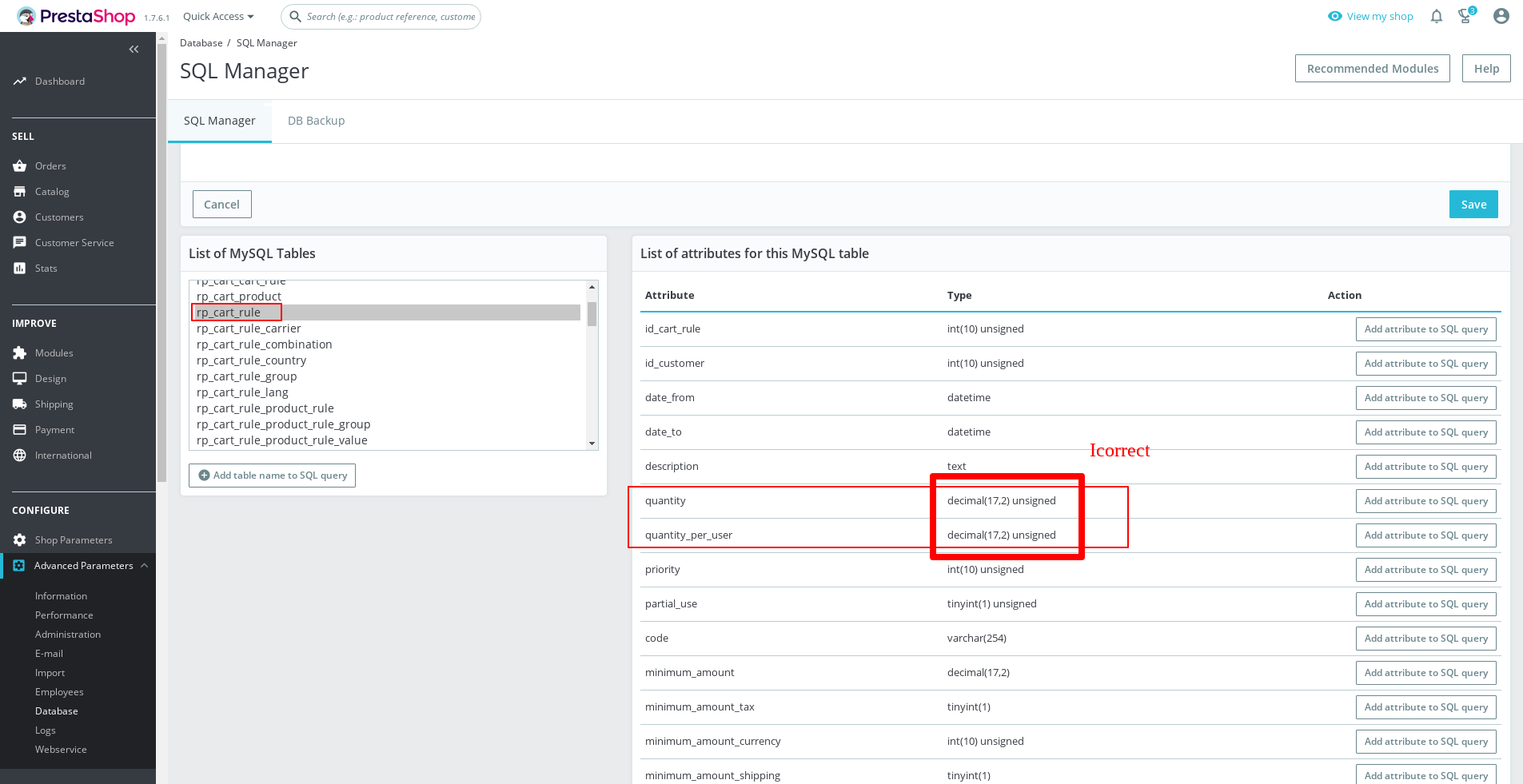
@cma93, I found the whole issue.
The quantity in your case is invalid

As you can see in this screenshot, the quantity is displayed with decimals which is incorrect.
Thanks to change the Type of your quantity from your database, it should be like this
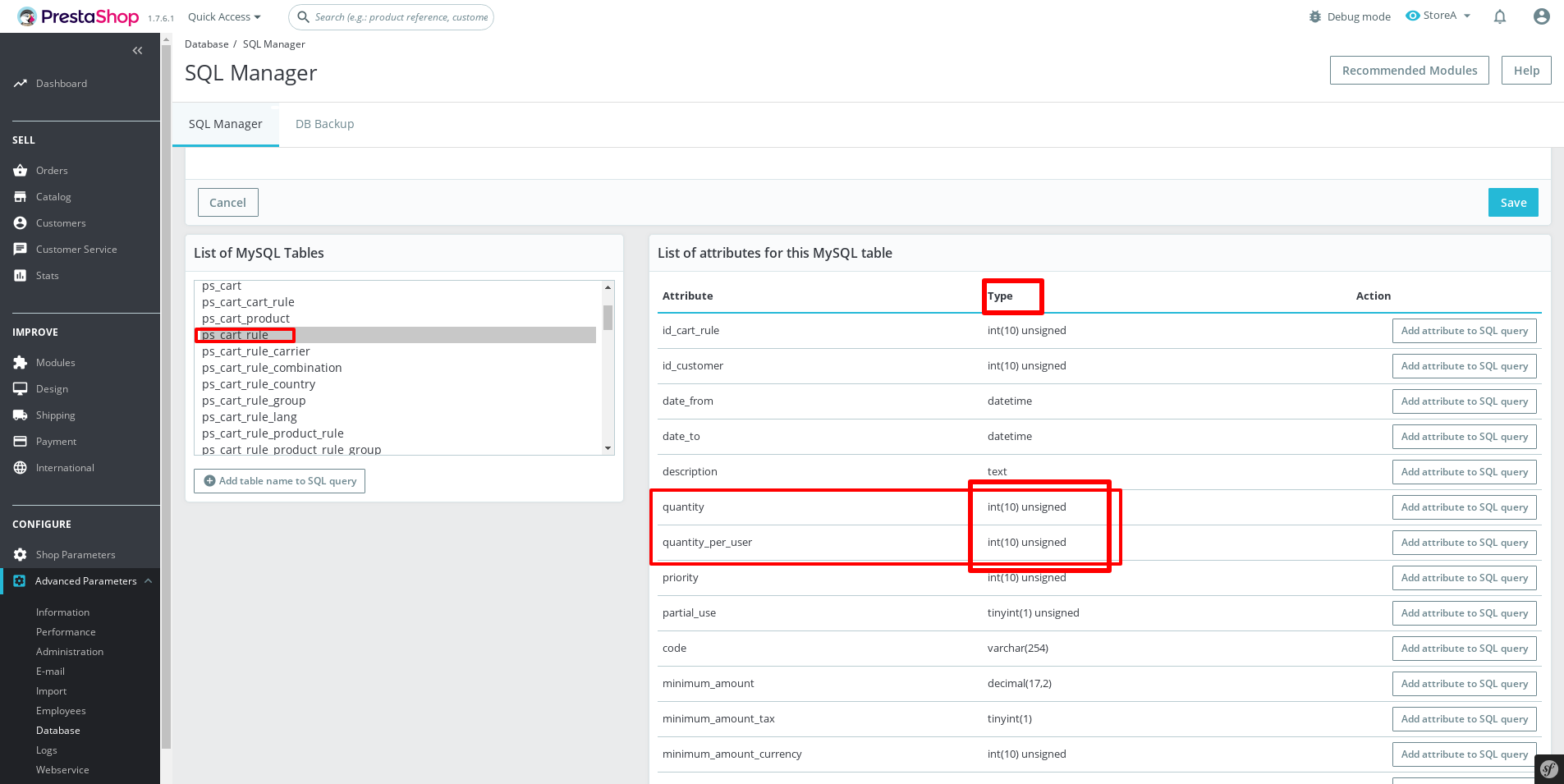
Thanks to check & feedback.
khouloudbelguith
on 30 Sep 2019
Thanks. I changed it and it worked.
I have a question: I didn't alter anything in the DB then why it had decimal, do you have any idea?
Thanks again! You're a Pro
cma93
on 30 Sep 2019
@cma93, Thanks!
You are welcome!
Sorry, I don't know the exact issue.
Since it is fixed, I close the issue, feel free to open a new one when needed.
Thanks!
khouloudbelguith
on 1 Oct 2019
Related issues
 matks
·
3Comments
matks
·
3Comments
 prestonBot
·
3Comments
prestonBot
·
3Comments
 nrcjea001
·
3Comments
nrcjea001
·
3Comments
 itisco
·
3Comments
itisco
·
3Comments
 PrestaShark
·
3Comments
PrestaShark
·
3Comments