Prestashop: Exception by ps_facetedsearch
Describe the bug
ps_facetedsearch throw exception on fresh install (fresh like in clean database by pscleaner module) if category contain products with properties.
To Reproduce
Install PrestaShop 1.7.6.0
Install PS Cleaner -> Delete categories, products etc.
Create a new product with properties.
Go to the category page of that product.
See exception by ps_facetedsearch
Screenshots

Video
https://reker.dk/video.webm
Additional information
PrestaShop version: 1.7.6.0
PHP version: 7.2.19
 MathiasReker
All 19 comments
Screenrecord: https://reker.dk/video.webm
MathiasReker
on 22 Jul 2019
Hi @MathiasReker,
I have the same issue with PS1.7.6.0 & ps_facetedsearchv3.1.0.

With PS1.7.6.0 & ps_facetedsearch v2.2.0. => OK.
I’ll add this to the debug roadmap so that it’s fixed. If you have already fixed it on your end or if you think you can do it, please do send us a pull request!
Thanks!
 khouloudbelguith
on 22 Jul 2019
khouloudbelguith
on 22 Jul 2019
@khouloudbelguith can you confirm following: Resetting ps_facetedsearch module fix the issue?
MathiasReker
on 22 Jul 2019

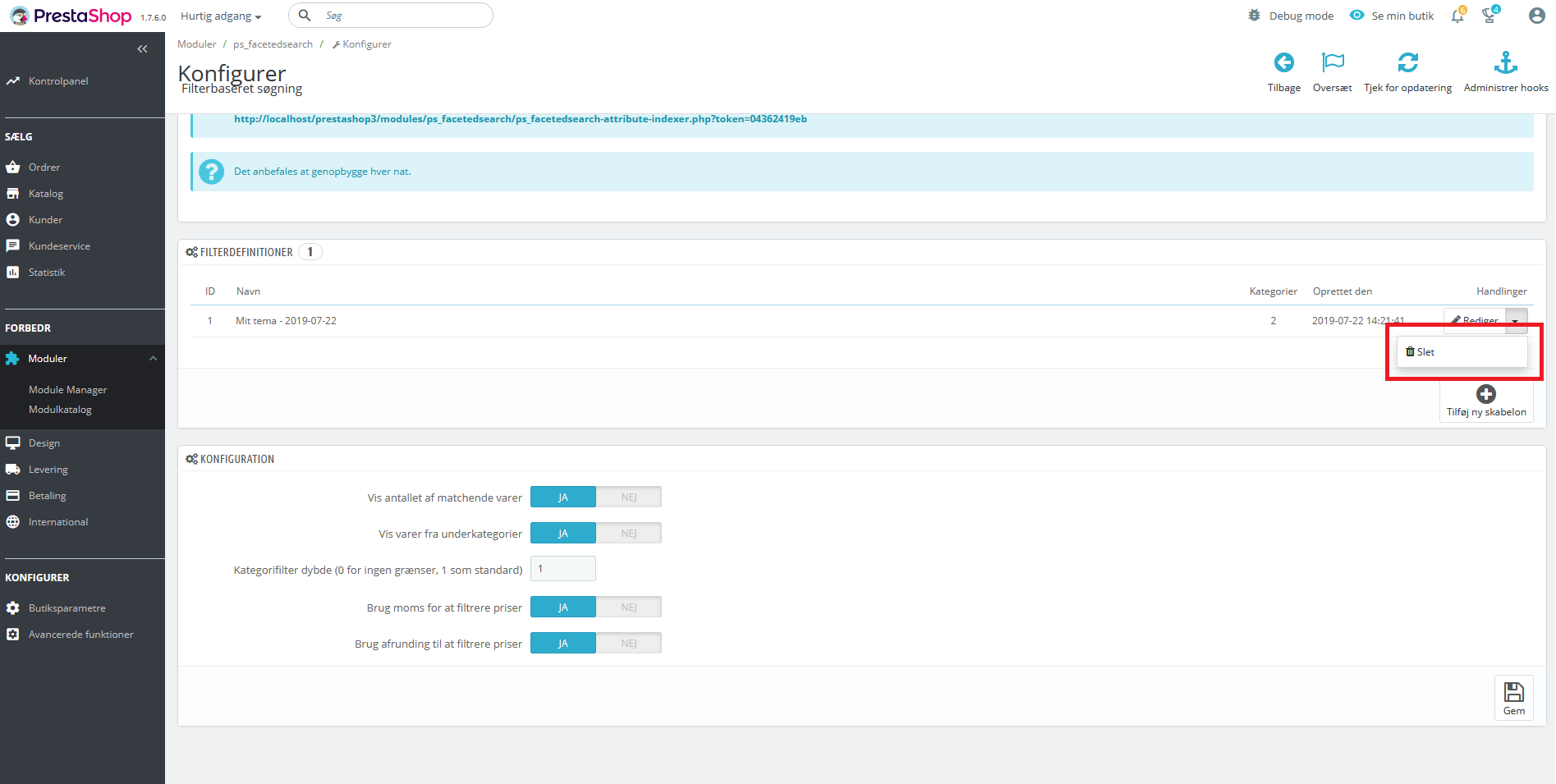
If not working to reset the module try to delete this item.
I am not 100% sure what is the solution, because I tried different things.
MathiasReker
on 22 Jul 2019
FYI @PierreRambaud
MathiasReker
on 22 Jul 2019
@MathiasReker, I tried with another fresh install PS1.7.6.0, but it is OK.
I followed the same steps as before.
I attached a screen record
https://drive.google.com/file/d/1bvxJWftt_0t_GQOHQwEmQCgsdAu7sTns/view
Thanks to check & feedback.
khouloudbelguith
on 22 Jul 2019
@khouloudbelguith Weird that you can no more reproduce the error. I think you might not have the module ps_facetedsearch activated.
MathiasReker
on 22 Jul 2019
Btw. I think that the module store some connections to the old data and that is why resetting the module works. So maybe ps_facetedsearch should use the hook in pscleaner to reset those connections.
MathiasReker
on 22 Jul 2019
@MathiasReker, no, it is enabled.
Thanks!
khouloudbelguith
on 22 Jul 2019
Not sure the faceted search module can be hooked on all modules :disappointed:
But this is why we add a Clear Cache button. But we can maybe improve the php code to catch some errors :+1:
Is it only occurred with pscleaner?
 PierreRambaud
on 23 Jul 2019
PierreRambaud
on 23 Jul 2019
@PierreRambaud I did only have the issue after using pscleaner. The clear cache button on the module does not solve the issue. I have to delete this item or reset the module.
MathiasReker
on 23 Jul 2019
@MathiasReker, yes, after importing new products, the issue occurs again.
I need to delete the template to resolve the issue.
Thanks!
khouloudbelguith
on 23 Jul 2019
What the pscleaner or import are really doing? :scream: Are they changing features ids?
PierreRambaud
on 23 Jul 2019
Yes, the pscleaner does: https://github.com/PrestaShop/pscleaner/blob/master/pscleaner.php
MathiasReker
on 23 Jul 2019
@PierreRambaud, the database is clean, first product created => id == 1
khouloudbelguith
on 23 Jul 2019
@PierreRambaud, the database is clean, first product created => id == 1
Actually I don't see the problem in that. Maybe there should just be a warning i pscleaner saying that some features might need a reset?
MathiasReker
on 23 Jul 2019
If this module is changing all ids, many other modules must have a similar problem :scream:
PierreRambaud
on 23 Jul 2019
@PierreRambaud not in practice, because you will run pscleaner to erase demo data and then start configuring modules.
MathiasReker
on 23 Jul 2019
I try with pscleaner, the problem come from this module which is removing everything with sql queries instead of normal process. So many modules can have issues with it, like missing key in database, files still on disk, etc.
PierreRambaud
on 24 Jul 2019
Related issues
 Van-peterson
·
3Comments
Van-peterson
·
3Comments
 centoasa
·
3Comments
centoasa
·
3Comments
 nrcjea001
·
3Comments
nrcjea001
·
3Comments
 matks
·
3Comments
matks
·
3Comments
 prestonBot
·
3Comments
prestonBot
·
3Comments