Prestashop: on 1.7.6 rounds errors in the FO and BO for some products
Hi
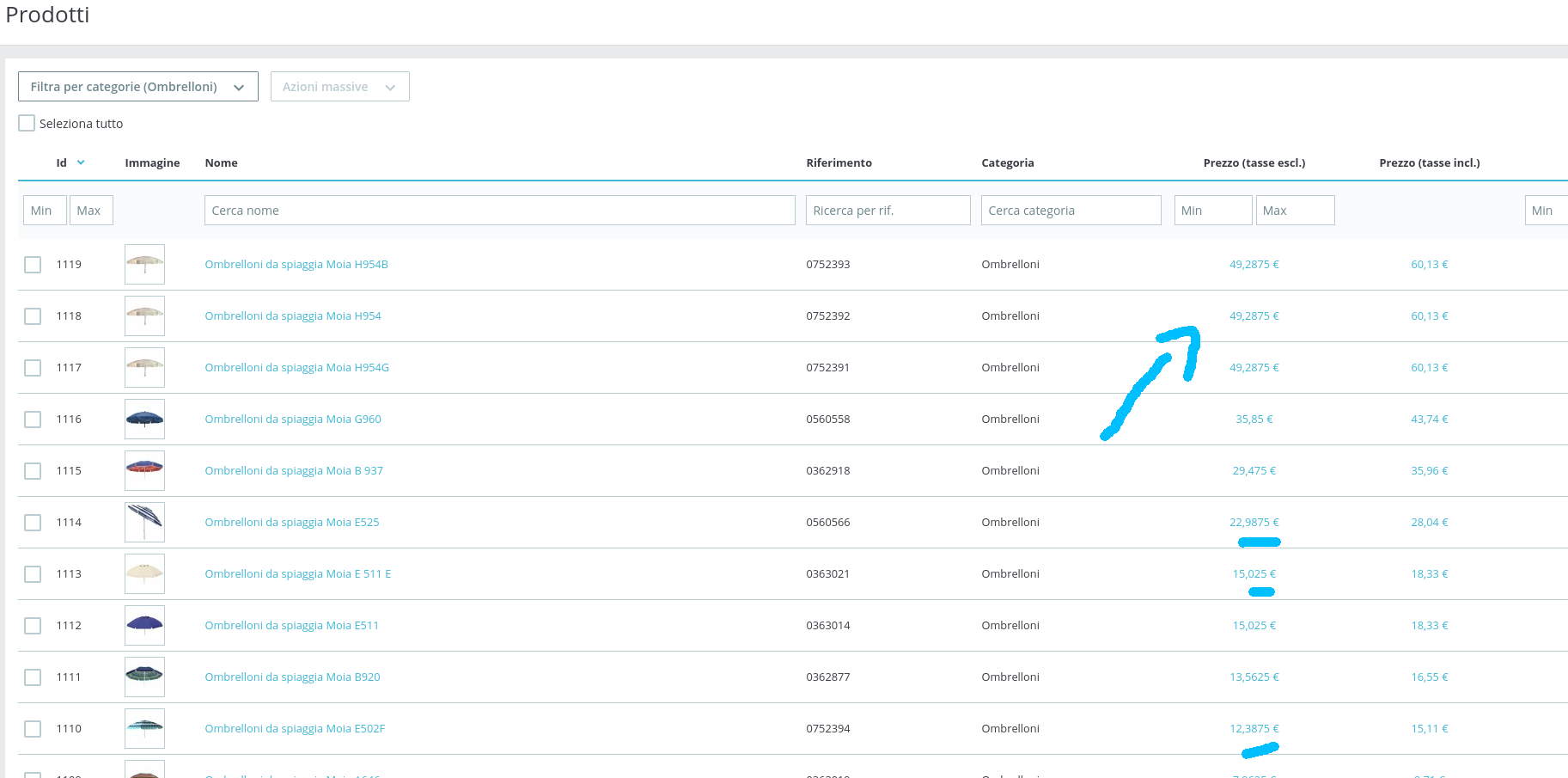
look in the product list from the back-end, you can see many decimals
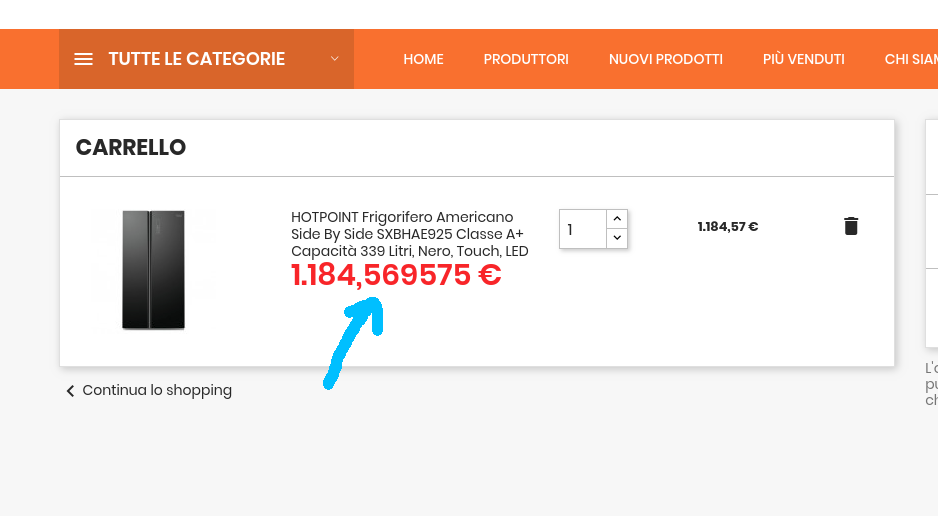
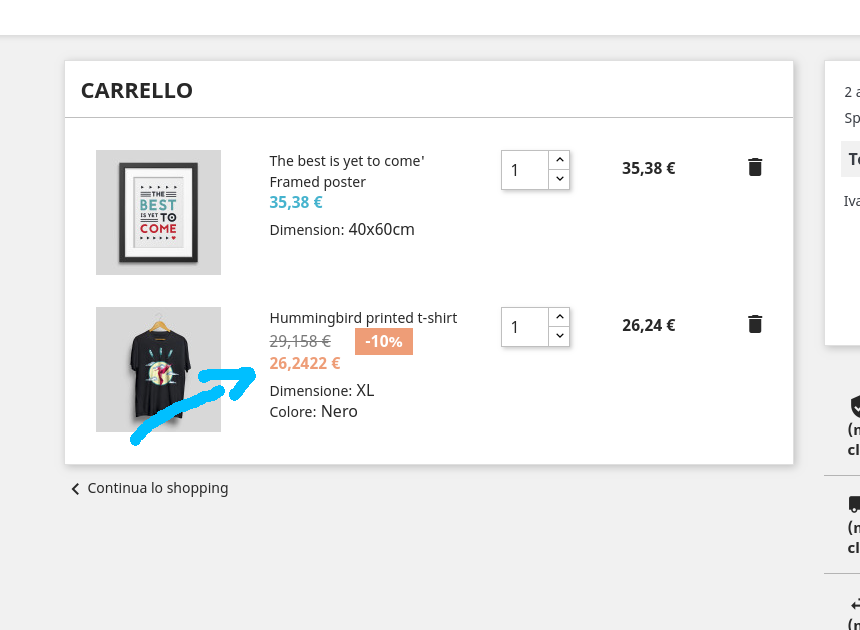
the same problem happen in the from office when some product are added to the cart
I show you this problem on 3 sites, one is on the clean site with classic theme
I think the problem is not in the theme but in the php files,
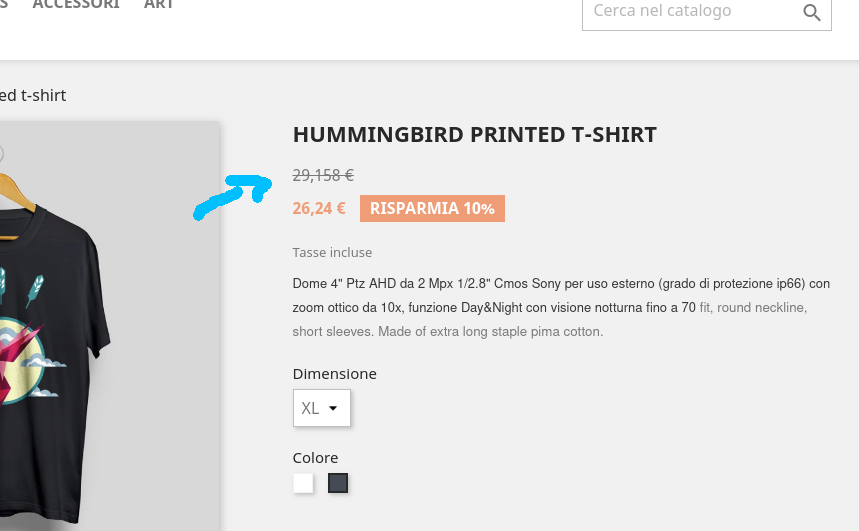
{$product.price} gives in some cases too much decimals
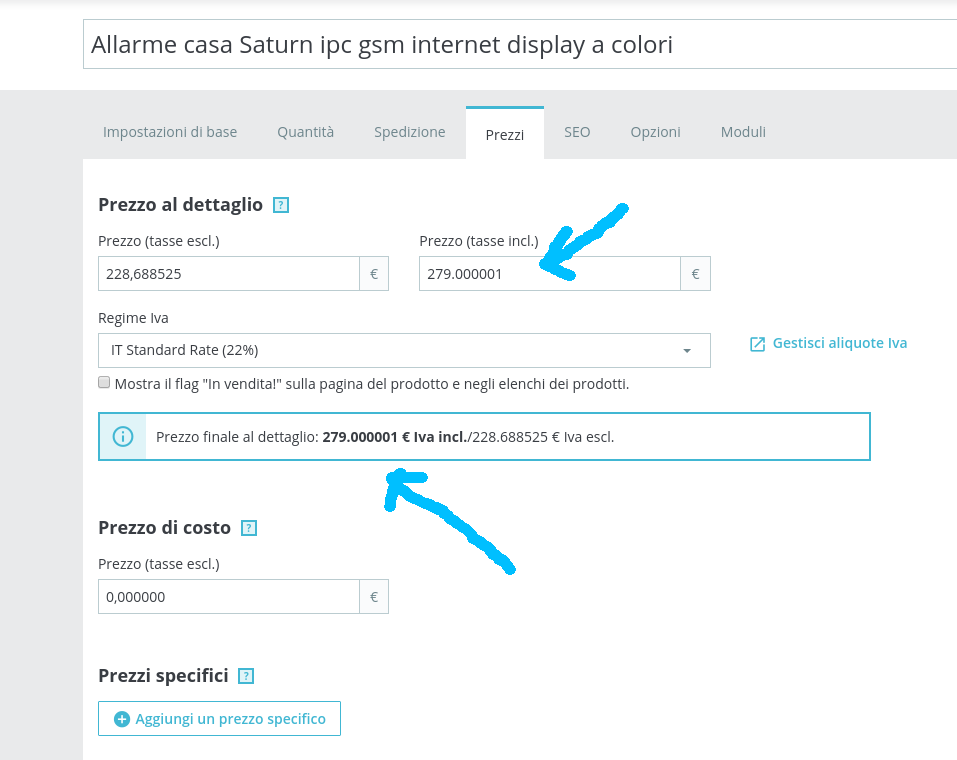
in the backoffice I cannot set 279€ (with 22% of tax) I get always 279.000001 after saved
setting 2 like Number of decimals this problem should not be present in the front-office, instead in some php file this number is not taken into account and shows all the decimal numbers
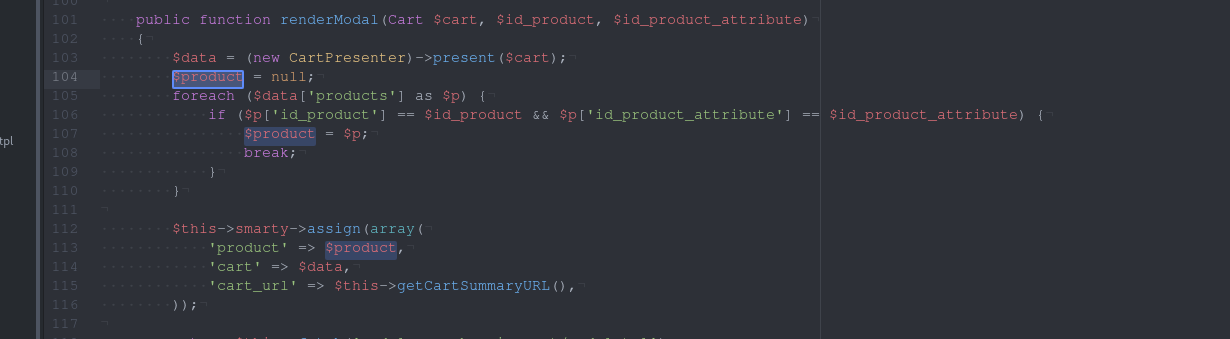
from the module ps_shoppingcart it is possible to know something about this problem
` public function renderModal(Cart $cart, $id_product, $id_product_attribute)
{
$data = (new CartPresenter)->present($cart);
$product = null;
foreach ($data['products'] as $p) {
if ($p['id_product'] == $id_product && $p['id_product_attribute'] == $id_product_attribute) {
$product = $p;
break;
}
}
    $this->smarty->assign(array(
        'product' => $product,
        'cart' => $data,
        'cart_url' => $this->getCartSummaryURL(),
    ));

    return $this->fetch('module:ps_shoppingcart/modal.tpl');
}`
I think the problem come from this like
$data = (new CartPresenter)->present($cart);
bye
Screenshots




Additional information
PrestaShop version: 1.7.6
PHP version: 7.2
 maofree
All 10 comments
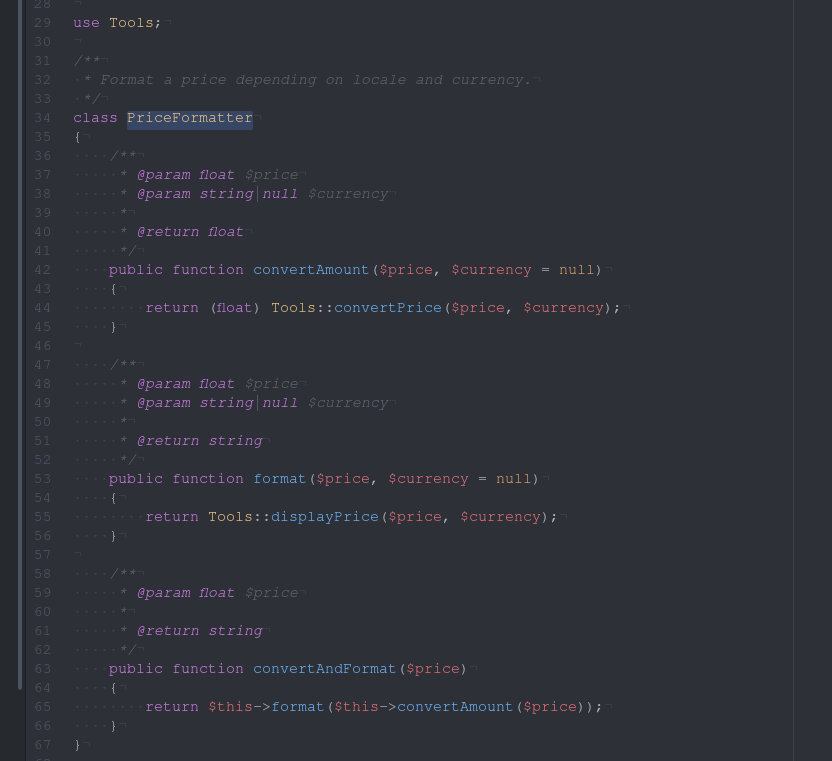
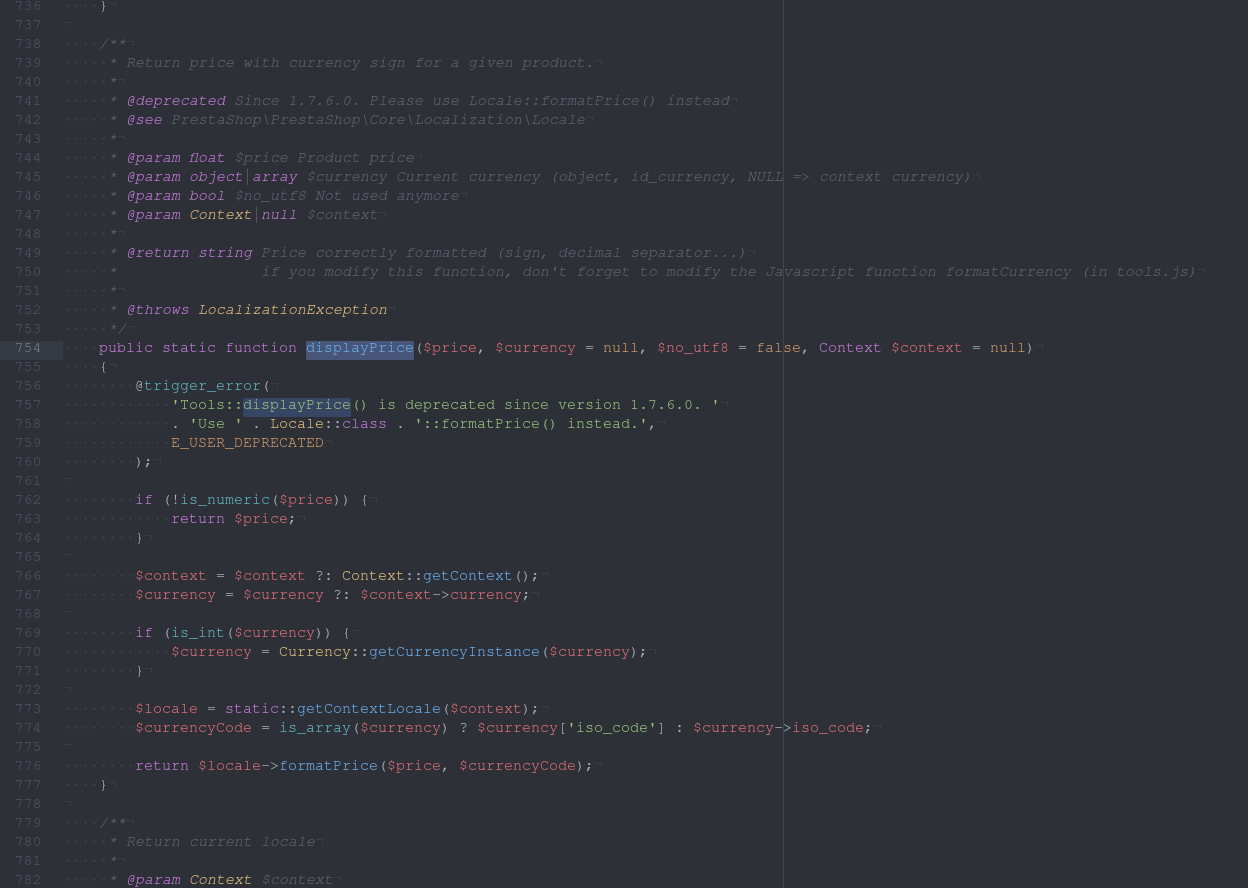
the problem come out from this function that you have changed
Tools::displayPrice()
the problem is from this
return $locale->formatPrice($price, $currencyCode);
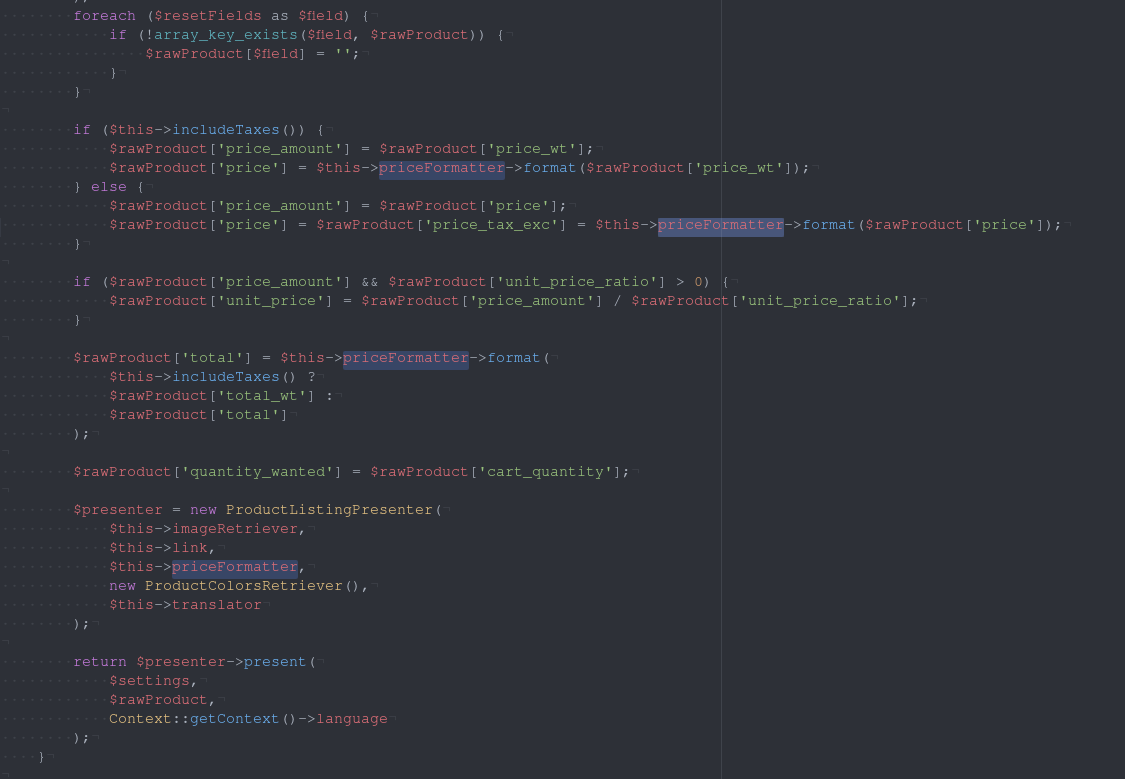
I think the problem come from here
Number/Formatter.php
maofree
on 14 Jul 2019
Thank you for the very accurate report @maofree ! 👍 We're going to investigate this issue.
Can you tell us which countries, currencies and languages you use for these sites ? It would be a great help
 matks
on 14 Jul 2019
matks
on 14 Jul 2019
Hi
it is not important those selections, it happens for all currencies, languages ..
look at this image (with english and dollar)
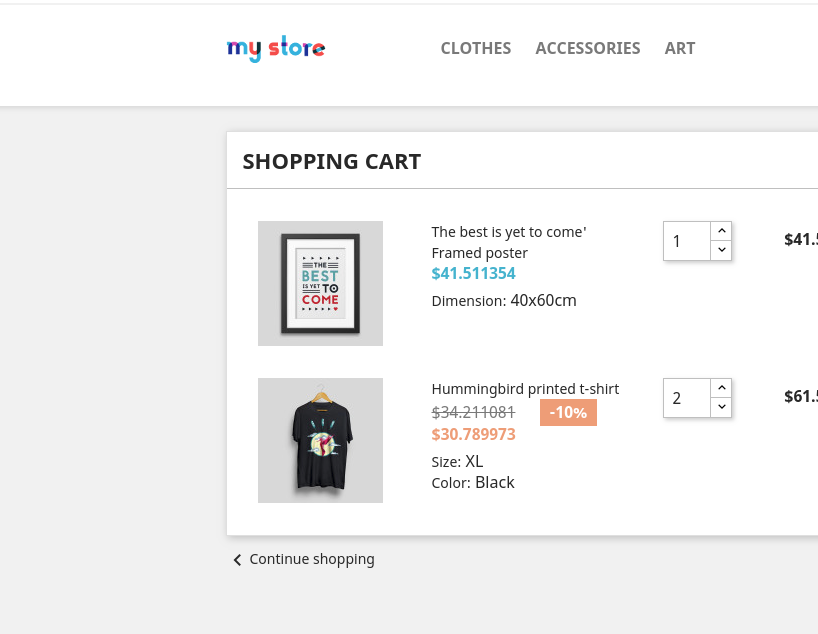
the number of decimals should follow the value of price_display_precision
bye
maofree
on 14 Jul 2019
Related to #14630
 sdwebdesign
on 15 Jul 2019
sdwebdesign
on 15 Jul 2019
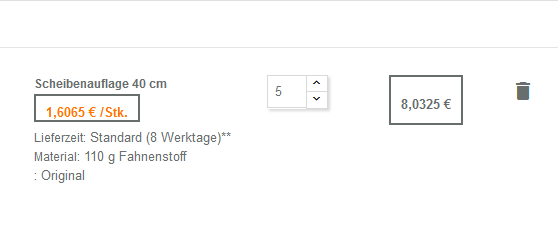
I have the same issue with german language and euro currency.
For me, it appears in the cart and product discount table. Didn´t checked the mails yet.
 Shad-Shinoda
on 16 Jul 2019
Shad-Shinoda
on 16 Jul 2019
The issue occures because the data used to set the maxFractionDigits of the priceSpecification is the precision field of the currency from the database.
 Slews
on 16 Jul 2019
Slews
on 16 Jul 2019
UPDATE ps_currency SET numeric_iso_code = '978', precision = '2' WHERE ps_currency.id_currency = 2;
 simplix-fr
on 18 Jul 2019
simplix-fr
on 18 Jul 2019
GREAT WORK! Works for me changed in ps_currency (EURO) the column numeric_iso_code (was empty) to 978 and precision to 2. now the prices are fine in front and back. But done this by hand in database table. Adding new currency has the same issue.
sdwebdesign
on 19 Jul 2019
Italian Store with Euro only
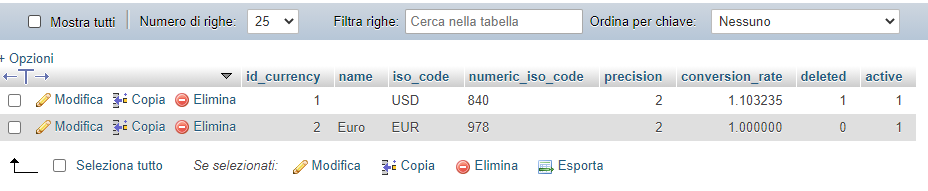
But when i write the Tax included field with 19,00 euro and save the product when i edit back i see this:
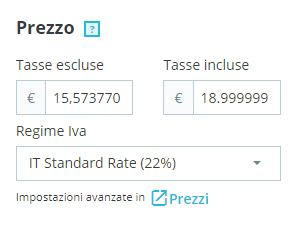
PS 1.7.6.7
 HartLarsson
on 8 Sep 2020
HartLarsson
on 8 Sep 2020
@HartLarsson same for me with 1.7.6.5
my data in ps_currency table is like yours but on front-end price_tax_exc shows more than 2 decimals (6 in back-end) and currency is not displayed like with regular price...
 stephR
on 30 Sep 2020
stephR
on 30 Sep 2020
Related issues
 prestonBot
·
3Comments
matks
·
3Comments
prestonBot
·
3Comments
matks
·
3Comments
 sandra2n
·
3Comments
sandra2n
·
3Comments
 Van-peterson
·
3Comments
Van-peterson
·
3Comments
 zuk3975
·
3Comments
zuk3975
·
3Comments