Prestashop: Categories images in front office is not display properly
Describe the bug
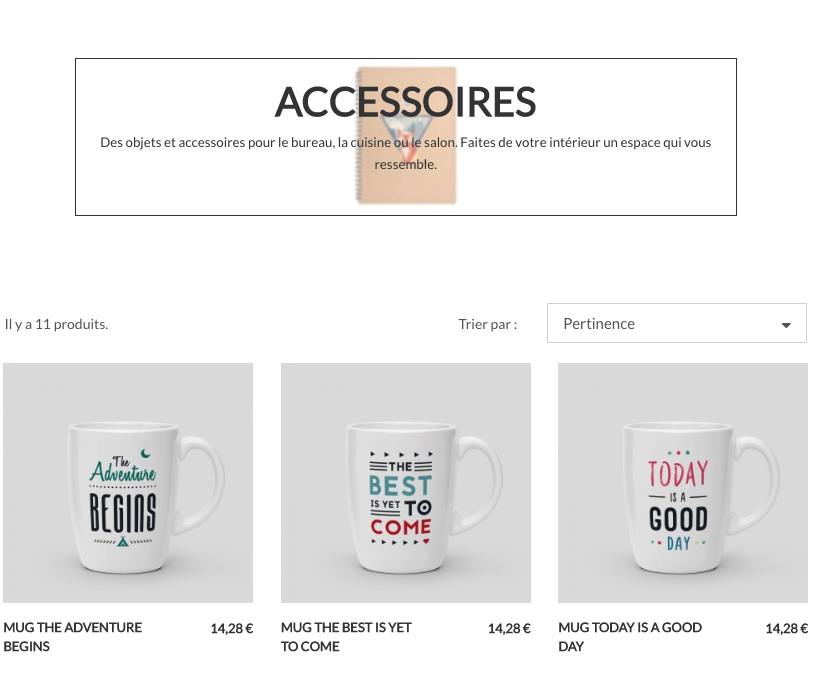
Categories images in front office is not display properly
To Reproduce
Steps to reproduce the behavior:
- Go to a category in the front office
- See the error
Screenshots
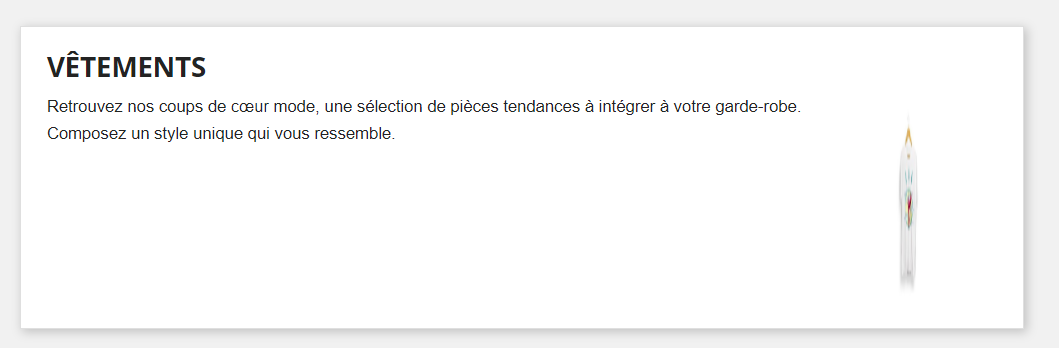
Additionnal information
PrestaShop version: 1.7.6.0
PHP version: N/A
 sarahdib
All 9 comments
Hi @sarahdib I checked for this bug
It seems the real issue is from the fixtures, in the provided images the image for category as a large blank background to be used as a cover background I think:

But if you use a regular image without extended background:
Everything works fine. To be sure I tried to change the image of the category in the back office (in case the image is modified to have a large background automatically). When I use the small image everything works fine and the category page displays correctly:
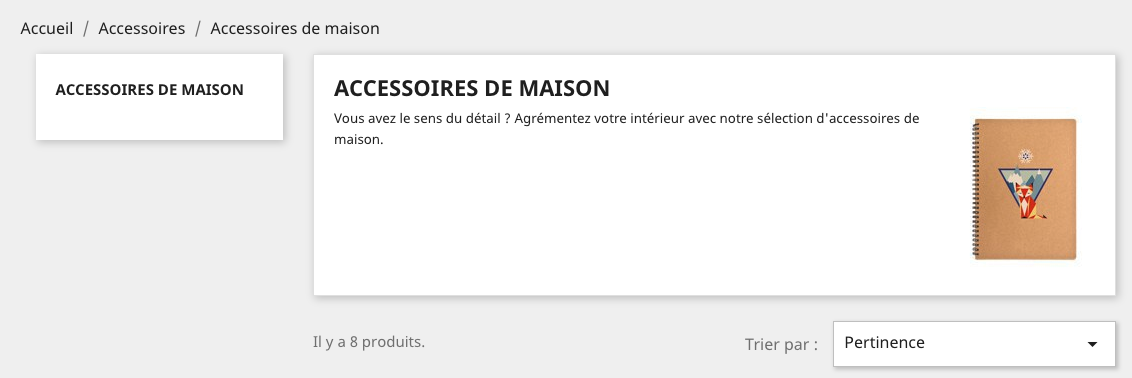
So there are three possibilities here:
- the back office is supposed to transform the image to make it larger to use as a cover, in this case the back office needs to be fixed
- the category image is expected to be a large image to be displayed as a cover, in this case the front needs to be fixed
- or neither of this, the images in the fixtures are simple not valid any more (maybe in 1.6 we needed cover images?) and then we just need to update the fixtures (in 177 maybe?)
I'd like a feedback on this from @colinegin or @samuel-pires What do you think?
 jolelievre
on 11 Jun 2019
jolelievre
on 11 Jun 2019
@jolelievre I try with all product and fresh install. It's the same problem.
sarahdib
on 11 Jun 2019
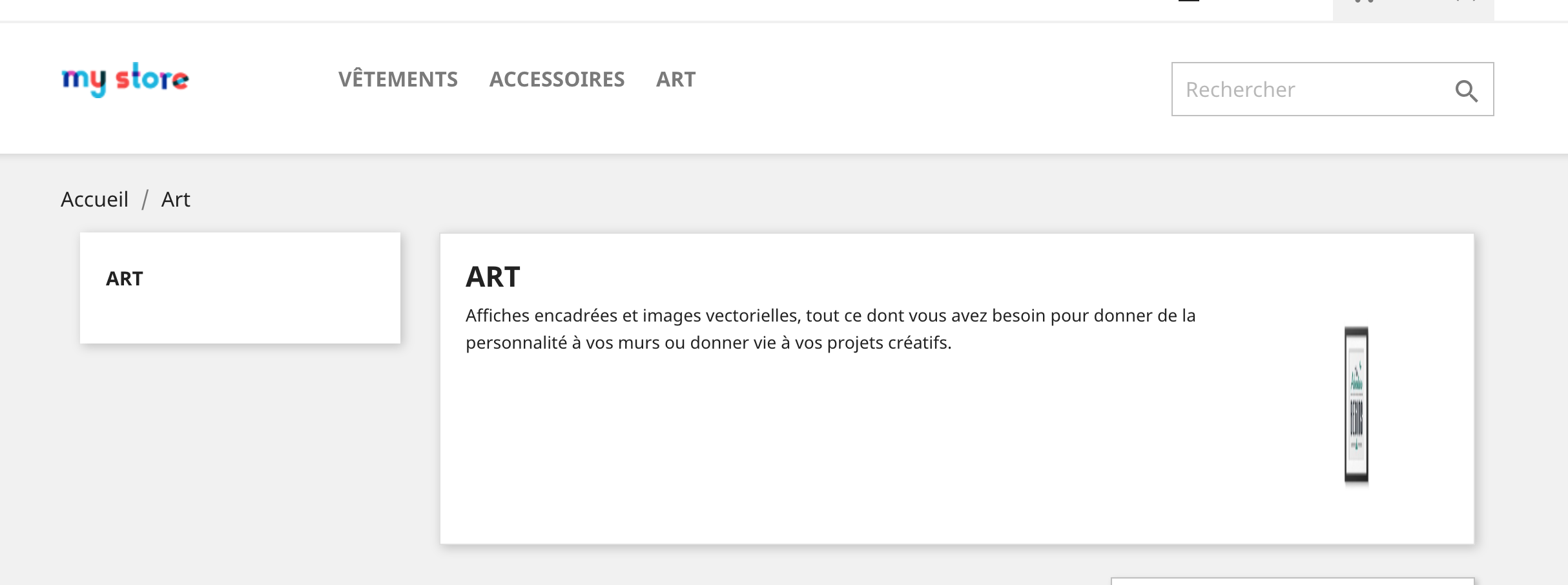
I know, that's what I'm saying ALL the images used as fixtures for demo are incorrect. You can look into the folder install-dev/fixtures/fashion/img/c
You will see all the images and if you images *_default.jpg they are all overly large.
jolelievre
on 12 Jun 2019
There is no such an issue in 1.7.5, so first step is to check if fixtures have been changed in 1.7.6
If yes, we should roll back to what was done in 1.7.5.
@TristanLDD you seemed to have an idea of what might have happened here ?
 colinegin
on 12 Jun 2019
colinegin
on 12 Jun 2019
As @jolelievre said the source images are overly large, but their ratio are actually the same as if they were supposed to display in full width on the category bloc.
Some of the Ready themes have such a behavior, here's Lifestyle:
So I assume someone made the images Lifestyle-compliant by enlarging them with a wide background, but replaced them in the classic theme too, where the image area is much smaller. That would explain why the image looks squeezed.
 TristanLDD
on 12 Jun 2019
TristanLDD
on 12 Jun 2019
Ok now I'm sure this is the reason, when you go to change the category image with lifestyle theme installed the recommended dimensions are 825x236 which is the size of the wrong images in classic

On classic theme it's 141x180 :

So we do have lifestyle ratio images forced to fit in classic ratio image area.
We just have to change the images in Classic.
Also, note that the lifestyle category bloc doesn't break when classic-ratio images are embedded: the image is not stretched, it's just centered. So there was no point in changing the images in the first place.
TristanLDD
on 12 Jun 2019
Ok that's what I wanted to be sure.. So in classic theme the images are supposed to 141x180 so instead of changing the theme layout and css, we'd better change the image fixtures right?
jolelievre
on 12 Jun 2019
Yes we just have to switch back to the previous images fixtures.
TristanLDD
on 12 Jun 2019
Ok, on it!
jolelievre
on 12 Jun 2019
Related issues
 hiousi
·
3Comments
hiousi
·
3Comments
 Fabuloops
·
3Comments
Fabuloops
·
3Comments
 wikao2
·
3Comments
wikao2
·
3Comments
 khouloudbelguith
·
3Comments
khouloudbelguith
·
3Comments
 marionf
·
3Comments
marionf
·
3Comments