Prestashop: Error Stock in New Products
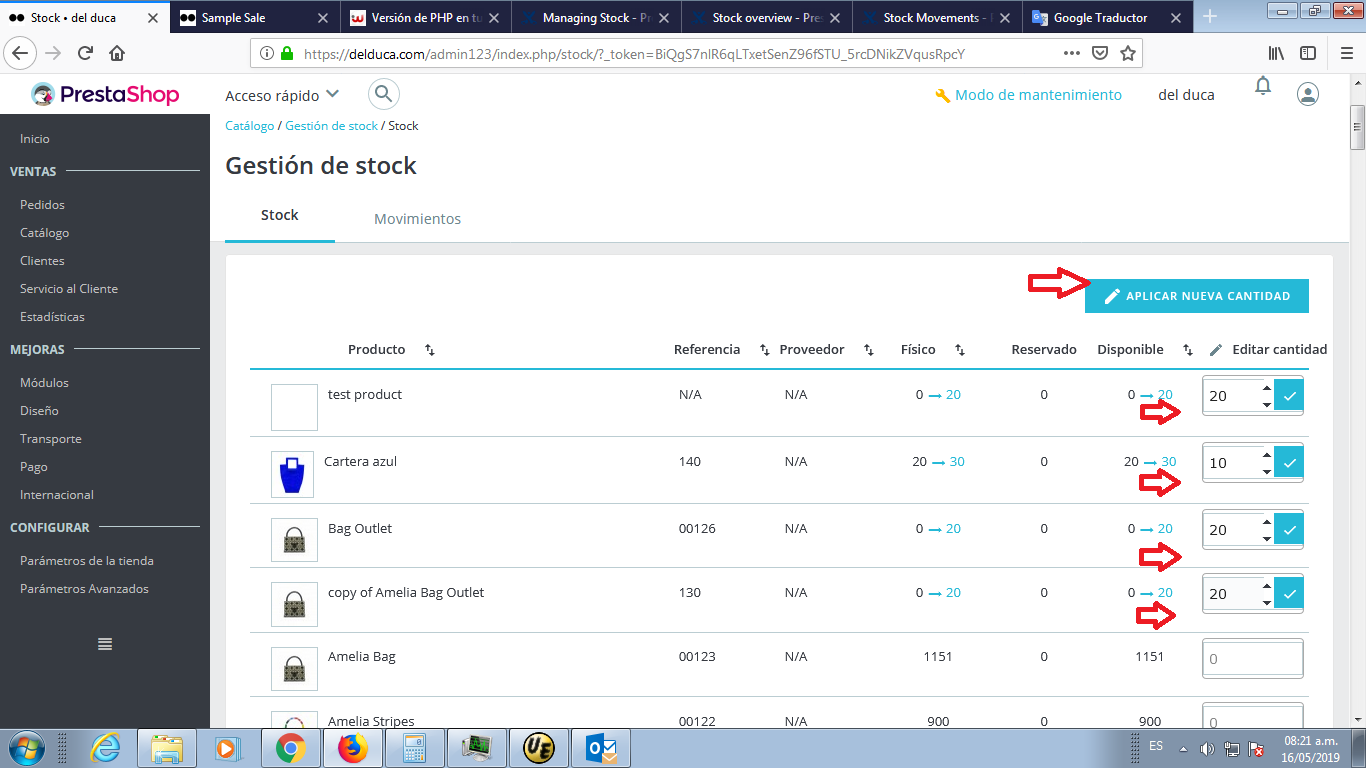
I am loading the stock as the images show.
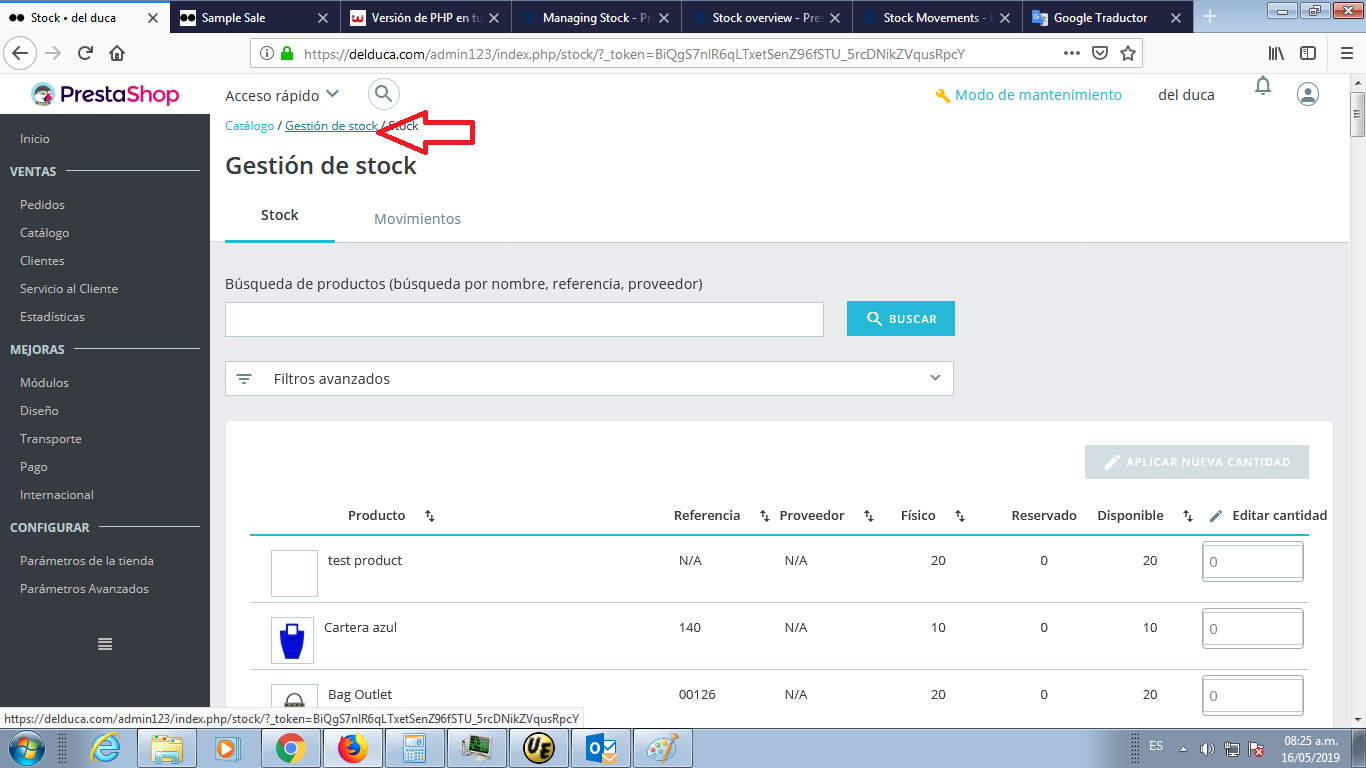
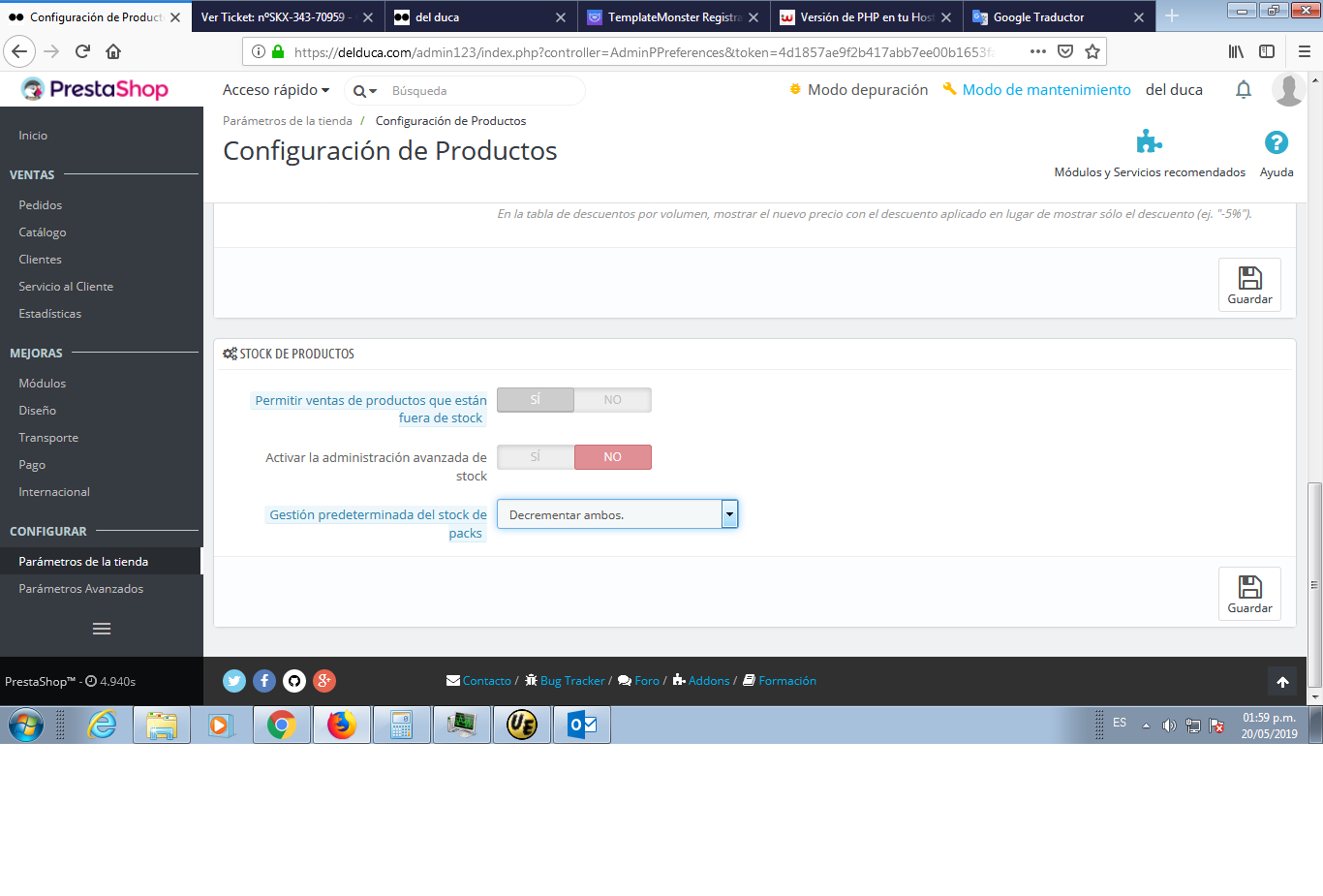
I attach the images step by step.
1-update stock in 4 new products
2-click on the "Apply new Quantity" button
3-The stock was updated
4-Re-enter Stock Management
5-There is only one product with stock!


Thanks, and help me, please.
Additionnal information
PrestaShop version: 1.7.2.4
PHP version: Versión del software del servidor: Apache
Versión PHP: 7.1.22
Límite de memoria: 512M
Tiempo máx. de ejecución: 30
Tamaño máx. para la subida de archivos: 128M
 sebaborda04
All 22 comments
Hi @sebaborda04,
Thanks for your report.
I did not manage to reproduce the issue with PS1.7..6.0beta1.
We need to retrieve the PHP error log and the debug mode report in order to find out what's wrong.
Don't you know how to get this information? Please read the following article:
http://build.prestashop.com/howtos/misc/how-to-create-bug-report/
Thanks!
 khouloudbelguith
on 21 May 2019
khouloudbelguith
on 21 May 2019
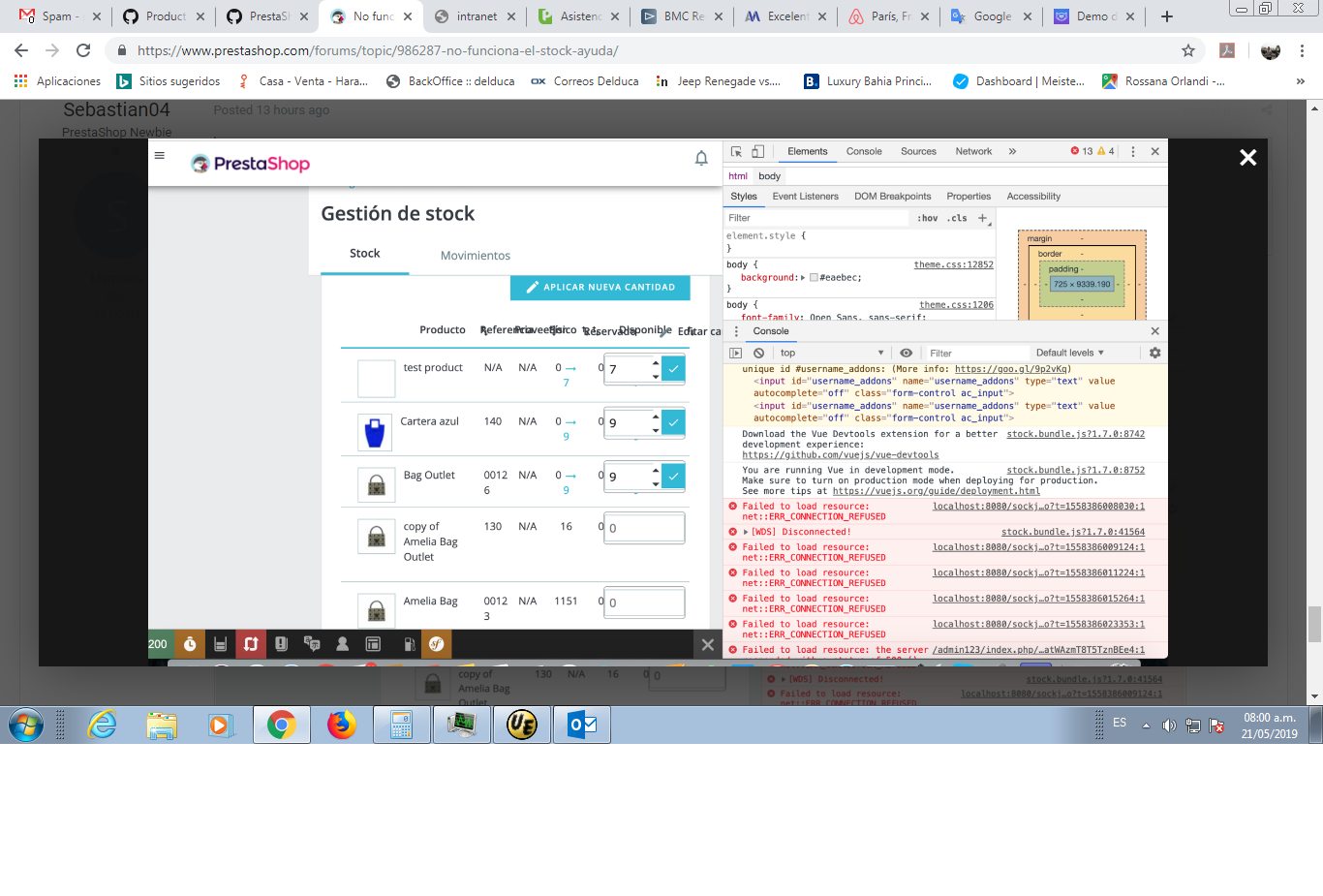
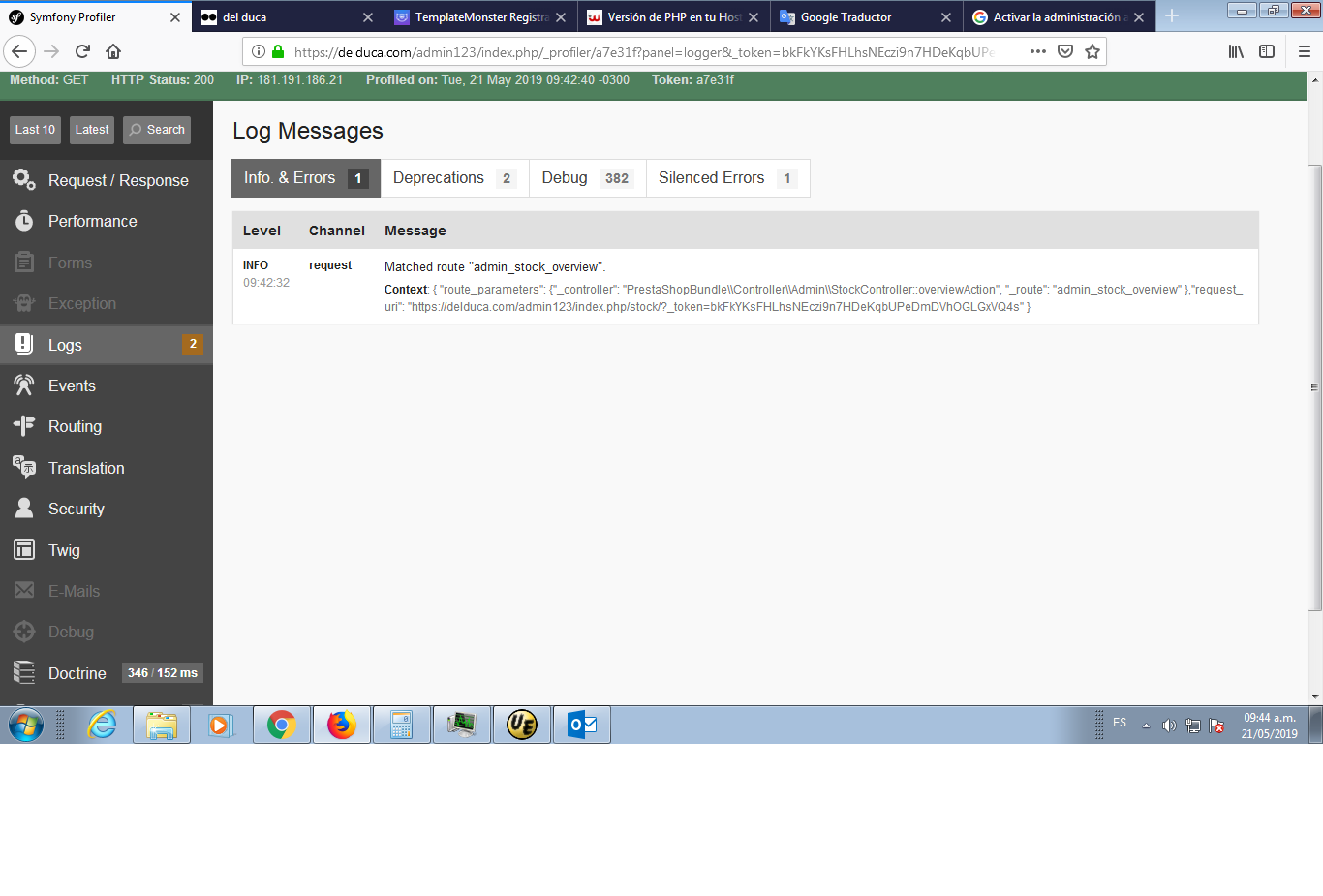
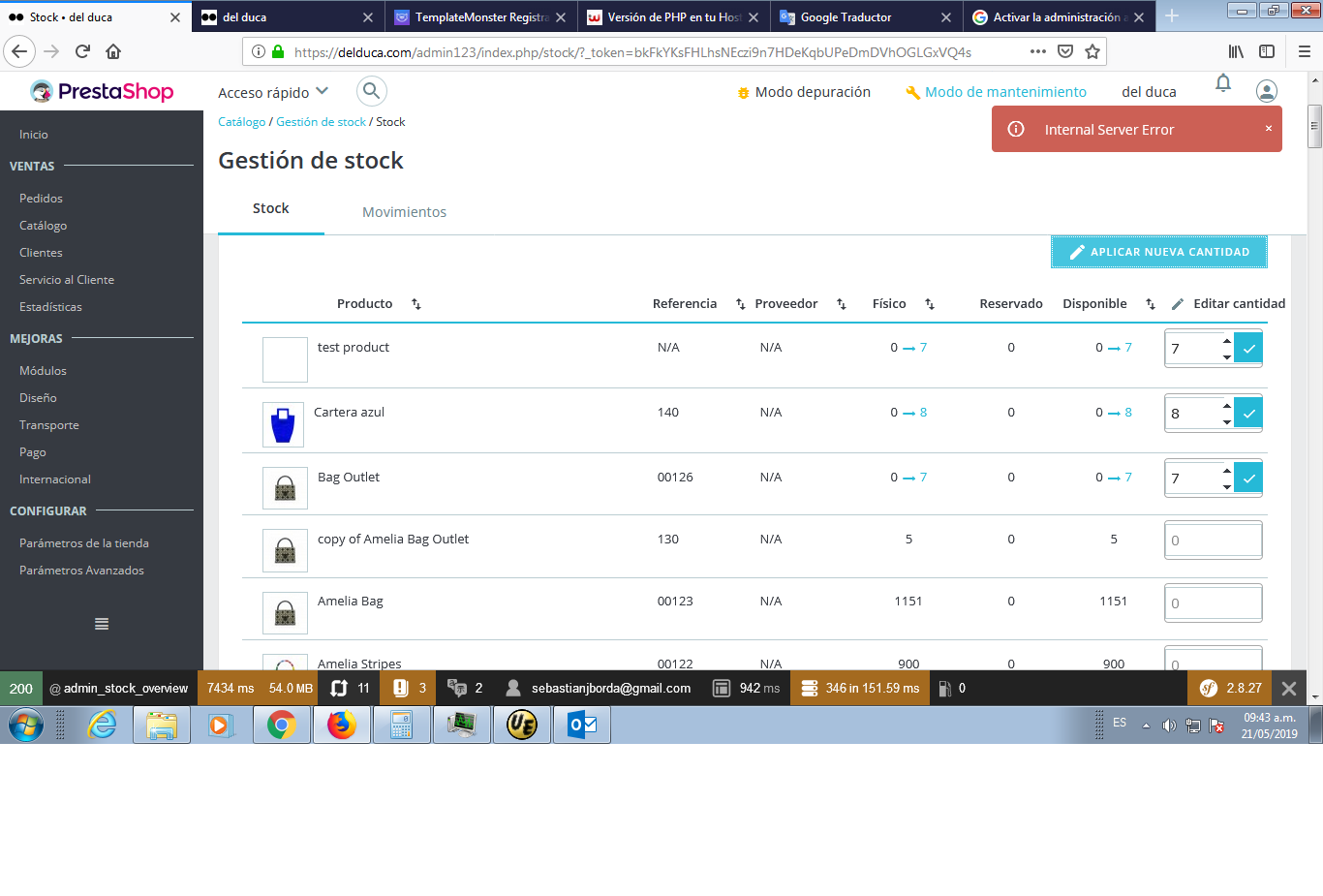
Do you mean this data?


sebaborda04
on 21 May 2019
@sebaborda04, when debugging mode enabled in your case => there is no exception.
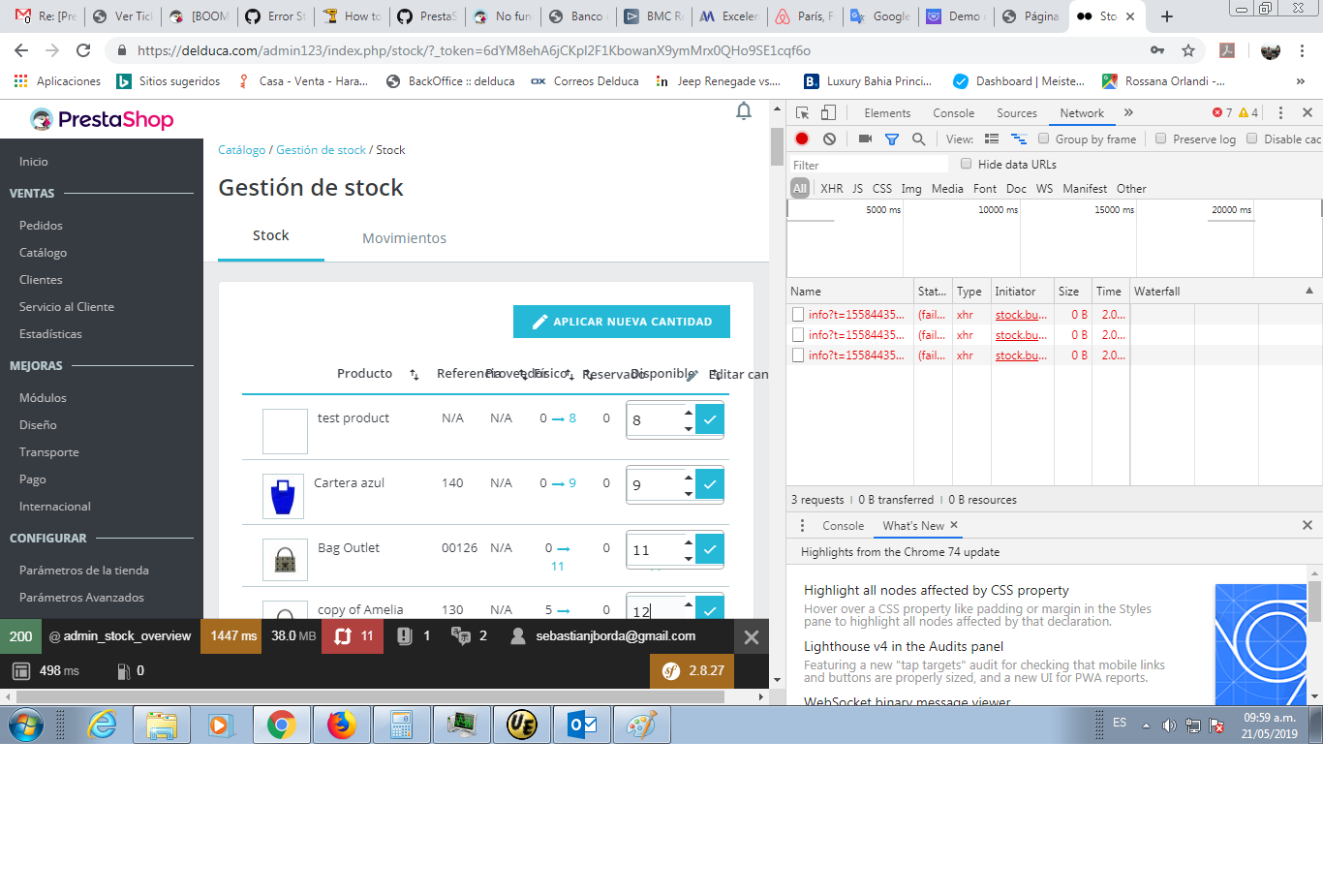
You can use DevTools, so:
- enable debug mode
- go to the stocks page
- open up developer tools
- go to Network tab
- Click on the "Apply new Quantity" button
- wait for an error, you should see red request information in Network tab
- click on it, you should see the error message in "Response" or "Preview" tab
Thanks to check & feedback.
khouloudbelguith
on 21 May 2019
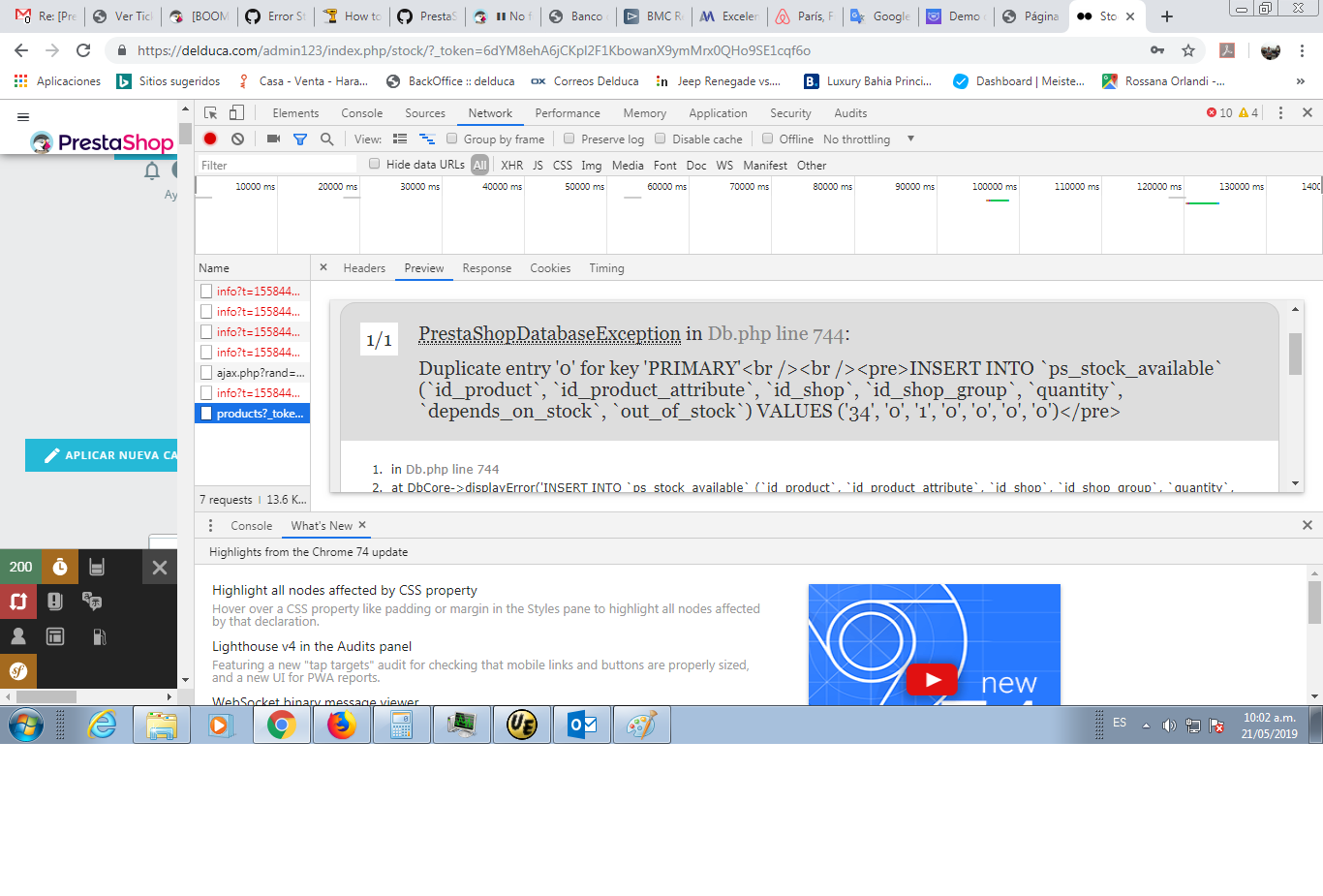
Error.
sebaborda04
on 21 May 2019
@sebaborda04, you have some duplicated entry in the table ps_stock_avalible for the product which has id_product = 34.
Did you edit your database manually?
Thanks!
khouloudbelguith
on 21 May 2019
I'm going to check it and I'll tell you ...
Thanks
sebaborda04
on 21 May 2019
@sebaborda04, thanks!
Waiting for your feedback
khouloudbelguith
on 21 May 2019
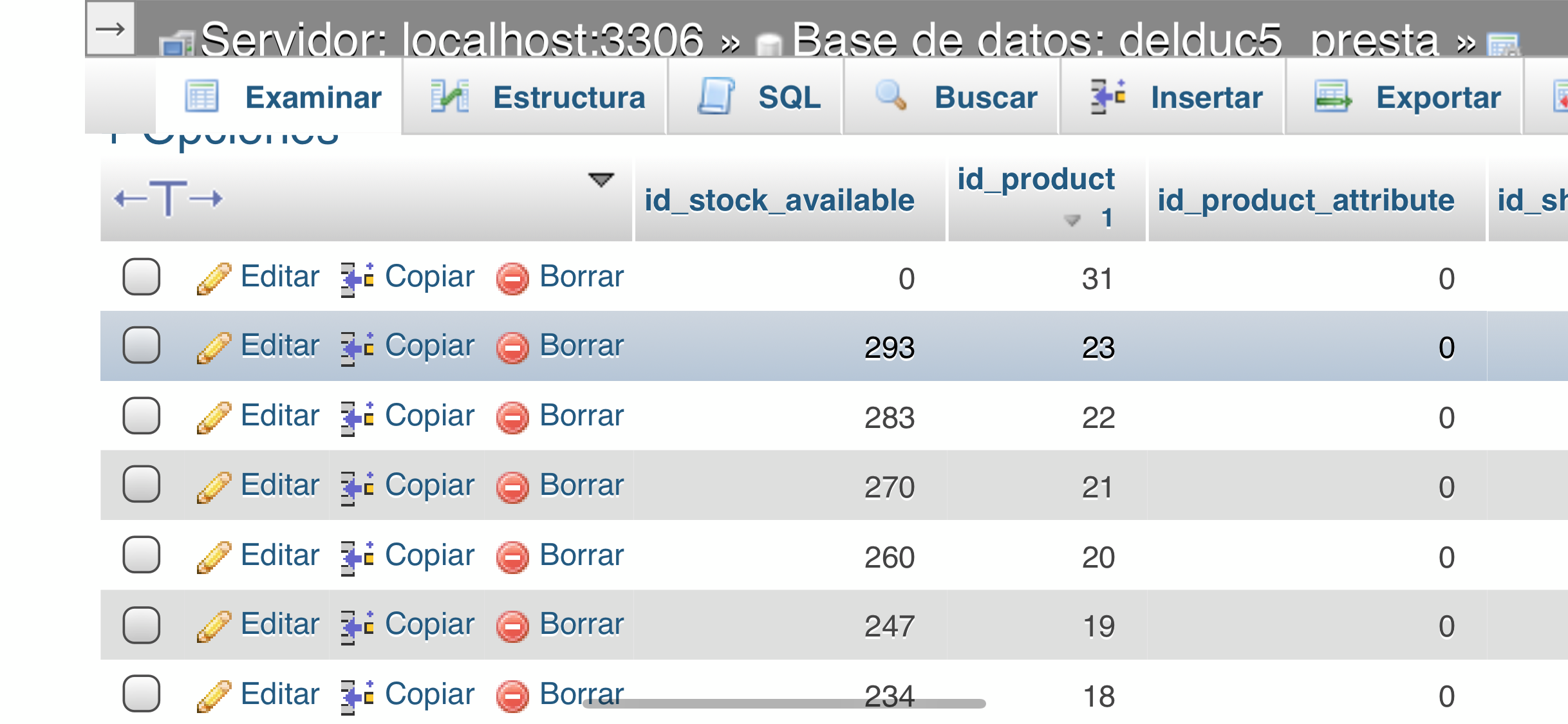
I do not have any product_id = 34 in the table ps_stock_avalible. The last number is the product_id = 31 and has id_stock_available = 0
sebaborda04
on 21 May 2019
@sebaborda04, this error is displayed in your case

Thanks!
khouloudbelguith
on 21 May 2019
sebaborda04
on 21 May 2019
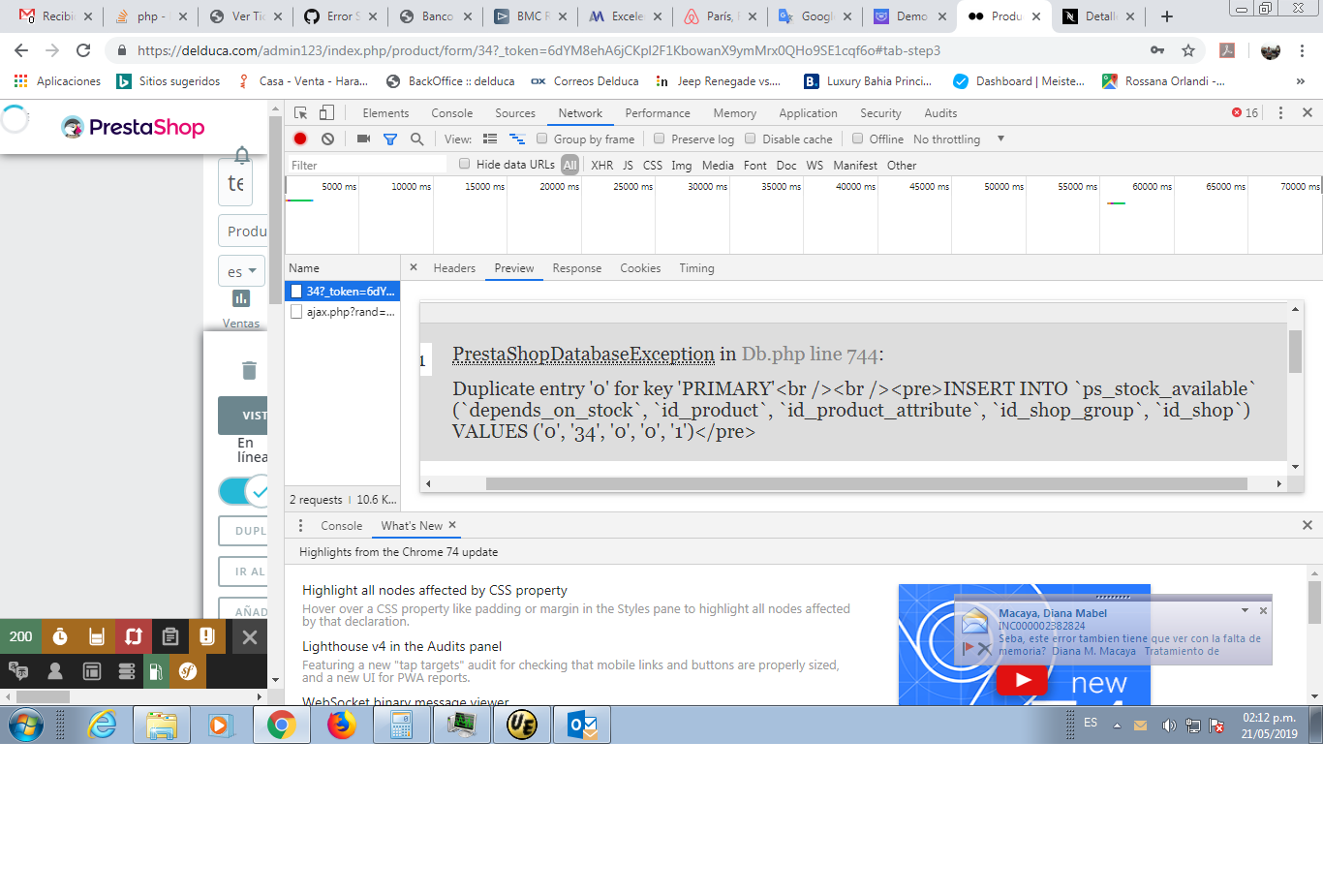
when I want to modify the product_id 34, it shows this error.
sebaborda04
on 21 May 2019
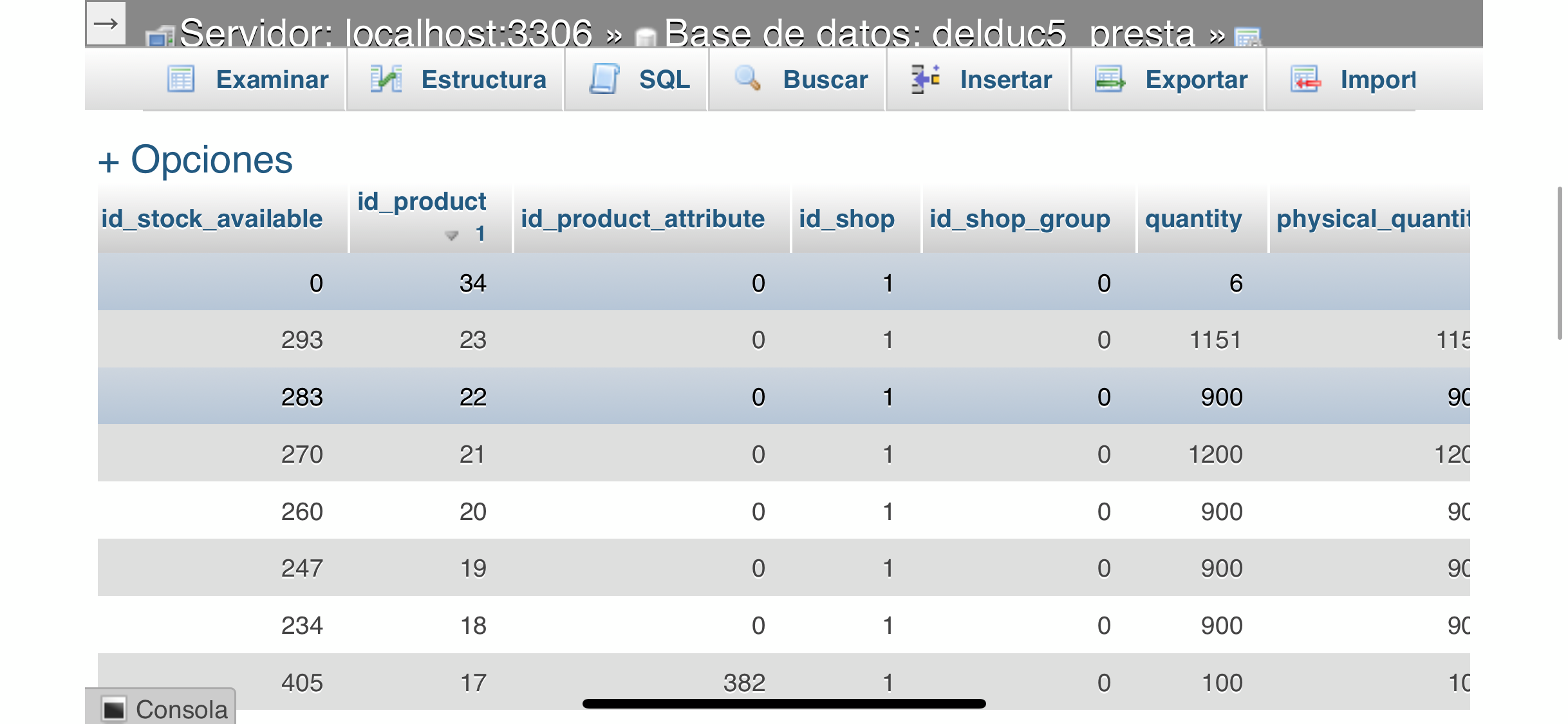
@sebaborda04, could you please run the command SQL in your Database & feedback.
Select * from ps_stock_available where id_product = 34;
Thanks!
khouloudbelguith
on 22 May 2019
now I see it
sebaborda04
on 22 May 2019
@sebaborda04, the id_stock_available for this product which has id_product = 34 is incorrect.
id_stock_available = 0 where id_product = 34 => incorrect => you need to edit it.
Thanks!
khouloudbelguith
on 22 May 2019
Thank you very much for the help.
What happens if that table is empty? I do not know why he kept that field at 0.
sebaborda04
on 22 May 2019
@sebaborda04, in my case, it is OK.
I tried with steps that you provided but I did not manage to reproduce the issue.
Thanks!
khouloudbelguith
on 22 May 2019
If I empty that table, I only lose the stock or can I lose something else?
sebaborda04
on 22 May 2019
@sebaborda04, if you empty this table, you will lose the quantity of your products.
Make sure to have a backup of your database before deleting anything from the database.
Thanks!
khouloudbelguith
on 22 May 2019
Thank you, you are very kind.
sebaborda04
on 22 May 2019
@sebaborda04, you are welcome!
Can I close the issue?
Thanks!
khouloudbelguith
on 22 May 2019
yes, Thanks
sebaborda04
on 22 May 2019
@sebaborda04, Thanks!
Feel free to open a new one when needed.
THanks!
khouloudbelguith
on 22 May 2019
Related issues
 vincent-dp
·
3Comments
vincent-dp
·
3Comments
 hiousi
·
3Comments
hiousi
·
3Comments
 prestonBot
·
3Comments
prestonBot
·
3Comments
 centoasa
·
3Comments
centoasa
·
3Comments
 rGaillard
·
3Comments
rGaillard
·
3Comments