Prestashop: Warning x Lekë paid instead of x Lekë
Hello
I'am using 1.7.1.1 Prestashop with 20%tax.
COD Method for payment.
When the order is created go to Proccesing in progress
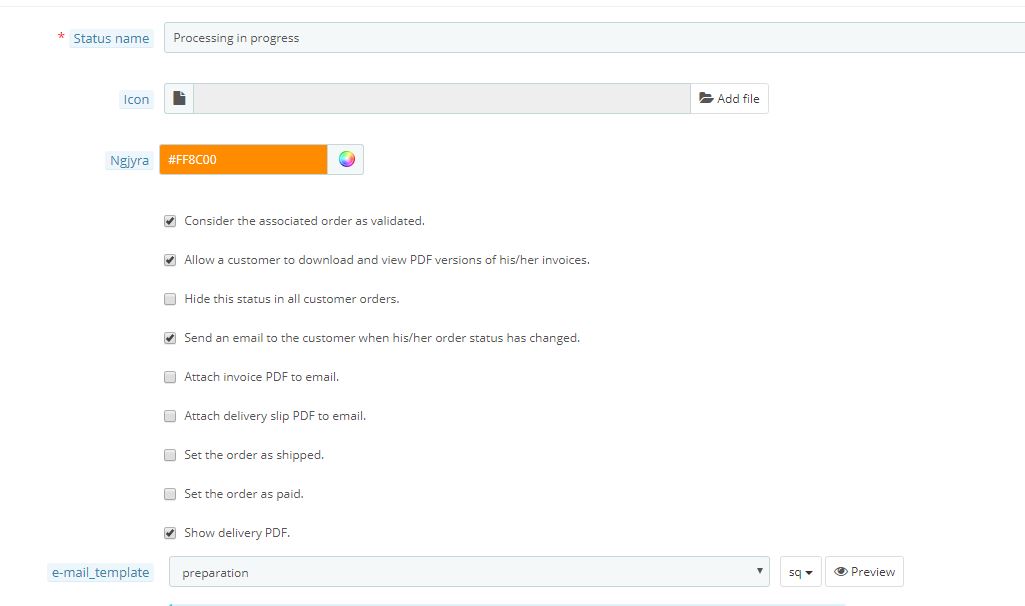
then when the order is done in preparation i put the order in Payment accepted
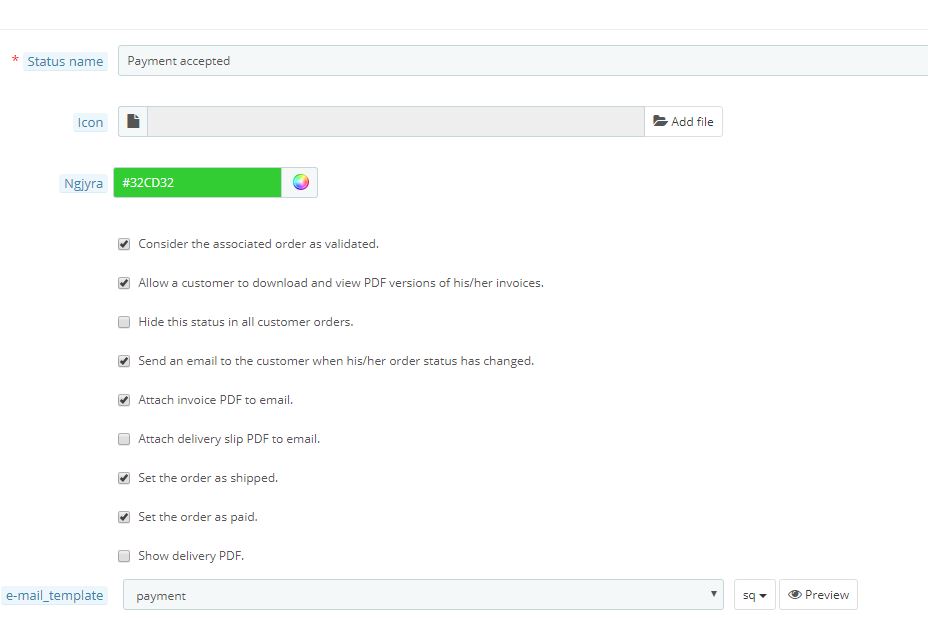
1) When i make a discount for example total is 1000 Leke and discount is 100 Leke = Total 900 Leke
2) The invoice shows correct SUM but in the PAYMENT shows me an warning.
Warning 1000 Lekë paid instead of 900 Lekë
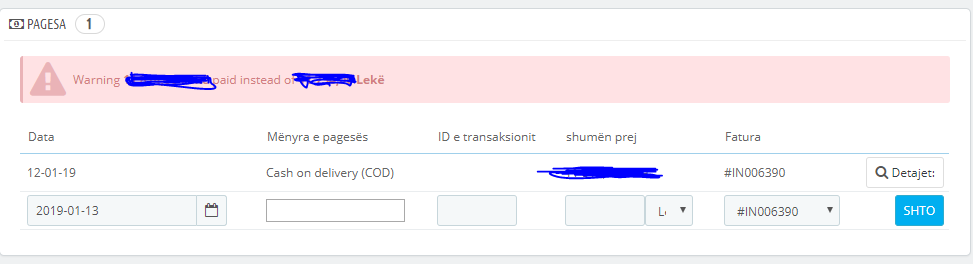
3) On total stats dashboard shows the SUM without discount
4) On Delivery Slip shows the sum without discount.
I want when i discount a value to show correct sum on Delivery Slip and Total SUM On stats
Can anybody help me?
 gentianziu03
All 5 comments
Hi @gentianziu03,
Thanks for your report.
About the warnings => it is a normal behavior => because you change the status of your order to payment accepted ( order just paid) => after that you added a discount => so, it is paid xx£ instead of yy£.
About the dashboard which shows the SUM without discount, here's the same issue reported in this ticket: #9983
About the sum on Delivery Slip, it is not updated after adding a discount.
In fact, we should have an option Apply on the delivery slip, like the invoice option, because, the total in the delivery Slip shows the sum without discount.
@marionf, @colinegin what do you think?
Thanks!
 khouloudbelguith
on 15 Jan 2019
khouloudbelguith
on 15 Jan 2019
Hi @khouloudbelguith maybe i have found the solution for the Warning. The default stus that order go is Processing in progress You have to UNCHECK Consider the associated order as validated. and now when order is Porcessing in progress you can make a discount. And then you can go set any astatus and will not show the warning!
gentianziu03
on 15 Jan 2019
Thanks for your feedback,
maybe we should just add a warning below Consider the associated order as validated, what do you think ?
 colinegin
on 29 Jan 2019
colinegin
on 29 Jan 2019
Hello @disarci,
Since we have had no news for a few months, I will close this issue.
Feel free to re-open it or write a new issue if needed !
Have a nice day,
Coline
colinegin
on 16 Jul 2019
Hi, I have the same warning on selected orders. In addition, I have tax = 0 on the invoice summary.
 TomanDesign
on 11 Oct 2019
TomanDesign
on 11 Oct 2019
Related issues
 rGaillard
·
3Comments
rGaillard
·
3Comments
 Van-peterson
·
3Comments
Van-peterson
·
3Comments
 nrcjea001
·
3Comments
nrcjea001
·
3Comments
 hiousi
·
3Comments
hiousi
·
3Comments
 Prestaworks
·
3Comments
Prestaworks
·
3Comments
Most helpful comment
Hi @khouloudbelguith maybe i have found the solution for the Warning. The default stus that order go is Processing in progress You have to UNCHECK Consider the associated order as validated. and now when order is Porcessing in progress you can make a discount. And then you can go set any astatus and will not show the warning!