Prestashop: It is necessary to replace Google Maps from order pages
Hi
Describe the bug
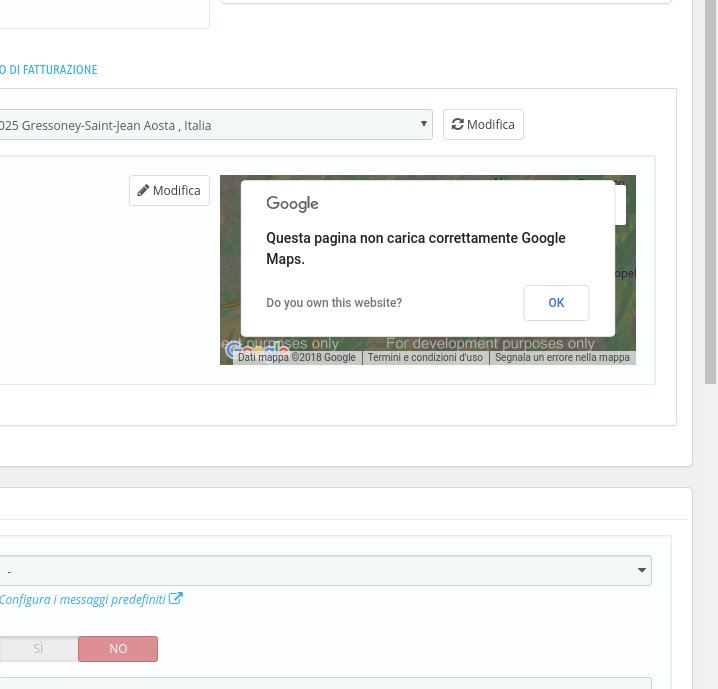
now google maps does not work (you can see it from the order pages), I think it is due because google has changed its strategy
I suggest you to use MapQuest, it is very nice and has a free plan
https://www.mapquest.com/
Screenshots
Additionnal information
PrestaShop version: 1.7.4.2
PHP version: 7.0
bye
 maofree
All 40 comments
You need to add an API key.
 MathiasReker
on 12 Sep 2018
MathiasReker
on 12 Sep 2018
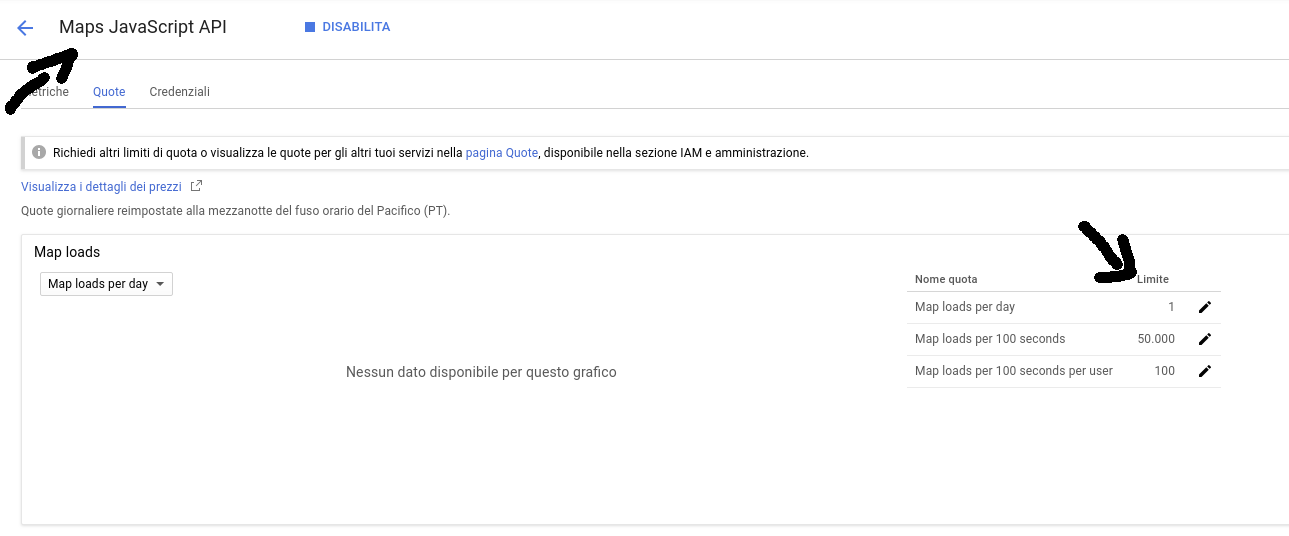
I know but now the free plan can load only one time
so it is necessary an alternative
maofree
on 12 Sep 2018
Can you link to the documentation of that?
MathiasReker
on 12 Sep 2018
about mapquest or google maps that now load a map only one time for a day?
maofree
on 12 Sep 2018
maofree
on 12 Sep 2018
You need a google API key: https://developers.google.com/maps/documentation/javascript/get-api-key
I have a website in production on free plan. I load they map hundreds of times per day.
MathiasReker
on 12 Sep 2018
read better
I've some api key but created some time ago with unlimited loads, but now from 11 june it is no more possible
try to create a new Maps JavaScript API
maofree
on 12 Sep 2018
https://stackoverflow.com/questions/51688148/google-maps-javascript-api-quota-is-set-to-1
Looks like you need to have billing enabled on the account now, tried with 2 gsuites account, limit is 1 without billing account attached and unlimited with billing account attached.
maofree
on 12 Sep 2018
MathiasReker
on 12 Sep 2018
I won :)
maofree
on 12 Sep 2018
Hi @maofree,
Thanks for your report.
I manage to reproduce the issue with the last version 1.7.4.2
We will see how to fix it.
Best regards, Khouloud
 khouloudbelguith
on 12 Sep 2018
khouloudbelguith
on 12 Sep 2018
Hi @maofree,
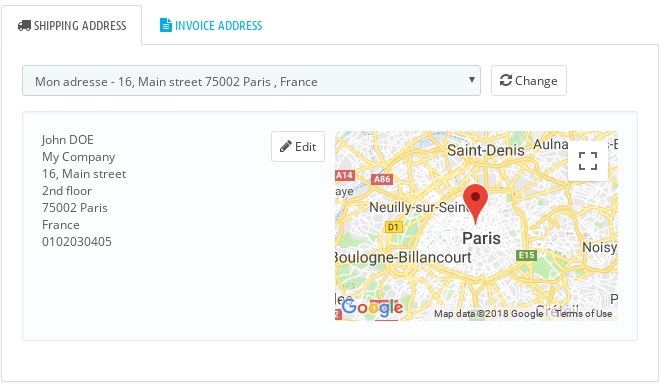
The issue is fixed, thanks to check and feedback.
Best regards, Khouloud
khouloudbelguith
on 13 Sep 2018
hi
can you show me how to fix it?
maofree
on 14 Sep 2018
Hi @maofree,
Is not fixed for you?
Best regards, Khouloud
khouloudbelguith
on 14 Sep 2018
yes
looking in a site now the google maps is without that alert
maofree
on 14 Sep 2018
Hi @maofree,
Thanks!
I close the ticket, feel free to open a new one when needed.
Best regards, Khouloud
khouloudbelguith
on 14 Sep 2018
Hi
today I see again this alert on the order pages
maofree
on 25 Sep 2018
Hi @maofree,
Yes, you are right.
is back again.
Best regards, Khouloud
khouloudbelguith
on 25 Sep 2018
Hi @khouloudbelguith
I continue to get this problem on the google api
on the 1.6.x using a google api a fix the problem, I set it in the preferences page
but on the 1.7.x where is the field to set it?
thanks
maofree
on 3 Oct 2018
Hi @maofree,
We are aware of this issue, it is added to our debug roadmap.
Google map API missing in BO in the PS1.7.
Please follow: #9797
Thanks!
khouloudbelguith
on 4 Oct 2018
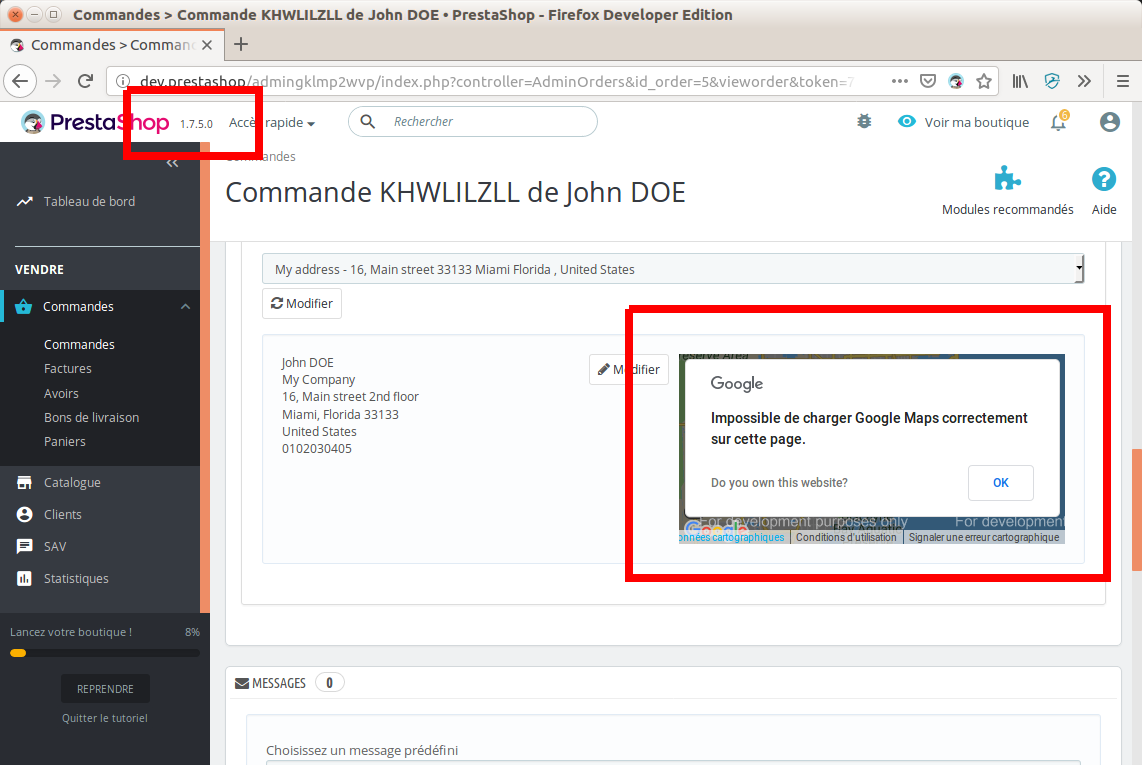
Reproduced on fresh install of last v1.7.5.0
 Klemart3D
on 12 Oct 2018
Klemart3D
on 12 Oct 2018
Hi @Klemart3D,
Sorry, but the issue is not fixed yet.
Thanks for your understanding!
khouloudbelguith
on 12 Oct 2018
Hi, we have an error in the console
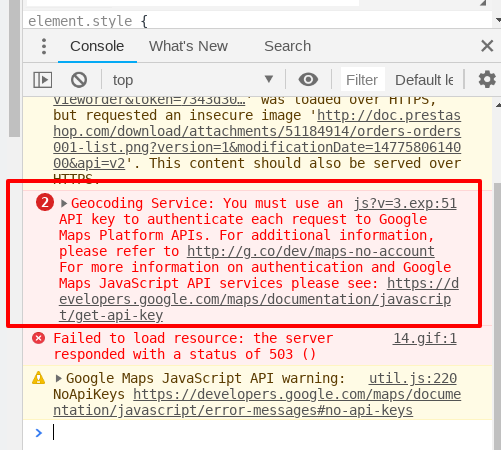
Thanks!
khouloudbelguith
on 24 Jan 2019
No body showed how to add a key, which file?
 tzak902
on 24 Jan 2019
tzak902
on 24 Jan 2019
I have been searching for a while now and I'm afraid I've got bad news. I was looking for a replacement for Google Geocoding API, which would be "good enough" and - most importantly - could be used without a API Key. I could not find one.
I could find a great number of geocoding services with a free plan but that required a signup to work. This cannot work if we want to ship the feature like this because it would mean prestashop signs up for such a plan and requests are being made by the possible 270,000 shops we have in the world 😄the Free plan would vanish soon. This is a no-go.
I found some alternatives, but they cannot compete with Google Maps :( for example MapQuest, suggested by @maofree, seems to work quite good in the US but not in Europe. I did some geocoding requests, results were poor.
I think we will not find a suitable replacement for Google Geocoding Service. What we can do is enable people to input their own Google Maps API Key and be billed for the requests or remove the map (because as colinegin said, I'm not sure whether this is very useful 🤔, but I'd like to hear some feedback about that).
 matks
on 14 Apr 2019
matks
on 14 Apr 2019
Hello @maofree
Could you tell us in which case you use the map ? Why a merchant need to see the location of his customer ?
Could it be ok for you if we add a link that display the address in google map in a new tab ?
 marionf
on 26 Jun 2019
marionf
on 26 Jun 2019
Update: MapBox is getting traction
https://www.mapbox.com/
matks
on 20 Aug 2019
@MatShir is it still relevant with the new design ?
 colinegin
on 25 Nov 2019
colinegin
on 25 Nov 2019
@colinegin
The alternative option wasn't really satisfying, so It is not shipped for the next version.
 MatShir
on 25 Nov 2019
MatShir
on 25 Nov 2019
Prestashop 1.7.6.3 in BO order got this error, i think is related to this post
2js?v=3.exp:55 Geocoding Service: You must use an API key to authenticate each request to Google Maps Platform APIs. For additional information, please refer to http://g.co/dev/maps-no-account For more information on authentication and Google Maps JavaScript API services please see: https://developers.google.com/maps/documentation/javascript/get-api-key
_.kd @ js?v=3.exp:55
util.js:231 Google Maps JavaScript API warning: NoApiKeys https://developers.google.com/maps/documentation/javascript/error-messages#no-api-keys
oz.o @ util.js:231
DevTools failed to parse SourceMap: chrome-extension://cfhdojbkjhnklbpkdaibdccddilifddb/include.preload.js.map
DevTools failed to parse SourceMap: chrome-extension://cfhdojbkjhnklbpkdaibdccddilifddb/include.postload.js.map
 Betafer
on 13 Mar 2020
Betafer
on 13 Mar 2020
@matks If a map will still be present in 1.7.7, what about OpenStreetMap? https://wiki.openstreetmap.org/wiki/API_v0.6
BTW: Is anybody actually using this? 😄 At least in our case, nobody gives a 💩 where the customers lives. Just invoice, change status, export shipping label, finished.
 Hlavtox
on 7 May 2020
Hlavtox
on 7 May 2020
@matks If a map will still be present in 1.7.7, what about OpenStreetMap? https://wiki.openstreetmap.org/wiki/API_v0.6
BTW: Is anybody actually using this? 😄 At least in our case, nobody gives a 💩 where the customers lives. Just invoice, change status, export shipping label, finished.
Right, and if you really want to put the function, it must work properly, otherwise remove it.
Betafer
on 7 May 2020
@matks If a map will still be present in 1.7.7, what about OpenStreetMap? https://wiki.openstreetmap.org/wiki/API_v0.6
A long time ago I tried to find a replacement for Google Geocoding API, which would be "good enough" and - most importantly - could be used without a API Key. I could not find one at that time. I don't remember if I looked at OpenStreetMap.
For being a suitable replacement we need something:
- that works with accuracy in all countries (for example I could find a service that was good for US adresses but bad for Europe adresses)
- that works without an API key (so even if you can signup for free, it's not usable because we cannot create a PrestaShop account and have 300,000 shops our own API key) or any other authenticated system
If I'm not wrong, we have removed it in reworked Order page (coming for 1.7.7). As it's very easy to create a module to provide the feature and plug it inside Order page, I think indeed we dont need this in the Core.
matks
on 7 May 2020
Is it something that is actually useful for you ? In which situations do you need this feature ?
colinegin
on 7 May 2020
Bug still present in prestashop 1.7.6.5
 Gipielle
on 29 May 2020
Gipielle
on 29 May 2020
Bug still present in prestashop 1.7.6.5
It's fixed in incoming version 1.7.7 because we removed the map 😄
After checking thoroughly we could not find a good alternative to Google Maps. Moreover as @colinegin we are not sure this is widely used. Some people might find it useful if they deliver locally but then modules can easily hook themselves into one of the Order page hook to put this, and it solves the issue about the API key.
matks
on 29 May 2020
How can i remove the map in prestashop 1.7.6 ?
Gipielle
on 29 May 2020
Just delete the related code I think 🤔 is it harming your shop ?
matks
on 29 May 2020
Hi everyone,
I get this problem on 1.7.6.7, and find the line on _AdminOrdersController.php_ (the 344) is :
$this->addJS('https://maps.googleapis.com/maps/api/js?v=3.exp');
There is no place for get the api_key to send with GET method.
A proposition for 1.7.7:
if apikey exist => this->addJS('https://maps.googleapis.com/maps/api/js?v=3.exp&key=$VAR);
else, no add map...
 M-t-t-h
on 30 Oct 2020
M-t-t-h
on 30 Oct 2020
Hi, in 1.7.7 Google maps has been removed because there was no relevant way to include it with the new rules of Google Maps. Modules can easily hook themselves into one of the Order page hook to put it back if needed.
1.7.6 is still using old GoogleMaps system so indeed it's not compliant with their rules anymore :/ but 1.7.6 will soon be EOL
matks
on 30 Oct 2020
Related issues
 esistgut
·
3Comments
esistgut
·
3Comments
 wikao2
·
3Comments
wikao2
·
3Comments
 centoasa
·
3Comments
centoasa
·
3Comments
 nrcjea001
·
3Comments
khouloudbelguith
·
3Comments
nrcjea001
·
3Comments
khouloudbelguith
·
3Comments