Prestashop: [BOOM-5475] Crosselling module widget
This issue has been migrated from the Forge. Read the original ticket here.
- _Reporter:_ reanimated
- _Created at:_ Fri, 4 May 2018 07:39:24 +0200
What's the correct way to call this module with widget on the cart page?
I have tried:
{widget name='ps_crossselling' hook='displayShoppingCart' cart=$cart}
Do I call it wrongly or there is some bug, because the cart page returns 500 error?
- How to reproduce the issue ?
Install ps_crossselling module.
Add widget code to the cart template.
Have at least two purchased items in the shop.
Add one of them to the cart.
500 error displayed
 prestonBot
All 9 comments
This comment has been migrated from the Forge. Read the original comment here.
- _Author:_ khouloud.belguith
- _Created at:_ Fri, 4 May 2018 10:38:18 +0200
Hi Mens,
I manage to reproduce the issue with the last version 1.7.3.2.

We will see how to fix it.
Best regards, Khouloud
prestonBot
on 22 Aug 2018
This comment has been migrated from the Forge. Read the original comment here.
- _Author:_ reanimated
- _Created at:_ Fri, 4 May 2018 10:43:55 +0200
I have fixed it with method changes:

But as it is private method I cant do a proper override in override folder and needed to edit the module itself.
prestonBot
on 22 Aug 2018
This comment has been migrated from the Forge. Read the original comment here.
- _Author:_ khouloud.belguith
- _Created at:_ Fri, 4 May 2018 10:51:58 +0200
Hi Mens,
Would you be willing to make a pull request on GitHub with your code suggestion?
https://github.com/PrestaShop/crossselling
Thank you!
Best regards, Khouloud
prestonBot
on 22 Aug 2018
This comment has been migrated from the Forge. Read the original comment here.
- _Author:_ marion_francois
- _Created at:_ Fri, 20 Jul 2018 10:24:20 +0200
Hello Khouloud BELGUITH
Can you please describe the steps to reproduce this issue ?
Thanks
prestonBot
on 22 Aug 2018
This comment has been migrated from the Forge. Read the original comment here.
- _Author:_ khouloud.belguith
- _Created at:_ Fri, 20 Jul 2018 11:15:05 +0200
Hi Marion F,
Steps to reproduce the issue:
1- Install the ps_crossselling module
2- Add the widget code
{widget name='ps_crossselling' hook='displayShoppingCart' cart=$cart} to the cart template.
In the file /PROJECT-FOLDER/themes/classic/templates/checkout/cart.tpl , you need to add this line
{widget name='ps_crossselling' hook='displayShoppingCart' cart=$cart}
3- Navigate to the FO
4- Add a product to the cart
Best regards, Khouloud
prestonBot
on 22 Aug 2018
Hello @khouloudbelguith, what do you think of this issue ? Is there anything to do here ?
 colinegin
on 18 Dec 2019
colinegin
on 18 Dec 2019
Hi @colinegin,
I have the same issue with PS1.7.6.2 & the ps_crossselling v2.0.0.
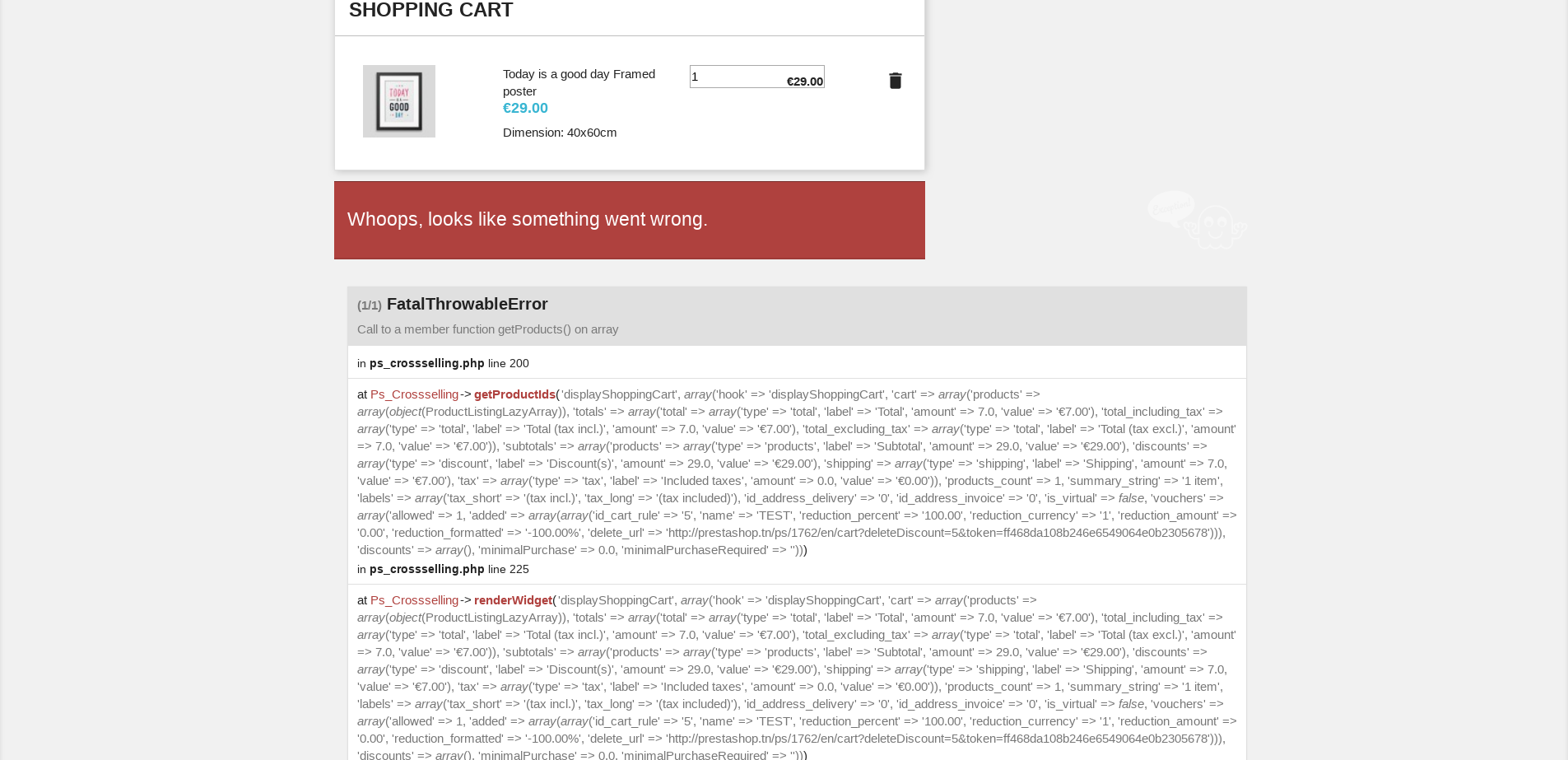
I think it a module issue.
Thanks!
 khouloudbelguith
on 18 Dec 2019
khouloudbelguith
on 18 Dec 2019
Hi,
We made a pull request for that : https://github.com/PrestaShop/ps_crossselling/pull/7
Best regards,
 Nukium
on 2 Mar 2020
Nukium
on 2 Mar 2020
Fixed by PrestaShop/ps_crossselling#7
 Progi1984
on 24 Mar 2020
Progi1984
on 24 Mar 2020
Related issues
 rGaillard
·
3Comments
rGaillard
·
3Comments
 nrcjea001
·
3Comments
nrcjea001
·
3Comments
 Prestaworks
·
3Comments
Prestaworks
·
3Comments
 zuk3975
·
3Comments
zuk3975
·
3Comments
 PrestaShark
·
3Comments
PrestaShark
·
3Comments
Most helpful comment
Hi,
We made a pull request for that : https://github.com/PrestaShop/ps_crossselling/pull/7
Best regards,