Preact: Github Actions deploy Preactjs project to Github Pages
It's a note about how to use Github Actions to deploy a preactjs website to Github pages (also installable(PWA))
- It's definitely NOT
preactjs's issue, but I can not find any good tutorial when I trying to do this. So I want to share my exp here, maybe can provide someone who are in need in the future. - The Problem is we deploy project to
Github Pagesnormally under aREPO_NAME, but not a domain, ex
- under
https://Useranme.github.io/repro_name/ - NOT under
https://Useranme.github.io/
- under
- So, I have to do some trick to make this work.
demo repo
- https://github.com/flameddd/preact-github-actions-to-github-pages
- github page: https://flameddd.github.io/preact-github-actions-to-github-pages/
about this note (demo)
"preact":"^10.0.1""preact-router":"^3.0.0"- use
masterbranch to triggerGithub Actions - use
package.lock.json
- If don't want to use
masterorpackage.lock.json-> step 4, 5, 6
- If don't want to use
steps to deploy
- add repo public/private keys: follows https://github.com/peaceiris/actions-gh-pages#%EF%B8%8F-create-ssh-deploy-key
- Go to
Deploy Keysand add your public key with theAllow write access - Go to
Secretsand add your private key asACTIONS_DEPLOY_KEY<--!!!
- Go to
- add
dot-json
npm i --save-dev dot-json
- add
package.jsonscript:"build:gh": "GITHUB_PAGES=REPO_NAME preact build && dot-json ./build/manifest.json start_url \"/REPO_NAME/\""
- replace
2 REPO_NAMEwith your repo name !!!
- replace
- update
.gitignore, removepackage-lock.json - add
.githubfolder
- add
workflowsfolder under.githubfolder
- add
gh-pages.ymlfile underworkflowsfolder - so, it would be
.github/workflows/gh-pages.yml
- add
- add
- edit
gh-pages.yml
name: github pages

on:
  push:
    branches:
    - master

jobs:
  build-deploy:
    runs-on: ubuntu-18.04
    steps:
    - uses: actions/checkout@v1

    - name: Setup Node
      uses: actions/setup-node@v1
      with:
        node-version: '10.x'

    - name: Cache dependencies
      uses: actions/cache@v1
      with:
        path: ~/.npm
        key: ${{ runner.os }}-node-${{ hashFiles('**/package-lock.json') }}
        restore-keys: |
          ${{ runner.os }}-node-
    - run: npm ci

    - run: npm run build:gh

    - name: Deploy
      uses: peaceiris/actions-gh-pages@v2
      env:
        ACTIONS_DEPLOY_KEY: ${{ secrets.ACTIONS_DEPLOY_KEY }}
        PUBLISH_BRANCH: gh-pages
        PUBLISH_DIR: ./build
- eidt
src/manifest.json, update icons src from/assets/...to./assets/...
  "icons": [
    {
      "src": "./assets/icons/android-chrome-192x192.png",
      "type": "image/png",
      "sizes": "192x192"
    },
    {
      "src": "./assets/icons/android-chrome-512x512.png",
      "type": "image/png",
      "sizes": "512x512"
    }
  ]
- create
preact.config.jsfile
export default {
  webpack(config, env, helpers, options) {

    const publicPath = process.env.GITHUB_PAGES
      ? `/${process.env.GITHUB_PAGES}/`
      : '/';
    const ghEnv = process.env.GITHUB_PAGES
      && JSON.stringify(`${process.env.GITHUB_PAGES}`);

    config.output.publicPath = publicPath;
    const { plugin } = helpers.getPluginsByName(config, 'DefinePlugin')[0];
    Object.assign(
      plugin.definitions,
      { ['process.env.GITHUB_PAGES']: ghEnv }
    );

  },
};
- add
/src/baseroute.jsfile
let basename = '';

if (process.env.GITHUB_PAGES) {
  basename = `/${process.env.GITHUB_PAGES}`;
}

export default basename;
- edit
src/components/app.js. import andadd baseroute to path
// import Header from './header';
import baseroute from '../baseroute'; // <-- make sure path correctly

//...
    //<Router onChange={this.handleRoute}>
      <Home path={`${baseroute}/`} />  // <-----
      <Profile path={`${baseroute}/profile/`} user="me" />  // <-----
      <Profile path={`${baseroute}/profile/:user`} />  // <-----
    //</Router>
// ...
- edit
src/components/header/index.jsimport andadd baseroute to href
import baseroute from '../../baseroute'; // <-- make sure path correctly

//....
  // <nav>
    <Link activeClassName={style.active} href={`${baseroute}/`}>Home</Link>
    <Link activeClassName={style.active} href={`${baseroute}/profile`}>Me</Link>
    <Link activeClassName={style.active} href={`${baseroute}/profile/john`}>John</Link>
  // </nav>
//....
- push to
masterbranch, and waitGithub Actionsdone - go to repo's
settings,GitHub Pagessections and switchSourcetogh-pagesbranch.
- I switch it manually, but I also had exp this setting switch automatically
- as My exp, it may need wait 1 ~ 3 min github page update
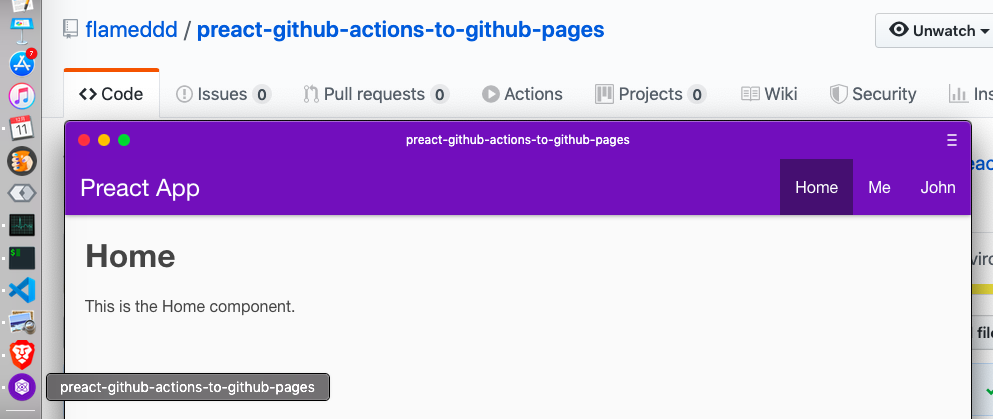
screenshot
P.S.
I'm not exactly know this post is appropriate or NOT? Cuz this post is NOT a issue
- so feel free to CLOSE this issue WITHOUT reason at any time.
thanks for All preact Team and All Contributors.
tutorial
 flameddd
👍3
>All comments
That's awesome! It will probably get more views, when you publish it as a blog post or something similar, because there is only a minor portion of Preact users, that is active in our issue tracker :)
Nonetheless, thanks a bunch for the detailed writeup :+1:
 marvinhagemeister
on 13 Dec 2019
marvinhagemeister
on 13 Dec 2019
👍4
Was this page helpful?
0 / 5 - 0 ratings
Related issues
 Zashy
·
3Comments
Zashy
·
3Comments
 paulkatich
·
3Comments
paulkatich
·
3Comments
 simonjoom
·
3Comments
simonjoom
·
3Comments
 marcosguti
·
3Comments
marcosguti
·
3Comments
 jasongerbes
·
3Comments
jasongerbes
·
3Comments
Most helpful comment
That's awesome! It will probably get more views, when you publish it as a blog post or something similar, because there is only a minor portion of Preact users, that is active in our issue tracker :)
Nonetheless, thanks a bunch for the detailed writeup :+1: