Preact: Performance effect of large images on preact bundle
Not an “issue”, but rather a learning question on my part. Hopefully it can help others understand preact better, too. Using [email protected] ☺️
Chrome Lighthouse
In my development process, I periodically check Chrome’s Lighthouse performance metric (using 4x simulated slowdown) during preact watch.
Adding large images
After one commit, I added 4 large images of about 835 KB total (will make them smaller later). I noticed that the presence of these four images had a direct effect on the size of the bundle.esm.js file (2,708 KB 😳), and of course the performance metric completely tanked.
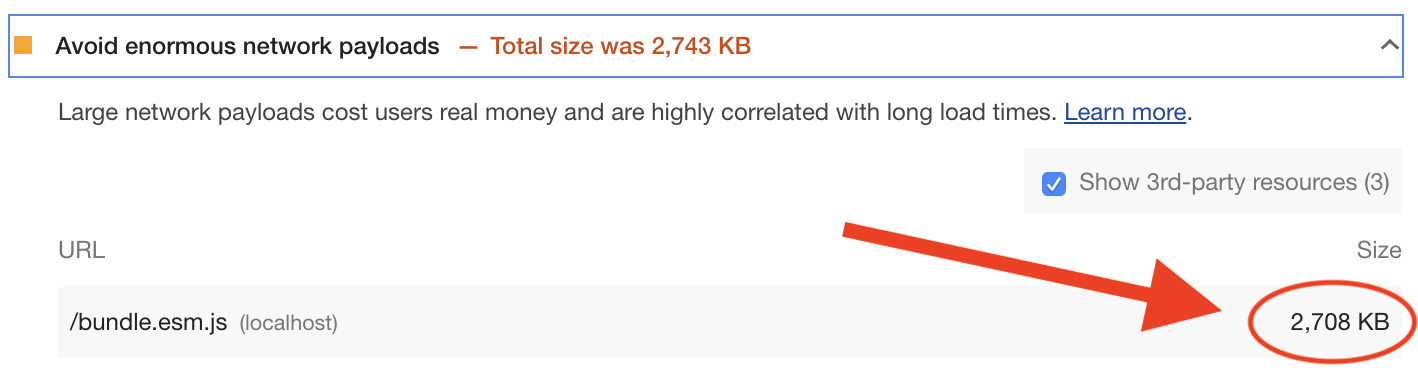
But once I deleted these four images and manually removed the background-image: url(...) references to them in the css files, the bundle.esm.js file decreased in size (to about 851KB) and performance was back to where it was before.
Performance only affected during development, not production
However, once I build and deploy to the web, and do a Lighthouse performance check directly on the website — using these images — these performance issues completely disappear (98 🥇 ) and the script size is reduced to 95 KB.
Questions
- Should we therefore not do performance testing using
preact watch? - What explains the massive increase in the JavaScript file when images have been added separately as assets, and how come the JavaScript file increases by a proportion larger than even the size of the images?
Perhaps it’s a superfluous question — just trying to better understand how preact works.
 heymartinadams
All 2 comments
That's the way webpack works. The preact-cli is basically nothing more than an opinionated wrapper around it.
Internally it does only understand .js files so every file that's imported will be inlined and made available as a js export. Webpack 5.x is supposed to natively support other asset types once it's out.
To save time during development and to make incremental builds faster, webpack skips the extraction step and many other optimizations like code minification. Especially the later is very expensive computation wise and takes up the majority of build time. These are steps that are only applied when building your app for production.
So yeah there isn't much point in running lighthouse on a Dev build as it won't reflect the final numbers at all.
 marvinhagemeister
on 26 Aug 2019
marvinhagemeister
on 26 Aug 2019
Awesome, thanks for explaining, @marvinhagemeister ✨ Makes sense.
heymartinadams
on 26 Aug 2019
Related issues
 kossnocorp
·
3Comments
kossnocorp
·
3Comments
 Zashy
·
3Comments
Zashy
·
3Comments
 matthewmueller
·
3Comments
matthewmueller
·
3Comments
 youngwind
·
3Comments
youngwind
·
3Comments
 simonjoom
·
3Comments
simonjoom
·
3Comments
Most helpful comment
That's the way
webpackworks. Thepreact-cliis basically nothing more than an opinionated wrapper around it.Internally it does only understand
.jsfiles so every file that's imported will be inlined and made available as ajsexport. Webpack 5.x is supposed to natively support other asset types once it's out.To save time during development and to make incremental builds faster,
webpackskips the extraction step and many other optimizations like code minification. Especially the later is very expensive computation wise and takes up the majority of build time. These are steps that are only applied when building your app for production.So yeah there isn't much point in running lighthouse on a Dev build as it won't reflect the final numbers at all.