Ppsspp: [Suggestion][Solved to Latin Font issue] I will try make Font File. [ltn8~15.pgf]
What happens?
I will try make ltn8~15.pgf.
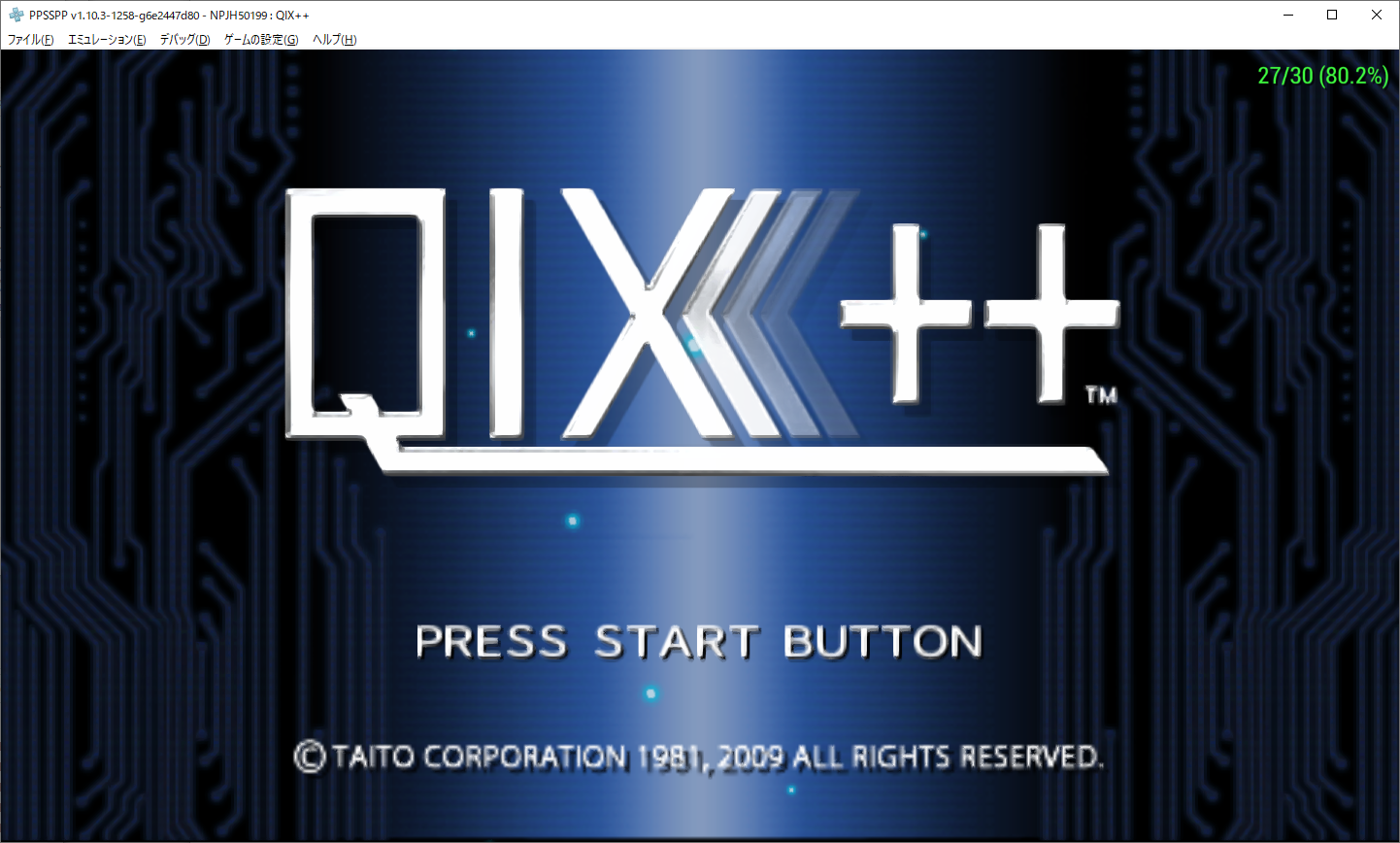
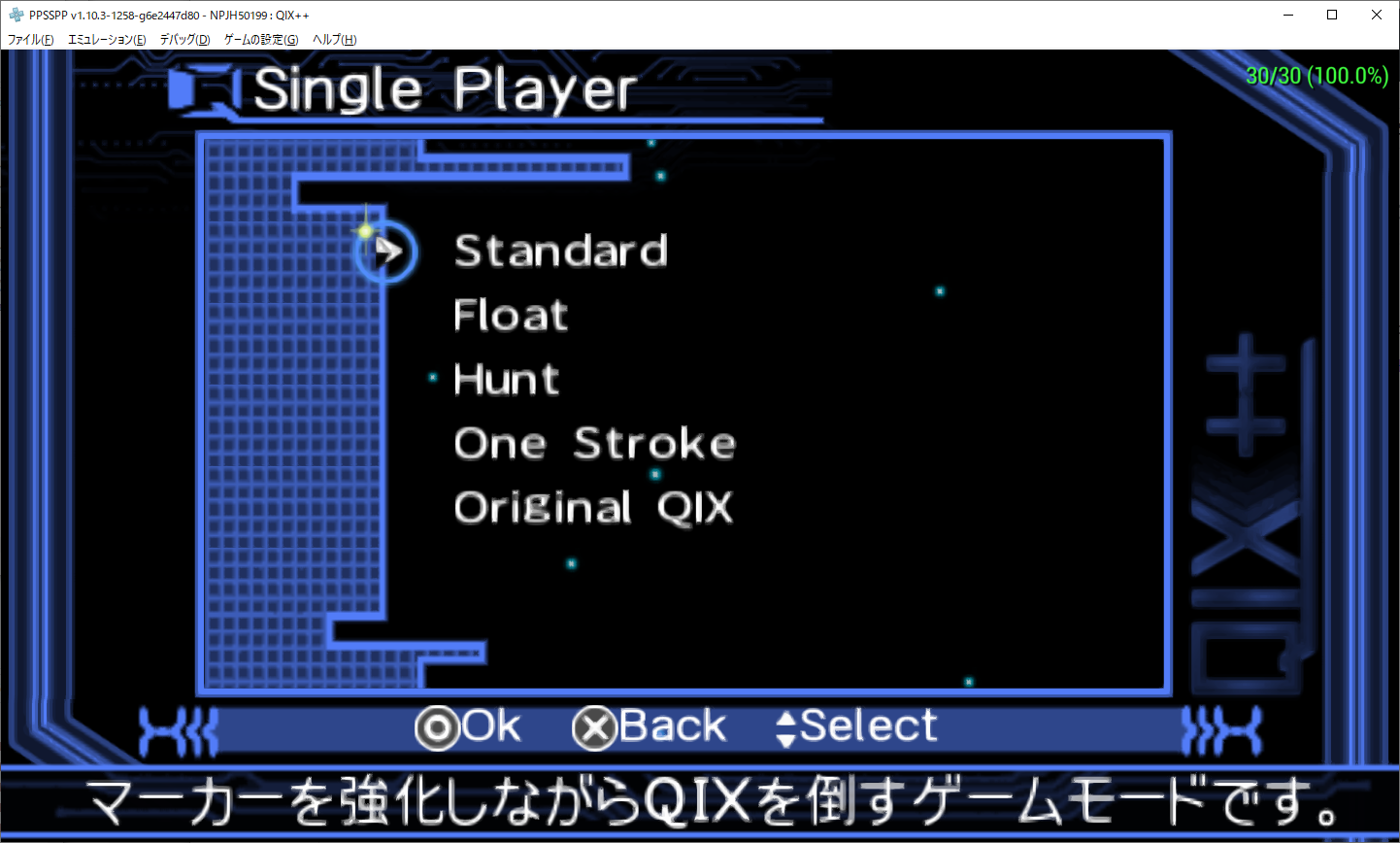
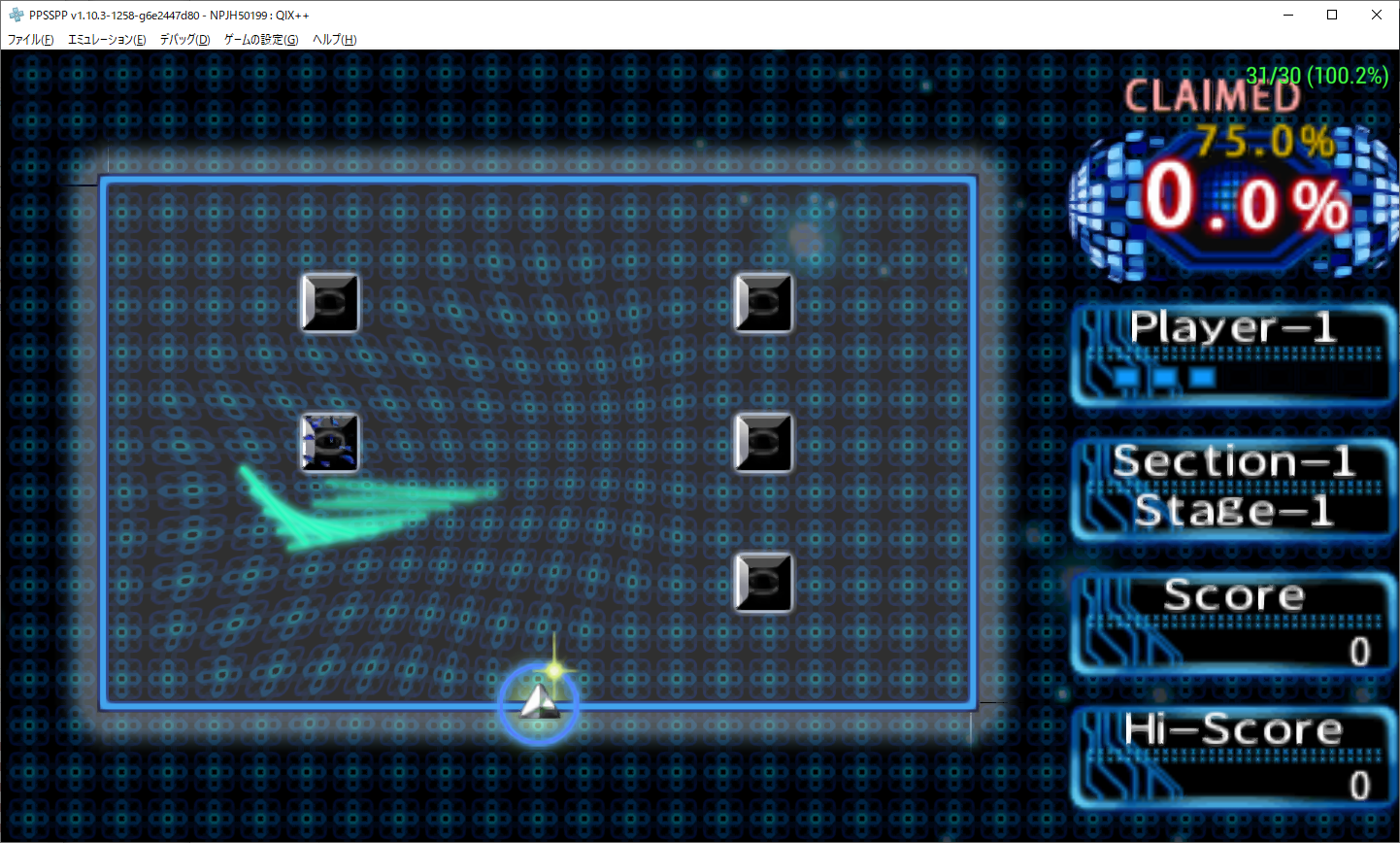
- [ltn8.pgf] Qix++ will OK.
- [ltn12.pgf] Lunar has a line spaces problem.
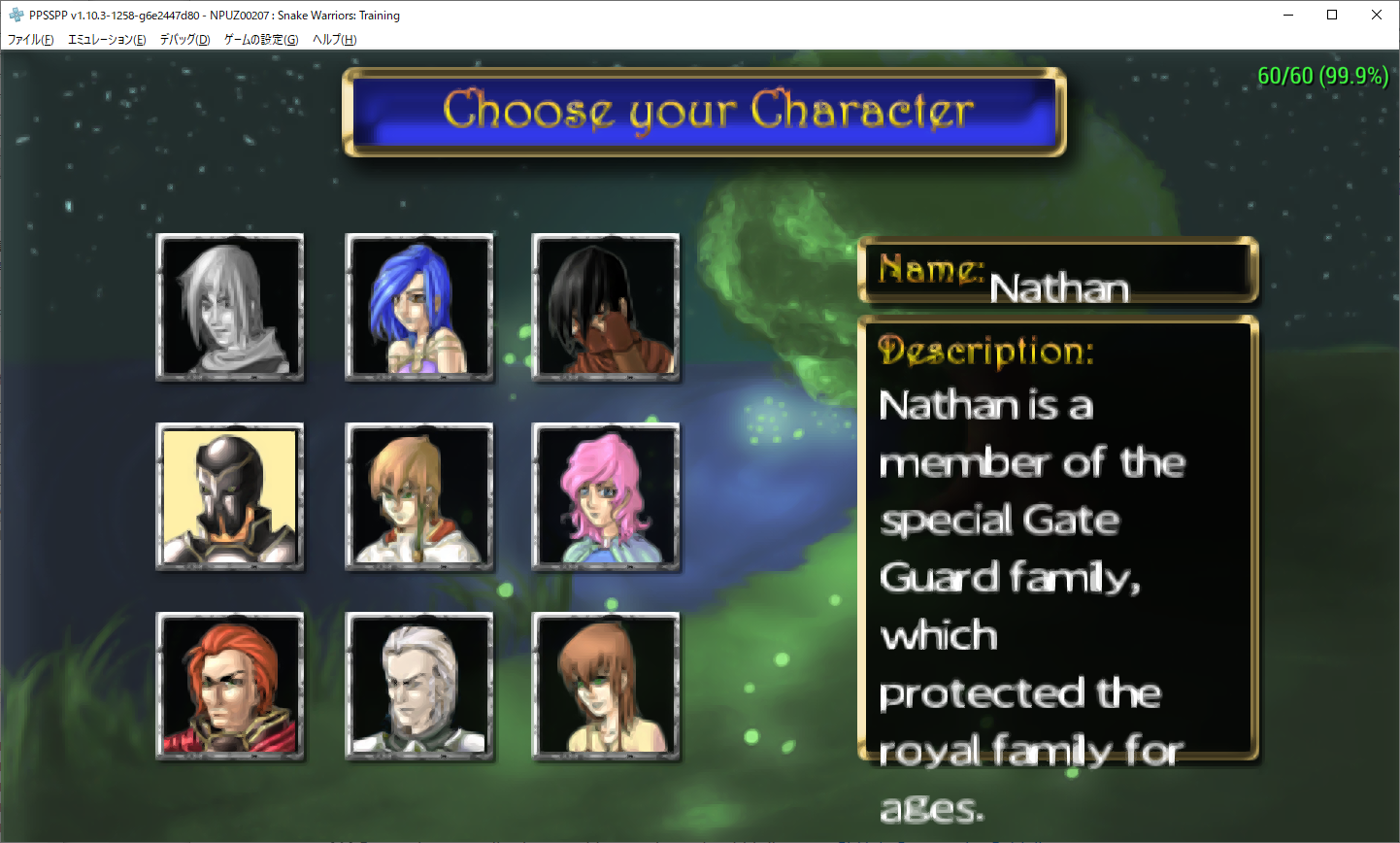
- [ltn9/11/13/15?] SnakeWarriors Training has position & line spaces problem.
I have many problem yet.
Most important problem is "Line Spaces".
I tested changing "Win Ascent & Win Descent" on TTF.
But, I can't getting good result.
If anyone have a informations or advices.
Please, Give me the hints!!
[QIX++ (ltn8.pgf)]



[Lunar] (Real PSP ltn12.pgf)


[Lunar] ("Maked ltn8.pgf" rename to ltn12.pgf)


I think "Warning screen" will looks good size.
But,The line spaces to large that In game conversation window.
[SnakeWarriors] (test by maked ltn8.pgf "sans-serif".)
 nassau-tk
All 39 comments
https://drive.google.com/file/d/1gbaAyve4lH9-pWMb1jELlRYLgVB6HFvN/view?usp=sharing
"Glyph Width & Glyph Hight Size Tuned ltn8.pgf"
But,Ascender is couldn't fix.
I asked for @tpunix that how to make "small latin pgf".
@tpunix said below.
you can change ascender/decsender value and test again.
the offset in pgf file:
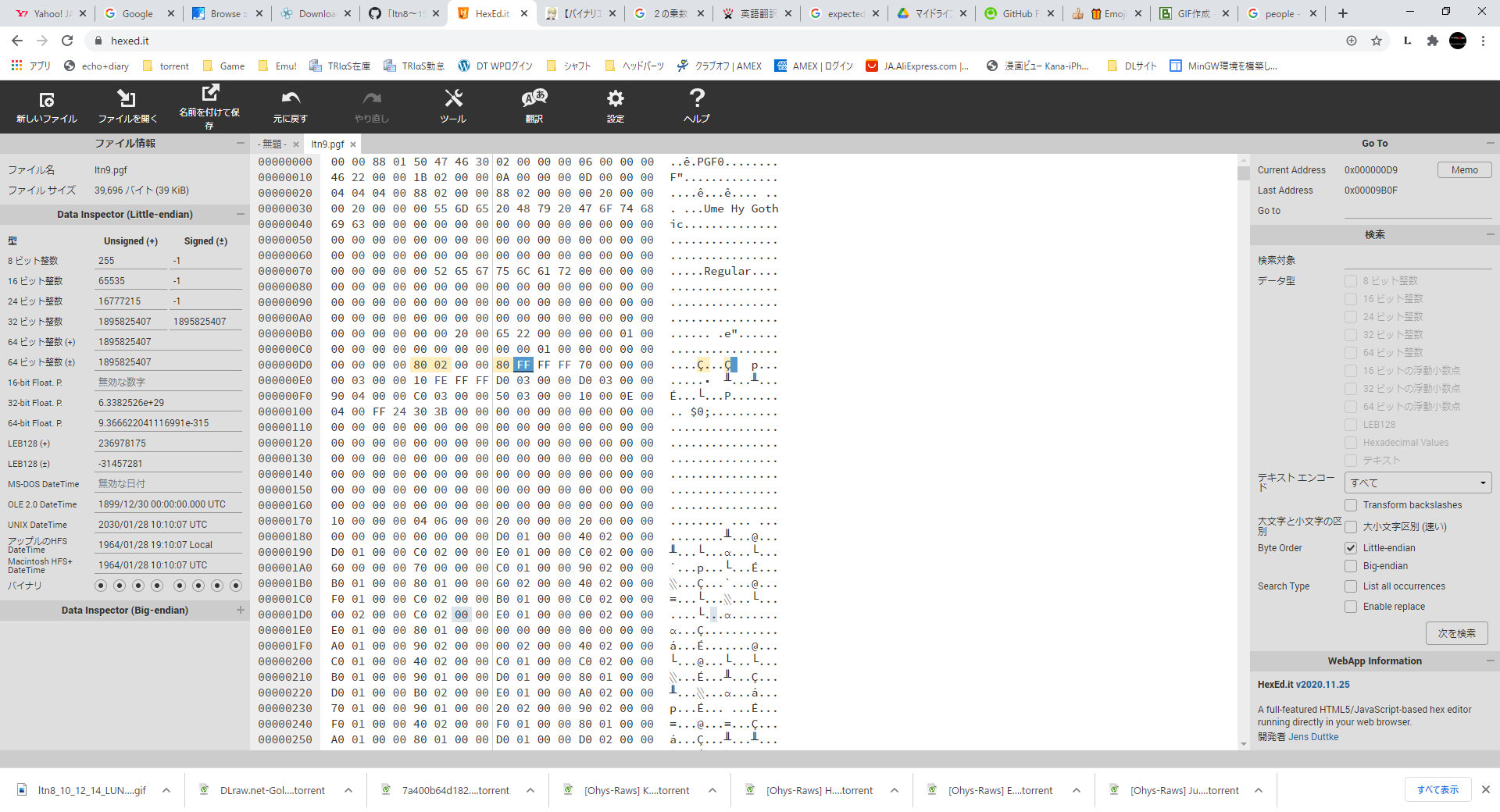
0xd4: ascender
0xd8: descender
this value are in fixed 26.6 format.
Use a hexedit tool. Modify the generated pgf file.
I don't have a information of about Hexedit tool (equal to binary Editor?).
So, I was checked by myself, but it wasn't imagined at all. (By google.)
Please, Someone teach me....How to fixed PGF's Ascender & Descender by "binary editor".
[I want change Ascender "15.828125" to "9.000000"]
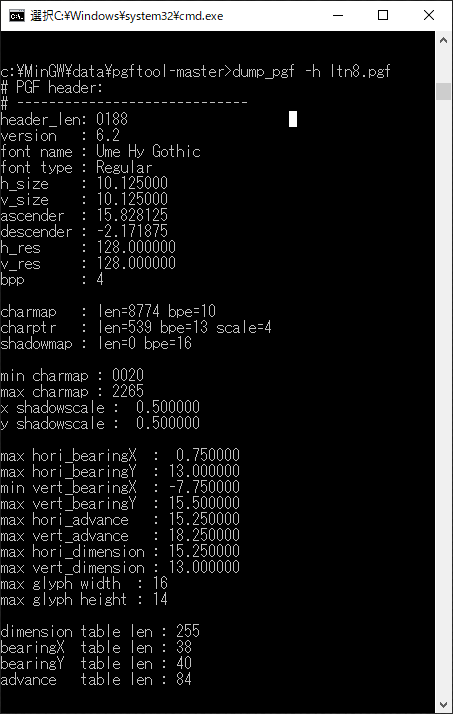
nassau-tk
on 27 Nov 2020
online hex editor
https://hexed.it/
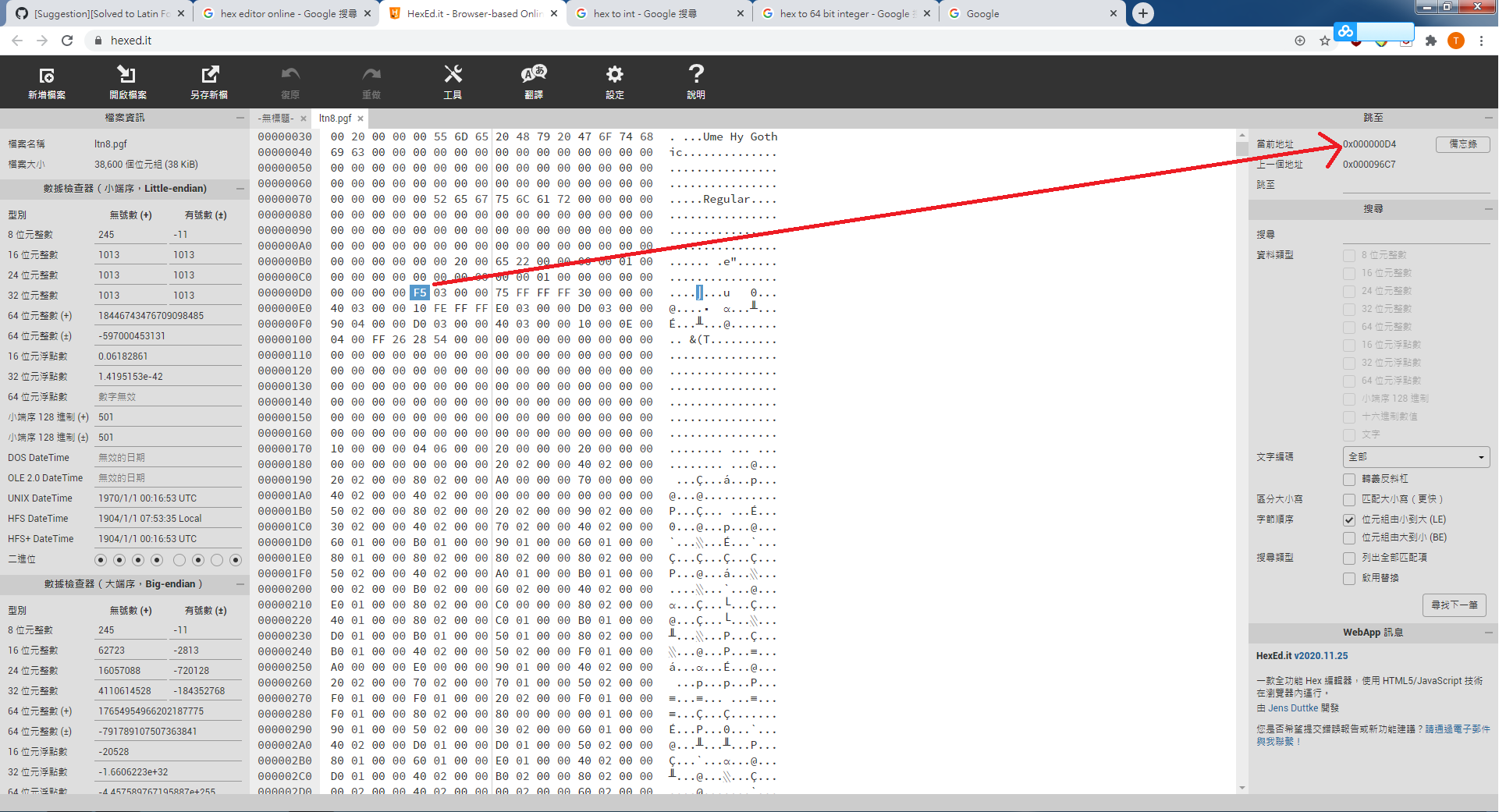
But 15.828125 don't find in 0xd4 's position
 sum2012
on 27 Nov 2020
sum2012
on 27 Nov 2020
Is it right?!
I couldn't find too.
I was convinced.
Um...
nassau-tk
on 28 Nov 2020
BUT!!
I try chnaged the value then!!!
Wao!!
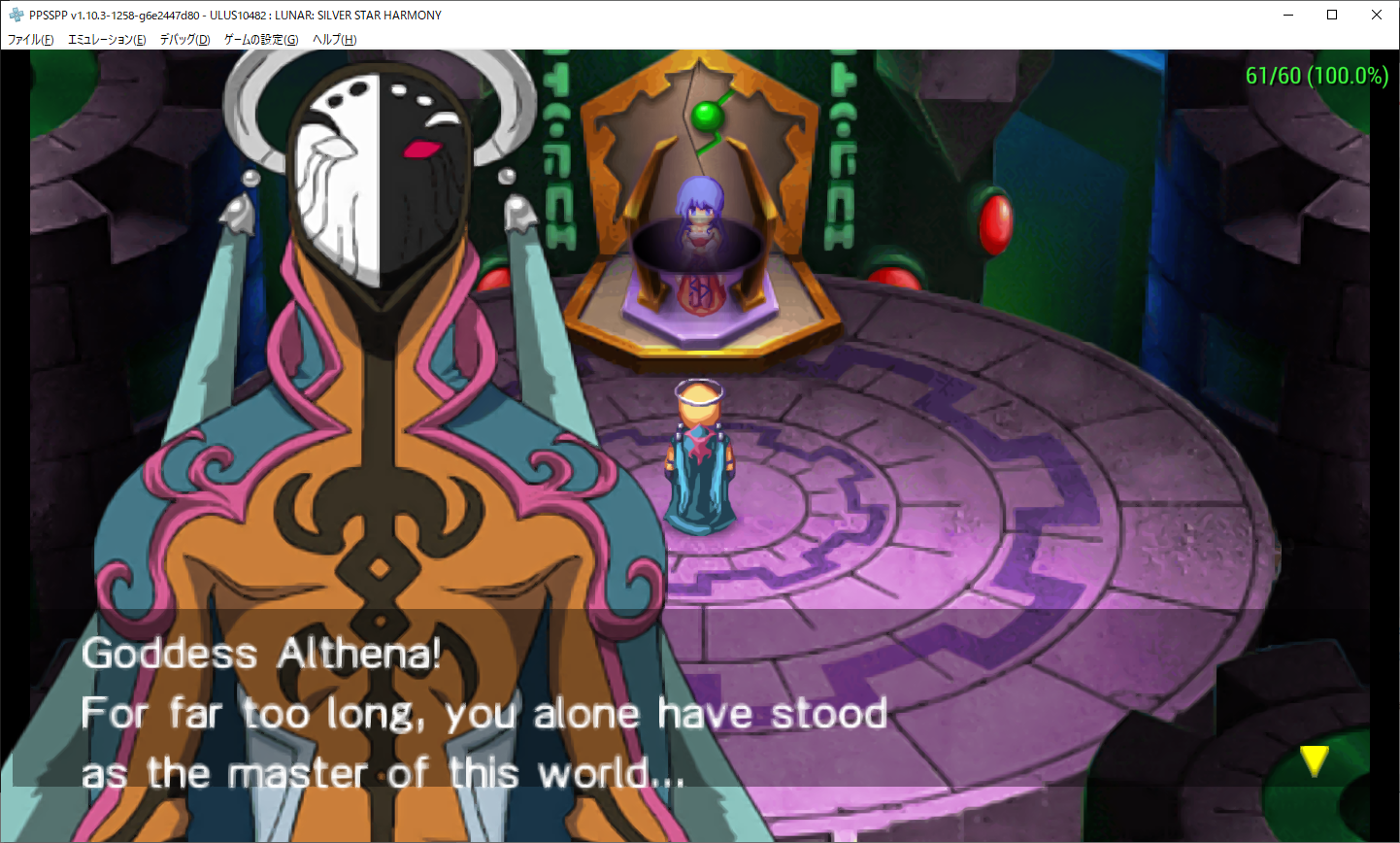
nassau-tk
on 28 Nov 2020
It looks good?
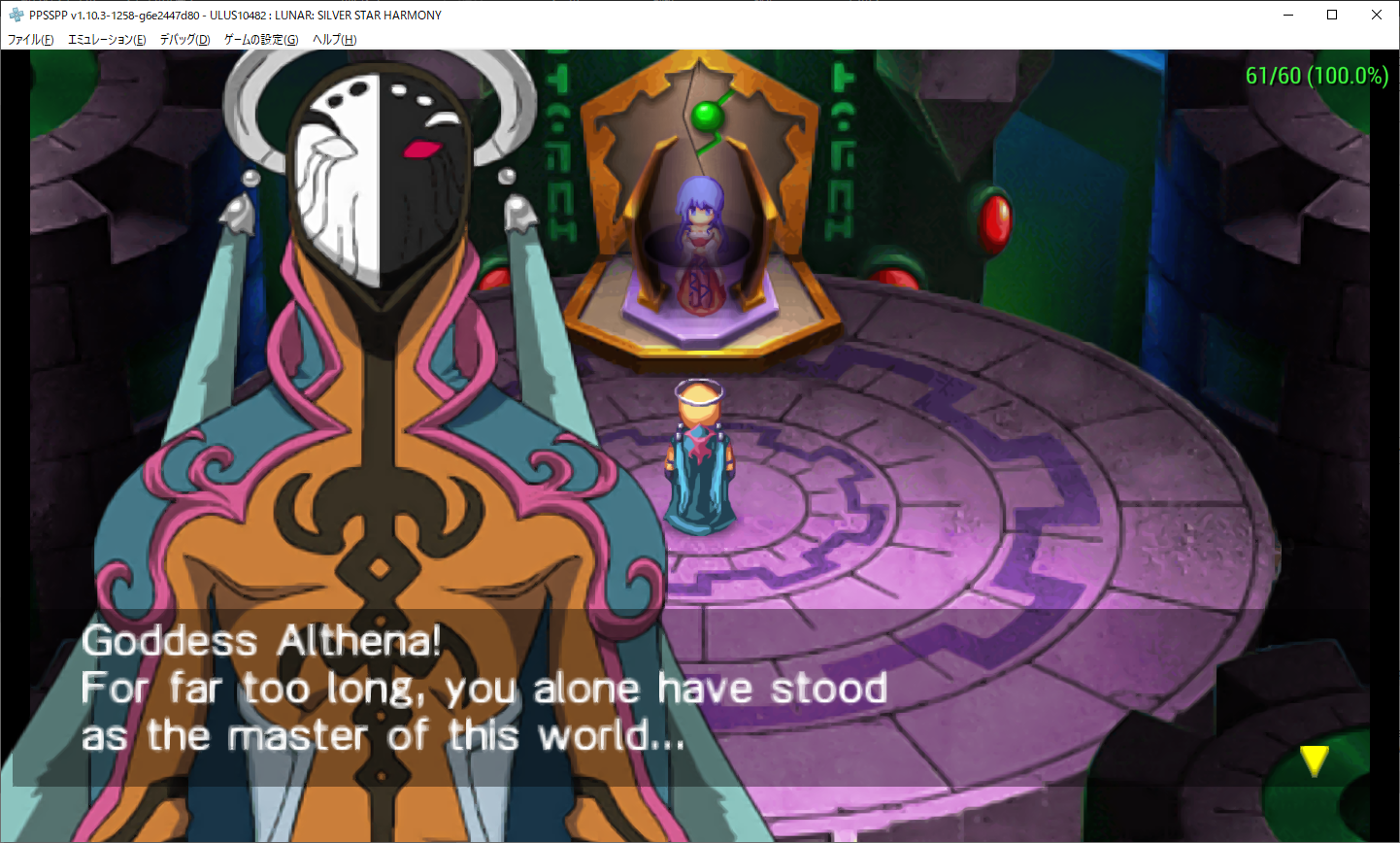
nassau-tk
on 28 Nov 2020
https://drive.google.com/drive/folders/1CsuEHVQoJjtrsgnYLUgM2rpAEr4vsZNx?usp=sharing
OK!!
I will finished making for ltn8.pgf/ltn10.pgf/ltn12.pgf/ltn14.pgf.
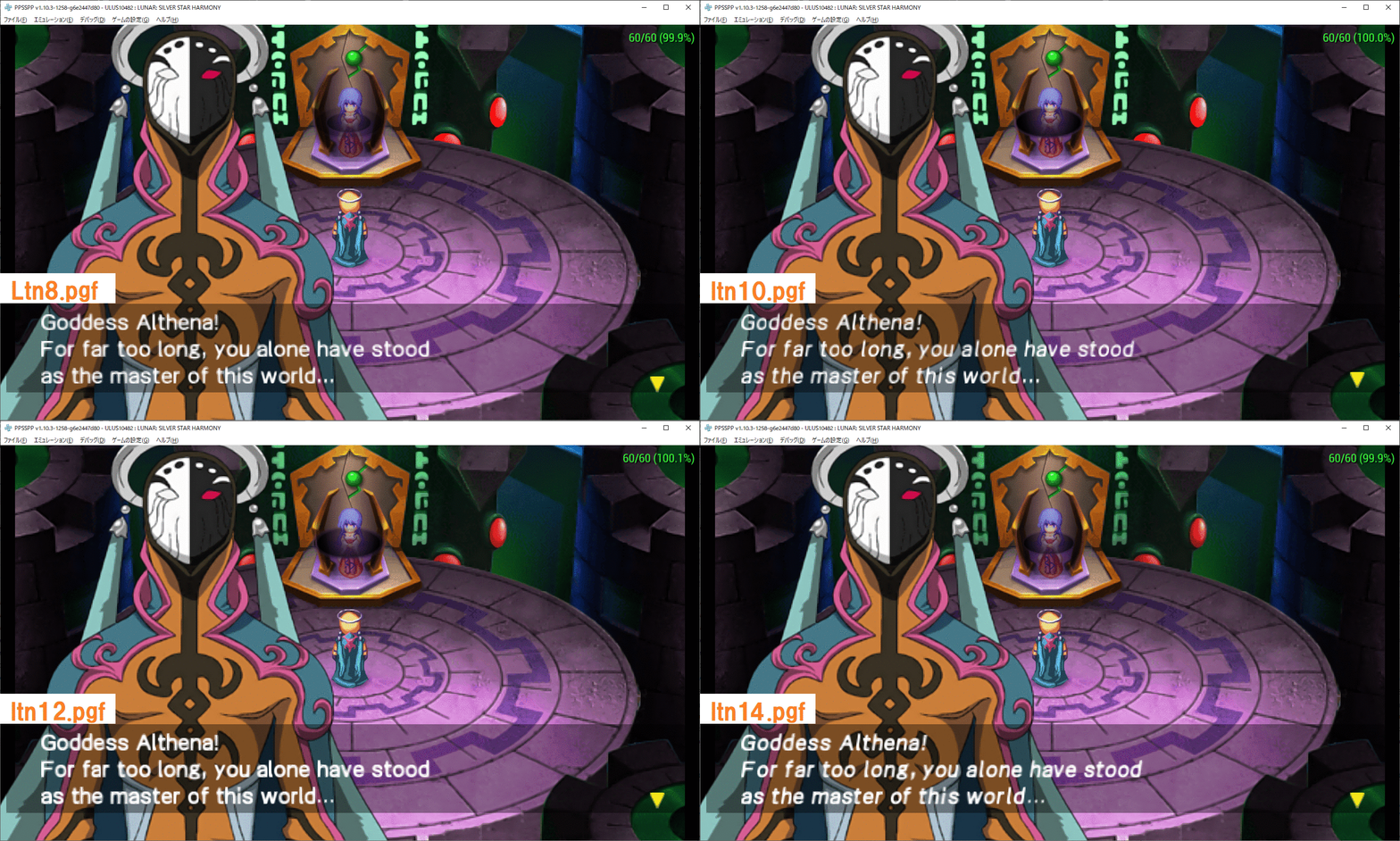
Next!! Making for ltn9/11/13/15.pgf.
nassau-tk
on 28 Nov 2020
Awesome :)
 hrydgard
on 28 Nov 2020
hrydgard
on 28 Nov 2020
Note: This Address & This value
Ascender : 10.000000 / Descender :-2.000000
Real is 9.00000 & -2.000000
nassau-tk
on 28 Nov 2020
@hrydgard
@sum2012
and all.
OK!!
I will finished making for ltn9.pgf/ltn11.pgf/ltn13.pgf/ltn15.pgf.
https://drive.google.com/drive/folders/1CsuEHVQoJjtrsgnYLUgM2rpAEr4vsZNx?usp=sharing
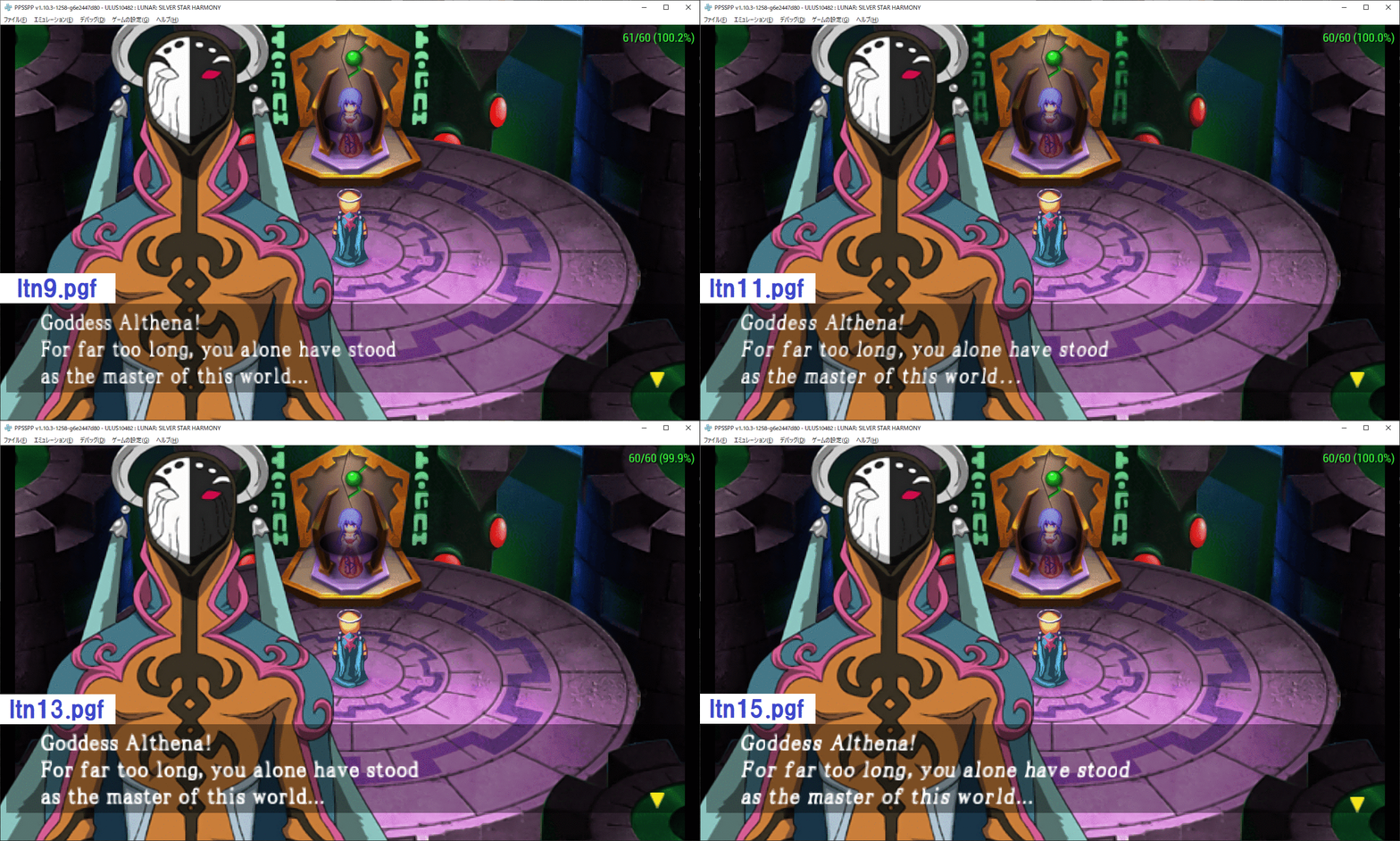
But,These are not "perfectly work".
Because, "line spaces" are not correctly on some games yet.
[Real PSP ltn9.pgf]

[My Created ltn9.pgf]
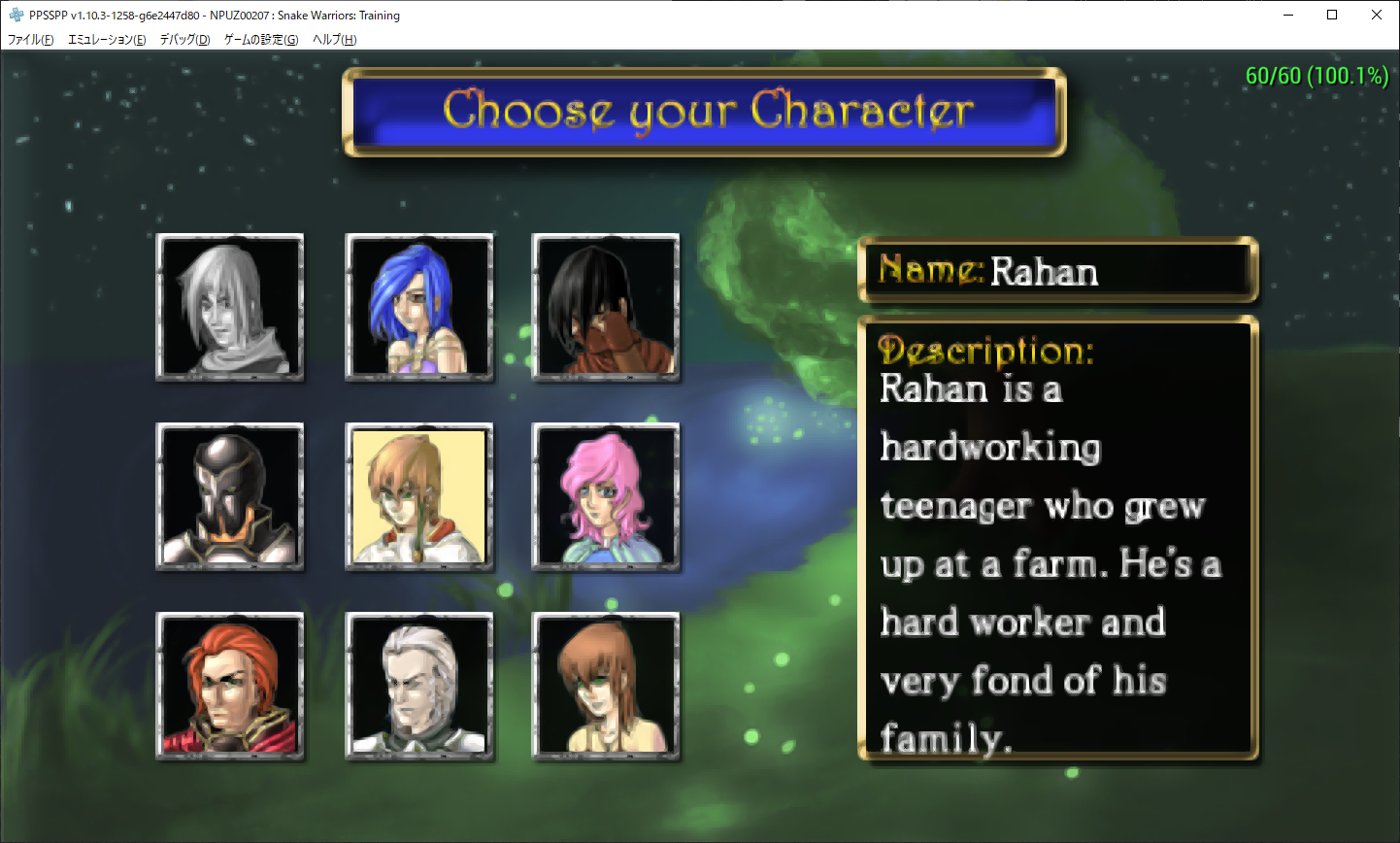
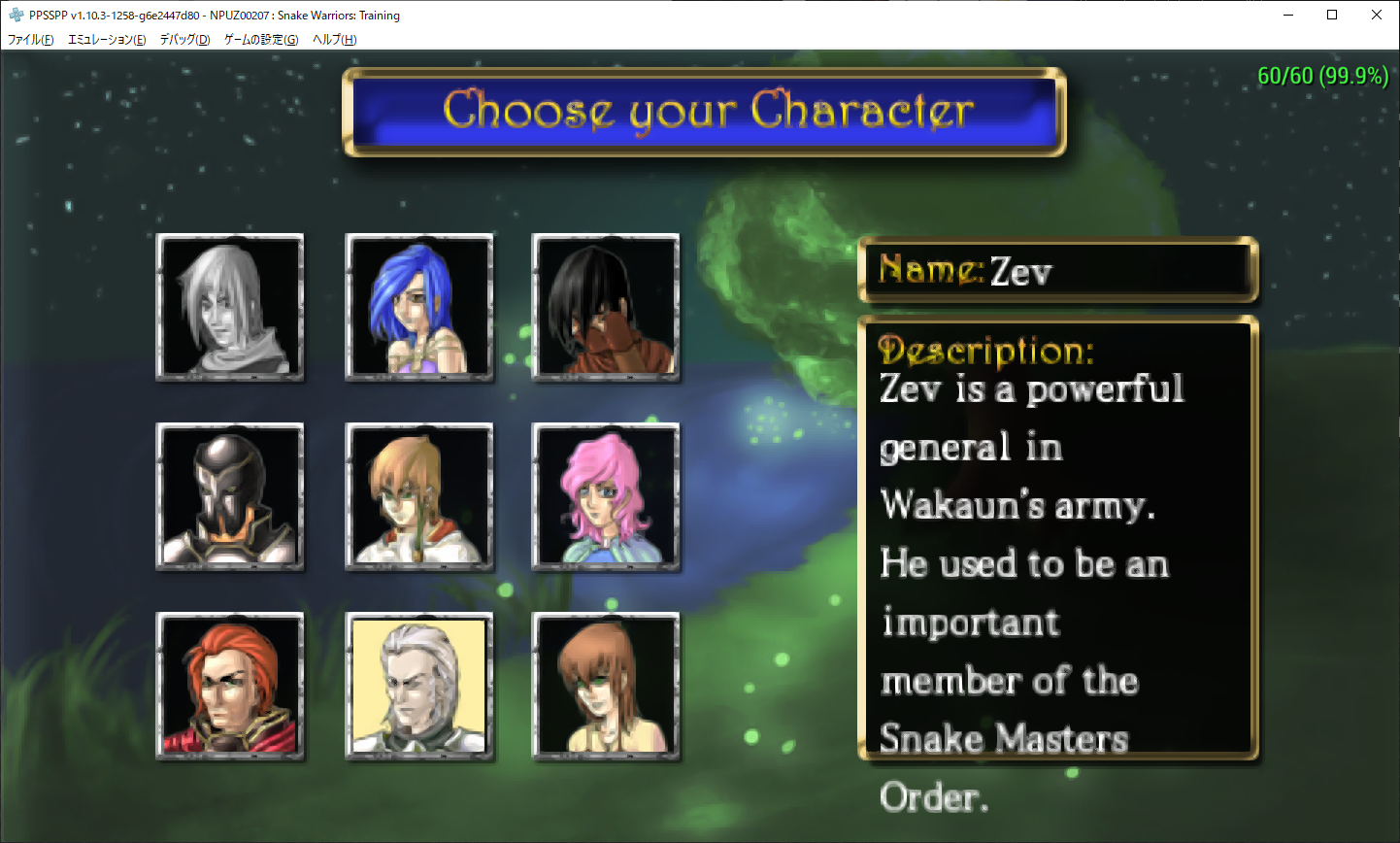
But sentences can be read now by many games.
It will become to working like a QiX++.
I think it becomes quite better than the current state now.
How do you think about this?
I think about this.
"OK! Let's make Pull Request!"
(But, If I find a solved line spaces problem then let's Remake PL soon.)
nassau-tk
on 28 Nov 2020
@nassau-tk can you ask again @tpunix that where is the address of the "line spaces" of the font ?
sum2012
on 28 Nov 2020
Yeeees,Of course. I 'm already ask to @tpunix about it.:wink:
https://github.com/tpunix/pgftool/issues/3
Ascender & Descender is Already Fixed.
So,maybe other problem is hide in my PGF.
nassau-tk
on 28 Nov 2020
:My Note:
[1st Step]
Convert to PGF from TTF by pgftool.
And check the pgf files by dump_pgf(-h option).
Important value is below.
max glyph width 16
max glyph hight 14
If not match the value then resize TTF and reconvert.
Do Try and Error.
[2nd Step]
ltn8.pgf to ltn15.pgf (Small Latin).
It must need change value by binary editor(hexeditor).
Change to below wrote value on the address.
The purpose is changing value for "Ascender & Descender".
Target value of Ascender is "9.000000"~"10.000000".
Target value of Descender is "-2.000000".
if fixed&saved the pgf files.
Re check by dump_pgf by pgftool.
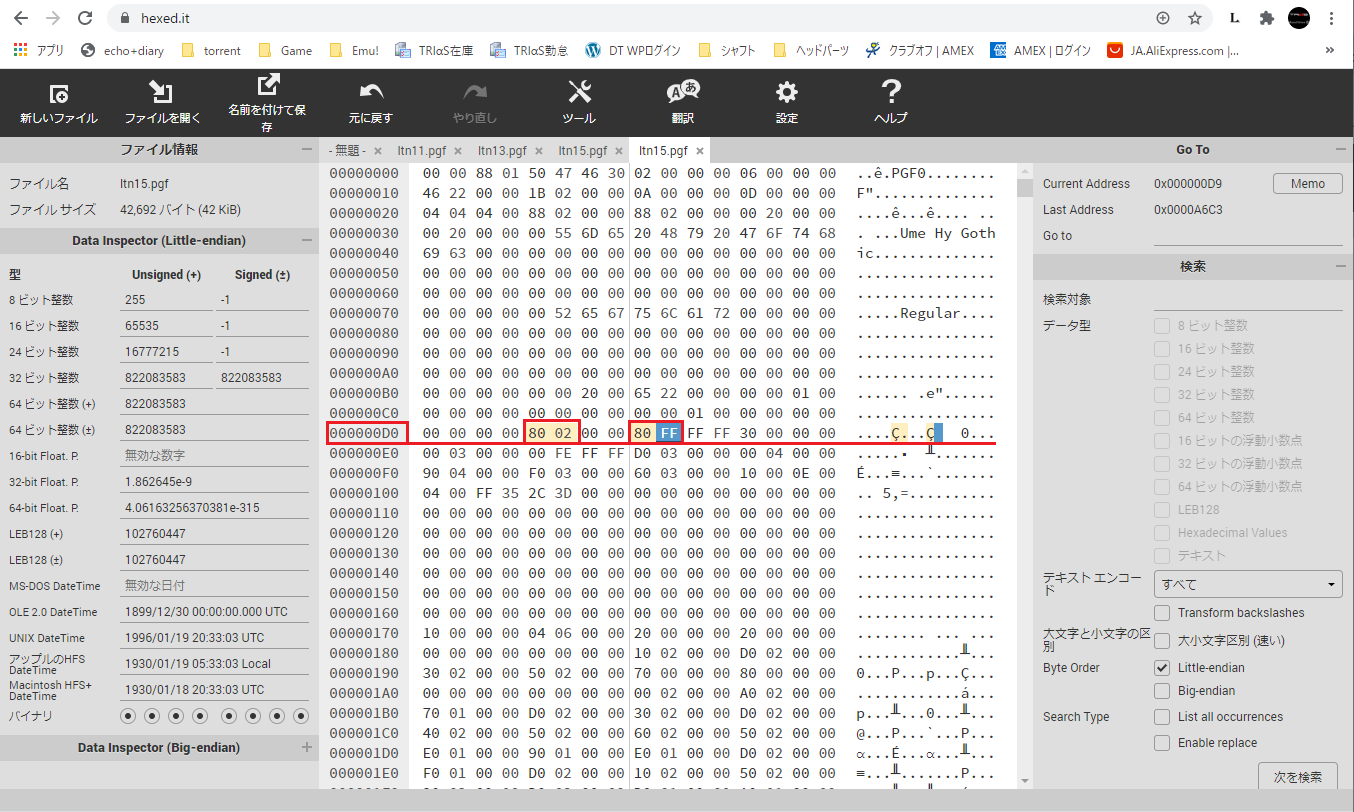
[Japanese memo]
ltn8~15.pgfはpgfファイルをpgftool(C言語)で作成後
バイナリエディターで開き上記のアドレスを
上記の数値に変更することにより、PGFフォントの
Ascenderを10.000000
Descenderを-2.000000
に修正できる。
※オリジナルPGFはAscenderが9.000000なので
それに合わせる場合は 80 02 ==> 40 02 に変える。
これは使用しているTTFの形状や、形状の編集により変更する。
この変更を行わないと行間が縮まらない。
LUNAR(ltn12使用)などのゲームで表示が正しく行われない。
QIX++(ltn8使用)は改行がないので問題なく表示される。
上記を行ってもSnake Warriorsでは行間が広いままで修正されない。
h_size v_size の問題なのか?調査中。(2020/11/28)
nassau-tk
on 28 Nov 2020
This will be solved the few part of #2788 .
nassau-tk
on 28 Nov 2020
@tpunix gave me advice.
try "max glyph height"? offset is 0xfe.
I tried it.
But, It's not good result.(No change any.)
nassau-tk
on 28 Nov 2020
Ok.
It was merged.
But, this one not close yet.
nassau-tk
on 29 Nov 2020
@hrydgard
By the way.
Please tell me about below.
PPSSPP for Windows is overwrite font files every install timing.
So,PPSSPP Font files will update allways automatically.
But,PPSSPP for Android is not overwrite it?
Is it Right?
nassau-tk
on 29 Nov 2020
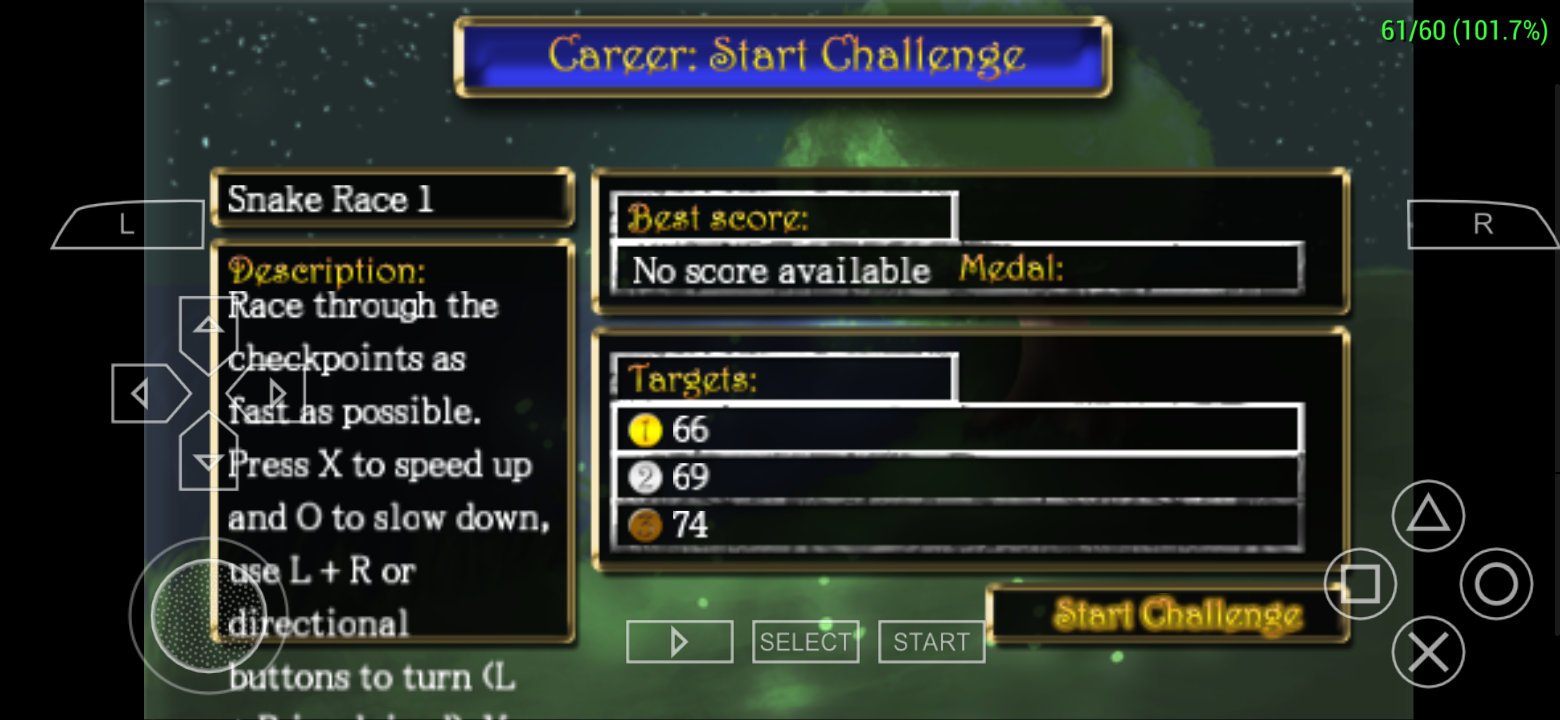
@nassau-tk how about this for Snake Warriors: Training?
v1.10.3-1268-gb5e230077 font:
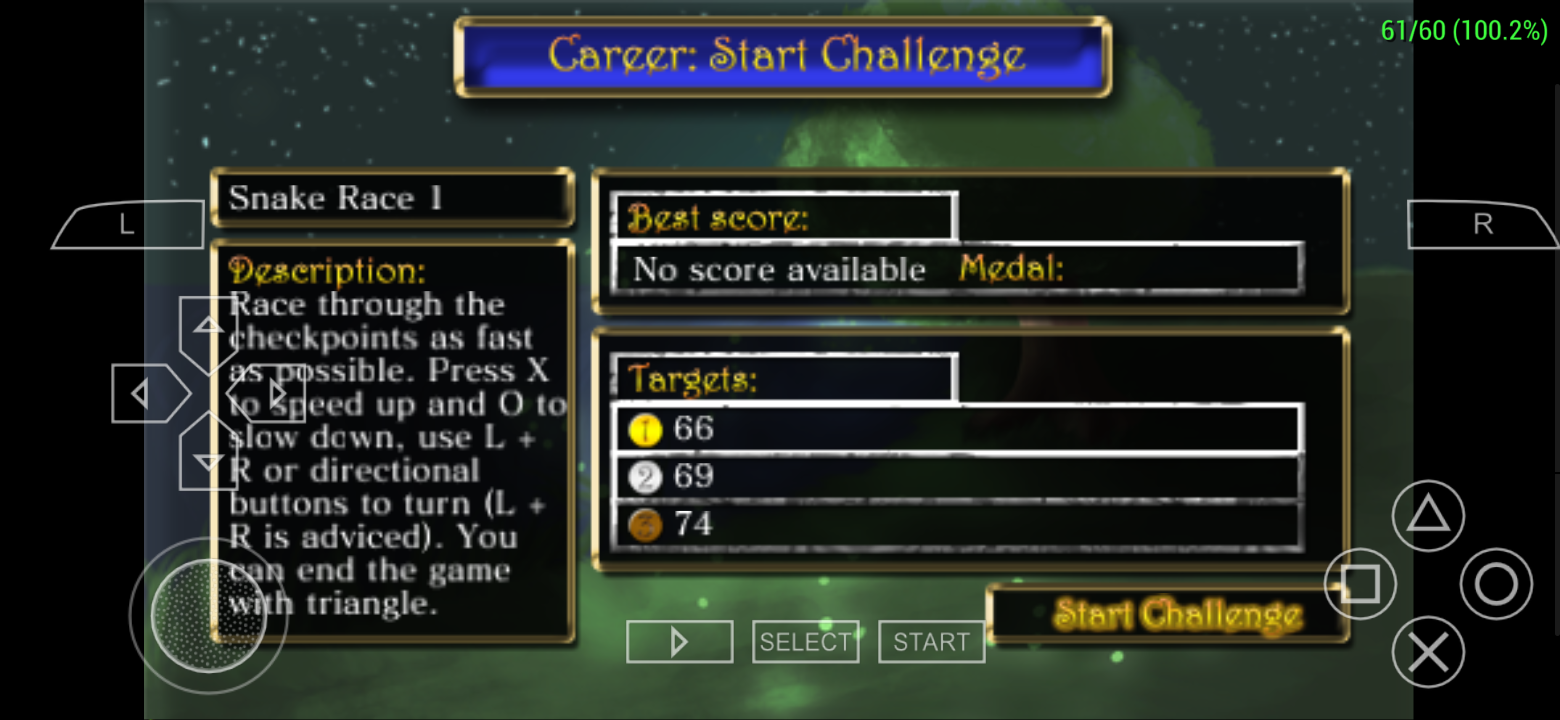
Real PSP font:
 Panderner
on 29 Nov 2020
Panderner
on 29 Nov 2020
@Panderner
Yes,I said above that "It has a problem yet".
It is your asked one.
But,We merged it.
Because,It has many merit even if there is problem.
Modify is continued.
nassau-tk
on 29 Nov 2020
@nassau-tk On Android, the PPSSPP font files are hardwired into the APK. they will be updated when a new APK is installed. However! You can also make a /flash0 folder on your device and put font files there. Actually, looking at the code I'm not sure that still works... Hm
hrydgard
on 30 Nov 2020
Oh...I don't knew that system!
OK!! I understood it.
Thank you.
Note : I was creating flash0.So,I couldn't feel font update on Android.:sweat_smile:
nassau-tk
on 30 Nov 2020
From #11796
[List up]
There are still problem.
"Line Spaces & Character Width "
- Snake Warriors Training (ltn9)
- Eragon (jpn0)
- Fieldrunners (ltn8)
- Dragon Ball Z : Shin Budokai (jpn0 little w left margin?)
nassau-tk
on 2 Dec 2020
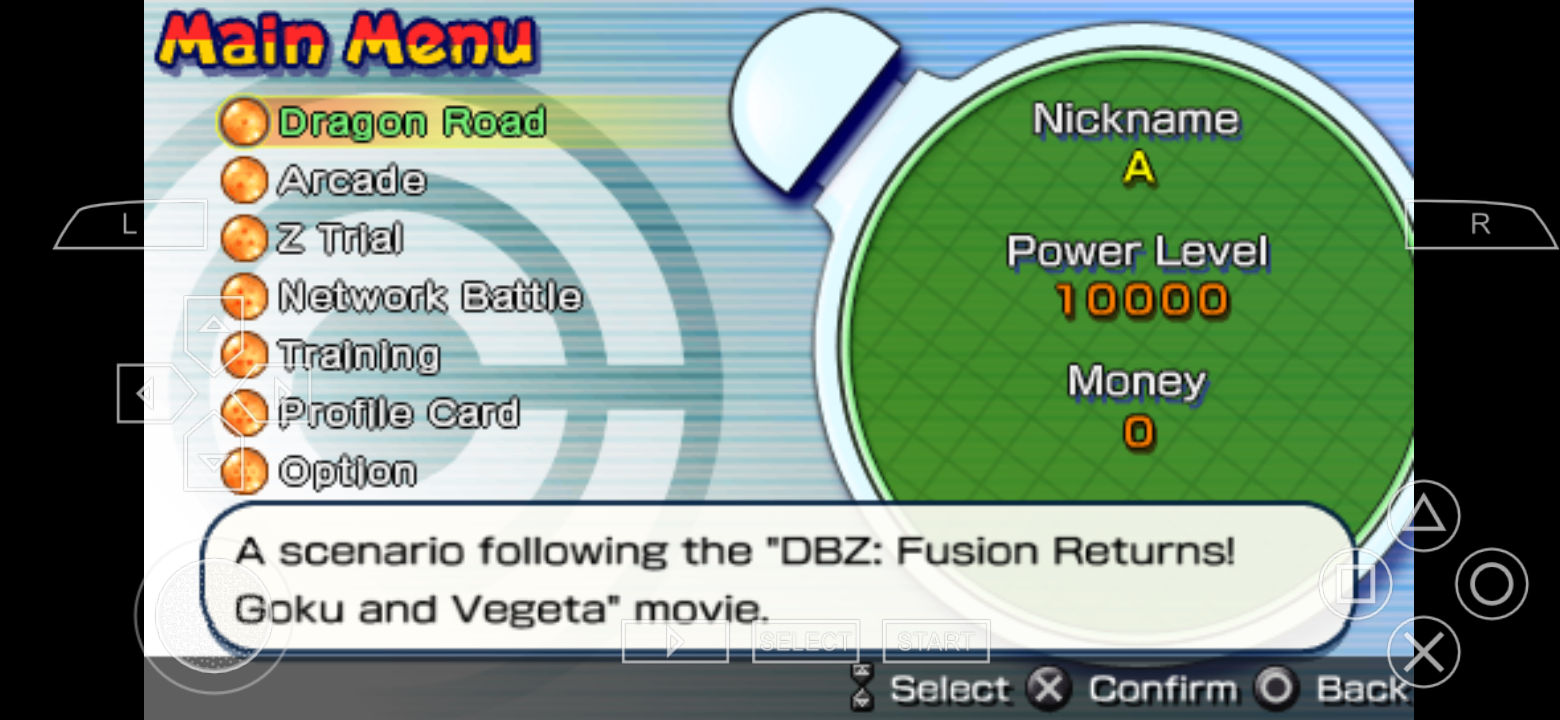
There's an overlap for Dragon Ball Z: Shin Budokai:
Current PPSSPP font
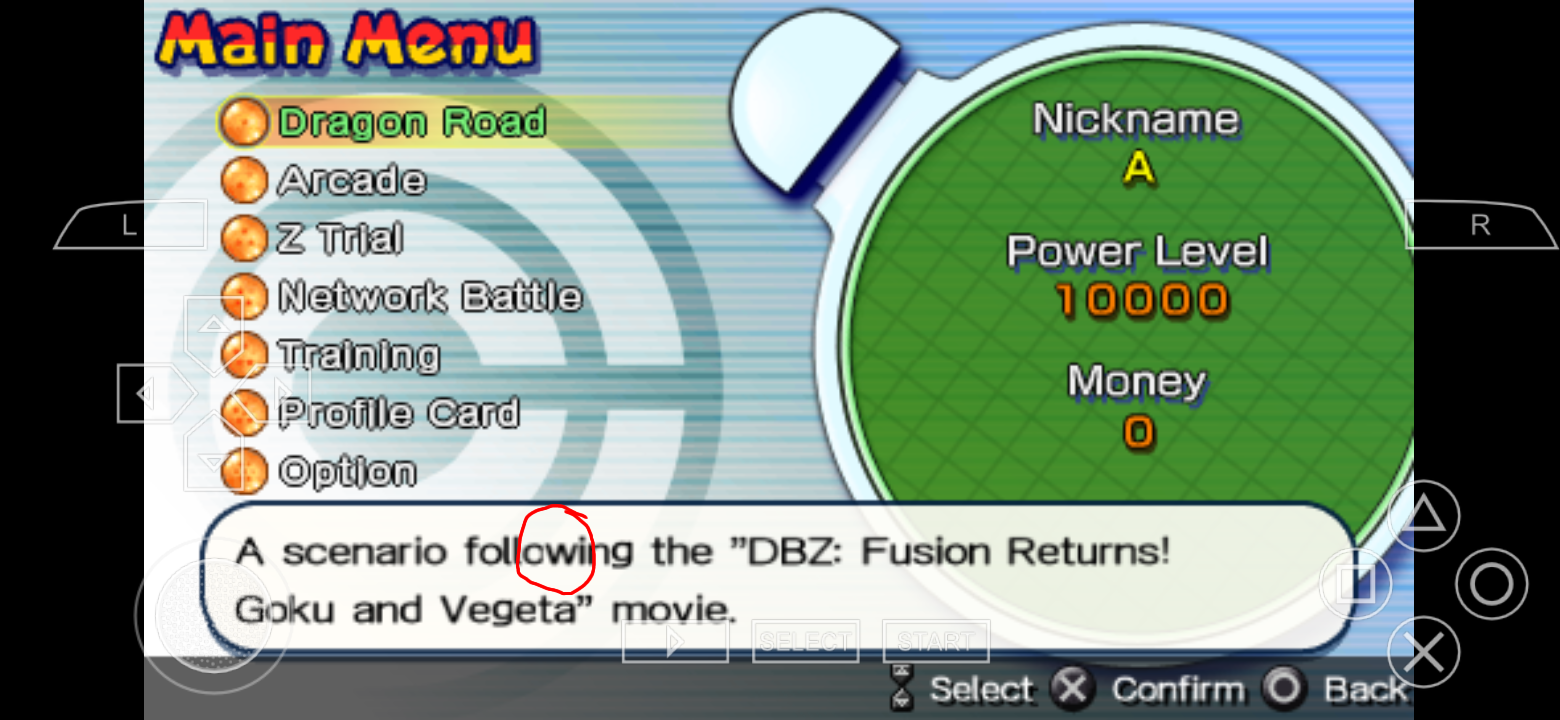
Real PSP font:
Panderner
on 2 Dec 2020
@nassau-tk Fieldrunners and Eragon uses ltn8.pgf
Panderner
on 2 Dec 2020
@hrydgard
@Panderner
A door of a possibility was opened?
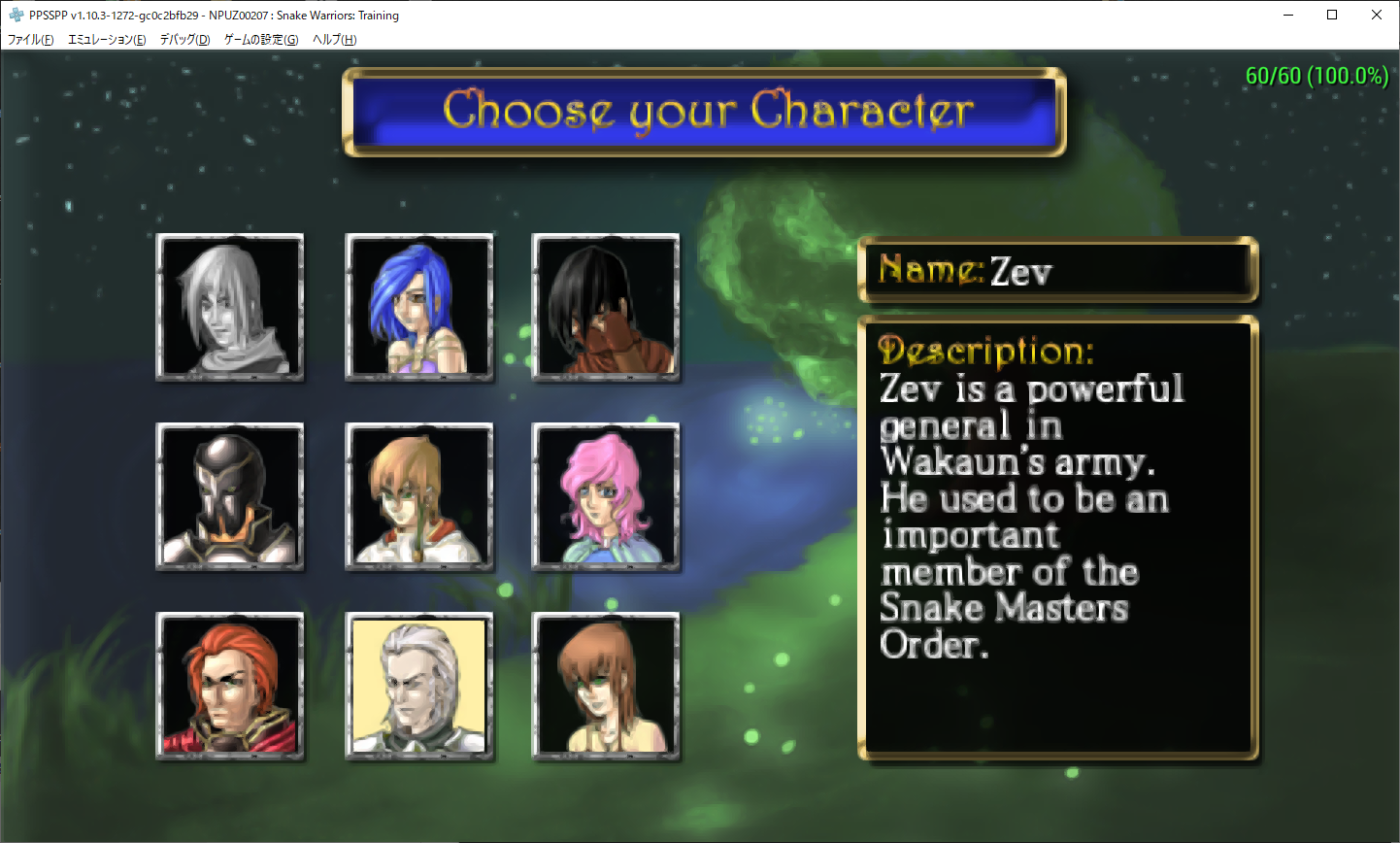
But,Maybe the goal is far....
(I think the adjustment of width is serious hopelessly.)
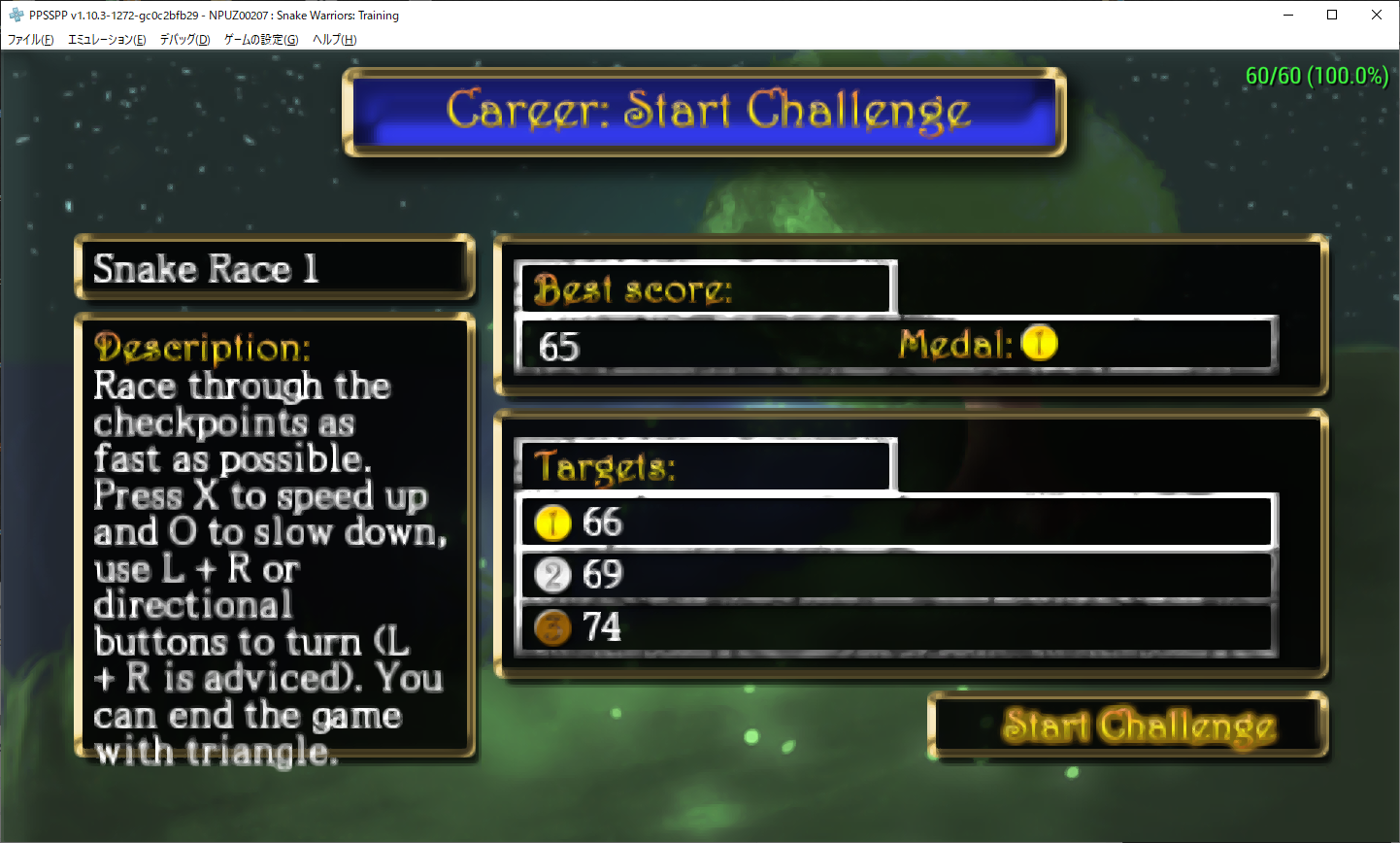
Long time is needed.
Please wait a moment patiently.
・・・・・NOW LOADING・・・・・(My brain Stucking.)
:My Note:
Important points(need more inspect)
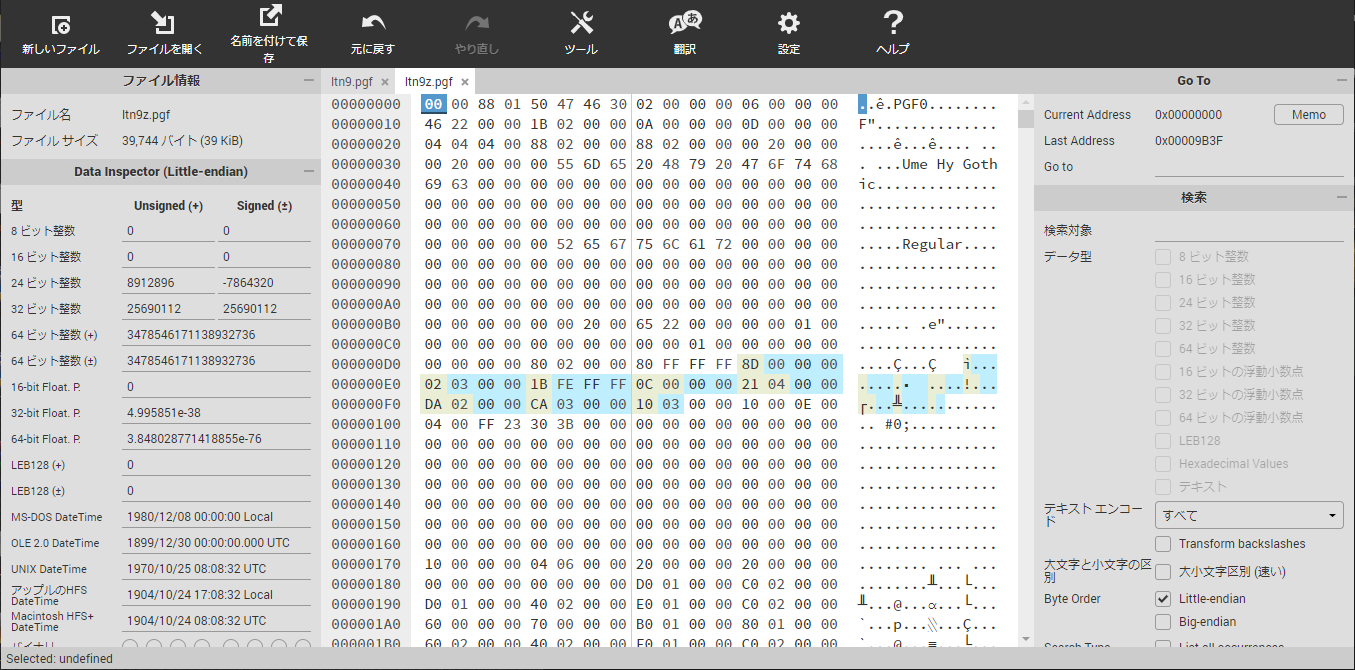
nassau-tk
on 2 Dec 2020
- Dragon Ball Z : Shin Budokai (ltn0 or ltn6? little w left margin?)
jpn0.pgf @nassau-tk
Panderner
on 2 Dec 2020
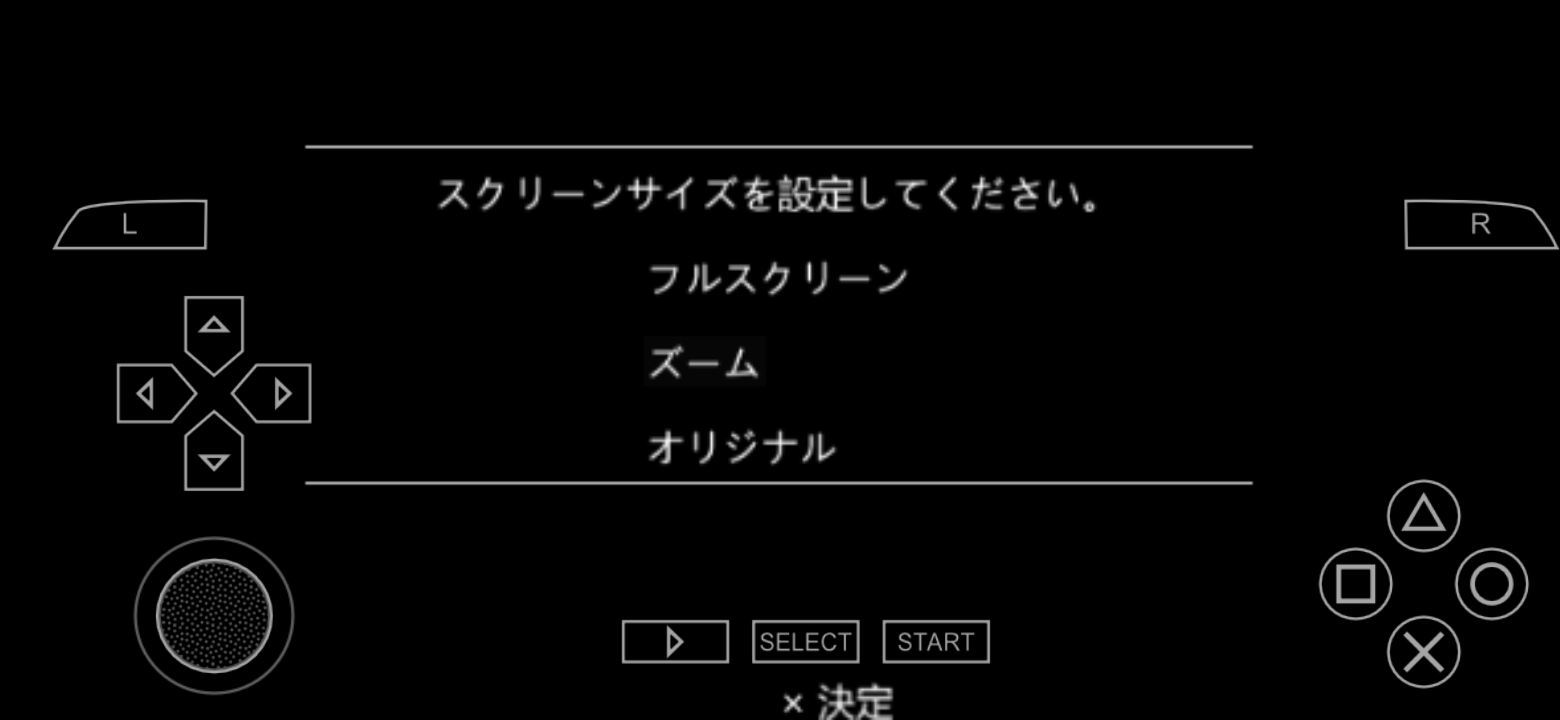
@nassau-tk there's some graphical glitches for PC Engine games released on PSN store.
The aspect ratio menu and software manual word is glitched on new font but not on old font.
New pgf:
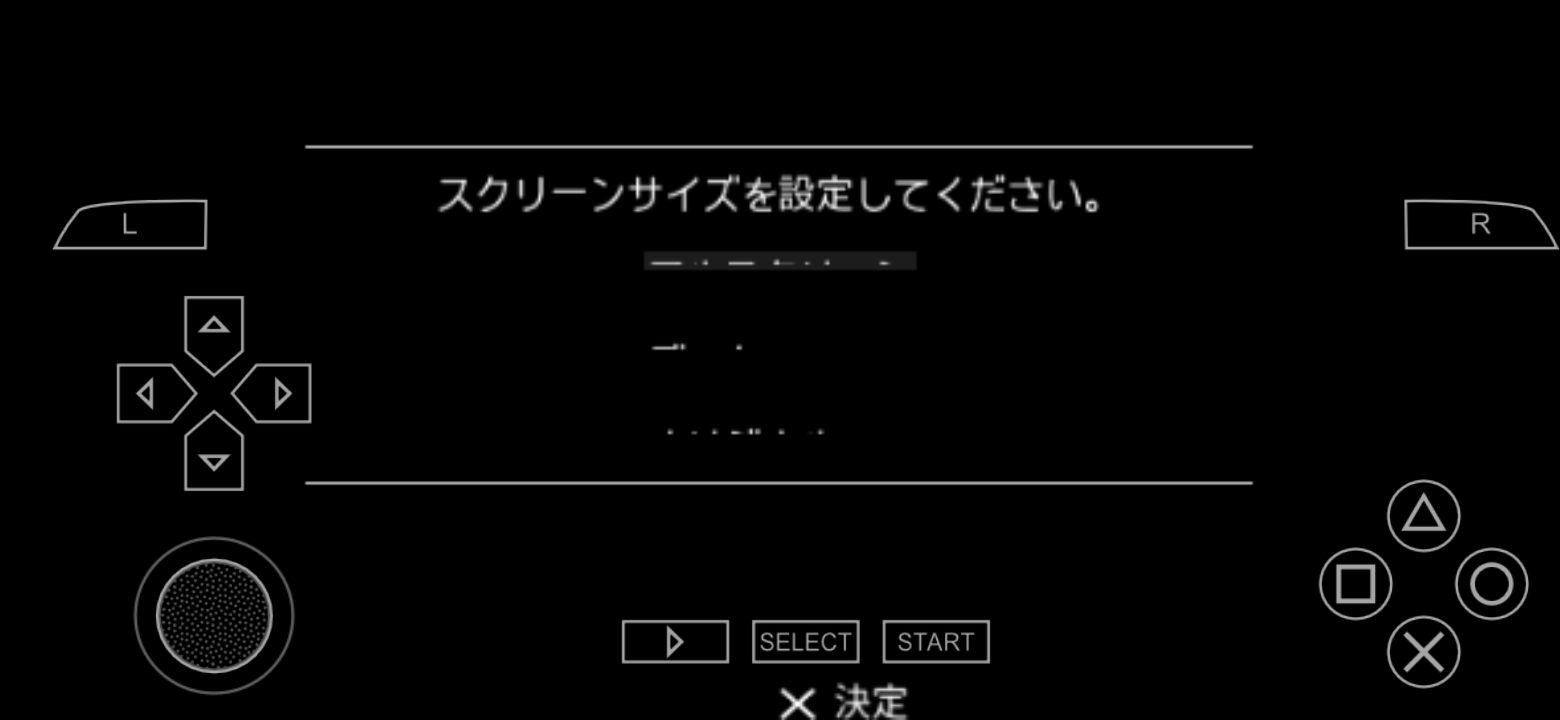
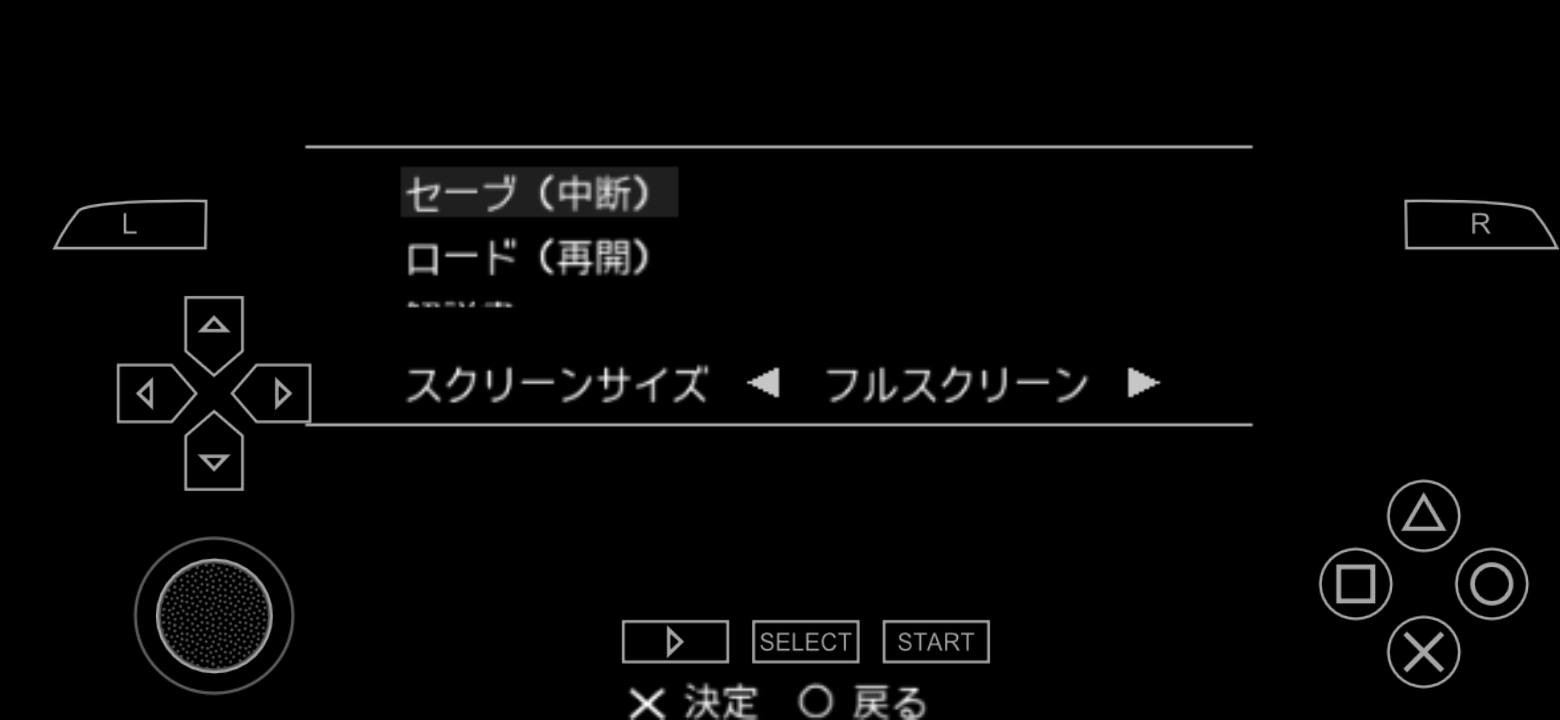
Old pgf:
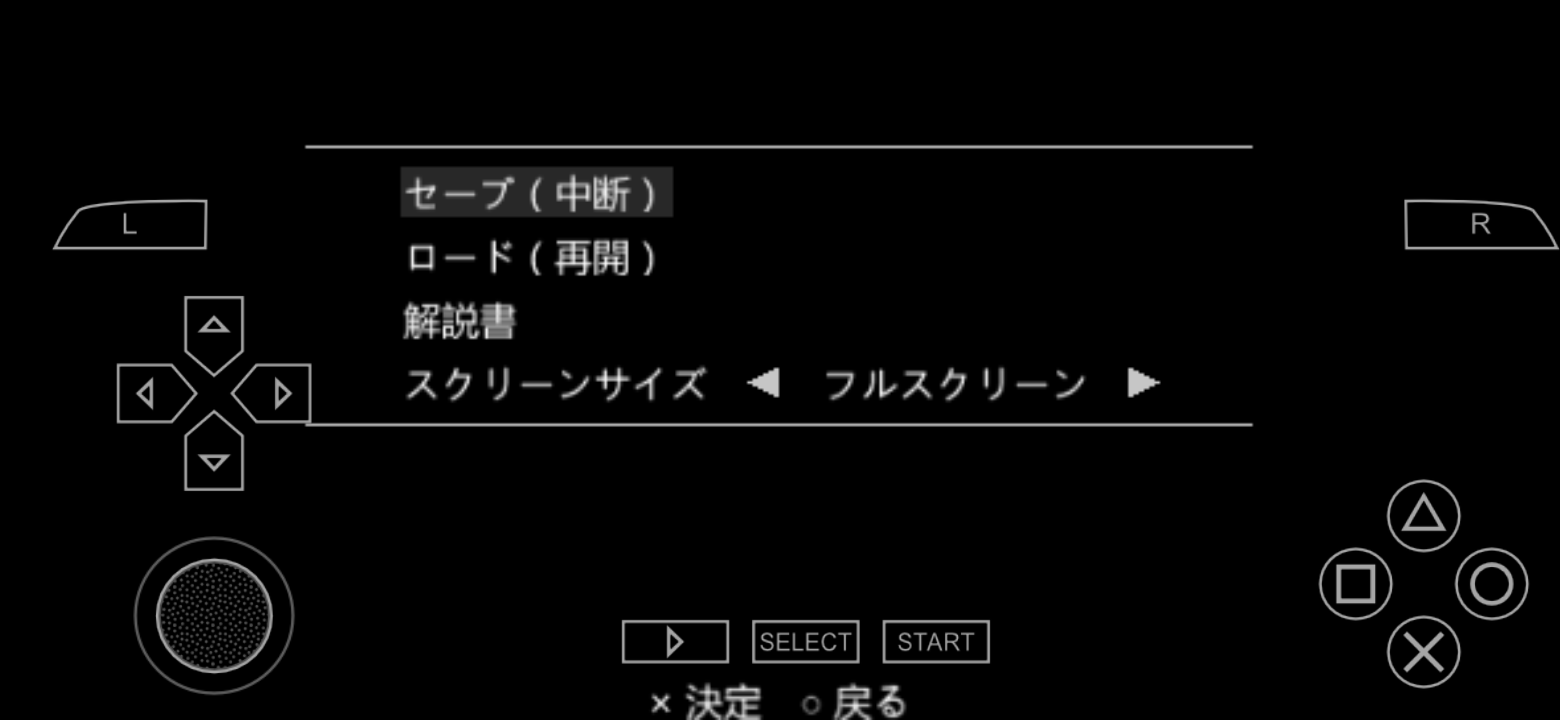
#
Panderner
on 4 Dec 2020
@Panderner
OK.
https://drive.google.com/drive/folders/1TDzZLMDGiNTwlljyLlihiCYn-3AVj4_G?usp=sharing
PLease Test it.
nassau-tk
on 5 Dec 2020
Eragon, Fieldrunners, and Snake warriors are fixed but official PC Engine games released on PSN are not fixed.
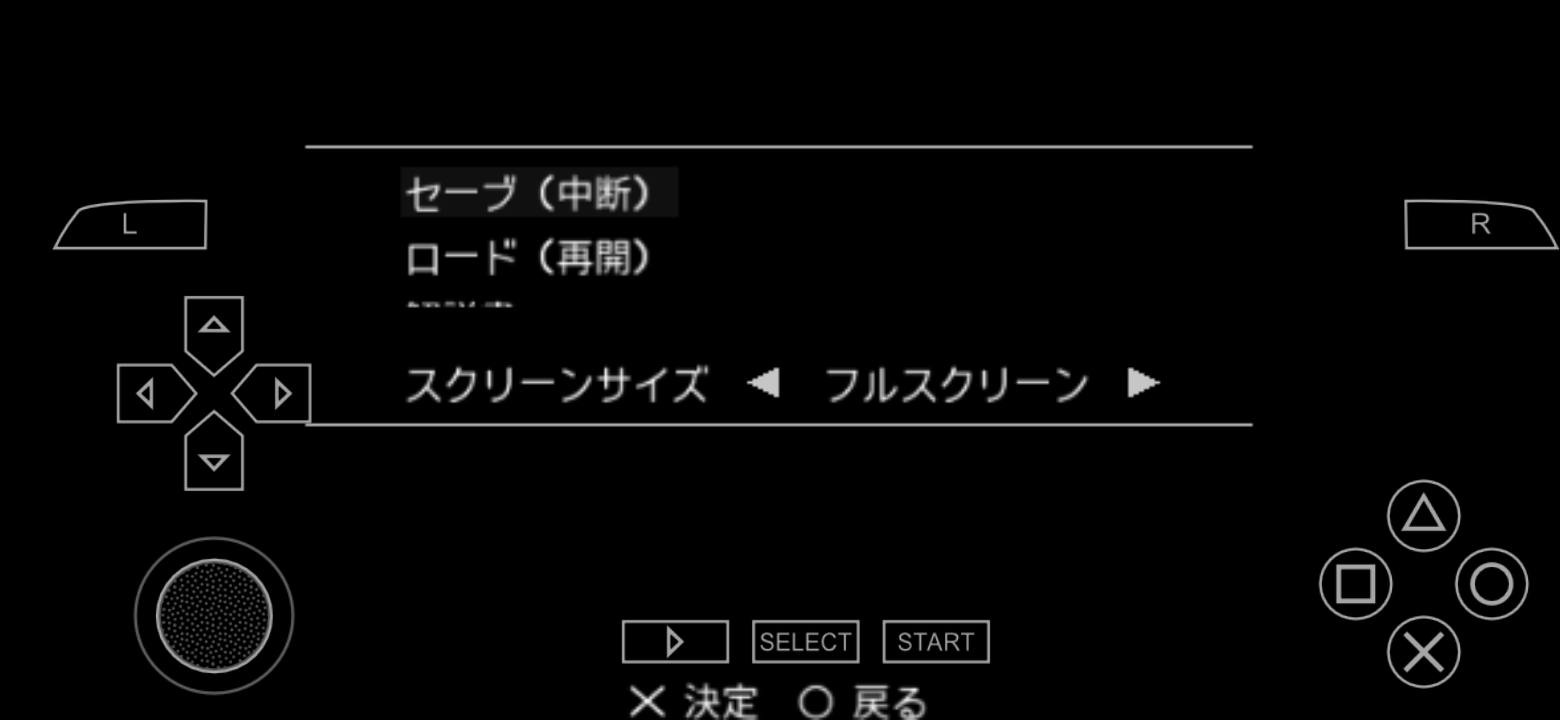
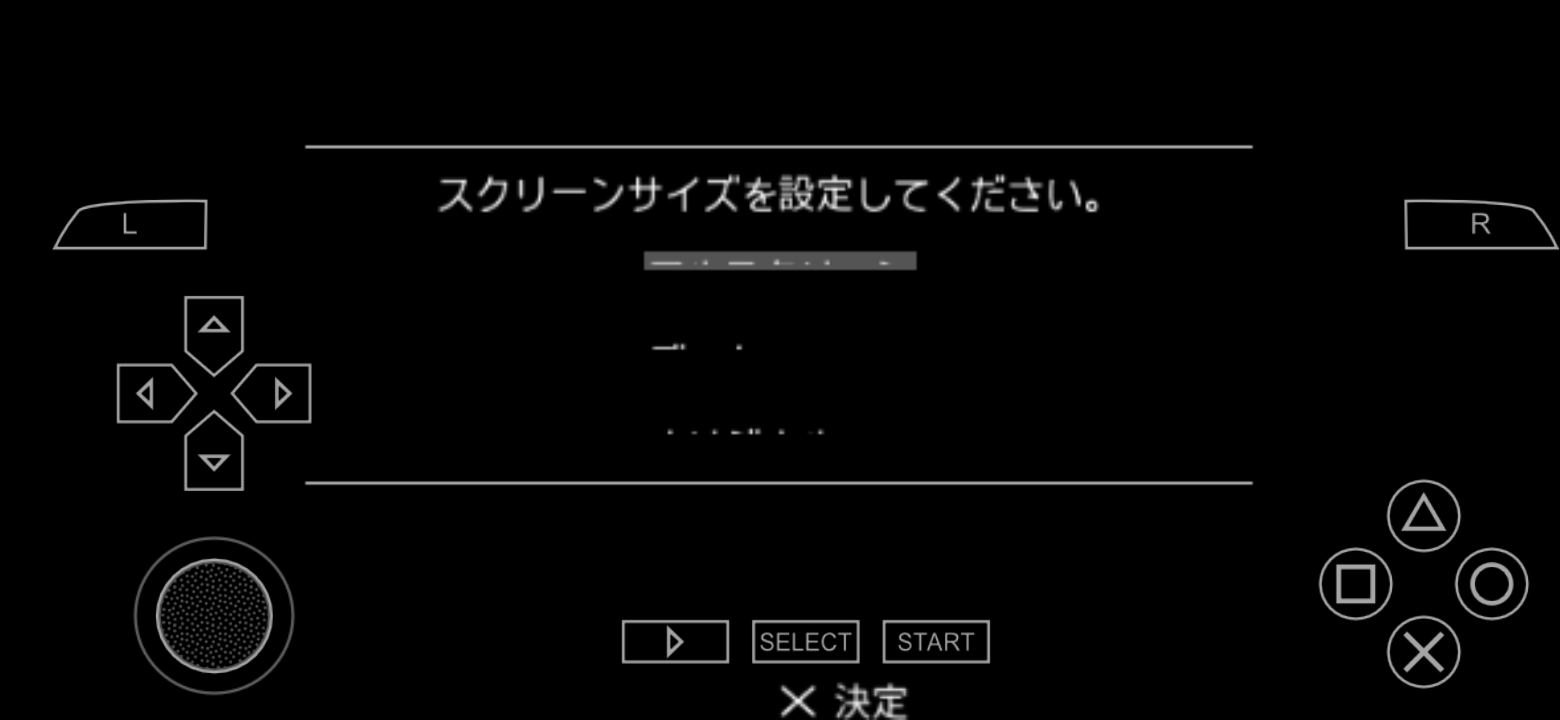
Panderner
on 5 Dec 2020
@Panderner
Did you install All fixed PGF?
jpn0.pgf
kr0.pgf
ltn0~15.pgf
nassau-tk
on 6 Dec 2020
@Panderner
Did you install All fixed PGF?
jpn0.pgf
kr0.pgf
ltn0~15.pgf
@nassau-tk yes
Panderner
on 6 Dec 2020
@Panderner
Please,tell me If you can.
How to boot "PC-Engien Archive Games"?
If my memories right then these software has copy guard.
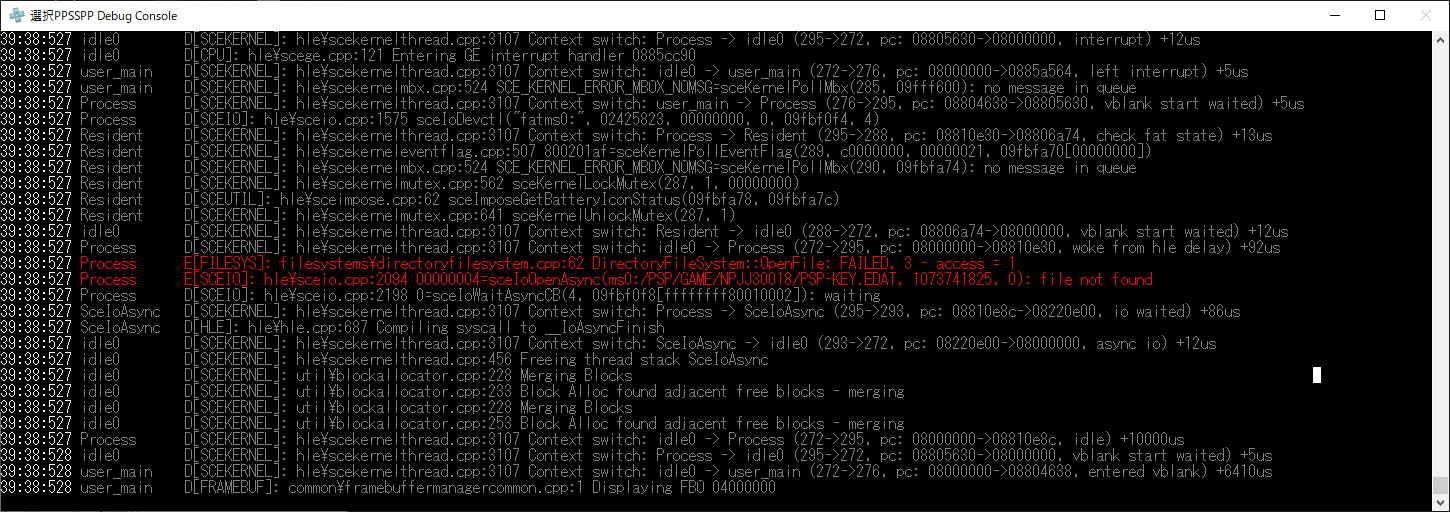
nassau-tk
on 6 Dec 2020
They don't have any copy guard, they come as an app(emulator) and DLC(game). See here.
 LunaMoo
on 6 Dec 2020
LunaMoo
on 6 Dec 2020
@Panderner
Please,tell me If you can.
How to boot "PC-Engien Archive Games"?
If my memories right then these software has copy guard.
You need a DLC, Please put the DLC to PSP/game directory as long as same game id
Panderner
on 6 Dec 2020
PC engine games will not boot without a DLC.
Panderner
on 6 Dec 2020
@Panderner
@LunaMoo
Thank you !!
I understood it.
nassau-tk
on 6 Dec 2020
@Panderner
Re fixed All PGF.
https://drive.google.com/drive/folders/1TDzZLMDGiNTwlljyLlihiCYn-3AVj4_G?usp=sharing
NOTICE : Download & install "All PGF Files".
nassau-tk
on 6 Dec 2020
@Panderner
Re fixed All PGF.
https://drive.google.com/drive/folders/1TDzZLMDGiNTwlljyLlihiCYn-3AVj4_G?usp=sharingNOTICE : Download & install "All PGF Files".
PC Engine font issue is now fixed and same as fixed games above.
Panderner
on 6 Dec 2020
@hrydgard
I finished modifide to all PGF font files.
And,I made a new Pull Request.
Please,Check & merge it.
nassau-tk
on 7 Dec 2020
OK.
It merged by @hrydgard .
I will close this topic.
Thank you for @sum2012 & @Panderner & @LunaMoo & everyone!!
nassau-tk
on 8 Dec 2020
Related issues
 joelolopez
·
3Comments
joelolopez
·
3Comments
 Saramagrean
·
6Comments
Saramagrean
·
6Comments
 soredake
·
4Comments
soredake
·
4Comments
 PilipinoAko
·
5Comments
PilipinoAko
·
5Comments
 oatmeal
·
6Comments
oatmeal
·
6Comments