Ppsspp: Micro Stuttering/Frame Pacing issue
NOTE: If you are experiencing this issue, it may have multiple causes. See this comment:
https://github.com/hrydgard/ppsspp/issues/9736#issuecomment-509018634
Using any API there is in every game a micro stutter or frame pacing issue that occurs randomly. This may be exclusive to windows. I've tested windows 7-10 and many different systems with the same results. It is more prevalent using a monitor at 60hz. The issue is almost gone using a 120hz display. Currently that is the only way to resolve the issue in all my testing. The easiest way to test this is to play a game with complete 360 camera control stand in place and slowly spin the camera around. You will see random stutters or inconsistent frame pacing. This occurs with games running at full speed at all times, vsync on, and frame skipping off. I believe ppsspp is suffering from the same issue the PCSX2 team is trying to resolve here.
https://github.com/PCSX2/pcsx2/issues/1437
It would be worth looking into. This is my biggest issue with ppsspp and is very noticeable and unpleasant imo. I've been trying to find a solution to this for years and it is driving me mad. I think the pcsx2 team has pinned it down though. Thanks for your time i really hope you guys look into this and hope it is resolved. I love ppsspp except for this :)
System Specs:
Operating System: Windows 10 Pro 64-bit
MOBO: Asus Maximus IX Code
Processor/CPU: Intel(R) Core(TM) i7-7700k @5Ghz
Video Card/GPU: MSI GTX 980
Memory/RAM: 32GB DDR4 @3000Mhz
 BParks21
All 168 comments
Just to note a few things that could be slightly related:
We time at 59.94 FPS (so that games run the same speed as on the PSP), which can cause a slight variance at 60 Hz. I would expect it to be much less noticeable at 120 Hz.
Windows (not sure if this may have changed in 10, though) is not capable of delaying a thread more accurately than 1ms (5.99% of a frame.) When video drivers are multithreaded, etc. it can be hard to avoid slight timing inaccuracy because of this.
I haven't carefully studied the pcsx2 issue, but it sounds like the assumption is that this is related to the DWM. Do you have access to Windows 7 or lower (i.e. dual boot), or know someone who is able to detect this issue accurately on Windows 7? It seems like disabling DWM would be a simple way to validate that assumption.
Unfortunately, although I am using Windows 7, I'm probably not very able to notice microstutter - or else it's not happening to me. I did just try rotating the camera around. It seemed smooth, but then I don't really mind that much when games are an even 30 FPS so you probably don't want to listen to me on that.
You can also enable "frame drop" logging in the settings, and keep the log open. This will make PPSSPP log whenever a frame takes longer than expected from its perspective. It shouldn't happen when just spinning the camera (unless maybe you have crazy texture scaling settings or something.)
You can also enable real clock sync, which will try to sync PSP time and real time more closely (without it, we only sync on the frame, but with it, we sync about every 2ms.) Can't say if this will help or hurt, but if it alters it, it may be interesting.
-[Unknown]
 unknownbrackets
on 29 May 2017
unknownbrackets
on 29 May 2017
I kind of can reproduce it, definitely not bothersome even on my slower system, drops are rare and tiny I can see frames being dropped only by looking in the log when moving camera around fast for example:
23:15:780 idle0        N[SCEDISP]: HLE\sceDisplay.cpp:484 Dropping frames - budget = 33.37ms / 30.0fps, actual = 33.65ms (+0.28ms) / 29.7fps
Kernel processing time: 7.25 ms
Slowest syscall: sceGeListUpdateStallAddr : 1.13 ms
Most active syscall: sceKernelLibcGettimeofday : 3.90 ms
DL processing time: 1.21 ms
Draw calls: 16, flushes 1
Cached Draw calls: 0
Num Tracked Vertex Arrays: 0
GPU cycles executed: 796 (20.000000 per vertex)
Commands per call level: 78 0 0 0
Vertices submitted: 32
Cached, Uncached Vertices Drawn: 0, 32
FBOs active: 1
Textures active: 1, decoded: 1  invalidated: 1
Vertex, Fragment, Programs loaded: 1, 1, 1
Worth noting it never drops frames with unthrottle so it probably is something related to frame limiter, maybe limiting to 60 as an option instead of 59.94 would work around it.
Edit: NVM I think that's just me being unlucky grabbing first game under hand to test - wolfenstein 3D which yeah is a homebrew and might be buggy;p, I can't reproduce it in any commercial games tested soo far despite still seeing it in Wolf, but that one runs at weird fps by design and this might cause it's problems:]. Maybe the problem here is nvidia specific like with some driver settings/hack. I have only amd, but tested on two windows - 7 and 10 neither had any problems.
 LunaMoo
on 29 May 2017
LunaMoo
on 29 May 2017
Unfortunately, although I am using Windows 7, I'm probably not very able to notice microstutter
I think you can use PresentMon or GPUView to nail just about any problem that may hit the display chain.
Anyway, the problem we are having there now is the insanely retard nvidia driver when going fullscreen.
 mirh
on 29 May 2017
mirh
on 29 May 2017
PCSX2 forum base is pretty retard
If you:
- are on Windows
- have a nvidia card
- can try 378 or nearly older driver
- put "vertical sync" forcibly off in the settings
Can you try these samples to see if any of them presents tearing (press SPACE to start the animation)?
Thank you.
mirh
on 2 Jul 2017
Have the same exact problem, followed the GIT builds too and experience the same stutter in any 3d games as the OP, I am on windows 7 and a Nvidia video card. Have free time to test anything as long as I can get rid of this problem. Also I am interested if Unknown Brackets can show us how to sync to 60Hz just to test if this help with this problem, thank you and sorry for the bump...
 Marcelo20XX
on 12 Jan 2018
Marcelo20XX
on 12 Jan 2018
I want this issue fixed so badly. The only thing that prevents ppsspp from being enjoyable for me. Glad to see another person who can confirm the problem.
BParks21
on 12 Jan 2018
If you are on windows 7, try to start the emulator with "disable desktop composition" compatibility property checked.
As for the pcsx2 issue, final consensus was that fix is making sure rendering window has WS_POPUP style.
mirh
on 12 Jan 2018
I tested both with WDC on and off, same thing, I followed this issue by years and the oldest revision I remember that haven't this (yeah at some point PPSSPP wasn't suffering from this) was version ppsspp-v0.9.1-2005-gdea4668-windows-x86. This version hasn't the microstutter every few seconds BUT has a constant stutter once it gets desynced with the audio, back then Atract3 plugin was new and the core was adapting to it...
One thing that got rid of the microstutter for good was an option called "Atomic Audio Locks" with this you will always get smooth video syncing at the cost of jerky audio...
Marcelo20XX
on 12 Jan 2018
Well, if you are that into the issue, and you have a "stable" version, then bisecting really is what you could do in the meantime devs check if the window is "properly configured".
mirh
on 12 Jan 2018
That's why I am interested in testing Unknown Brackets suggestion, but I don't know where in the source I can set the video to 60Hz...
Marcelo20XX
on 12 Jan 2018
You can create a custom resolution with custom refresh rate if really any.
But it's pretty low probability given this seems a lot of other NTSC emulators (not to mention when PAL is brought in) never reported problems.
As for the audio.. Can't you just "null" it like on pcsx2?
(sorry I know nothing about ppsspp)
mirh
on 12 Jan 2018
I think I found a way to get rid of the stutter, please test the following build https://drive.google.com/open?id=16-jJjtM3bPAZuxt2Ix_zKZ4Ze6forJzM and report any problems. At least on my end I have butter smooth frame pacing, you need to enable the "Audio Sync (Resampling)" for it to work correctly...
Marcelo20XX
on 13 Jan 2018
@Marcelo20XX Yeah this definitely fixed it. Tested Daxter, Valkyrie Profile Lenneth and Crisis Core. No hitching no stutter no frame pacing issues at all.
BParks21
on 13 Jan 2018
@Marcelo20XX What have you changed in that build?
 hrydgard
on 13 Jan 2018
hrydgard
on 13 Jan 2018
Basically this:
diff --git a/Core/CoreTiming.cpp b/Core/CoreTiming.cpp
index 78ca1d2..75a88c4 100644
--- a/Core/CoreTiming.cpp
+++ b/Core/CoreTiming.cpp
@@ -123,7 +123,7 @@ u64 GetGlobalTimeUsScaled()
float vps;
__DisplayGetVPS(&vps);
if (vps > 4.0f)
- freq *= (vps / 59.94f);
+ freq *= (vps / 60.00f); //Marce 59.94f
}
s64 usSinceLast = ticksSinceLast / freq;
return lastGlobalTimeUs + usSinceLast;
Marcelo20XX
on 13 Jan 2018
Well here is the complete diff: https://pastebin.com/taWSHJZs if you are interested. There is a problem though, at least on my end there is constant stuttering after some time of playing (similar to the one I found on the revision 0.9.1) that only goes away after you make the game load a new area or zone or whatever it makes to update it, it can be only in my rig so I need others confirm if they are suffering from the same thing...
Marcelo20XX
on 13 Jan 2018
How long did you play before it happened?
BParks21
on 13 Jan 2018
I am testing this on FF3 and did the intro cave part until Luneth goes to the open world...15 mins or so
UPDATE: I tested this build like one hour straight running around the town of "Ur" in FF3, entering and exiting buildings and here are my findings: You will get heavy stuttering after entering and exiting a building a number of times or by triggering the game to load data, the stuttering seem tied to the load data routine as I only encounter this problem while zoning...No amount of tweaks or configurations can fix this issue on Windows 7 on my rig BUT...
After battling another hour or so with this stuttering I rebooted this time on Windows XP and as you can guess I got finally no stuttering at all in the OpenGL backend (on the Direct3D it stutters briefly every now and then)...
Well that concludes my testings, I used the following rig: Windows XP SP3 32bits, Windows7 64 bits on a Core 2 Duo Q9660 with a Nvidia 9600GT and 2 GB of RDRAM, I want to point out that the issue may be only on my side as I currently don't have access to a more powerful rig...
I will update if I encounter any remaining issues...
Marcelo20XX
on 13 Jan 2018
I will do some more testing later and get back with you.
BParks21
on 13 Jan 2018
You're not using the timer hack, right? One of those changes for it, so just want to confirm.
-[Unknown]
unknownbrackets
on 15 Jan 2018
No, I am not using that hack and about the heavy stuttering I was suffering is maybe only on my system because it only happens when there is too much action or there is data that is being loaded from my HD ( which is mechanical BTW) because it doesn't happen in all games, for example I can play Project Diva and the Megamans game without a single hitch from start to finish...
[Unknown] the microstuttering is because as you said before the emu is syncing at 59.94 instead of the common 60hz that most desktop PCs uses, I had the same problem in other emus, for example in DesMume i got the same stuttering every few seconds disregarding if the game ran at full speed or not, but after using the same emu on the retroarch frontend I got smooth scrolling mainly because RA forced the emu to sync at 60hz and resample the audio to not have any issue, like PPSSPP is now doing after the changes I made...
I know the correct refresh is the currently used but there could be an option to force PPSSPP to sync at 60Hz for the people who plays on a desktop PC, just saying...
Marcelo20XX
on 15 Jan 2018
I also get the same stuttering in the standalone Desmume and not the RetroArch version.
BParks21
on 15 Jan 2018
@Marcelo20XX So far your fix for ppsspp has worked perfectly. I've had no stutter in Valkyrie Profile and I've played for over an hour in one session and my game is running off a mechanical drive. Also i switched to another monitor with the game running and still no stutter at all. I'm gonna play a few other games for roughly an hour. So far so good.
BParks21
on 15 Jan 2018
@Marcelo20XX After playing Daxter and Kingdom Hearts Birth By Sleep for an extended period of time i did see stutter return. I wonder why it didn't return in Valkyrie Profile. Maybe because VP is 60 fps and the other two are 30 fps?
BParks21
on 15 Jan 2018
I reduced the issue by checking IO on thread and IO timing method "host" on games that are 30 FPS, 60FPS games doesn't have any visible issues...
Marcelo20XX
on 15 Jan 2018
Doesn't that have potential negative side effects?
BParks21
on 15 Jan 2018
One piece of this puzzle is that some PSP games will internally time themselves based on 59.94, instead of relying on the hardware timing. Since the hardware was 59.94 anyway, it was fine even if you assumed it would never change.
This is why we time based on 59.94, mainly.
Also, if changing IO timing has impact on this, then you've got something else going on than FPS timing. Possibly your disk going to sleep.
The "Fast" IO timing is the same for everyone: you will always get the same bugs. The "Host" IO timing is different depending on your hardware, and other applications running on your system - but definitely won't stutter as much. It's known to (possibly inconsistently) both fix and introduce bugs in various games. It might work 10 times you do something, and then bug out the 11th, only because that 11th time, the timing was vastly different from what real PSP hardware would've had.
Maybe instead of changing all those places, try changing these in sceDisplay.cpp..
float scaledTimestep = timestep;
Change to:
float scaledTimestep = timestep * 1.001f;
And also:
float scaledVblank = timePerVblank;
Change to:
float scaledVblank = timePerVblank * 1.001f;
That would keep the internal game time running at 59.94, but time the "outside world" at 60fps. Make sure you have real clock sync disabled, or adjust that one too.
(not tested.)
-[Unknown]
unknownbrackets
on 15 Jan 2018
I haven't tested the IO timing but i have this issue even when games are running on my standalone ssd or my m.2 raid config.
BParks21
on 15 Jan 2018
[Unknown] That could be very possible the cause why I am having smooth scrolling in some games and a little stuttering in others, I saw the same issue in SNES emulation, for example with Super Mario World, no matter the amount of tweaks/hacks on the core emulators it wont give you a perfect smooth scrolling on a LCD monitor, you will get stuttering every few seconds BUT on the other side you could play Donkey Kong Country without any scrolling issues. Seems that Super Mario syncs to the internal 59.97Hz while DKC being a RARE game doesn't care...
One of the games that its stubborn and still give me little stutters from time to time is Dracula X the main game...
Will test your suggestion asap, thanks!
Marcelo20XX
on 15 Jan 2018
What snes emulator, all the snes cores i use in RetroArch are stutter free. Emulators like PCSX2, epsxe, DeSmuME and vba-m give me stutter. Standalone higan gives me a ton of stutter with snes emulation but absolutely zero with the new libretro core. I know that Super Mario World stutter you're talking about. It happens on real hardware too, usually happens when you start running full speed. Thats just how the game is.
BParks21
on 15 Jan 2018
the microstuttering is because as you said before the emu is syncing at 59.94 instead of the common 60hz that most desktop PCs uses
Again, this would have to happen in every NTSC games emulator ever - there's something that is missing me if this doesn't seem this 'widespread'
The idea of uncoupling console from image presentation looks neat (scaledVblank)
....
But isn't that still what a compositing desktop would eventually do regardless?
I know the correct refresh is the currently used but there could be an option to force PPSSPP to sync at 60Hz for the people who plays on a desktop PC
Absolutely not.
If really any the program should try to see if 59.94 hertz refresh rate is available (see https://github.com/PCSX2/pcsx2/issues/2059)
Which, I'll stress again, can easily be added everywhere.
Emulators like PCSX2 give me stutter
I thought we had already nailed that down ultimately?? (and it had nothing to do with refresh)
mirh
on 15 Jan 2018
Yeah PCSX2 in my testing still stutters if you're asking? Only in opengl which is a bummer.
BParks21
on 15 Jan 2018
.... Set EnableVsyncWindowFlag=1........ EDIT: in PCSX2_ui.ini iirc
Just ftr, is there anybody in here that is experiencing stuttering, not on an nvidia card?
mirh
on 15 Jan 2018
Is that a setting in the .ini? I swear i tested that and it didn't get rid if the stutter but i will test it again to make sure.
BParks21
on 15 Jan 2018
But isn't that still what a compositing desktop would eventually do regardless?
Yes, but only if you have frameskip off, alternate speed off, and use vsync.
If you don't have vsync on, we'll generate 1000 frames for every 1001 1/60ths of a second, so it will reuse a single frame about once every 16-17 seconds. This will be your display/compositor though, so a 120Hz will perform better.
Edit: sorry, got it backwards.
To stress, if you think of this as a "shutter speed" issue, filming something that is happening at a speed outside of your control - you're still getting a smooth picture, overall. Your camera just ends up seeing the same thing twice when the alignment is just wrong, like the effect when you film a spinning fan.
-[Unknown]
unknownbrackets
on 15 Jan 2018
@mirh Setting EnableVsyncWindowFlag=1 makes no difference i still get microstutter. I even set the .ini to read only because every time i booted a game it would reset. Tested the latest dev build. Like I've said in the past the d3d renderer has never had any stutter. This has always been Opengl exclusive when it comes to PCSX2. If only you guys could get d3d up to par with opengl :(
BParks21
on 15 Jan 2018
@mirh Test again SMW preferably the level at the right of Yoshi's House, you will see the scrolling will stutter every 12 frames or so, I didn't time it, this is because I suspect that game sync to the internal SNES refresh rate, this happen on every emulator, from zsnes to higan...
UPDATE: Back on topic, I tested [Unknown] suggestion and made a build with his changes and got the same microstutter that I was having before, no it didn't work... the only way for now is to change in all those places I mentioned...
How can I disable alternate speed? it only appears to have 0=unlimited or some value up until 1000...
Marcelo20XX
on 15 Jan 2018
Ok PCSX2 is no longer part of the list of emulators with frame pacing issues, it has been fixed. Turns out i had the zoom level on and set to 100.83 this was causing the stutter to persist even after the PCSX2 team implemented their fix. Setting it back to 100.00 allowed the fix to work properly.
BParks21
on 16 Jan 2018
Fine. So the "doing something odd presenting frames to Windows" hypothesis is still there.
Yes, but only if you have frameskip off, alternate speed off, and use vsync.
I cannot see how compositing would be FIFO (frameskip off)? Isn't it supposed to send to display only the most recent frame?
This will be your display/compositor though, so a 120Hz will perform better.
Sure, absolutely and I can see that.
But I was starting from the assumption that in the *same* conditions a lot of other stuff never presented the slightest of an issue (e.g. see Wiz happy about pcsx2 - finally)
This seemed odd to me.
mirh
on 16 Jan 2018
@hrydgard Have you had a chance to look at this? I don't mean to nag. It's definitely a real and noticeable thing, primarly with 30fps games on 60hz monitors. Iv'e been able to reproduce it on practically every Windows 10 system I've had my hands on. Also frame pacing issues are visible in the Libretro port as well. It actually seems worse which is strange with RetroArch having such excellent vsync options.
BParks21
on 29 May 2018
If somebody wants to help, over on pcsx2 we supposedly kinda possibly have a bisecting range for the introduction of this issue.
Problem is, there are like a thousand commits to skim.
mirh
on 29 May 2018
There's a lot of (tricky) work to be done on frame pacing and latency. For 30hz games, we should probably have a mode to duplicate each frame (enough to duplicate the final blit in buffered mode) to make things consistent for graphics drivers...
hrydgard
on 29 May 2018
Ehrm, seriously, if this is the same problem of pcsx2, it's only something weird going on between nvidia drivers, dwm and non-fullscreen modes.
I don't think there should be any problems with the usual "refresh rate mismatches".. Or at the very least, not to such deal breaking extents.
mirh
on 29 May 2018
Switching Backend to OpenGL (Windows 10, latest relase build) fixed the problem for me.
 Jaizu
on 31 May 2018
Jaizu
on 31 May 2018
Still the same behavior for me. Are you using a 60hz monitor and 30fps game?
BParks21
on 1 Jun 2018
Just dropping in to see if there's been any progress on this issue? I've noticed it since way back and always thought it was my hardware setup, but I've upgraded recently and I'm still having stuttering issues.
 FreezingAlone
on 16 Aug 2018
FreezingAlone
on 16 Aug 2018
I have resolved the stutter I was experiencing and thought I'd share. I knew the stutter had to be related to v-sync so I did a refresh rate test at one website. It showed 60.002 on my 60hz display so I thought I'd see what it was at 59. After setting the refresh to 59 in the Nvidia control panel, that same test showed 59.940. I remembered reading about emulators using that very same number, so I knew I could be on to something.
Well, I was right! Setting my refresh to 59 has completely eliminated all stutter and it's 100% smooth now! If you guys that are having stutters use a 60hz display like I do, try changing your refresh rate to 59.
PS I also use v-sync because I can't stand tearing and it still has not even the slightest stutter now.
 zombone
on 28 Oct 2018
zombone
on 28 Oct 2018
I have resolved the stutter I was experiencing and thought I'd share. I knew the stutter had to be related to v-sync so I did a refresh rate test at one website. It showed 60.002 on my 60hz display so I thought I'd see what it was at 59. After setting the refresh to 59 in the Nvidia control panel, that same test showed 59.940. I remembered reading about emulators using that very same number, so I knew I could be on to something.
Well, I was right! Setting my refresh to 59 has completely eliminated all stutter and it's 100% smooth now! If you guys that are having stutters use a 60hz display like I do, try changing your refresh rate to 59.
PS I also use v-sync because I can't stand tearing and it still has not even the slightest stutter now.
The screen tearing is terrible on vulkan without vysync enabled in the NVIDIA control panel. I was also experiencing some minor stuttering. It didn't make MHFU unplayable but it was very distracting. Hopefully this fixes the issue as I am using a 60hz monitor and I didn't want to switch to OpenGL.
Thank you for sharing your findings. People like you make the internet a very useful source of information.
 InfluentialDisocvery
on 9 Jan 2019
InfluentialDisocvery
on 9 Jan 2019
The issue still persists. Hopefully, switching to opengl will fix the issue.
InfluentialDisocvery
on 28 Jan 2019
Hello, I tried unknownbrackets' suggestion and built PPSSPP with scaledTimestep // scaledVBlank modifications, and then tried the build with the suggested IO options off.
D3D11 & Vulkan backend were tested. It appears shorter stuttering occurs (2-3 seconds of it) only now it's every 16-17 seconds (!), I really thought this would simply add a single duplicate frame which would have been perfectly fine...
The only thing that consistently gets rid of stuttering is OpenGL which is really funny when you think ATI cards are really weak at OpenGL...
I have a ATI/AMD RX480 graphics card with mid-range intel i7 processor, an SSD and use "load iso to ram" option.
 eleriaqueen
on 26 Apr 2019
eleriaqueen
on 26 Apr 2019
On my end OpenGL do indeed removes the stutterings (*) somewhat (**) but also prevents the unthrottling from functioning (***), which makes this workaround unusable since I use PPSSPP instead of real hardware exactly for the fast-forward/unthrottle functionality.
Running under Win 10 18362.10000 with Radeon Adrenalin 19.6.2 on an R9 280X.
(*) not micro, since it remains for a few seconds every 10 to 20 seconds
(**) I haven't tested extensively
(***) nothing happens as if the key was unmapped
 Aszarsha
on 7 Jul 2019
Aszarsha
on 7 Jul 2019
I assume that means you have vsync on or forced. You may need to set FrameSkipUnthrottle to True to get any speed above vsync in that case.
-[Unknown]
unknownbrackets
on 7 Jul 2019
Sorry, I should have specified. Vsync is off in PPSSPP and forced off in the driver.
EDIT : Vsync was indeed off in the driver, but Triple Buffering was on. Disabling TB did enable the unthrottle, which I find surprising since I though that triple buffering was conditional on vsync (double buffering of the second back buffer).
Aszarsha
on 7 Jul 2019
Just to summarize things to try in general for everyone:
Try settings -> System -> Force real clock sync.
This uses a spinloop for timing (click for detail.)
Windows is stupidly incapable of making a thread sleep for less than 1ms, so normally we just live with it. This means that occasionally a frame may be longer (i.e. instead of 16.66 + 16.66 + 16.66, it'll be 16 + 17 + 16 or something.) This setting forces better timing.
Tradeoff is worse battery life on laptops, etc.
Try settings -> System -> I/O timing method set to "Host".
Exposes disk timing to the game (click for detail.)
We normally stutter if disk access is slower than expected, to ensure the game play is the same every time (and ideally the same as on a PSP.) "Host" makes us just use whatever timing your actual system has. Even if you have a fast SSD, this can matter due to antivirus, OS caches, background processes, etc.
Tradeoff is you might run into bugs if games expect fast timing, but usually they don't.
Check settings -> Tools -> Developer tools -> Log dropped frame statistics.
You'll have to show the logs (Debug -> Log console) to see (click for detail.)
If you have texture scaling, texture replacements, or other settings you might be dropping frames. This won't always show up in the speed % or FPS display because it's an average.
Leave the log open and play for a while, then check the log. If it has any dropped frames, it will log statistics about the dropped frame. It could mean shader compilation, too high graphics settings, texture upload, etc.
Disable vsync, even if this sounds like crazy advice.
PSP games are NTSC unlike PC games (click for detail.)
PSP games don't run at 60 frames per second, but rather 60 frames every 1.001 seconds. It's a small difference but that 0.001 adds up and can cause stutter every now and then.PSP games also generally all double buffer internally (there are only a few that don't.)
Don't forget to check driver settings. Sometimes it forces vsync. You may also want to try vsync on.
Try changing settings -> Graphics -> Upscale level to off.
Texture scaling currently runs on the CPU (click for detail.)
We already have to limit the textures we scale per frame to make it playable (unfortunately this causes pop-in), but it's still generally expensive. It's a likely cause of any stutter if you have it on.
Make sure unthrottle increases the speed substantially.
On any modern PC, you should get 500%, easy (click for detail.)
If unthrottle only takes you to 200% or something less than 500%, there may be settings or game-specific bugs limiting performance. This might easily stutter at times when throttled, since there are spikes in what the game needs.
Try using the "render duplicate frames" option in latest git builds.
This forces PPSSPP to send 60 FPS to the driver, even if the game is 30 FPS.
Most games on the PSP render only at 29.97 FPS, and some people have experienced issues only in these games. Forcing 60 FPS output has helped those people.
-[Unknown]
unknownbrackets
on 7 Jul 2019
The (not so micro) stuttering is present with all backends but OpenGL. Everything that you specified was already at that state (real clock sync, host timing, vsync off, no upscale). Unthrottling goes to crazy speed (uncontrollable speed basically, but useful for jrpg to solve whole combat in about 1 second).
In my case I play mostly sprites based games at 1x resolution, so it is most probably not a throughput issue but a frame timing one, that somehow the OpenGL driver solves internally with and without vsync.
I'm currently running build g8940a9d9f, and I can happily make more tests.
Aszarsha
on 7 Jul 2019
The solution that works for me in W7 , rather than repost what I wrote, just link to it.
https://github.com/PCSX2/pcsx2/issues/2307#issuecomment-517850448
Scanline Sync gets me perfect 99% stutter free vsync with PPSSPP standalone.
From what I remember in Windows 10 vsync would have to be disabled and IIRC I think maybe only it worked with Vulkan or OGL maybe? I can't remember. Because I think in DX9/11 the compositor takes over no matter what. Don't quote me on that though and I may remember wrong.
 OCRBonk
on 2 Aug 2019
OCRBonk
on 2 Aug 2019
I would like to note that this issue is worse in the libretro core. But if you set vsync swap interval to 2 in Retroarch you get perfect frame pacing for 30 FPS games. 33.3ms which is what you want for a 30 FPS game. Without this on you get constant fluctuations from 34ms-40ms. The dolphin core and upstream dolphin also suffer from this when running 30FPS games at 60Hz. To bad setting the display at 30Hz through the OS introduces an enormous amount of input lag otherwise that would be the solution.
BParks21
on 3 Sep 2019
@OCRBonk I can confirm that the methods you explained in the link work. Like you state though for games with mixed maxed framerates this is not really a solution. I would like to know how a lot of the cores in RA like beetle psx are able to achieve perfect frame pacing for 30fps games. For instance Legacy of Kain Soul Reaver is 30fps. I notice though that beetle psx sends out VPS to RTSS instead of the internal fps. So for 30fps games it reports 60fps even though the internal is 30fps. You can prove this because one of the core options sllows you to display the internal fps counter. Whatever the beetle psx core is doing for framepacing thats what needs to be done here haha.
BParks21
on 4 Sep 2019
I can confirm that. I have played a few 30fps games in lr-beetlepsx without having to use any tricks for proper frame pscing. Just 1:1vsync.
OCRBonk
on 5 Sep 2019
I'm referencing this issue which I've also opened for the dolphin libretro core. Just in case any findings are made everything is kind of connected. https://github.com/libretro/dolphin/issues/112
BParks21
on 5 Sep 2019
I think I might later revive something PPSSPP had in very early days - it outputted frames at 60hz no matter if the game ran at 30hz or not. This is of course only possible in buffered mode, but it should lead to much better frame pacing for 30hz games.
hrydgard
on 5 Sep 2019
Ok perhaps that will work. I thought i saw somewhere you added EFS mode to the 1.9 milestones?
BParks21
on 5 Sep 2019
In case you didn't saw, exclusive fullscreen is in the 1.10 milestone. However similary to many other constantly pushed things that matter only to a small fraction of userbase(which is the case for many of such issues and requests), imo it should simply be pushed to "future" milestone to give more incentive for others to do some work instead of false hope.
LunaMoo
on 5 Sep 2019
It's great this hasn't gone ignored or forgotten. I've also had this same issue for years with ppsspp. Mine will microstutter every 15 seconds before going back to smooth scrolling again at 60hz. The 59hz bandaid fix works okay for a bit until everything desyncs and stutters hard before it fixes itself.
Would love for this issue to be resolved fully as it was for PCSX2 and Dolphin.
 Nomadsx
on 6 Sep 2019
Nomadsx
on 6 Sep 2019
I still get pacing issues in Dolphin. But i have been dealing with this for years as well ;(
BParks21
on 7 Sep 2019
Really? I don't want to derail this into a Dolphin talk but I fixed mine by simply switching over to Vulkan. I recall hoping that'd fix it in ppsspp too when Vulkan was added but the microstutter problem is the same with all rendering choices.
Nomadsx
on 7 Sep 2019
I've tested vulkan i get the same result. Less frequent than ppsspp. It takes longer to trigger too. Really bad with Luigi's Mansion though.
BParks21
on 7 Sep 2019
@hrydgard Some progress to further understanding the issue may have been made? https://github.com/PCSX2/pcsx2/issues/2307#issuecomment-531557886
BParks21
on 16 Sep 2019
@hrydgard The Dolphin team have recently implemented what is called "present duplicate frames" to mainstream dolphin development builds. I can confirm that this method fixes the frame pacing related stutter in 30 fps games. Maybe the same thing can be done in PPSSPP? https://github.com/dolphin-emu/dolphin/pull/8554
BParks21
on 21 Jan 2020
Skipping frames even though there are zero guarantees about the next one seems a really poor idea.
And honestly, it sounds like complicating your life for next to no gains (maybe to save energy on laptops.. but at that point I could as well don't care about vsync)
Probably only a well funded emulator like dolphin (which is using as new apis as possible) could go that down the rabbit hole of optimization. /s
Or, I dunno ppsspp.
Still, this is something that everybody would see in the same conditions (or well, at least if having a slow pc also is included)
Instead, I'm not sure if you understand that this is some wicked interplay of drivers, apis and vsync (or well, at least this is my impression, after thinking to what you have seen in pcsx2 too).
https://github.com/hrydgard/ppsspp/commit/49fb0bd65b97c9bd6beabc7dfdb33eccafc25ecb
I see here the right flag is being used.. But I'm wondering if the rendering surface, client window and display size areas are all matching? (as having a fit-to-screen image made a huge difference in pcsx2)
mirh
on 21 Jan 2020
I think I already wrote that, but maybe it was different just similar issue - on most common HD resolutions, PPSSPP cuts off a pixel from top and a pixel from the bottom to provide 1:1 unstretched image, this can be changed in display layout editor by using stretching instead of scaling or by using skipping buffer effects, but that's buggy and awful hack.
I never was able to reproduce this whole issue, despite from somewhat long time using Nvidia gpu. Althrough I do upgraded to adaptive sync display after switching to modern GPU and have no use for vsync whatsoever.
LunaMoo
on 21 Jan 2020
It would be nice to not have to force 1/2 Refresh vsync (and the input lag penalty that incurs) in the OGL backend, or use Scanline Sync (Works with the other backends for Vsync with a borderless window)with PPSSPP's frame limiter disabled (And the problems that comes with in games like Brandish where when switching rooms the SS limiter breaks and the audio is sped up for several frames and then returns to normal once the next room is loaded) to be able to get proper 30hz frame pacing on 30FPS games (Which I would say are the majority of PSP games. If not 20hz).
Using the Libretro core, similarly you have to use 1/2 rate vsync which subjectively feels like there ends up being more latency with that setup even with frame delay at 15 compared to standalone.
OCRBonk
on 21 Jan 2020
That's basically what was already suggested earlier:
I think I might later revive something PPSSPP had in very early days - it outputted frames at 60hz no matter if the game ran at 30hz or not. This is of course only possible in buffered mode, but it should lead to much better frame pacing for 30hz games.
It might help. Personally, I think it'd make sense to do when the "Force real clock sync" (lagsync) setting is enabled, since they make sense in basically the same situations.
I should mention: if you have this setting off, you today would have the 1/2 vsync input lag penalty mentioned (or worse.) But if you have this setting on, then irregardless you should not have that specific penalty (it keeps game time aligned with real time at 2ms intervals, so in theory that should be the max input lag penalty, outside hardware/drivers etc.)
There is a separate possible penalty, because we queue up frames to render through the OS graphics driver. This can currently cause up to 3 frames of lag (so longer if at 30 FPS.) Not sure if the same setting would ideally control that too, but maybe. I can imagine situations where you want the sync, but still want the queue (like netplay), so not sure. Also, if your graphics driver is fast enough, I think we would not have that lag, so it may not be a problem on more powerful systems.
-[Unknown]
unknownbrackets
on 21 Jan 2020
I forgot about this, but does my post process workaround helps with this issue as well? I posted it here, it basically does the 60hz output doesn't matter on the game's FPS. It's just an empty shader with 60fps flag, the flag can be added to any other post process shader ofc.
LunaMoo
on 21 Jan 2020
Yes, I think that should also cut the lag to one 60 FPS frame without "Force real clock sync". But it won't affect the separate queue penalty I mentioned.
-[Unknown]
unknownbrackets
on 21 Jan 2020
Using that post process shader actually works almost perfect (In the backends you can use shaders in).
The frame times that are reported at 60hz are kind of wildly uneven. (You can clean it up with an external 60hz limit on top)But the frame pacing for 30hz games is basically perfect with none of the pacing errors and stuttering that it otherwise has when playing 30hz games with 60hz vsync.
An easy test to see this is Metal Gear Ac!D on the first map. Hit Triangle and you can pan all over the map to easily see frame pacing stutter.
Now if only you could use Shaders in the DX9 renderer. (Only reason I care is because DX9 is the only way to get better Anti Aliasing with buffered rendering https://imgsli.com/MTEyNDY/).
I did discover something Very strange however. I had the frame pacing shader selected and enabled in OpenGL. Then switched to DX9 to test something with Metal Gear Acid, and it acts like the shader is still working. As the game was reporting 60FPS. Enabling Scanline Sync 1x (Not X/2)with the PPSSPP frame limiter disabled, synced everything properly with correct 30hz frame pacing and no stutter.
Loaded up Brandish and it reported 30FPS properly. And Thus enabling scanline sync 1x and disabling the limiter made the game run at 60FPS and double speed when Scanline Sync was enabled.
Switched back to OGL, removed the shader. Switched back to DX9, ran Metal Gear Acid again. And now it reported 30FPS like normal and enabling Scanline Sync 1x with limiter disabled and the game ran at double speed like it normally would with 60hz scanline sync.
And checking this with other games. I can confirm enabling the frame pacing shader in OGL and then switching the backend to DX9 works with other games to get perfect frame pacing with 60hz Scanline Sync. _Even in mixed framerate games!_
Works with
Metal Gear Portable Ops (With 30FPS cheat)
Metal Gear Acid 2
Breath of Fire 3
Dead Head Fred
Castlevania X
Ultimate Ghost's and Goblins
Parappa the rapper
Star Ocean First Departure (60hz in town. 30hz in 3D segments like battle.)
Does not work with
Brandish
Tales of The World Radiant Mythology ( A mixed framerate game.)
These are just a few of the games I own that I can test.
https://www.mediafire.com/file/dwu2is1ldcin1pt/PSP_30hz_shader.7z/file
Here's an archive with 2 videos I recorded with OBS (Which captures the audio weird so it sounds like shit)at 60hz with an overlay displaying the framerate and it working with Star Ocean FD. You can see me switching the PPSSPP frame limiter on and off in each. (So you can see Scanline Sync activating. It doesn't work without the limiter disabled in PPSSPP)
Can anyone explain why the shader would still be working in DX9 mode if left enabled in OGL before switching??? I mean the intended effect is exactly what is needed. But shouldn't it not work?
OCRBonk
on 22 Jan 2020
But it won't affect the separate queue penalty I mentioned.
Windows 10 has a fuckton of voodoo to optimize that, including automatically upgrading some applications to the flip model.
Also, drivers themselves have fullscreen hacks that can turn you to exclusive mode even if you didn't ask for it.
But last and not least, just for the records, input lag would not be stuttering.
mirh
on 22 Jan 2020
About the workaround affecting games when switching to d3d9 ~ the post process shader is NOT the workaround, the workaround is the 60fps flag set to that shader and it probably still get's checked despite not being able to run shader because d3d9 backend is just meh, it's supported mostly as a legacy option for very old / bottom end hardware and it does share a lot of the code with backends that can use post process shaders.
I would consider this an unnoticed bug which fixing might be delayed if it helps currently. The shader I prepared is more of a clean test without actual effects potentially obfuscating problems and a temporary workaround since the flag is not all positive, we have an issue about it causing problems when paired with unthrottle on Linux/android and it might actually need more work for the sake of those platforms:].
As for AA ~ if I want a good, but expensive AA, instead of enforcing some driver hacks I'd rather just use SSAA post process or a different more complex post process with SSAA flag, eventually set to a higher value(by default it's just x2 which leaves some aliasing, but the upper limit would be whatever your gpu can handle even far beyond PPSSPP render resolution settings assuming modern higher end desktop gpu's).
PPSSPP post process can do some unique and not that well advertised things, but most people just don't care, PSP games will never look as good as modern titles anyway because there are tons of details that make a graphics nice in modern standards and PSP games just can't get that at least not from technical standpoint, artistically it's a whole different thing.
LunaMoo
on 22 Jan 2020
Is possible to maybe make this an option hidden in like the developers menu instead? Or is there something else that can be done alternatively?
Because at least as far as I can tell. In the games it works in, it works extremely well so far. And makes mixed framerate games playable without stutter when they switch to 30hz. And you can play 30hz only games without the input lag penalty incurred by having to use 1/2 refresh vsync in OpenGL. With the same being true in DX9/11 if there was FSE.
(Stinks it doesn't work in every mixed framerate game. But can't really complain about that).
As for AA, the existing resolution scaling can only do so much. After a certain threshold the resolve filter here just can't handle an input higher than 4x (2x2) your current display resolution without breaking and ending up doing the opposite of what AA should do. Doing a 2 step resolve (Ala GeDoSaTo) results in a large improvement all around. https://imgsli.com/MTEyODc
But even if it could handle it, just brute force OGSSAA (Downsampling/Resolution Scale) with a basic resolve can't handle temporal aliasing as well compared to SGSSAA. (Which piggybacks off of MSAA.)
And getting good AA is really just about getting the image to look as close to a ground truth render as possible. Getting rid of all the problems caused by 1x or less sampling.
It won't stop it ultimately from looking like what it is. (A PSP game) But the image quality benefit that makes it look as if it was rendered offline is huge. All 3D rendering benefits from better image quality, even simplistic systems like the PS1.
To show this, here's 3 videos because temporal aliasing problems can't effectively be shown in a still image. (Sorry for low quality encodes. But it's good enough to showcase the broader point)
https://www.mediafire.com/file/a9rhix8i9myhtba/PPSSPP_AA_comparison.7z/file
No AA (4x res, 1920x1088)
8xSGSSAA (Forced with a compatibility flag through the Nvidia Driver)
10x res (4800x2720) with 2 stage downsampling.
If you can come up with some kind of solution that is better than what is implemented now,available to all users that comes comparably closer to SGSSAA. Then i'm all for it. Anti Aliasing is often just an afterthought when it comes to real time rendering. (Fast AA has always been more important than high quality AA. Often leading to poor image quality.)
Edit: I was not aware of the SuperSampling shader before. It's actually pretty good. Not as good as SGSSAA but I never bothered trying it before because I always assumed it was just another basic Post Process AA solution that ends up looking like nothing more than a low pass filter. I was wrong.
Is it just using a Gaussian function for resolve instead of a standard linear/box and that's it?
OCRBonk
on 24 Jan 2020
I think frame duplication is the best way to go tbh. Or at least make it optional like Dolphin now does.
BParks21
on 24 Jan 2020
Could this also be added to the libretro core when implemented? It needs it as well.
BParks21
on 25 Jan 2020
@OCRBonk
SSAA is both a shader flag and an example effect that's using a simple Gauss filter. That example post process has SSAA x2, but with gaming GPU you can easily use x4 and it's much nicer then for use on 1080p standard althrough too slow for bottom end hardware so at least an average gaming gpu might be required. Just edit defaultshaders.ini under ppssppassetsshaders and change SSAA=2 to SSAA=4 or create new ini file(name doesn't really matter since PPSSPP searches through that folder) in shaders folder and place this inside:
[SSAA(Gauss)x4]
Name=Super Sampling AA(Gauss) x4
Fragment=GaussianDownscale.fsh
Vertex=fxaa.vsh
OutputResolution=False
SSAA=4
I would say x4 SSAA is optimal for 1080p, but the higher PPI your display is, the LESS AA effect you need. Overall AA is NOT a quality setting and the only trully "quality" AA form is a display of enough pixel density(NOT resolution) to make it impossible to see in the first place, 4k that is slowly becoming standard in gaming monitors is almost there, but might still need some cheap AA depending on the actual PPI.
Your examples are enforcing nearest texture filtering in PPSSPP, this is NOT how the games were designed to look or run, it does introduce a lot of texture shimmering which looking at your examples is also the thing you seem to want to get rid of the most, not geometry aliasing which is minimal and only seen on the no AA example, so it's kind of like you're shooting yourself in the foot and create problems to later seek solutions for.
Either way geometry aliasing nor texture shimmering is the topic of this issue, so if you're into that better to discuss solutions on that in the forums instead of adding it to every of your post in different issues on issue tracker where you can mention why you're into D3D9. Or if you have a specific request about it open a new issue about it, just don't request D3D9 backend to be as compatible as modern ones or other impossible things like that.
Personally I dislike graphic driver hacks and enforcing graphic driver settings on apps. Even through I currently have an Nvidia gpu, I never heard about SGSSAA before and I'll likely never use it myself unless I see an option for it in some PC game without having to use nvidia contol panel.
LunaMoo
on 26 Jan 2020
I think I'm just gonna add a setting for this, there's not much new code needed. Yes we could add it as a byproduct of Accurate Frame Timing, but I can see the case for having it separate, too.
So what do we call it? "30Hz Frame Duplication" is not easy to understand for someone not an expert in these things. "Smooth 30Hz Frame Timing" is not much better, neither is just "Frame Duplication" on its own without a number. Ideas?
hrydgard
on 26 Jan 2020
"Render sleep" or something along that? Isn't that the gist, rather than just duplicating frames for its own sake?
mirh
on 26 Jan 2020
"Duplicate frames to 60 FPS"? Hm. At least, I think "Render duplicate frames" is better than "Frame duplication".
-[Unknown]
unknownbrackets
on 26 Jan 2020
What about #12325? The setting when active will break post process effects use with unthrottle on android/Linux?
About the name, anything as long as it doesn't mention 30hz, since it works for all ranges, duplicating it up to 60, not just for 30. Could also have a tip explaining what it can help with or even be named "frame pacing improvement" as where it can help is probably clearer than what it actually does.
LunaMoo
on 27 Jan 2020
Render duplicate frames doesn't sound bad.
BParks21
on 27 Jan 2020
Yeah fixing #12325 might be a good idea to do first...
hrydgard
on 27 Jan 2020
@OCRBonk
Personally I dislike graphic driver hacks and enforcing graphic driver settings on apps. Even through I currently have an Nvidia gpu, I never heard about SGSSAA before and I'll likely never use it myself unless I see an option for it in some PC game without having to use nvidia contol panel.
Higher pixel density doesn't automagically make aliasing go away. (Maybe at extreme PPI we might see most of it become almost invisible. But on current 400+PPI screens like mobile phones I can still easily see all kinds of aliasing in motion.)Least of all temporally which is the biggest aliasing issue. Aliasing over time in motion. Current solutions to this problem are mostly poor that introduce artifacts into the image that didn't previously exist. There are exceptions to this. But most TAA requires real SSAA on top to make it look good and mask the problems they introduce. (Ghosting, smearing, temporal breakup,flickering, clamping errors,incomplete resolves). Ray tracing with the need for denoising compounds the problems introduced by TAA. (See: Quake 2 RTX, which looks and runs like hot garbage in terms of image quality. You can add 4x Supersampling on top, which will mask some of the issues but not make them disappear. But then the game runs at about 20-25FPS on a 2080)
Also: Using nearest texture filtering is strictly done to asses the raw quality of the AA technique and how it can tackle something that is commonly a problem in a modern renderer. (Plus there are instances where I would intentionally use point because some games look subjectively awful with linear filtering due to the low res sources.) Texture aliasing and texture temporal aliasing. Whether due to poor mipmap rendering,excessive high frequency information present in textures, a negative texture lod bias (Final Fantasy XIV ARR for example) just to name a few. While the problem won't be as severe using linear texture filtering in PPSSPP. The problem exists just as it does in the majority of real time rendered games.
And FWIW, texture aliasing is still a problem in all backends except OpenGL. DX9,11 and Vulkan all have the same texture aliasing problems with Linear Filtering as with Point Filtering. This results in more severe temporal texture flickering. (With the only option to fix it is by forcing AA in DX9. Or playing in OpenGL. )
https://imgsli.com/MTE0Njc
The Gaussian sampling SS shader works well up to 4x, it still does not solve all aliasing problems. But for most scenarios it is more than great enough. So thank you for pointing this out to me(And on a high end GPU barely takes up any GPU usage at all). After 4x, 2 stage resampling is required however. 2 stage resampling with the Gaussian sampler looks pretty fantastic though and solves the majority of aliasing with only a few edge cases remaining.
SGSSAA has been around for almost a decade now (First introduced with Fermi), and is by far the highest quality hardware based Anti Aliasing solution that has been available to an end user on PCs or Consoles. (It isn't perfect mind you. But combined with other AA methods you can get essentially perfect pixel quality)It is a driver hack that is for sure, but with the right compatibility flag and other minor adjustments on a per game basis ensures that when it works, it works entirely without any issues.(Performance requirements not withstanding depending on the GPU and the performance level you want to target). I've been maintaining a list of hundreds of games compatible with this for about 5+ years now. https://www.pcgamingwiki.com/wiki/List_of_anti-aliasing_compatibility_flags_for_Nvidia currently up to 600+ entries (with some duplicates). This brings hardware AA support to a huge number of games that don't have any AA at all or very poor AA. (And not just SGSSAA, but other methods like Transparency Supersampling for alpha test objects, standard OGSSAA and also MSAA)
And I have an old video showing a quintessential example of modern aliasing problems with no AA or only basic post process AA vs being able to add hardware SGSSAA instead if you are interested in seeing the same problems in a modern game. (Old recording at 720p with poor encoding. But represents a real world scenario for me from 5 years ago, I could play the game at 768p on a 768p TV at 60FPS with 4x SGSSAA and have almost perfect image quality. Or I could play the game on a 1080p monitor with only the built in FXAA with the same framerate and it would look significantly worse. Pixel Quality > Pixel Quantity) http://www.mediafire.com/file/8o36djz5fe7yj55/FFXIV_AA.7z/file
I won't say more further. Sorry to bring anything off topic.
I honestly don't care if the DX9 back end is maintained or not. But again the more important thing is having an option to render duplicate frames without that shader test to get proper 30hz frame pacing on a 60hz output (And still be able to use other shaders at the same time without editing files)
Or something to achieve the same effect would be a worthwhile option for those people who can actually see the issue. (And just because a bunch of people don't notice it, doesn't mean it doesn't exist either). I can see the issue in multiple backends on Windows and on Android.
I appreciate all the work you guys do on this stuff, really honestly incredible work to do this at all. Don't take anything with negative connotations.
I'm glad there is a semi-working solution now that I am aware of with that shader(Thanks again).
OCRBonk
on 28 Jan 2020
There's definitely a lot more that can be done to improve image quality on high-end hardware. PPSSPP has always had a focus on making the low-end run fast first but there will probably be improvements here in the future. The recent VK extension VK_KHR_depth_stencil_resolve, now standardized in VK 1.2, opens the possibility for MSAA to run efficiently in PPSSPP too in the future (though that will be quite a bit of work).
hrydgard
on 29 Jan 2020
Issue #12614 that got closed said its only relevant for Nvidia GPUs but I got a laptop with both an AMD GPU and Intel GPU that got this issue as well.
I tried On my Android TV box using the OpenGL ES renderer and I could not notice any FPS issues and the game worked flawslessly there.
I got this issue both on Linux and Windows but i will need to try it again on Linux to be sure.
It could be a different issue i am experiencing here but I am not sure.
EDIT: the issue is not on Linux so this is a Windows only issue for now.
 MojoJojoDojo
on 9 Feb 2020
MojoJojoDojo
on 9 Feb 2020
It doesn't have to be limited to Nvidia, it's just that everyone affected until now used it, but also many people using Nvidia gpu's were NOT affected at all. Portion of that issue also happens to affect at least some android users.
Overall with a modern variable refresh rate display you should not have any issues nor would want to use a software workarounds like vsync, but the older/cheaper fixed refresh rate displays might be a huge variable possibly depending on the operating system and drivers as well and likely why the experience between users still using such displays varies too much to be limited just to human perception.
Either way, the issue can be easily improved by duplicating frames of the lower fps games and possibly it will be a feature of the next release version, but first a different bug with it's interaction with frameskipping has to be fixed, until then you can use any post process effect(any) with 60fps flag activated(you can edit shaders .ini file and place "60fps=True" under the one you like) and if you don't like post process effects, you can use my empty one from here - https://github.com/hrydgard/ppsspp/issues/12460#issuecomment-549103933.
Quickest way to test whenever the future solution solves your problem without editing, downloading or building anything is to use the default "CRT scanlines" post process effect as it does include the frame duplication as a feature to keep animated effect running at constant speed.
LunaMoo
on 9 Feb 2020
Seems like I got a different issue - neither the CRT scanlines shader helps or the "60fps=True" thing with another post processing shader helps.
I will open an issue about this later on.
Seems like its really a Windows issue (specifically Win10) only for me because other OS and Android TV do not have this problem.
OK it's a Vulkan + DX11 issue on Windows...
MojoJojoDojo
on 9 Feb 2020
Hey, just had my issue #12614 closed as this issue is a duplicate, sorry for not noticing this one first. Thanks for the fix attempt LunaMoo, tried it and made no difference, but thank you anyway. Unless playing competitive games, I use my 50" 4k HDR Panasonic TV @60Hz as I love the bigger screen and no syncing issues in anything else. Just confused as to why for me DX9 completely eliminates the issue windowed or fullscreen and OpenGL only fullscreen is fine too... Strange. Is there any possibility of looking at how DX9 syncs as opposed to the other backends? Maybe using the DX9 method of syncing would help. Thanks again.
 JetSetter1984
on 9 Feb 2020
JetSetter1984
on 9 Feb 2020
Info from the issue I closed.
When playing the game Shin Budokai 2 the game will exhibit stutters and micro-stutters while using
the DX11 and Vulkan renderers on Windows 10 (while the game still reports 60 fps).
The issue does not occur or might not be noticeable on Android TV with the OpenGL ES renderer and on Linux with the Vulkan renderer (unlike Win10).
I did notice that the micro stutters begins to occur when aura effects appear in battle.
You could see the issue here in this video if you pay attention : https://www.youtube.com/watch?v=fFeLVH8nndo
The issue is not solved by using post processing shaders with 60 fps on in the ini file or by using the CRT shader.
What hardware, operating system, and PPSSPP version? On desktop, GPU matters for graphical issues.
OS: Windows 10 (Linux and Android TV used for testing)
GPU: Radeon 530/Intel UHD 630
CPU : i7 8550U
PPSSPP 1.9.3.
MojoJojoDojo
on 10 Feb 2020
So I recently installed RetroArch to play one of my 16-bit RPGs on my flatscreen without looking awful, and thought to give PPSSPP a try within RetroArch. To my surprise it seems that Vulkan will not load within RetroArch on any game, DX11 crashes on Ridge Racer 2 but works on most titles and OpenGL is fine. Anyways, in RetroArch PPSSPP runs perfectly in window or fullscreen on DX11 or OpenGL with no stutters whatsoever! Smooth as silk. This must be because of RetroArch detecting a refresh rate indepently of the emulator or because of it's DWM implementation. Either way it completely solves the issues mentioned in this section, but you lose vulkan support.
JetSetter1984
on 10 Feb 2020
For those experiencing this issue and using the latest git builds, I'm curious what you see when you enable the frame time graph.
You can enable this by going to:
Settings -> Tools -> Developer tools -> Check "Show developer menu"
Then during the game, click "DevMenu" in the top left, and check "Draw frametimes graph" (last item, scroll down)
Normally, mine looks like this:

You'll see this isn't very even. The transparent green indicates frame sleep (basically, outside emulation, just waiting for vsync/next frame/etc.) and is of course very uneven, but that's normal.
If I enable "force real clock sync" it of course becomes more stable:

(it actually evened out the emulation time too, probably by reducing waiting times.)
For me, vsync makes no difference - the graphs look the same. I'm curious if this is the same, or different, for people experiencing this issue. Do you see drops or jumps in the graph when you experience the stutter, or does the graph indicate that it's still even? Does real clock sync change your graph or the stutter's effect on it?
-[Unknown]
unknownbrackets
on 20 Feb 2020
Just did a quick capture of the frame times. 1st Image is without real clock sync, second with. I still experience the issue with both options. Only Retroarch version is stable frametimes for me.


JetSetter1984
on 20 Feb 2020
Did the stutter correlate with any of the spikes in the opaque green? Or did it happen with no apparent correlation to the graph whatsoever?
-[Unknown]
unknownbrackets
on 20 Feb 2020
Hello, for me stutter doesn't seem to have any correlation to the graph (using Vulkan with Force Real Clock, Fullscreen, Maximum Performance / No Throttle GPU mode, High Performance Win10 Power Plan).
The only spike I saw is when I took the screenshot.

This test was done using driver 442.19, on Phantasy Star Portable 2 (USA, 30 FPS game)) with 60FPS cheat code.
Is what I'm experiencing caused by PSP clock speed not matching screen refresh ? (I tried using 59 FPS screen mode to no avail)
OpenGL on the other hand, with the NVidia 1660 TI graphics card, seems to have less consistent performance but far less stutter overall, though I do get a "Sound is choppy..." message from time to time (only on OGL backend).
eleriaqueen
on 20 Feb 2020
I took the shot around 2 seconds after the stuttering finished, not sure how to interpret that on the graph.
JetSetter1984
on 20 Feb 2020
OK so I found that the graph is not correlated with the stutter. This is so strange as DX9 doesn't stutter at all, Open GL does in windowed mode, and DX11 and Vulkan do stutter in both windowed and full screen. Why does the retroarch core not experience this in DX11? I have a feeling it is to do with PPSSPP's vsync implementation as retroarch has its own vsync, which is probably why it never stutters.
JetSetter1984
on 21 Feb 2020
Idk i just tested the latest ppsspp core in RA and i definitely see stutter in both opengl and DX11. Only the Dolphin core and ppsspp stutter out of all my cores. The Dolphin team literally just implemented the duplicate frames feature in the latest dev builds. It fixed all the the stutter in 30 fps games. They even wrote a big section about it in their most recent progress report article for December and January. I'm confident if the feature was carried over to the libretro port it would solve this stutter too. So even if you're not seeing stutter and such a feature gets implemented for ppsspp i would still hope it gets carried over to the libretro port. I know the mupen64 plus next core that libretro has been working hard on has a duplicate frames feature as well as the beetle psx core. Although for beetle psx it's enabled by default and cannot be easily disabled.
BParks21
on 21 Feb 2020
Are you using vsync with a 60hz monitor?
JetSetter1984
on 21 Feb 2020
Yes
BParks21
on 21 Feb 2020
Ok that is wierd, because the retroarch core is perfect for me. I haven't updated it in about a week, have you? Maybe the newest one is broken too.
JetSetter1984
on 21 Feb 2020
Yes just updated today but I've been plagued by the stutter with the libretro core for over a year now, probably 2. It's never been smooth with 30fps games for me. 60 fps run smoothly.
BParks21
on 21 Feb 2020
Ahh ok, I was talking about 60fps sorry. Can you confirm that 60fps games are stuttering on the standalone build but smooth in retroarch? As far as 30fps goes, I think duplicate frames needs to be implemented, but in the meantime I suppose messing around with the sync settings in retroarch or nvidia control panel is your best bet. Either way it will be choppy, 30 fps just is. Duplicate frames seems buggy in Dolphin but works great in the beetle psx core. Hopefully the implementation is on a par with beetle psx when it does arrive.
JetSetter1984
on 21 Feb 2020
60fps is smooth in standalone build and libretro. 30fps stutters in both. Also Dolphins duplicate frames mode shouldn't be buggy as long as dual core mode is disabled.
BParks21
on 21 Feb 2020
Ok I'll have to try disabling that dual core, thanks. I don't understand how my standalone build is stuttering in D3D 11 and vulkan, windowed or fullscreen and in opengl windowed. Opengl fullscreen is fine as is D3D9 windowed or fullscreen. Retroarch is fine in anything except vulkan will not load. The only thing I can think of is that Retroarch has it's own vsync implementation in the video setting section.
JetSetter1984
on 21 Feb 2020
picture of me playing Shin Budokai 2 on the DX11 renderer and force clock sync enabled and vsync enabled:

Without force clock sync :

Oמ DX9 renderer with force real clock sync on:

On OpenGL renderer with force real clock sync on:

All tests were done with vsync on.
Something I noticed is that this mostly affects laptops on Windows seeing as they handle hybrid graphics a little bit different than normal PCs and that affects other stuff as well.
MojoJojoDojo
on 23 Feb 2020
Any green lines spiking above the average (3 of your screenshots have this) indicate emulation can't keep up. These directly indicate dropped frames, even if the average FPS still looks okay (i.e. even if it's 59.99 or 60.00.)
Your first screenshot seems to have a large spike. This may be caused by texture scaling, rewind, or other settings (see https://github.com/hrydgard/ppsspp/issues/9736#issuecomment-509018634.) It can also be caused by other apps running on your PC taking up resources (such as an autoupdater, backup program, desktop background image rotation, etc.)
The Direct3D 9 screenshot seems to be shortly after something was loading, as the game looks to have internally dropped a frame or two. If that's happening outside loading scenes, and you're not seeing stutter/dropped frames, I'm not sure how or what to tell you.
It's obvious from these screenshots that Direct3D 9 performs the worst (by far) on your system. We can see Direct3D 11 spends ~20% of its time doing work, and OpenGL spends closer to 15%. But Direct3D 9 is spending more than 50% of the time working hard (the darker green part is working time.)
If Direct3D 9 is more stable, it could be a factor of the system clocking up (because usage is so high) or thermal throttling making things more consistent on your laptop. On Android, I've joked that adding a bitcoin miner to PPSSPP would improve performance (it's probably true, though.) If you're getting more stable performance in Direct3D 9, this may be true on your laptop as well.
Your final screenshot has some spikes as well - again, check settings and make sure this wasn't during loading scenes (in case the game is dropping frames itself.) That said, outside the spikes, I personally find your frame times with OpenGL most consistent. Does it seem to have the same degree of stutter?
-[Unknown]
unknownbrackets
on 23 Feb 2020
Any green lines spiking above the average (3 of your screenshots have this) indicate emulation can't keep up. These directly indicate dropped frames, even if the average FPS still looks okay (i.e. even if it's 59.99 or 60.00.)
Your first screenshot seems to have a large spike. This may be caused by texture scaling, rewind, or other settings (see #9736 (comment).) It can also be caused by other apps running on your PC taking up resources (such as an autoupdater, backup program, desktop background image rotation, etc.)
The Direct3D 9 screenshot seems to be shortly after something was loading, as the game looks to have internally dropped a frame or two. If that's happening outside loading scenes, and you're not seeing stutter/dropped frames, I'm not sure how or what to tell you.
It's obvious from these screenshots that Direct3D 9 performs the worst (by far) on your system. We can see Direct3D 11 spends ~20% of its time doing work, and OpenGL spends closer to 15%. But Direct3D 9 is spending more than 50% of the time working hard (the darker green part is working time.)
If Direct3D 9 is more stable, it could be a factor of the system clocking up (because usage is so high) or thermal throttling making things more consistent on your laptop. On Android, I've joked that adding a bitcoin miner to PPSSPP would improve performance (it's probably true, though.) If you're getting more stable performance in Direct3D 9, this may be true on your laptop as well.
Your final screenshot has some spikes as well - again, check settings and make sure this wasn't during loading scenes (in case the game is dropping frames itself.) That said, outside the spikes, I personally find your frame times with OpenGL most consistent. Does it seem to have the same degree of stutter?
-[Unknown]
You know its funny the OpenGL one does works the best despite me using an AMD GPU...
But for other games the OpenGL renderer will work worse and give me FPS issues so I dont wanna use it primarly.
The other renderers give me microstutters/stutters no matter what setting I use and it simply hurts.
I think i took a bad image of the DX11 renderer tho.
My laptop is rather a strong one it got a dedicated GPU and an Intel i7 CPU...
MojoJojoDojo
on 23 Feb 2020
BTW I was not on any loading screen when I took the screenshots.
MojoJojoDojo
on 23 Feb 2020
Thought I'd just chip in and say that I have no idea why this is happening, especially using a 1080Ti and a 3600X. On any backend even at 10x resolution I'm at most using around 10% GPU. I have some free time most days so is there anything I could do on my part to pinpoint where the problem is. I have no such issues with any PC games I play and outside of games which just do not run well, no other emulator gives me this problem either.
JetSetter1984
on 23 Feb 2020
You know what while I am it i will compare the CPU/GPU usage on different renderers.
On OpenGL renderer (the best one - no stutters ) :


On DX9:


On DX11:


On Vulkan:


Remainder that Vulkan on Linux works without stutters while on Windows there are.
MojoJojoDojo
on 23 Feb 2020
Another video that shows frame pacing issues in the game (notice he gets 60/61 FPS all the way):
https://www.youtube.com/watch?v=X7EYFpmGsKU&feature=youtu.be&t=158s
The guy uses a vega gpu and he recorded the video with relive.
It could be the recording software but i cant be sure.
MojoJojoDojo
on 23 Feb 2020
Might be a shader compilation this can vary a lot between drivers/api's which could at least explain your situation @MojoJojoDojo ~ PPSSPP does not have ubershaders like dolphin as of now.
~ related issue: #10106
LunaMoo
on 23 Feb 2020
Maybe it is A shader compilation I actually had a feeling it might be that but I was not sure.
This explains the stutters.
MojoJojoDojo
on 24 Feb 2020
If it is shader compilation, doesn't it save the shaders? I can go through the same parts of a game several times and experience stutter each time. Shouldn't having the shaders compiled cure this? Also why does my retroarch core not stutter?
JetSetter1984
on 24 Feb 2020
Correct, shader compilation stutter should only occur when new graphics are shown that have not been shown during the same game session before. If you're getting recurring stutter in the same area, it's probably not shaders.
Also, which shaders were needed are saved to a file and preloaded at startup, so even if you saw them a previous play session, it still should not cause stutter again and again.
They would show as spikes in that graph as well, if they were happening.
-[Unknown]
unknownbrackets
on 24 Feb 2020
Thanks for clearing that up pal. Well I'm completely stumped as to why I get the stutters in PPSSPP but retroarch core is smooth as butter.
JetSetter1984
on 24 Feb 2020
Weren't shaders only cached for ogl? Or that was long ago:p. The problem with that dbz game seems to not happen specifically in ogl and happens when effects are showing not at some intervals.
LunaMoo
on 24 Feb 2020
All backends cache shaders during a play session, but only Vulkan and OpenGL preload previously used shaders from other sessions.
-[Unknown]
unknownbrackets
on 24 Feb 2020
This is getting confusing :S I hope that the source for the stutters will come clear.
MojoJojoDojo
on 24 Feb 2020
Just tried PPSSPP on Android, Huawei Mate 20 Pro. Perfect with no stuttering whatsoever, and vulkan is surprisingly efficient. Much better performance than OpenGL, allowing me to max out everything on the phone and still perfect gameplay. 60hz display on the phone. Yet a 1080Ti on windows and it consistently stutters? And can anybody answer why RA core is perfect for me? Thank you.
JetSetter1984
on 27 Feb 2020
The problem with using the OpenGL renderer is that you replace the frame pacing issues with input lag issues instead.
There is really no best renderer currently for use (The DX9 renderer comes close tho).
MojoJojoDojo
on 27 Feb 2020
To be honest I really can't tell any input lag difference, vsync alone is
probably causing the most lag. Unless I am playing competitively, why play
on my small 28 inch monitor with gsync to have less input lag when I can
play on my 50 inch 4k tv with an almost unnoticeable bit of lag, especially
when TV is in game mode. Much more immersive experience. No brainer for me.
I'll stick with retroarch core and my tv until the standalone emulator is
fixed.
On Thu, 27 Feb 2020, 12:52 MojoJojoDojo, notifications@github.com wrote:
The problem with using the OpenGL renderer is that you replace the frame
pacing issues with input lag issues instead.
There is really no best renderer currently for use.—
You are receiving this because you commented.
Reply to this email directly, view it on GitHub
https://github.com/hrydgard/ppsspp/issues/9736?email_source=notifications&email_token=AOO2VJQ4US34R763TO6ZAX3RE6ZPZA5CNFSM4DND3BWKYY3PNVWWK3TUL52HS4DFVREXG43VMVBW63LNMVXHJKTDN5WW2ZLOORPWSZGOENEIG6Y#issuecomment-591954811,
or unsubscribe
https://github.com/notifications/unsubscribe-auth/AOO2VJWCA6CJOV543WXHRHLRE6ZPZANCNFSM4DND3BWA
.
JetSetter1984
on 27 Feb 2020
For the VK backend, I'm gonna try to make VK_PRESENT_MODE_FIFO_KHR an option on Windows as well, we currently use MAILBOX in order to be able to present faster in case of unthrottling. Maybe that will help, most apps use FIFO or FIFO_RELAXED so driver swap paths might be more tuned for that.
hrydgard
on 27 Feb 2020
In regards to the standalone PPSSPP. DX9 working perfectly and other backends causing stutters other than OpenGL fullscreen. Is this not simply a matter of looking at the synchronization process, and specifically how DX9 remains consistent yet others stutter?
JetSetter1984
on 27 Feb 2020
@JetSetter1984 in your "X works perfectly, let's compare it to Y" logic you seem to completely ignore the facts that:
- other affected people experience it differently and backend X is not best in their experience,
- most people are not affected at all and can't see any difference to begin with.
LunaMoo
on 28 Feb 2020
I understand, however many people are just not sensitive to the stuttering
at all or are using variable refresh rates, or just do not bother to get in
touch with the PPSSPP team because they don't know how, or can't be
bothered. The fact that it only happens on any version of standalone
PPSSPP, not any other emulator or game and that the retroarch core runs
perfectly for me does point to a problem with the emulators
synchronisation.
Edit : The only other similar problem I had was on Dolphin until I disabled dual core which was suggested by BParks21, thank you.
JetSetter1984
on 28 Feb 2020
I just discovered something interesting. This is regarding OpenGl windowed, D3D11 and Vulkan. It seems that having vsync on or off has literally no effect. Even with it off, there is no screen tearing. The stutters happen at exactly the same places too. Other than a tick in a box, it has no function whatsoever. It is definitely a synchronisation problem, as retroarch syncs independently of the emulator and has no such issues. It may be because the emulator is forced to sync at the exact content framerate, with no deviation from core requested timing. This is good if you have freesync/gsync but terrible for any fixed refresh rate monitor/screen. It could also be that the cpu and gpu are being hard-synced, which slightly reduces latency, but hurts performance and causes stutters. These two options can cause this exact problem with any emulator in retroarch, and are disabled by default in retroarch.
JetSetter1984
on 28 Feb 2020
This is regarding ... windowed... It seems that having vsync on or off has literally no effect.
That's called compositing and it has been the default case in Windows since Vista.
mirh
on 28 Feb 2020
Hey mirh, I know what desktop composition is and yes it used to be called Aero, I'll try explain a little better. I meant only OpenGL windowed suffers as OpenGL fullscreen is fine and runs smoothly... Fullscreen or windowed for vulkan and D3D11 are both as I said, with vsync doing nothing at all.
JetSetter1984
on 28 Feb 2020
The latest vsync changes finally fixed my issues on the DX11 & Vulkan renderers.
BTW now this emulator is the only one I dont get tearing issues on Vulkan as well on Windows (for all other emulators i do like Cemu and Dolphin).
Thanks guys.
MojoJojoDojo
on 4 Mar 2020
@unknownbrackets What happened to the vsync option? I can't find it in the settings. The only thing that seems to help for me is disabling Audio sync (resampling), but it still occurs then. I also remember this not being a problem with libretro, but that is completely broken with both GL and vulkan now...
 orbea
on 11 Mar 2020
orbea
on 11 Mar 2020
The VSync option has only ever shown on Windows, but it still shows there under Settings -> Graphics -> Performance. On other platforms (Linux, macOS, Android, etc.), we always use vsync.
-[Unknown]
unknownbrackets
on 11 Mar 2020
Can it be made to be user customizable on linux? It might help my setup and I usually get the best results without vsync on other emulators (PCSX2, dolphin, etc).
orbea
on 11 Mar 2020
Probably possible. It might be as simple as changing SDL_GL_SetSwapInterval(1); to SDL_GL_SetSwapInterval(0);.
-[Unknown]
unknownbrackets
on 11 Mar 2020
I tried that, but I'm not sure if it was either not enough or if its unrelated to the problem I am experiencing with numerous minor audio popping sounds in Lunar Silver Star Harmony.
orbea
on 11 Mar 2020
So the duplicate frames option is available in the dev builds already?
BParks21
on 11 Mar 2020
I saw that you did some Vulkan changes.
With the latest commits I get tearing again on Vulkan even with Vsync on...
Also i get the Vulkan error when I close down PPSSPP it got fixed before but now it's not.
Version 1.9.3-373 worked so good.
MojoJojoDojo
on 11 Mar 2020
@hrydgard How is this frame duplication supposed to behave in ppsspp? It doesn't appear to be working for me. Or at least I'm getting the same reported fps and frame time behavior i would get if it were off using rivatuner and msi afterburner. I know when duplicate frames is enabled in dolphin msi after burner with report the output frames as 60 for 30fps games, and dolphins built in frame counter will report the internal fps of a 30fps game as 30.
BParks21
on 17 Mar 2020
Looks like it currently accidentally still requires you to enable some post shader.
-[Unknown]
unknownbrackets
on 17 Mar 2020
Ahhhhh yes it is working correctly now with a post shader enabled!
Shader on vs shader off. I can confirm that i have tested three 30fps games with duplication enabled and the frame pacing related stutter is completely gone! Thank you!
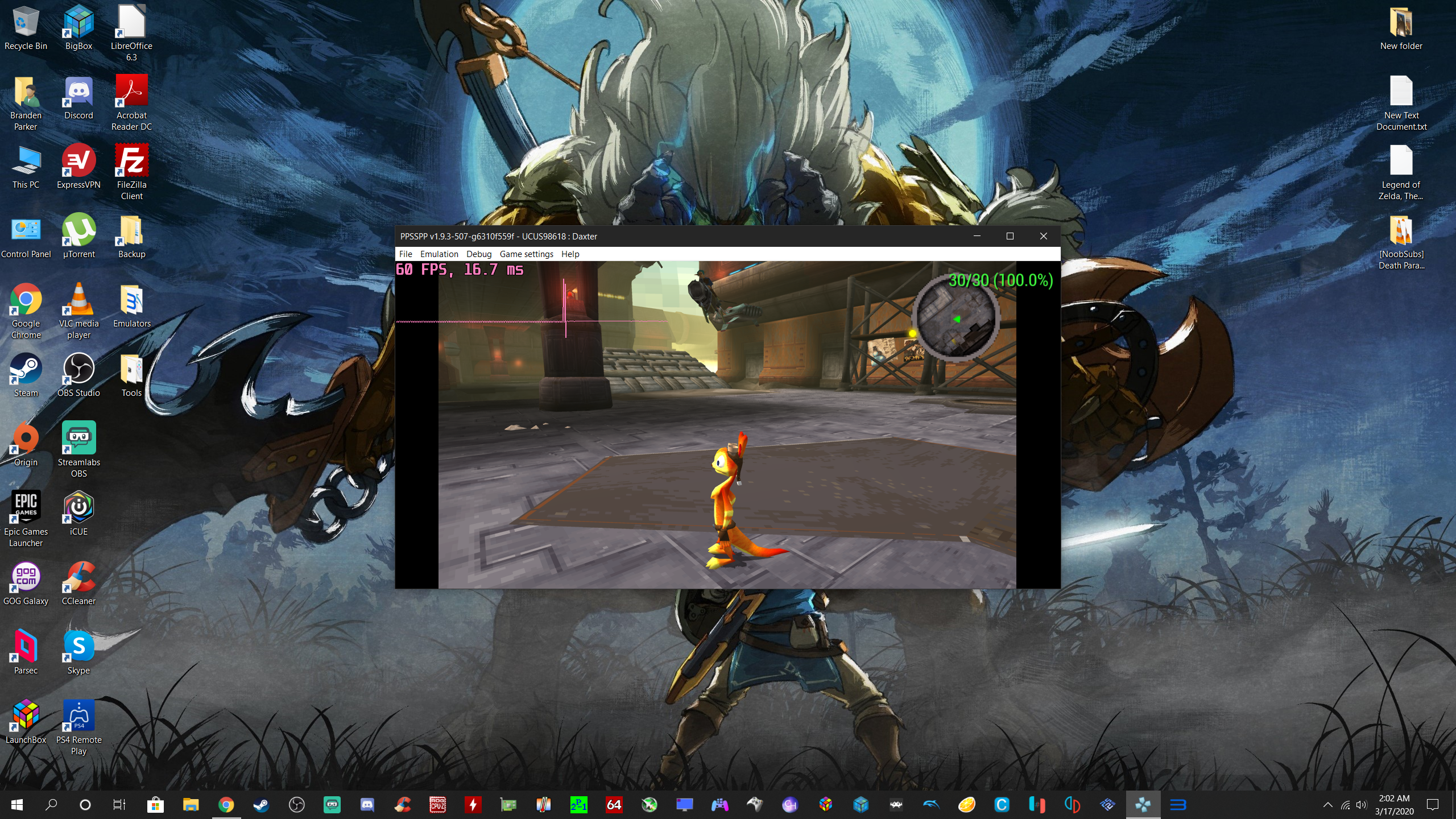

BParks21
on 17 Mar 2020
Cool. I'll fix it soon: #12720
hrydgard
on 17 Mar 2020
When "Render duplicate frames to 60hz" and "Vsync" are enabled in the emulator If I enter Fullscreen with alt+enter or F11 the game keeps running but keyboard/mouse doesn't respond.
 pitrako
on 23 Mar 2020
pitrako
on 23 Mar 2020
Does alt-enter work to exit out of it, or are you stuck at that point? What graphics card are you using, and do you have the latest drivers?
I don't experience this on NVIDIA. That said, I have a multi-monitor setup (the only way to live), which sometimes makes fullscreen behave differently.
-[Unknown]
unknownbrackets
on 23 Mar 2020
Stuck in fullscreen, RTX 2080, Nvidia Drivers 442.74, PPSSPP v1.9.3-554-gc6948561f
Edit: I changed to drivers 445.75 and It's still the same.
pitrako
on 23 Mar 2020
Okay, that sounds like a separate issue and maybe it's somehow AMD only. Doesn't really belong here, though.
It sounds like for some people, the vsync improvements (which haven't really changed) helped, and for others the duplicate frames option helped. That said, apparently vsync has not (consistently) helped, possibly for driver heuristics/updates reasons.
This issue has become very long, but I've updated the notes in https://github.com/hrydgard/ppsspp/issues/9736#issuecomment-509018634 to account for the duplicate frames option.
-[Unknown]
unknownbrackets
on 23 Mar 2020
But I have a Nvidia card not an AMD card.
https://im3.ezgif.com/tmp/ezgif-3-d75cdc7e6251.gif
No input from mouse, I think Its just when I enable vsync inside emulator not with the other option, but if I dont enable both I get the stuttering.
Edit: It happens with vulkan, Directx 11 works normal.
pitrako
on 23 Mar 2020
Please open a new issue about that, I'll try to take a look soon.
hrydgard
on 23 Mar 2020
I don't have that issue. Mouse and keyboard work fine with all backends with fullscreen and duplicate frames on.
BParks21
on 24 Mar 2020
In the end the vsync changes work now on Vulkan too and i get consistent performance and FPS now.
Dont know why I had issues with one of the previous builds.
You did some black magic with Vulkan because its the only emulator I dont get tearing with vsync on.
MojoJojoDojo
on 25 Mar 2020
I got my vita out yesterday to play some of my psp games and what I found was interesting. Games which are running at 60fps seem to use adaptive vsync. When they are maintaining 60fps there is no tearing. When they drop below they allow tearing. 30fps games lock to 30 with vsync. Thought I'd just add this here it might explain tearing in some situations.
JetSetter1984
on 27 Mar 2020
Unless the psp had a vrr screen
JetSetter1984
on 27 Mar 2020
It didn't, some PSP games indeed tear on the real hardware. That behavior is not easy to emulate, and I'm not sure it would even be very meaningful.
hrydgard
on 28 Mar 2020
I found a solution to remove at 100% micro stuttering in games like Castlevania X Chronicles, Ao no Kiseki, Ys: The Oath in Felghana and many many others (often XSEED games). I tested only on PC Windows, using "Retroarch" and its PPSSPP core.
Retroarch is here important, because one of its settings eliminates micro stuttering in games above: in video setting (Retroarch), at sync option, I indicate '2' to half refresh rate screen by 2.
In games like these ones, screen movements become absolutely smooth. No more micro stuttering at all.
 NecFan
on 8 Apr 2020
NecFan
on 8 Apr 2020
What is the name of the parameter that halves the refresh rate, I don't have the sync option on the Video options?
Marcelo20XX
on 10 Apr 2020
It's called vsync swap interval, and you must also enable vsync for it to work
JetSetter1984
on 10 Apr 2020
This was a long but interesting read but I still don't understand the gist of it. It started with people claiming to notice micro stuttering but shifted to "only on 30 fps games" in the middle. Is the latter fixed with duplicate frames (#12460 is still open)? I've done my own tests and I don't see any micro stutters. I've tested Daxter (30fps) and rotated the camera and although it looks pretty bad (I guess that's a 30 fps thing though) I can't see any stutters (maybe some small slowdowns/speedups but that could be the game). Duplicate frame doesn't do anything to change that, so either my eyes are bad or it just doesn't happen to me.
I've also tried setting my TV to 59.940 Hz but apparently that's not a thing anymore on Windows so there's that. Hope to hear some updates from you guys.
Edit: According to this Refresh Rate test setting it to 59 Hz does indeed result in 59.940 Hz. I mainly play retro games on my machine, would it be recommended to set the display to 59 Hz? Vsync should work fine either way (right?) but are there any compatibility problems?
 Anuskuss
on 28 Jun 2020
Anuskuss
on 28 Jun 2020
Just tested:
- PPSSPP 1.10.1
- RetroArch 1.8.8 with latest PPSSPP core.
The stuttering only happens in PPSSPP 1.10.1.
Not sure how to interpret that information.
 SaltyBet
on 5 Jul 2020
SaltyBet
on 5 Jul 2020
Tearing is back with Vulkan on the latest PPSSPP git version :X .
MojoJojoDojo
on 23 Aug 2020
What's the first git build seeing it again, and the last one where it worked?
If you can't find one where it works, testing again now, it makes it much more likely this is caused by a driver update.
-[Unknown]
unknownbrackets
on 23 Aug 2020
If tearing is back, it's the driver, not PPSSPP.
hrydgard
on 23 Aug 2020
literally 1 build away from tearing.
meaning 473 does not have tearing while 474 does have.
If it is the driver like you say I will stay on 473 for now.
MojoJojoDojo
on 23 Aug 2020
Wait what, 474 tears but 473 doesn't? That would make it caused by this, which seems utterly bizarre:
https://github.com/hrydgard/ppsspp/commit/d465ce5123d8a7f4cbe8595f39cd3564483e775b
@MojoJojoDojo Please mention what GPU and platform you are on.
hrydgard
on 23 Aug 2020
Related issues
 moura464
·
3Comments
moura464
·
3Comments
 soredake
·
4Comments
soredake
·
4Comments
 radiocaravan
·
6Comments
radiocaravan
·
6Comments
 Deivmsr
·
6Comments
Deivmsr
·
6Comments
 nassau-tk
·
5Comments
nassau-tk
·
5Comments
Most helpful comment
Just to summarize things to try in general for everyone:
Try settings -> System -> Force real clock sync.
This uses a spinloop for timing (click for detail.)
Windows is stupidly incapable of making a thread sleep for less than 1ms, so normally we just live with it. This means that occasionally a frame may be longer (i.e. instead of 16.66 + 16.66 + 16.66, it'll be 16 + 17 + 16 or something.) This setting forces better timing.
Tradeoff is worse battery life on laptops, etc.
Try settings -> System -> I/O timing method set to "Host".
Exposes disk timing to the game (click for detail.)
We normally stutter if disk access is slower than expected, to ensure the game play is the same every time (and ideally the same as on a PSP.) "Host" makes us just use whatever timing your actual system has. Even if you have a fast SSD, this can matter due to antivirus, OS caches, background processes, etc.
Tradeoff is you might run into bugs if games expect fast timing, but usually they don't.
Check settings -> Tools -> Developer tools -> Log dropped frame statistics.
You'll have to show the logs (Debug -> Log console) to see (click for detail.)
If you have texture scaling, texture replacements, or other settings you might be dropping frames. This won't always show up in the speed % or FPS display because it's an average.
Leave the log open and play for a while, then check the log. If it has any dropped frames, it will log statistics about the dropped frame. It could mean shader compilation, too high graphics settings, texture upload, etc.
Disable vsync, even if this sounds like crazy advice.
PSP games are NTSC unlike PC games (click for detail.)
PSP games don't run at 60 frames per second, but rather 60 frames every 1.001 seconds. It's a small difference but that 0.001 adds up and can cause stutter every now and then.
PSP games also generally all double buffer internally (there are only a few that don't.)
Don't forget to check driver settings. Sometimes it forces vsync. You may also want to try vsync on.
Try changing settings -> Graphics -> Upscale level to off.
Texture scaling currently runs on the CPU (click for detail.)
We already have to limit the textures we scale per frame to make it playable (unfortunately this causes pop-in), but it's still generally expensive. It's a likely cause of any stutter if you have it on.
Make sure unthrottle increases the speed substantially.
On any modern PC, you should get 500%, easy (click for detail.)
If unthrottle only takes you to 200% or something less than 500%, there may be settings or game-specific bugs limiting performance. This might easily stutter at times when throttled, since there are spikes in what the game needs.
Try using the "render duplicate frames" option in latest git builds.
This forces PPSSPP to send 60 FPS to the driver, even if the game is 30 FPS.
Most games on the PSP render only at 29.97 FPS, and some people have experienced issues only in these games. Forcing 60 FPS output has helped those people.
-[Unknown]