Powertoys: how to enable fancyzones in startup
How do you setup up fancyzones with a particular zone setting forever - that is so it starts as such on reboot in the startup apps.
 stevedipaola
All 8 comments
Should just retain what you last picked and have PowerToys launch on startup w/ FZ enabled.
If it doesn't, then we have a bug.
 crutkas
on 10 Apr 2020
crutkas
on 10 Apr 2020
@stevedipaola any chance you can respond?
crutkas
on 10 Apr 2020
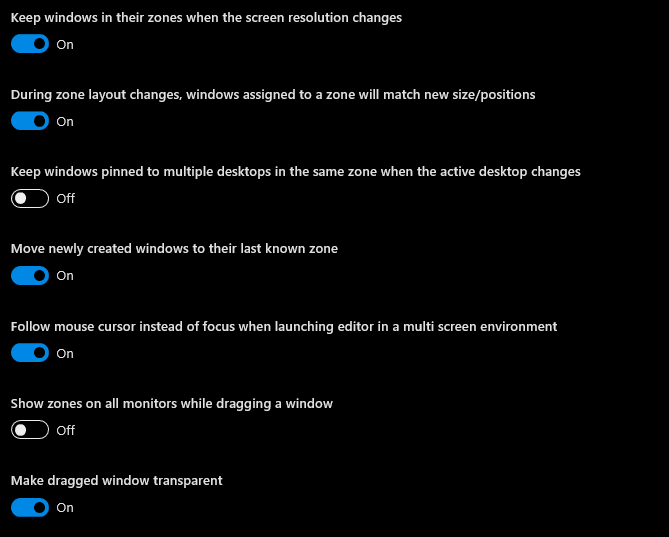
Hi there I'm having a similar Issue. In my current setup I have 4 separate virtual desktops all with different zones setup to my liking. I have also set the the "Run at Statup" option. However, whenever I open the laptop (both reboot and simple wake from hibernation) all my settings are messed up. Sometimes there are zones set but the incorrect ones and sometimes they just don't show at all. You can find my settings below.
 N1x0
on 20 Apr 2020
N1x0
on 20 Apr 2020
Same error. I have two monitors with the same zones defined and after restart I have to open the app manually.
In my case, after "Sleep" works fine.
 xavik0f2
on 29 Apr 2020
xavik0f2
on 29 Apr 2020
@N1x0
we are fixing a bug related to what you described, the fix should be available in 0.18
@xavik0f2
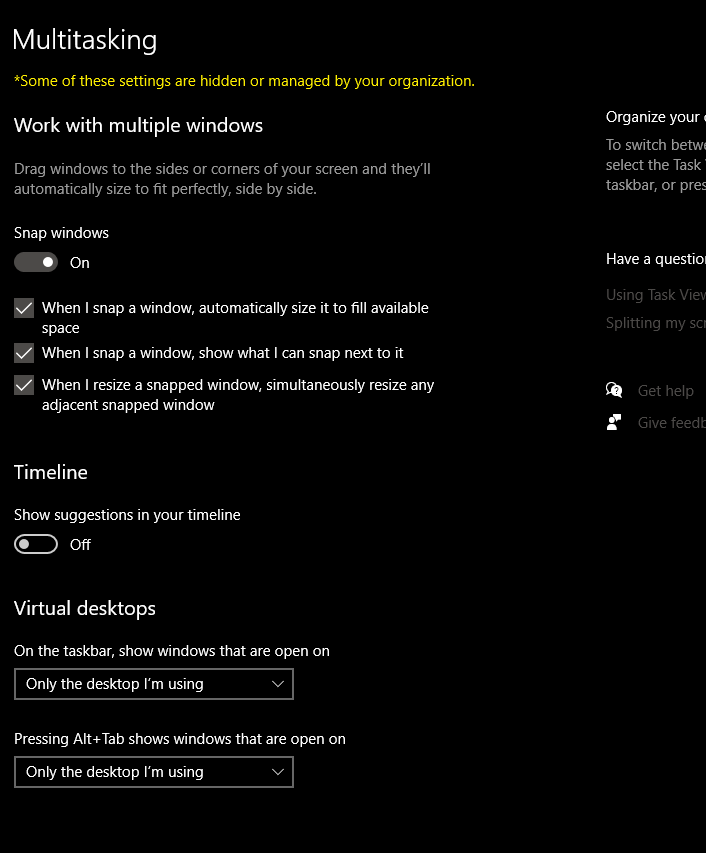
are you also using Virtual Desktops?
 enricogior
on 30 Apr 2020
enricogior
on 30 Apr 2020
Hi @enricogior
I am not sure if this is what you are asking me:
xavik0f2
on 30 Apr 2020
@xavik0f2
I'll assume you are not using Virtual Desktops.
In any case we will release 0.18 around the 20th of May, it will contain several fixes that may also solve the problem you are experiencing.
enricogior
on 30 Apr 2020
closing due to @stevedipaola not following up.
@xavik0f2 we think we fixed your issue in 0.18
crutkas
on 3 Jun 2020
Related issues
 Marrib
·
3Comments
Marrib
·
3Comments
 Martin-Hausleitner
·
3Comments
Martin-Hausleitner
·
3Comments
 aminya
·
3Comments
aminya
·
3Comments
 verglor
·
3Comments
verglor
·
3Comments
 seritools
·
3Comments
seritools
·
3Comments