Can i have this code? I don't know the icon HOT and WARM, and *C
https://raw.githubusercontent.com/romkatv/powerlevel10k-media/master/custom-segment.gif
 ImKifu
All 3 comments
function prompt_my_cpu_temp() {
  integer cpu_temp="$(</sys/class/thermal/thermal_zone0/temp) / 1000"
  if (( cpu_temp >= 80 )); then
    p10k segment -s HOT  -f red    -t "${cpu_temp}"$'\uE339' -i $'\uF737'
  elif (( cpu_temp >= 60 )); then
    p10k segment -s WARM -f yellow -t "${cpu_temp}"$'\uE339' -i $'\uE350'
  fi
}
You can search for icons here: https://www.nerdfonts.com/cheat-sheet
 romkatv
on 26 May 2020
romkatv
on 26 May 2020
👍2
Thank you for your supporting <3
I copy it to p10k.zsh file, then i reboot the machine.
After login, i hit enter for few time. Then it disappear.
I don't know why, can you help me?
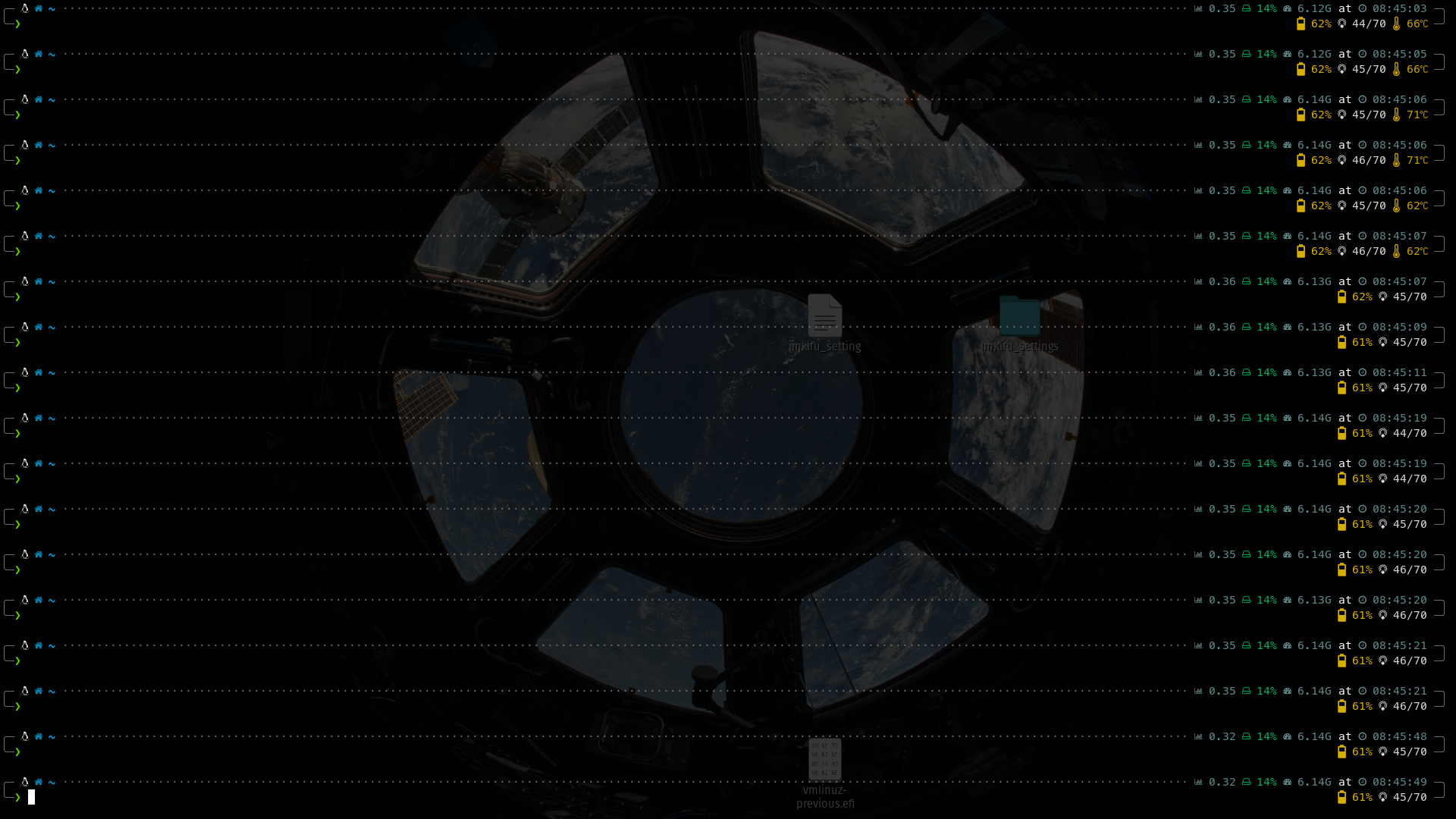
i use Ubuntu 20.04
ImKifu
on 27 May 2020
The function I posted displays temperature above 80 degrees as HOT, above 60 degrees as WARM and below 60 it doesn't display it at all. When you booted the machine it was at 62 degrees, then it got below 60 degrees.
romkatv
on 27 May 2020
👍1
Was this page helpful?
0 / 5 - 0 ratings
Related issues
 leeallen337
·
3Comments
leeallen337
·
3Comments
 maximbaz
·
7Comments
maximbaz
·
7Comments
 kensang248
·
4Comments
kensang248
·
4Comments
 gigglearrows
·
4Comments
gigglearrows
·
4Comments
 georgijd
·
3Comments
georgijd
·
3Comments
Most helpful comment
You can search for icons here: https://www.nerdfonts.com/cheat-sheet