Powerlevel10k: Cannot exit zsh with Ctrl-D when using instant prompt
All 22 comments
without instant_prompt;
[[ -o ignore_eof ]] && echo "ignore_eof set" || echo "ignore_eof unset"
ignore_eof unset
with instant_prompt
[[ -o ignore_eof ]] && echo "ignore_eof set" || echo "ignore_eof unset"
ignore_eof unset
looks to be exactly the same
 MichaelAquilina
on 20 Oct 2019
MichaelAquilina
on 20 Oct 2019
Pressing ctrl+D after waiting around 10 seconds still shows the same issue
I keep my zshrc here if you are curious to take a peek about anything that could be interfering:
https://github.com/MichaelAquilina/swayconfig/blob/2000a7ae154bb3c9092adf494a709879702c1f9b/zshrc
for the instant prompt addition I've just added the following to the very top of that file as you specified:
if [[ -r "${XDG_CACHE_HOME:-$HOME/.cache}/p10k-instant-prompt-${(%):-%n}.zsh" ]]; then
  source "${XDG_CACHE_HOME:-$HOME/.cache}/p10k-instant-prompt-${(%):-%n}.zsh"
fi
Thanks, this is useful. I'll try to reproduce this with your config. Probably has something to do with zplug.
 romkatv
on 20 Oct 2019
romkatv
on 20 Oct 2019
Cannot reproduce, unfortunately. Here's what I've tried.
- Type this command:
docker run -e LANG=C.UTF-8 -e TERM=xterm-256color -it --rm debian:buster bash -uexc '
  apt update
  apt install -y zsh git curl gawk sudo nano libnotify-bin
  useradd -ms /bin/zsh test
  sudo -u test git clone https://github.com/zplug/zplug ~test/.zplug
  sudo -u test curl -fsSLo ~test/config https://raw.githubusercontent.com/MichaelAquilina/swayconfig/2000a7ae154bb3c9092adf494a709879702c1f9b/zshrc
  sudo -u test tee -a ~test/.zshrc >/dev/null <<END
export LANG=${LANG@Q}
export TERM=${TERM@Q}
if [[ -r "\${XDG_CACHE_HOME:-\$HOME/.cache}/p10k-instant-prompt-\${(%):-%n}.zsh" ]]; then
  source "\${XDG_CACHE_HOME:-\$HOME/.cache}/p10k-instant-prompt-\${(%):-%n}.zsh"
fi
function xdg-settings() {}
function dircolors() { command dircolors }
source ~/config
END
  exec su - test'
- Once prompt appears, type
zplug install. - Type
zsh. Powerlevel10k prompt appears. Hit Ctrl-D to exit. - Repeat step 3.
- Type
zsh. Then againzsh. Hit Ctrl-D twice to get back to the login zsh.
As you can see in the docker command, I've made a few changes to your config.
- Export
LANGandTERM. I had to set these manually because I start with clean environment. - Enable instant prompt.
- Make
xdg-settingsa no-op. I don't have it installed and it probably doesn't matter. - Effectively replace
dircolors ~/.dircolorswith plaindircolors. I don't have~/.dircolors. Probably doesn't matter.
Could you check whether the same thing works locally on your system?
- Type this command. It assumes you have
sudoanduseradd/userdel. If not, please adjust accordingly.
() {
  emulate -L zsh
  setopt err_return no_unset
  sudo useradd -ms =zsh test
  {
    sudo -Hu test git clone https://github.com/zplug/zplug ~test/.zplug
    sudo -Hu test curl -fsSLo ~test/config https://raw.githubusercontent.com/MichaelAquilina/swayconfig/2000a7ae154bb3c9092adf494a709879702c1f9b/zshrc
    sudo -Hu test tee -a ~test/.zshrc >/dev/null <<END
export TERM=xterm-256color
if [[ -r "\${XDG_CACHE_HOME:-\$HOME/.cache}/p10k-instant-prompt-\${(%):-%n}.zsh" ]]; then
  source "\${XDG_CACHE_HOME:-\$HOME/.cache}/p10k-instant-prompt-\${(%):-%n}.zsh"
fi
function xdg-settings() {}
function dircolors() { command dircolors }
source ~/config
END
    sudo su - test
 } always {
   sudo userdel -r test 2>/dev/null
 }
}
- Perform steps 2-5 from above.
Let me know whether this works.
P.S.
zplug likes to hang shell. E.g., if I add zplug check || zplug install to ~/.zshrc the way documentation suggests, it'll hang for good. Or if I run zplug install while having POSIX or C locale -- it'll hang for good, too. Maybe it's related.
romkatv
on 20 Oct 2019
Interestingly this issue only seems to occur on kitty terminal (https://github.com/kovidgoyal/kitty). So it might potentially be a bug there.
MichaelAquilina
on 20 Oct 2019
Thanks for this vital piece of information! I'll try to reproduce it with kitty tomorrow.
romkatv
on 21 Oct 2019
Wasn't able to reproduce and no one else has complained. Closing. Please reopen if you are able to supple instructions that I can follow to reproduce the issue.
romkatv
on 3 Nov 2019
Finally gotten down to it. Unlike all other terminals, kitty doesn't terminate until the number of open file descriptors to the TTY goes down to zero. This nasty bug is classified as feature in kitty :shrug:
I've implemented a workaround in powerlevel10k. If you update, powerlevel10k will no longer hold open file descriptors to the TTY after the parent zsh fnishes, kitty should close when you hit Ctrl-D. That is, unless something else holds open file descriptors to the TTY, which can very well be.
romkatv
on 2 May 2020
Thanks for this @romkatv !
MichaelAquilina
on 4 May 2020
This is not specific to KiTTY. I just installed powerlevel10k from git master and I have this issue with the default Windows console (WSL), Windows Terminal, mintty/wsltty, and also when using tmux over SSH. I can't close zsh with Ctrl+D until it has finished loading.
❯ [[ -o ignore_eof ]] && echo "ignore_eof set" || echo "ignore_eof unset"
ignore_eof unset
 nyuszika7h
on 17 May 2020
nyuszika7h
on 17 May 2020
until it has finished loading
What does "finished loading" mean?
romkatv
on 17 May 2020
When the instant prompt shows up, I can't close zsh with Ctrl+D yet. But after the pyenv and rvm info shows up, it works fine.
nyuszika7h
on 17 May 2020
Makes sense. When instant prompt shows up, you cannot close with exit either, or run ls. Shell isn't ready to do anything yet.
This issue is about kitty not being able to be closed when pressing Ctrl-D at any time. You can reproduce it like this:
- Configure kitty to start bash or zsh.
- Start kitty.
- Type
sleep 3600 & disown. - Press Ctrl-D.
- Kitty hangs (to be fair, kitty's developer says it doesn't hang, it just doesn't close).
There is a setting in Kitty that turns this behavior off.
Note that these steps don't depend on powerlevel10k. It's just how kitty works.
Also note that powerlevel10k no longer prevents kitty from closing.
romkatv
on 17 May 2020
Ah, I see, I misunderstood it. It's not a big deal since I don't usually want to immediately close zsh like that anyway.
nyuszika7h
on 17 May 2020
@romkatv I seem to be experiencing this same issue since I pulled the latest version of powerlevel10k
Confirmed this by commenting out this line:
# Enable Powerlevel10k instant prompt. Should stay close to the top of ~/.zshrc.
# Initialization code that may require console input (password prompts, [y/n]
# confirmations, etc.) must go above this block, everything else may go below.
if [[ -r "${XDG_CACHE_HOME:-$HOME/.cache}/p10k-instant-prompt-${(%):-%n}.zsh" ]]; then
#  source "${XDG_CACHE_HOME:-$HOME/.cache}/p10k-instant-prompt-${(%):-%n}.zsh"
fi
Still using the same terminal (kitty)
MichaelAquilina
on 19 May 2020
@MichaelAquilina please describe the issue you are experiencing.
romkatv
on 19 May 2020
It's the same one I experienced before the fix you mentioned here: https://github.com/romkatv/powerlevel10k/issues/274#issuecomment-622965319-permalink
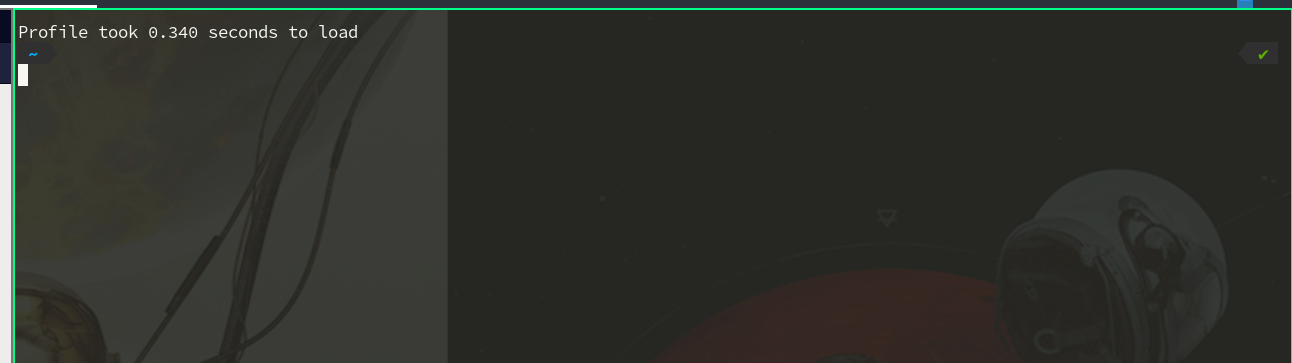
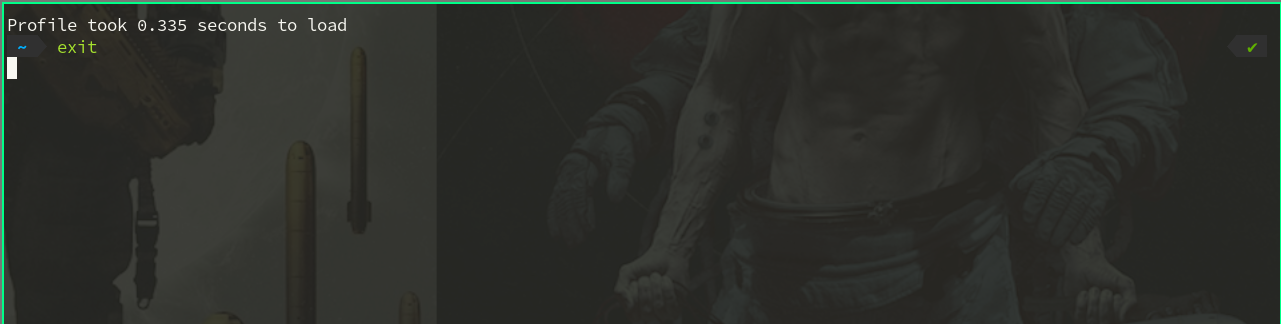
Basically if I try to exit ((ctrl+D) or running exit), the shell stays open until I force close it with my window manager
MichaelAquilina
on 19 May 2020
Does it help if you set close_on_child_death yes in kitty config?
See https://sw.kovidgoyal.net/kitty/conf.html#opt-kitty.close_on_child_death.
romkatv
on 19 May 2020
Seems like that works. Should this still be considered a regression?
MichaelAquilina
on 19 May 2020
Seems like that works. Should this still be considered a regression?
I cannot reproduce this. There is some interplay with something else you have.
What kitty does by default is absolutely awful. The config change merely makes the closing behavior sane and identical to all other terminals. At this point I don’t want to spend any more time just because kitty made a terrible choice for its default.
romkatv
on 19 May 2020
I think that's fair enough if the workarounds introduce needless complexity. Might be worth adding something to the README as a warning to kitty users (and anyone else experiencing similiar issues) though?
MichaelAquilina
on 19 May 2020
Not worth including anything in readme. If it was a popular or high quality terminal, things works be different.
romkatv
on 19 May 2020
Related issues
romkatv
·
5Comments
 bwoodruff
·
6Comments
bwoodruff
·
6Comments
 fedemengo
·
7Comments
fedemengo
·
7Comments
 debo
·
5Comments
debo
·
5Comments
 georgijd
·
3Comments
georgijd
·
3Comments