
All 38 comments
That's how zsh does it. I have a fix in https://github.com/romkatv/zsh/tree/fix-winchanged if this bothers you. My attempt to upstream this patch was met with negative feedback and no enthusiasm. Unfortunately, the criticism was too vague to allow me to respond to it and I wasn't able to get any additional details after asking for clarification. I decided to abandon this patch even though it works.
 romkatv
on 18 Aug 2019
romkatv
on 18 Aug 2019
haha should have known you'd have already tried to fixed that.
I wasn't able to get any additional details after asking for clarification
Correct me if I'm wrong (Mailing list threads are a little confusing for myself). But wasn't the last response here from Bart?
Note: I know nothing about zsh internals so I can't make any judgement on the vagueness of the feedback.
Regardless thanks for the great tool, and it is good to know that I haven't done anything incorrectly which would lead to the resizing issue. In other words, 👍 on closing this as an upstream issue.
 r-richmond
on 19 Aug 2019
r-richmond
on 19 Aug 2019
haha should have known you'd have already tried to fixed that.
I wasn't able to get any additional details after asking for clarification
Correct me if I'm wrong (Mailing list threads are a little confusing for myself). But wasn't the last response here from Bart?
This is indeed the last message from Bart, in which he mentioned that my patch can break some themes.
In my response I explained that I thought about this issue while working on the patch and it should't break themes. I asked Bart which themes he thinks could break and never got a reply.
So I'm left with a concern that my patch can break some themes. All I can do is to explain that it shouldn't break themes and to verify that it in fact doesn't break any theme I can find.
Bart is a volunteer, just like everyone else on that list, so he's not obligated to answer my requests for clarification. He's a prominent member of the community, so with his concern being unresolved the current state of the patch is as good as rejected.
romkatv
on 19 Aug 2019
Hi, I understand that this is a zsh + terminal issue but why doesn't this occur with the default robbyrussell theme?
 Ayush1325
on 29 Sep 2019
Ayush1325
on 29 Sep 2019
Only themes that have prompt at the rights side of the screen are affected.
romkatv
on 29 Sep 2019
Only themes that have prompt at the rights side of the screen are affected.
Ok, thanks for the reply. Seems a shame though, powerlevel10k is super amazing other than that resizing issue.
Ayush1325
on 29 Sep 2019
If this bothers you, apply my zsh patch, or disable right prompt.
romkatv
on 29 Sep 2019
If this bothers you, apply my zsh patch, or disable right prompt.
@romkatv
How to disable right prompt? (Have looked through docs, FAQs, config and searched like crazy - still not able to figure it out.)
 MikaelElkiaer
on 24 Dec 2019
MikaelElkiaer
on 24 Dec 2019
@romkatv
How to disable right prompt? (Have looked through docs, FAQs, config and searched like crazy - still not able to figure it out.)
Open ~/.p10k.zsh and comment out all elements of POWERLEVEL9K_RIGHT_PROMPT_ELEMENTS.
romkatv
on 24 Dec 2019
@romkatv
How to disable right prompt? (Have looked through docs, FAQs, config and searched like crazy - still not able to figure it out.)Open
~/.p10k.zshand comment out all elements ofPOWERLEVEL9K_RIGHT_PROMPT_ELEMENTS.
@romkatv
Thanks, but unfortunately that didn't do the trick. Switching from gnome-terminal to URxvt, however, solved most of the resizing issues.
MikaelElkiaer
on 31 Dec 2019
Thanks, but unfortunately that didn't do the trick.
If this didn't disable the right prompt, please open another issue.
If this did disable right prompt but didn't fix the problem with resizing, I would guess you are using ruler or prompt gap. In other words, even without right prompt your prompt spans the whole line.
romkatv
on 31 Dec 2019
@romkatv installing your build didn't work for me :(
Mac OS X 10.14.6
ITerm2 3.2.9
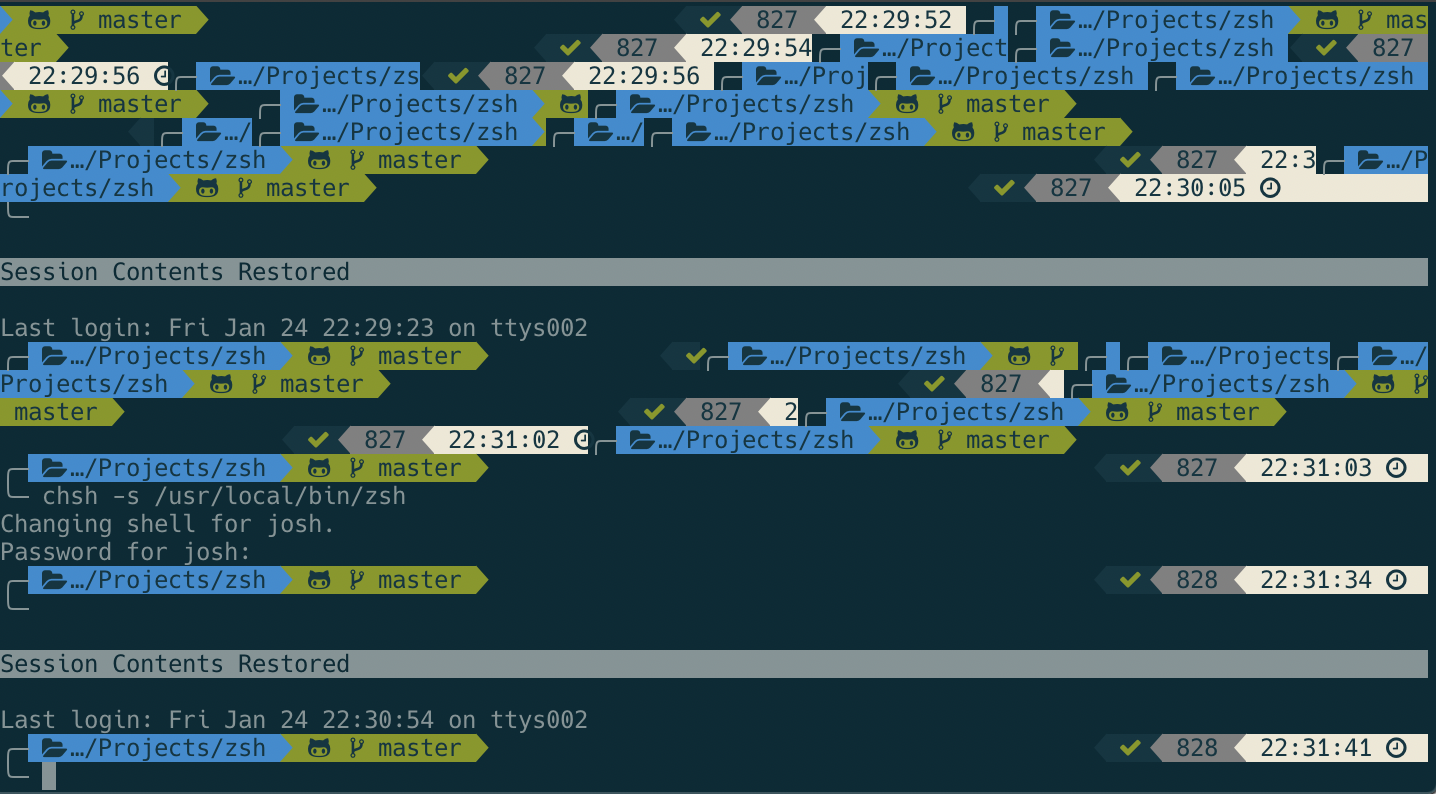
 parksj10
on 25 Jan 2020
parksj10
on 25 Jan 2020
Sorry to hear that. I hope you'll excuse my not providing official support for patched zsh.
romkatv
on 25 Jan 2020
Not sure if that was sarcasm 🙃 but of course don’t expect official support, just curious if you had any other developments/input
parksj10
on 25 Jan 2020
No sarcasm.
When people report problems with p10k, I deal with them even when the reports are not actionable. I don't commit to the same level of support when it comes to my zsh patches. I'll be grateful for high quality bug reports though.
By not actionable I mean that there is nothing I can do with the provided information except ask for more information. A high quality report would describe how the screenshot was produced. Given the nature of the problem, it would also contain a video or a gif showing resizing in action. It would also list precise commands used to build zsh and provide unambiguous proof that the version of zsh that was used to produce the screenshot does indeed contain the patch. It would also compare the behavior of patched zsh to unpatched in different situations, perhaps with another terminal and/or theme.
I'm not saying that you should do it. It's real work that you have no obligation to commit to. I'm not committing to it either.
romkatv
on 25 Jan 2020
Thanks for the advice, I'm relatively new to shell stuff and it's good to get feedback on what actionable would mean for you. As such, I've followed your adivce
First, I installed your powerlevel10k, working quite nicely and quickly! Thanks for sharing that
Secondly, I reinstalled your patched version of zsh using the following
git clone https://github.com/romkatv/zsh.git
cd zsh
./Util/preconfig
./configure
make
make install
zsh --version
you can see in the below screenshot that the version is indeed the test version I installed, and exhibits the same behavior. Not sure if the man make errors I got matter, but I've attached a copy of the terminal output
I tested this in both iTerm2 and Terminal (native OSX app) with the same issue (disregard ??? in Terminal record, likely a font problem)
Let me know if any other information would help!!!
Again, thanks for taking the time to school me on bug reporting :D
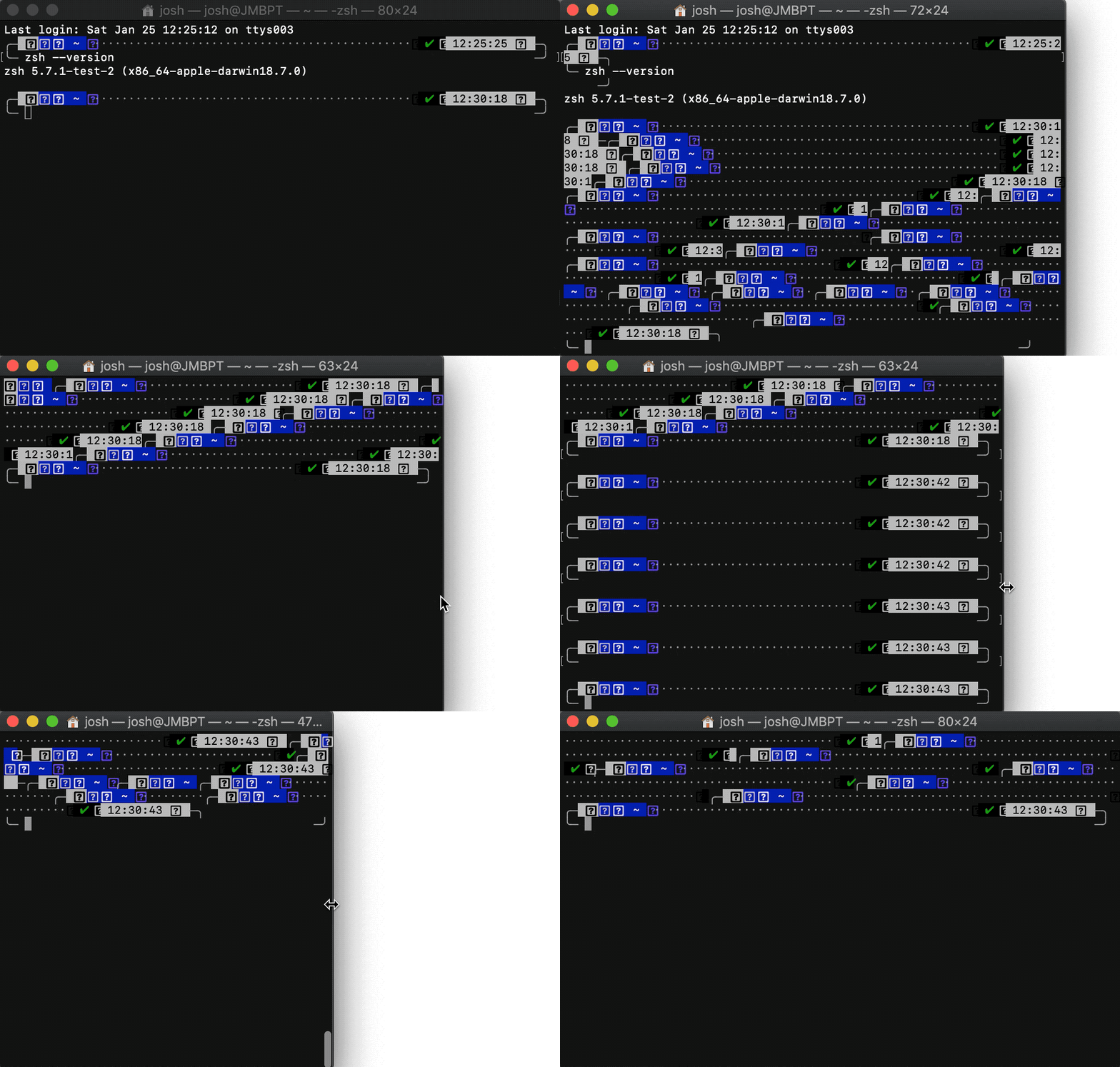
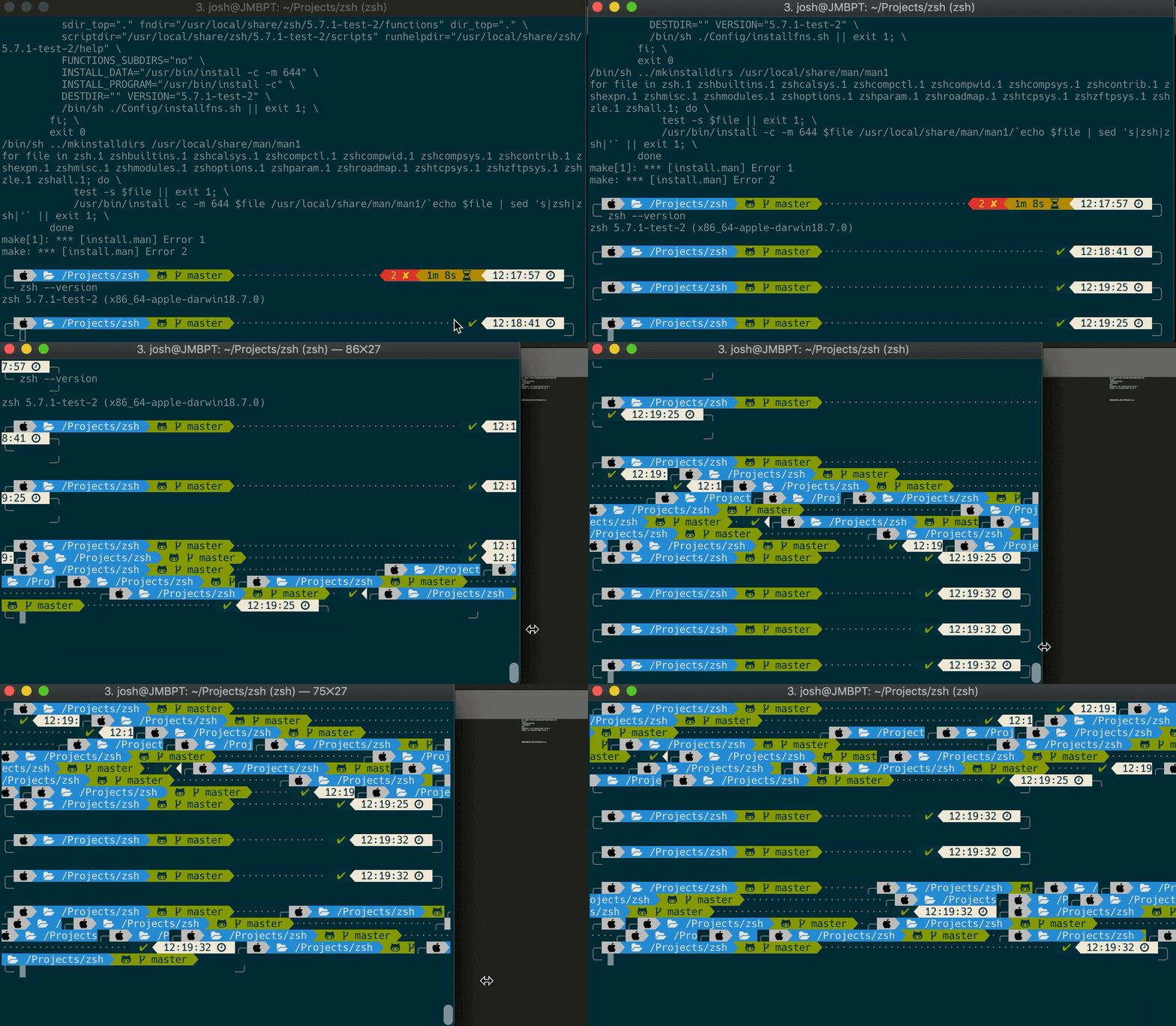
P.S. Not sure if the config files help, but I've edited to add them in case they do!
parksj10
on 25 Jan 2020
Thanks, this is a great issue report.
git clone https://github.com/romkatv/zsh.git
The patch is in fix-winchanged branch.
romkatv
on 25 Jan 2020
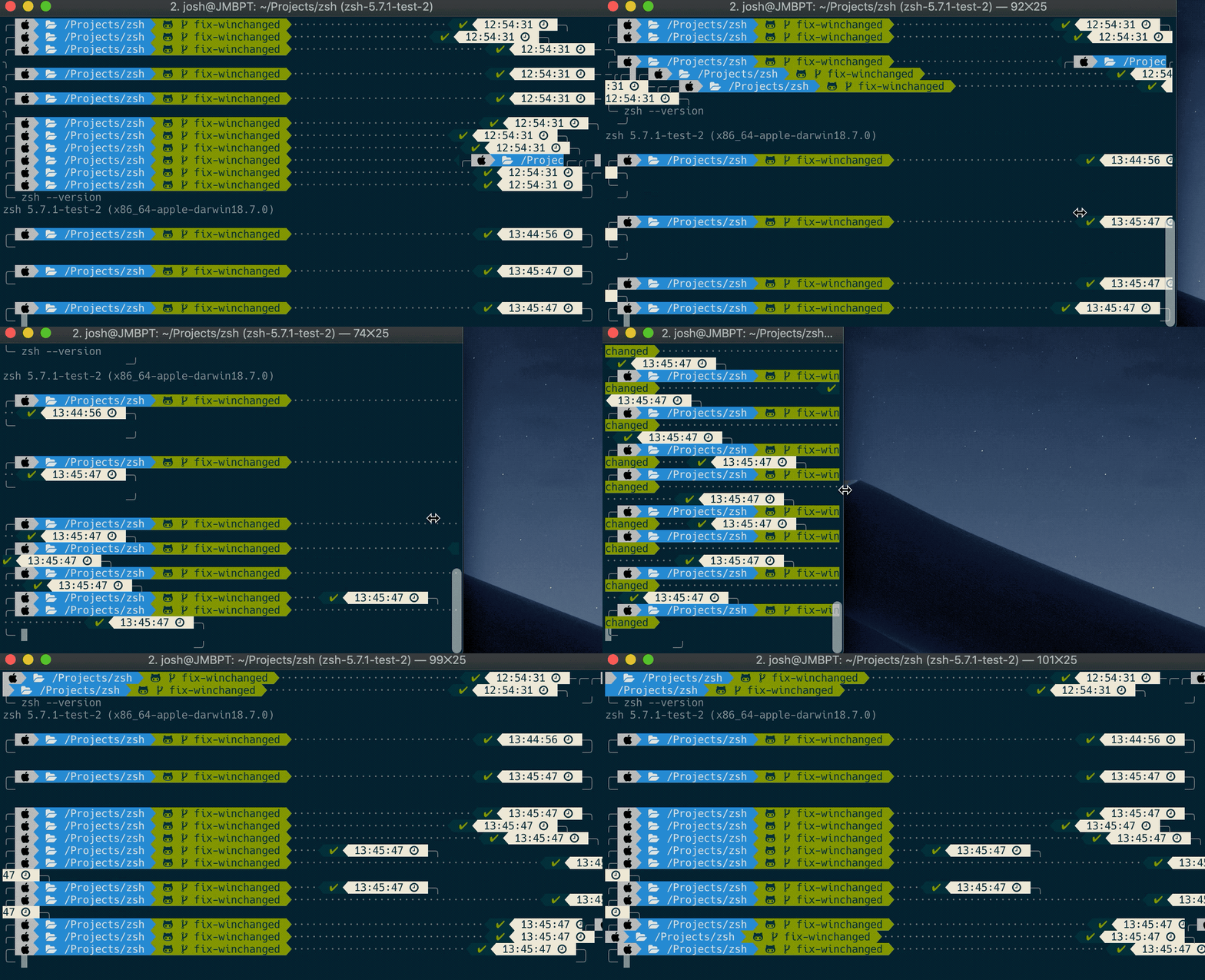
Hahaha, thanks! What a n00b I am... got it working using below. Still some strange duplication happening but at least its readable now!
git clone https://github.com/romkatv/zsh.git
git checkout fix-winchanged
cd zsh
./Util/preconfig
./configure
make
make install
sudo sh -c "echo /usr/local/bin/zsh-5.7.1-test-2 >> /etc/shells"
chsh -s /usr/local/bin/zsh-5.7.1-test-2
zsh --version
parksj10
on 25 Jan 2020
Glad you got it working. In theory there may be occasional artifacts, especially when your machine is under heavy load. FWIW, I cannot trigger them on my machine. It's hard to say whether there are any artifacts in the gif you've posted. Ideally, you need to start with a screen that obviously looks correct, and then verify whether it looks the same as before once you resize it to original dimensions. Your gif starts with something odd-looking, so it's hard to say whether the final result is the same or not.
Also keep in mind that whenever the terminal window is shrinked while the current prompt line is at the very top (e.g., after clear), there will be a mess above the viewport (you have to scroll up to see it). To the best of my knowledge this is unavoidable as there is no way for zsh to clear stuff once it's pushed above the viewport.
P.S.
I'm using zsh from this branch myself. I merge upstream changes regularly and force-push. If you plan to use this branch, be ready for force pushes.
romkatv
on 25 Jan 2020
sounds good, thanks again for the help
parksj10
on 25 Jan 2020
FWIW, I've put a build script for @romkatv's branch up on the AUR.
@romkatv Can you please tag the releases (5.8 for now) so the version can be better parsed using git describe? Borrowed from the pre-existing zsh-git pkgbuild, this is the code used to construct a pkg version:
if GITTAG="$(git describe --abbrev=0 --tags 2>/dev/null)"; then
    printf '%s.r%s.g%s' \
        "$(sed -e "s/^${_pkgbase%%-git}//" -e 's/^[-_/a-zA-Z]\+//' -e 's/[-_+]/./g' <<< ${GITTAG})" \
        "$(git rev-list --count ${GITTAG}..)" \
        "$(git log -1 --format='%h')"
else
    printf '0.r%s.g%s' \
        "$(git rev-list --count master)" \
        "$(git log -1 --format='%h')"
fi
 AndydeCleyre
on 13 Apr 2020
AndydeCleyre
on 13 Apr 2020
Ah, I've managed to reproduce extra resizing weirdness with your patch and rxvt-unicode and alacritty, on Arch. I'm providing info here in case you are still interested in getting a patch upstreamed (and I don't think issue tracking is enabled on your fork).
Mikael has suggested the importance of generating scrollback content in order to trigger urxvt's reflow, in reproducing.
rxvt-unicode 9.22-9
zsh-fix-winchanged-git 5.7.1.r312.g8f21786fc-1 via AUR
zsh 5.8-1
alacritty 0.4.2-1
AndydeCleyre
on 13 Apr 2020
FWIW, I've put a build script for @romkatv's branch up on the AUR.
Keep in my that I don't provide any support for this repo. Issues are disabled and won't be enabled. Branches and tags can appear and disappear without notice. History in the existing branches can be rewritten.
@romkatv Can you please tag the releases (5.8 for now) so the version can be better parsed using
git describe?
Sure. I've just pushed all tags. There is no guarantee they remain though.
In addition, I've changed the repository's tagline to this: "Fork of Zsh with no guarantees and no support whatsoever".
Ah, I've managed to reproduce extra resizing weirdness with your patch and rxvt-unicode and alacritty, on Arch.
Thanks, that's news to me. I've pushed a fix that makes resizing work correctly when you are resizing terminal horizontally or vertically. Simultaneous horizontal and vertical resizing (by the corner) will make a mess.
I've also added a note that my patch doesn't work on Alacritty (it doesn't make things worse either). As far as I can tell, there is no way to fix resizing on Alacritty due to its unorthodox (broken?) implementation of sc/rc. This doesn't bother me much because Alacritty is a bad terminal for Zsh in general.
romkatv
on 13 Apr 2020
Thanks very much.
Do you know offhand which terminal apps don't (or can disable) reflow? I usually use konsole (which doesn't reflow), but have been using alacritty a bit lately because I want OSC-52 support.
Or which terminal apps you consider good for zsh?
AndydeCleyre
on 13 Apr 2020
Do you know offhand which terminal apps don't (or can disable) reflow?
I think xterm and urxvt have these options. I cannot recommend xterm. urxvt can be OK.
Or which terminal apps you consider good for zsh?
Alacritty posts high numbers on artificial benchmarks but you can see prompt jerking with the naked eyes, which makes for a very unpleasant experience. I haven't tried it with other shells but with zsh it feels awful.
Konsole is alright if you don't care for fancy icons. If you do like fancy icons, you'll run into bugs that Konsole will likely never fix.
Terminals based on VTE are the best in my opinion. Very smooth rendering and great performance. VTE is a library, so there is a decent choice of actual terminals (GNOME Terminal, Tilix, Guake, etc). VTE doesn't support OSC-52 though, so if you need it, VTE is a no go.
FWIW, my zsh patch works well with VTE. Prior to the today's "fix", it even worked when you resize terminal by the corner. No longer!
I don't know any decent terminal with OSC-52 support.
romkatv
on 13 Apr 2020
Hi,
For me what worked was to update the ~/.p10k.zsh with these:
  typeset -g POWERLEVEL9K_TRANSIENT_PROMPT=off

  function p10k-on-pre-prompt() {}
  function p10k-on-post-prompt() {}
Now when I resize my prompt, I don't have any glitches anymore.
I am using iTerm2 with zsh.
 ericmatte
on 14 Apr 2020
ericmatte
on 14 Apr 2020
@ericmatte If you remove those lines from your config, do you notice any difference?
romkatv
on 14 Apr 2020
For me, it only works with those lines defined:
  typeset -g POWERLEVEL9K_TRANSIENT_PROMPT=off
  function p10k-on-pre-prompt() {}
  function p10k-on-post-prompt() {}
Edit: I also use two lines for the prompt height and sparse for the prompt spacing. After that, I reload my zsh config or restart my terminal.
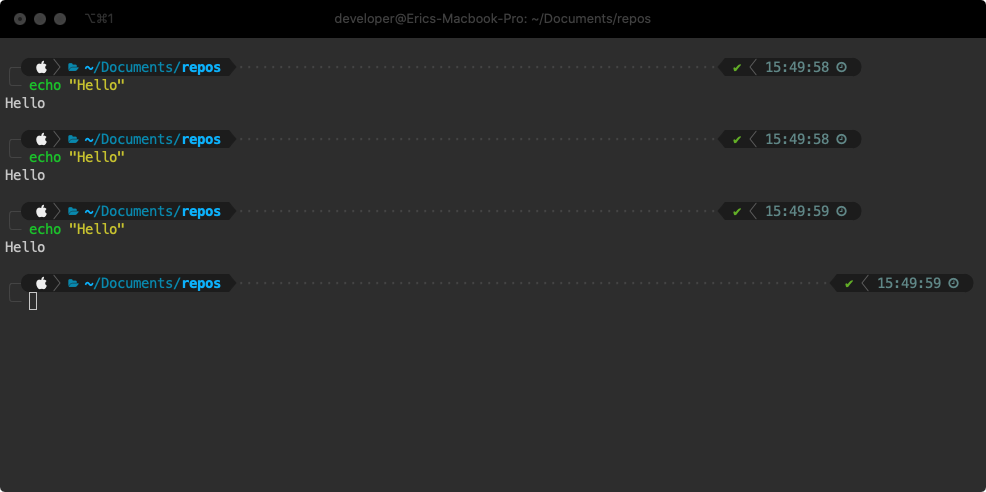
VS
#  typeset -g POWERLEVEL9K_TRANSIENT_PROMPT=off
#  function p10k-on-pre-prompt() {}
#  function p10k-on-post-prompt() {}
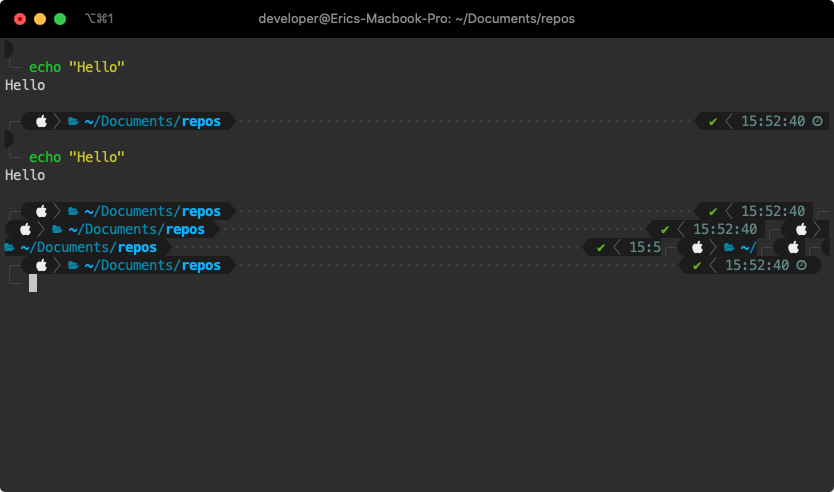
ericmatte
on 14 Apr 2020
@romkatv I tried with brew install zsh (v 5.8) with and without settings from @ericmatte and it still doesn't work for me
parksj10
on 14 Apr 2020
Fascinating! I thought there was 0% chance this could be true. After all, these configuration options have no effect on what happens during terminal resizing. Two of them have no effect at all!
romkatv
on 14 Apr 2020
@romkatv I tried with brew install zsh (v 5.8) with and without settings from @ericmatte and it still doesn't work for me
This is 100% expected.
romkatv
on 14 Apr 2020
If you have a few moments to spare and would like to understand the nature of this zsh bug, there is https://github.com/romkatv/powerlevel10k/blob/master/README.md#horrific-mess-when-resizing-terminal-window.
romkatv
on 14 Apr 2020
If you have a few moments to spare and would like to understand the nature of this zsh bug, there is https://github.com/romkatv/powerlevel10k/blob/master/README.md#horrific-mess-when-resizing-terminal-window.
Cool! too bad they're not upstreaming your patch, let me know if I can vote somewhere :P. For now I'll continue to use your patched ZSH!
parksj10
on 14 Apr 2020
@romkatv I can't explain why, but for me it's working great with zsh + iTerm2 on MacOS.
I've also tested it on Ubuntu for Windows 10 + zsh 5.4.2 (x86_64-ubuntu-linux-gnu), with the same result:
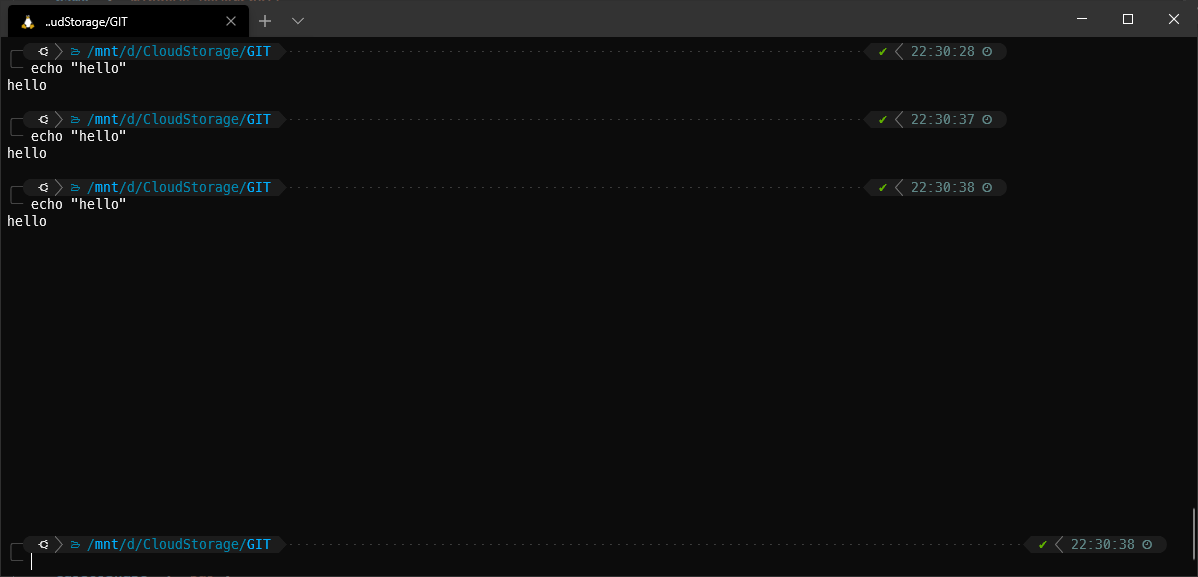
It creates some blank spaces between the prompt and the last command output, but at least it doesn't do this:
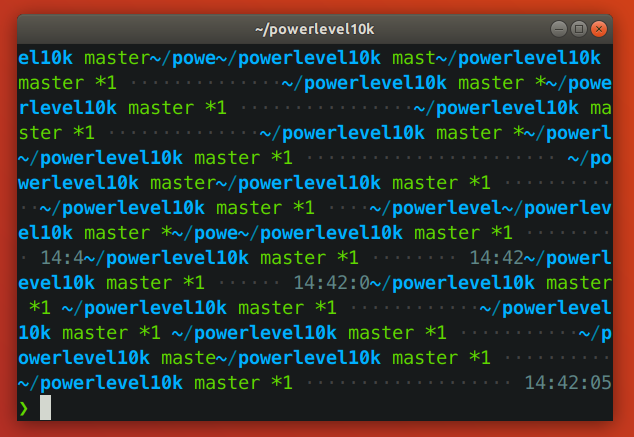
ericmatte
on 15 Apr 2020
@romkatv I can't explain why, but for me it's working great with zsh + iTerm2 on MacOS.
It's as broken for you as for anyone else. There is no uncertaintly involved. If your terminal reflows text on resizing and there is a long line between the start of prompt and cursor, you hit the bug in zsh. It doesn't matter which OS, terminal, zsh version, theme or theme parameters you use.
The only ways to avoid the bug are:
- Patch zsh.
- Use a terminal that truncates text on resizing instead of reflowing it.
- Make sure there are no long lines between the start of prompt and cursor.
Any one of these will work. Nothing else can possibly have an effect.
It creates some blank spaces between the prompt and the last command output
The first prompt line gets duplicated as the result of the bug. The first line of your prompt is an empty line, so the empty line gets duplicated. Some users configure their prompt so that the first line is not empty. For them the duplicated line is not empty, which visually looks much messier.
If you carefully read https://github.com/romkatv/powerlevel10k/blob/master/README.md#horrific-mess-when-resizing-terminal-window, you'll be able to predict the content of your terminal after resizing in exact detail.
too bad they're not upstreaming your patch
It is what it is. What bothers me more is that I keep wasting my time on this. Perhaps I should link to https://github.com/romkatv/powerlevel10k/blob/master/README.md#horrific-mess-when-resizing-terminal-window once more and lock this issue down.
romkatv
on 15 Apr 2020
@romkatv we appreciate your dedication and detailed, enlightening responses.
Totally make sense you wanna close it, a spurious P10k issue report is becoming the main source of information for a ZSH bug... and you're dealing with it (having already fixed and tried to merge the solution)... your patience is admirable :). Thanks again for all the help
parksj10
on 15 Apr 2020
_strokes grey beard_ back in my day, the shells didn't mess with terminal signals beyond BREAK. Reading the patch responses from last year, I grok what they are saying, but would say they coded themselves into this mess, they should accept any help to fix it.
Thanks for the hard work on tracking this down @romkatv - this trail left me an easy mark to find when searching for how to fix this. It seems something in transient prompts is triggering this zsh bug, if I understand it correctly?
 tsal
on 31 Oct 2020
tsal
on 31 Oct 2020
It seems something in transient prompts is triggering this zsh bug, if I understand it correctly?
No. The link posted above explains this in detail.
romkatv
on 31 Oct 2020
Related issues
 barthalion
·
3Comments
barthalion
·
3Comments
 georgijd
·
3Comments
georgijd
·
3Comments
 fedemengo
·
7Comments
fedemengo
·
7Comments
 maximbaz
·
7Comments
maximbaz
·
7Comments
 Mystic8b
·
4Comments
Mystic8b
·
4Comments
Most helpful comment
That's how zsh does it. I have a fix in https://github.com/romkatv/zsh/tree/fix-winchanged if this bothers you. My attempt to upstream this patch was met with negative feedback and no enthusiasm. Unfortunately, the criticism was too vague to allow me to respond to it and I wasn't able to get any additional details after asking for clarification. I decided to abandon this patch even though it works.