Postprocessing: How to calculate focus area for DoF in Bokeh effect
Have an interesting question for you about calculating depth of field.
Let's compare 2 scenes.
A camera is looking at a ball that has a 1m radius, 10m away.
A camera is looking at a ball that has a 10m radius, 20m away.
Is there a generic equation I can use to figure out how to focus on each ball in these scenes instead of tweaking parameters until it "looks good".
I understand that there are some creative preferences that go into deciding what a "fit" is.
I understand that focus can have different levels of drop off and intensity. But how do I use an equation to parameterize these things with more intuition?
There is a common use case im running into for this transitioning between different objects and characters in a scene. It's becoming very hard to adjust settings for each one of these camera transitions without a more dynamic solution.
It also makes the current solution very brittle to change - like say I want to move one of those objects to a different location, suddenly my parameters no longer keep the object in view.
Thinking out loud, maybe some sort of generic helper class to get a thing in focus, then high level parameters control the type of focus and creative aspects? Would be massively helpful.
 gigablox
All 16 comments
Is there a generic equation I can use to figure out how to focus on each ball in these scenes
Yes, with RealisticBokehEffect it could probably be done with this code: https://github.com/mrdoob/three.js/blob/master/examples/webgl_postprocessing_dof2.html#L440-L463
Instead of bokeh_uniforms[ 'focalDepth' ].value = ldistance; you'd adjust bokehEffect.uniforms.get("focus").value = ldistance. The focalDepth calculations are the same in this library, so it should work the same way.
Using logarithmic depth might also affect the calculations, but I don't know the specifics.
maybe some sort of generic helper class to get a thing in focus [would] be massively helpful
I agree; that would be nice to have. I'm currently busy with other projects, but I'll add this to the list of things to add for version 7.
 vanruesc
on 14 Nov 2019
vanruesc
on 14 Nov 2019
I tried out the code from the DoF2 example myself and couldn't get it to work. The focus didn't behave as expected, so I went over the shader code again and found a bug that was messing with the focal depth. This bug went unnoticed for so long because it only breaks things with certain parameter configurations.
Anyway, a fix is on the way.
There are also some other differences that I'm looking into. For instance, RealisticBokehEffect uses a simple depth texture while the DoF2 example uses a custom depth shader. The functions linearize, saturate and smoothstep that are used to calculate the focal depth in the example seem to be necessary only because of the custom depth values.
I'll report back when I find out more.
vanruesc
on 17 Nov 2019
I think it would be best to scrap and salvage both the BokehEffect and the RealisticBokehEffect to make one good bokeh effect.
Having two effects that try to do the same thing is bad to begin with, but there's more issues with the existing bokeh effects that should be addressed.
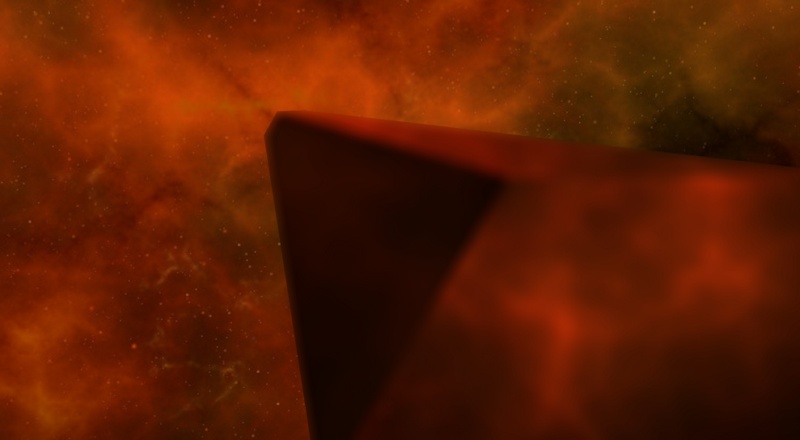
The abrupt transition from blurred foreground to sharp background looks bad:
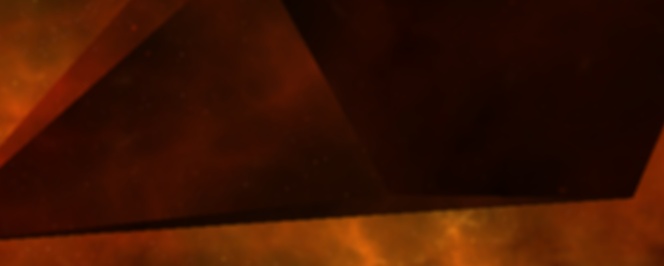
The depth buffer contains aliasing artifacts that show up in the final image:
The performance of this effect largely depends on how the blurring is done. Both existing effects perform the blur directly in the main shader on the full resolution image. This could easily be improved by pre-blurring to a down-scaled render target with an option to use fast blur, disc-based blur or pentagonal blur.
And lastly, the effect should allow the user to easily and reliably focus specific objects, even with logarithmic depth. Well, that's the plan so far.
vanruesc
on 18 Nov 2019
Update: last week I figured out how to use linear depth with SSAO:
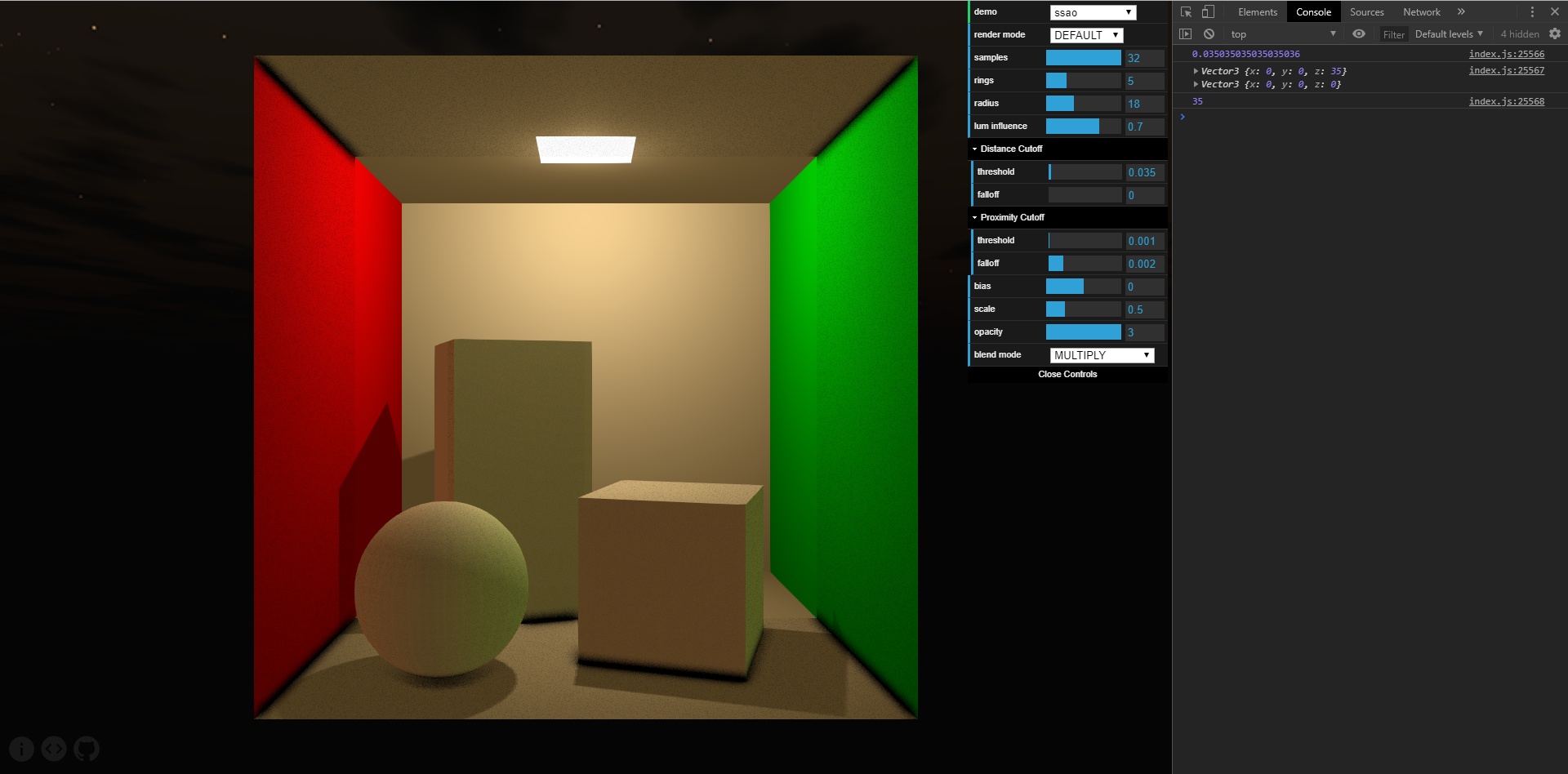
In this screenshot you can see how the effect is rendered up to a distance of 35 world units. The camera near plane is set to 1 and the far plane is set to 1000. The camera is at [0, 0, 35] and looks at the center of the cornell box at [0, 0, 0]. The SSAO distance cutoff is set to approx. 0.035035035 which corresponds to the near and far plane settings.
While the SSAOEffect worked well before, it didn't linearize depth which made it harder to tweak the distance and proximity cutoffs with a normal depth buffer. This wasn't much of a problem with logarithmic depth, but I'm now trying to move away from using a logarithmic depth buffer to treat it more like a special case instead of the other way around.
I'll start working on the BokehEffect when I have more time. I think I'll use https://pixelmischiefblog.wordpress.com/2016/11/25/bokeh-depth-of-field/ as a reference to improve the effect. If anyone has any tips or inputs on the subject, feel free to drop them here.
vanruesc
on 26 Nov 2019
I think it would be best to scrap and salvage both the BokehEffect and the RealisticBokehEffect to make one good bokeh effect. - When using these two in THREE I always felt this way too.
I took a read through the article you linked, really cool resource. Guy seems to know what he's talking about. Going to reach out to him see if he's interested in joining the conversation here.
gigablox
on 1 Dec 2019
He said he'd be willing to help with implementation specific questions as they come up at a higher level - algorithms and strategy - but does not know JS.
gigablox
on 17 Dec 2019
Alright, that's good to know.
I haven't had a chance to work on this yet, but I should be able to start soon. Since we're going to replace two effects, this change will be included in the next major release. I still need to look into WebGL 2 support and color space output options for things like proper gamma correction before I can release that one, though.
vanruesc
on 18 Dec 2019
Sorry for the delay; I'm finally able to start working on Bokeh 😅
vanruesc
on 17 Jan 2020
Very excited for this!
gigablox
on 17 Jan 2020
Quick update: I decided to get color space support out of the way first since that affects pretty much everything. That took a good amount of time and I also caught a cold a while ago which delayed things further.
I'm pretty happy with the color space encoding now and also got some first results with the new depth of field effect:
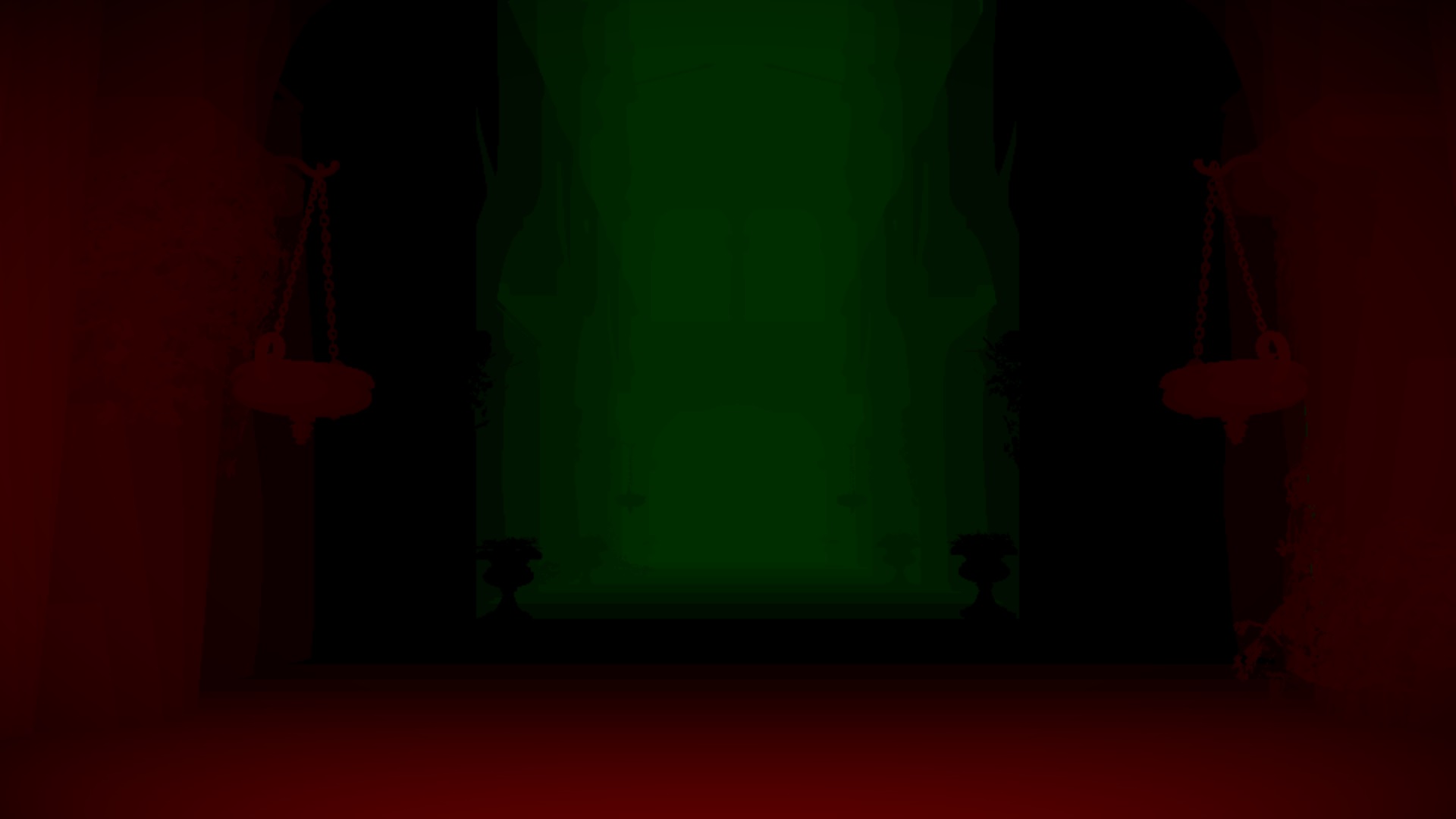
That's the circle of confusion texture stored with 8bits. I'll have to experiment a bit with this to see if we can get away with that or if we do need a half float buffer after all.
This week, I need to focus on other things again. Hopefully, I'll finish the effect next weekend.
vanruesc
on 3 Feb 2020
Ohhh WOW! This is SO COOL! Very excited to study your shader, it's so impressive you've implemented this from scratch. Did you use the strategy linked in the article you referenced? Is the black essentially whats in focus? Is focus dynamically calculated by passing in a Z vector?
gigablox
on 3 Feb 2020
Thanks for the encouraging words 😊
Yes, I'm relying on the article for the most part. In the above image, positive CoC values are green, negative values are red and, as you guessed, black represents the sharp area around the focal plane.
The focus distance is a normalized value in the range [0.0, 1.0] that determines the distance of the focal plane to the camera. This parameter can either be adjusted manually or with the help of a method that calculates the focus distance to a given object. Setting the focus distance to 0 would move the black focus area to the camera near plane while setting it to 1 would place it right at the far plane. Every value in between behaves in a linear fashion.
vanruesc
on 4 Feb 2020
I managed to put everything together but I'm not happy with the implementation and API yet.
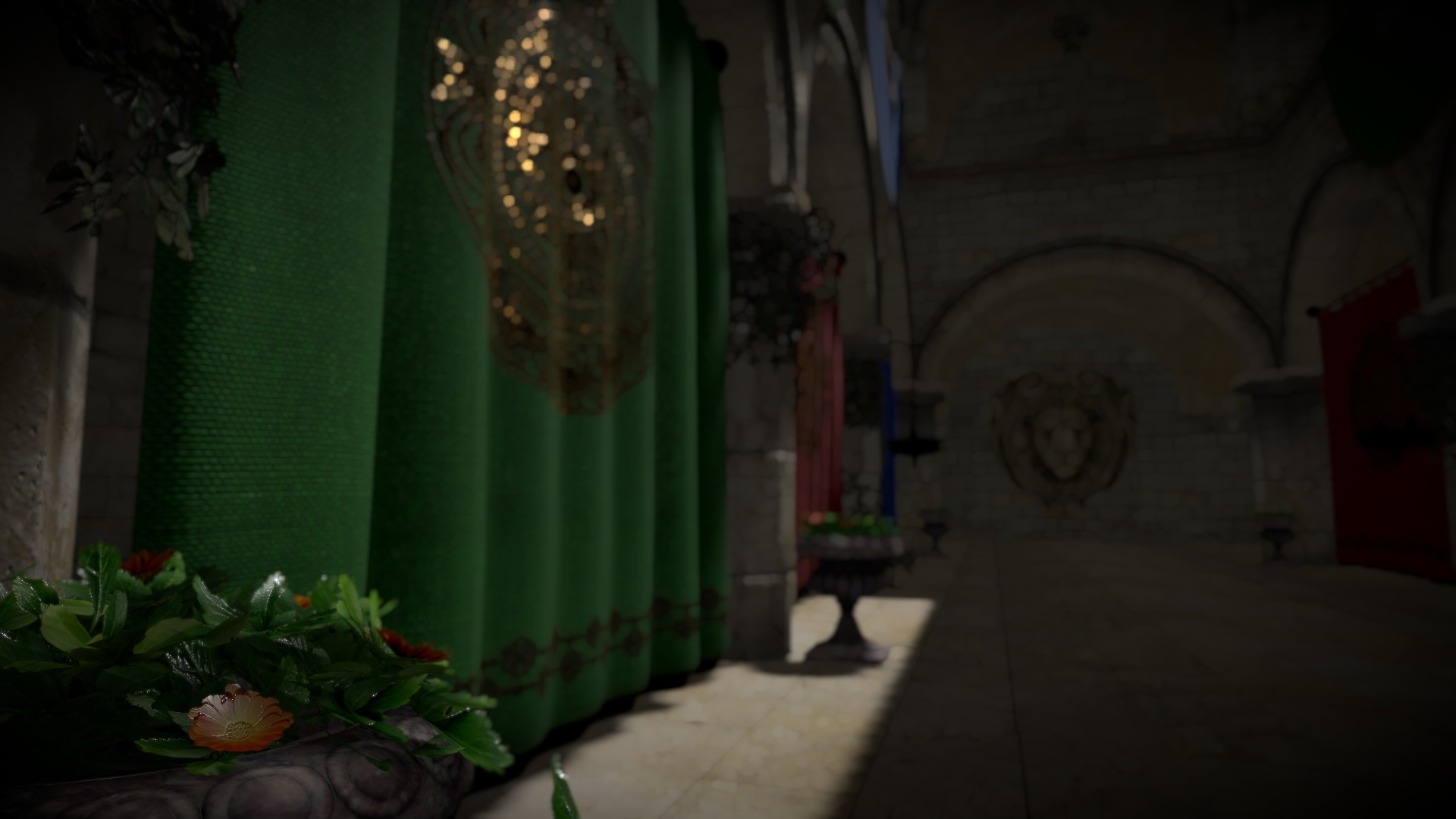
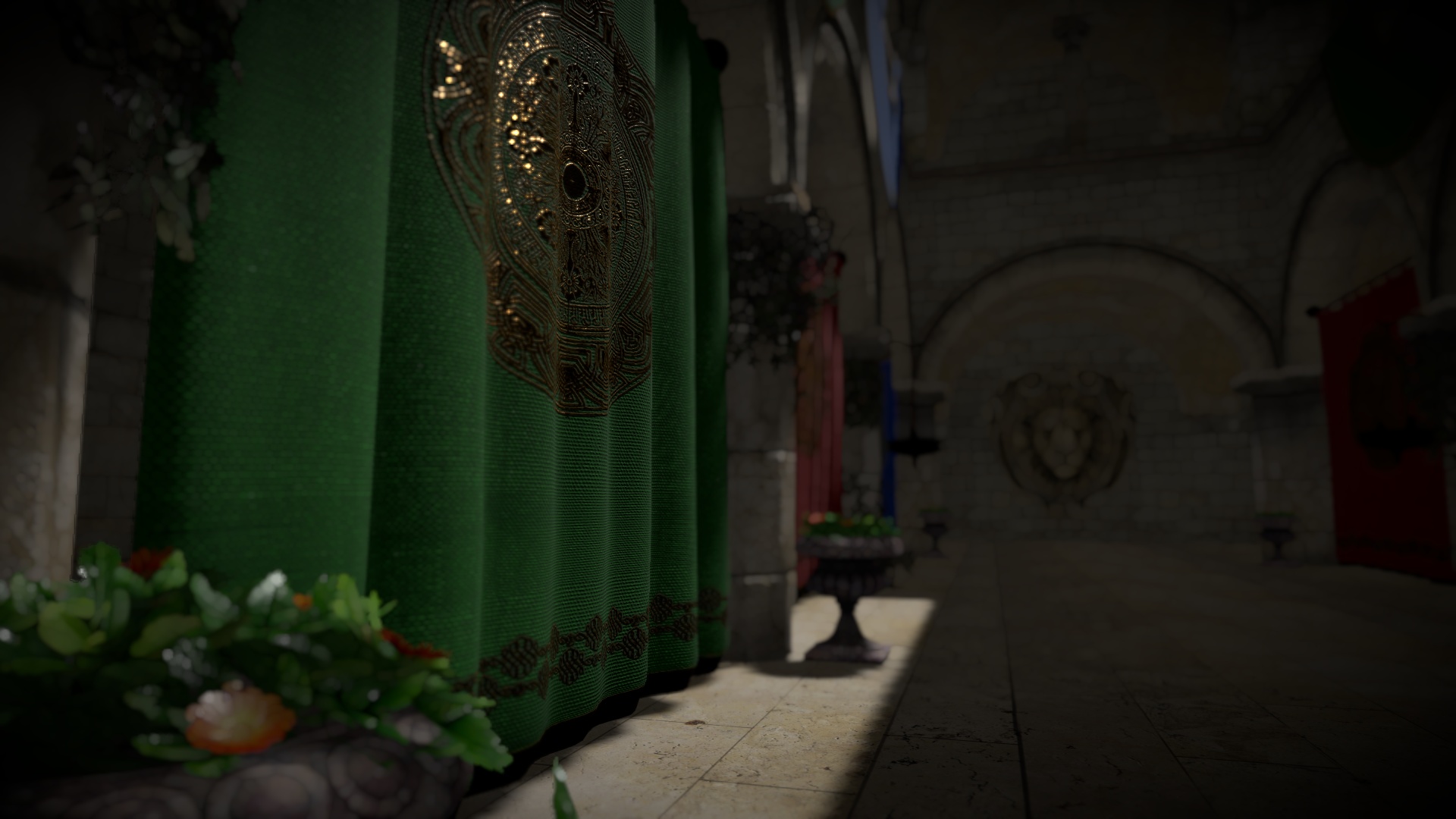
One issue is that the circle of confusion values need to be stored in separate textures since only the near CoC should be blurred, I think. Three has no support for MRT yet, but it should arrive soon. For now I'll have to copy the CoC buffer to separate the near and far values.
Another thing that bugs me is that the disc blur shader uses the CoC values which leads me to believe that the near and far pixels need to be blurred separately (4 blur passes). The article doesn't explicitly state that this is actually necessary so I'll have to play around with it and check if it can be optimized.
vanruesc
on 11 Feb 2020
The new DepthOfFieldEffect is now included in [email protected].
This took forever but it's finally done 😄
The final implementation differs a bit from the one presented in the article because I really wanted to have super sharp in-focus visuals. I followed the graphics study by Adrian Courrèges more closely and added a prefilter for the background scene to prevent foreground colors from bleeding onto the background. Sadly, I found no way around the multi-pass blur and the separation of foreground and background colors without reintroducing bleeding artifacts. On the plus side, I optimized the blur shader and managed to get around MRT entirely by storing near and far CoC values in the same buffer.
I still feel like there's room for improvement, but I'm satisfied with the current implementation. The performance is comparable to the old RealisticBokehEffect using 5 rings and 5 samples but the visuals are much better.
Live demo (~60 MB): https://vanruesc.github.io/postprocessing/public/demo/#depth-of-field
vanruesc
on 24 Feb 2020
I think you did a great job and I'm really happy with the look and feel as well. It feels really smooth. I couldn't break it. I'm really excited that the focus area works so well.
To my knowledge you have the strongest implementation of this type of shader in webgl on the internet right now. I've tried all of them before opening this ticket and none have been able to adjust CoC focus and size so cleanly before.
I'm playing around with the API and I'm wondering how you would use it the most effectively to quickly toggle things in focus.
From my original problem statement is there an easy way to quickly get something in view based off a z distance? I noticed the focus parameters values are based on 0 - 1 range. Is there some equation I can use to calculate what the value should be based off my z?
gigablox
on 25 Feb 2020
From my original problem statement is there an easy way to quickly get something in view based off a z distance?
Yes, I made sure to include an easy solution for that :)
const dofEffect = new DepthOfFieldEffect(camera);

// Auto focus on a specific target position. Set to null to disable.
dofEffect.target = myObject.position;

// Alternatively, calculate the focus distance and update the uniform once:
const focusDistance = dofEffect.calculateFocusDistance(somePosition);
const cocMaterial = dofEffect.circleOfConfusionMaterial;
cocMaterial.uniforms.focusDistance.value = focusDistance;
Related issues
 erosb
·
4Comments
erosb
·
4Comments
 lhamadopagode
·
4Comments
lhamadopagode
·
4Comments
 AlexAegis
·
3Comments
AlexAegis
·
3Comments
 dghez
·
4Comments
dghez
·
4Comments
 Monder87
·
3Comments
Monder87
·
3Comments