Portainer: Workers cannot find images from GitHub Package Registry
Bug description
Since we use GitHub Package Registry instead of DockerHub to host our images, only the manager node can pull the images. We get "No such image: docker.pkg.github.com/..." when it tries to run on a worker node. It seems that the worker nodes don't have the necessary information to pull an image from a custom registry.
Here is how I understood there was a problem:

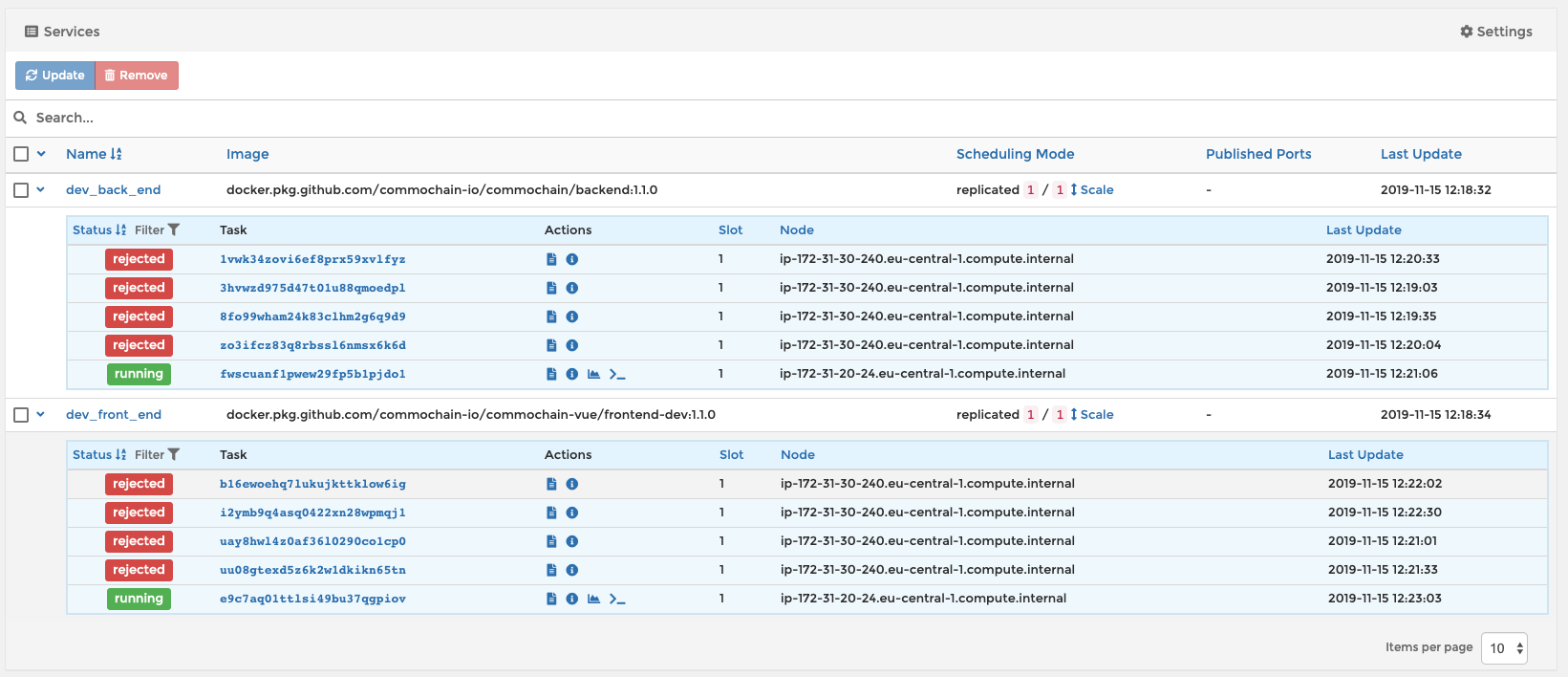
As you can see, all containers on the worker node are rejected. Only the manager node manages to run the containers.
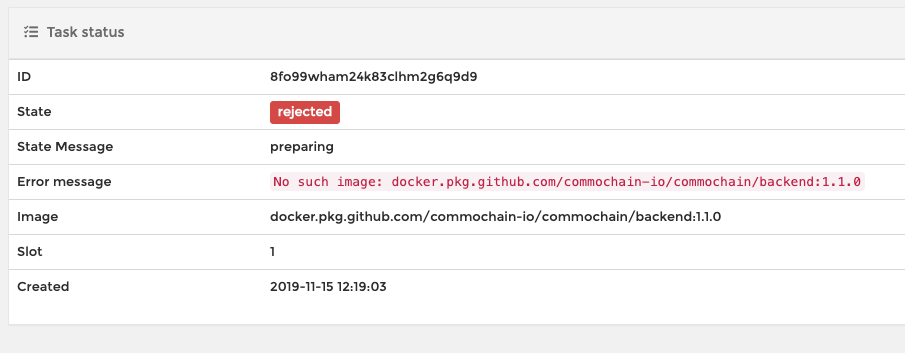
Here is the error message on the rejected container:
Here is an example on a stack. See how many rejected before it finally launches:
Expected behavior
Normally it should be able to pull the new image, no matter if it's a manager node or a worker node.
Steps to reproduce the issue:
- On Portainer, go to 'Registries'
- Add a new registry
- Enter as Registry URL 'docker.pkg.github.com', enable Authentication, enter your github credentials
- Push one of your images on GitHub Package Registry with the following command:
docker login -u GITHUB_USERNAME -p GITHUB_PASSWORD https://docker.pkg.github.com && docker push docker.pkg.github.com/ORG_NAME/REPO_NAME/IMAGE_NAME:TAG - On Portainer, go to 'Stack'
- Add a new stack
- Enter a docker compose file of your own, and enter as an image the new image pushed to GitHub Package Registry (image: docker.pkg.github.com/ORG_NAME/REPO_NAME/IMAGE_NAME:TAG)
- Deploy the stack
- See the bug: many containers appear as rejected before finally running
Technical details:
- Portainer version: 1.22.1
- Docker version (managed by Portainer): Docker CE for AWS 18.09.2-ce
- Platform (windows/linux): linux (AWS EC2)
- Command used to start Portainer (
docker run -p 9000:9000 portainer/portainer): curl -L https://downloads.portainer.io/portainer-agent-stack.yml -o portainer-agent-stack.yml && docker stack deploy --compose-file=portainer-agent-stack.yml portainer - Browser: Chrome
 Marcvander
>All comments
Solved the issue. More details:
This bug arises when there are conflicts among images (old cache images etc.). The solution is to clean all unused images from the cluster. You have to connect to one manager server of your cluster.
When connected to the manager server, you can then run the following two commands:
$ docker images -q |xargs docker rmi
This will erase all unused images. Then you also have to go on Portainer, click on your endpoint called primary, then Images. Select all images with the Unused tag, and remove them.
Marcvander
on 21 Nov 2019
Related issues
 diyfr
·
3Comments
diyfr
·
3Comments
 photonn
·
3Comments
photonn
·
3Comments
 FabianTe
·
3Comments
FabianTe
·
3Comments
 chrisvanderpennen
·
3Comments
chrisvanderpennen
·
3Comments
 aprcloud
·
3Comments
aprcloud
·
3Comments