Polaris-react: [New DL] Modal opened by contextual save bar is using inverted palette
Issue summary
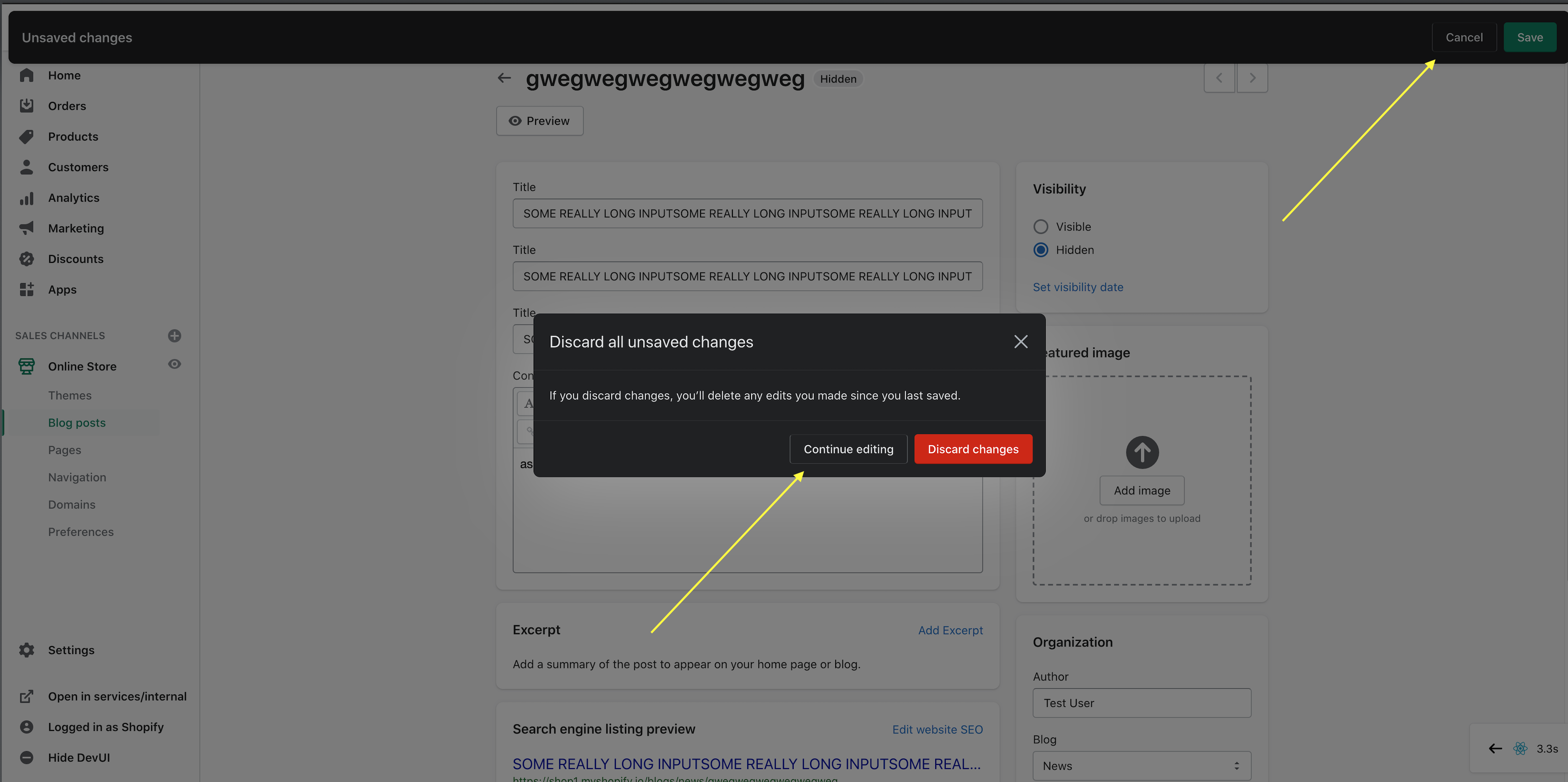
A user opens a confirmation modal from the contextual save bar the colors of the modal are inverted.
Expected behavior
When a user gets a confirmation modal from the contextual save bar the color should be not inverted.
Actual behavior

 alex-page
All 2 comments
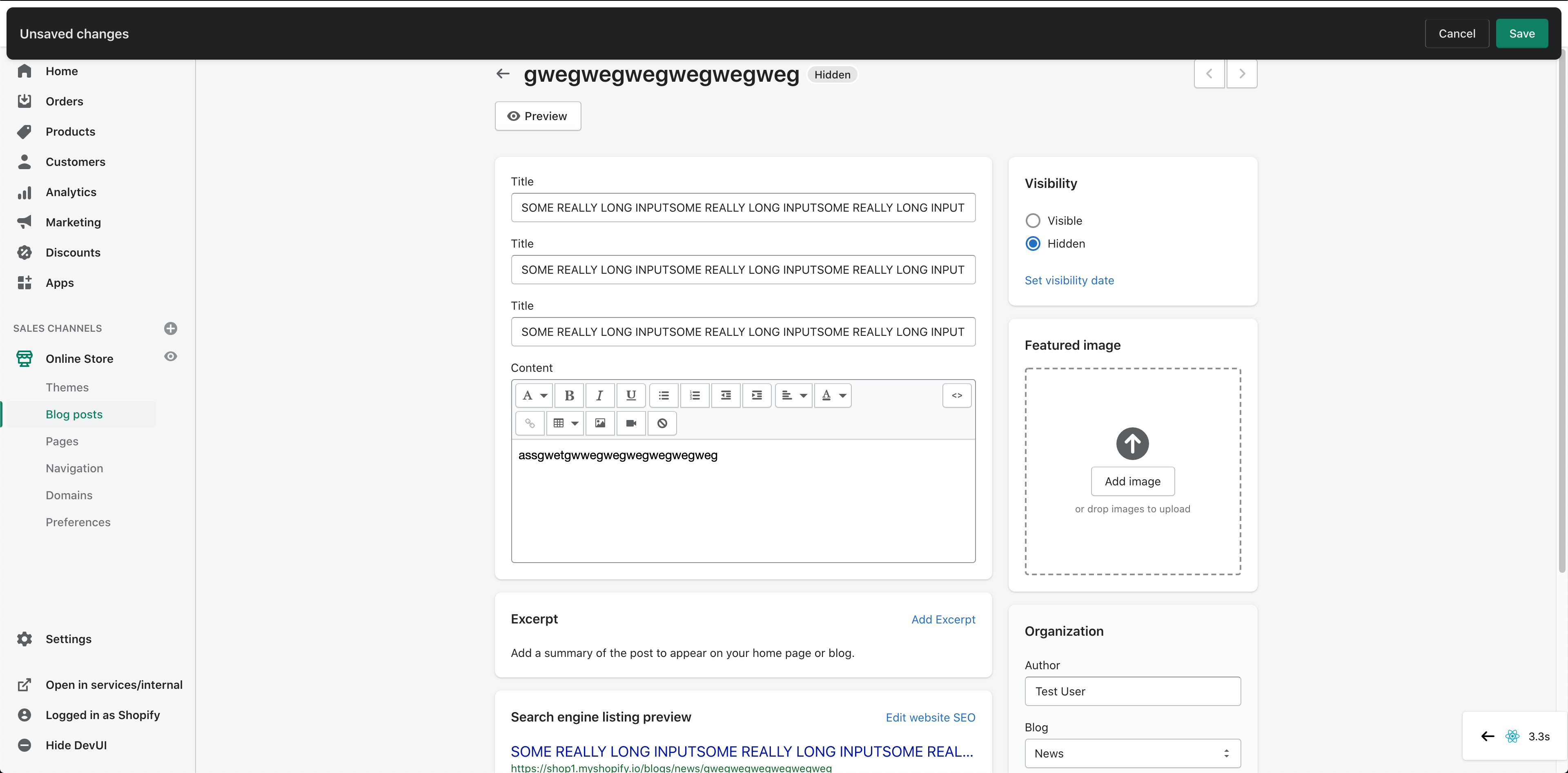
With the new button changes, the secondaryAction (or discardAction button) looks inconsistent with its borders on top/bottom. This seems noticeable right now, only because the ContextualBar as well as the Modal that opens after it is dark (in dark mode?). Potentially, this will be fixed once both components are a lighter color and will not demand extra attention.
Here some screenshots for reference:
Context bar cancel button
Clicking on Cancel opens dark modal with same inconsistent secondary action
 husshegz
on 17 Sep 2020
husshegz
on 17 Sep 2020
I noticed this too on the most recent changes. I believe the modal is getting the dark mode theme because it is nested within the context bar's theme provider here. I'm going to put up a PR to move that out but that doesn't solve the button issues.
 dfmcphee
on 17 Sep 2020
dfmcphee
on 17 Sep 2020
Related issues
 michenly
·
25Comments
michenly
·
25Comments
 conniecerf
·
17Comments
conniecerf
·
17Comments
 sebnun
·
19Comments
sebnun
·
19Comments
 khiconit
·
19Comments
khiconit
·
19Comments
 minhle2994
·
33Comments
minhle2994
·
33Comments