Polaris-react: Issue with my own settings breadcrumb opening Shopifys settings page
Issue summary
When clicking my Settings or Orders breadcrumb links i'm automatically getting redirected to Shopifys settings and orders pages.
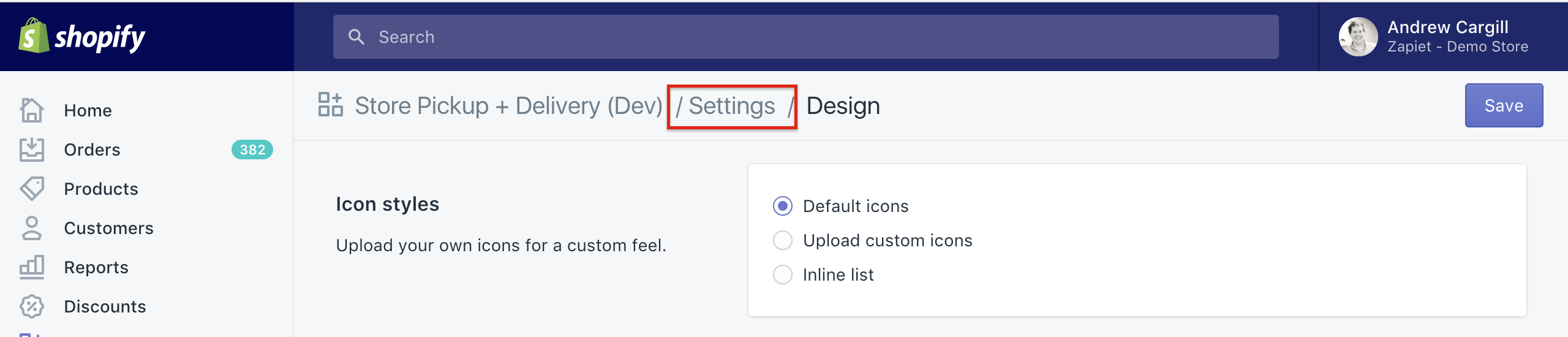
Expected behavior
I'd expect that when I have the url set to /orders or /settings within my breadcrumb that it would redirect the user to my apps Settings and Orders pages and not Shopifys.
Actual behavior
At the moment when I click Settings i'm redirected to Shopify's settings page and when I click Orders i'm redirected to Shopify's orders page.
Steps to Reproduce the Problem
- Create a page using the following breadcrumb setup
<Page title="Design"
            breadcrumbs={[{content: 'Settings', url: '/settings' }]}
            primaryAction={{content: 'Save'}}>
     <p>Hello World!</p>
</Page>
Create a route within React that also points to /settings.
Click the Settings link within the breadcrumb.
You should now be redirected to Shopify's settings page, not the apps settings page like i'd expect.
I've noticed a bunch of comments in two other closed issues #97 and #78, but nothing I do seems to help.
Specifications
- Polaris version: 1.1.1
- React version: 15.4.2
- Browser: Chrome
- Device: Macbook Pro
- Operating System: Sierra
NOTE: This repo is only used for reporting issues and new feature requests. We are not accepting pull requests at this point in time.
 cargix1
All 20 comments
Thanks for the issue, @cargix1. Do you know if this behaviour is different when using the EASDK directly? We will take a look at this, but I think a workaround in the interim is to pass the full URL (including your app's domain name), which should correctly take them to your app's page (and only refresh the iframe, not the entire page).
 lemonmade
on 4 Jul 2017
lemonmade
on 4 Jul 2017
@lemonmade Would it be possible to add onAction properties to the breadcrumbs? That way, the app would not need to reload and I could just render my new component.
 EvilLooney
on 11 Jul 2017
EvilLooney
on 11 Jul 2017
Hey @lemonmade sorry for the delay.
Using the apps full url doesn't appear to work i'm afraid. Instead we get the EASDK loading bar appear at the top of the page. It shows real slow signs of progress, after some time the blue bar fills the entire page, but ultimately nothing happens. The user is left in the same spot.
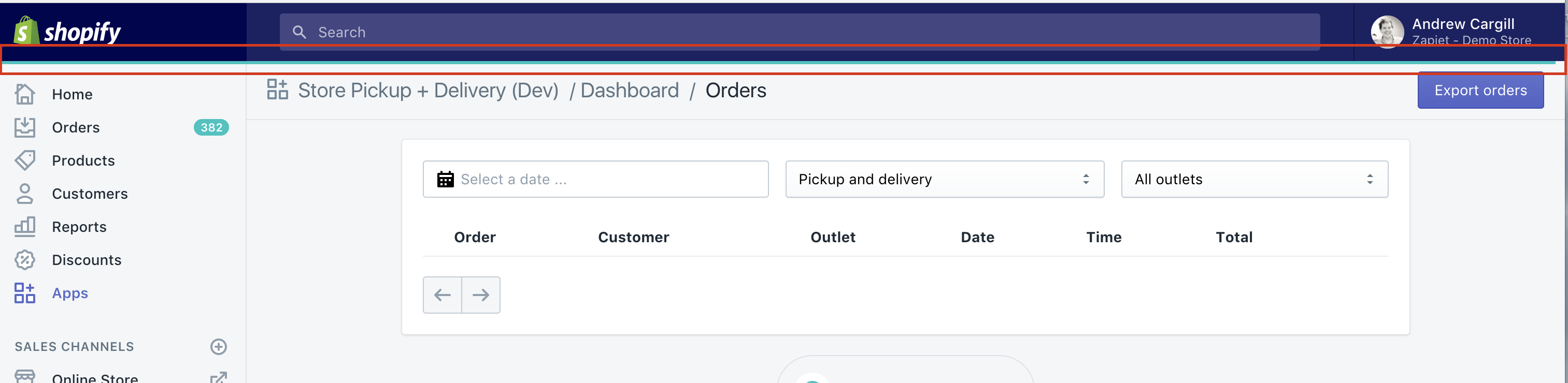
I had my url set like this: breadcrumbs={[{content: 'Dashboard', url: 'https://app.storepickup.dev/'}]}. Which should have redirected the user back to our Dashboard.
cargix1
on 12 Jul 2017
Hey @lemonmade, did you have any further updates on this one? We're really close to launching :)
cargix1
on 18 Jul 2017
Hey, sorry for the delay. Were there any errors in the console when this happened? Can you show the markup you are getting for the breadcrumb link that you are clicking on (it will be in the admin frame, instead of in your app, but I am curious what ends up coming to). Also, can you check what window.location.hostname is in your app? This is what is used to determine if the url that is provided is part of your application (and, therefore, should change the location on the iframe).
lemonmade
on 19 Jul 2017
No problem @lemonmade!
Here's my javascript code:

And this is the html is generates:
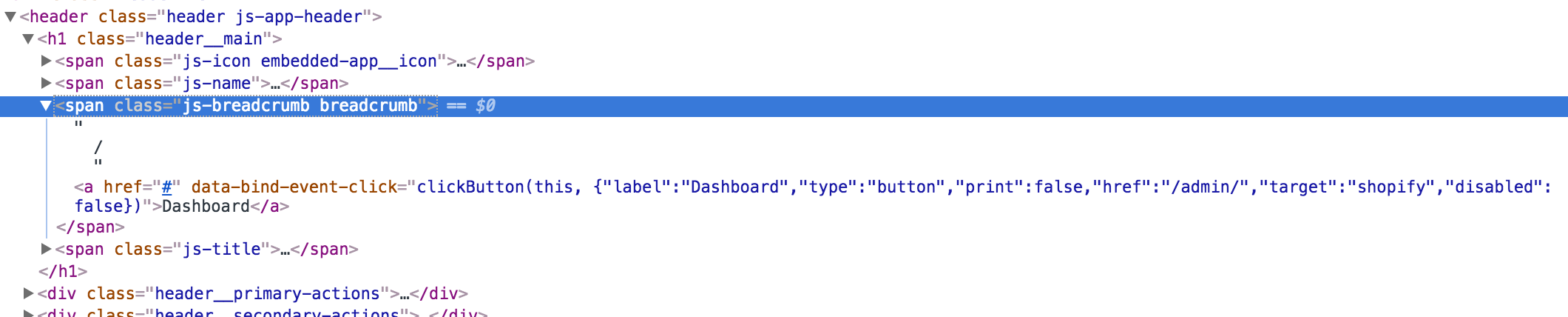
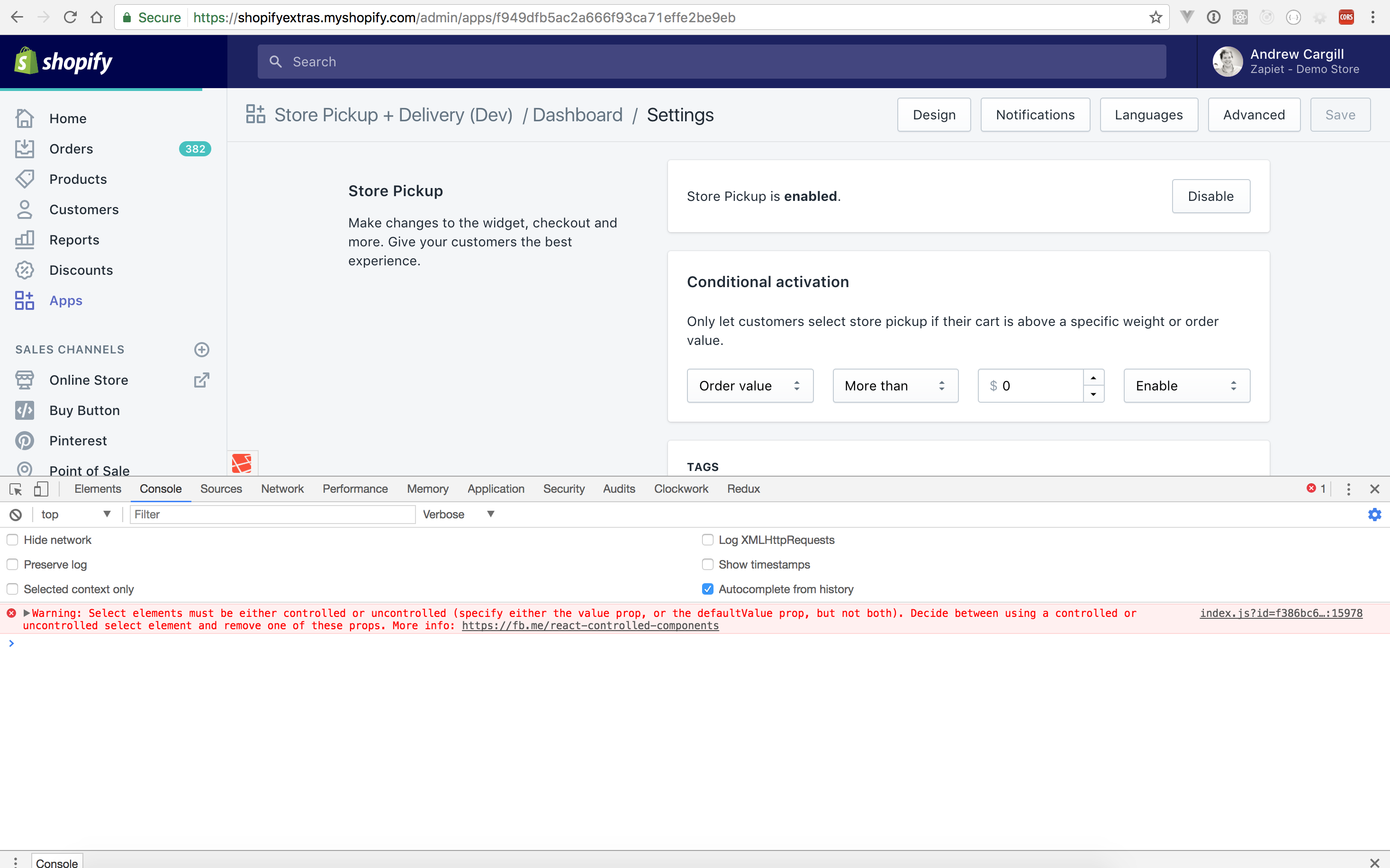
This is what's showing in my console before the click:

And this is what shows in my console once i've clicked the Dashboard breadcrumb:

If I console.log(window.location.hostname) within my code it's showing as app.storepickup.dev.
If I type window.location.hostname directly in the console I get shopifyextras.myshopify.com.
Anything else you need just let me know :)
cargix1
on 19 Jul 2017
@cargix1 can you give me the same details, but when you use app.storepickup.dev as the url for the breadcrumb?
lemonmade
on 19 Jul 2017
@lemonmade just given it a go. I tried just app.storepickup.dev as shown below:

Nothing shows in the console other then the Select warning. You'll notice that the loading bar appears at the top of the screen though. But nothing else happens.
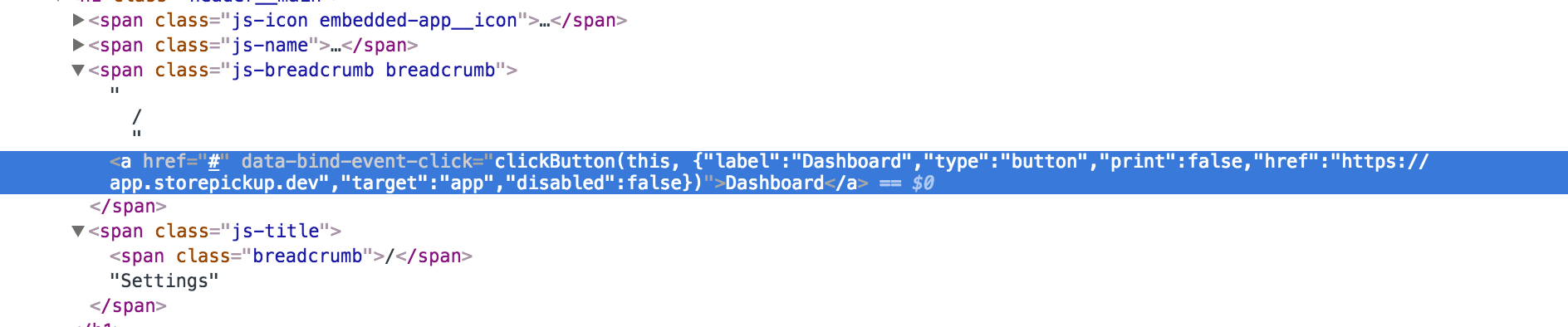
Here's the HTML generated:

I also tried https://app.storepickup.devand I get the exact same thing, heres the HTML generated:
cargix1
on 19 Jul 2017
Hey @lemonmade,
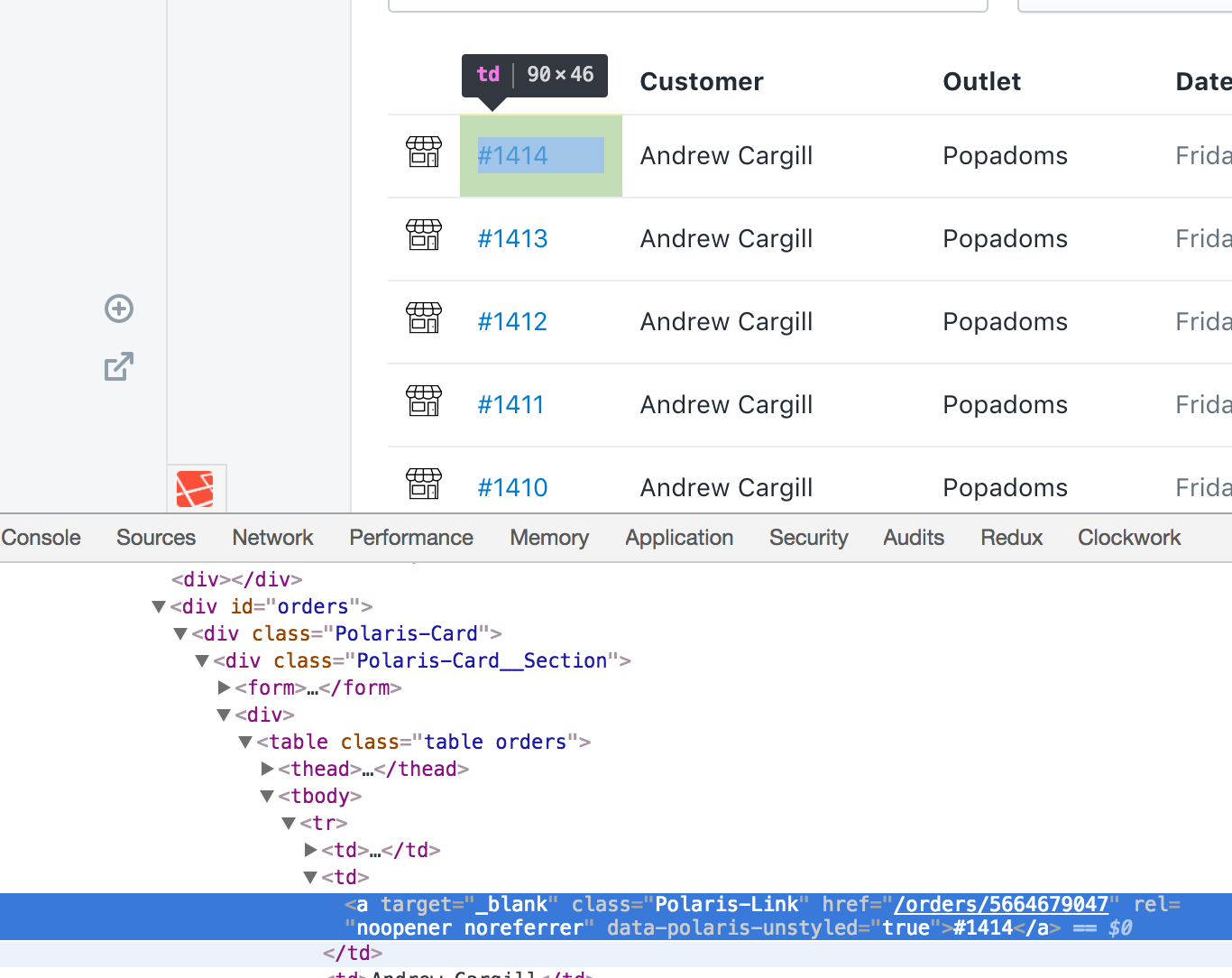
Hope you're well. I'm now trying to link orders from my apps Dashboard to the edit order page of Shopify (https://shopifyextras.myshopify.com/admin/orders/5664679047). When clicking the link I get the reverse of the above and i'm kept within my own app.
Here's an example of the outputted HTML.
I've tried using both the following without success:
<Link url={`/orders/5664679047`}>{details.external_name}</Link>
<Link url={`/orders/5664679047`}>{details.external_name}</Link>
Both will display a 404 within my own app rather then automatically redirecting to https://shopifyextras.myshopify.com/admin/orders/5664679047 like I expected.
Any updates on this would be great as we're hoping to go live before the end of the month.
Thanks,
Andy
cargix1
on 17 Aug 2017
Doh! Sorry closed by accident, re-opened.
cargix1
on 17 Aug 2017
@cargix1 the issue of opening an admin page from your app can be solved by cancelling the default behaviour of the link, and instead using this.context.easdk.redirect(): https://github.com/Shopify/polaris/blob/master/documentation/Embedded%20apps.md#easdkredirect
lemonmade
on 17 Aug 2017
@lemonmade works perfect for the admin page links thanks!
Just the original issue still to resolve :)
cargix1
on 17 Aug 2017
@cargix1 the issue is still closed ;) @lemonmade I'm having the exact same issue. App links in breadcrumb and page actions simply don't work. Please check screenshots and information provided by @cargix1 above.
 rkbhochalya
on 18 Aug 2017
rkbhochalya
on 18 Aug 2017
Hey @lemonmade,
Any update on this one? It's the only thing stopping us from launching now :)
Thanks,
Andy
cargix1
on 18 Sep 2017
@lemonmade same for us :) we really need this fixed soon.
rkbhochalya
on 18 Sep 2017
Hey @rkbhochalya,
I think i've found a work around for now. I created the following helper function:
export function generateAdminUrl(path) {
  return '/admin/apps/YOUR_APP_ID_HERE/' + path;
}
And then call it like this:
breadcrumbs={[{ content: 'Outlets', url: generateAdminUrl('/outlets') }]}
Just replace the YOUR_APP_ID_HERE string with your own.

Not ideal, but it works, so we can #ship!
cargix1
on 21 Sep 2017
Hi @cargix1, thanks but it will make the entire page refresh. Looks like it will get fixed soon.
rkbhochalya
on 25 Sep 2017
Hi @cargix1 and @rkbhochalya, this will be fixed as of 1.7.0.
- A
urlbeginning with/(e.g./orders) will open in Shopify - a relative
urlwithout a leading/(e.g.orders) will open within the app (the redirection has been fixed) - an absolute
urlwill open within the app if the host matches the app host and a protocol is present (e.g.https://yourapp.com/orders) - and an absolute
urlwith a different host will open in a new window (e.g.https://otherapp.com/orders).
If the target based on the url is not what you want, as of 1.7.0 you will be able to define your own target. Supported values are app, new, parent, and shopify.
And @EvilLooney, onAction will be supported on breadcrumbs too as of 1.7.0
 tmlayton
on 4 Oct 2017
tmlayton
on 4 Oct 2017
Wahoooooo! Thanks so much @tmlayton very good news :)
cargix1
on 4 Oct 2017
v1.7.0 has been released!
tmlayton
on 6 Oct 2017
Related issues
 nemoeric
·
3Comments
nemoeric
·
3Comments
 andrewpye
·
3Comments
andrewpye
·
3Comments
 vilav
·
3Comments
vilav
·
3Comments
 janklimo
·
3Comments
janklimo
·
3Comments
 danrosenthal
·
3Comments
danrosenthal
·
3Comments
Most helpful comment
Hi @cargix1 and @rkbhochalya, this will be fixed as of 1.7.0.
urlbeginning with/(e.g./orders) will open in Shopifyurlwithout a leading/(e.g.orders) will open within the app (the redirection has been fixed)urlwill open within the app if the host matches the app host and a protocol is present (e.g.https://yourapp.com/orders)urlwith a different host will open in a new window (e.g.https://otherapp.com/orders).If the
targetbased on theurlis not what you want, as of 1.7.0 you will be able to define your owntarget. Supported values areapp,new,parent, andshopify.And @EvilLooney,
onActionwill be supported on breadcrumbs too as of 1.7.0