Pock: I cann't add "Dock" widget in Touch Bar
Describe the bug
When I enter "Customize Touch Bar", I cannot drag "Dock" widget in Touch Bar, I can only see the "Dock" title but not see the icon, while other widgets, such as "Status" "ControlCenter" "Weather" "Now Playing" "Esc", have no problem. Can someone tell me why, and how to fix it? thanks.
How to reproduce
1.Click on 'Customize Touch Bar'
2.See error
Expected behavior
I hope the 'Dock' widget can use normally, or I have to use the old version, Pock 072
Screenshots
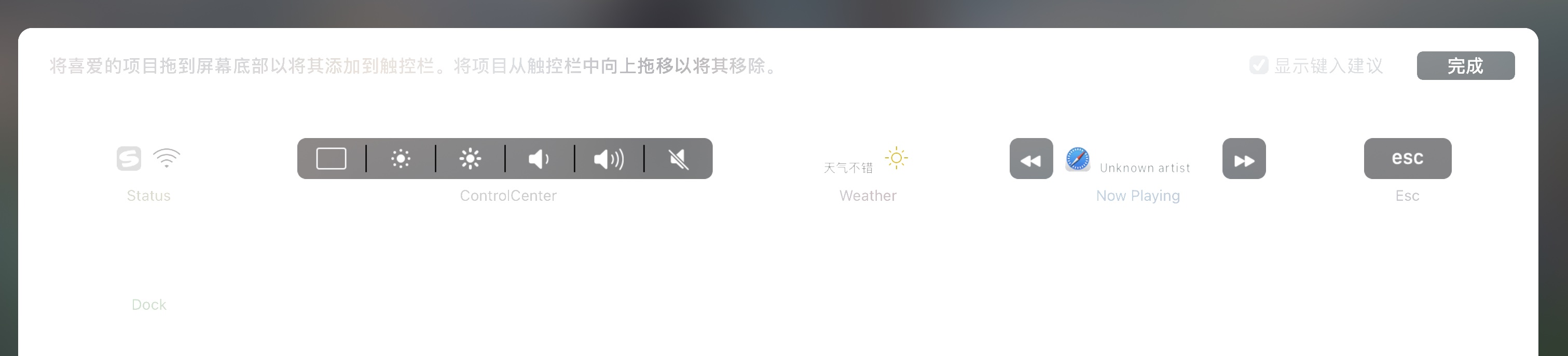

Versions:
- macOS version: [Big Sur 11.2.3 M1]
- Pock version: [0.8.1-5]
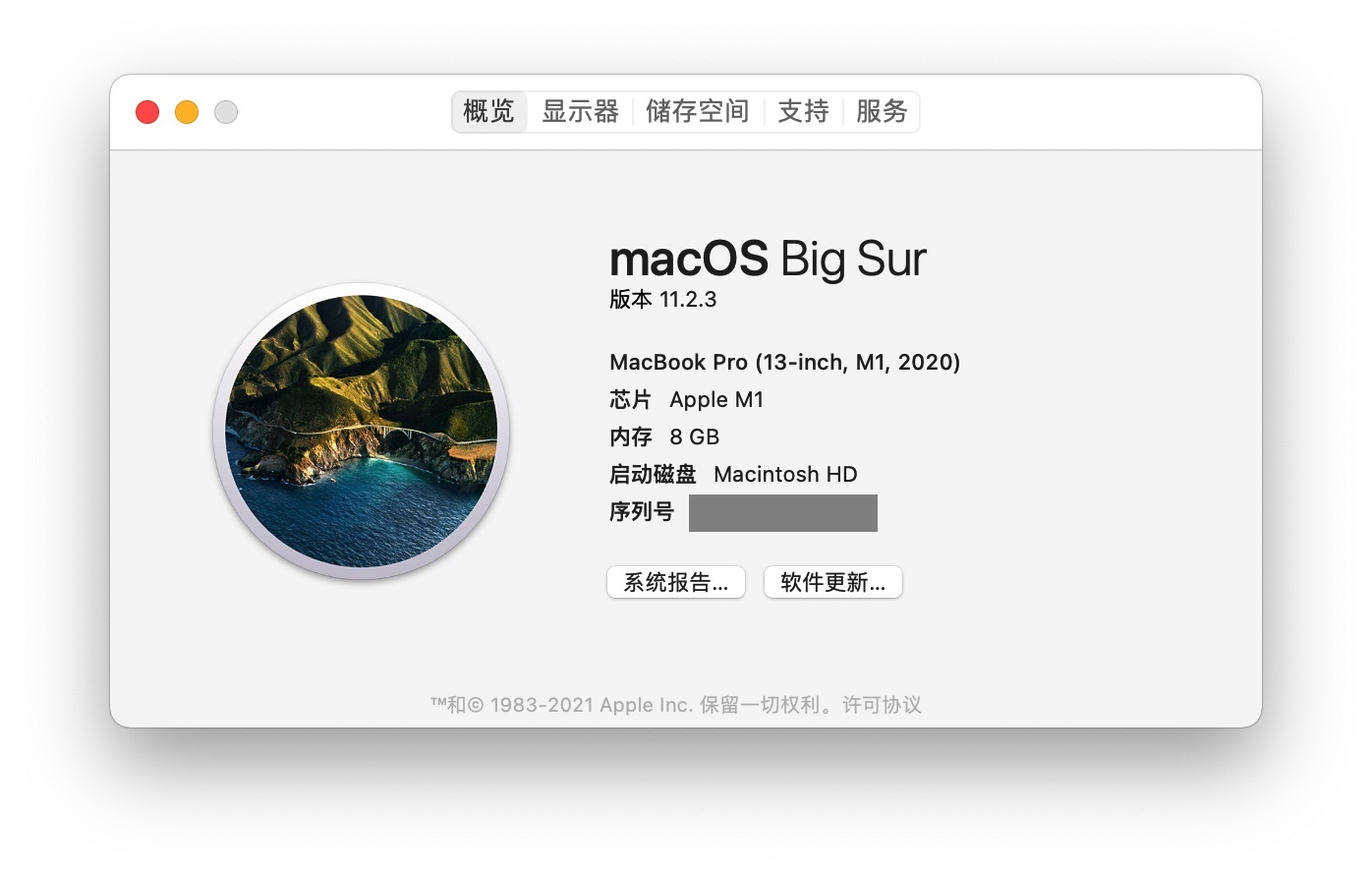
 LyuShiWang
All 5 comments
I had the same issue, current solution is to downgrade, add, then upgrade (ugh)
 JazzXP
on 22 Apr 2021
JazzXP
on 22 Apr 2021
I had the same issue, current solution is to downgrade, add, then upgrade (ugh)
430
i do like you said, and it worked! thank you bro
LyuShiWang
on 25 Apr 2021
Clicking on Advanced → Re-install default Widgets solved it for me.
 PhilippVujic
on 6 May 2021
PhilippVujic
on 6 May 2021
Clicking on Advanced → Re-install default Widgets solved it for me.
IMO, after re-install, then configure the dock widget before update the dock widget. It worked for me.
 ntragic
on 28 May 2021
ntragic
on 28 May 2021
the issue seems to be caused by Dock widget 1.1-8
 mediter
on 17 Jun 2021
mediter
on 17 Jun 2021
Related issues
 thomashrabe
·
6Comments
thomashrabe
·
6Comments
 TechieGenie
·
7Comments
TechieGenie
·
7Comments
 kylehotchkiss
·
3Comments
kylehotchkiss
·
3Comments
 liuxianghua1
·
6Comments
liuxianghua1
·
6Comments
 einkoro
·
5Comments
einkoro
·
5Comments
Most helpful comment
I had the same issue, current solution is to downgrade, add, then upgrade (ugh)
https://github.com/pock/pock/issues/430