Describe the bug
Whenever I close my macbook pro (thus putting it to sleep), Pock will crash 9/10 times.
When I open back my macbook, pock will be gone and the touchbar empty, having to start it again
Expected behavior
Pock to restore when opening the macbook again
Crashlog
Process:               Pock [11462]
Path:                  /Applications/Pock.app/Contents/MacOS/Pock
Identifier:            com.pigigaldi.pock
Responsible:           Pock [11462]
3   com.pigigaldi.pock              0x000000010a751d51 0x10a692000 + 785745
4   com.pigigaldi.pock              0x000000010a7397aa 0x10a692000 + 685994
5   com.pigigaldi.pock              0x000000010a71db48 0x10a692000 + 572232
6   com.pigigaldi.pock              0x000000010a7286ef 0x10a692000 + 616175
9   com.pigigaldi.pock              0x000000010a699519 0x10a692000 + 29977
2   com.pigigaldi.pock              0x000000010a7411fa 0x10a692000 + 717306
       0x10a692000 -        0x10a781ff7 +com.pigigaldi.pock (0.8.1 - 5) <3C9178B3-70D5-37B0-B16A-8CA1AC536AD9> /Applications/Pock.app/Contents/MacOS/Pock
       0x10a7e8000 -        0x10a7fffff +org.cocoapods.Defaults (4.1.0 - 1) <282A7E9D-3868-39EA-A6AB-0B9A351F3F25> /Applications/Pock.app/Contents/Frameworks/Defaults.framework/Versions/A/Defaults
       0x10a83f000 -        0x10a846ff7 +org.cocoapods.LoginServiceKit (2.2.0 - 1) <15D03403-4EE2-3DBE-82BE-62DDB0909EAD> /Applications/Pock.app/Contents/Frameworks/LoginServiceKit.framework/Versions/A/LoginServiceKit
       0x10a860000 -        0x10a86ffff +org.cocoapods.Magnet (3.2.0 - 1) <91ACEF97-B269-357E-B13F-1A242B05C3D3> /Applications/Pock.app/Contents/Frameworks/Magnet.framework/Versions/A/Magnet
       0x10a8a1000 -        0x10a8b8fff +org.cocoapods.PockKit (0.2.0 - 1) <D8EFB4F9-1A0E-383D-9FA2-888DC0A1E555> /Applications/Pock.app/Contents/Frameworks/PockKit.framework/Versions/A/PockKit
       0x10a90b000 -        0x10a926ff7 +org.cocoapods.Preferences (2.2.0 - 1) <E4949E2C-D7B7-3356-9F30-233901759203> /Applications/Pock.app/Contents/Frameworks/Preferences.framework/Versions/A/Preferences
       0x10a98e000 -        0x10a9a1fff +org.cocoapods.Sauce (2.1.0 - 1) <B2FC4A4E-783A-38BB-97DB-5AEFF03E203D> /Applications/Pock.app/Contents/Frameworks/Sauce.framework/Versions/A/Sauce
       0x10a9c7000 -        0x10a9dafff +org.cocoapods.SnapKit (5.0.1 - 1) <27EBC8F6-7B91-381B-BD87-443B4253DBC7> /Applications/Pock.app/Contents/Frameworks/SnapKit.framework/Versions/A/SnapKit
       0x10aa27000 -        0x10aa3eff7 +org.cocoapods.Zip (2.1.1 - 1) <11C983F1-4BC3-396D-BB3F-69ABD26F4C2D> /Applications/Pock.app/Contents/Frameworks/Zip.framework/Versions/A/Zip
       0x10e3f9000 -        0x10e40cff7 +com.pigigaldi.pock.Status (1.0 - 1) <AEA6B1C5-ABEC-34E4-A7D4-DD670108F2A3> /Users/USER/Library/Application Support/Pock/*/Status
       0x10e420000 -        0x10e42ffff +com.pigigaldi.pock.ControlCenter (1.0 - 1) <BEDD1EE4-2CFE-304B-BACA-ABFE5F21EAEA> /Users/USER/Library/Application Support/Pock/*/ControlCenter
       0x10e454000 -        0x10e45bff7 +com.pigigaldi.pock.Weather (1.0 - 1) <AF759D71-D7C4-3E33-9557-7BD71FC4D51B> /Users/USER/Library/Application Support/Pock/*/Weather
       0x10e4ce000 -        0x10e4ddfff +com.pigigaldi.pock.NowPlaying (1.0 - 1) <E44FA794-C903-3446-A151-0F7D6EC2773F> /Users/USER/Library/Application Support/Pock/*/NowPlaying
       0x10e4f3000 -        0x10e4fafff +com.pigigaldi.pock.Esc (1.0 - 1) <53129EC7-560A-3AA1-B693-C62EFBE7BA00> /Users/USER/Library/Application Support/Pock/*/Esc
       0x10e509000 -        0x10e54cff7 +com.pigigaldi.pock.Dock (1.1 - 8) <A754F8CC-6476-3BCD-BD34-D528F5063706> /Users/USER/Library/Application Support/Pock/*/Dock
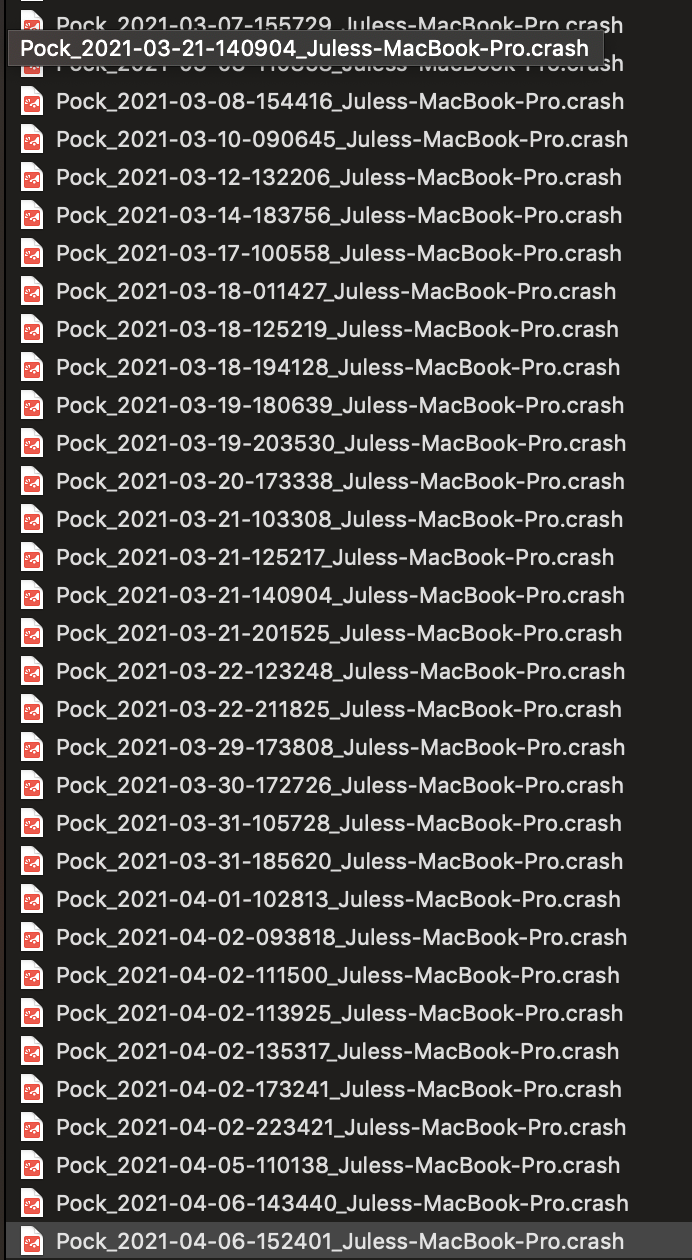
All these crashlogs are the same
Versions:
- macOS version:
10.14.6 - Pock version:
0.8.1-5
 Seluj78
All 6 comments
Also while I'm at it, pock is amazing and thank you for all the work !! <3
Seluj78
on 6 Apr 2021
I'm having a similar issue as well. However I'm on macOS 11.2.3 and I'm on the most recent update for pock. Are there any tips to keep pock running and have it open automatically when I open my mac?
 Bree012
on 7 Apr 2021
Bree012
on 7 Apr 2021
I'm having a similar issue as well. macOS version: 10.16.7 and Pock version: 0.8.1-5
 1mbpsLi
on 8 Apr 2021
1mbpsLi
on 8 Apr 2021
I'm having a similar issue as well. However I'm on macOS 11.2.3 and I'm on the most recent update for pock. Are there any tips to keep pock running and have it open automatically when I open my mac?
there sorta is a fellow user made this: https://github.com/pock/pock/issues/454#issuecomment-821913911
 WC3D
on 21 Apr 2021
WC3D
on 21 Apr 2021
I'm having a similar issue as well. However I'm on macOS 11.2.3 and I'm on the most recent update for pock. Are there any tips to keep pock running and have it open automatically when I open my mac?
there sorta is a fellow user made this: #454 (comment)
Thank you !
1mbpsLi
on 22 Apr 2021
Similar issue here on 11.4.
If it doesn't crash it will just start using up CPU till I quit pock.
 saoud
on 16 Jun 2021
saoud
on 16 Jun 2021
Related issues
 geekdada
·
7Comments
geekdada
·
7Comments
 Darktortue
·
7Comments
Darktortue
·
7Comments
 ccadieux
·
3Comments
ccadieux
·
3Comments
 Jeehut
·
3Comments
Jeehut
·
3Comments
 liuxianghua1
·
6Comments
liuxianghua1
·
6Comments
Most helpful comment
Also while I'm at it, pock is amazing and thank you for all the work !! <3