Pnpframework: Page instances created from page templates showing wrong description
Hello, I'm using this template: https://gist.github.com/derhallim/e47c4f02642bd7f076c5970aa9000e95 . I generated this template after modifying the site in browser and generating the template using PnP.PowerShell v1.1.0, but I'm having issues applying the template to any new sites. These are the steps am doing to produce the issue:
1) Invoke-PnPSiteTemplate -Path ./TemplateInGist.xml
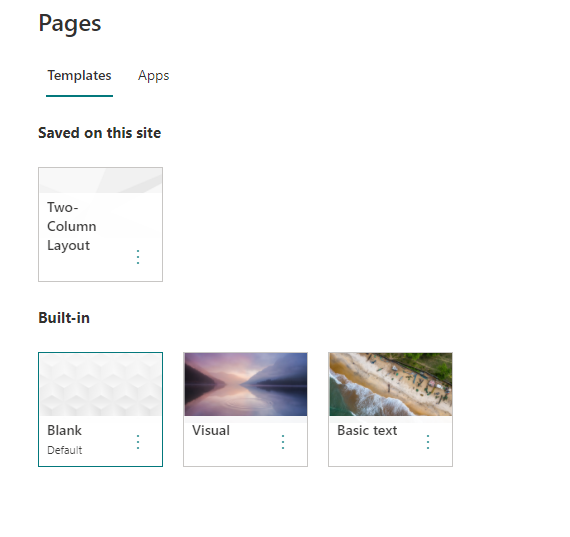
2) Create a new page in the site using the template "Two Column Layout" that is deployed in the template.
3) Change the default text in the page, add anything.
4) Publish page and post as News.
5) Add a News WebPart on the homepage.
Actual Result:
The News WebPart is going to show the old description in the page template. That is: "About this page?This page includes two columns of text, with related articles at..."
Expected Result:
News WebPart should show the text added by the user, not the page template text.
 derhallim
All 6 comments
Hi @derhallim ,
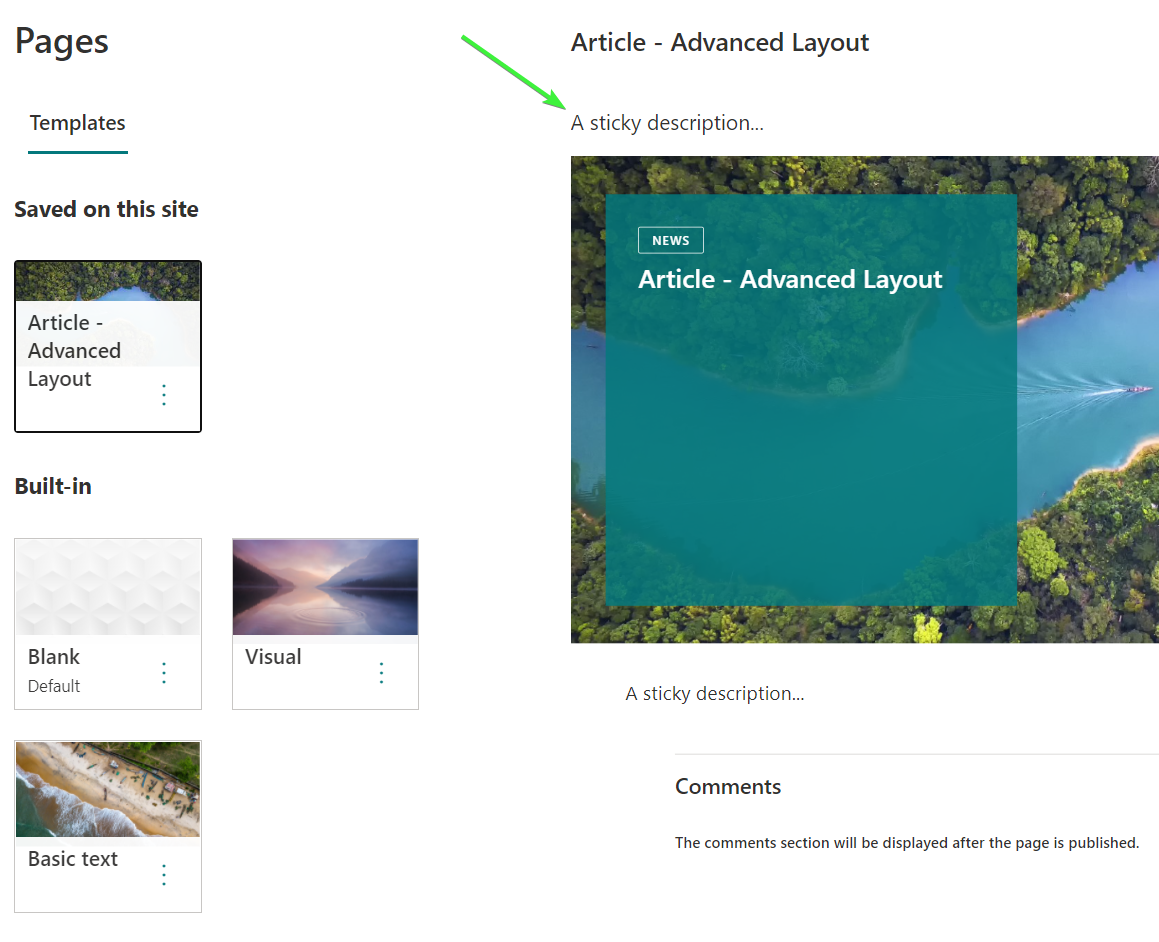
I've applied a custom page template via a provisioning template and when the user wants to create a new page based upon this template they see the description in the custom template:
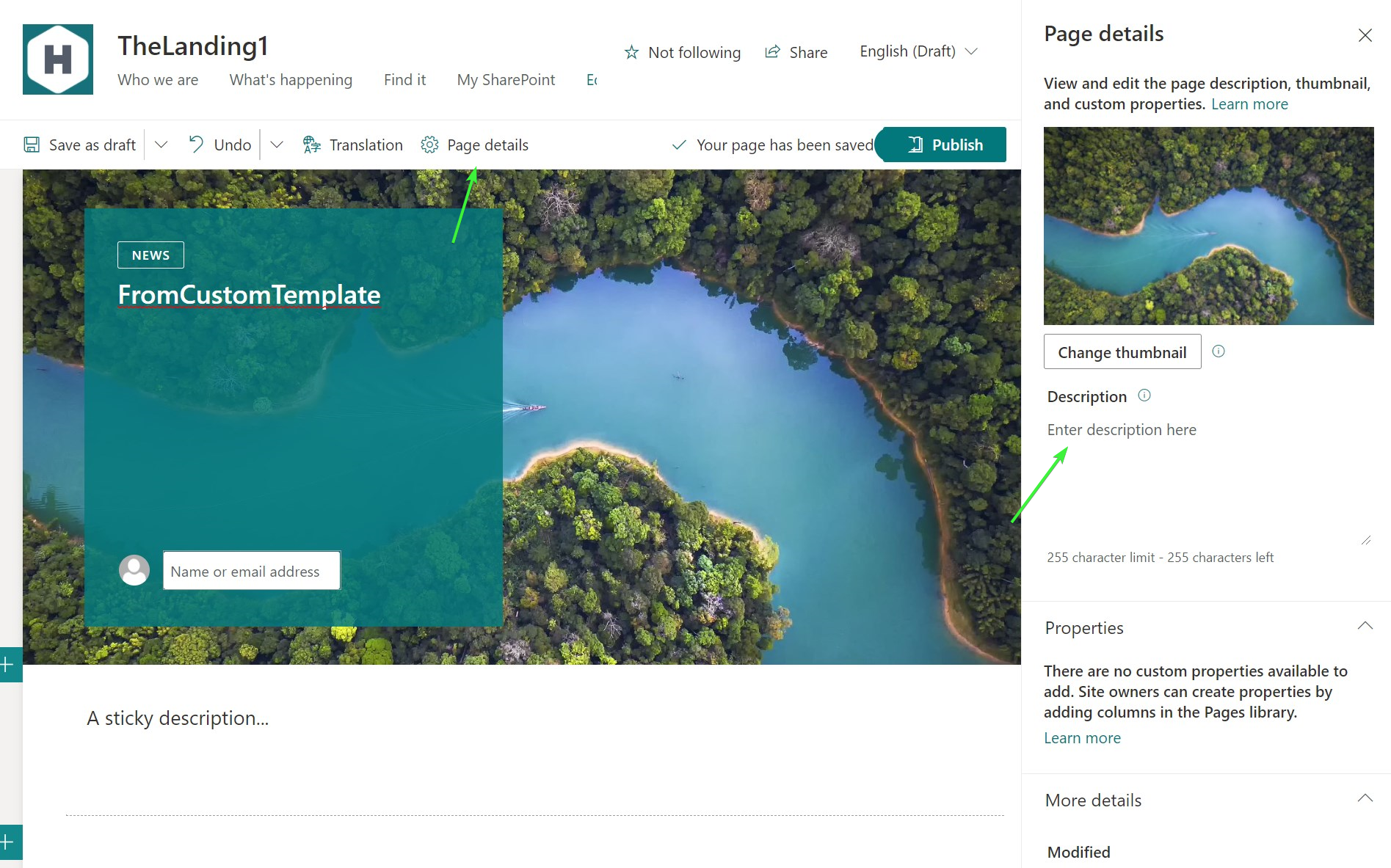
When they've created the page they've the option to set a new page description
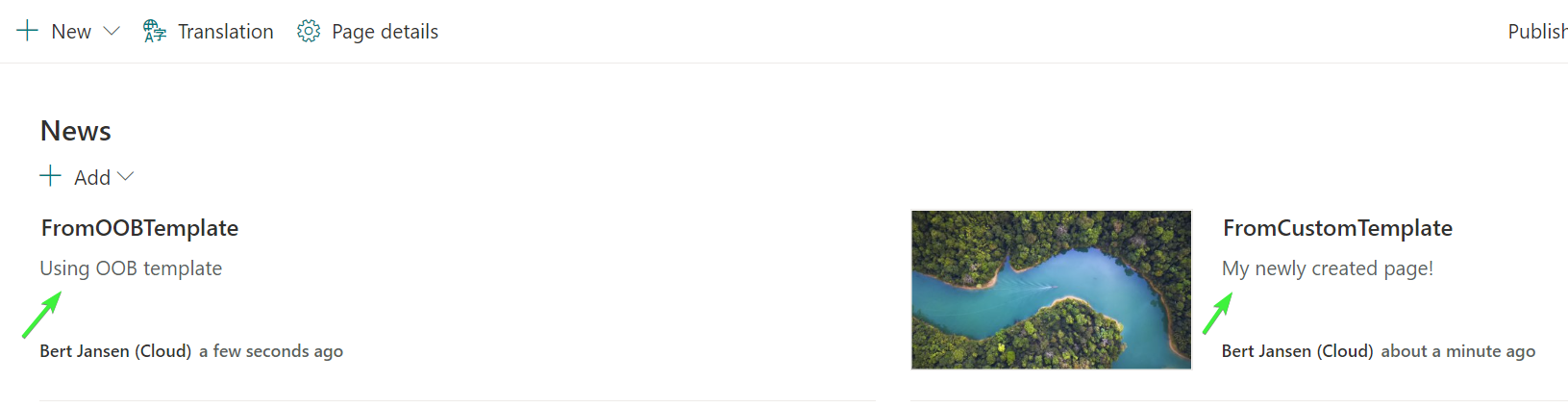
Which will then show up in the news part, identical to when using one of the OOB templates:
However, when not setting any description at all the OOB template "finds" a description by taking the first piece of text while done from the custom template this does not seem to happen.
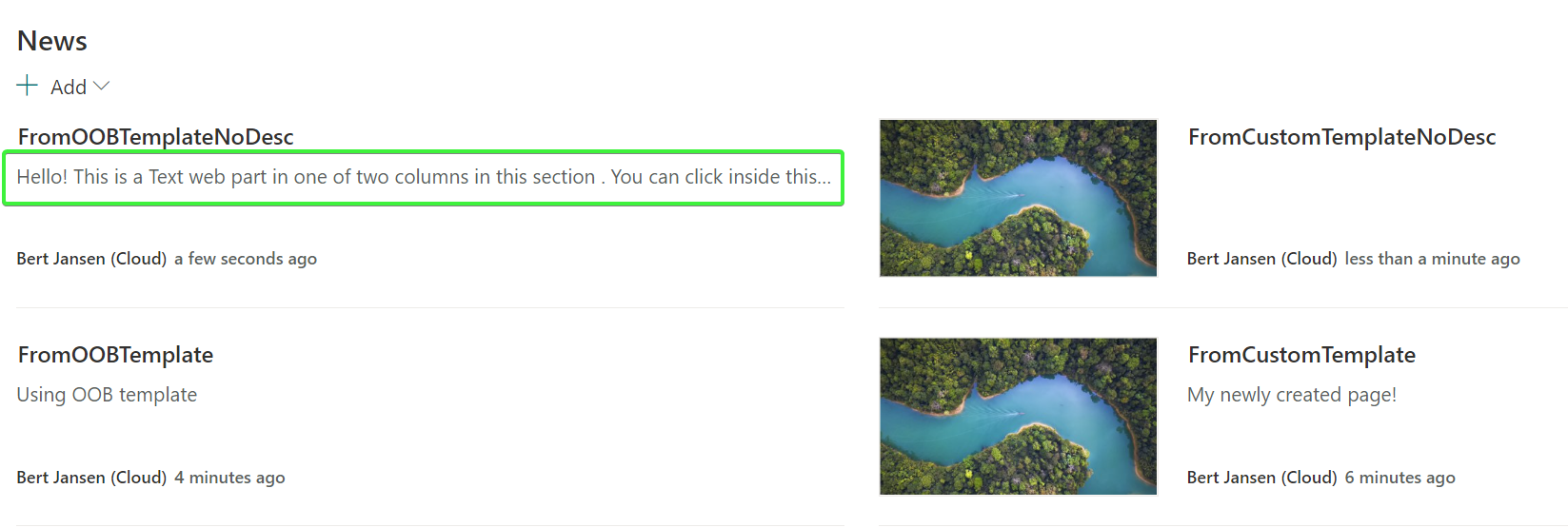
Is that the main issue you're having?
 jansenbe
on 21 Jan 2021
jansenbe
on 21 Jan 2021
Did some more testing and have found out that we need to set the isDefaultDescription property to true in the pageSettingsSlice when we save a page as template. With that property set the description will again be populated automatically. I'll make the needed changes for this.
jansenbe
on 21 Jan 2021
I've fixed this: when you tomorrow (with the new nightly builds from PnP PowerShell, PnP Framework and PnP Core SDK) create a template page then the isDefaultDescription property is set to true. As a result when users create a page from this template and save it (without specifically setting the description) SharePoint automatically creates a description based upon the textual content of the created page. See https://github.com/pnp/pnpcore/commit/f969d2fa6f0fdc39e30fccaed685d93a214372e6 for the change details and accompanying test case.
Thanks for reporting this issue @derhallim .
jansenbe
on 21 Jan 2021
Awesome! Thanks a lot @jansenbe!
derhallim
on 21 Jan 2021
It's working now with the nightly release. Thanks @jansenbe
One question, is the change applied in the generated xml itself? I'm not seeing anything related to IsDefaultDescription in the generated xml, how was it set?
derhallim
on 22 Jan 2021
no, it's inside our code: no changes needed for the xml templates
jansenbe
on 22 Jan 2021
Related issues
 StevieBleeds
·
10Comments
StevieBleeds
·
10Comments
 luismanez
·
6Comments
luismanez
·
6Comments
 makovickanavisys
·
6Comments
makovickanavisys
·
6Comments
 mohammadamer
·
5Comments
mohammadamer
·
5Comments
 roberAlb
·
5Comments
roberAlb
·
5Comments