Pnp-modern-search: Managed property not appearing under the filters.
Version used
3.12.1
Describe the bug
I have added a Managed property in Search Filters web-part and confirmed that there are values in it for the returned results. But its not appearing under the filters. Though other filters are appearing correctly.
To Reproduce
Steps to reproduce the behavior:
- Add a Search Box, Search Results and Search Filters web-part on a modern page.
- Connect them as per the instructions.
- Add a managed property under "Selected Properties" in Search Results web-part .
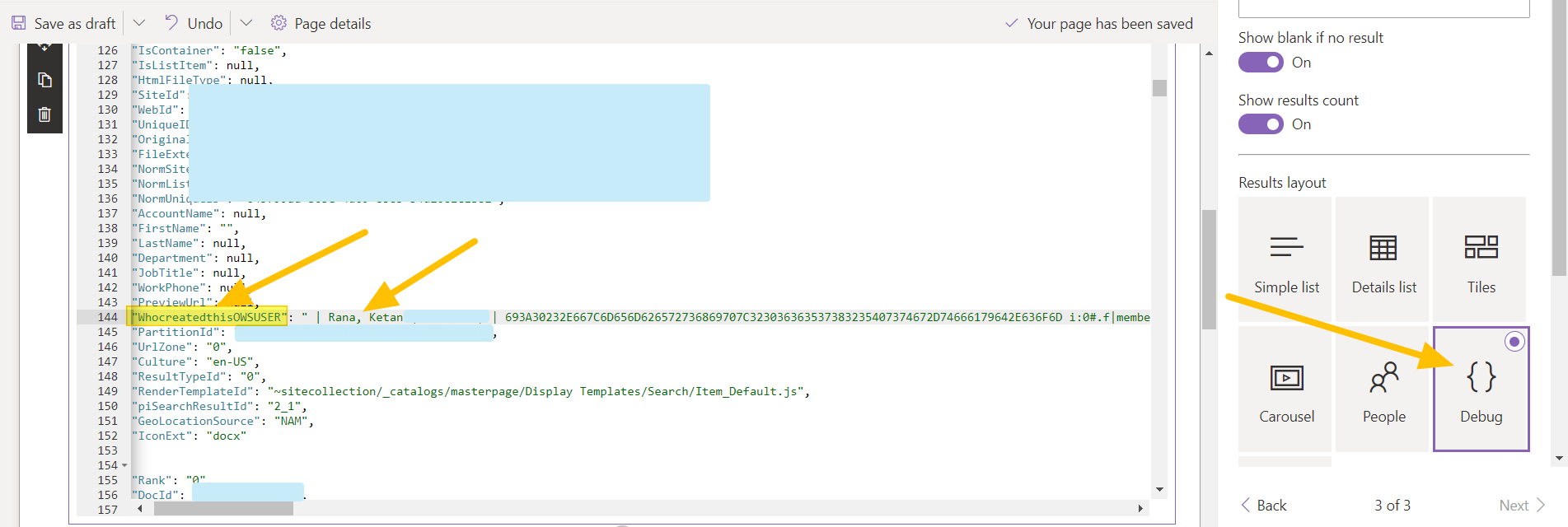
- Go to "Debug" mode under Styling options to verify if the managed property contains the values.
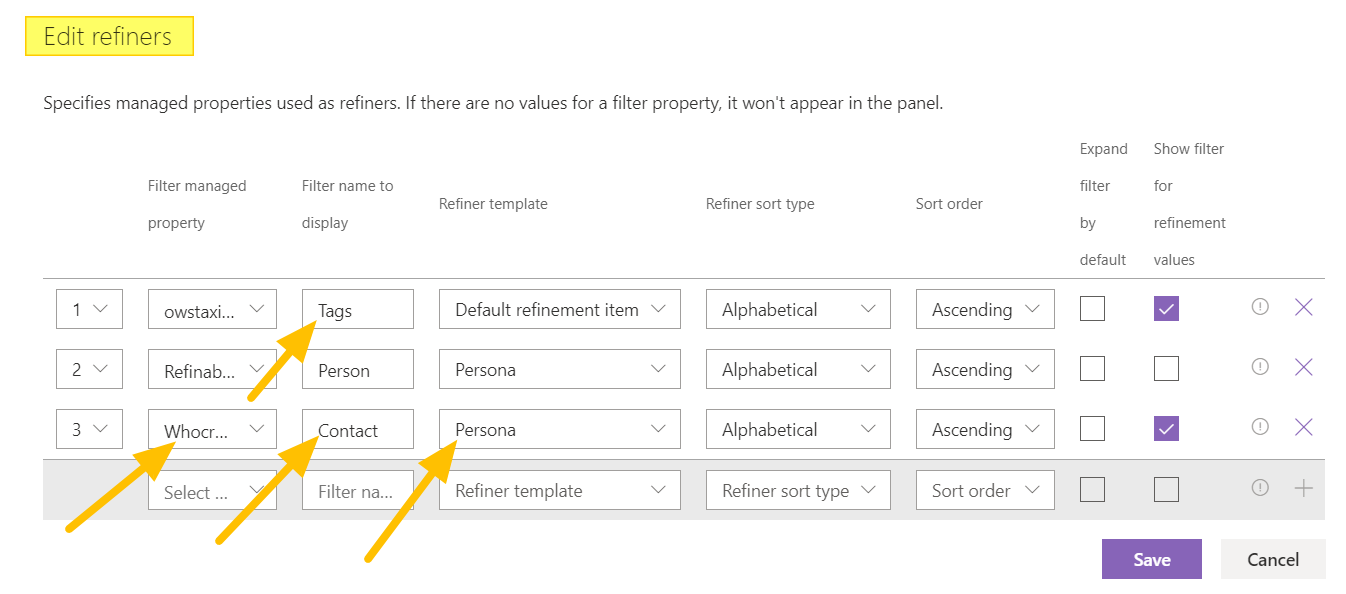
- Configure the Search Filters web-part to include the managed property.
- Save the changes and enter some query in the Search box.
- Search Results web-part will show the results.
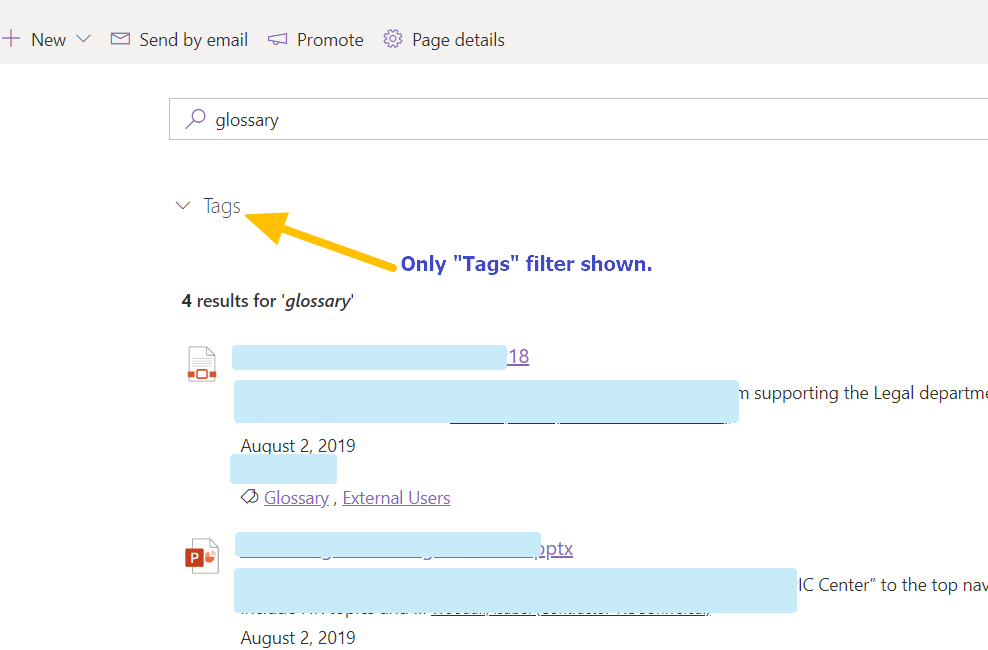
- Filters web-part will show other filters but not the one added for this managed property .
Expected behavior
Along with other filters the Search Filters web-part should show the selected managed property also as a filter option if there are associated results returned in the Search Results web-part.
Additional context
- I verified that my managed property contains the values for the returned results but still not appearing under Filter.
- The managed property i added contains value of type "People". (_as shown in the screenshot below_)
 AmitTyagi1
All 16 comments
Can you verify if it works in classic SharePoint first? And any property used in the filter webpart must be of type "Refinable". The one you highlight is not refinable by default, thus it won't work as a filter.
 wobba
on 13 May 2020
wobba
on 13 May 2020
Will check and let you know.
AmitTyagi1
on 13 May 2020
@AmitTyagi1 You need to use an existing RefinableStringXXX property to get it work.
 FranckyC
on 13 May 2020
FranckyC
on 13 May 2020
Yes @FranckyC I am already working on the same lines. Used one of the RefinableStringXXX properties and mapped it to the desired Crawled property. Gave it an Alias.
I think it will take some time to appear in the "Search Filters" web-part. Right ?
So, in the Search Filters web-part I will see the name as RefinableStringXXX or The Alias to the Refinable string property ?
AmitTyagi1
on 13 May 2020
You will not see the alias. Values will appear once you re-crawl content after the mapping was put in place.
wobba
on 13 May 2020
Yeah, you would need to re-index your site/library to make it discoverable. Also, in the Search filters Web Part, not all properties are listed, you can still type your own custom and press enter.
FranckyC
on 13 May 2020
Thanks @FranckyC and @wobba
Is it required to add this managed property to Selected Properties in the associated Search Results web-part, for it to load in Search Filter web-part ?
AmitTyagi1
on 13 May 2020
No, this is not mandatory.
FranckyC
on 14 May 2020
It worked...
AmitTyagi1
on 14 May 2020
I am facing the same issue. I have few list columns - the crawled proeprties are mapped to the managed proeprties (RefinableString00, RefinableString01, RefinableString02) without using an alias. I did these mapping yesterday. Unfortunately, they are not appearing when I try to select the refiners in the search filters webpart.
 anoomathew
on 11 Nov 2020
anoomathew
on 11 Nov 2020
Have you tried reindexing the site? It worked for me (take 24 hrs for it to be done :))
 PeterSandersNL
on 11 Nov 2020
PeterSandersNL
on 11 Nov 2020
Thank you very much for your reply.
I thought the crawler would have picked it up during the overnight scheduled crawl. However, I did a manual re-indexing for the document library now. Will wait and check this after half an hour.
anoomathew
on 11 Nov 2020
@anoomathew you always have to re-index existing content after a schema mapping. I cover this in my troubleshooting book ;)
There are numerous reasons why data is not surfaced as you expect, and the least likely issue is typically the UX component (e.g. these web parts)
wobba
on 11 Nov 2020
@anoomathew you always have to re-index existing content after a schema mapping. I cover this in my troubleshooting book ;)
There are numerous reasons why data is not surfaced as you expect, and the least likely issue is typically the UX component (e.g. these web parts)
Thank you wobba for the support. Yes, I have now re-indexed the document library. Not sure how long I will have to wait for this to work. I will update here as soon as it is working,
anoomathew
on 11 Nov 2020
Typically within 5 minutes, often it takes 1h, might be 6h, but at least within 24h. Re-indexing has lower priority compared to creating new items. So you could create a new file and check that this works. Same freshness rules, but more likely to hit the 5 min one.
wobba
on 11 Nov 2020
Typically within 5 minutes, often it takes 1h, might be 6h, but at least within 24h. Re-indexing has lower priority compared to creating new items. So you could create a new file and check that this works. Same freshness rules, but more likely to hit the 5 min one.
wow. I was checking every half an hour, with no luck...
But thanks for the tip. Its all working as expected.
Excellent.
Thank you very much for the support
anoomathew
on 11 Nov 2020
Related issues
 mbice
·
4Comments
mbice
·
4Comments
 thebigs1992
·
4Comments
thebigs1992
·
4Comments
 PathToSharePoint
·
4Comments
PathToSharePoint
·
4Comments
 RichG82
·
3Comments
RichG82
·
3Comments
 fijaz
·
3Comments
fijaz
·
3Comments