Pnp-modern-search: Secondary Results are not returning to Results Webpart
Version used
3.11
Describe the bug
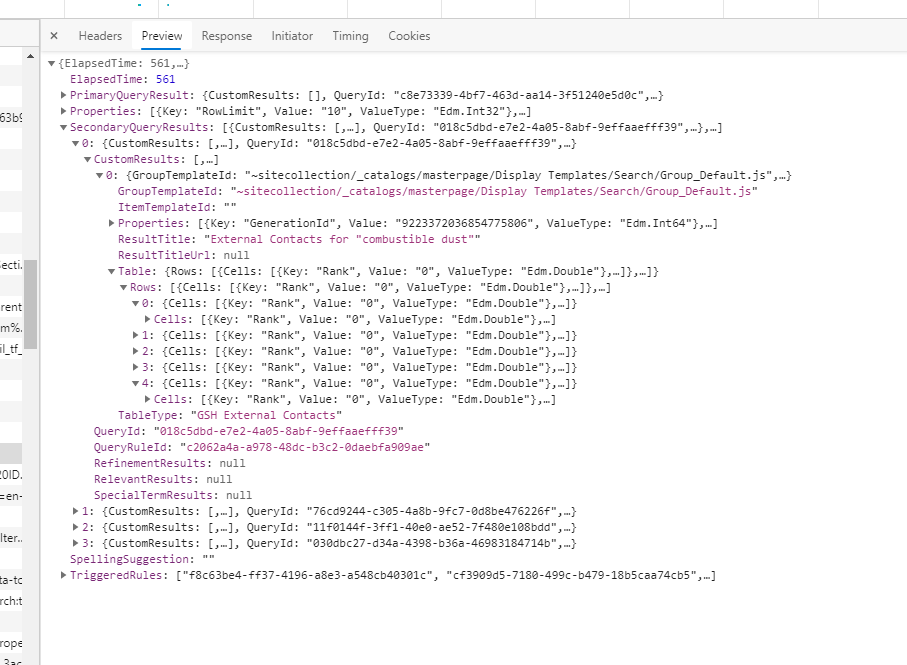
I have 4 Ranked Result Blocks added to my result source, but they are not returning to the UI.
To Reproduce
- Add a Ranked Result Query Rule modification to a Result Source.
- Configure Search Results to use Result source and turn on Enable Query Rules
- Test search
Expected behavior
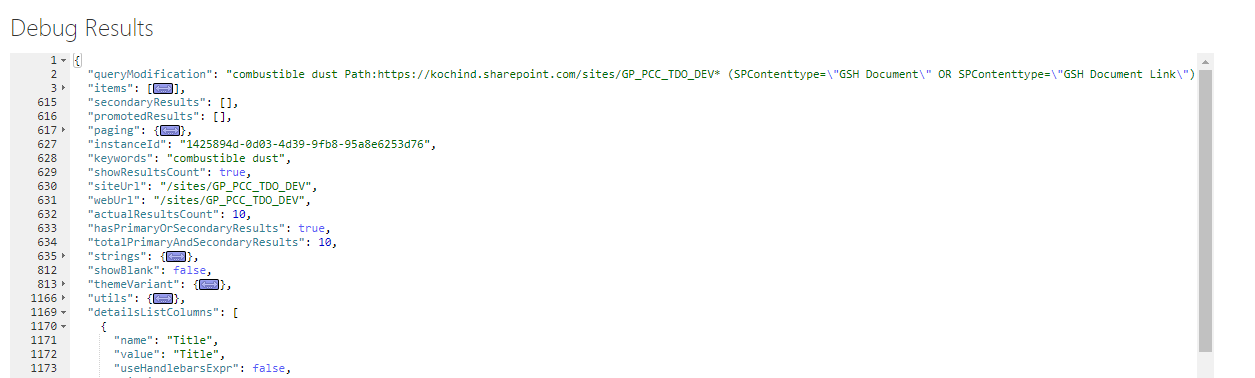
Would expect my secondary results to be in the secondary results array
Screenshots
Here is the results from the query using Developer Tools
Here is the object seen in debug view of the webpart
 malcom1120
All 9 comments
We support best bets per the documentation via query rules. I'll add this as an enhancement, and shouldn't be too hard to get to work.
That aside, curious how you are using 4 blocks to solve a use case. What kind of data and layout do you use for the scenario.
 wobba
on 1 May 2020
wobba
on 1 May 2020
Thanks @wobba (FYI your search query tool from PnP tools doesn't handle them either 😁). I looked at the code after I put this in and you are right. It should be simple to check the CustomResults array along with RelevantResults and loop through the one that has results in it.
I'll get a screenshot when I'm back at work on Monday. With classic search you could connect result webparts to the main results to secondary results to give them there own treatment. I was hoping to replicate this with the modern webparts. Once fixed, will I be able to connect other results to the main that has the secondary results?
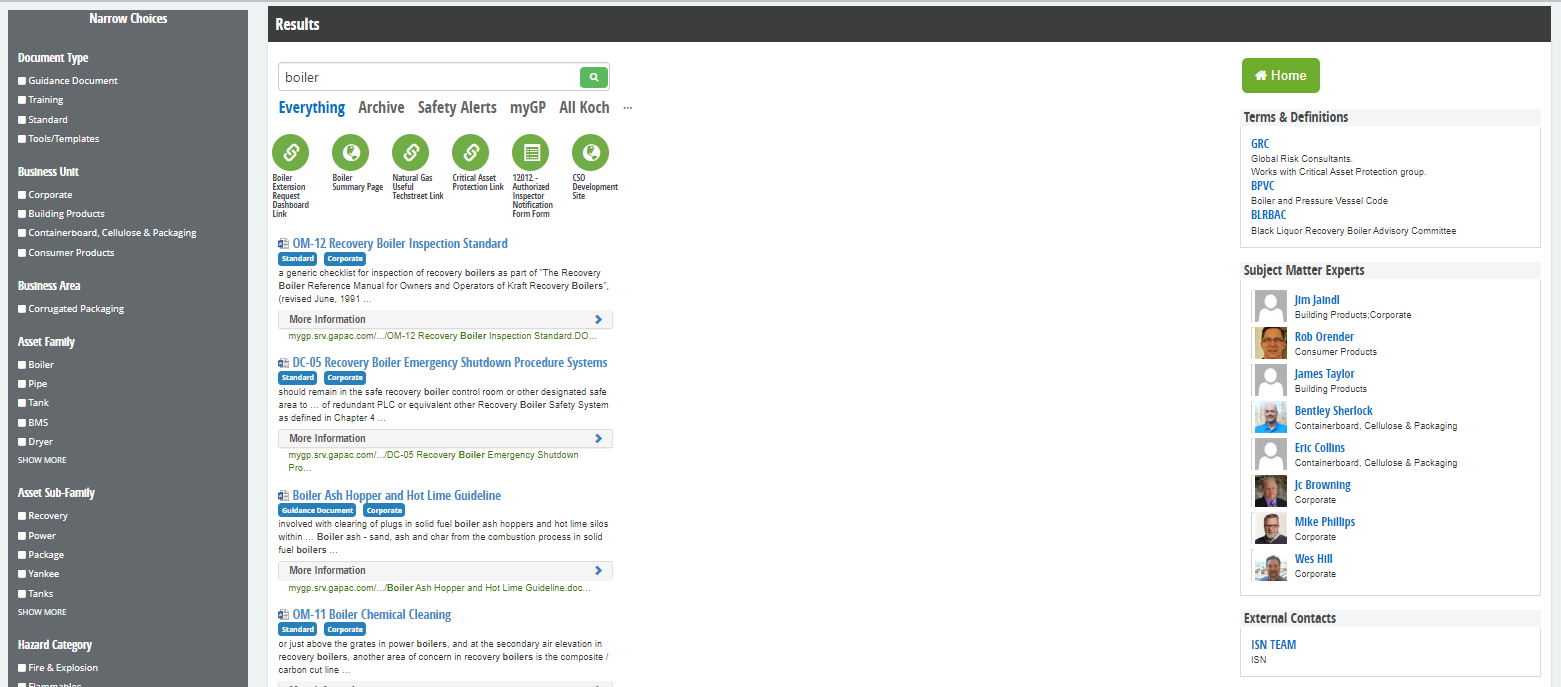
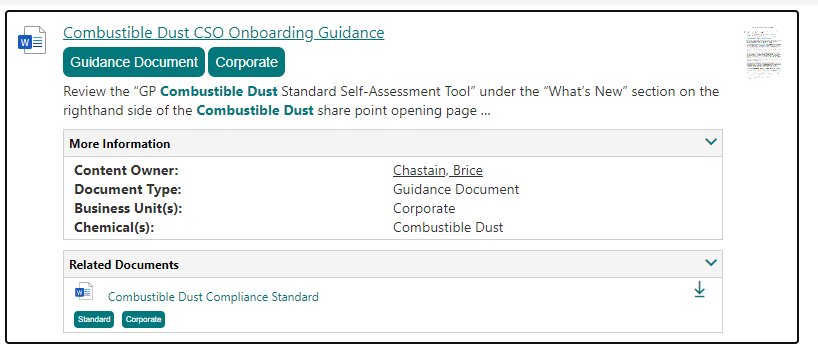
Basically we have a two column layout 2/3|1/3 with main results in the big column and the secondary results along the small rail. This is for a safety documentation site with the documents in the main results then related content to the side like Safety Terms, SMEs, External Contacts, & Safety alerts.
malcom1120
on 1 May 2020
Hi,
You cannot connect multiple modern parts in that way. Allthough a cool setup in classic, these features are not invested in any longer and you can easily work around them today programatically with batch REST queries or similar. Search is slowly outgrowing SharePoint and new API's and approaches will slowly emerge.
For your scenario, go with multiple web parts instead, and there is no need to expose multiple result tables :) Even if someone did a PR to replicate the connection like in classic I'm not sure it's an ideal architecture going forward.
wobba
on 2 May 2020
Well that makes since. I was hoping It was possible. I'll go the multiple results webparts route. I'll still send those screenshots so you can see what I'm trying to do. I might even have my modern working since I have to do the multiple webparts route.
I still have scenarios where I still need this enhancement to work as well. Just not my original need. I guess I can remove all of these ranked blocks from my main results source then 😁
malcom1120
on 2 May 2020
Seems you are doing similar to what I blogged a while back 🤓 https://www.techmikael.com/2014/10/s15e10-search-orchestration-page.html
wobba
on 2 May 2020
You are correct. That is exactly what we did with our safety documents for the company. I took your advise and did a little work this morning based on not being able to connect and built out the results page with multiple search results pulling the query from the search box on the page. I think I got it about as close as I can 🙇🏻♂️.
Classic On-prem (what we are trying to model)
SPO using PnP Modern Search Webparts and 4 custom web components
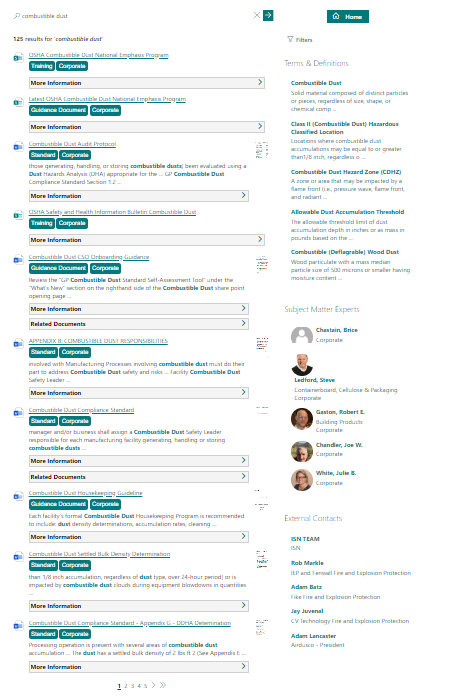
_1. Custom Accordion Web Component (allows us to group extra data and collapse to minimize screen)
- Custom Lookup List Extender Web Component (allows us to go get the related documents based on the lookup column in the current list and manage property)_
_3. Custom Modal Popup Web Component (allows for us to popup data in our right rail to keep what is on screen to a minimum_
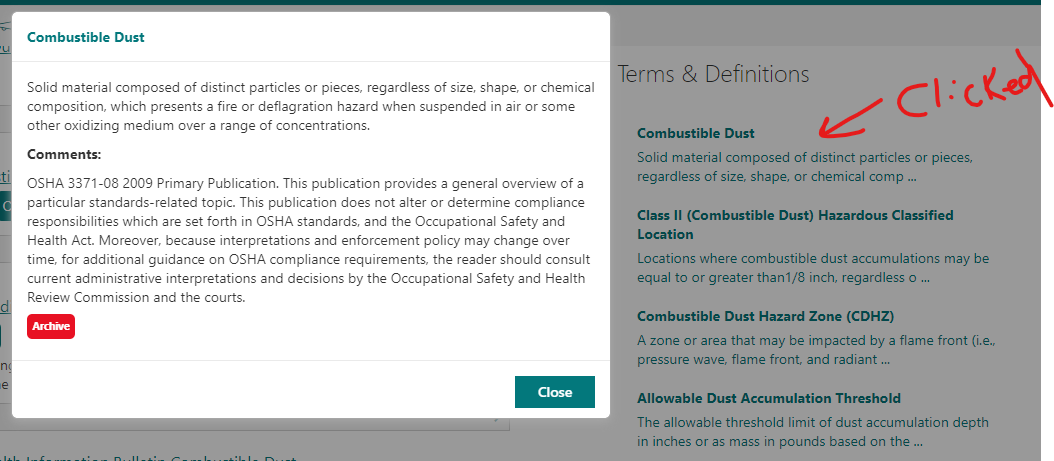
_4. Custom Live Persona Web Component (I know this is not supported yet 😉)_

malcom1120
on 4 May 2020
@wobba @malcom1120
i was testing the secondary results in my tenant today and i was able to configure it using the custom templates. The result blocks and as well as promoted results are appearing the search results webpart.
used v3.12.1 version.
 pravin080317
on 12 May 2020
pravin080317
on 12 May 2020
@wobba - do I need to close this since I fixed this the a PR or do you do that?
malcom1120
on 15 May 2020
I can close it :)
wobba
on 15 May 2020
Related issues
 AmitTyagi1
·
5Comments
AmitTyagi1
·
5Comments
 polashivaprasad
·
5Comments
polashivaprasad
·
5Comments
 vreezy
·
3Comments
vreezy
·
3Comments
 anoopt
·
4Comments
anoopt
·
4Comments
 stevebeauge
·
5Comments
stevebeauge
·
5Comments