Pnp-modern-search: Can't use people layout with anything else than user profles
Version used
3.12.1
Describe the bug
I want to display searchs result using people layout but not from the local people results (imagine a contact list or custom people repository).
1st issue is that the Result Source Identifier can't be emptied. each time I choose the people layout, the parameter is reset to the local people result source ID. I didn't found a way to clear this field.
As a workaround, I can set the "Local SharePoint results" source ID (once the field is set, it seems to be preserved).
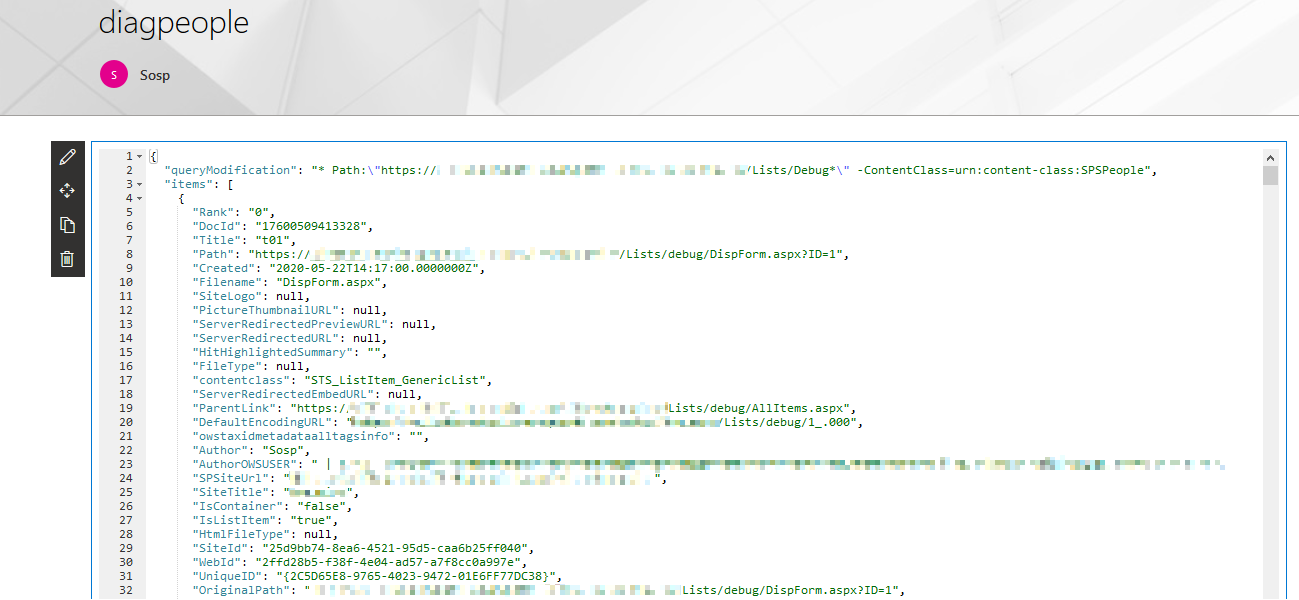
2nd issue, is that it renders blanks. Even if there is data, the component appears blanks. Not hidden as if there were no results, but blank like there are mulitple blank lines.
I didn't found a way (yet) to solved that.
I may be using it wrong, but I feel there's something in the profile that's missing in my case.
To Reproduce
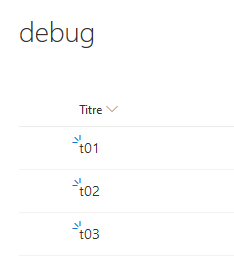
- Create a simple generic list, named "Debug" (or anything else)
- populate data (only title)
- wait for the list to be indexed
- drop a search result webpart somewhere
- Set
*in the Search query keywords (page 1) - Set
{?{searchTerms} Path:"{\Site}/Lists/Debug*"}in the Query template field (page 2) - ==> Results should appears in a grid
- Select People layout (page 3)
- Actual profiles should render. This is not what we are looking for.
- Go back to page 2
- Clear the Result Source Identifier field
- Go to page 3, then page 2
- Query template and Result Source Identifier is reset to local people results ==> 1st issue
- force the Result Source Identifier to
8413cd39-2156-4e00-b54d-11efd9abdb89(which is the local sharepoint result source ID), and apply again the query template{?{searchTerms} Path:"{\Site}/Lists/Debug*"} - ==> The component goes blank, event if results are found
- Configure the template fields of the layout. Especially, set up the
Titlemanaged property in thePrimary textfield - ==> the component is still blank
- Set
Expected behavior
The people layout should allow rendering data from any kind of object, not only profiles
Screenshots

Desktop (please complete the following information):
- Any browser
Additional context
Here's the HTML output of the component (extracted using the Firefox dev tools):
````html
            <div class="ms-Grid">
                <div class="ms-Grid-row">
                    <div class="ms-Grid-col ms-sm12 ms-md12 ms-lg12">
                            <div class="personaCard">
                            </div>
                    </div>
                    <div class="ms-Grid-col ms-sm12 ms-md12 ms-lg12">
                            <div class="personaCard">
                            </div>
                    </div>
                    <div class="ms-Grid-col ms-sm12 ms-md12 ms-lg12">
                            <div class="personaCard">
                            </div>
                    </div>
                    <div class="ms-Grid-col ms-sm12 ms-md12 ms-lg12">
                            <div class="personaCard">
                            </div>
                    </div>
                </div>
            </div>
        </div>
            <pnp-pagination data-total-items="4" data-hide-first-last-pages="false" data-hide-disabled="true" data-hide-navigation="false" data-range="5" data-items-count-per-page="10" data-current-page-number="1"></pnp-pagination>
</div>
````
As you can see, there are the correct number of iterations (4 results in my sample), but with empty divs
````
</div>
````
A final note: no error are visible in the dev tools console
 stevebeauge
All 5 comments
I think there is no real way, as the People card requires, these managed properties
_'AccountName', 'FirstName', 'LastName', 'Department', 'JobTitle', 'WorkPhone'_
The only thing that could work, that you create in your custom list all those columns and map them additionally to the manged properties.
Be careful with the managed properties, do not delete any of the existing mappings, that could make eventually the whole tenant useless.
Code reference for that is here
https://github.com/microsoft-search/pnp-modern-search/blob/master/search-parts/src/services/TemplateService/TemplateService.ts
starting at the line 481 with private _getPeopleLayoutFields
 Georg-Trixl
on 28 May 2020
Georg-Trixl
on 28 May 2020
It would be nice to have these managed props configurable in the card field options.
stevebeauge
on 28 May 2020
:-) nice try but, that won't happen, this is stuff for search experts only 💯
configure the managed properties under
https://yourtenant-admin.sharepoint.com/_layouts/15/searchadmin/TA_SearchAdministration.aspx
Georg-Trixl
on 28 May 2020
@stevebeauge you can create a custom template using the <pnp-persona-card/> web component with individual properties mapped to your managed properties:
<pnp-persona-card
    data-image-url="/_layouts/15/userphoto.aspx?size=L&[email protected]"
    data-text="Primary text"
    data-secondary-text="Secondary Text"
    data-tertiary-text="Tertiary Text"
    data-persona-size="4"
    data-optional-text="Optional Text"
/>
 FranckyC
on 28 May 2020
FranckyC
on 28 May 2020
Thanks @FranckyC. This will probably help.
stevebeauge
on 28 May 2020
Related issues
 sympmarc
·
4Comments
sympmarc
·
4Comments
 AmitTyagi1
·
5Comments
AmitTyagi1
·
5Comments
 polashivaprasad
·
5Comments
stevebeauge
·
5Comments
polashivaprasad
·
5Comments
stevebeauge
·
5Comments
 RichG82
·
3Comments
RichG82
·
3Comments
Most helpful comment
Thanks @FranckyC. This will probably help.