Pluto.jl: Compress Live Docs button so that it can be shown with reduced window size
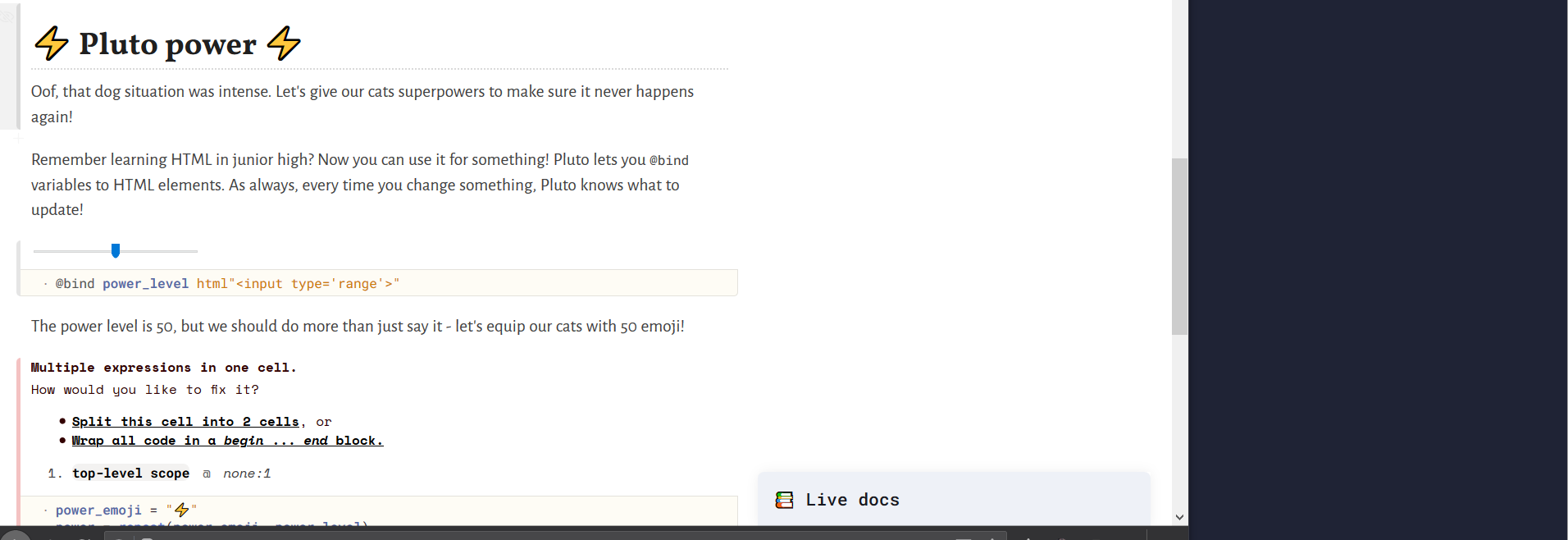
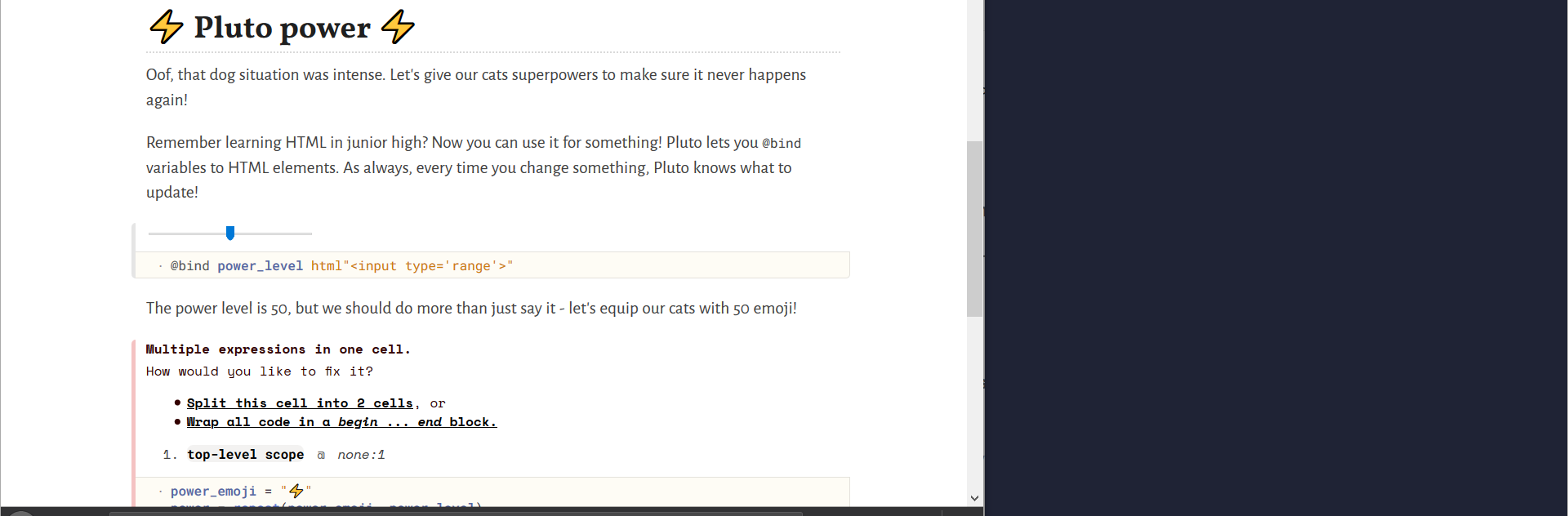
I like to tile my windows so that I have a notebook in the browser, and a terminal/notepad on the side. This reduces the screen space granted to Pluto, unfortunately, and with its size, the Live Docs button does not even show up. I need to maximize the window or drag it out in order to make it appear.
I can't really say that it's a bug, but I at least request that the element to access Live Docs with be made more friendly to various resolutions.
This is a screenshot of my screen, illustrating the space difference.
 rabirabirara
All 13 comments
The problem isn't that the button does not fit - it's that the docs would not fit.
 fonsp
on 18 Sep 2020
fonsp
on 18 Sep 2020
That's fair. I assumed that Live Docs worked as an anchored, hovering panel of sorts. If it needed space, it could cover the text of the notebook when opened; you'd still be able to specify what function's docs to read before opening by clicking (although possibly giving up the ability to change the function while reading the docs). Sort of like the react-chat-window, or the way message tabs work in Facebook.
I understand if implementing this behavior isn't really worth the effort, but I would hope that eventually there might be accommodation for smaller window sizes - any comment?
rabirabirara
on 18 Sep 2020
Good point - we could enable it for small screens, with the purpose of one-time lookups, instead of continuous docs.
We also have the option of scaling down the notebook body to make the docs fit - the question is which of the two should be sacrificed first. There is value in having a fixed maximum notebook width: you can design your output for that width, and it will look the same for everyone.
fonsp
on 18 Sep 2020
Thanks so much you all for having this discussion =]
I know it's really niche, but I think having something like this would be so useful for vertical monitor setups 🖥️🔃
 icweaver
on 20 Sep 2020
icweaver
on 20 Sep 2020
Maybe you could use paint/similar to experiment with this layout - should we overlay the live docs? Should they be less tall when overlayed? Should we compress the notebook to make the docs fit?
fonsp
on 20 Sep 2020
Ok, wow, I have no idea how you respond to all of these so quickly, it's honestly unreasonable
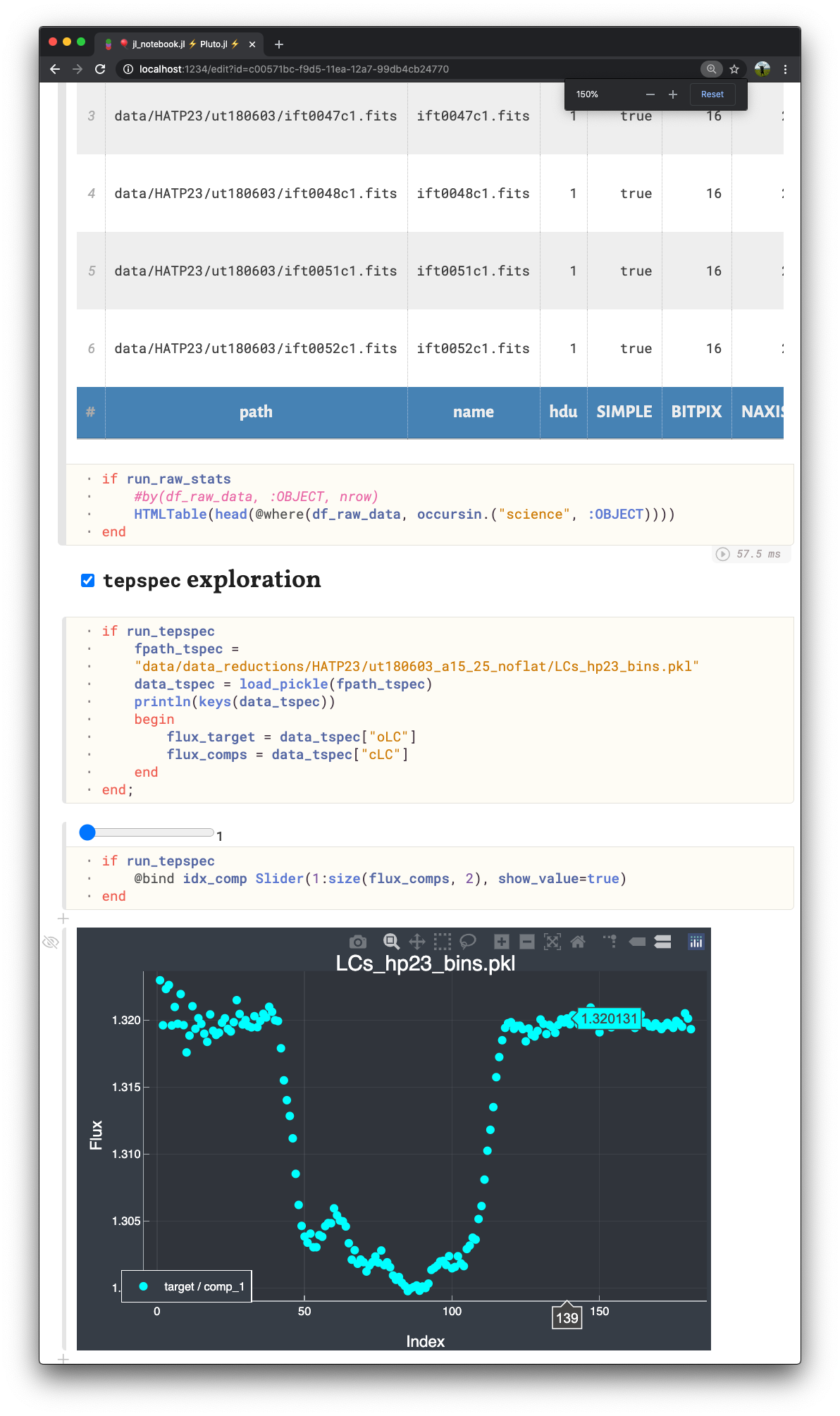
I don't know if this is what @rabirabirara had in mind, but I was thinking of something like below as an overlay
1) Before opening docs (I zoomed in 150% to mimic what the new layout might look like without the margin on the right reserved for the docs window):
2) After opening (pardon my amazing GIMP skills):
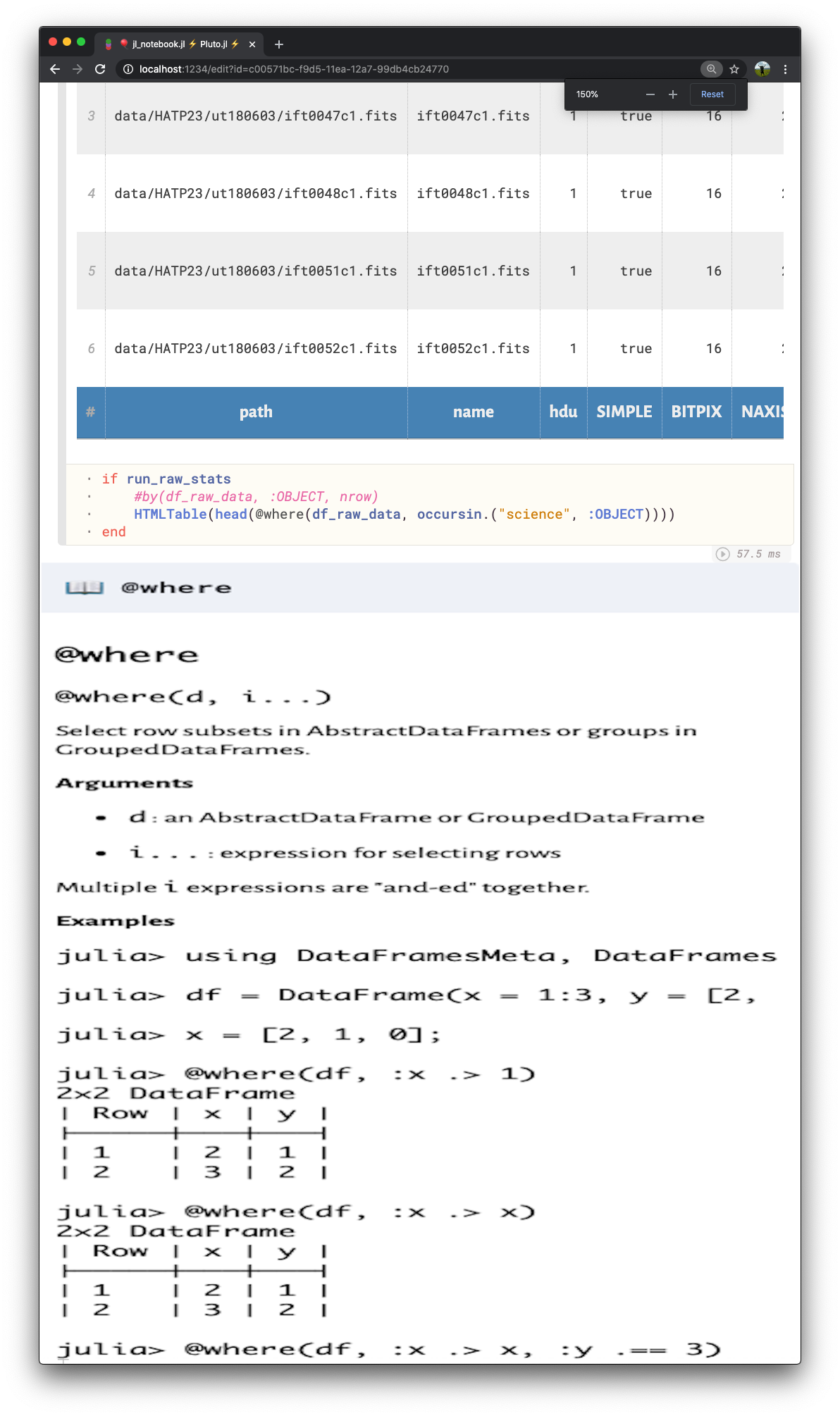
Since this fullwidth doc window would fall on top of the notebook cells now, I was wondering if having it automatically pop up as an overlay when your mouse is near the bottom border (or if a keyboard shortcut is pressed) would be a reasonable way to approach this? To avoid having the overlay obscure the syntax you are looking up documentation for, could the overlay pop in from the bottom or top based on if the syntax is located in the opposite part of the current window? If this would be too disruptive to a user's workflow, maybe a manual click on a translucent "Live docs" banner that appears on mouse hover at the bottom could be required instead, like in the original behavior
icweaver
on 20 Sep 2020
Thanks! The GIMP demo helped my understand you suggestion.
Just writing down another idea: we can also make the Live docs "pop out" into its own window, you can then use your window manager to put it where you like
fonsp
on 20 Sep 2020
For sure! I could see a separate window as being a bit of a pain point for working on smaller screens, but I think it would still definitely be an ideal way to go if people already have the screen/monitor real estate
icweaver
on 20 Sep 2020
I also often have the problem that I can't show any docs when working with Pluto and a Terminal side by side and only have the small laptop screen available.
For me an partly overlapping doc-pane from the bottom right sounds the most attractive. I can still scroll the code around if something I need to see is behind the pane or just close it for a short time. The width of the pane should be the minimal width Pluto currently thinks acceptable. The height should be the same height as the normal side-by-side pane currently uses.
A separate pop out window would be awful for me. I use a tiling window manager, which would just shrink every other window to make place for the new doc-window. Of course I could then arrange it to a fitting place using the window manager, but that means I have to commit to keeping the doc-window always open since it will forget that position when i close and reopen the doc-window.
 karlwessel
on 23 Sep 2020
karlwessel
on 23 Sep 2020
The Live Docs are now shown on top of the notebook for any window size >500px. Try it out in 0.12.4!
fonsp
on 15 Oct 2020

@fonsp does it again!! Thank you for making this happen on top of all of the other amazing features you all have been implementing!
icweaver
on 15 Oct 2020
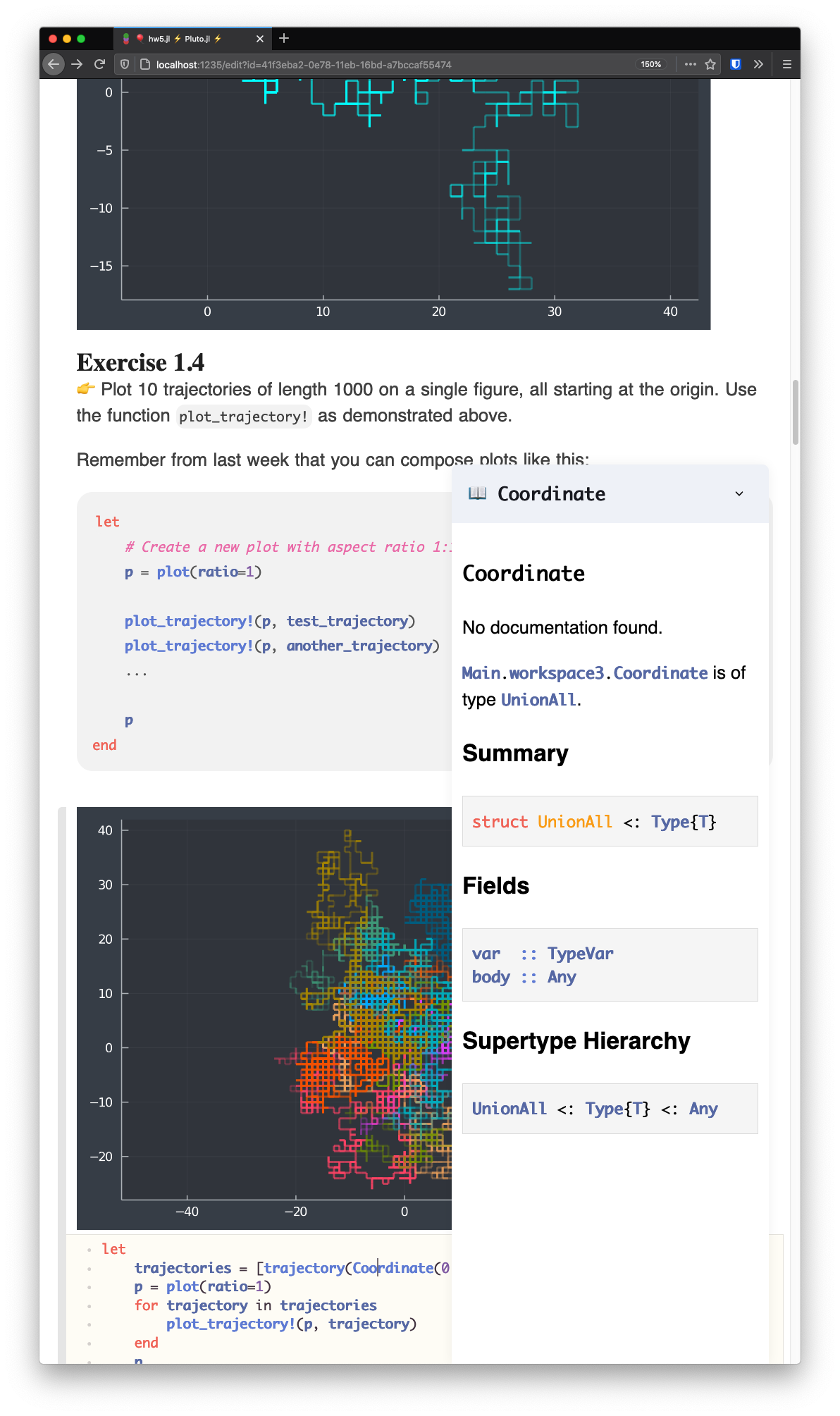
It looks amazing 🌈
icweaver
on 15 Oct 2020
(Those random walks look extra cool on a dark background, nice!)
fonsp
on 15 Oct 2020
Related issues
 FelixBenning
·
3Comments
FelixBenning
·
3Comments
 roflmaostc
·
4Comments
roflmaostc
·
4Comments
 kapple19
·
5Comments
fonsp
·
5Comments
kapple19
·
5Comments
fonsp
·
5Comments
 mlg556
·
4Comments
mlg556
·
4Comments
Most helpful comment
The Live Docs are now shown on top of the notebook for any window size >500px. Try it out in
0.12.4!