Play-games-plugin-for-unity: Resolution Failed!!! Please help.
Hi! guys in my project i already have AdMob plugin installed and i am trying to add play-games-plugin-for-unity when i clicked to import GooglePlayGamesPlugin-0.9.50 it started to import in unity. And after complete import it showed me a dialog window

after clicking ok it again showed me another window
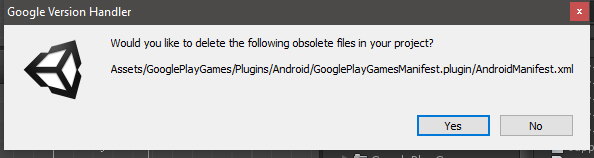
and after selecting yes it starts to resolve dependencies
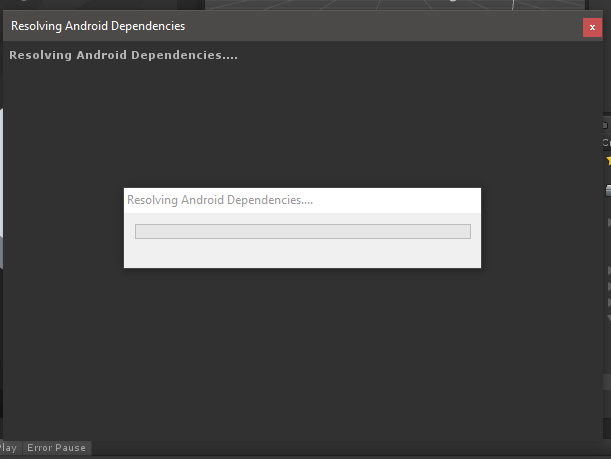
and after a while i am getting this in console tab.

the whole info is:
Resolution failed
Failed to fetch the following dependencies:
com.android.support:support-annotations:25.2.0
com.android.support:support-compat:25.2.0
com.android.support:support-core-ui:25.2.0
com.android.support:support-core-utils:25.2.0
com.android.support:support-fragment:25.2.0
com.android.support:support-media-compat:25.2.0
com.android.support:support-v4:25.2.0
com.google.android.gms:play-services-auth-api-phone-license:11.6.2
com.google.android.gms:play-services-auth-api-phone:11.6.2
com.google.android.gms:play-services-auth-base-license:11.6.2
com.google.android.gms:play-services-auth-base:11.6.2
com.google.android.gms:play-services-auth:11.6.2
com.google.android.gms:play-services-base-license:11.6.2
com.google.android.gms:play-services-base:11.6.2
com.google.android.gms:play-services-basement-license:11.6.2
com.google.android.gms:play-services-basement:11.6.2
com.google.android.gms:play-services-drive-license:11.6.2
com.google.android.gms:play-services-drive:11.6.2
com.google.android.gms:play-services-games-license:11.6.2
com.google.android.gms:play-services-games:11.6.2
com.google.android.gms:play-services-nearby-license:11.6.2
com.google.android.gms:play-services-nearby:11.6.2
com.google.android.gms:play-services-tasks-license:11.6.2
com.google.android.gms:play-services-tasks:11.6.2
com.google.games:gpgs-plugin-support:0.9.50@srcaar
UnityEngine.Debug:LogError(Object)
Google.Logger:Log(String, LogLevel)
GooglePlayServices.PlayServicesResolver:Log(String, LogLevel)
GooglePlayServices.ResolverVer1_1:LogMissingDependenciesError(List1)
GooglePlayServices.<DoResolutionUnsafe>c__AnonStorey18:<>m__26(List1)
GooglePlayServices.
GooglePlayServices.
GooglePlayServices.PlayServicesResolver:PumpUpdateQueue()
UnityEditor.EditorApplication:Internal_CallUpdateFunctions()
please help me guys what should i do?
 srcsameer
All 31 comments
@srcsameer your problem is easy to fix 💯 follow the steps.
1- Check Android SDK path at Unity->Edit->Preferences->External Tools->Android SDK.
2- Check gradle version. you must have gradle-4.2.1 .
3- If you're trying to merge ads with services check your Android SDK if you download google mobile ads version 11.
Note: Android O has no ADs library anymore. you need to check show package details to find it
About me
 limitless-brain
on 24 Feb 2018
limitless-brain
on 24 Feb 2018
@lifedrops how can i check gradle version? and i am using adMob plugin for unity
srcsameer
on 24 Feb 2018
@srcsameer
If you are using Windows
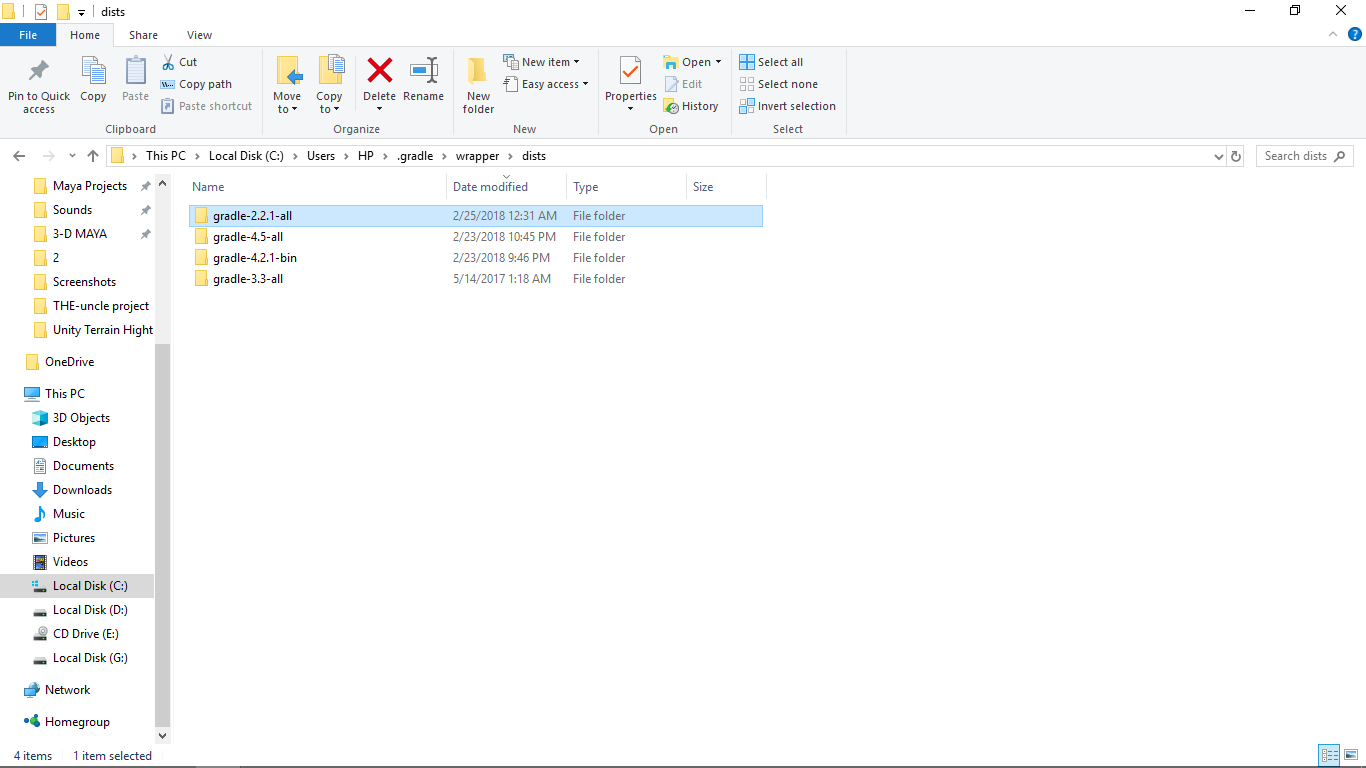
Gradle path : C:\Users[your user name].gradle\wrapperdists\gradle-4.2.1
if you are using Mac
Gradle path : /myusername/Applications/gradle-4.2.1/
limitless-brain
on 24 Feb 2018
@lifedrops I have gradle-4.2.1-bin
srcsameer
on 25 Feb 2018
@lifedrops
I am doing it all again i have started my project again it already has AdMob Plug in and this time when i am importing GooglePlayGamesPlugin-0.9.50.unitypackage after taking a while unity prompt a window name Google Version Handler and it's :
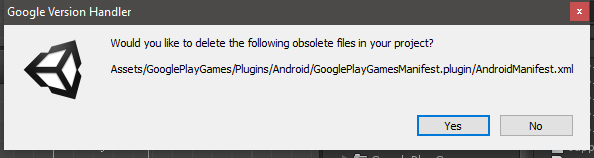
What should i do now?
srcsameer
on 25 Feb 2018
@srcsameer This is normal you should click "Yes". Unity using Android SDK to build the project the max API level must be 25(Nougat).
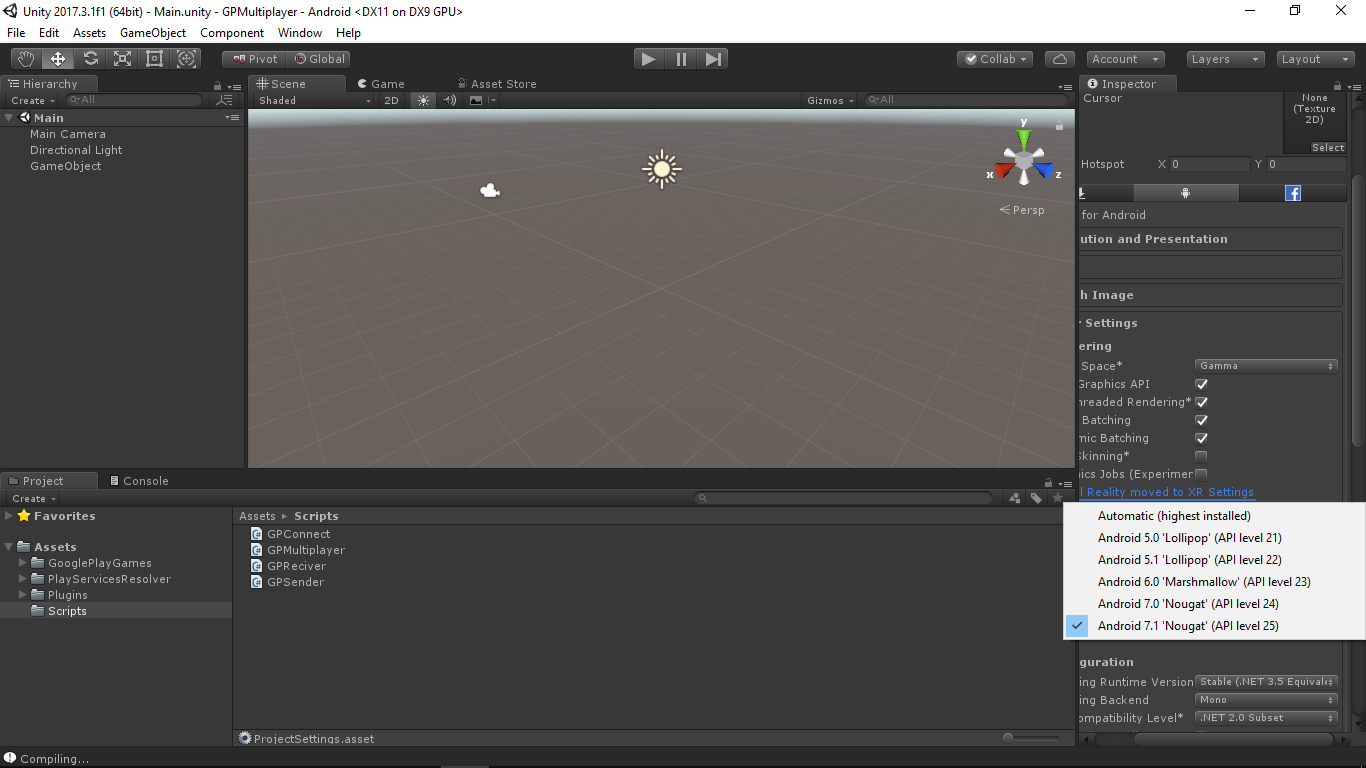
I have the latest Unity and Android Studio version(Android SDK level v27) so I download SDK v25.
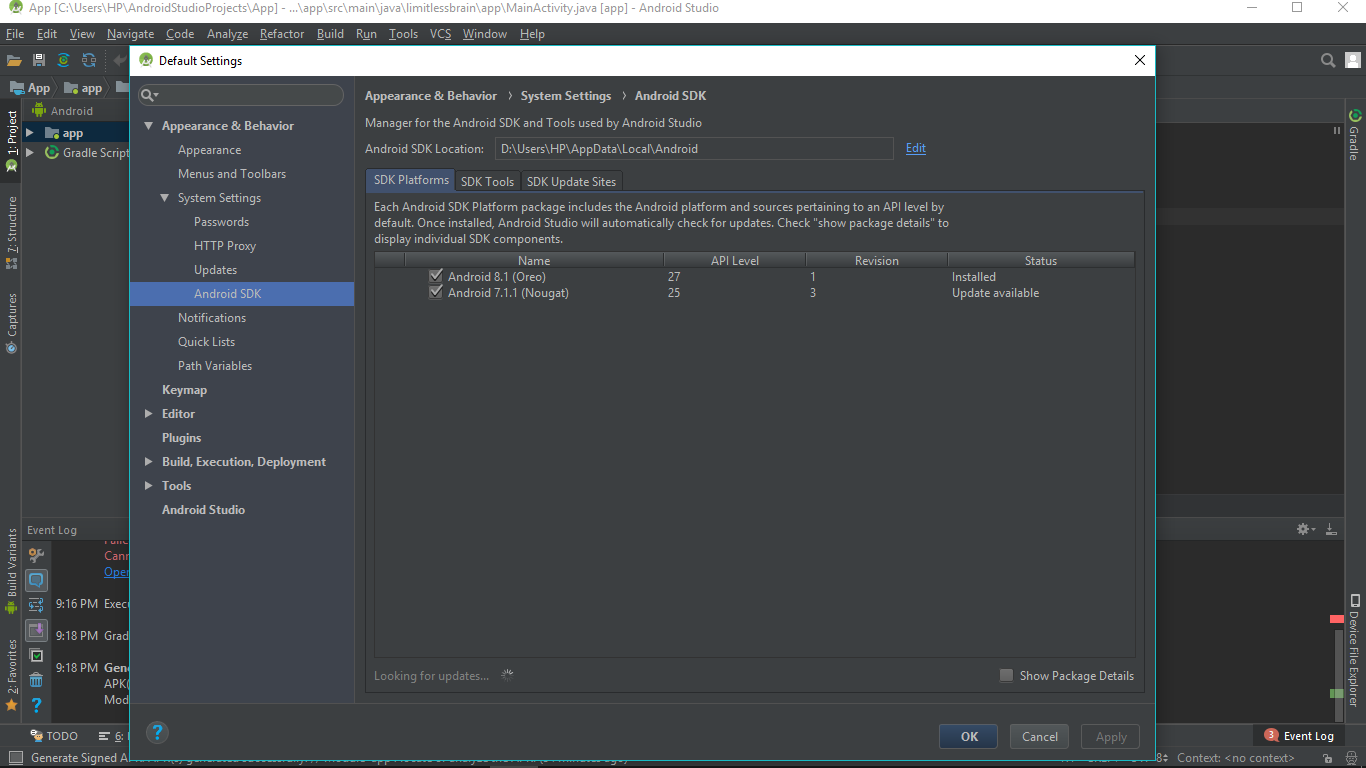
Gradle versions I have is: 2.2.1-3.3-4.2.1-4.5
limitless-brain
on 25 Feb 2018
@lifedrops
Do i need to set max api level in unity? i have Unity_Pro_v5.3.4 but i can't find any option in other settings to set max api level only minimum api level option is available. and i have the latest api v25 inastalled in my system and Gradle versions I have is: 2.14.1-all-3.3-all-4.1-all-4.2.1-bin. i clicked yes and it starts to resolve dependencies after a while i got an error resolution failed: and the same error log.
Resolution failed
Failed to fetch the following dependencies:
com.android.support:support-annotations:25.2.0
com.android.support:support-compat:25.2.0
com.android.support:support-core-ui:25.2.0
com.android.support:support-core-utils:25.2.0
com.android.support:support-fragment:25.2.0
com.android.support:support-media-compat:25.2.0
com.android.support:support-v4:25.2.0
com.google.android.gms:play-services-auth-api-phone-license:11.6.2
com.google.android.gms:play-services-auth-api-phone:11.6.2
com.google.android.gms:play-services-auth-base-license:11.6.2
com.google.android.gms:play-services-auth-base:11.6.2
com.google.android.gms:play-services-auth:11.6.2
com.google.android.gms:play-services-base-license:11.6.2
com.google.android.gms:play-services-base:11.6.2
com.google.android.gms:play-services-basement-license:11.6.2
com.google.android.gms:play-services-basement:11.6.2
com.google.android.gms:play-services-drive-license:11.6.2
com.google.android.gms:play-services-drive:11.6.2
com.google.android.gms:play-services-games-license:11.6.2
com.google.android.gms:play-services-games:11.6.2
com.google.android.gms:play-services-nearby-license:11.6.2
com.google.android.gms:play-services-nearby:11.6.2
com.google.android.gms:play-services-tasks-license:11.6.2
com.google.android.gms:play-services-tasks:11.6.2
com.google.games:gpgs-plugin-support:0.9.50@srcaar
UnityEngine.Debug:LogError(Object)
Google.Logger:Log(String, LogLevel)
GooglePlayServices.PlayServicesResolver:Log(String, LogLevel)
GooglePlayServices.ResolverVer1_1:LogMissingDependenciesError(List1)
GooglePlayServices.<DoResolutionUnsafe>c__AnonStorey18:<>m__26(List1)
GooglePlayServices.
GooglePlayServices.
GooglePlayServices.PlayServicesResolver:PumpUpdateQueue()
UnityEditor.EditorApplication:Internal_CallUpdateFunctions()
now waht should i do?
srcsameer
on 26 Feb 2018
And if i am importing play games plugin to another project which doesn't have Admob plugin imported or if importing to a new project i am getting this error

srcsameer
on 26 Feb 2018
@srcsameer it seems that your Android SDK missing libraries or you're not setting-up unity correct the following photo showing my Android SDK Manager be sure that Google services libraries are downloaded.
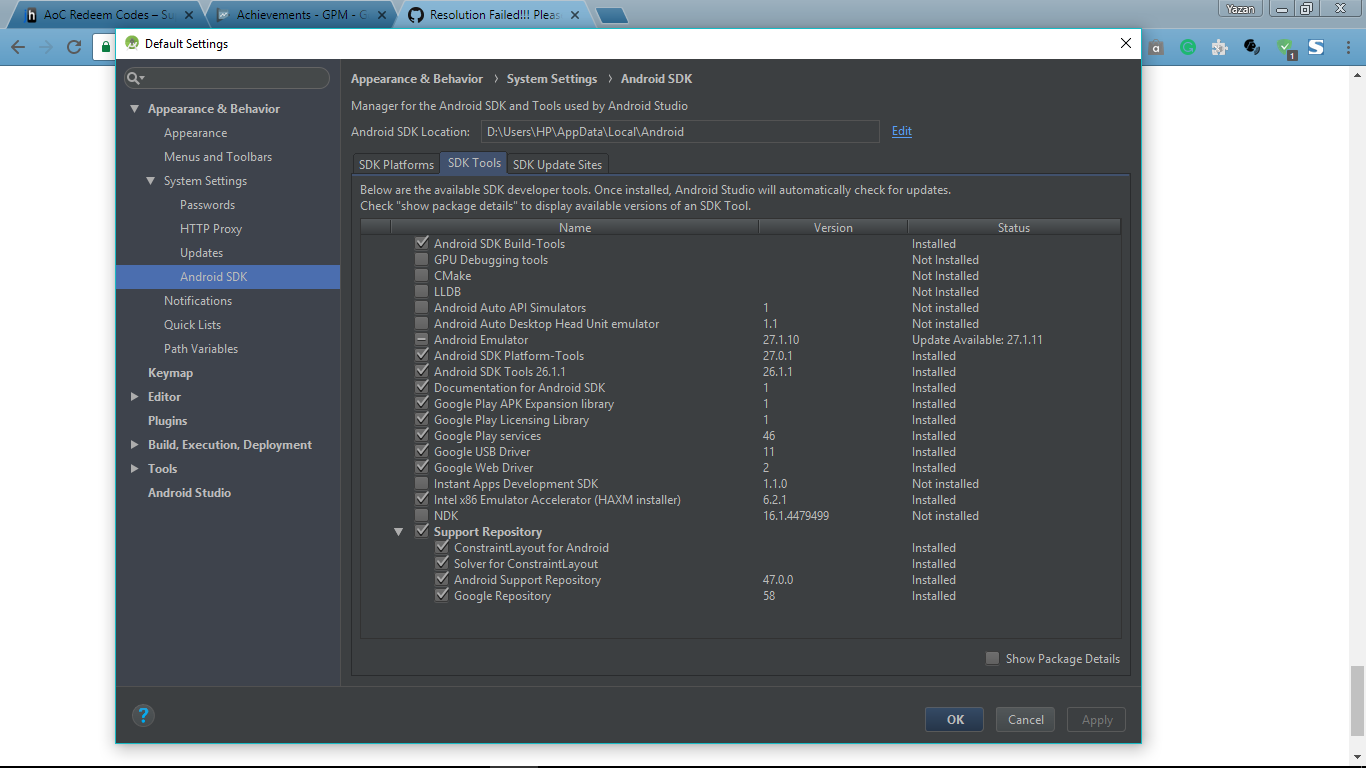
limitless-brain
on 26 Feb 2018
@srcsameer you can find the option to set the target API inside Player Settings.
since Unity team update their development platform to 2017 all new packages have been changed you must update your Unity Application to the latest stable one so you can import new packages without any problem.
limitless-brain
on 27 Feb 2018
For your last question try to run unity as administrator it's should work right.
limitless-brain
on 27 Feb 2018
@lifedrops
I've tried running as administrator but still getting same error.
srcsameer
on 28 Feb 2018
@lifedrops can you please help me out with this? is it possible for you to help me over teamviewer? i am seeking for help so badly...
srcsameer
on 6 Mar 2018
@srcsameer I am having the same problem. Have you resolved it?
 amykishor
on 12 Mar 2018
amykishor
on 12 Mar 2018
Delete folders: GooglePlayGames, PlayServicesResolver, Plugins
If you have opened Visual Studio click reload solution in the new window
check if deleted folders have not renewed and delete them and go to visual studio reload
import googleplayservices package
Window -> Google Play Games -> Setup -> Android Setup -> Setup
Assets -> Play Services Resolver -> Android Resolver -> Force Resolve
 Vintar
on 13 Mar 2018
Vintar
on 13 Mar 2018
I've tried every suggestion provided by internet but nothing.
I'm using Unity 2018.2 and play game plugin 0.9.50.
Nothing seems to work.
 GiorgioTurro
on 11 Aug 2018
GiorgioTurro
on 11 Aug 2018
I just formatted my system completely and freshly installed everything sdk jdk and did setup each and everything very carefully. And my play services and ads both working together at the same time. Thanks for all the help guys... Specially @lifedrops
srcsameer
on 11 Aug 2018
That's a long procedure, and if it fails would be very annoying
GiorgioTurro
on 11 Aug 2018
I understand that... I am just saying what i did toh solve this... You can just skip the formatting process and check properly if SDK and JDK is installed and and you've set it up correctly or not. And then just open unity and create a fresh new project and import gpgs plugin and google ads plugin or whatever you're using for ads and wait for the completion of successful import once it is done you need to work on scripting for initializing and all the other things.
srcsameer
on 11 Aug 2018
Hi all,
Just spent 3 hours trying to fix this on my computer. I tried removing all plugins a million times and doing everything ppl were talking about on Google.
I finally figured it out myself and wanted to share what the issue was for me:
I got the 'Resolution Failed' issue and saw the log:
Resolution Failed.

Resolution failed

Failed to fetch the following dependencies:
....
com.google.android.gms:play-services-auth-api-phone-license:11.6.2
com.google.android.gms:play-services-auth-api-phone:11.6.2
com.google.android.gms:play-services-auth-base-license:11.6.2
...
I noticed that version 11.6.2 (this might be special for my case, you might have some other version it is looking for) didn't exist in my m2respository folder:
$ ls -la $ANDROID_HOME/extras/google/m2repository/com/google/android/gms/play-services-games/
I was also able to turn on verbose logging here:
Assets > Play Services Resolver > Android Resolver > Settings
After running the Force Resolve again, I saw the log:
Running dependency fetching script
{PATH_TO_MY_PROJECT}/Temp/PlayServicesResolverGradle/gradlew -b "{PATH_TO_MY_PROJECT}/Temp/PlayServicesResolverGradle/PlayServicesResolver.scripts.download_artifacts.gradle" --no-daemon "-PANDROID_HOME={PATH_TO_MY_ANDROID_FOLDER}/sdk" "-PTARGET_DIR={PATH_TO_MY_PROJECT}/Assets/Plugins/Android" "-PMAVEN_REPOS=file:////{PATH_TO_MY_PROJECT}/Assets/GooglePlayGames/Editor/m2repository" "-PPACKAGES_TO_COPY=com.google.games:gpgs-plugin-support:0.9.50"
I omitted my paths above. I copied that exact line as logged in unity, opened my terminal and executed it. It passed and downloaded version 11.6.2 and after running Force Resolve in Unity again it worked!
I haven't investigated why but I can assume it has to do with folder/file permissions. If so, I can imagine the resolution fails, but it would be good with a better error message from you!
 jelgh
on 12 Aug 2018
jelgh
on 12 Aug 2018
I had the exact error, in my case I only get the error when I click "Yes" to delete the Androidmanifest.xml.
When I click "No" I get successful resolution.
However, when building and running the "minimal" sample project, the app crashes immediately after clicking "Authenticate". I am not sure if the crash is related.
 akramSam
on 13 Aug 2018
akramSam
on 13 Aug 2018
All the answers I found didn't work for me. I tried copying the command unity was sending directly into a command prompt - and it gave me an error as well. So I finally made some edits to that command, and in places where it had listed needing an older version, then a comma, and a newer version of some things, I changed it to only ask for the newer version. So I took the original command (copied and pasted directly from the unity console):
C:\UnityProjects\MYPROJECTFOLDER\Temp\PlayServicesResolverGradle\gradlew.bat -b "C:\UnityProjects\MYPROJECTFOLDER\Temp\PlayServicesResolverGradle\PlayServicesResolver.scripts.download_artifacts.gradle" --no-daemon "-PANDROID_HOME=C:/Android-SDK" "-PTARGET_DIR=C:\UnityProjects\MYPROJECTFOLDER\Assets\Plugins\Android" "-PMAVEN_REPOS=file:///C:/UnityProjects/MYPROJECTFOLDER/Assets/Firebase/m2repository;https://maven.google.com/" "-PPACKAGES_TO_COPY=com.google.android.gms:play-services-base:15.0.1;com.google.firebase:firebase-common:16.0.1;com.google.firebase:firebase-core:16.0.1;com.google.firebase:firebase-app-unity:5.2.1;com.google.firebase:firebase-iid:[17.0.0];com.google.firebase:firebase-messaging:17.3.0;com.google.firebase:firebase-messaging-unity:5.2.1;com.google.android.gms:play-services-ads:15.0.1;com.google.android.gms:play-services-base:[10.2.1, 12.1.0);com.google.firebase:firebase-messaging:[10.2.1, 12.1.0);com.google.android.gms:play-services-location:[10.2.1, 12.1.0);com.android.support:support-v4:[26.0.0, 27.2.0);com.android.support:customtabs:[26.0.0, 27.2.0)"
And I changed it to this instead (notice how I changed the 10.2.1 requirements to just 12.1.0 and fixed formatting from having made those changes):
C:\UnityProjects\MYPROJECTFOLDER\Temp\PlayServicesResolverGradle\gradlew.bat -b "C:\UnityProjects\MYPROJECTFOLDER\Temp\PlayServicesResolverGradle\PlayServicesResolver.scripts.download_artifacts.gradle" --no-daemon "-PANDROID_HOME=C:/Android-SDK" "-PTARGET_DIR=C:\UnityProjects\MYPROJECTFOLDER\Assets\Plugins\Android" "-PMAVEN_REPOS=file:///C:/UnityProjects/MYPROJECTFOLDER/Assets/Firebase/m2repository;https://maven.google.com/" "-PPACKAGES_TO_COPY=com.google.android.gms:play-services-base:15.0.1;com.google.firebase:firebase-common:16.0.1;com.google.firebase:firebase-core:16.0.1;com.google.firebase:firebase-app-unity:5.2.1;com.google.firebase:firebase-iid:[17.0.0];com.google.firebase:firebase-messaging:17.3.0;com.google.firebase:firebase-messaging-unity:5.2.1;com.google.android.gms:play-services-ads:15.0.1;com.google.android.gms:play-services-base:12.1.0;com.google.firebase:firebase-messaging:12.1.0;com.google.android.gms:play-services-location:12.1.0;com.android.support:support-v4:[26.0.0, 27.2.0);com.android.support:customtabs:[26.0.0, 27.2.0)"
And this finally got it to update when doing the command directly from a command prompt. I hope this might help someone in the future with a similar updating issue.
I think the root of this problem is that I had multiple plugins that requested different versions of the libraries, and by just setting the newer version, it allowed things to go through in the command prompt.
After I did that, I went back into unity (restarted just in case) and tried again to force resolve. The problem still persists if I try and let the editor resolve the libraries (I suppose the plugins are still requesting outdated/conflicting libraries) - but now I know how to get around it with manually resolving and can finally move forwards with updating the app. The app seems to function fine now that things have been "resolved" manually.
Just as an FYI I was using OneSignal for notifications, which in turn needs firebase components like messaging, and I was also using googles admob unity plugin, which is where I ended up in this mess to begin with by using them together. Not sure who to blame or if there will be problems in the future from doing it this way.
 MDReptile
on 11 Sep 2018
MDReptile
on 11 Sep 2018
Resolved same issue.
Install gradle and restart unity.
 KojiroHashida
on 13 Nov 2018
KojiroHashida
on 13 Nov 2018
how do you install gradle ?
 studiokarisma
on 18 Jan 2019
studiokarisma
on 18 Jan 2019
@lifedrops can u help me..i have some trouble. i use unity 5.4.6 f3, my computer 32 bit
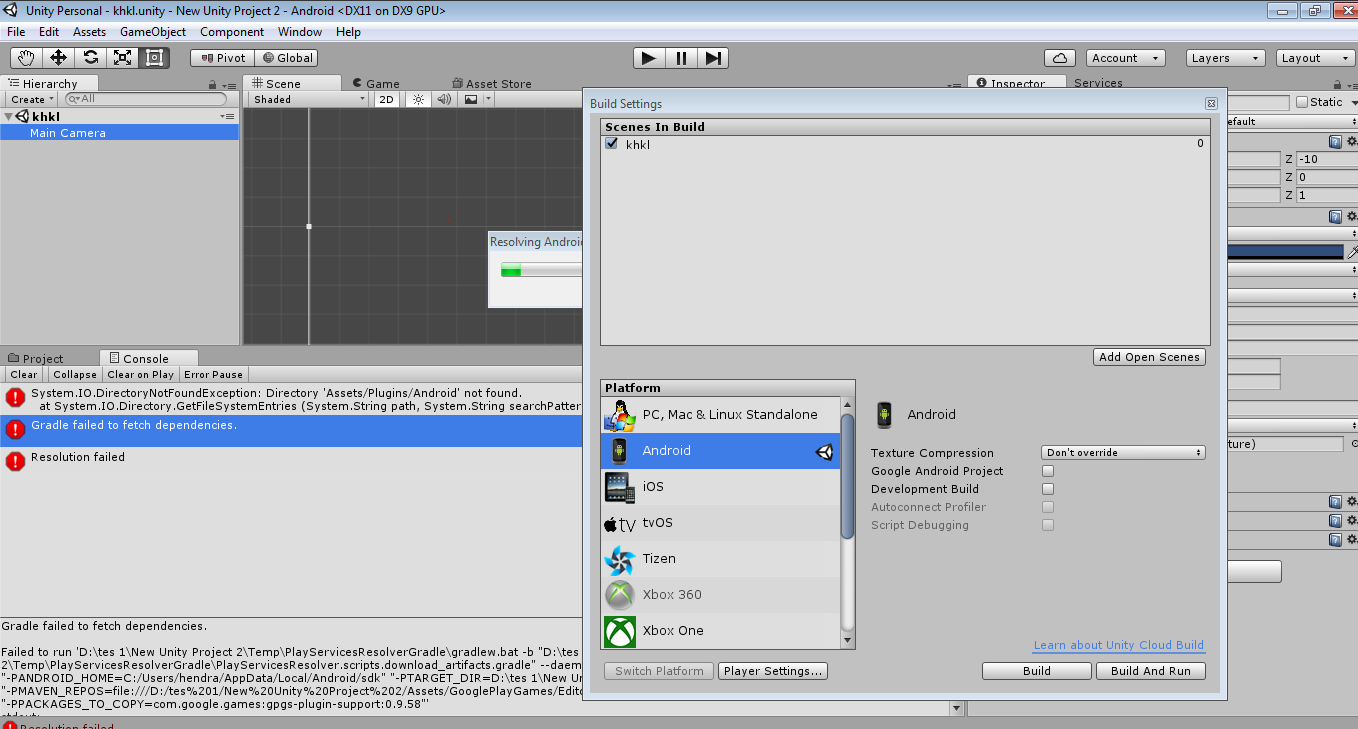
 wagner32
on 27 Jan 2019
wagner32
on 27 Jan 2019
@srcsameer @MDReptile @GiorgioTurro i know the solusion just make "JAVA_HOME"
like this
https://user-images.githubusercontent.com/47056856/51804757-5f8d1b80-2297-11e9-90b8-e09ace2c17af.png
wagner32
on 27 Jan 2019
thanks to @jelgh when turned on verbose logging as jelgh suggested, the resolving process succeeded immediately.
 Turkm
on 7 Mar 2019
Turkm
on 7 Mar 2019
All the answers I found didn't work for me. I tried copying the command unity was sending directly into a command prompt - and it gave me an error as well. So I finally made some edits to that command, and in places where it had listed needing an older version, then a comma, and a newer version of some things, I changed it to only ask for the newer version. So I took the original command (copied and pasted directly from the unity console):
C:\UnityProjects\MYPROJECTFOLDER\Temp\PlayServicesResolverGradle\gradlew.bat -b "C:\UnityProjects\MYPROJECTFOLDER\Temp\PlayServicesResolverGradle\PlayServicesResolver.scripts.download_artifacts.gradle" --no-daemon "-PANDROID_HOME=C:/Android-SDK" "-PTARGET_DIR=C:\UnityProjects\MYPROJECTFOLDER\Assets\Plugins\Android" "-PMAVEN_REPOS=file:///C:/UnityProjects/MYPROJECTFOLDER/Assets/Firebase/m2repository;https://maven.google.com/" "-PPACKAGES_TO_COPY=com.google.android.gms:play-services-base:15.0.1;com.google.firebase:firebase-common:16.0.1;com.google.firebase:firebase-core:16.0.1;com.google.firebase:firebase-app-unity:5.2.1;com.google.firebase:firebase-iid:[17.0.0];com.google.firebase:firebase-messaging:17.3.0;com.google.firebase:firebase-messaging-unity:5.2.1;com.google.android.gms:play-services-ads:15.0.1;com.google.android.gms:play-services-base:[10.2.1, 12.1.0);com.google.firebase:firebase-messaging:[10.2.1, 12.1.0);com.google.android.gms:play-services-location:[10.2.1, 12.1.0);com.android.support:support-v4:[26.0.0, 27.2.0);com.android.support:customtabs:[26.0.0, 27.2.0)"And I changed it to this instead (notice how I changed the 10.2.1 requirements to just 12.1.0 and fixed formatting from having made those changes):
C:\UnityProjects\MYPROJECTFOLDER\Temp\PlayServicesResolverGradle\gradlew.bat -b "C:\UnityProjects\MYPROJECTFOLDER\Temp\PlayServicesResolverGradle\PlayServicesResolver.scripts.download_artifacts.gradle" --no-daemon "-PANDROID_HOME=C:/Android-SDK" "-PTARGET_DIR=C:\UnityProjects\MYPROJECTFOLDER\Assets\Plugins\Android" "-PMAVEN_REPOS=file:///C:/UnityProjects/MYPROJECTFOLDER/Assets/Firebase/m2repository;https://maven.google.com/" "-PPACKAGES_TO_COPY=com.google.android.gms:play-services-base:15.0.1;com.google.firebase:firebase-common:16.0.1;com.google.firebase:firebase-core:16.0.1;com.google.firebase:firebase-app-unity:5.2.1;com.google.firebase:firebase-iid:[17.0.0];com.google.firebase:firebase-messaging:17.3.0;com.google.firebase:firebase-messaging-unity:5.2.1;com.google.android.gms:play-services-ads:15.0.1;com.google.android.gms:play-services-base:12.1.0;com.google.firebase:firebase-messaging:12.1.0;com.google.android.gms:play-services-location:12.1.0;com.android.support:support-v4:[26.0.0, 27.2.0);com.android.support:customtabs:[26.0.0, 27.2.0)"And this finally got it to update when doing the command directly from a command prompt. I hope this might help someone in the future with a similar updating issue.
I think the root of this problem is that I had multiple plugins that requested different versions of the libraries, and by just setting the newer version, it allowed things to go through in the command prompt.
After I did that, I went back into unity (restarted just in case) and tried again to force resolve. The problem still persists if I try and let the editor resolve the libraries (I suppose the plugins are still requesting outdated/conflicting libraries) - but now I know how to get around it with manually resolving and can finally move forwards with updating the app. The app seems to function fine now that things have been "resolved" manually.
Just as an FYI I was using OneSignal for notifications, which in turn needs firebase components like messaging, and I was also using googles admob unity plugin, which is where I ended up in this mess to begin with by using them together. Not sure who to blame or if there will be problems in the future from doing it this way.
same issue in unity 2019.3
I do this
Delete Full entire file : C:\Users\USERNAME\ .gradle
open android studio and automaticaly install gradle for me
and then come back and click On : Assets > Play Services Resolver > Android Resolver > Force Resolve
and wait until process complete
 danyalmazloum
on 10 Apr 2020
danyalmazloum
on 10 Apr 2020
Thank you for update
 olehkuznetsov
on 17 Apr 2020
olehkuznetsov
on 17 Apr 2020
Sharing a similar issue that I had and how I solved it, in case anyone is looking. I'm running Unity 2020.1.6f1, EDM4U 1.2.159, Firebase 6.15.2
The error:
Resolution failed:
failed to fetch the following dependencies:
com.google.firebase:firebase-app-unity:+
And there were some previous warnings like "com.google.firebase:firebase-app-unity:6.15.2 -> com.google.firebase:firebase-app-unity:+" (I forget the exact messages, sorry).
My solution
After messing around with many solutions found here and online and still seeing the same error, here's what I did that worked:
- Uninstalled all "my registries" packages from Package Manager (top menu bar -> Packages: My registries). Specifically, I uninstalled Firebase Auth, Cloud Storage, Firebase App (Core), and then finally EDM4U, and then some Google Play Services stuff.
- I CAREFULLY deleted folders that looked related to packages I had uninstalled. This included Assets/Plugins/Android and Assets/GooglePlaySomethingOrOther . There may have been another folder.
- I restarted unity, and reinstalled the packages 1-by-1: EDM4U, then Firebase App (Core), then Auth, then Storage. This seemed to solve my error.
Hope this helps someone else!
 dpodz
on 18 Sep 2020
dpodz
on 18 Sep 2020
Found the solution of Resolution failed, Hope this will help someone as it takes lots of time searching for answer. Explained step by step in this video . thanks. https://youtu.be/cIa8PK3QGUw
 Asadjbut
on 12 Nov 2020
Asadjbut
on 12 Nov 2020
Related issues
 marcus13345
·
3Comments
marcus13345
·
3Comments
 temresen
·
4Comments
temresen
·
4Comments
 toxikman
·
4Comments
toxikman
·
4Comments
 SQuirkster
·
3Comments
SQuirkster
·
3Comments
 rheros
·
5Comments
rheros
·
5Comments
Most helpful comment
@srcsameer it seems that your Android SDK missing libraries or you're not setting-up unity correct the following photo showing my Android SDK Manager be sure that Google services libraries are downloaded.
