Platformio-atom-ide-terminal: Incompatible with Atom 1.39.0 - Discussion on Current state of affairs
Solution
There is blocker issue https://github.com/daviwil/node-pty-prebuilt
I'm not sure that @daviwil will fix it soon. Please switch to PlatformIO IDE for VSCode which has a built-in terminal.
[x] I have reset Atom to defaults prior to submitting report.
Description
It cannot be installed into Atom 1.39.0.
Maintainer EDIT
This ticket WILL NOW be used for discussions of issues related to the project and dependencies and other related information.
Fell free to add your considered thoughts and opinions below. Any offtopic, aggressive or otherwise inflammatory posts will be hidden or possibly deleted depending on the nature of post contents. This is because of trying to foster healthy discussions.
We are all project users all suffering from variants degrees of frustration, Its OK to vent in a considerate manner, anything else is not productive.
 timmay7
All 58 comments
duplicate of #700
 UziTech
on 23 Jul 2019
UziTech
on 23 Jul 2019
I get a little bug icon on the bottom of the window. If you click that, you get some info about incompatibility. YOu also get the option to rebuild the package. Clicking that option seems to work. After restarting atom, the package works.
 pdxwolfy
on 24 Jul 2019
pdxwolfy
on 24 Jul 2019
@pdxwolfy Thanks for providing that information, though can you provide a screenshot so as to help those of us who need to see exactly what they should be looking for?
Also node-gyp has been reported to fail with any other python version higher than 2.7.0 most people use higher or current versions of python. Did you install anything specific to that? If so please provide this information if possible with step-by-step instructions so that the less technical of users can follow.
Thanks in advance for your attention to this matter.
 the-j0k3r
on 24 Jul 2019
the-j0k3r
on 24 Jul 2019
Hi the-j0k3r,
Yes, I have both python2 and python3 installed via homebrew, and node-gyp seems to install fine now (I have had problems with it recently, but I completely uninstalled all traces of python from homebrew (including pyenv) and then reinstalled python2 and python3, and now it seems to work.
Unfortunately, I can't post a screen shot now since it was only present before I rebuilt the package. When I started Atom before that, there was a little bug icon down on the right side of the status line. I clicked that icon to see what it was about, and that's when I got the message about incompatibility. There was a clickable item on the screen that said "Rebuild packages", and I did. When it finished, it restarted Atom, and the complaint about incompatibility was gone, and the terminal was once again working. I'm sorry that I can't provide more info than that.
Oh, the tab that had the messages about incompatibility was labeled "Incompatible Packages"; you can get there with. You can open it from the command pallette
pdxwolfy
on 24 Jul 2019
Installed Atom 1.39 then tried to install platformio-ide-terminal

@pdxwolfy sadly I see no such icon, but I will retry.
Also, homebrew is macOS, Im on Windows 10 pro 1809 Atom sadly doesnt seem to be consistent across OS's Its similar but not exactly the same
What I did
- Installed chocolatey https://chocolatey.org/install as its easier to manage packages
- installed python 2 https://chocolatey.org/packages/python2
- Installed nodejs https://chocolatey.org/packages/nodejs.install
- Installed node-gyp (which wont work because apm specifies some outdated version 3.7.0 and wont work with any other)
- Installed platformio-ide-terminal via Atom > File > Install > platformio-ide-terminal
Did not see any icon and failure as above.
I will try installing older Atom 1.38.2 and platformio-ide-terminal 2.9.1 and then letting Atom upgrade.
the-j0k3r
on 24 Jul 2019
@the-j0k3r try the following
- clone the platformio-ide-terminal repo
- use
npm ito install dependencies apm linkto install the package- Open Atom and you will see the icon at the bottom.
UziTech
on 24 Jul 2019
OK heres how I got to see the bug ICON
- Installed Atom 1.38.2
- Installed platformio-ide-terminal via Atom > File > Install > platformio-ide-terminal
- upgraded Atom to 1.39.0
Result failure same as above
3rd try, what @UziTech suggested.
PS C:\Users\Joker\Downloads\platformio-atom-ide-terminal-master\platformio-atom-ide-terminal-master> npm i
> [email protected] install C:\Users\Joker\Downloads\platformio-atom-ide-terminal-master\platformio-atom-ide-terminal-master\node_modules\node-pty-prebuilt
> prebuild-install || node scripts/install.js

prebuild-install WARN install No prebuilt binaries found (target=12.6.0 runtime=node arch=x64 libc= platform=win32)

C:\Users\Joker\Downloads\platformio-atom-ide-terminal-master\platformio-atom-ide-terminal-master\node_modules\node-pty-prebuilt>if not defined npm_config_node_gyp (node "C:\Program Files\nodejs\node_modules\npm\node_modules\npm-lifecycle\node-gyp-bin\\..\..\node_modules\node-gyp\bin\node-gyp.js" rebuild --build_v8_with_gn=false )  else (node "C:\Program Files\nodejs\node_modules\npm\node_modules\node-gyp\bin\node-gyp.js" rebuild --build_v8_with_gn=false )
Warning: unrecognized setting VCCLCompilerTool/MultiProcessorCompilation
Warning: unrecognized setting VCCLCompilerTool/MultiProcessorCompilation
Warning: unrecognized setting VCCLCompilerTool/MultiProcessorCompilation
Warning: unrecognized setting VCCLCompilerTool/MultiProcessorCompilation
Warning: unrecognized setting VCCLCompilerTool/MultiProcessorCompilation
Warning: unrecognized setting VCCLCompilerTool/MultiProcessorCompilation
Warning: unrecognized setting VCCLCompilerTool/MultiProcessorCompilation
Warning: unrecognized setting VCCLCompilerTool/MultiProcessorCompilation
Building the projects in this solution one at a time. To enable parallel build, please add the "/m" switch.
MSBUILD : error MSB4132: The tools version "2.0" is unrecognized. Available tools versions are "4.0".
gyp ERR! build error
gyp ERR! stack Error: `C:\Windows\Microsoft.NET\Framework\v4.0.30319\msbuild.exe` failed with exit code: 1
gyp ERR! stack     at ChildProcess.onExit (C:\Program Files\nodejs\node_modules\npm\node_modules\node-gyp\lib\build.js:262:23)
gyp ERR! stack     at ChildProcess.emit (events.js:203:13)
gyp ERR! stack     at Process.ChildProcess._handle.onexit (internal/child_process.js:272:12)
gyp ERR! System Windows_NT 10.0.18362
gyp ERR! command "C:\\Program Files\\nodejs\\node.exe" "C:\\Program Files\\nodejs\\node_modules\\npm\\node_modules\\node-gyp\\bin\\node-gyp.js" "rebuild" "--build_v8_with_gn=false"
gyp ERR! cwd C:\Users\Joker\Downloads\platformio-atom-ide-terminal-master\platformio-atom-ide-terminal-master\node_modules\node-pty-prebuilt
gyp ERR! node -v v12.6.0
gyp ERR! node-gyp -v v3.8.0
gyp ERR! not ok
npm ERR! code ELIFECYCLE
npm ERR! errno 1
npm ERR! [email protected] install: `prebuild-install || node scripts/install.js`
npm ERR! Exit status 1
npm ERR!
npm ERR! Failed at the [email protected] install script.
npm ERR! This is probably not a problem with npm. There is likely additional logging output above.

npm ERR! A complete log of this run can be found in:
npm ERR!     C:\Users\Joker\AppData\Roaming\npm-cache\_logs\2019-07-24T05_27_28_211Z-debug.log
PS C:\Users\Joker\Downloads\platformio-atom-ide-terminal-master\platformio-atom-ide-terminal-master>
Both Atom 1.38.2 + upgrade or @UziTech instructions result in

the-j0k3r
on 24 Jul 2019
Tried also with nodejs 8.9.3 but node-gyp is severely outdated in Atom more specifically apm, node-pty-prebuilt has lost its maintainer/developer to Microsoft. No idea, its extremely frustrating also becaise all devs are bailing Atom and related plugins/dependencies
EDIT:
@UziTech Due to the sheer number of direct project dependencies and the indirect dependencies ( dependencies of the dependencies) its impossible to satisfy your suggestion of taking responsibility for their failures (hence wontfix label will be staying whether this is ideal or not while I take care of the issue tracker here.
Feel free to join discussion on this here also), Rationale for this decision: no project I know of that doesn't develop its own dependencies accepts this premise you have suggested in the other issue report I hid as offtopic. (this is why Im opening this up for discussion, we dont need offtopic clutter in issues I hope youll agree.)
I admit, as a issue tracker contributor for this project and because of #543 and the lack of developer contributors for this project have forced me to adopt the strict constrictions regarding such dependencies. It would be insane amount of reports that no one looks at from a developer standpoint in 95% of cases (because only 5% of those cases had developers pushing contributions to address them in most recent times after the main developer called it quits).
Also issue reports quality are extremely poor in this project as most people ignore the issue templates which were added to at least provide actionable information in order to find fixes/workarounds to that do provide full information, I have endeavored to find/post/repost workarounds as they are found.
As of Atom 1.39.0 and OS depending (for successful) node-gyp rebuilds, ALL terminals that depend on node-pty-prebuilt are dead (the dev/maintainer now works for Microsoft and responds to no emails/contact attempts).
We need alternatives (for terminals and dependencies and developers to implement them) and other than VScode.
Atom devs that used such terminals will either do something about it or ignore the issue unless someone capable comes along that is able to address these issues.
Im trying not to sound/come across as caustic or as a troll if any of this is offensive, I will pre-emptively apologise as its not my intention.
the-j0k3r
on 24 Jul 2019
I was able to rebuild the package on Windows 10 x64 1903 and now it's working in Atom 1.39.0 x64.

- Install Python 2.7.15 (x64) and Python 3.7.4 (x86 and x64)
npm install --global --production windows-build-tools(it took about 10 minutes to complete)npm install -g node-gyp- And finally https://github.com/jeremyramin/terminal-plus/issues/15#issuecomment-144618245
Node.js version is 10.16.0
 VepretskiyD
on 24 Jul 2019
VepretskiyD
on 24 Jul 2019
@the-j0k3r Since github was acquired by Microsoft, atom maintenance has been problematic, and I was wondering if we could build a new editor directly on atom
 linjialiang
on 25 Jul 2019
linjialiang
on 25 Jul 2019
Atom is driven by a pure community rather than relying on IT enterprises
linjialiang
on 25 Jul 2019
@VepretskiyD , thank you very much, you're beautiful, it's much more convenient to work with a terminal integrate with atom compared to an external terminal ... Because the other terminals in atom did not work either
 adam-cyln
on 25 Jul 2019
adam-cyln
on 25 Jul 2019
@the-j0k3r Since github was acquired by Microsoft, atom maintenance has been problematic, and I was wondering if we could build a new editor directly on atom
This is not as simple subject as it seems, Atom has made it difficult for plugin devs in the past, this project is a prime example of that, the main dev bailed on Atom for VScode because such issues, see #543.
Atom is driven by a pure community rather than relying on IT enterprises
Atom also has its own main dedicated team of developers, once such developer is now working for Microsoft and the sudden departure from my perspective seemed sudden, this dev also is the only maintainer for node-pty-prebuilt which lack of development in said project is affecting and causing this huge disruption to all project that depend on that.
But to answer your main question, what the community can do (by this I mean capable developers with expertise and time) to take over the maintenace of said projects. Thus would eleminate the main issue.
Also This project needs developers/support people, it actually needs forking and republishing as a new project with people that love it and are willing to spend time on it fixing issues, (because current dev has expressed many times that hes not interested in this anymore and as such things take a long time to happen since theres no one with write privileges to push to master other than him).
Im happy though that users like @VepretskiyD come forward to post such intricate wokarounds for the rest of us to keep enjoying Atom + Platformio-ide-terminal for a little longer.
the-j0k3r
on 25 Jul 2019
2 more temps fixes:
- downgrade to Atom 1.38.2 and disable automatic upgrade in preferences. You still might need to rebuild the package after the downgrade.
- Keep Atom 1.39.0 and set global python version to
2.7.16(I testest with this version) and rebuild/reinstallplatformio-ide-terminal. Then you could reset your python version to your preferred one. The terminal package should still work in Atom. Thepyenvtool is the best to manage python versions IMO.
I'm on Mac, but I don't see why this shouldn't work on other platforms.
 bynicolas
on 25 Jul 2019
bynicolas
on 25 Jul 2019
@VepretskiyD's workaraound seems to work for v1.39.0 but not for v1.40.0-beta0 on Windows 10 😢
UziTech
on 25 Jul 2019
platformio-ide-terminal 2.9.1
[email protected] – The module '\?\C:\Usersnsharma.atom\packagesplatformio-ide-terminalnode_modulesnode-pty-prebuilt\build\Release\pty.node' was compiled against a different Node.js version using NODE_MODULE_VERSION 57. This version of Node.js requires NODE_MODULE_VERSION 64. Please try re-compiling or re-installing the module (for instance, using npm rebuild or npm install).
 EnlightonOcean
on 25 Jul 2019
EnlightonOcean
on 25 Jul 2019

EnlightonOcean
on 25 Jul 2019
Results after following
1.Install Python 2.7.15 (x64) and Python 3.7.4 (x86 and x64)
2.npm install --global --production windows-build-tools (it took about 10 minutes to complete)
3.npm install -g node-gyp
Result:
Still getting Error
[email protected] install C:\Users\user\AppData\Local\Tempapm-install-dir-119625-5960-13u9vvi.3h31node_modulesplatformio-ide-terminalnode_modulesnode-pty-prebuilt
prebuild-install || node scripts/install.js
C:\Users\user\AppData\Local\Tempapm-install-dir-119625-5960-13u9vvi.3h31node_modulesplatformio-ide-terminalnode_modulesnode-pty-prebuilt>if not defined npm_config_node_gyp (node "C:\Users\user\AppData\Localatomapp-1.39.0resourcesappapmnode_modulesnpmnode_modulesnpm-lifecyclenode-gyp-bin\....node_modulesnode-gyp\binnode-gyp.js" rebuild --build_v8_with_gn=false ) else (node "C:\Users\user\AppData\Localatomapp-1.39.0resourcesappapmnode_modulesnpmnode_modulesnode-gyp\binnode-gyp.js" rebuild --build_v8_with_gn=false )
Building the projects in this solution one at a time. To enable parallel build, please add the "/m" switch.
C:\Usersnsharma\AppData\Local\Tempapm-install-dir-119625-5960-13u9vvi.3h31node_modulesplatformio-ide-terminalnode_modulesnode-pty-prebuilt\build\deps\winpty\src\winpty-agent.vcxproj(20,3):
error MSB4019: The imported project "C:\Microsoft.Cpp.Default.props" was not found. Confirm that the path in the
C:\Usersnsharma\AppData\Local\Tempapm-install-dir-119625-5960-13u9vvi.3h31node_modulesplatformio-ide-terminalnode_modulesnode-pty-prebuilt\build\deps\winpty\src\winpty.vcxproj(20,3): error MSB4019: The imported project "C:\Microsoft.Cpp.Default.props" was not found. Confirm that the path in the
prebuild-install WARN install No prebuilt binaries found (target=3.1.10 runtime=electron arch=x64 libc= platform=win32)
gyp ERR! build error
gyp ERR! stack Error: C:\Program Files (x86)\MSBuild\14.0\bin\msbuild.exe failed with exit code: 1
gyp ERR! stack at ChildProcess.onExit (C:\Usersnsharma\AppData\Localatomapp-1.39.0resourcesappapmnode_modulesnpmnode_modulesnode-gyp\lib\build.js:262:23)
gyp ERR! stack at emitTwo (events.js:126:13)
gyp ERR! stack at ChildProcess.emit (events.js:214:7)
gyp ERR! stack at Process.ChildProcess._handle.onexit (internal/child_process.js:198:12)
gyp ERR! System Windows_NT 10.0.18362
gyp ERR! command "C:\Users\user\AppData\Local\atom\app-1.39.0\resources\app\apm\bin\node.exe" "C:\Users\user\AppData\Local\atom\app-1.39.0\resources\app\apm\node_modules\npm\node_modules\node-gyp\bin\node-gyp.js" "rebuild" "--build_v8_with_gn=false"
gyp ERR! cwd C:\Users\user\AppData\Local\Tempapm-install-dir-119625-5960-13u9vvi.3h31node_modulesplatformio-ide-terminalnode_modulesnode-pty-prebuilt
gyp ERR! node -v v8.9.3
gyp ERR! node-gyp -v v3.7.0
gyp ERR! not ok
npm WARN enoent ENOENT: no such file or directory, open 'C:\Users\user\AppData\Local\Tempapm-install-dir-119625-5960-13u9vvi.3h31package.json'
npm WARN apm-install-dir-119625-5960-13u9vvi.3h31 No description
npm WARN apm-install-dir-119625-5960-13u9vvi.3h31 No repository field.
npm WARN apm-install-dir-119625-5960-13u9vvi.3h31 No README data
npm WARN apm-install-dir-119625-5960-13u9vvi.3h31 No license field.
npm ERR! code ELIFECYCLE
npm ERR! errno 1
npm ERR! [email protected] install: prebuild-install || node scripts/install.js
npm ERR! Exit status 1
npm ERR!
npm ERR! Failed at the [email protected] install script.
npm ERR! This is probably not a problem with npm. There is likely additional logging output above.
npm ERR! A complete log of this run can be found in:
npm ERR! C:\Users\user.atom.apm_logs\2019-07-25T17_29_07_646Z-debug.log
EnlightonOcean
on 25 Jul 2019
I can't rebuild on Windows 10 either.
prebuild-install WARN install No prebuilt binaries found (target=3.1.10 runtime=electron arch=x64 libc= platform=win32)
gyp ERR! build error
gyp ERR! stack Error: C:\Windows\Microsoft.NET\Framework\v4.0.30319\msbuild.exe failed with exit code: 1
gyp ERR! stack at ChildProcess.onExit (C:\Users\Mob Rules\AppData\Localatomapp-1.39.0resourcesappapmnode_modulesnpmnode_modulesnode-gyp\lib\build.js:262:23)
gyp ERR! stack at emitTwo (events.js:126:13)
gyp ERR! stack at ChildProcess.emit (events.js:214:7)
gyp ERR! stack at Process.ChildProcess._handle.onexit (internal/child_process.js:198:12)
gyp ERR! System Windows_NT 10.0.17763
gyp ERR! command "C:\Users\Mob Rules\AppData\Local\atom\app-1.39.0\resources\app\apm\bin\node.exe" "C:\Users\Mob Rules\AppData\Local\atom\app-1.39.0\resources\app\apm\node_modules\npm\node_modules\node-gyp\bin\node-gyp.js" "rebuild" "--build_v8_with_gn=false"
gyp ERR! cwd C:\Users\Mob Rules.atom\packagesplatformio-ide-terminalnode_modulesnode-pty-prebuilt
gyp ERR! node -v v8.9.3
gyp ERR! node-gyp -v v3.7.0
gyp ERR! not ok
npm ERR! code ELIFECYCLE
npm ERR! errno 1
npm ERR! [email protected] install: prebuild-install || node scripts/install.js
npm ERR! Exit status 1
npm ERR!
npm ERR! Failed at the [email protected] install script.
npm ERR! This is probably not a problem with npm. There is likely additional logging output above.
npm ERR! A complete log of this run can be found in:
 DarkAlchy
on 25 Jul 2019
DarkAlchy
on 25 Jul 2019
Dont forget workaround here https://github.com/platformio/platformio-atom-ide-terminal/issues/707#issuecomment-514634895
the-j0k3r
on 25 Jul 2019
I tried the platform.io terminal but it refuses to open so I can't type those commands in it. Says it loaded it and cost me 0.86s but ctrl+' does zilch.
DarkAlchy
on 26 Jul 2019
@rsese It said it was already installed since it took some time to load it. Should I roll back to fix all of these issues as I just want something that works and could care less if it is the newest/latest?
DarkAlchy
on 26 Jul 2019
2 more temps fixes:
- downgrade to Atom 1.38.2 and disable automatic upgrade in preferences. You still might need to rebuild the package after the downgrade.
- Keep Atom 1.39.0 and set global python version to
2.7.16(I testest with this version) and rebuild/reinstallplatformio-ide-terminal. Then you could reset your python version to your preferred one. The terminal package should still work in Atom. Thepyenvtool is the best to manage python versions IMO.I'm on Mac, but I don't see why this shouldn't work on other platforms.
Confirmed temp fix works for mac (downgrading then rebuilding)
 josephpung
on 26 Jul 2019
josephpung
on 26 Jul 2019
atom 1.39.1
Installing platformio-ide-terminal to C:\Users\emad\.atom\packages failed

> [email protected] install C:\Users\emad\AppData\Local\Temp\apm-install-dir-119626-13128-l0el9e.xve8\node_modules\platformio-ide-terminal\node_modules\node-pty-prebuilt
> prebuild-install || node scripts/install.js


C:\Users\emad\AppData\Local\Temp\apm-install-dir-119626-13128-l0el9e.xve8\node_modules\platformio-ide-terminal\node_modules\node-pty-prebuilt>if not defined npm_config_node_gyp (node "C:\Users\emad\AppData\Local\atom\app-1.39.1\resources\app\apm\node_modules\npm\node_modules\npm-lifecycle\node-gyp-bin\\..\..\node_modules\node-gyp\bin\node-gyp.js" rebuild --build_v8_with_gn=false )  else (node "C:\Users\emad\AppData\Local\atom\app-1.39.1\resources\app\apm\node_modules\npm\node_modules\node-gyp\bin\node-gyp.js" rebuild --build_v8_with_gn=false )

prebuild-install WARN install No prebuilt binaries found (target=3.1.10 runtime=electron arch=x64 libc= platform=win32)
gyp ERR! configure error
gyp ERR! stack Error: Can't find Python executable "python", you can set the PYTHON env variable.
gyp ERR! stack     at PythonFinder.failNoPython (C:\Users\emad\AppData\Local\atom\app-1.39.1\resources\app\apm\node_modules\npm\node_modules\node-gyp\lib\configure.js:492:19)
gyp ERR! stack     at PythonFinder.<anonymous> (C:\Users\emad\AppData\Local\atom\app-1.39.1\resources\app\apm\node_modules\npm\node_modules\node-gyp\lib\configure.js:517:16)
gyp ERR! stack     at C:\Users\emad\AppData\Local\atom\app-1.39.1\resources\app\apm\node_modules\npm\node_modules\graceful-fs\polyfills.js:284:29
gyp ERR! stack     at FSReqWrap.oncomplete (fs.js:152:21)
gyp ERR! System Windows_NT 10.0.17763
gyp ERR! command "C:\\Users\\emad\\AppData\\Local\\atom\\app-1.39.1\\resources\\app\\apm\\bin\\node.exe" "C:\\Users\\emad\\AppData\\Local\\atom\\app-1.39.1\\resources\\app\\apm\\node_modules\\npm\\node_modules\\node-gyp\\bin\\node-gyp.js" "rebuild" "--build_v8_with_gn=false"
gyp ERR! cwd C:\Users\emad\AppData\Local\Temp\apm-install-dir-119626-13128-l0el9e.xve8\node_modules\platformio-ide-terminal\node_modules\node-pty-prebuilt
gyp ERR! node -v v8.9.3
gyp ERR! node-gyp -v v3.7.0
gyp ERR! not ok
npm WARN enoent ENOENT: no such file or directory, open 'C:\Users\emad\AppData\Local\Temp\apm-install-dir-119626-13128-l0el9e.xve8\package.json'
npm WARN apm-install-dir-119626-13128-l0el9e.xve8 No description
npm WARN apm-install-dir-119626-13128-l0el9e.xve8 No repository field.
npm WARN apm-install-dir-119626-13128-l0el9e.xve8 No README data
npm WARN apm-install-dir-119626-13128-l0el9e.xve8 No license field.

npm ERR! code ELIFECYCLE
npm ERR! errno 1
npm ERR! [email protected] install: `prebuild-install || node scripts/install.js`
npm ERR! Exit status 1
npm ERR!
npm ERR! Failed at the [email protected] install script.
npm ERR! This is probably not a problem with npm. There is likely additional logging output above.

npm ERR! A complete log of this run can be found in:
npm ERR!     C:\Users\emad\.atom\.apm\_logs\2019-07-26T02_22_58_255Z-debug.log
@linjialiang and everyone else
CLICK HERE FOR FIX 1
CLICK HERE FOR FIX 2
If you actually read your logs, it says you dont have python follow the instructions provided on fix 1
gyp ERR! stack Error: Can't find Python executable "python", you can set the PYTHON env variable.
the-j0k3r
on 26 Jul 2019
Had same problem since atom upgrade to version 1.39
i just installed python v2.7.16 on windows 10 x64 and could reinstall platformio-ide-terminal then.
 Jonibigoud
on 26 Jul 2019
Jonibigoud
on 26 Jul 2019
Nothing is working for me, I removed all the files of atom, reinstalled atom, python 2.7.x,done this (npm install --global --production windows-build-tools) and this(npm install -g node-gyp) ,...... like everything. But nothing works. Please provide a detailed solving method.
 maqboolthoufeeq
on 26 Jul 2019
maqboolthoufeeq
on 26 Jul 2019
Please provide a detailed solving method.
CLICK HERE FOR FIX 1
the-j0k3r
on 26 Jul 2019
I found it really odd that when I installed Atom then Platform.io it kept telling me it works better with MS Studio (which I did have and it was faster in loading and just worked but ate up all of my screen real estate) and to use it instead (or something like that) so I might just do that since it really does perform so much better. What I wonder is if the final code is smaller using studio as I remember back when I use to program in C++ and gcc always had larger code than MSVC but that was Windows Native code not something for an ARM.
DarkAlchy
on 26 Jul 2019
Please provide a detailed solving method.
CLICK HERE FOR FIX 1
I have tried FIX1 and 2 brother. But not working
maqboolthoufeeq
on 26 Jul 2019
@maqboolthoufeeq Same here as I tried it after he first posted them to me and no go.
@the-j0k3r "Keep Atom 1.39.0 and set global python version to 2.7.16" How do I keep it when I am installing 1.38.2? How do I set the global python version? Thank you for helping.
DarkAlchy
on 26 Jul 2019
Fix #2 worked for me as I downgraded and just hit the rebuild and instantly everything was fine. How do I keep it from auto updating on me?
DarkAlchy
on 26 Jul 2019
How do I keep it from auto updating on me?
Atom > Help > About Atom and uncheck the box
the-j0k3r
on 26 Jul 2019
@the-j0k3r Thank you and done.
DarkAlchy
on 26 Jul 2019
We have had 19 duplicate reports to #700 and many had already others replying to them... Other thumbs up. The majority ignore the issues templates which in normal circumstances is unhelful at best.
NO ONE reads, not even the sticky tickets... Its funny and disturbing at same time.
the-j0k3r
on 26 Jul 2019
I am not a github user that much (I actually dislike it) so I have no idea where anything is at and this new Github that refuses to work completely (for instance I can't delete my own message) with MY browser of choice PLUS it having been taken over by Satan I only ever come in here via a search on the internet and see if anyone has the same issue and if they do I post on that thread. Might be helpful if a Google search prioritized something like #700 instead of threads like this. No idea why Google doesn't (maybe because Microsoft took over GitHub?) but with the impending breakup, or legal actions, on all of the big sites like Google everything will change.
DarkAlchy
on 26 Jul 2019
Is it atom problem or platformio problem?
in which product to wait for the update?
 politsin
on 26 Jul 2019
politsin
on 26 Jul 2019
@politsin I rolled back Atom and everything just simply worked.
DarkAlchy
on 26 Jul 2019
Is it atom problem or platformio problem?
@politsin Read #700
the-j0k3r
on 26 Jul 2019
For anyone with Windows 10 you can try this click here to download -> platformio-ide-terminal.zip
Alternate download link https://www.dropbox.com/s/3ljotfn4m8auux1/platformio-ide-terminal.zip?dl=1
- navigate to
%HOMEPATH%\.atom\packages\ - Delete your old platformio-ide-terminal folder and contents to avoid conflicts.
- Unzip that on
%HOMEPATH%\.atom\packages\
What is it... Its a REBUILD using https://github.com/platformio/platformio-atom-ide-terminal/issues/707#issuecomment-514634895
Its works here.
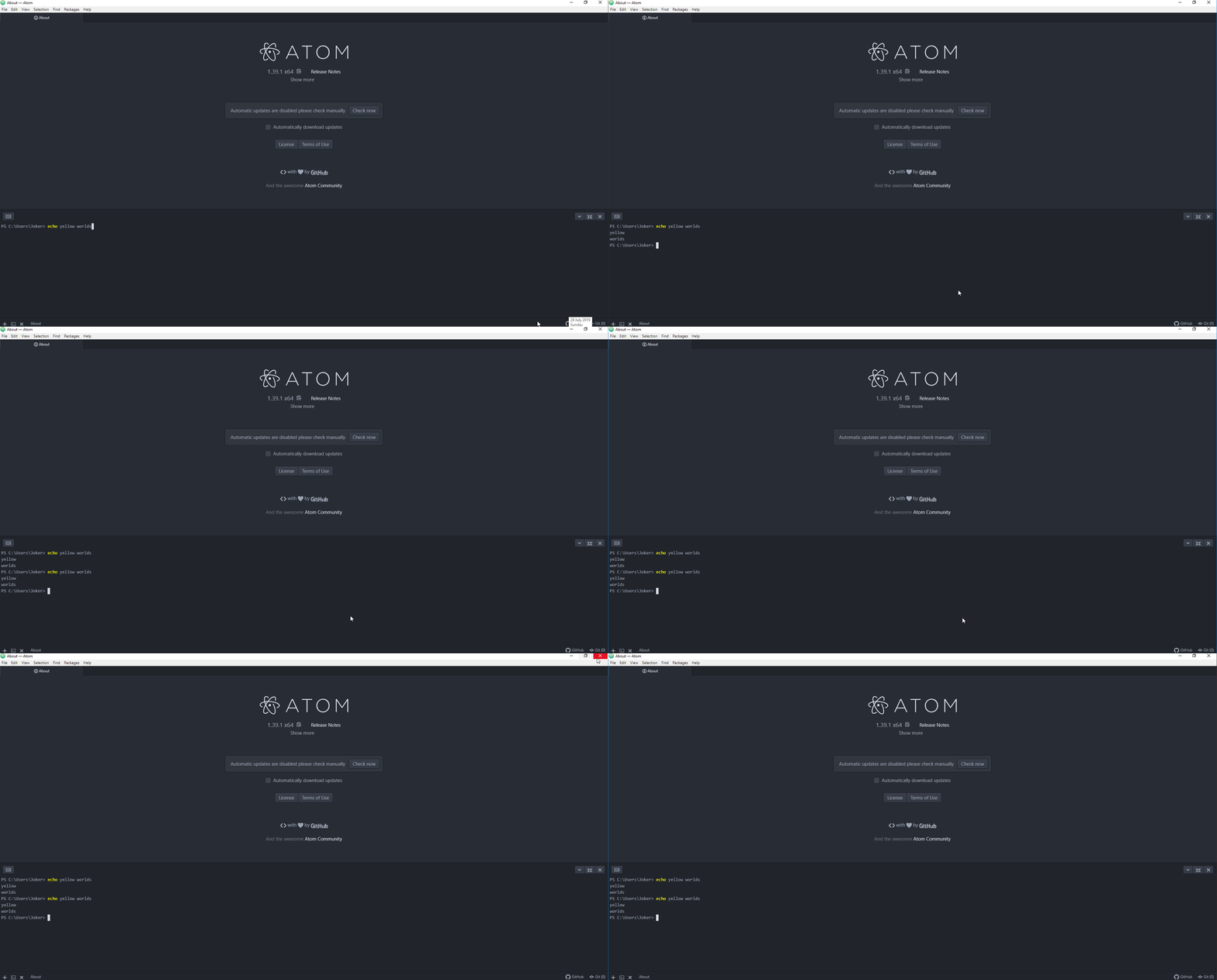
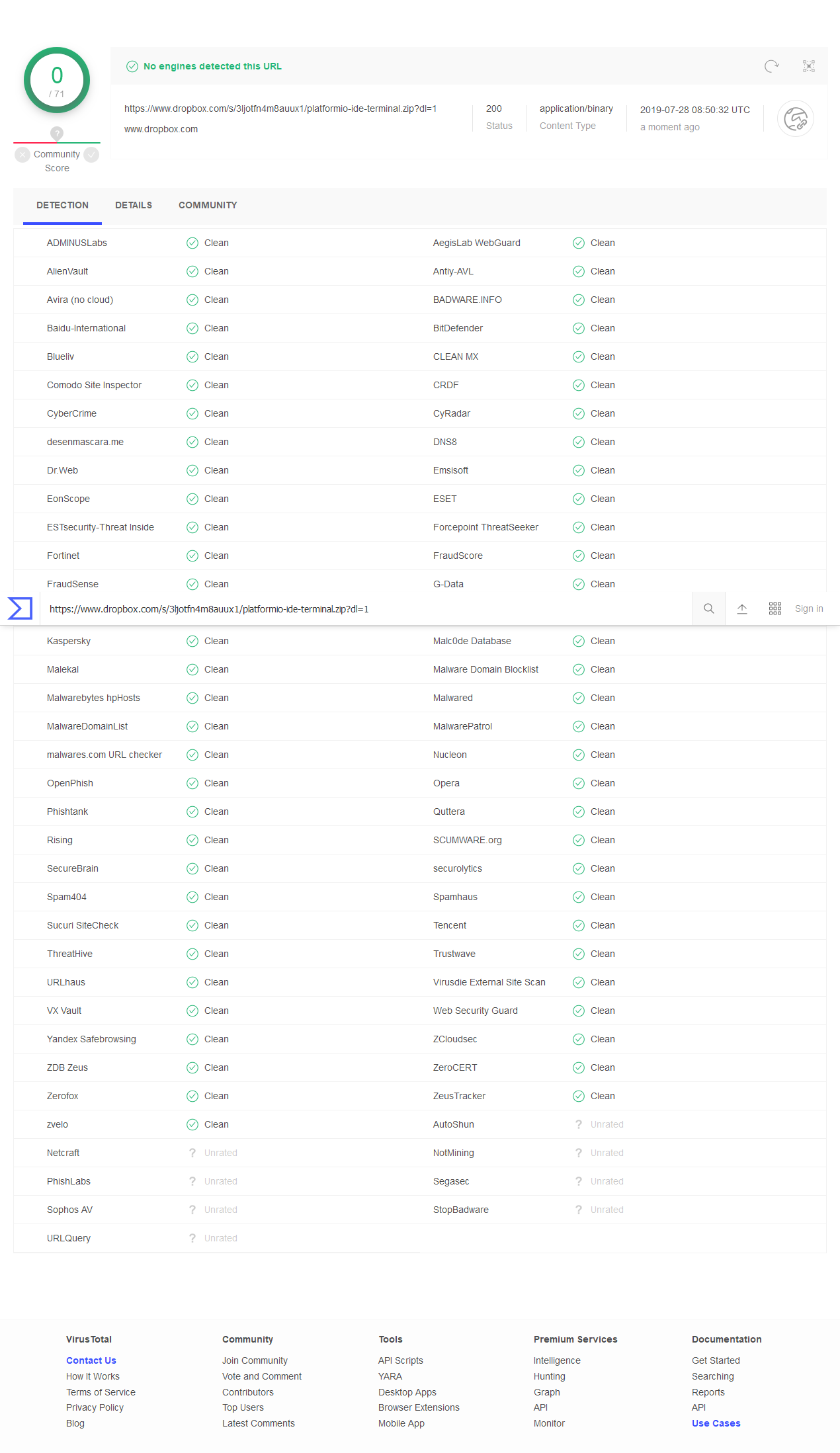
Feel free to scan the package with any and all virus scanners if you ultemately dont trust it, dont do this.
the-j0k3r
on 28 Jul 2019
This package is working. Can you publish this package to atom?
linjialiang
on 29 Jul 2019
This package is working. Can you publish this package to atom?
No, Its just for Windows anyway. Linux needs node-pty-prebuilt for Linux and so on with macOS etc.
The rwal fix is fixing node-pty-prebuilt compile for 0.8.1
the-j0k3r
on 29 Jul 2019
Solution #3
Here is a solution that will almost certainly work for all OS/platforms that have prebuilt modules in that repo.
See https://github.com/pfitzseb/node-pty-prebuilt/releases choose a platform that matches your OS, I recommend you stick to stable builds only around 0.8.1 at this time. scan the hell out of these with antivirus or audit the code.
Close Atom, Download the asset for your platform, replace the contents of Atom/packages/platformio-ide-terminal/node-pty-prebuilt etc etc with the downloaded bits from there.
Open Atom, if all worked platformio-ide-terminal should just work.
the-j0k3r
on 29 Jul 2019
have a same error. trying that latest fix/release.
But hope it will be released at normal way from repository maintainer
 atherdon
on 29 Jul 2019
atherdon
on 29 Jul 2019
Incase anyone is still struggling with getting platformio-atom-ide running on a mac, I was able to get it running on my MBP (v10.14.6) by downgrading Atom to (v1.28.2) using https://atom.en.uptodown.com/mac
I had to click on the little "bug" icon on the bottom right to rebuild platformio-atom-ide (I had disabled/uninstalled) for compatibility issues it when I was trying to get it to work on Atom (v.1.39.1), then rebuild Atom. Finally, re-install platformio-atom-ide and it's working again.
Aside: I was worried that it by downgrading Atom it would wipe all my settings preferences but thankfully it didn't. Hope this helps!
 rkdass
on 30 Jul 2019
rkdass
on 30 Jul 2019
I've managed to install the package on linux by following these steps:
1- Downloading the latest release from the platformio repo.
2- Extract the release and run npm install (ensure you have npm gyp and npm make installed gloablly).
3- Download the latest node pty prebuilt release and replace the build folder in /node_modules/node-pty-prebuilt.
4- Copy the entire platformio folder to your atom packages folder.
 diversitude
on 30 Jul 2019
diversitude
on 30 Jul 2019
@rkdass see https://github.com/platformio/platformio-atom-ide-terminal/issues/707#issuecomment-514466135 that was for macOS
also downgrade to 1.28.2, you meant 1.38.2, but thats not really a solution. you can try also https://github.com/platformio/platformio-atom-ide-terminal/issues/707#issuecomment-516004464 re: https://github.com/pfitzseb/node-pty-prebuilt/releases/download/v0.8.1-prebuilt3/node-pty-prebuilt-v0.8.1-prebuilt3-electron-v69-darwin-x64.tar.gz
the-j0k3r
on 30 Jul 2019
Rebuilding the packages (as offered in Atom after clicking the bug icon) worked for me, thanks!
 tara-influxdata
on 31 Jul 2019
tara-influxdata
on 31 Jul 2019
There is blocker issue https://github.com/daviwil/node-pty-prebuilt
I'm not sure that @daviwil will fix it soon. Please switch to PlatformIO IDE for VSCode which has a built-in terminal.
 ivankravets
on 31 Jul 2019
ivankravets
on 31 Jul 2019
Is it time to change the editor
linjialiang
on 31 Jul 2019
Mac OS/OSX Fix
For me, it was a problem with python using version 3, which was causing node-gyp intall to fail.
I managed to install this package on the latest version of Atom (v1.39.1) on Mac OS using the following steps:
Edit
/Applications/Atom.app/Contents/Resources/app/apm/bin/python-interceptor.shChange line 37 from
exec python "${ARGS[@]}"toexec python2 "${ARGS[@]}"and line 40 fromexec python "$@"toexec python2 "$@"apm install platformio-ide-terminalshould now succeedWhen I opened Atom, I had to rebuild the package
You might want to reverse the edits in
python-interceptor.sh
Hope this helps someone
 AndyMardell
on 31 Jul 2019
AndyMardell
on 31 Jul 2019
the above solution did not work for me.
In my env on Mac, atom always checks compatibility and fail even though I edited to embed python2.7.
This bug really suffers me and I waste a long time today. I hope this will be solved as fast as possible...
 utotch
on 1 Aug 2019
utotch
on 1 Aug 2019
This solution works for me on Mac.
- turn off the setting of auto-upgrade on Atom
- downgrade Atom to 1.38.2 https://github.com/atom/atom/releases/tag/v1.38.2
- install a specific version of julia-client and platform-ide-terminal
> apm install [email protected]
> apm install [email protected]
@utotch Its your choice of course to stay with Atom 1.38.2 but platformio-ide-terminal should be version 2.9.1.
the-j0k3r
on 1 Aug 2019
Because the combination above is the only way to start up Atom successfully in my environment.
Of course I wanted to use the recent version of Atom and plugins as far as possible.
I tried possible combinations but failed.
I was really tired to solve this problem because I couldn’t work almost a whole day and waist a time. sad.
utotch
on 1 Aug 2019
OK once @ivankravets merges https://github.com/platformio/platformio-atom-ide-terminal/pull/753 and makes a release we can all go back to work without disruptions.
If that doesnt work for everyone else, I have no other solution at this time.
Redirect issues related to node-pty-prebuilt-multiarch to https://github.com/oznu/node-pty-prebuilt-multiarch/issues
the-j0k3r
on 1 Aug 2019
ivankravets
on 1 Aug 2019
For me this was still an issue by default. I had to click the bug button on the very bottom of the atom window:

and then click the Rebuild Packages button:

Then click the Reload Atom button:

Then it finally works and the buttons show up:

My system:
- Using Linux (Fedora 31 x64)
- Fresh install of Atom (v1.52.0) (Using the officially provided rpm)
- Telemetry disabled
githubpackage disabled (because it prevented be from opening any files)- Latest
platformio-ide-terminal(v2.10.0) installed and enabled
 T-vK
on 31 Oct 2020
T-vK
on 31 Oct 2020
Related issues
 QuasimodoNZ
·
4Comments
QuasimodoNZ
·
4Comments
 wo0dpeker
·
4Comments
wo0dpeker
·
4Comments
 courthead
·
3Comments
courthead
·
3Comments
 JoanaRFerreira
·
4Comments
JoanaRFerreira
·
4Comments
 0ski
·
5Comments
0ski
·
5Comments
Most helpful comment
I was able to rebuild the package on Windows 10 x64 1903 and now it's working in Atom 1.39.0 x64.

npm install --global --production windows-build-tools(it took about 10 minutes to complete)npm install -g node-gypNode.js version is 10.16.0