Pipelines: s3 Access error for visualizations
What steps did you take:
Followed the steps from https://www.kubeflow.org/docs/aws/pipeline/#support-s3-artifact-store
What happened:
- receive a s3 access error

What did you expect to happen:
See a markdown in the visualizations tab
Environment:
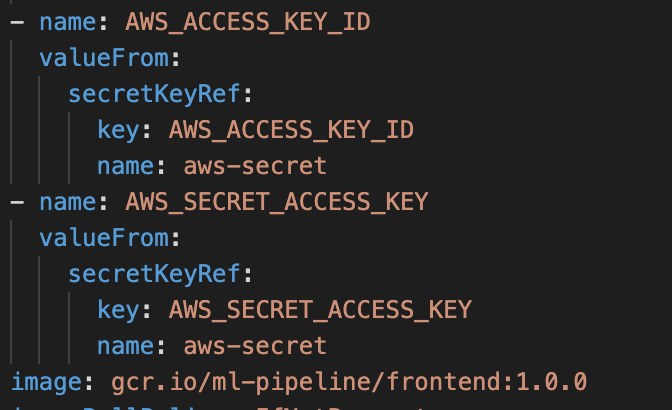
my ml-pipeline-ui deployment:
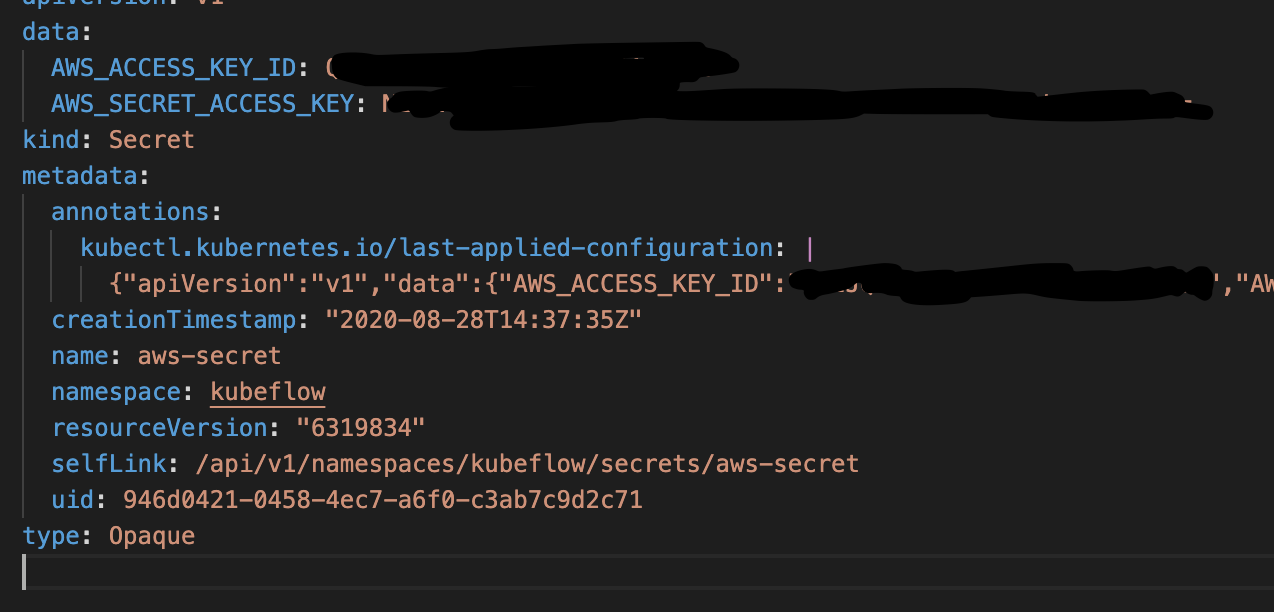
my secrets (base64)
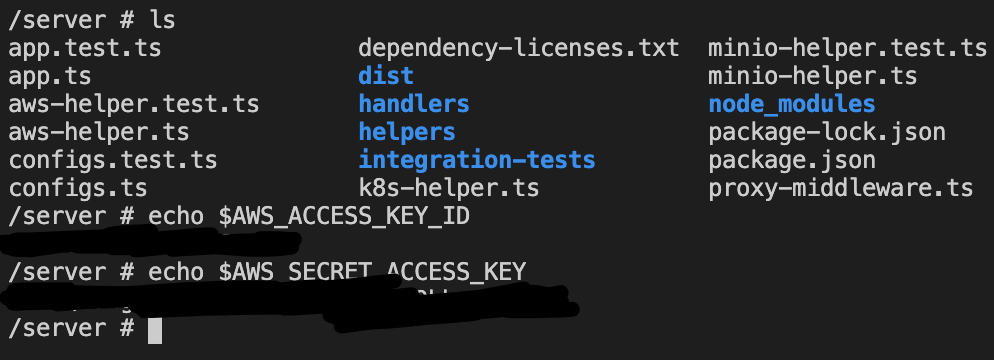
I can even confirm that the ml-pipeline-ui has the correct env variables by jumping into its terminal:
And finally these keys are valid for pulling and pushing to s3.
How did you deploy Kubeflow Pipelines (KFP)?
https://www.kubeflow.org/docs/aws/aws-e2e/
KFP version: 1.0.0
KFP SDK version:
kfp                      1.0.0
kfp-server-api           1.0.0
Anything else you would like to add:
[Miscellaneous information that will assist in solving the issue.]
/kind bug
 CBischke
All 18 comments
This is my op:
cop1 = dsl.ContainerOp(
        name="cop",
        image="xxx:s3-example",
        output_artifact_paths={'mlpipeline-ui-metadata': '/mlpipeline-ui-metadata.json', 'mlpipeline-metrics': '/mlpipeline-metrics.json'}
    )
where my docker image has /mlpipeline-ui-metadata.json at the root directory with the contents of:
{
"outputs" : [
            {
                "source": "s3://xxx/test/some.md",
                "type": "markdown"
            }
        ]
}
/assign @PatrickXYS @Jeffwan
 Bobgy
on 2 Sep 2020
Bobgy
on 2 Sep 2020
@CBischke One question is did you use AWS-SECRET in your OP?
E.g,
import kfp
from kfp import components
from kfp import dsl
from kfp.aws import use_aws_secret

def iris_comp():
    return kfp.dsl.ContainerOp(
        .....
        output_artifact_paths={'mlpipeline-ui-metadata': '/mlpipeline-ui-metadata.json'}
    )

@dsl.pipeline(
    name='IRIS Classification pipeline',
    description='IRIS Classification using LR in SKLEARN'
)
def iris_pipeline():
    iris_task = iris_comp().apply(use_aws_secret('aws-secret', 'AWS_ACCESS_KEY_ID', 'AWS_SECRET_ACCESS_KEY'))
Ref: https://www.kubeflow.org/docs/aws/pipeline/#configure-containers-to-use-aws-credentails
If you check the example's Op, you can see inside the Op container, we still need to aws-secret. Otherwise, the Op container will not have access to the S3 bucket.
 PatrickXYS
on 2 Sep 2020
PatrickXYS
on 2 Sep 2020
@Bobgy Feel free to only cc me if there are KFP AWS related questions. Because @Jeffwan mainly work on Control Plane + Training Side.
PatrickXYS
on 2 Sep 2020
@PatrickXYS Added the secrets to the OP and seeing the same error.
CBischke
on 2 Sep 2020
Just to add, I have used these keys in another OP and they are able to pull from s3.
CBischke
on 2 Sep 2020
If you have used these keys in other Op and can pull from S3, in this Op, you can't, that means it's not a bug from us, you might need first make aws-secret work on this Op.
PatrickXYS
on 2 Sep 2020
@PatrickXYS Sorry my comment may have been confusing. I just wanted to illustrate that the keys are valid. I have been able to get these keys to work in Ops that pull from s3, but I have never been able to get visualization to work from s3.
the Op that I use to pull from s3 uses the aws cli.
any Op that I use that has a mlpipeline-ui-metadata.json that points to resources in s3 always gets an access denied in the visualization.
CBischke
on 2 Sep 2020
So heres an example to illustrate:
I have an s3 bucket with a markdown file
I have an op that uses the aws cli to pull from that bucket and that works great 👍
I have an op that uses a docker image that has a/mlpipeline-ui-metadata.json file that points to the markdown file in the s3 bucket and I get a S3:Access Denied in the visualization UI 😢
# downloads file from s3 just fine
s3_data_op = dsl.ContainerOp(
        name='s3 - Download',
        image='amazon/aws-cli',
        command=['aws', 's3', 'cp'],
        arguments=["s3://bucket/", '/mnt/', '--recursive'],
    ).apply(use_aws_secret('aws-secret', 'AWS_ACCESS_KEY_ID', 'AWS_SECRET_ACCESS_KEY'))

# the visualization ui in kubeflow receives an error trying to pull and display the markdown file from s3
    cop1 = dsl.ContainerOp(
        name="cop",
        image="image:s3-example",
        output_artifact_paths={'mlpipeline-ui-metadata': '/mlpipeline-ui-metadata.json'}
    ).apply(use_aws_secret('aws-secret', 'AWS_ACCESS_KEY_ID', 'AWS_SECRET_ACCESS_KEY'))
@PatrickXYS Solved it by editing the AMI attached to the node to have s3 read access.
CBischke
on 9 Sep 2020
Not sure if the docs state that this needs to happen.
CBischke
on 9 Sep 2020
@CBischke Can you help sending PR to fix the documentation?
PatrickXYS
on 9 Sep 2020
@PatrickXYS Yeah I can do that.
CBischke
on 9 Sep 2020
referencing:
https://github.com/kubeflow/website/pull/2187
CBischke
on 10 Sep 2020
specifically for the viz, the ml-pipeline-ui pod must have access rights to the S3 bucket.
There are few ways to do it:
- provide the access key and secret as env var to the pod (as part of the deployment)
- (recommended) use kube2iam or similar (or even the IAM role to the node - not recommended) to give the pod the IAM credentials
I maintain a community repo for pipelines on AWS - u can refer https://github.com/e2fyi/kubeflow-aws/tree/master/pipelines on the finer details on how to config for S3.
 eterna2
on 11 Sep 2020
eterna2
on 11 Sep 2020
I am also trying for same scenario but , in my case i am using minio s3 and how this can be achievable? Any thoughts would be great?.. Thanks.
 srujanattunuri
on 25 Nov 2020
srujanattunuri
on 25 Nov 2020
@srujanattunuri You might need to search for minio s3 compatible solution and make it available on your kubeflow deployment.
However, if you still have issue in minio-s3, feel free to open another issue.
I think this issue is resolved
/close
PatrickXYS
on 25 Nov 2020
@PatrickXYS: Closing this issue.
In response to this:
@srujanattunuri You might need to search for minio s3 compatible solution and make it available on your kubeflow deployment.
However, if you still have issue in minio-s3, feel free to open another issue.
I think this issue is resolved
/close
Instructions for interacting with me using PR comments are available here. If you have questions or suggestions related to my behavior, please file an issue against the kubernetes/test-infra repository.
 k8s-ci-robot
on 25 Nov 2020
k8s-ci-robot
on 25 Nov 2020
Related issues
 IronPan
·
4Comments
IronPan
·
4Comments
 zijianjoy
·
3Comments
zijianjoy
·
3Comments
 xinbinhuang
·
3Comments
xinbinhuang
·
3Comments
 julioyildo
·
4Comments
julioyildo
·
4Comments
 radcheb
·
4Comments
radcheb
·
4Comments