Pillow pasting the original image instead of the cropped (circle) image
What did you do?
I'm pasting an cropped image to another image.
What did you expect to happen?
Paste the cropped image.
What actually happened?
It pasted the original for some bizarre reason.
What are your OS, Python and Pillow versions?
- OS: Windows 10
- Python: 3.7.1
- Pillow: 5.0.3
Edit: Minimized code.
import os
from PIL import Image, ImageDraw, ImageOps, ImageFont, ImageFilter

filename = "image to crop.png"
offset = 50,50
size = 400,400
avatar = Image.open(filename)
avatar = avatar.resize(size, Image.ANTIALIAS)
rad = 200
circle = Image.new('L', (rad * 2, rad * 2), 0)
draw = ImageDraw.Draw(circle)
draw.ellipse((0, 0, rad * 2, rad * 2), fill=255)
alpha = Image.new('L', _avatar.size, "white")
w, h = _avatar.size
alpha.paste(circle.crop((0, 0, rad, rad)), (0, 0))
alpha.paste(circle.crop((0, rad, rad, rad * 2)), (0, h - rad))
alpha.paste(circle.crop((rad, 0, rad * 2, rad)), (w - rad, 0))
alpha.paste(circle.crop((rad, rad, rad * 2, rad * 2)), (w - rad, h - rad))
alpha = alpha.resize(size)
avatar.putalpha(alpha)
background = Image.open("image to paste to.png")
background.paste(avatar, offset)
background.save("image with cropped image pasted.png")
 VisualDevelopment
All 21 comments
Thank you for the code example.
Please could you reduce it down to say, 10 or so essential lines that still reproduces the problem?
 hugovk
on 28 Nov 2018
hugovk
on 28 Nov 2018
I shortened it @hugovk, please check my edit.
VisualDevelopment
on 28 Nov 2018
Which of the five pastes has the problem?
hugovk
on 28 Nov 2018
The last one
VisualDevelopment
on 28 Nov 2018
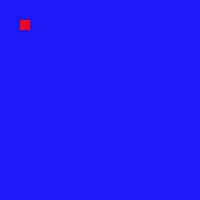
Here's a small working example:
from PIL import Image
red = Image.new("RGB", (200, 200), "red")
blue = Image.new("RGB", (200, 200), "blue")
# red.show()
# blue.show()
cropped_red = red.crop((0, 0, 10, 10))
blue.paste(cropped_red, (20, 20))
blue.show()
It creates this image:
hugovk
on 28 Nov 2018
but the red isn't circle 🤔
VisualDevelopment
on 28 Nov 2018
i meant to crop it as a circle
VisualDevelopment
on 28 Nov 2018
see, the file saved is cropped as a circle, but when i paste it, it pastes the original
VisualDevelopment
on 28 Nov 2018
from PIL import Image, ImageDraw, ImageOps

big_size = (200, 200)
small_size = (20, 20)

red = Image.new("RGBA", big_size, "red")
blue = Image.new("RGBA", big_size, "blue")
mask = Image.new("L", big_size, 0)

draw = ImageDraw.Draw(mask)
draw.ellipse((0, 0) + small_size, fill=255)

cropped_red = ImageOps.fit(red, mask.size, centering=(0.5, 0.5))
cropped_red.putalpha(mask)
# cropped_red.show()

blue.paste(cropped_red, small_size, mask)

blue.show()

hugovk
on 28 Nov 2018
oh thanks
VisualDevelopment
on 28 Nov 2018
OMG IT WORKED THANK YOU SO MUCH!
VisualDevelopment
on 28 Nov 2018
You're welcome!
hugovk
on 28 Nov 2018
epic

VisualDevelopment
on 28 Nov 2018
Nice!
hugovk
on 28 Nov 2018
@hugovk When i crop an transparent image it appears with a black background, how do i fix this?
VisualDevelopment
on 30 Nov 2018
@hugovk
VisualDevelopment
on 3 Dec 2018
Please share the code you're using, again please follow the "Minimal, Complete, and Verifiable" guidelines: https://stackoverflow.com/help/mcve
hugovk
on 3 Dec 2018
i haven't changed it at all
VisualDevelopment
on 3 Dec 2018
it's still the same
VisualDevelopment
on 3 Dec 2018
If anyone wondering what the answer had did, it's basically passing the mask into the paste() as well
This line:
blue.paste(cropped_red, small_size, mask)
 pupubird
on 6 Jul 2020
pupubird
on 6 Jul 2020
If anyone wondering what the answer had did, it's basically passing the
maskinto thepaste()as wellThis line:
blue.paste(cropped_red, small_size, mask)
this is it, thank you so much!
 hoverdoge
on 6 Oct 2020
hoverdoge
on 6 Oct 2020
Related issues
 edowson
·
3Comments
edowson
·
3Comments
 HansHirse
·
3Comments
HansHirse
·
3Comments
 FlowerCode
·
4Comments
FlowerCode
·
4Comments
 vytisb
·
4Comments
vytisb
·
4Comments
 steph-ben
·
4Comments
steph-ben
·
4Comments
Most helpful comment