Pillow: Problem with EXIF in some files
I've got a strange problem with some files with EXIF in them. Here is a traceback and the file in attachment.
Internal Server Error: /place/content/upload/
Traceback (most recent call last):
  File "/var/www/tourism/env/local/lib/python2.7/site-packages/django/core/handlers/base.py", line 114, in get_response
    response = wrapped_callback(request, *callback_args, **callback_kwargs)
  File "/var/www/tourism/env/local/lib/python2.7/site-packages/django/views/generic/base.py", line 69, in view
    return self.dispatch(request, *args, **kwargs)
  File "/var/www/tourism/env/local/lib/python2.7/site-packages/django/utils/decorators.py", line 29, in _wrapper
    return bound_func(*args, **kwargs)
  File "/var/www/tourism/env/local/lib/python2.7/site-packages/django/contrib/auth/decorators.py", line 22, in _wrapped_view
    return view_func(request, *args, **kwargs)
  File "/var/www/tourism/env/local/lib/python2.7/site-packages/django/utils/decorators.py", line 25, in bound_func
    return func(self, *args2, **kwargs2)
  File "/var/www/tourism/www/tourism/core/mixins.py", line 13, in dispatch
    return super(LoginRequredMixin, self).dispatch(*args, **kwargs)
  File "/var/www/tourism/env/local/lib/python2.7/site-packages/django/views/generic/base.py", line 87, in dispatch
    return handler(request, *args, **kwargs)
  File "/var/www/tourism/env/local/lib/python2.7/site-packages/django/views/generic/edit.py", line 205, in post
    return super(BaseCreateView, self).post(request, *args, **kwargs)
  File "/var/www/tourism/env/local/lib/python2.7/site-packages/django/views/generic/edit.py", line 171, in post
    return self.form_valid(form)
  File "/var/www/tourism/www/tourism/apps/place/views.py", line 368, in form_valid
    self.object.save()
  File "/var/www/tourism/www/tourism/apps/place/models.py", line 409, in save
    super(Photo, self).save(*args, **kwargs)
  File "/var/www/tourism/env/local/lib/python2.7/site-packages/django/db/models/base.py", line 545, in save
    force_update=force_update, update_fields=update_fields)
  File "/var/www/tourism/env/local/lib/python2.7/site-packages/django/db/models/base.py", line 582, in save_base
    update_fields=update_fields, raw=raw, using=using)
  File "/var/www/tourism/env/local/lib/python2.7/site-packages/django/dispatch/dispatcher.py", line 185, in send
    response = receiver(signal=self, sender=sender, **named)
  File "/var/www/tourism/www/tourism/apps/place/models.py", line 108, in do_post_save
    instance.rename_files()
  File "/var/www/tourism/www/tourism/apps/place/models.py", line 101, in rename_files
    self.save(update_fields=update_fields)
  File "/var/www/tourism/www/tourism/apps/place/models.py", line 415, in save
    crop='center'
  File "/var/www/tourism/env/local/lib/python2.7/site-packages/sorl/thumbnail/shortcuts.py", line 8, in get_thumbnail
    return default.backend.get_thumbnail(file_, geometry_string, **options)
  File "/var/www/tourism/env/local/lib/python2.7/site-packages/sorl/thumbnail/base.py", line 61, in get_thumbnail
    thumbnail)
  File "/var/www/tourism/env/local/lib/python2.7/site-packages/sorl/thumbnail/base.py", line 86, in _create_thumbnail
    image = default.engine.create(source_image, geometry, options)
  File "/var/www/tourism/env/local/lib/python2.7/site-packages/sorl/thumbnail/engines/base.py", line 15, in create
    image = self.orientation(image, geometry, options)
  File "/var/www/tourism/env/local/lib/python2.7/site-packages/sorl/thumbnail/engines/base.py", line 26, in orientation
    return self._orientation(image)
  File "/var/www/tourism/env/local/lib/python2.7/site-packages/sorl/thumbnail/engines/pil_engine.py", line 29, in _orientation
    exif = image._getexif()
  File "/var/www/tourism/env/local/lib/python2.7/site-packages/PIL/JpegImagePlugin.py", line 362, in _getexif
    return _getexif(self)
  File "/var/www/tourism/env/local/lib/python2.7/site-packages/PIL/JpegImagePlugin.py", line 386, in _getexif
    info.load(file)
  File "/var/www/tourism/env/local/lib/python2.7/site-packages/PIL/TiffImagePlugin.py", line 421, in load
    tag, typ = i16(ifd), i16(ifd, 2)
  File "/var/www/tourism/env/local/lib/python2.7/site-packages/PIL/_binary.py", line 29, in i16le
    return i8(c[o]) | (i8(c[o+1])<<8)
IndexError: string index out of range

 mpyatishev
All 27 comments
It looks like the exif info is bad.
(vpy27)erics:~/exif$ python
Python 2.7.3 (default, Aug  1 2012, 05:14:39)
[GCC 4.6.3] on linux2
Type "help", "copyright", "credits" or "license" for more information.
>>> from PIL import Image
>>> im = Image.open('bad_exif.jpg')
>>> im._getexif()
/home/erics/vpy27/local/lib/python2.7/site-packages/Pillow-2.3.0-py2.7-linux-x86_64.egg/PIL/TiffImagePlugin.py:451: UserWarning: Possibly corrupt EXIF data.  Expecting to read 19660800 bytes but only got 0. Skipping tag 0
/home/erics/vpy27/local/lib/python2.7/site-packages/Pillow-2.3.0-py2.7-linux-x86_64.egg/PIL/TiffImagePlugin.py:451: UserWarning: Possibly corrupt EXIF data.  Expecting to read 2684485632 bytes but only got 0. Skipping tag 0
/home/erics/vpy27/local/lib/python2.7/site-packages/Pillow-2.3.0-py2.7-linux-x86_64.egg/PIL/TiffImagePlugin.py:451: UserWarning: Possibly corrupt EXIF data.  Expecting to read 1575056 bytes but only got 785. Skipping tag 0
Traceback (most recent call last):
  File "<stdin>", line 1, in <module>
  File "build/bdist.linux-x86_64/egg/PIL/JpegImagePlugin.py", line 362, in _getexif
  File "build/bdist.linux-x86_64/egg/PIL/JpegImagePlugin.py", line 386, in _getexif
  File "build/bdist.linux-x86_64/egg/PIL/TiffImagePlugin.py", line 421, in load
  File "build/bdist.linux-x86_64/egg/PIL/_binary.py", line 29, in i16le
IndexError: string index out of range
Imagemagick shows some odd values, but doesn't complain too loudly:
(vpy27)erics@builder-1204-x64:~/exif$ identify -verbose bad_exif.jpg
Image: bad_exif.jpg
  Format: JPEG (Joint Photographic Experts Group JFIF format)
  Class: DirectClass
  Geometry: 900x697+0+0
...
  Properties:
    date:create: 2014-02-05T09:00:12-08:00
    date:modify: 2014-02-05T04:44:16-08:00
    exif:ApertureValue: 0/1000000
    exif:BrightnessValue: 0/1000000
    exif:ColorSpace: 1
    exif:CompressedBitsPerPixel: 0/1000000
    exif:DateTime: 2010:09:11 09:25:01
    exif:ExifImageLength: 697
    exif:ExifImageWidth: 900
    exif:ExifOffset: 314
    exif:ExifVersion: 48, 50, 49, 48
    exif:ExposureBiasValue: 0/1000000
    exif:ExposureIndex: 0/1000000
    exif:ExposureProgram: 0
    exif:ExposureTime: 0/1000000
    exif:FileSource: 0
    exif:Flash: 0
    exif:FNumber: 0/1000000
    exif:FocalLength: 0/1000000
    exif:FocalPlaneResolutionUnit: 0
    exif:FocalPlaneXResolution: 0/1000000
    exif:FocalPlaneYResolution: 0/1000000
    exif:ISOSpeedRatings: 0, 0
    exif:LightSource: 0
    exif:MaxApertureValue: 0/1000000
    exif:MeteringMode: 0
    exif:Orientation: 1
    exif:PrimaryChromaticities: 0/1000000, 0/1000000, 0/1000000, 0/1000000, 0/1000000, 0/1000000
    exif:ReferenceBlackWhite: 0/1000000, 0/1000000, 0/1000000, 0/1000000, 0/1000000, 0/1000000
    exif:ResolutionUnit: 2
    exif:SceneType: 0
    exif:SensingMethod: 0
    exif:ShutterSpeedValue: 0/1000000
    exif:Software: Adobe Photoshop CS5 Macintosh
    exif:SubjectDistance: 0/1000000
    exif:WhitePoint: 0/1000000, 0/1000000
    exif:XResolution: 300/1
    exif:YCbCrCoefficients: 0/1000000, 0/1000000, 0/1000000
    exif:YCbCrPositioning: 0
    exif:YResolution: 300/1
    jpeg:colorspace: 2
    jpeg:sampling-factor: 2x2,1x1,1x1
    signature: 2cec441eea9a21e08693067e1ae4e102464c2cedb7b4b2ae5a63733802e3f12a
...
 wiredfool
on 5 Feb 2014
wiredfool
on 5 Feb 2014
I have practically same problem.
...
  File "/home/project_name/.virtualenvs/project_name/local/lib/python2.7/site-packages/PIL/JpegImagePlugin.py", line 366, in _getexif
    return _getexif(self)

  File "/home/project_name/.virtualenvs/project_name/local/lib/python2.7/site-packages/PIL/JpegImagePlugin.py", line 400, in _getexif
    info.load(file)

  File "/home/project_name/.virtualenvs/project_name/local/lib/python2.7/site-packages/PIL/TiffImagePlugin.py", line 421, in load
    tag, typ = i16(ifd), i16(ifd, 2)

  File "/home/project_name/.virtualenvs/project_name/local/lib/python2.7/site-packages/PIL/_binary.py", line 36, in i16le
    return i8(c[o]) | (i8(c[o+1])<<8)

IndexError: string index out of range
 nrsimha
on 27 Apr 2014
nrsimha
on 27 Apr 2014
I think this issue should be reopened as clearly images with bad EXIF do exist in real life and other applications deal with them gracefully.
Also, https://github.com/python-imaging/Pillow/issues/635 may well be a duplicate.
 hugovk
on 27 Apr 2014
hugovk
on 27 Apr 2014
The problem is that Pillow uses the "highly experimental" method of extracting EXIF information: PIL.JpegImagePlugin._getexif(). That method has been in PIL since 1.1.4b1. I have no access to the original SVN repository, so I can't say for sure how old _getexif() is. Anyway, _getexif() has been in the "likely to be replaced with something better in a future version" state for quite a long time.
The quick-and-dirty solution would be:
--- a/PIL/JpegImagePlugin.py
+++ b/PIL/JpegImagePlugin.py
@@ -377,7 +377,10 @@ class JpegImageFile(ImageFile.ImageFile):
         self.tile = []

     def _getexif(self):
-        return _getexif(self)
+        try:
+            return _getexif(self)
+        except IndexError:
+            return None


 def _getexif(self):
The more sophisticated one is to rewrite _getexif() completely. The new _getexif() should not import TiffImagePlugin and should be tested thoroughly.
Which solution do you prefer, Alex?
 kkoroviev
on 18 Jun 2014
kkoroviev
on 18 Jun 2014
Related: #520 (proposal to make an EXIF plugin).
kkoroviev
on 18 Jun 2014
@kkoroviev It would be nice, like Imagemagick and IrfanView, to show what EXIF can be extracted.
But if that's not a trivial fix, I vote for the quick-and-dirty solution until #520 is properly implemented.
hugovk
on 18 Jun 2014
There is similar problem for PNGs http://stackoverflow.com/questions/10005419/why-am-i-getting-an-indexerror-string-index-out-of-range
 domenkozar
on 14 Aug 2014
domenkozar
on 14 Aug 2014
Are there any plans to integrate the quick-and-dirty solution in a near future release?
At the moment faulty images are not generated at all or IndexError us thrown in debug mode. So either i patch JpegImagePlugin.py or try to fix all faulty exif data.
Thank you for your ideas.
 aschosser
on 16 Oct 2014
aschosser
on 16 Oct 2014
@kkoroviev Not sure if you were asking me, but I agree with you: #520 should probably go in the next release unless the "real" fix is trivial. Would be nice to finally address something that is "likely to be replaced with something better in a future version". Now is the future. :smile:
 aclark4life
on 16 Oct 2014
aclark4life
on 16 Oct 2014
I think that the latest problem in Issue #1163 may have actually been the same problem as this, just with the new Python _binary methods, as PR #1256 means that the bug in this issue is now dealt with gracefully, rather than generating an error.
I would say that this issue can be closed, since #520 seems to have taken over the task of creating a better way of handling EXIF data.
 radarhere
on 8 Jun 2015
radarhere
on 8 Jun 2015
This file

failed with SyntaxError in ._getexif().
ImageMagick read it successfully.
 hongquan
on 31 Jul 2015
hongquan
on 31 Jul 2015
I can't replicate that problem, either with current Pillow or 2.9.x, which would have been the version when you posted this image. Can you provide any information about your platform/version of Pillow/version of Python?
radarhere
on 22 Jan 2016
I attach a jpeg file for which reading the metadata fails with _getexif() (Object with a None type is returned) while imagemagick and exiftool successfully read the metadata.
The best workaround I found so far is to install exiftool (written in perl) and use for instance https://github.com/smarnach/pyexiftool to make system calls.
I attach the image for a testing purpose. I checked that the uploaded image still fails.
Could someone fix the tag of this issue to indicate that jpg files are also impacted?
 sciunto
on 18 Oct 2017
sciunto
on 18 Oct 2017
@sciunto There's no exif info in that file.
wiredfool
on 19 Oct 2017
exiftool /tmp/31711422-538a40ba-b3f8-11e7-9911-b690178b9d24.JPG
ExifTool Version Number         : 10.55
File Name                       : 31711422-538a40ba-b3f8-11e7-9911-b690178b9d24.JPG
Directory                       : /tmp
File Size                       : 30 kB
File Modification Date/Time     : 2017:10:19 17:45:13+02:00
File Access Date/Time           : 2017:10:19 17:45:13+02:00
File Inode Change Date/Time     : 2017:10:19 17:45:17+02:00
File Permissions                : rw-r--r--
File Type                       : JPEG
File Type Extension             : jpg
MIME Type                       : image/jpeg
JFIF Version                    : 1.01
Resolution Unit                 : inches
X Resolution                    : 96
Y Resolution                    : 96
Image Width                     : 1280
Image Height                    : 960
Encoding Process                : Baseline DCT, Huffman coding
Bits Per Sample                 : 8
Color Components                : 3
Y Cb Cr Sub Sampling            : YCbCr4:2:0 (2 2)
Image Size                      : 1280x960
Megapixels                      : 1.2
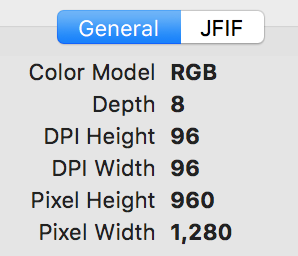
That's the basic JFIF info, not EXIF info:
>>> from PIL import Image
>>> im = Image.open('bad_exif.jpg')
>>> im.info
{'jfif_version': (1, 1), 'jfif': 257, 'jfif_unit': 1, 'jfif_density': (96, 96), 'dpi': (96, 96)}
Looking at the segments in the jpeg, there are the following segments:
0xffd8 SOI Start of image
0xffe0 APP0 Application segment 0
0xffdb DQT Define quantization table
0xffdb DQT Define quantization table
0xffc0 SOF0 Baseline DCT
0xffc4 DHT Define Huffman table
0xffc4 DHT Define Huffman table
0xffc4 DHT Define Huffman table
0xffc4 DHT Define Huffman table
0xffda SOS Start of scan
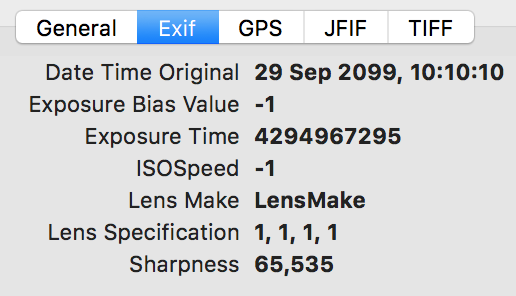
There's no APP1 Application segment 0 which would be the EXIF segment.
wiredfool
on 19 Oct 2017
 hugovk
on 19 Oct 2017
hugovk
on 19 Oct 2017
Thanks for shedding light on this. I was tricked by exiftool on what exif actually is. :)
sciunto
on 20 Oct 2017
If you do not care about exif info and do not want to get the warning message, you can use piexif to the remove the exif info.
 jdhao
on 28 Oct 2017
jdhao
on 28 Oct 2017
This sounds like a compatibility issue between pillow, numpy, etc
I solved the issue by downgrading to Pillow version 4 by below command on anaconda
conda install pillow=4.0.0
My python version is 3.5. This would solve the issue.
 peymanrah
on 11 Jun 2018
peymanrah
on 11 Jun 2018
If you simply wish for these warnings to stop spamming your console, you can just filter them, e.g.
warnings.filterwarnings("ignore", "(Possibly )?corrupt EXIF data", UserWarning)

with Image.open("problematic_image.jpg") as image:
    # do something with image
 HatScripts
on 30 Sep 2018
HatScripts
on 30 Sep 2018
I think that the latest problem in Issue #1163 may have actually been the same problem as this, just with the new Python _binary methods, as PR #1256 means that the bug in this issue is now dealt with gracefully, rather than generating an error.
I would say that this issue can be closed, since #520 seems to have taken over the task of creating a better way of handling EXIF data.
Closing.
hugovk
on 30 Sep 2018
still dont know how to repair the exif corrupt image file problem.... including many types of images: jpg, png, bmp, gif...and so on. piexif only solves .jpeg files' problem.
 Light--
on 11 Jun 2019
Light--
on 11 Jun 2019
@Light-- would you be able to open a new issue with specific details of your situation?
radarhere
on 11 Jun 2019
Is there a defined fix for this yet? I think a script we just outsourced is encountering this on some customer images with exif TIFF info in a jpeg.
 scottw-finao
on 19 Aug 2019
scottw-finao
on 19 Aug 2019
@scottw-finao would you be able to open a new issue with specific details of your situation?
radarhere
on 19 Aug 2019
@radarhere I'm not a big python guy. We're still trying to reproduce it locally and this is the only semi-related thread I could find on exif in jpeg files. We're trying to generate thumbnails on AWS lambda and when I run the code locally, it works fine in python 3.6. The AWS appears to be using python 3.7. That's the only difference I've detected thus far. But the problem is, the cloud logs aren't giving me anything useful by way of errors or exceptions. It's just making it to the Image.thumb() call and the script fails from a timeout.
Examining the file compared to ones that worked, and the only difference is that the failing files have embedded exif(TIFF) info in them. Still exploring and trying to reproduce it locally. I'll most more if I find it and it turns out to be related. We are looking into the versioning mentioned by @peymenrah above
scottw-finao
on 19 Aug 2019
Related issues
 boskicthebrain
·
4Comments
boskicthebrain
·
4Comments
 Larivact
·
4Comments
Larivact
·
4Comments
 mmalenta
·
3Comments
mmalenta
·
3Comments
 steph-ben
·
4Comments
steph-ben
·
4Comments
 indirectlylit
·
4Comments
indirectlylit
·
4Comments
Most helpful comment
I think this issue should be reopened as clearly images with bad EXIF do exist in real life and other applications deal with them gracefully.
Also, https://github.com/python-imaging/Pillow/issues/635 may well be a duplicate.